

I post videos on Twitter regularly, and there’s no doubt about it: videos perform better.
They get more impressions, more engagement, and more visibility compared to plain text tweets. Over time, that made me curious about something very specific. If videos are doing so well, who is actually watching them?
Not just how many views they get, but real insight. Are people watching the full video, or dropping off after a few seconds? Are these views meaningful, or just quick scroll-bys?
That curiosity led me to a frustrating realization.
The Short Answer: No, Twitter Does Not Show Who Watched Your Video
Twitter (X) does not show you the identities of people who watched your videos.
There is no viewer list. You cannot see usernames, profiles, or accounts that watched a specific video. This applies to everyone, regardless of account size.
 Arif Akdogan
What Twitter shows by default is very limited:
- Total video views
- Likes, reposts, and replies
- Basic engagement counts
For someone who posts videos seriously, these numbers are not very helpful. A view alone does not tell you if the video was actually watched or if someone scrolled past it after two seconds.
If you are a creator on X and want to know about the latest developments regarding the algorithm changes, engagement strategies, payout boosts, etc., you can join Circleboom's X Creator Growth Lab Community and enjoy a free space to learn from and contribute to!

What Twitter’s Native Video Analytics Is Missing
The biggest problem with Twitter’s built-in analytics is the lack of depth.
You cannot see:
❌ How many people actually started watching the video
❌ Where viewers dropped off
❌ How many watched most of the video or completed it
Unless you are on a Premium plan, Twitter keeps most meaningful video insights hidden. Even then, the focus is still very limited if you want to understand performance properly.
For me, view count alone was not enough. I needed context.
Why I Needed Better Video Analytics
When you post videos consistently, small details matter.
I wanted answers to questions like:
- Did people actually watch this video, or did it just autoplay briefly?
- At what point do viewers lose interest?
- Which videos deserve to be reshared because they actually hold attention?
Without these insights, improving video content becomes guesswork. That’s when I started using Circleboom Twitter.
 Arif Akdogan
How Circleboom Twitter Helps Analyze Video Performance
Circleboom Twitter is an official X Enterprise Developer, and it includes one of the most detailed Post Analytics features available.

What I like most is that it gives access to the same level of video analytics that X provides to Premium users, without requiring a Premium subscription.
Instead of vague numbers, you get real performance data that helps you understand how your videos behave after they are posted.
Step-by-Step: How I Analyze My Twitter Video Performance with Circleboom
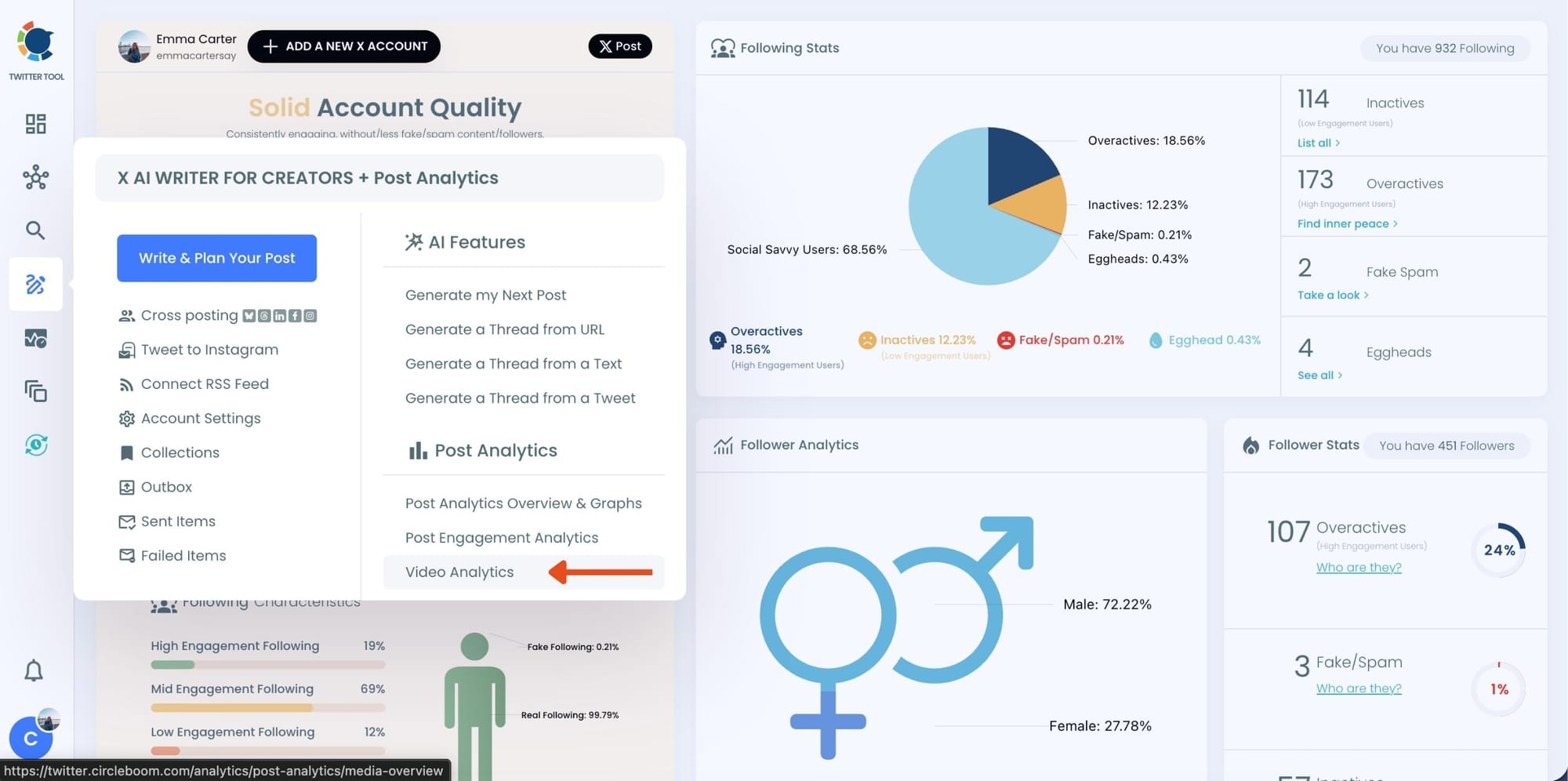
Step #1: Go to Circleboom Twitter and log in using your Twitter/X account.
Once you're in, you'll land on your dashboard where you can access all analytics features easily from the left-hand menu.

Step #2: Click on “Post Analytics” and then choose “Video Analytics.”
This section displays all your video tweets from the last 30 days in one place.
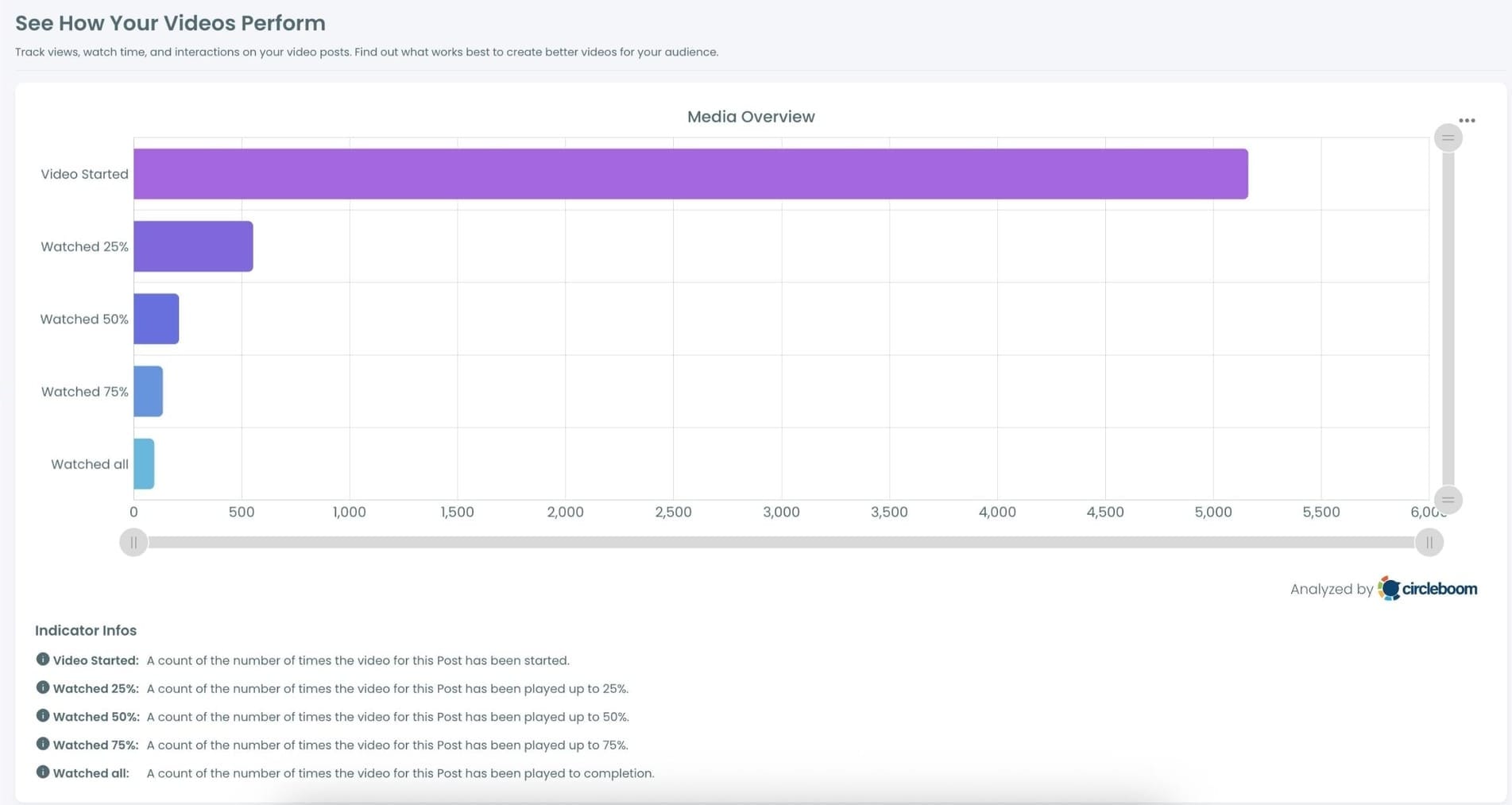
Step #3: View the visual chart showing how your videos performed.
You’ll see a breakdown like how many times the video started, and how many users watched 25%, 50%, 75%, or completed it. This gives a much clearer view of where viewers are dropping off.
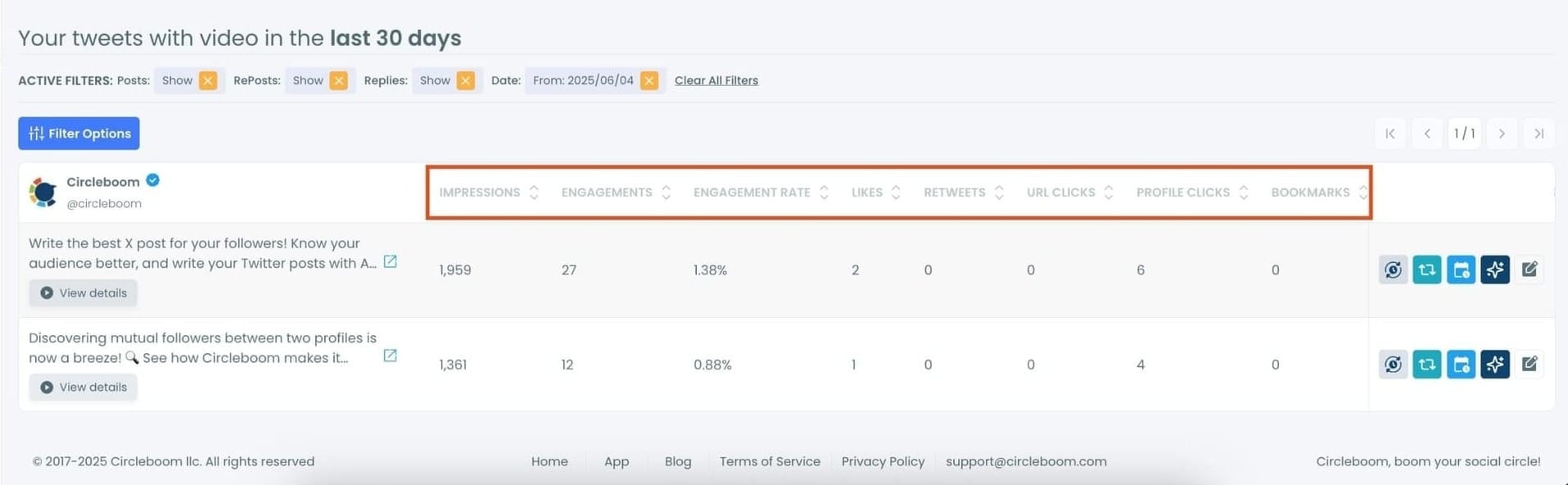
Step #4: Scroll down to the table that shows your individual video tweets.
Here, you’ll find detailed stats like impressions, engagements, engagement rate, likes, retweets, URL clicks, and profile visits.
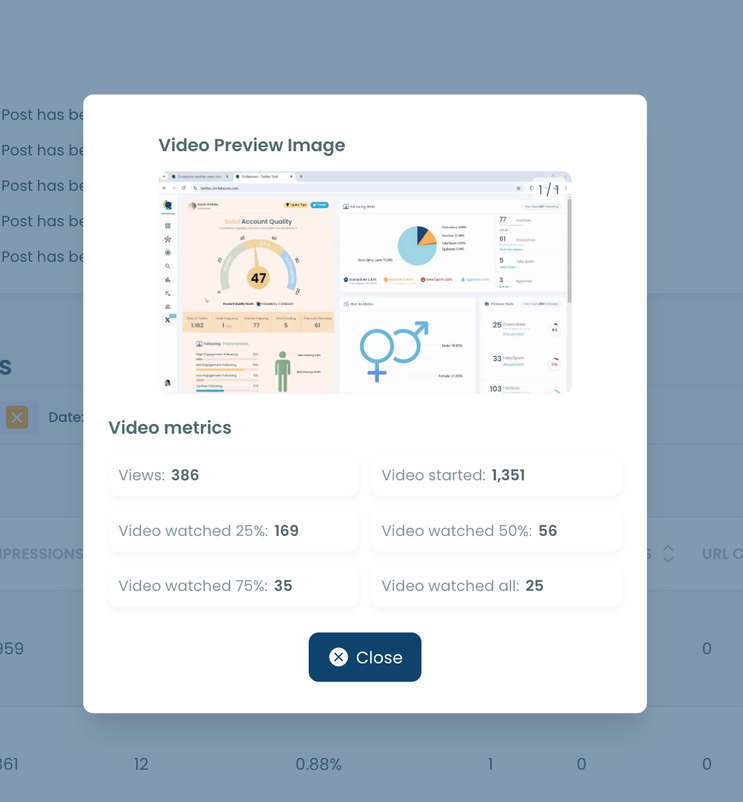
Step #5: Click “View details” under any video tweet.
It opens a pop-up with all the metrics for that specific video: total views, how many times it was started, and how many users watched each percentage segment of the video (25%, 50%, 75%, and 100%).
How I Use These Insights in Practice
Once I started using detailed video analytics, my approach changed.
I stopped guessing and started improving based on data. Videos with strong completion rates got reshared. Videos with early drop-offs helped me understand which hooks were not working.
Over time, patterns became clear. Certain formats held attention better. Certain lengths worked better. Without this data, I would never have noticed those trends.
Bonus Features That Help Videos Perform Better
Circleboom Twitter does not stop at analytics.

When I find a video that performs well, I can take action immediately from the same screen:
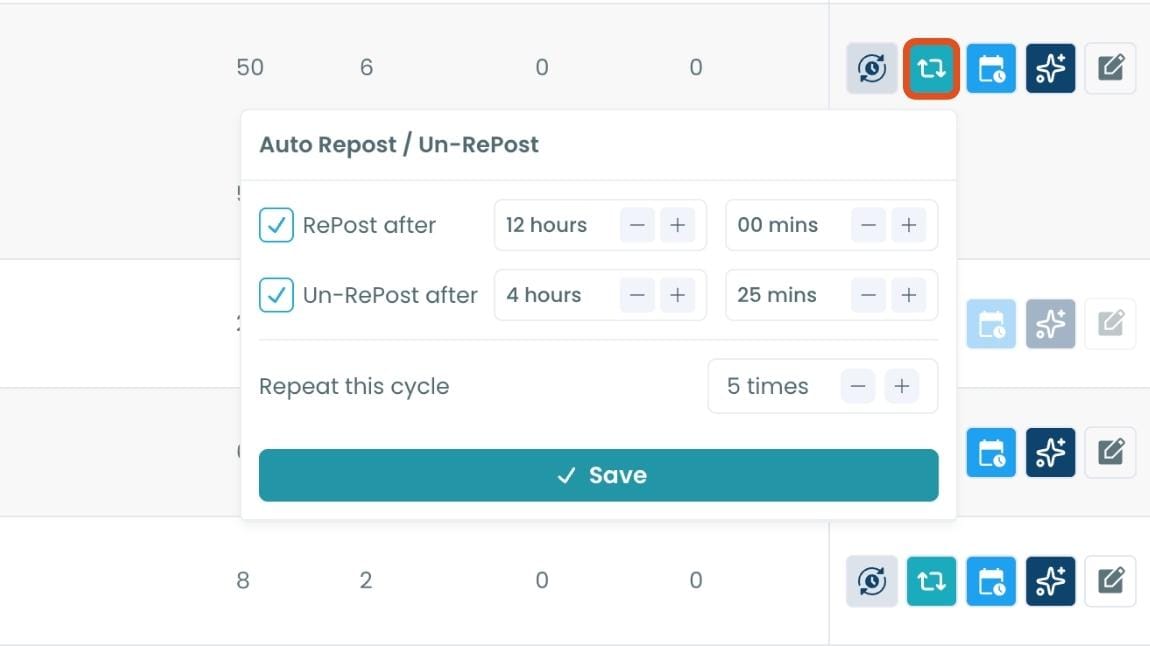
ℹ️ Auto-retweet the video to give it a second chance at visibility
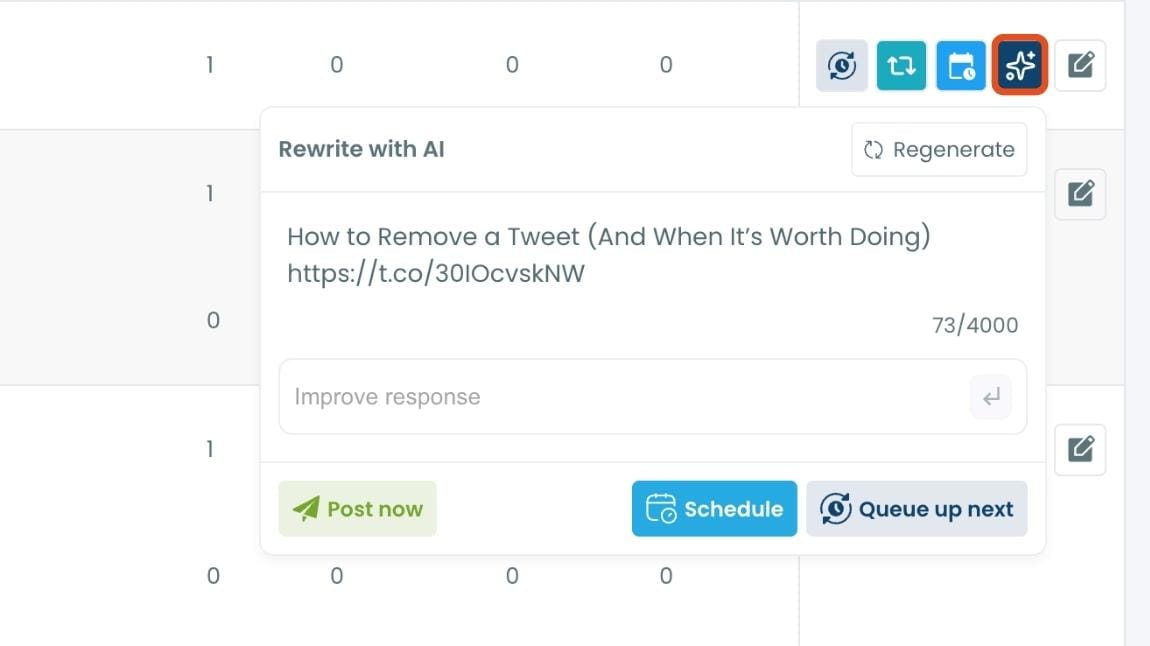
ℹ️ Rewrite the caption using AI to test a fresh angle
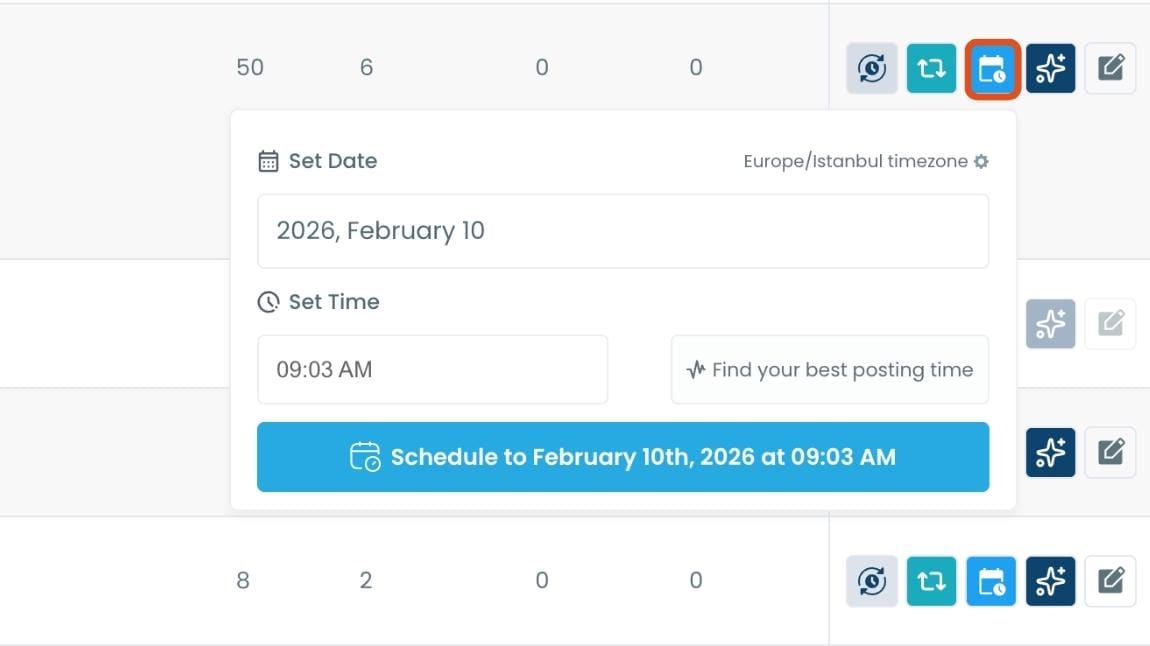
ℹ️ Reshare the video at the best time based on audience activity
These options save time and help good content reach more people without extra tools or manual work.
What You Still Cannot See (And Why That’s Okay)
Even with advanced analytics, one thing remains true.
You still cannot see the individual accounts who watched your video. Twitter does not allow that.
But once you understand viewer behavior, drop-off points, and completion rates, knowing individual names becomes far less important. Performance insight matters more than identity.
Final Thoughts
Twitter does not show who watched your videos, and basic view counts alone are not enough if you want to grow with video content.
What actually helps is understanding how people watch, not just how many times a video was viewed.
With detailed video analytics from Circleboom Twitter, video posting becomes a data-driven process instead of a guessing game. That’s what turns video content from occasional success into consistent performance.
%3F)
