Twitter Keyword & Hashtag Tracker: Track Hashtags, Keywords, and Tweets in Real Time
Keyword & Hashtag Tracker
Circleboom is a live tweet tracker and Twitter hashtag analytics tool: track any hashtag or keyword, pull historical data, and export hashtag stats and performance numbers
"Work with a trusted X Official Enterprise Developer to expand what's possible for your business. Each Official Enterprise Developer has been selected for the program after an extensive evaluation, and represents excellence, value, and trust." — X (Twitter)
Twitter hashtag analytics in Circleboom comes from the same dataset as the search itself: every tweet collected under a hashtag arrives with impression count, like count, retweet count, quote count, bookmark count, and reply count attached. That's the raw hashtag measurement layer X's own hashtag pages don't expose.
Run a Real-time or Historical Tweet Search scoped to your hashtag, switch to the profile view to see who's posting it, and export both views as CSV to build your own analytics report from the numbers Circleboom already collected.
TWITTER HASHTAG TRACKER
As a Twitter hashtag tracker, Circleboom works in two directions: Real-time Tweet Search follows a tag forward from a date you set, and Historical Tweet Search pulls everything posted under it from a past window. Both apply the same Hashtags filter and return the same dual output, a tweet view and a profile view of the accounts behind the tag.
Whichever direction you need, the hashtag tracker output is structured, filterable by engagement, and exportable as CSV.
POPULAR TWITTER KEYWORDS
The same Real-time and Historical Tweet Search tools that track hashtags also track plain keywords and phrases, which makes them a way to identify popular Twitter keywords in your niche. Run the same query as a keyword (without the #) instead of a hashtag, and Circleboom returns every matching tweet and the accounts posting it.
Compare keyword volume against a related hashtag's volume over the same date range to see whether your audience is using the tag at all, or talking about the topic in plain text instead.
HASHTAG PERFORMANCE
Hashtag performance in Circleboom is measured the same way tweet performance is: impressions, likes, retweets, quotes, bookmarks, and replies, attached to every post collected under the tag. Use the Engagement Metrics filters to set a minimum retweet or like count and narrow a hashtag search down to its best-performing posts.
That's the fastest way to separate a tag's signal from its noise. Instead of reading every tweet under a campaign hashtag, you go straight to the posts that actually moved, and see which accounts wrote them.
TWITTER POPULAR HASHTAGS
To find Twitter popular hashtags in your space, run a broad keyword search with Real-time Tweet Search and check the hashtags appearing across high-engagement tweets. The tags showing up most often in that conversation are the ones currently active.
Once you've identified a candidate, scope a dedicated Hashtags-filtered search to that tag and compare its volume and engagement against the keyword search that surfaced it, confirming whether it's worth tracking on its own going forward.
HASHTAG REPORT
Every Tweet View and Profile View from a hashtag search can be exported as CSV, which is what turns a search into a hashtag report: post text, timestamps, full engagement metrics, and author details for the tweet side, plus follower count, following count, follow ratio, and engagement tier for the account side.
Run the export after a Real-time search to report on a live campaign as it develops, or after a Historical search to document how a tag performed over a past date range.
HASHTAG STATS
Hashtag stats in Circleboom come straight from the tweet-level data collected for each search: impression, like, retweet, quote, bookmark, and reply counts for every post under the tag, plus account-level stats (follower count, following count, follow ratio, tweet count, and engagement tier) for everyone who posted it.
Sort the results table by any of these columns to find the highest-impression tweet, the most-followed account, or the tweet with the best follow ratio author under a given tag.
HASHTAG ANALYZER
As a hashtag analyzer, Circleboom doesn't return a single score, it returns the underlying dataset: every tweet under the tag with its engagement numbers, and every account that posted it with follower count, follow ratio, and engagement tier.
That structure lets you analyze a hashtag from multiple angles in the same export: posting volume over the date range, average engagement per tweet, the accounts driving the most activity, and the share of posts coming from verified accounts using the From Verified Accounts filter.
HASHTAG TREND CHECKER
Used as a hashtag trend checker, Real-time Tweet Search shows whether a tag is gaining traction by letting you compare volume and engagement across consecutive start dates. Run the same Hashtags-filtered search from a week ago and from today, and compare the tweet counts and engagement totals.
Historical Tweet Search extends the same comparison further back, so you can confirm whether a spike is a new trend or a tag that's always been active at that level.
HASHTAG METRICS
The hashtag metrics behind every Circleboom search are the same ones attached to each tweet: impressions, likes, retweets, quotes, bookmarks, and replies, plus follower count, following count, follow ratio, and engagement tier for the accounts behind them.
Use the Engagement Metrics filters to set minimums on any of these and check popularity of hashtags by comparing how many posts under a tag clear a given threshold, a more concrete measure than a raw mention count alone.
LIVE TWEET TRACKER
Inside Twitter Advanced Search, set a start date and Circleboom begins collecting tweets that match your hashtag or keyword from that moment forward, building a live, accumulating dataset rather than a one-time snapshot. As a live tweet tracker, it shows you the tweet view (post text, impressions, likes, retweets, quotes, bookmarks, replies, and timestamp) right alongside the account view, the unique profiles posting under that tag.
Use it for a launch, a campaign, or a live event: watch the conversation build in real time, then follow or export the accounts behind it before the moment passes.
HISTORICAL DATA FOR TWITTER HASHTAGS
Circleboom's Twitter Historical Data tool, Historical Tweet Search, applies the Hashtags filter to a date range of your choosing: last 30 days, 60 days, 90 days, a year, or a custom window. The result is historical data for Twitter hashtags that X's own search can't retrieve once a tag falls outside its short memory window.
Use it to track a Twitter hashtag back to a specific campaign, conference, or moment, then compare the engagement metrics from that period with what the tag is doing now.
TWITTER HASHTAG VIEWER
Used as a Twitter hashtag viewer, Circleboom replaces X's unsorted hashtag feed with a sortable table. Every tweet under the tag appears with its text, a link back to the original post, and full engagement numbers, and every column can be sorted ascending or descending.
It also works as a hashtag reader for the accounts side: switch to the profile view to see display name, username, follower count, follow ratio, and engagement tier for everyone posting the tag, with an inline search bar to filter by name or bio.
HASHTAG POPULARITY CHECKER
How to check hashtag popularity for a tag you're considering for a campaign? Run it through Historical Tweet Search over the last 30, 60, or 90 days and look at two numbers: how many tweets came back, and what their average impressions, likes, and retweets look like.
As a hashtag popularity checker, that combination tells you more than a raw post count alone. A tag with thousands of low-engagement tweets behaves differently from one with fewer posts but high engagement per tweet, and the export lets you check popularity of hashtags side by side.
TWEET TRACKER
As a general tweet tracker, Circleboom isn't limited to hashtags. The Keywords filter matches plain text, usernames, and phrases anywhere in a tweet, so you can twitter post track for a brand name, a product, or a competitor alongside any hashtags you're already watching.
Set the start date for Real-time Tweet Search or the date range for Historical Tweet Search, and the tracker returns every matching post with its engagement data and the account that wrote it, ready to filter, follow, or export.
HASHTAG LOOKUP
Hashtag lookup on Twitter starts with the Hashtags filter inside Real-time or Historical Tweet Search: enter the tag, set a date range or start date, and Circleboom returns every matching tweet plus the deduplicated list of accounts that posted it.
As a hashtag search tool, the lookup isn't limited to a single tag. Combine it with Language, Media Type, or Engagement Metrics filters to narrow a hashtag lookup on Twitter down to the exact subset of posts and accounts relevant to your research.
HASHTAG MONITORING SOFTWARE
Real-time Tweet Search works as hashtag monitoring software by collecting tweets under a tag continuously from the start date you set, building an accumulating dataset rather than a single snapshot. Results are stored under your search log, so you can revisit them without rerunning the search or spending tokens again.
Combine it with Auto Follow to turn monitoring into action: Circleboom can automatically follow the accounts behind new tweets matching your hashtag and filters as they're posted, so you grow around the exact conversation you're watching.
TWITTER TAG SEARCH
Twitter tag search in Circleboom uses the Hashtags filter alongside Keywords, Exclude terms, Language, Media Type, and Engagement Metrics, so a search for hashtags on Twitter can be narrowed well beyond what X's own tag pages allow.
Run the same tag search in Historical mode for past coverage or Real-time mode for what's posting right now, and switch between the tweet view and the profile view to see both the posts and the accounts behind a given tag.
HASHTAG TRACKING TOOL
Set up a hashtag as a recurring search in Twitter Advanced Search and the Real-time Tweet Search results accumulate over time, working as a hashtag tracking tool you can return to without losing earlier data, since every search is stored in your search log.
Pair it with Historical Tweet Search on the same tag to see both directions at once: what was posted before your tracking started, and what's been posted since, in the same tweet view and profile view format.
TRACK MY HASHTAG
To track my hashtag from the moment I start watching it, Real-time Tweet Search with the Hashtags filter set to that tag and a start date of today builds a live dataset of everything posted from that point forward, tweet view and profile view together.
To track a Twitter hashtag from before you started watching, switch to Historical Tweet Search on the same tag and a date range covering the period you missed, then export both periods as separate CSVs for a complete record.
CIRCLEBOOM IS AN X ENTERPRISE DEVELOPER
Circleboom is an official X Enterprise developer tool. Therefore, when you use Circleboom services and connect your X account, you are totally safe. You will enjoy tools and services that are not available even in the native X dashboard.
If this is your first time, you should create a new account. It will be done in five seconds.
2
02
Circleboom is an official X Enterprise Developer.
That means you are totally safe when you connect your X account to Circleboom.
3
03
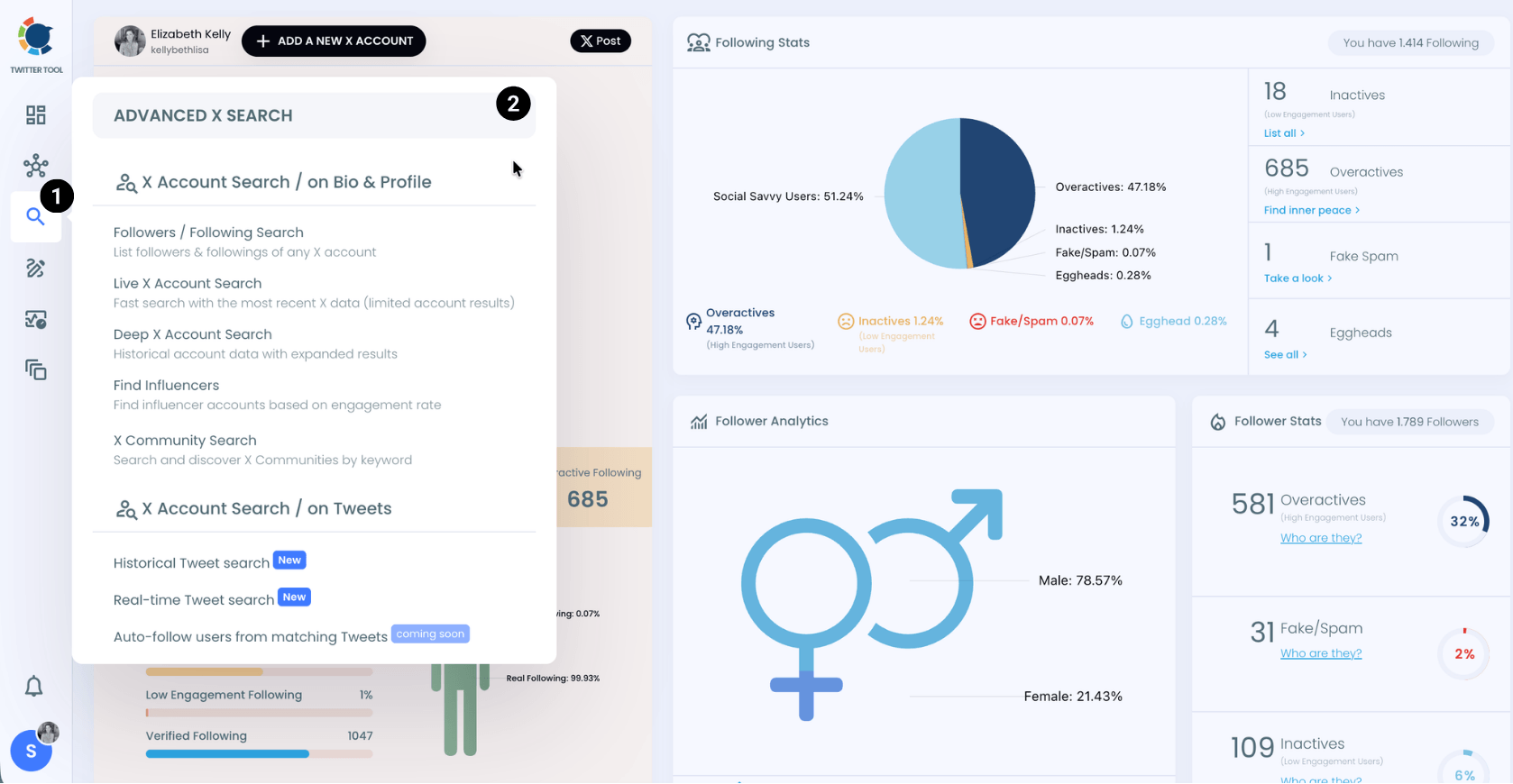
When you are on the Circleboom dashboard, go to the left and find the 'Advance X Search'.
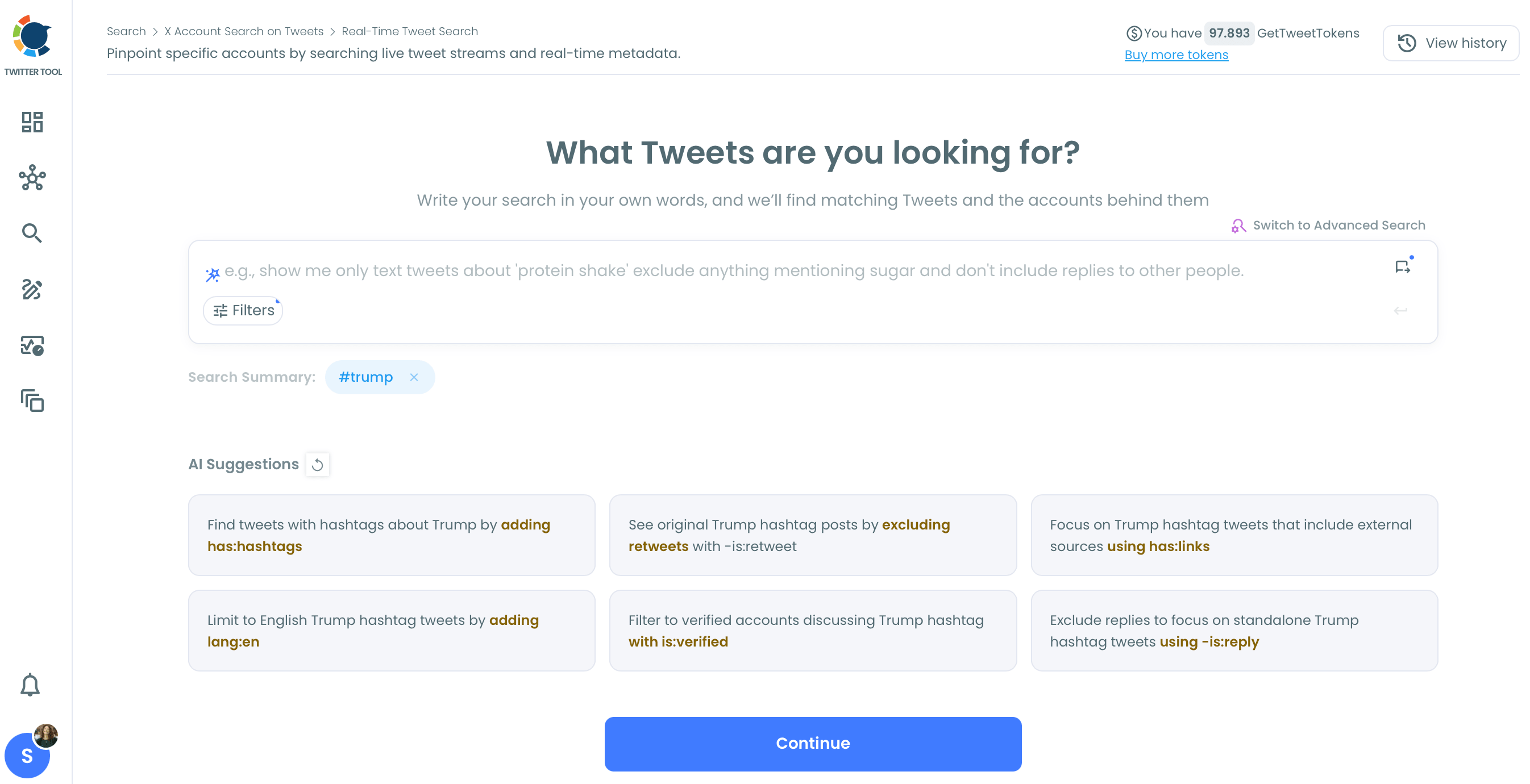
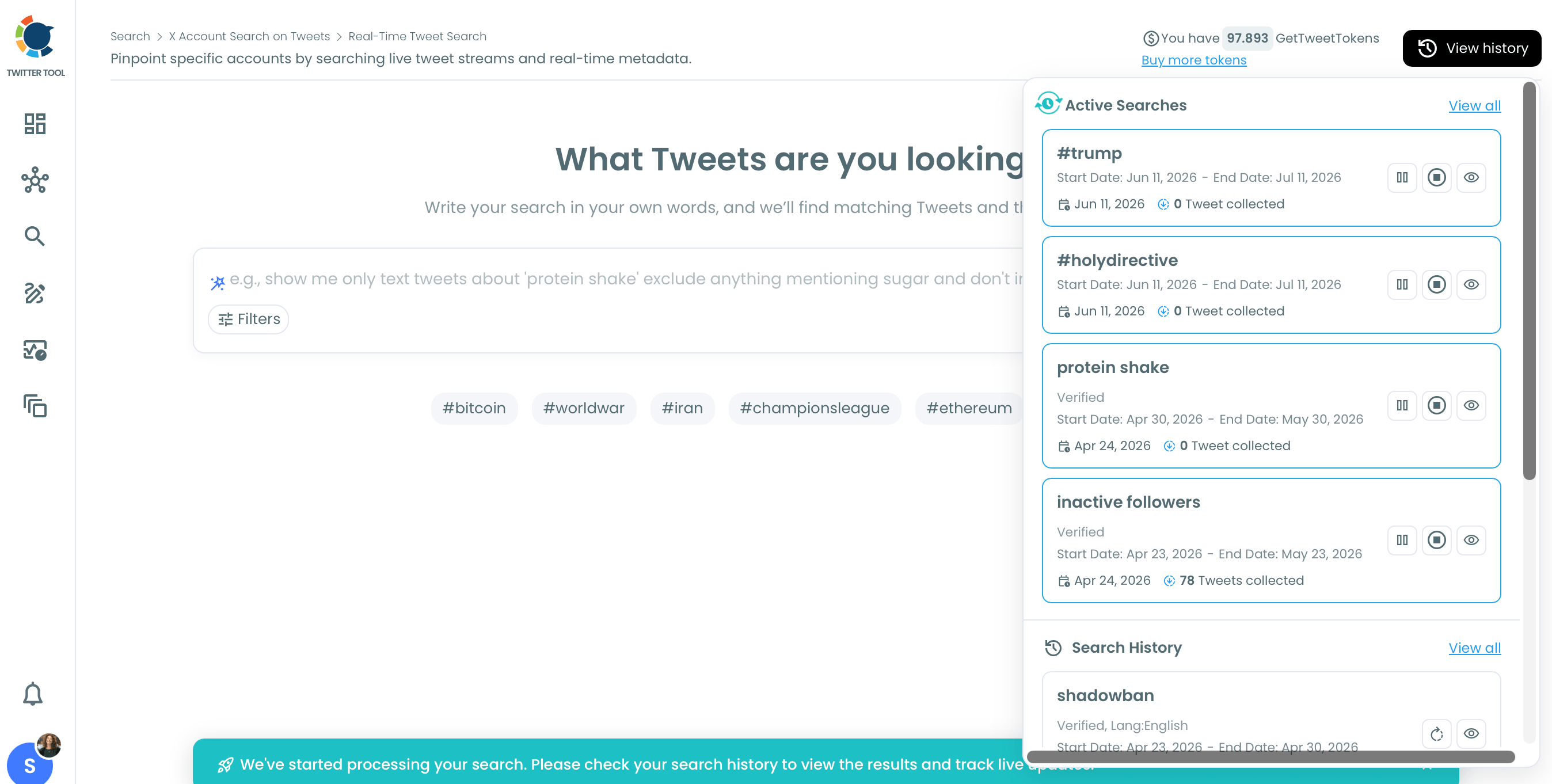
Select Historical Search or Real Time Search. If you want to track hashtags on live tweets, select Real Time. If you want to search on old tweets, select Historical.
Then type the hashtag you want to track. As you can see, Circleboom provides AI suggestions for your hashtag tracking. For example, 'Do you want to exclude retweets?' You can use these AI suggestions to make your searches better.
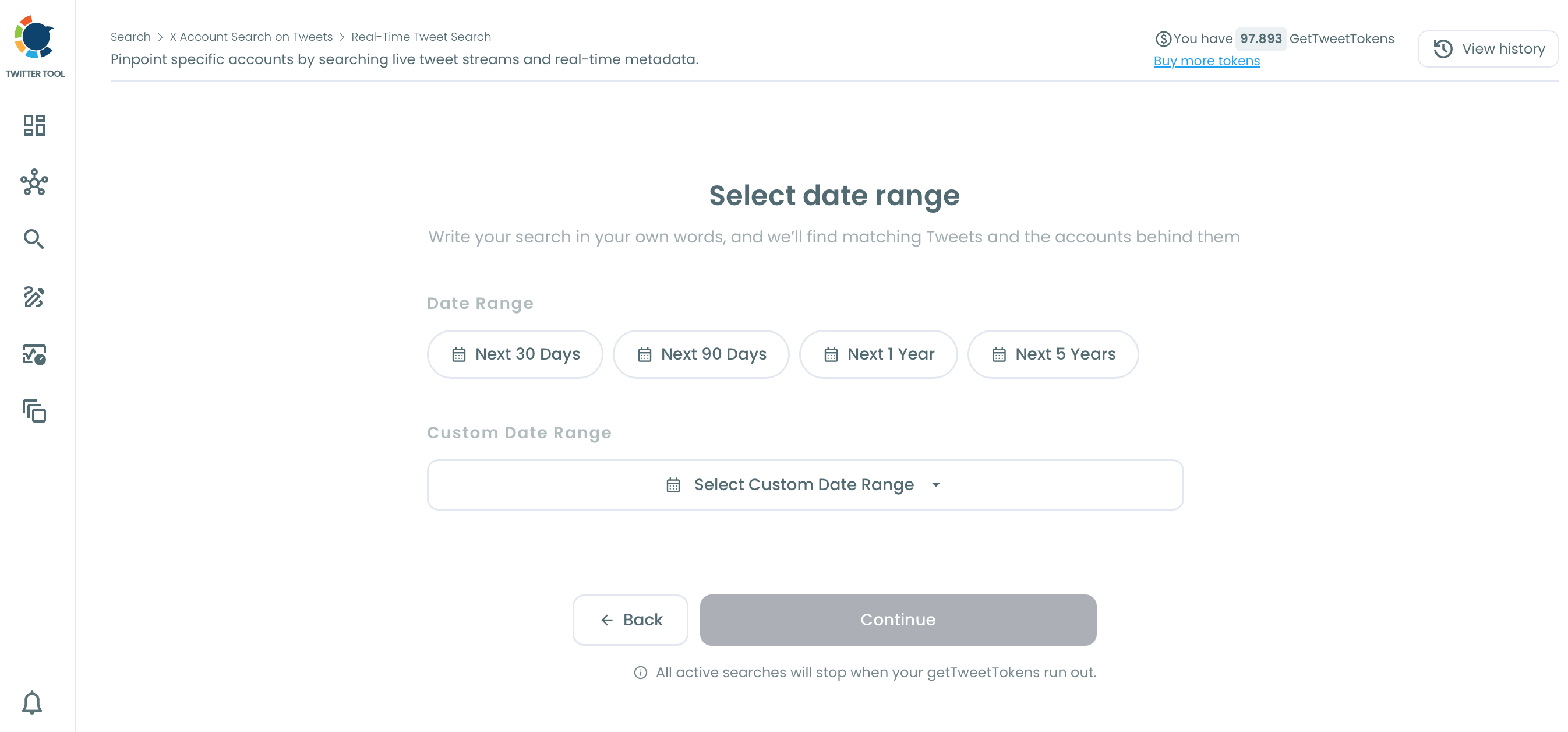
Then, you should select the date range. You want to track for the next 30, 60, 90 days, or any custom date range.
4
04
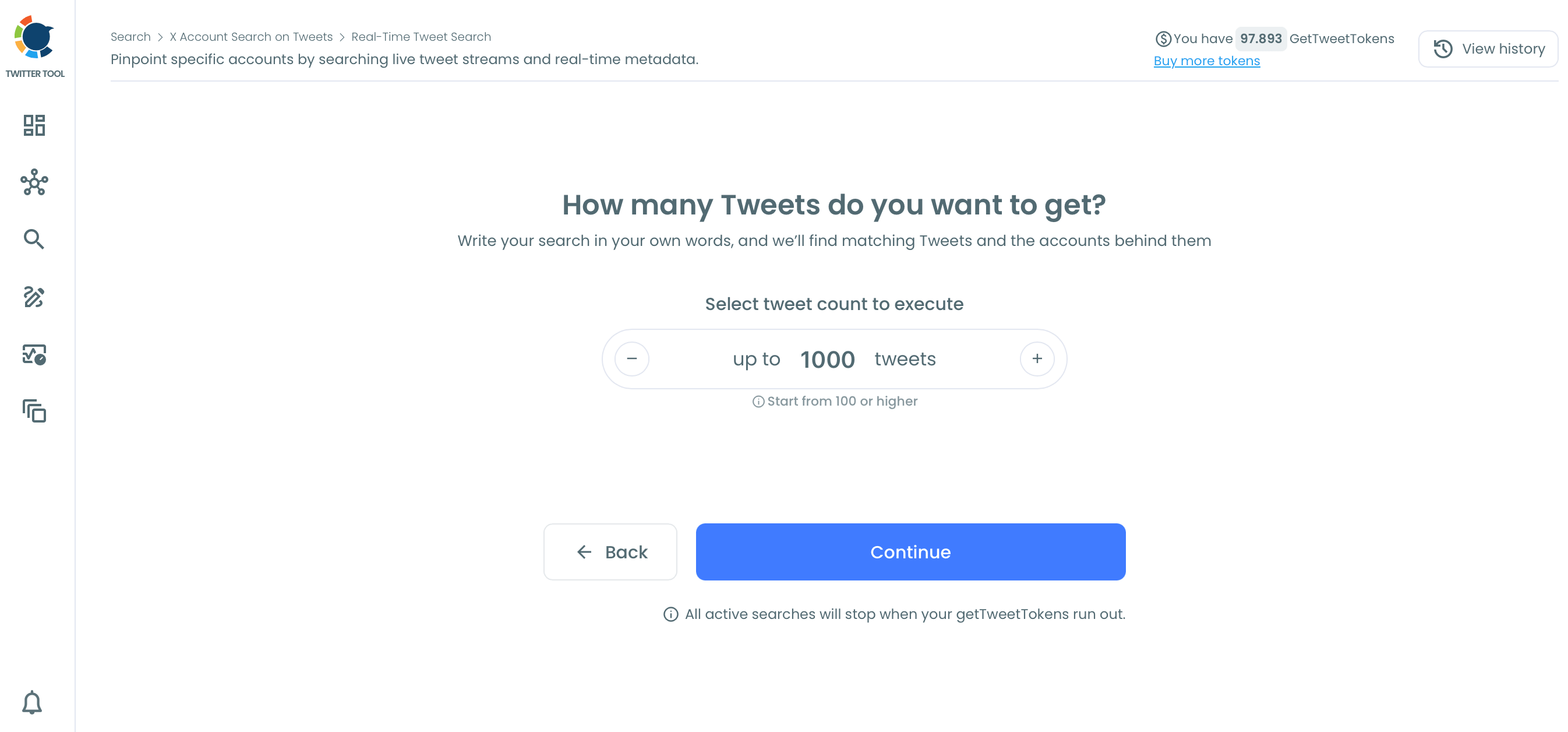
How many tweets do you want to get?
You can set the maximum tweet number.
Hashtag tracking has started. You can check the results anytime. When it reaches the maximum tweet limit, your final report will be ready.