

Yes, you can, but not through X itself. X shows you the retweet count and a partial scrollable list with no filter, no export, and no way to capture the full data. For someone else's tweet, it gives you even less.
With Circleboom Twitter's Export Retweeters feature, you can paste any public tweet URL and pull the complete list of accounts that retweeted it, delivered as a structured CSV with detailed profile data for every account. Any public tweet, any account, no access required.
Getting the Full Retweeter List with Circleboom Twitter
Circleboom Twitter is an Official X Enterprise Developer, which means it accesses retweeter data directly through X's official APIs.
No scraping, no credential sharing, fully compliant with X's API policies.

The Export Retweeters feature works on any public tweet, including tweets from accounts you don't own.
 infocircleboom.com
Here's what it gives you:
🟢 Paste any public tweet URL and export the complete list of accounts who retweeted it
🟢 Enter any public username and bulk export retweeters across multiple selected tweets from their history
🟢 Download as a CSV file ready to open in Excel, Google Sheets, or import into any CRM or ad platform
🟢 Combine multiple tweets into a single export to build a larger, more complete dataset
🟢 Access detailed profile data for each retweeter, not just a bare list of usernames
The retweeter list X shows you is a scroll. What Circleboom delivers is a dataset.
How to See Who Retweeted Someone Else's Tweet with Circleboom Twitter
The process is straightforward and doesn’t require technical knowledge.
Here’s how it works:
Step #1: Sign up to Circleboom and connect your X account.
Circleboom is an official X Enterprise partner! So, your account and all the data you have are safe and secure with us!

Step #2: Once reached dashboard, go over the menu and find “Essential Toolbox”.
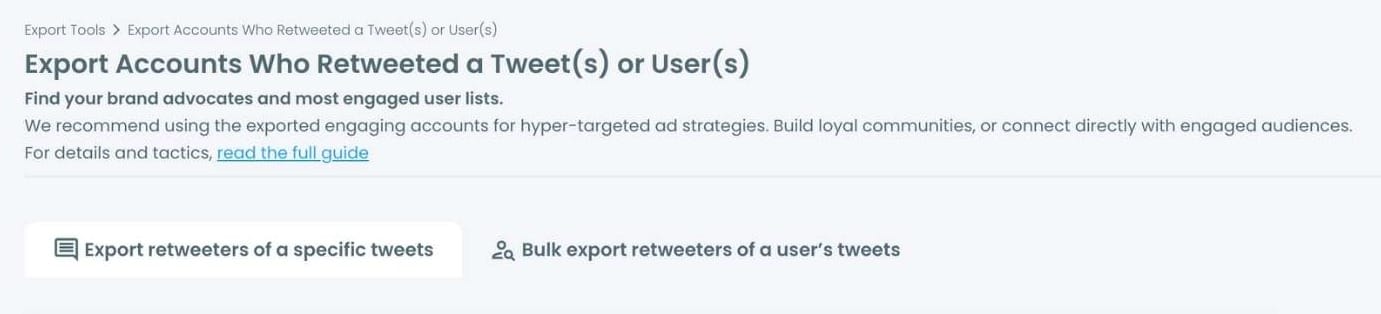
You will see the sub-menu “Export Tools”. Under this, you will see Export Retweeters of a Tweet(s) or User(s).
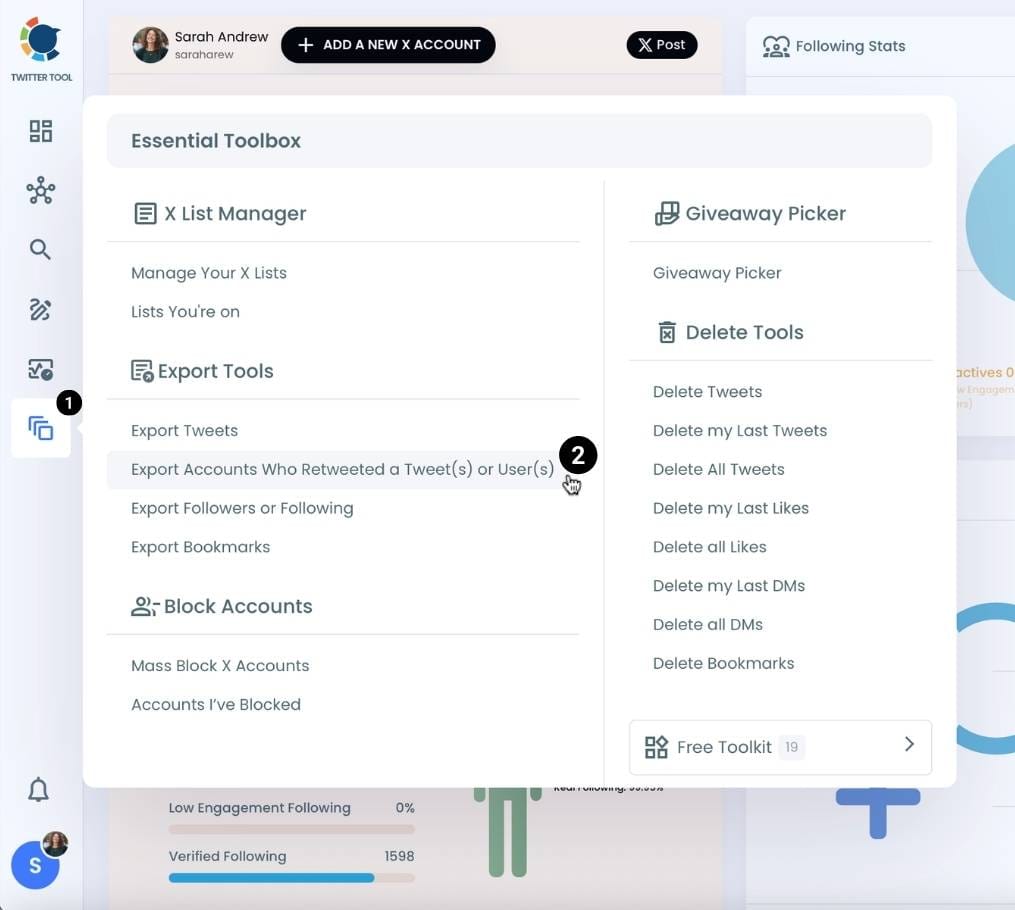
Step #3: You will see two options there:
“Export retweeters of specific tweets” and “Bulk export retweeters of a user’s tweets”
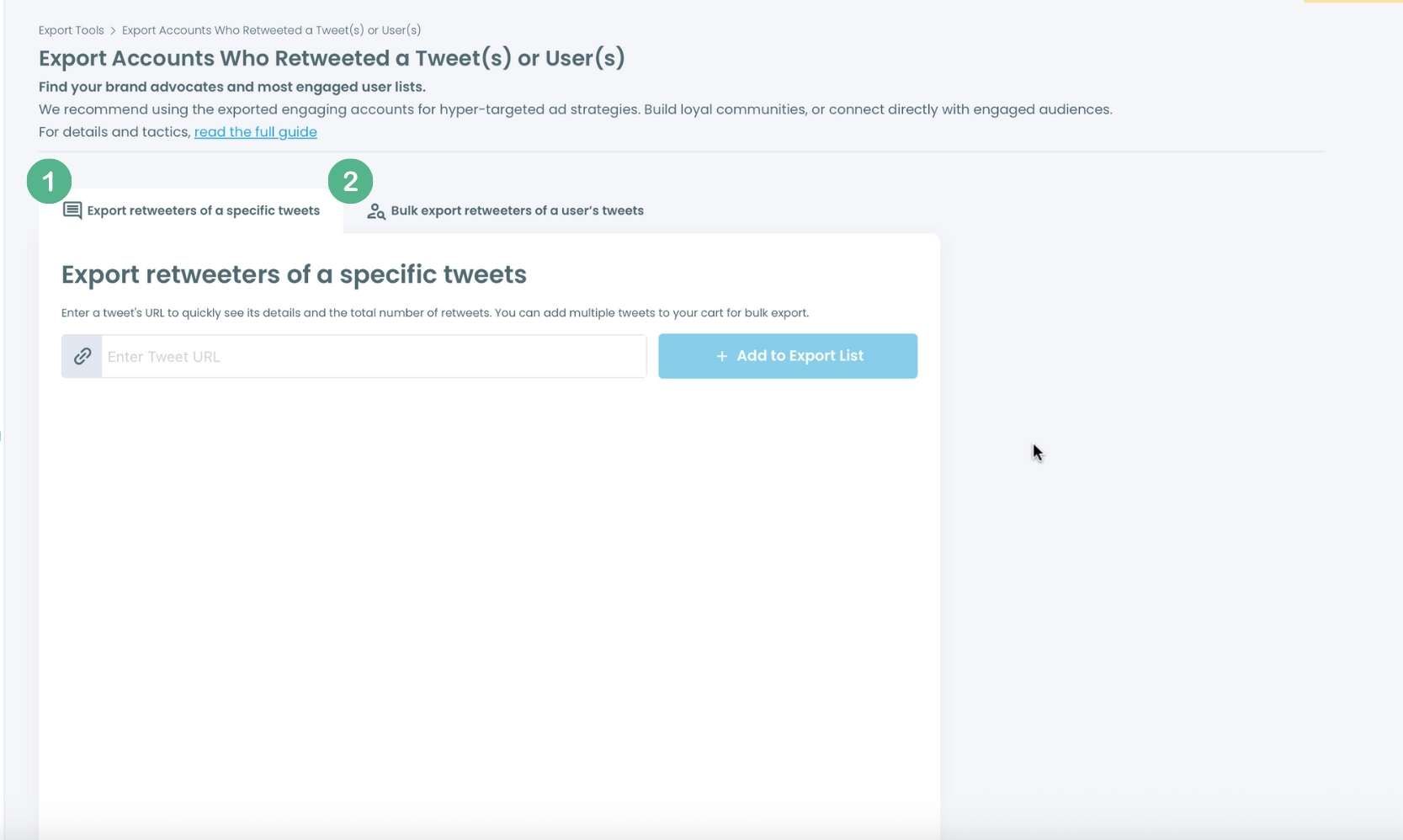
For specific tweets, Circleboom enables you to extract retweeters of specific tweets, yours or other users.
You need to paste the URL of the targeted tweet. Then, we will extract all retweeters of that tweet. The one thing you should do is click on the “Export” button.
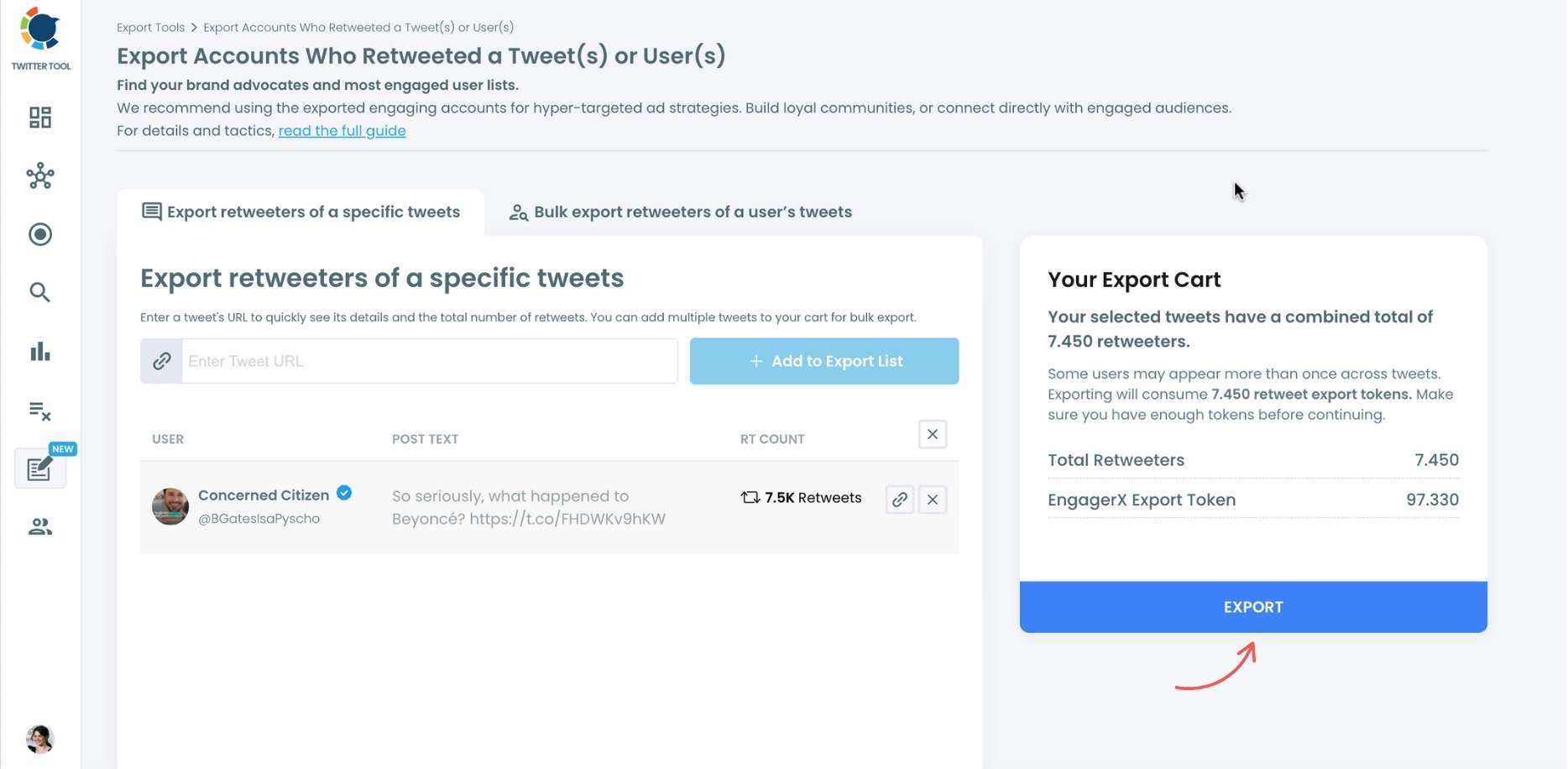
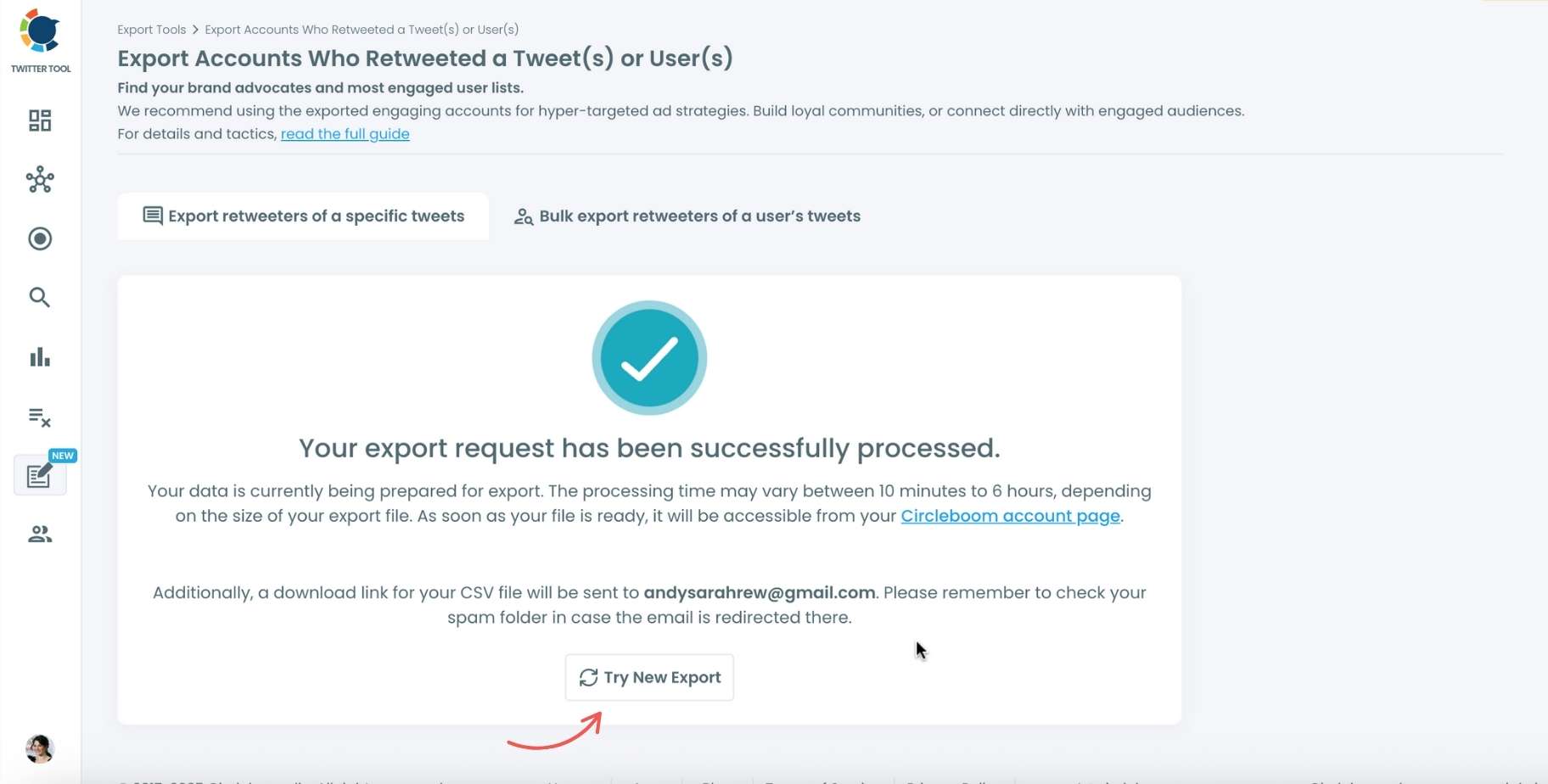
Your export request has been sent.
You will get your exported retweeters file within Circleboom, and a copy will be sent to your email address.
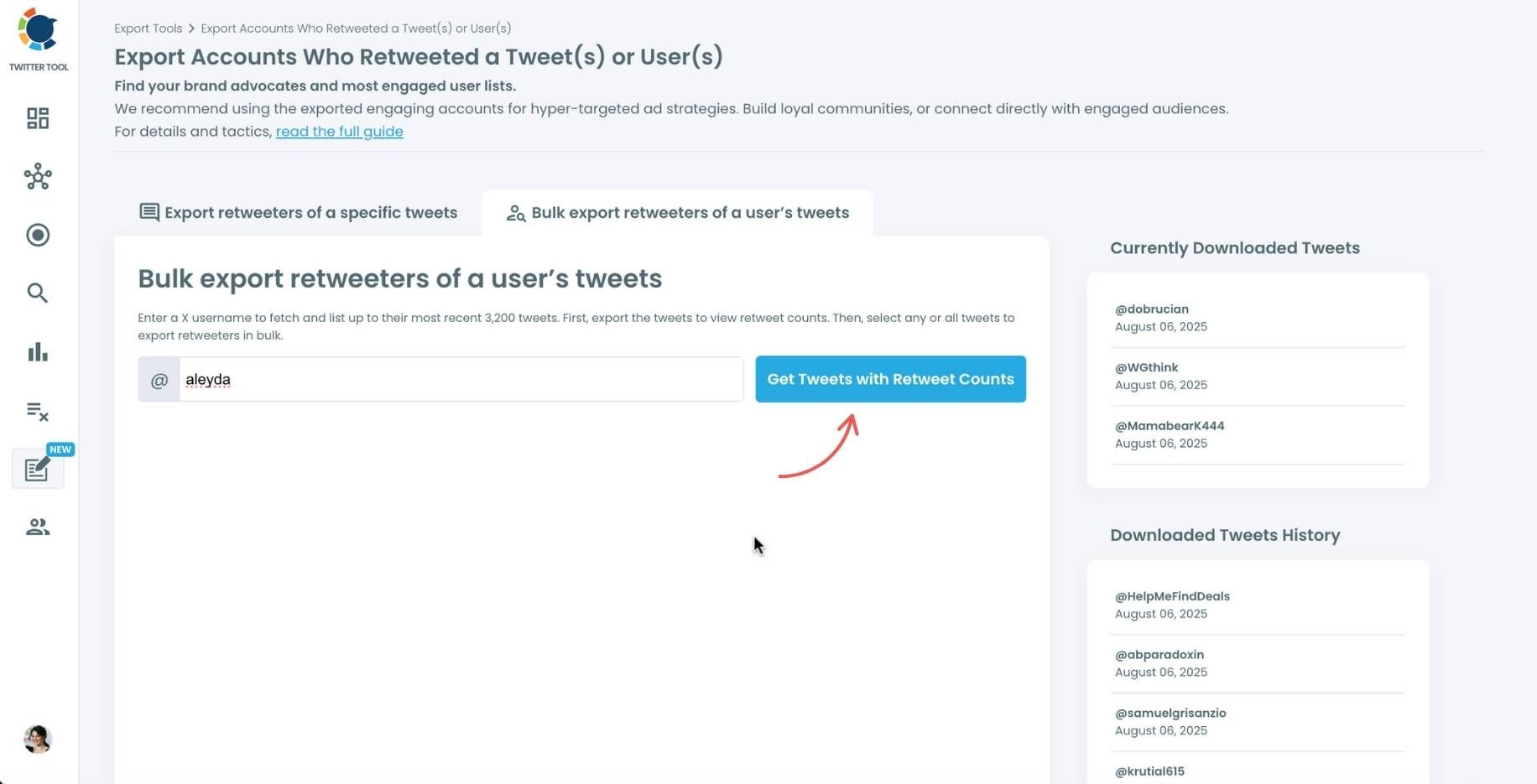
Step #4: Your second option is to bulk export retweeters of a user’s tweets.
You need to enter the handle of a Twitter user. Then, we first extract all their tweets. Then, you can export all of their retweeters or some of them. You can apply filters to sort their tweets by retweet number, like number, etc.
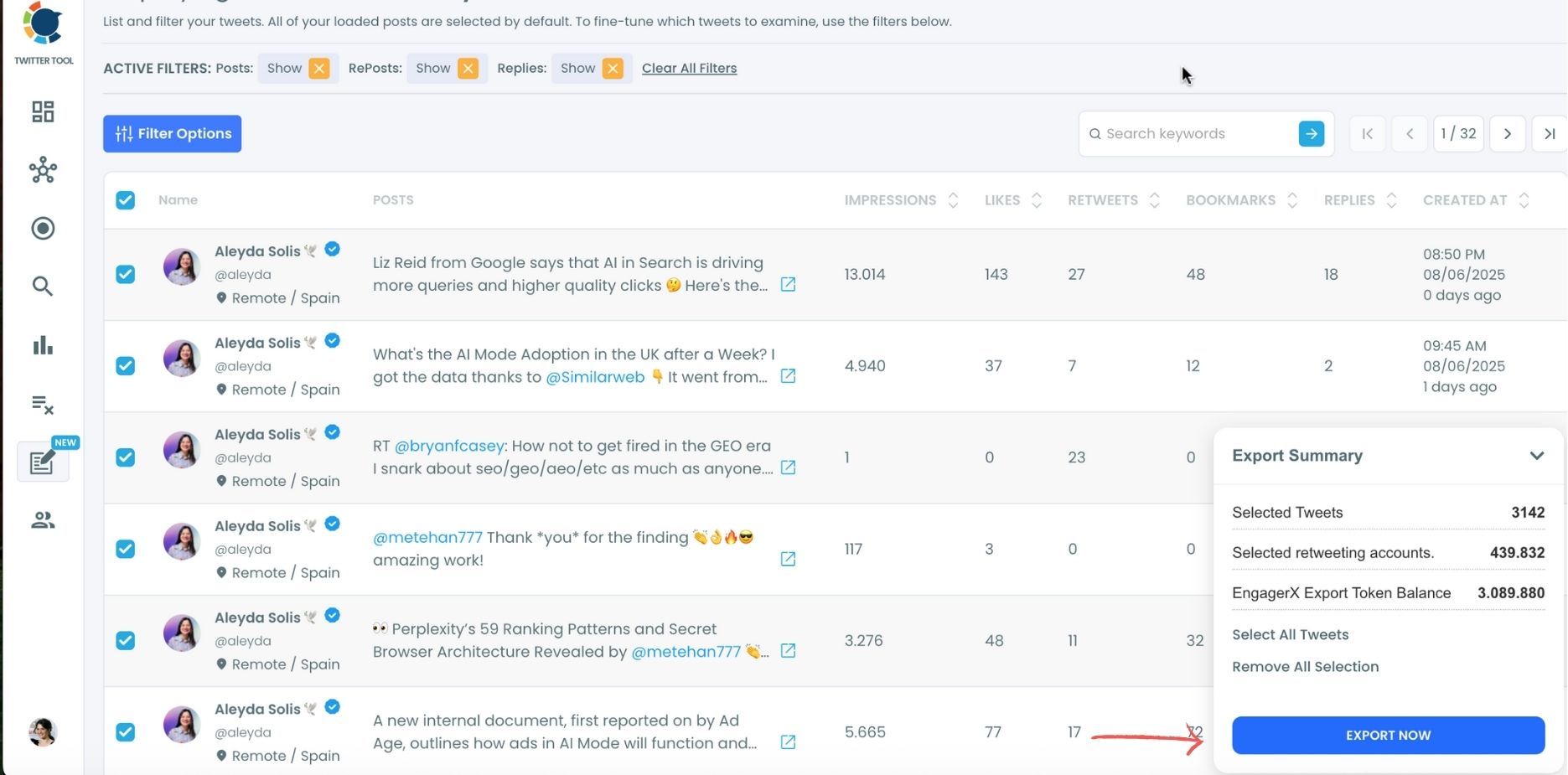
You can export retweeters of all tweets, or you can select some.
In this example, you will export 439.832 retweeters by clicking on the “Export Now” button.
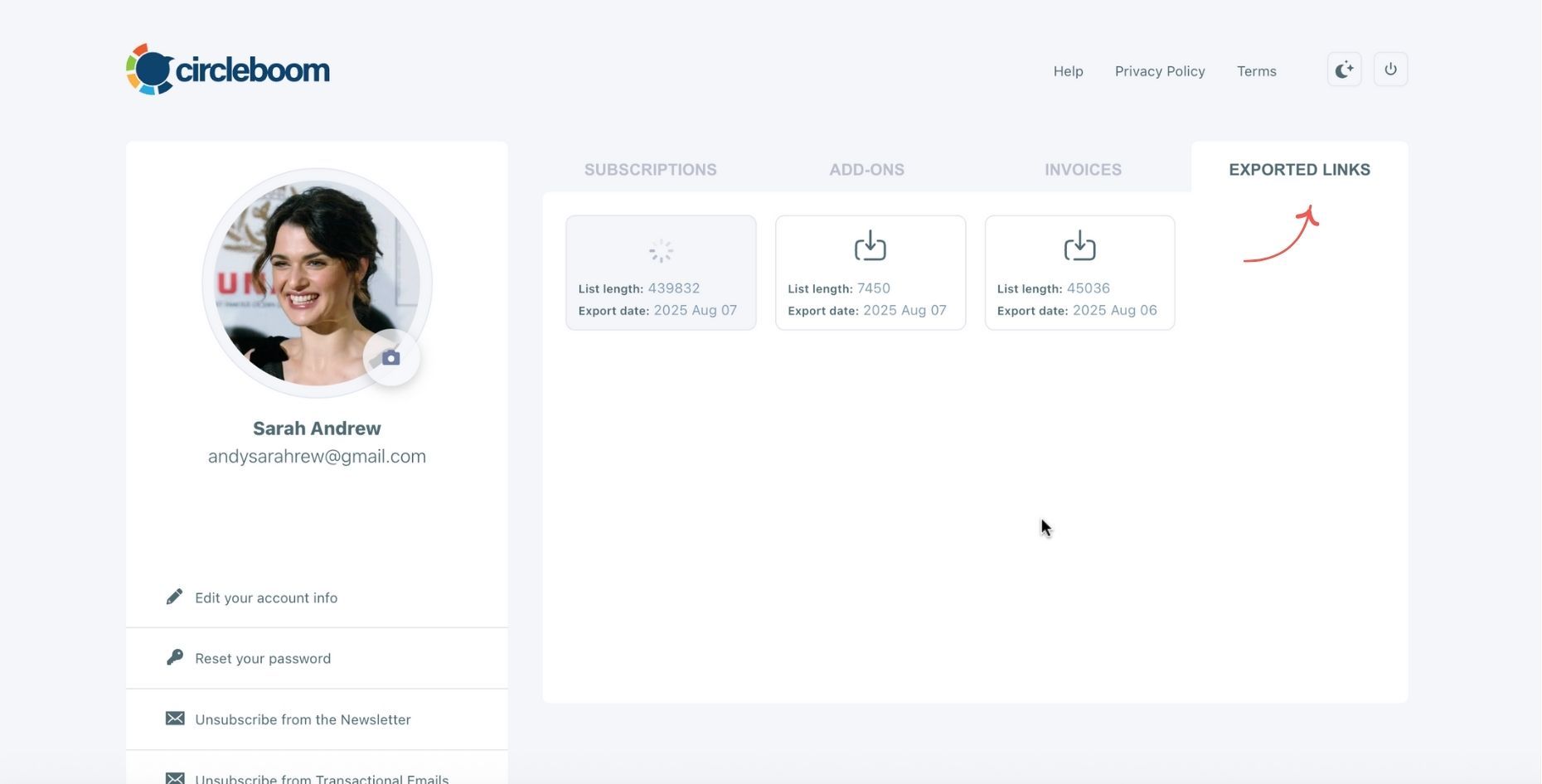
You can see your export lists, finished and processing, on your Circleboom account page, under the “Exported Links” section.
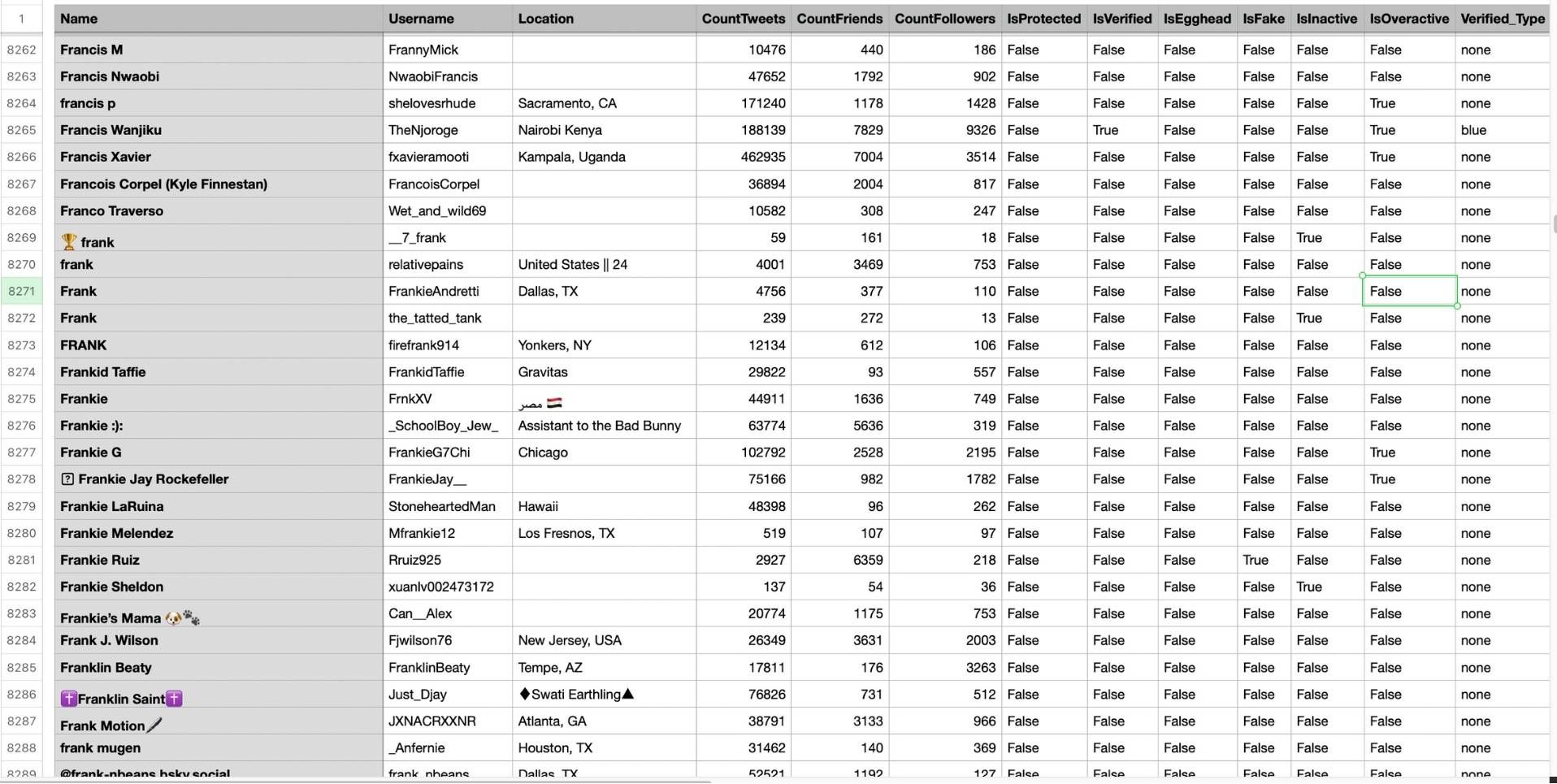
Step #5: You can see the list of retweeters in your CSV file.
There are their usernames, locations, account ages, follower counts, etc.
What X Shows You and What It Hides
When you click through to see retweeters natively on X, you get a scrollable list that cuts off before showing all of them. No search, no filter, no way to save it. On high-volume tweets, the visible portion is a fraction of the real total.
📌 Even X's own analytics dashboard does not let you export the list of accounts who retweeted a specific tweet. It shows aggregate numbers. Not individual accounts.
Compare that to what a Circleboom export gives you. Each retweeter row in the CSV includes name, username, location, tweet count, follower count, and following count.
Then it goes further into data X never surfaces: IsProtected, IsVerified, Verified_Type, IsEgghead (no profile picture), IsFake, IsInactive, and IsOveractive. That is not just a list of who retweeted. That is a structured audience profile ready to sort and filter the moment it opens in a spreadsheet.
What the Exported CSV File Contains
Once the file is open, the filters do the work. Sort by CountFollowers to find high-reach retweeters.
Filter IsFake = True and remove them before building any list. Isolate IsVerified = True when you want credible voices only.
| Field | What It Tells You |
|---|---|
| Name | Display name as it appears on X |
| Username | The @handle |
| Location | Self-reported location, useful for geo-filtering |
| CountTweets | Total tweets posted — active vs dormant |
| CountFriends | Number of accounts they follow |
| CountFollowers | Their follower count — sort descending for high-reach accounts |
| IsProtected | True if their tweets are private |
| IsVerified | True if the account holds X verification |
| Verified_Type | Verification category: blue, organization, government, etc. |
| IsEgghead | No profile picture — a common signal for bot or throwaway accounts |
| IsFake | Direct flag for inauthentic accounts |
| IsInactive | Hasn't posted recently — filter before outreach |
| IsOveractive | Posts at abnormal frequency — a common bot signal |
Once the file is open, the filters do the work. Sort by CountFollowers to find high-reach retweeters. Filter IsFake = True and remove them before building any list. Isolate IsVerified = True when you want credible voices only.
⚠️ None of this is possible inside X's native interface. The platform shows you a face. The export shows you the data behind it.
Two Modes, Two Use Cases
Tweet-level export is for when you have a specific post in mind, a viral tweet, a competitor's announcement, a campaign you ran. Paste the URL and Circleboom retrieves every account that retweeted it. You can combine multiple URLs into one export to build a larger list from related posts.
User-level bulk export is for mapping an account's entire engaged audience. Enter any public username, select tweets from their history, and export all retweeters across that selection at once. This is what makes competitive analysis and influencer audience research actually possible.
Both modes output a CSV ready for immediate use.
What You Can Do with a Retweeter List
A retweet is one of the clearest intent signals on X. The account saw the content, decided it was worth sharing, and acted. That makes retweeters a fundamentally different audience segment than passive followers.
Ad targeting gets more precise. Upload the CSV as a custom audience. You are targeting people who already demonstrated alignment with specific content.
Outreach becomes easier to prioritize. The accounts consistently amplifying content in your niche are right there in the data — your most likely collaborators and early adopters.
Competitor intelligence becomes concrete. Export the retweeters of a competitor's strongest posts and you are looking at their most engaged audience. That is your overlap market.
Audience quality filtering happens before you act. If a tweet attracted spam or bot retweeters, the CSV reveals it. You can combine the export with Circleboom Twitter's Fake and Bot Follower Checker to clean the list before using it downstream.
FAQ
Can you see who retweeted someone else's tweet on X?
Yes, but not through X natively in any complete way. X shows a partial scrollable list with no export and no filter. To get the full data, you need Circleboom Twitter's Export Retweeters feature, which delivers the complete list as a downloadable CSV.
Can I export retweeters from any public tweet, not just my own?
Yes. The feature works on any public tweet regardless of which account posted it. You do not need access to the account. If the tweet is public, the retweeter data is accessible.
What does the exported CSV file include?
Each row contains the retweeter's name, username, location, tweet count, follower count, and following count, plus account quality flags including IsProtected, IsVerified, Verified_Type, IsEgghead, IsFake, IsInactive, and IsOveractive. You can filter and segment the list immediately in Excel or Google Sheets.
Can I see who retweeted multiple tweets at once?
Yes. You can combine multiple tweet URLs into a single export, or use the user-based mode to pull retweeters across multiple tweets from any public account's history in one go.
Is this compliant with X's rules?
Yes. Circleboom Twitter is an Official X Enterprise Developer and retrieves all data through X's official APIs. No scraping, no unauthorized data collection, fully compliant with X's platform policies.
What's the most useful thing to do with a retweeter list?
For growth and outreach, identify accounts that show up across multiple tweets and engage them directly. For paid ads, upload the CSV as a custom audience. For competitive research, map whose audience consistently amplifies a competitor's content and work from there.
Final Thoughts on Seeing Who Retweeted Someone Else's Tweet
X made retweet counts the most visible metric on every post, then made the underlying data nearly impossible to access. The number is prominent. The names are hidden.
Circleboom Twitter's Export Retweeters feature closes that gap. Whether you are analyzing a single tweet or mapping an entire account's engaged audience, the full list of who retweeted is now a structured, exportable dataset you can actually use.
Export retweeters of any tweet on X with Circleboom Twitter:
infocircleboom.com
