
Facebook may not feel as flashy as newer platforms, but it’s still one of the most important places where people look you up.
Whether it’s a personal profile, a business Page, or a creator brand, Facebook is often where:
- people verify your identity,
- check credibility,
- click shared links,
- message you on Messenger,
- or find you through search.
And all of that starts with one small but powerful detail: your Facebook username.
Your username creates your custom Facebook URL (facebook.com/yourusername).
It replaces long, auto-generated links and becomes the version of your profile or Page that people actually share.
But finding a good, available Facebook username is harder than it looks.
That’s why using a Facebook Username Generator has become the easiest way to get it right.
 Kevin Frank
What Is a Facebook Username (And Where It Appears)
A Facebook username is the vanity URL you assign to your profile or Page.
Instead of:
facebook.com/profile.php?id=1000...
You get:
facebook.com/yourusername
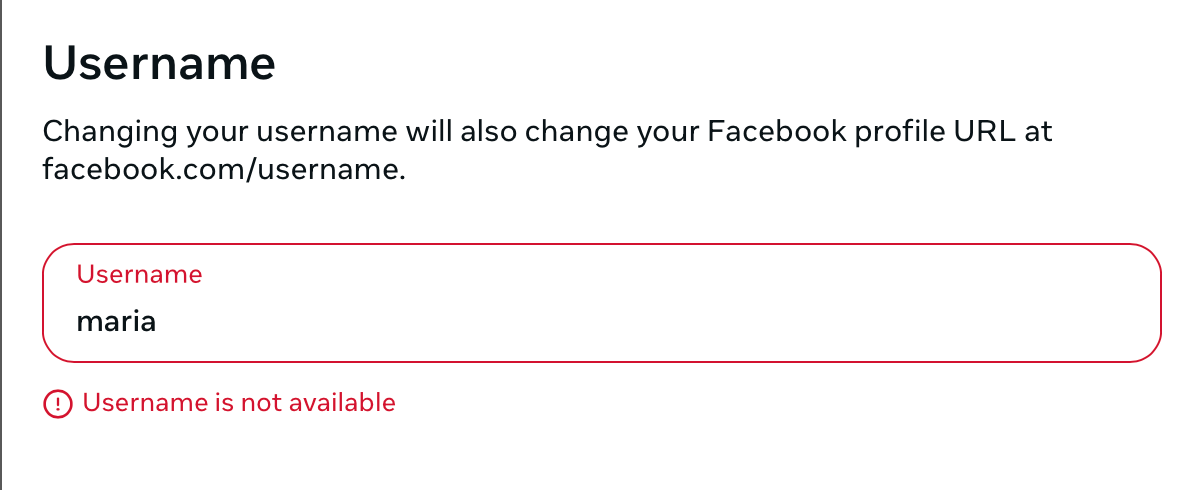
This username appears in many important places:
- Your profile or Page URL
- Search results inside Facebook
- Messenger links
- Group posts and comments
- Links shared on other platforms
- Email signatures, websites, ads
Even if people don’t notice it consciously, a clean username improves trust and click-through.
Facebook Profile vs Facebook Page Usernames
Facebook usernames work slightly differently depending on what you’re using.
Personal Profile Usernames
Used for:
- personal branding,
- networking,
- community participation,
- public-facing profiles.
A clean profile username makes it easier for people to find and tag you.
Facebook Page Usernames
Used for:
- businesses,
- creators,
- brands,
- public figures,
- local companies.
For Pages, usernames are even more important because they’re used in:
- ads,
- website links,
- Google search results,
- Messenger conversations.
A good Page username directly affects credibility.
 Arif Akdogan
Why Finding a Good Facebook Username Is Difficult
Facebook is one of the oldest platforms on the internet. That means:
- Short usernames were taken years ago
- Common names are already claimed
- Clean brand-style usernames are scarce
- Many usernames are reserved by inactive Pages
On top of that:
- Facebook doesn’t suggest creative alternatives
- Trial-and-error in settings is slow
- You can’t easily see which usernames are worth trying
Most people either settle for a bad username or give up entirely.
The Smart Solution: Use a Facebook Username Generator
Instead of guessing, a username generator helps you find available, usable names instantly.
The most practical option is Circleboom’s Facebook Username Generator.
 infocircleboom.com
It’s designed for users who want a username that actually works for Facebook — not just random suggestions.
Why Circleboom Is Ideal for Facebook Usernames
- Uses AI to generate relevant username ideas
- Filters out unavailable usernames automatically
- Creates clean, professional, brand-friendly options
- Works for both profiles and Pages
- Free, browser-based, and instant
You see only usernames you can actually use.
How to Use the Facebook Username Generator (Step-by-Step)
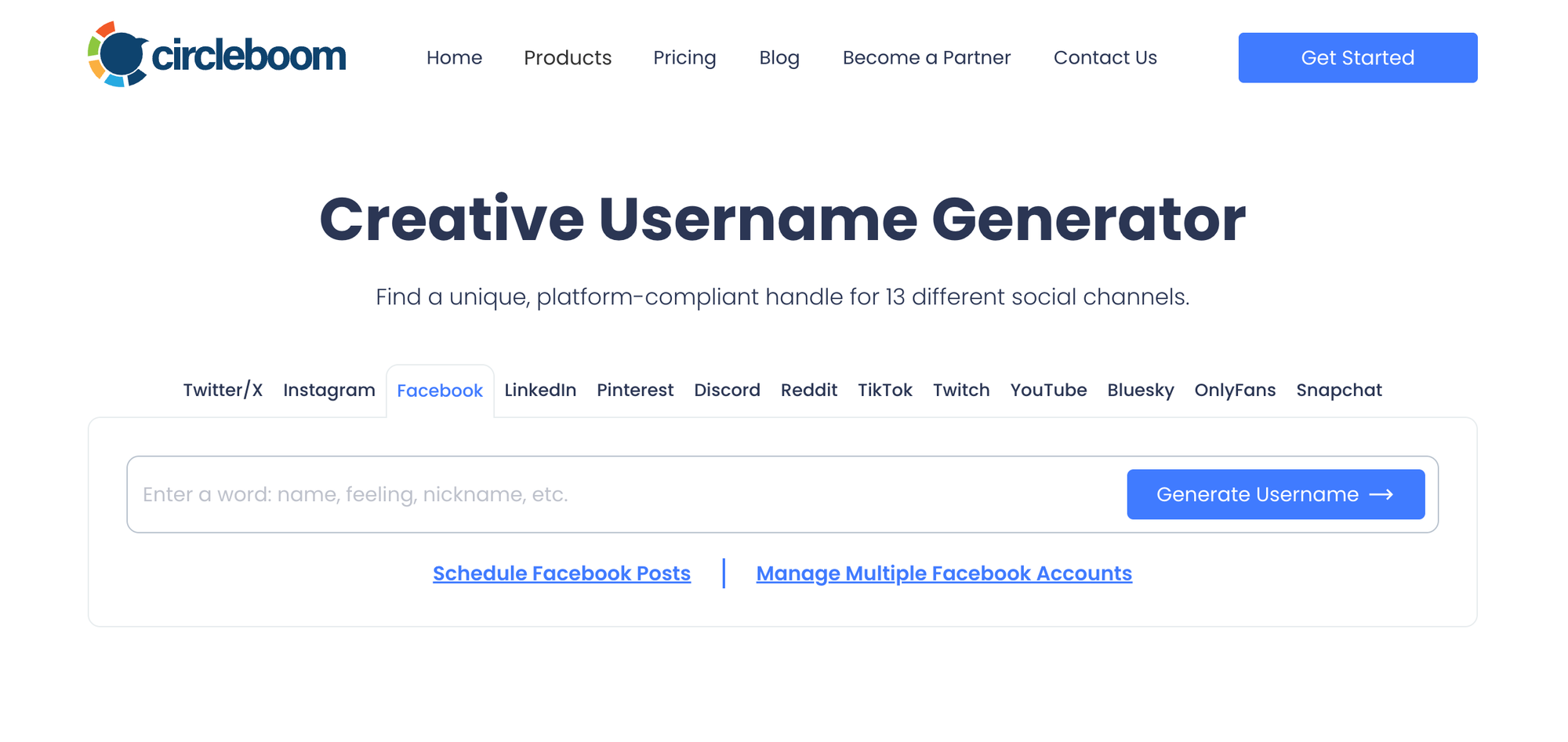
Step #1: Open the Facebook Username Generator
Go to Circleboom’s Free Facebook Username Generator in your browser.
You can enter:
- your full name or nickname
- your brand or Page name
- a business type (real estate, cafe, creator, coach, etc.)
- a niche keyword
- or a tone like professional, minimal, creator, local
Step #2: Generate Available Usernames
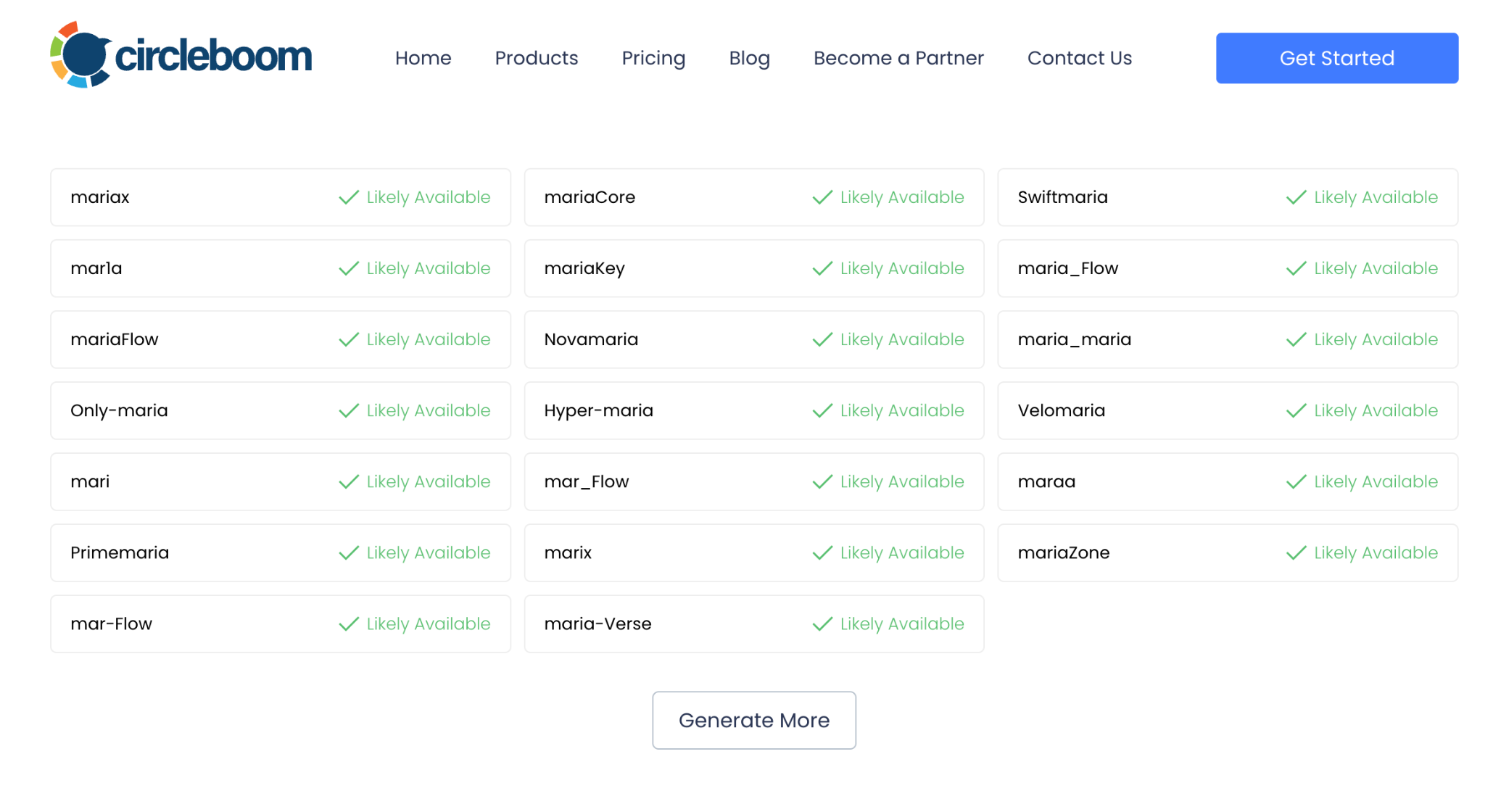
Circleboom instantly generates multiple username ideas.
Important detail:
👉 Taken usernames are removed automatically,
so every option you see is ready to use on Facebook.
Step #3: Copy and Apply It on Facebook
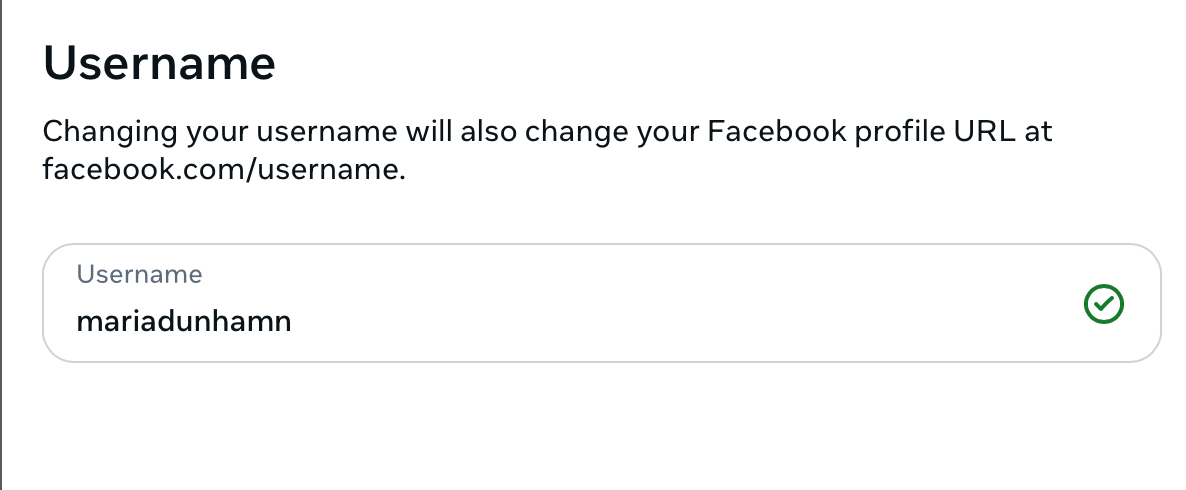
Use your new username in:
- profile settings, or
- Page settings → Username
Your Facebook URL updates immediately.
Facebook Username Rules You Should Know
Before choosing a username, keep these rules in mind:
- Must be unique
- Letters and numbers allowed
- No generic terms like “admin” or “support”
- Must follow Facebook’s name policies
- Profiles and Pages have different eligibility rules
- You can change usernames, but limits apply
Choosing carefully avoids future restrictions.
Can You Change Your Facebook Username?
Yes — but with limitations.
- Facebook allows username changes
- Frequent changes may be restricted
- Old usernames may become unavailable
- Pages may face additional review rules
That’s why it’s better to choose a username you can keep long-term.
How to Check If a Facebook Username Is Available
You have several options:
1. Check the URL Directly
Visit:
facebook.com/username
If a profile or Page loads → taken
If not → likely available
2. Search on Facebook
Type the username into Facebook search to see if it’s already in use.
Tips for Choosing the Best Facebook Username
Here are proven tips that work well on Facebook:
✔ Keep it short and readable
✔ Avoid unnecessary numbers
✔ Make it easy to type and remember
✔ Match usernames across platforms
✔ Think about how it looks as a link
✔ Choose something you won’t outgrow
A good Facebook username looks trustworthy at first glance.
Final Thoughts: Your Facebook Username Shapes Your Online Presence
Your Facebook username affects how people:
- find you,
- recognize you,
- trust your profile or Page,
- and click your links.
Leaving it as a random or auto-generated URL is a missed opportunity.
With Circleboom’s Facebook Username Generator, you can create a username that is:
- clean,
- available,
- search-friendly,
- and ready to represent you or your brand.
If you want a Facebook URL that actually looks professional, using a generator is the smartest first step.
Try the free Facebook Username Generator and secure your ideal username today.

