
Sometimes you come across a YouTube video with a really great thumbnail. It may catch your attention because of its design, colors, or the way it communicates the topic instantly.
There have been many times when I wanted to save a thumbnail like that. Sometimes for design inspiration, sometimes for competitor research, and sometimes simply to use it as a reference in an article or presentation.
The problem is that YouTube does not provide a direct option to download video thumbnails. You can watch the video, share it, or embed it, but there is no download button for the thumbnail image itself.
So how can you download a YouTube video thumbnail in HD quality?
The easiest way is to use Circleboom’s YouTube Thumbnail Downloader.
 infocircleboom.com
It allows you to download any YouTube video's thumbnail in seconds and in the highest available quality.
Even better, it is completely free, requires no login, and does not force you to watch ads or go through annoying steps like many other websites.
How to Download a YouTube Video Thumbnail in HD Quality
Downloading a thumbnail with Circleboom is very straightforward. It only takes a few steps.
Here is exactly how it works.
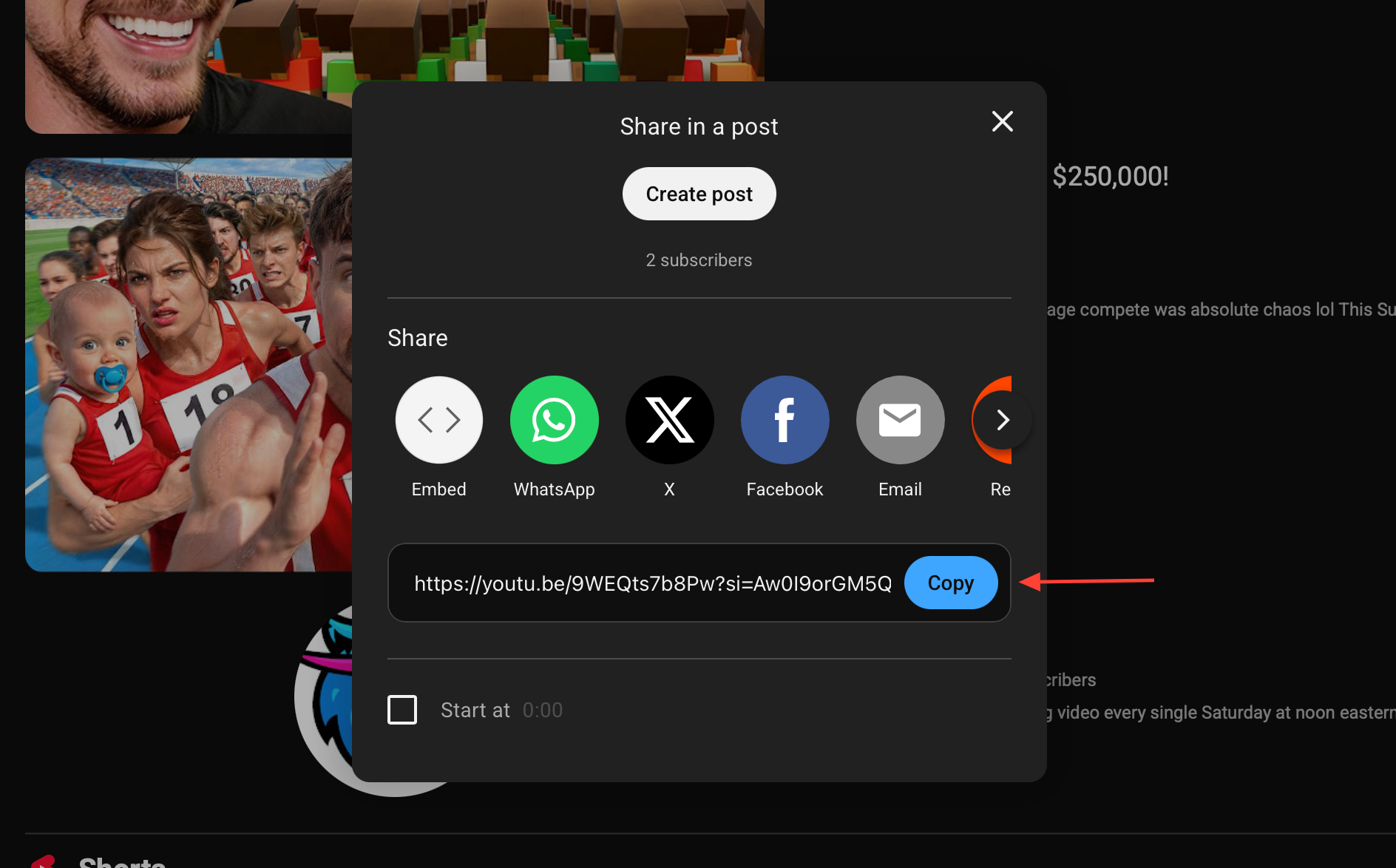
Step #1: Copy the YouTube Video URL
First, open the YouTube video whose thumbnail you want to download.
Click the Share button under the video and copy the video link.
Once you copy the URL, you are ready for the next step.
Step #2: Paste the Video Link into Circleboom’s Thumbnail Downloader
Go to the Circleboom YouTube Thumbnail Downloader page.
Paste the video URL into the input field and click the Download button.
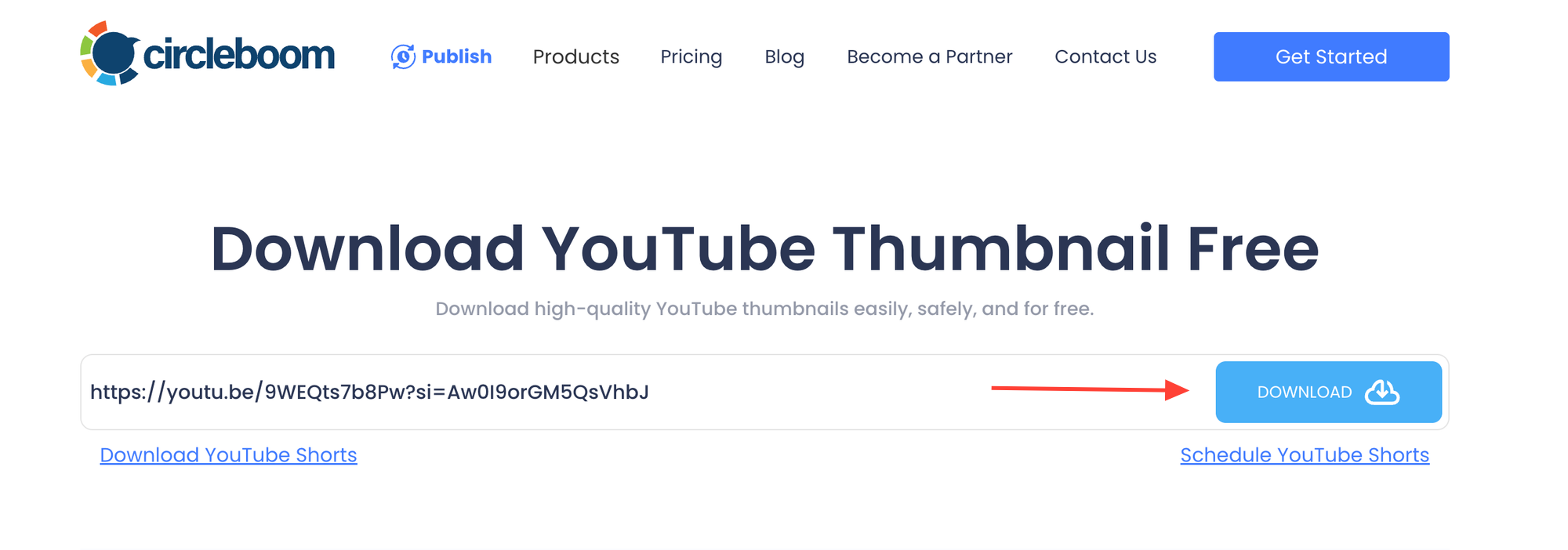
The tool instantly analyzes the video and fetches the thumbnail.
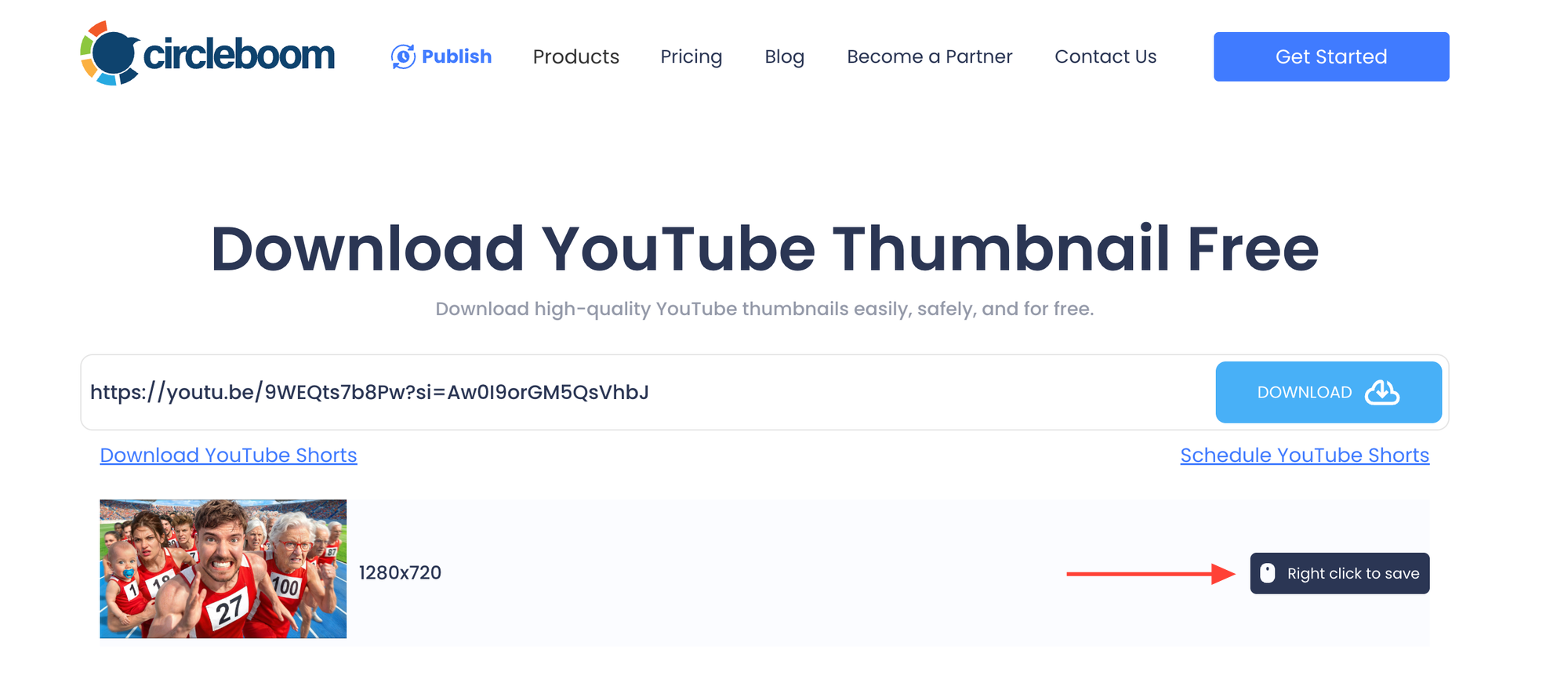
Step #3: Download the Thumbnail in HD Quality
After processing the video, Circleboom displays the thumbnail in high resolution.
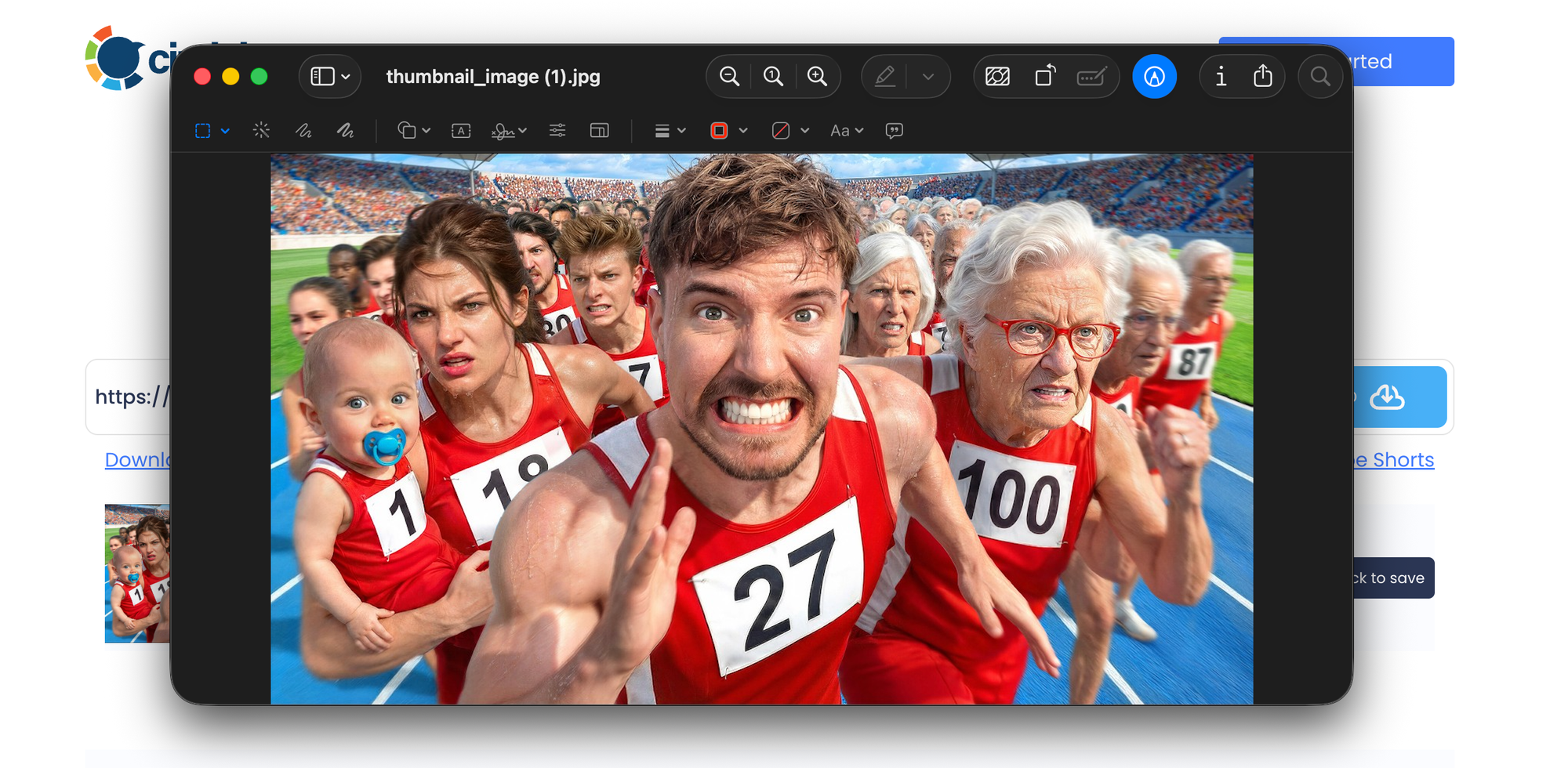
Simply right-click on the image and save it to your device.
That’s it.
The original YouTube thumbnail is now saved on your device in HD quality.
Why I Use Circleboom’s YouTube Thumbnail Downloader
After trying different ways to save thumbnails, I started using Circleboom’s YouTube Thumbnail Downloader because it is simple and reliable.
Unlike many random downloader websites, it does not feel cluttered or unsafe.
Here are the main reasons I prefer it:
✅ It downloads thumbnails in the highest available quality
✅ It is completely free
✅ No login is required
✅ No ads or unnecessary waiting
✅ It works instantly
✅ It provides a safe and clean experience
You simply paste the video link and download the thumbnail in seconds.
Why Downloading YouTube Thumbnails Can Be Useful
YouTube thumbnails are one of the most important parts of a video’s performance. Many creators spend a lot of time designing them because they directly influence whether people click on a video or not.
Downloading thumbnails can help you in many situations, such as:
➡️ Studying successful thumbnail designs
➡️ Getting inspiration for your own videos
➡️ Analyzing competitors’ visual strategies
➡️ Collecting examples for blog posts or case studies
➡️ Using them in presentations or educational materials
However, simply taking a screenshot is usually not a good solution. Screenshots often reduce the image quality and may capture extra elements like the play button or video controls.
Downloading the thumbnail directly in HD quality gives you a clean and original image file.
Why Not Just Take a Screenshot?
Many people try to save thumbnails by taking screenshots. But this approach has a few problems:
- The image quality becomes lower
- The thumbnail may include the play button or video overlay
- Cropping takes extra time
- The final image is often not as clean as the original
Downloading the thumbnail directly ensures you get the exact image used on YouTube in HD quality.
A Safer Way to Download YouTube Thumbnails
If you search online for thumbnail downloaders, you will find many websites. Unfortunately, many of them are filled with popups, ads, or suspicious redirects.
That is why using a simple and reliable tool matters.
Circleboom’s YouTube Thumbnail Downloader provides a clean and safe experience. There is no account creation, no hidden steps, and no unnecessary distractions.
Just paste the video link and download the thumbnail.
Conclusion
YouTube does not provide a built-in option to download video thumbnails, even though they are an important part of video content and design inspiration.
If you want to save a YouTube thumbnail in HD quality, the easiest way is to use Circleboom’s YouTube Thumbnail Downloader.
It is free, fast, safe, and requires no login or ads. Just paste the video link and download the thumbnail in seconds.
If you ever come across a YouTube thumbnail you want to keep in high quality, Circleboom makes it incredibly easy.