Posting on Twitter (X) is fast. You write, publish, and move on.
Instagram, on the other hand, expects visuals, formatting, and consistency.
That gap is exactly why many accounts end up in this situation:
Twitter stays active, while Instagram slowly goes quiet, not because there’s no content, but because manual reposting doesn’t scale.
Automatically reposting from Twitter to Instagram solves that problem. But only if it’s done the right way.
 Arif Akdogan
Why Manual Reposting Breaks Down Over Time
At first, reposting tweets to Instagram sounds easy:
- Take a screenshot
- Crop it
- Add a caption
- Post it
But once you post daily—or multiple times a day—that workflow becomes friction.
Common problems appear quickly:
- Tweets don’t look native on Instagram
- Reposting gets skipped “just for today”
- Inconsistent visuals hurt engagement
- Instagram becomes an afterthought
Automation isn’t about saving a few clicks.
It’s about maintaining consistency without mental overhead.
If you are a creator on X and want to know about the latest developments regarding the algorithm changes, engagement strategies, payout boosts, etc., you can join Circleboom's X Creator Growth Lab Community and enjoy a free space to learn from and contribute to!
Why Twitter → Instagram Reposting Is Hard by Default
The real issue isn’t scheduling, it’s format mismatch.
- Twitter is text-first
- Instagram is visual-first
- Tweets don’t translate directly into IG posts
- Native platform tools don’t support cross-posting
Most schedulers can repost links or captions, but that doesn’t help when the content itself needs to be converted, not copied.
To automate this properly, you need a system that:
- Understands tweets as the source content
- Transforms them into visuals
- Publishes them in Instagram-native formats
The Tool I Use to Automatically Repost Tweets to Instagram
That’s where Circleboom fits in.

Circleboom is an official X (Twitter) Enterprise Developer, which means it connects to Twitter through approved, secure infrastructure. That matters when you’re automating posting across platforms.
Instead of treating Instagram as a separate workflow, Circleboom lets Twitter stay the content source, while Instagram becomes a distribution channel.
How Automatic Reposting Works (Big Picture)
The logic is simple:
- Create a tweet
- Convert it into a visual automatically
- Repost it to Instagram without extra steps
Circleboom handles the conversion layer that most tools miss.
You’re not just reposting text, you’re reposting formatted content that actually works on Instagram.
Step-by-Step: Automatically Repost From Twitter to Instagram
Here’s the full flow from start to finish.
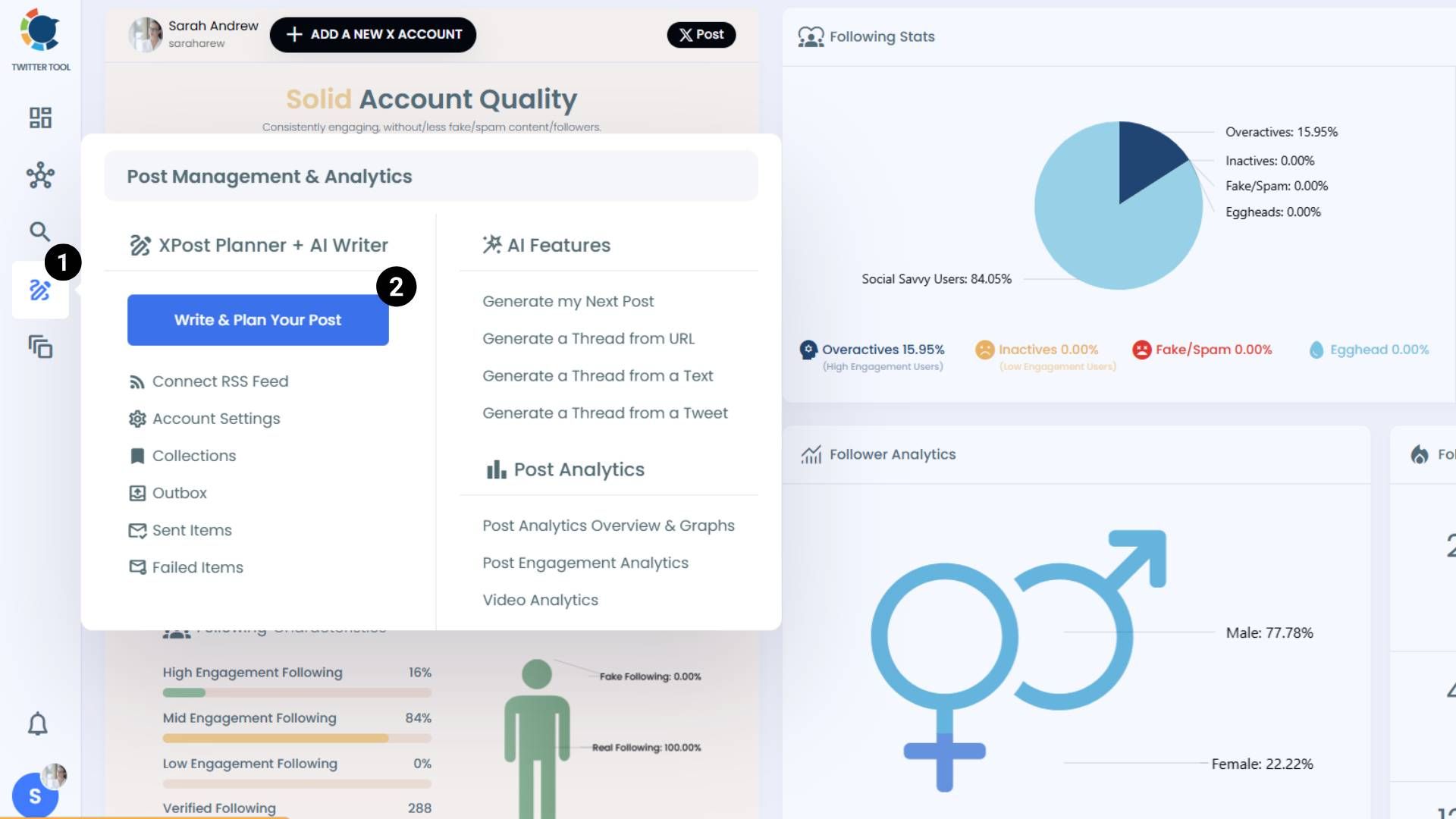
Step #1 On the Circleboom Twitter dashboard, navigate to the left menu.
First, find the “Post Management & Analytics” and then click on “Write and Plan Your Post”.
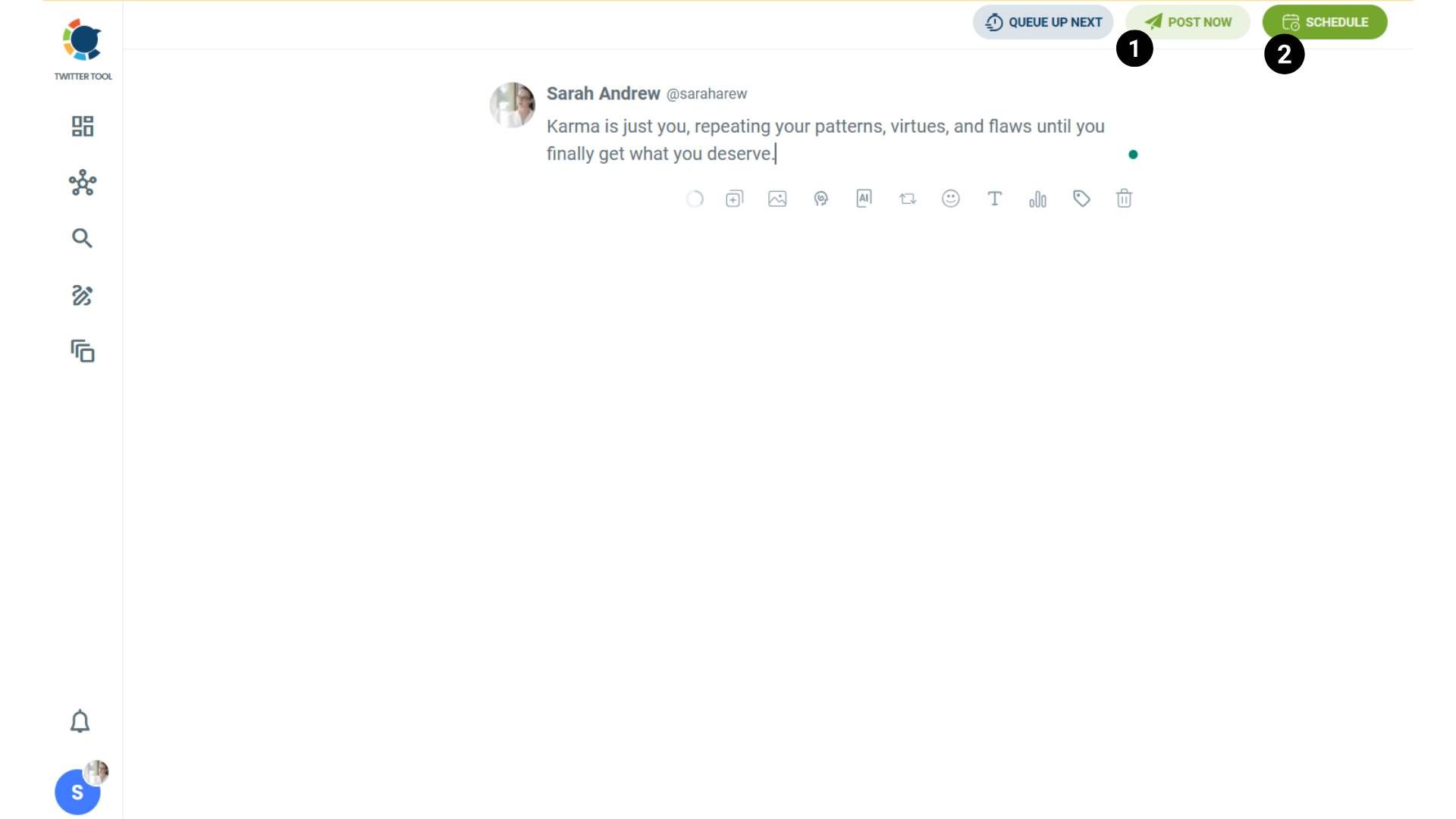
Step #2: Write your tweet. Circleboom’s AI options can generate tweets for you automatically.
When it is ready, you can “Post” or “Schedule” your tweet. To see your cross-posting options, you should click on one of them.
Step #3: You will see your connected platforms. You can cross-post your tweets to these accounts automatically.
You can share tweets on LinkedIn, Facebook, Threads, Bluesky, and finally, Instagram!
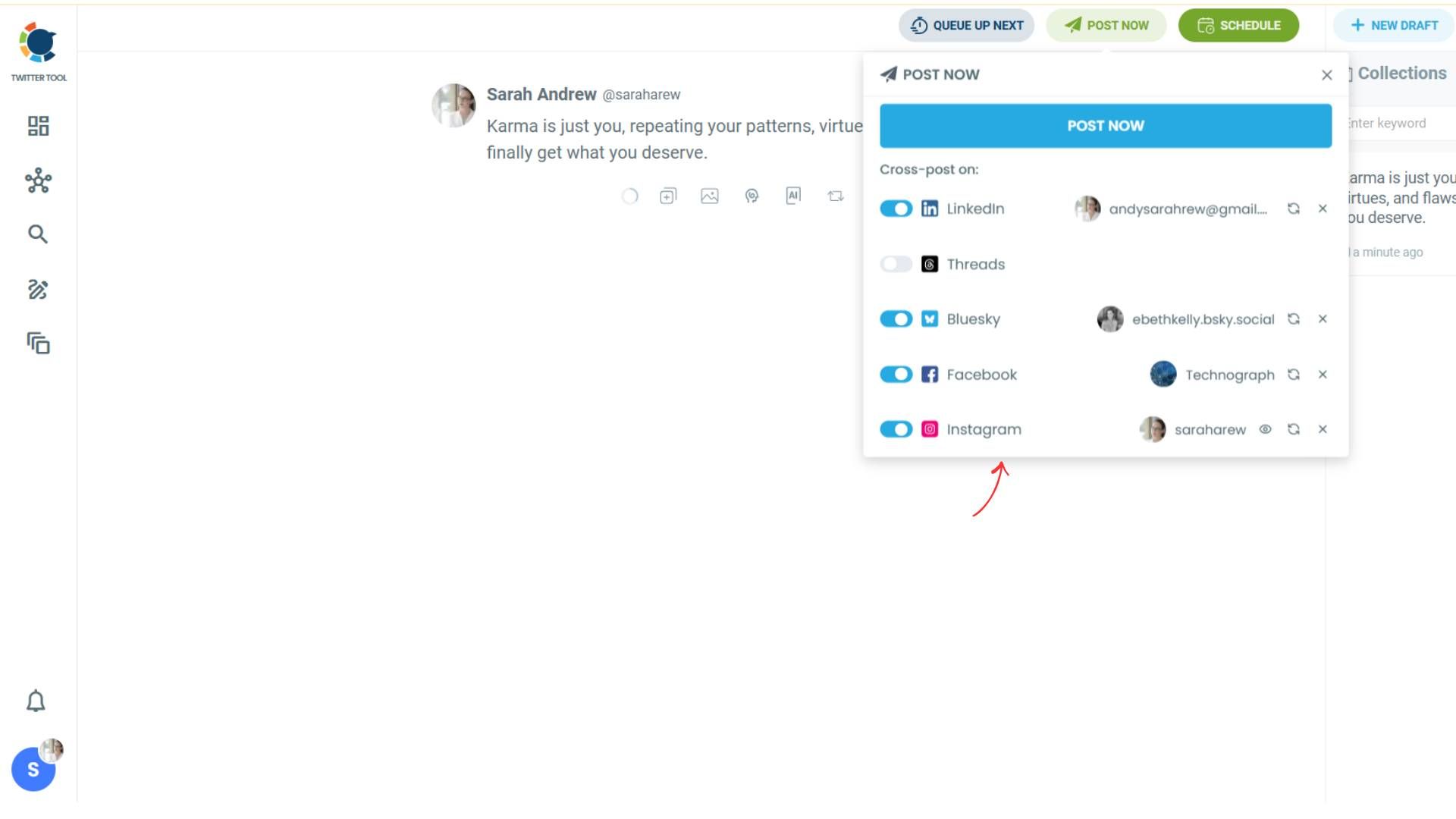
To decide if it is going to be a standard Instagram post or Story or Reels, and decide layouts and colours, click on “Preview”.
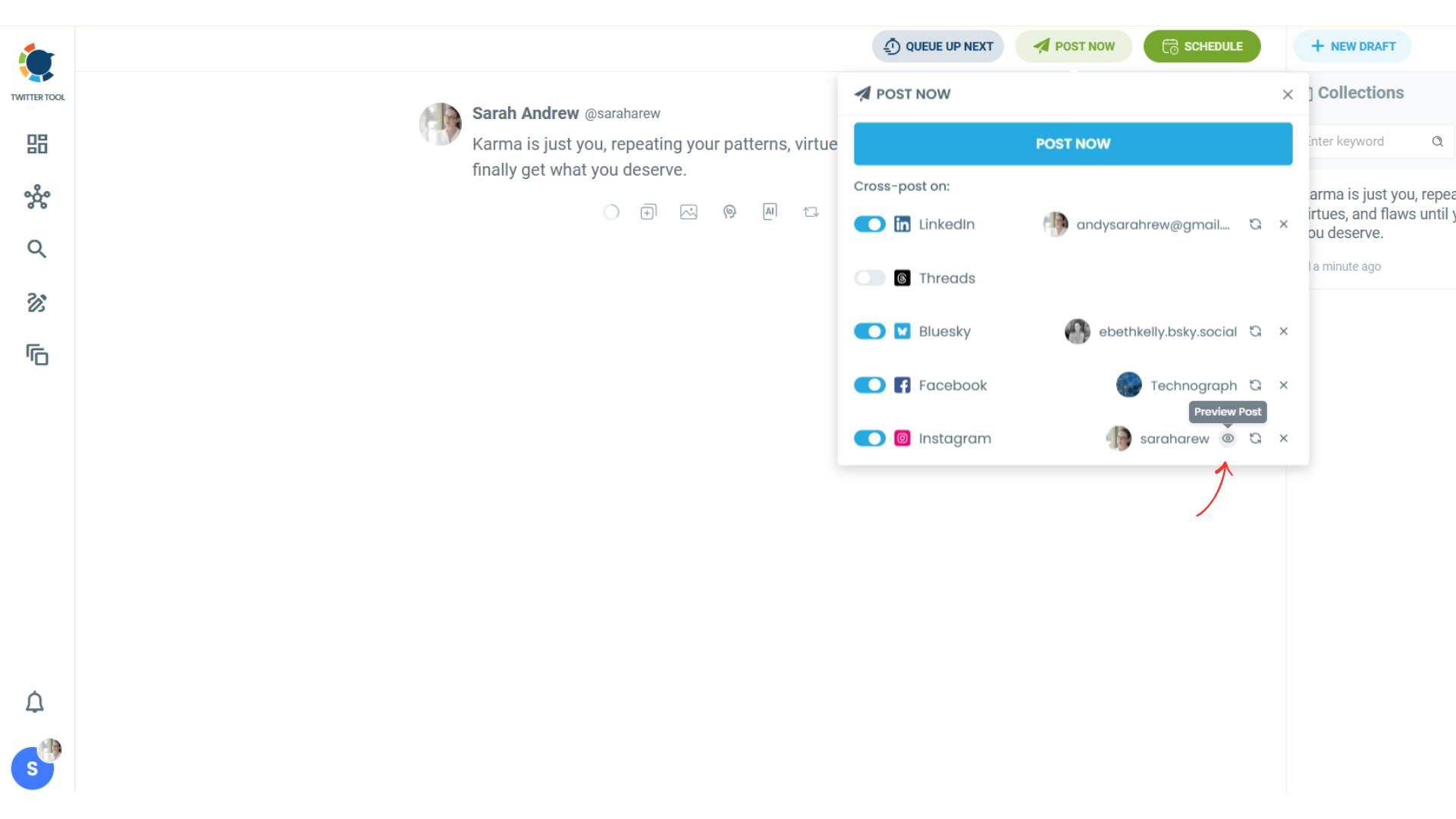
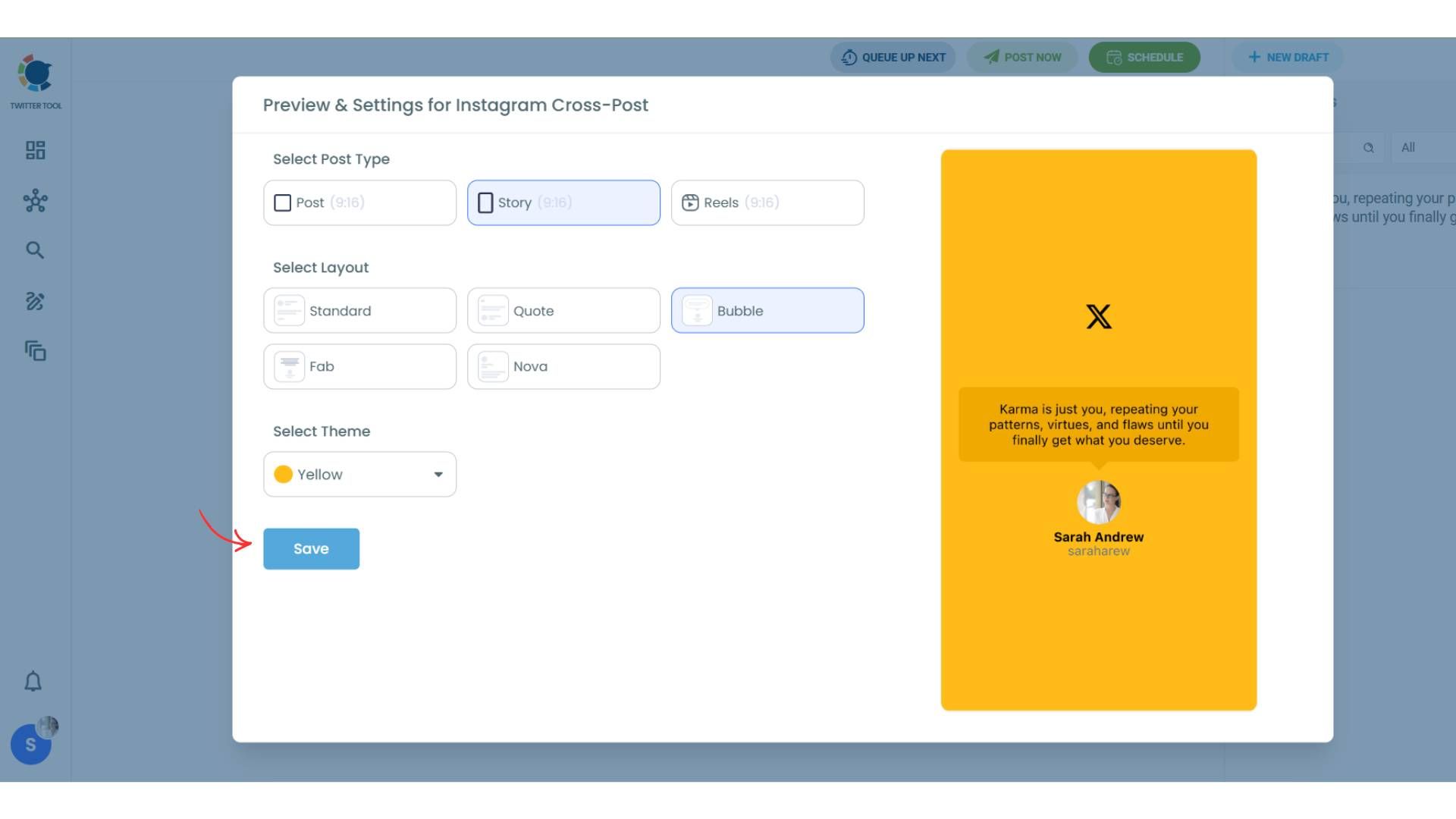
Step #4: Here you can select Instagram post type: “Post”, “Story”, and “Reels”.
You can also select the post layout.
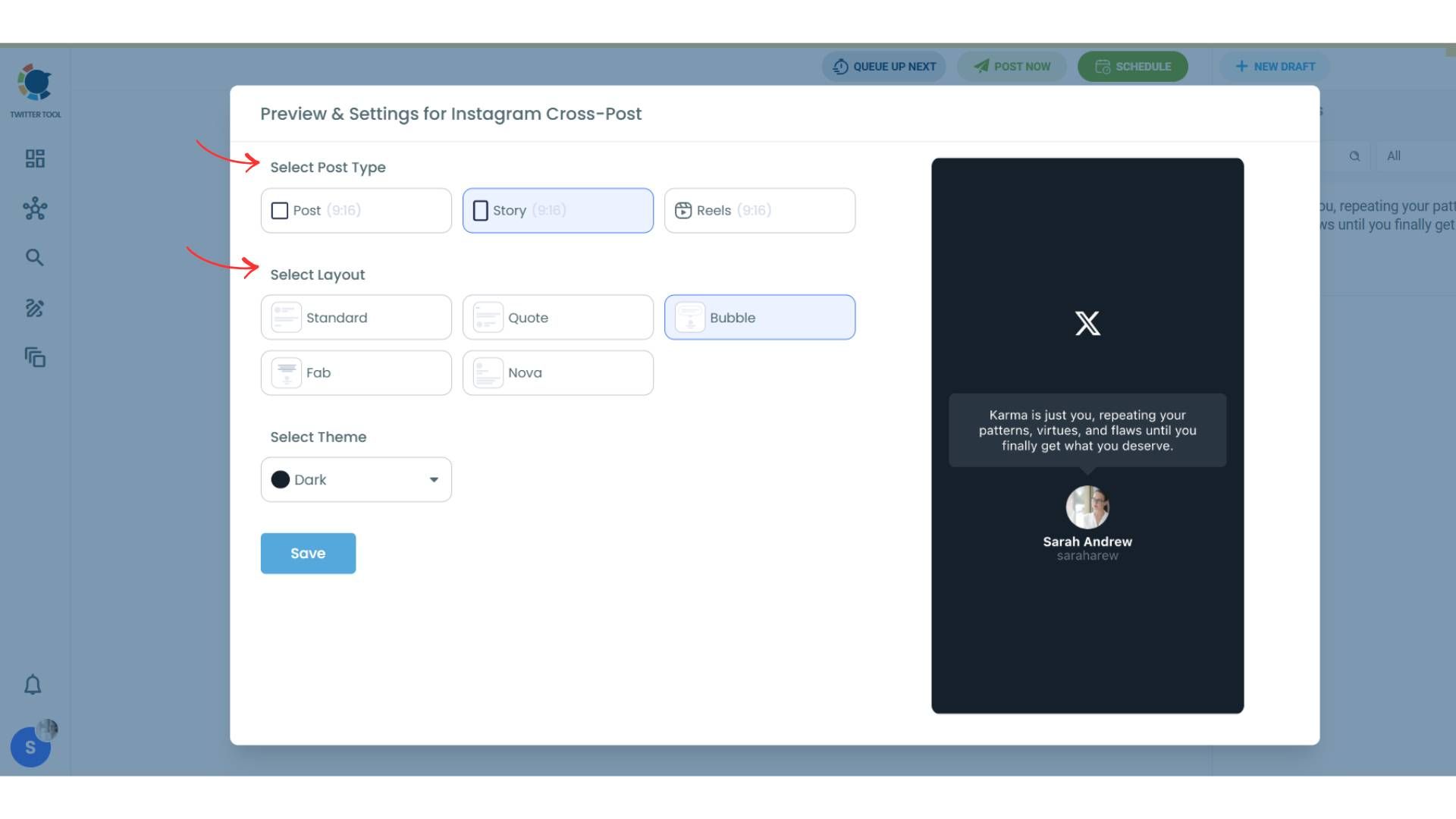
You can also select different themes. Share your tweet on Instagram with different colors.
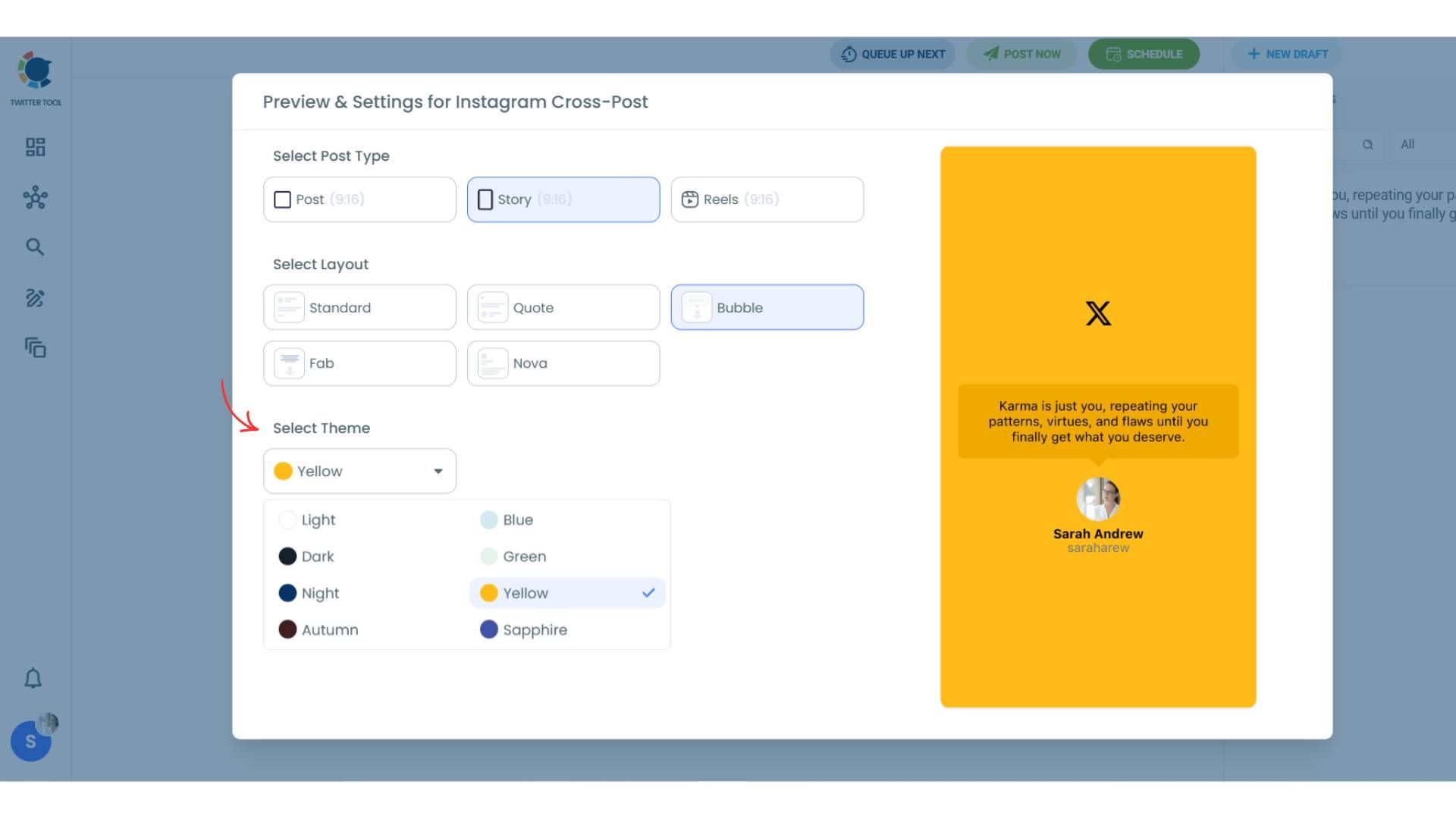
Lastly, you should click on “Save” and your Instagram cross-post is ready.
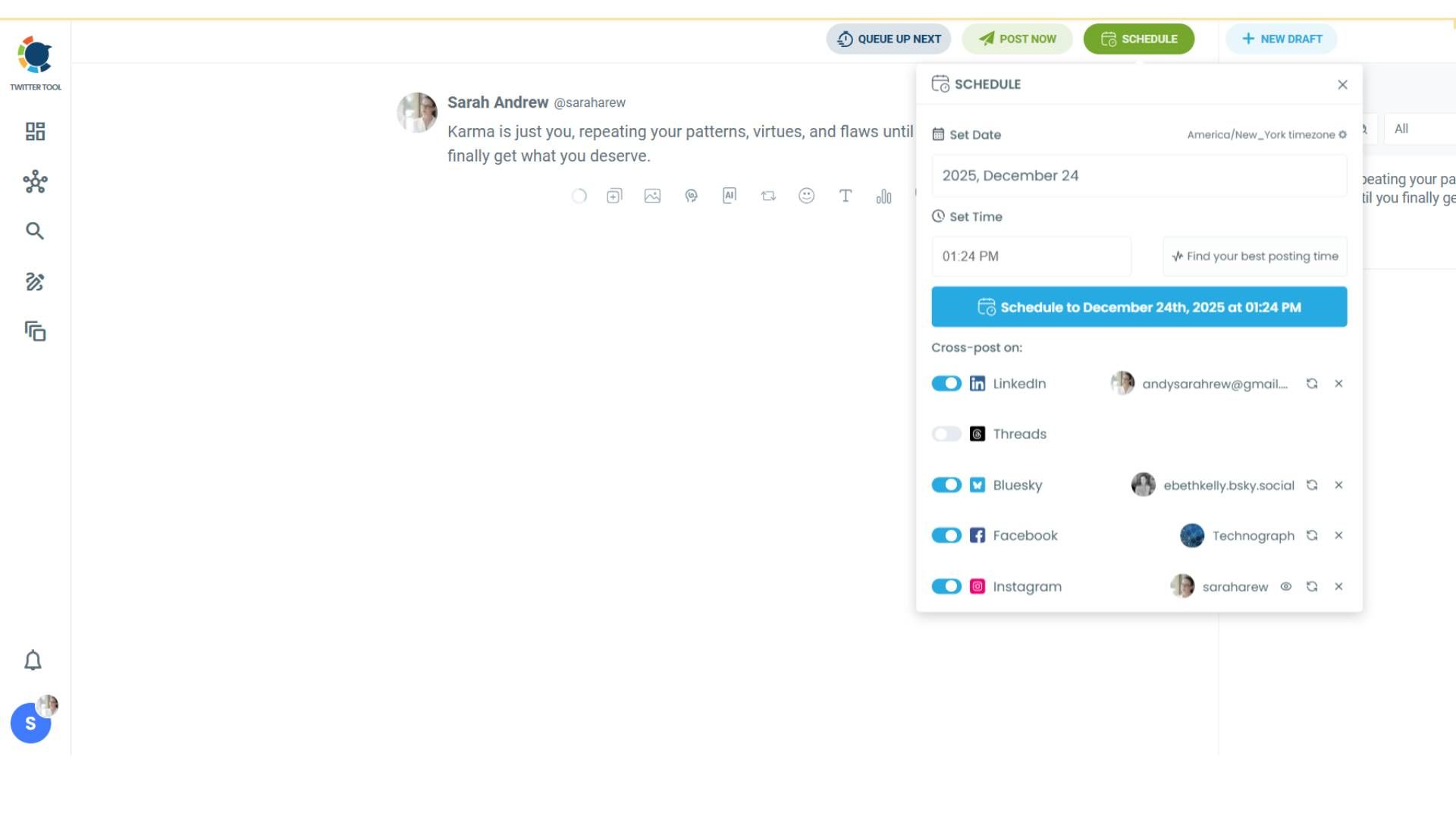
Step #5: When all is set, you can share your cross-post immediately or schedule it for a later time.
You can select the day and hour and click to share your tweet!
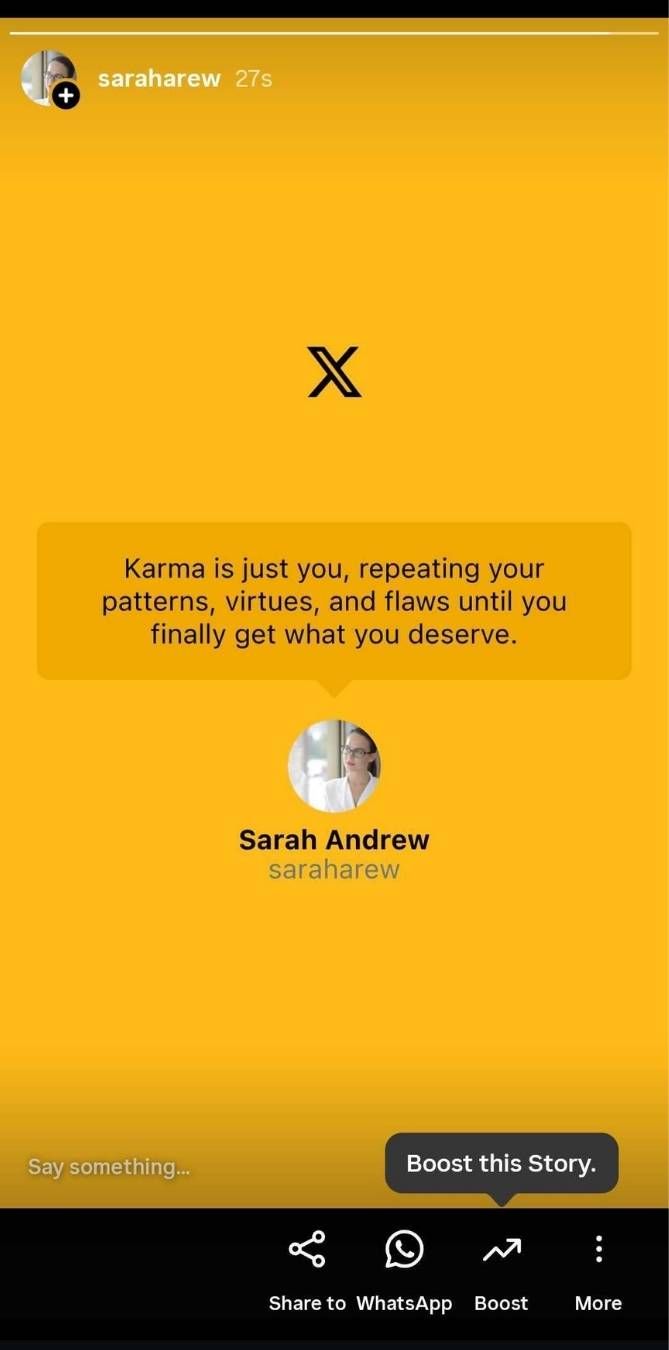
There is your tweet on Instagram, as a Story!
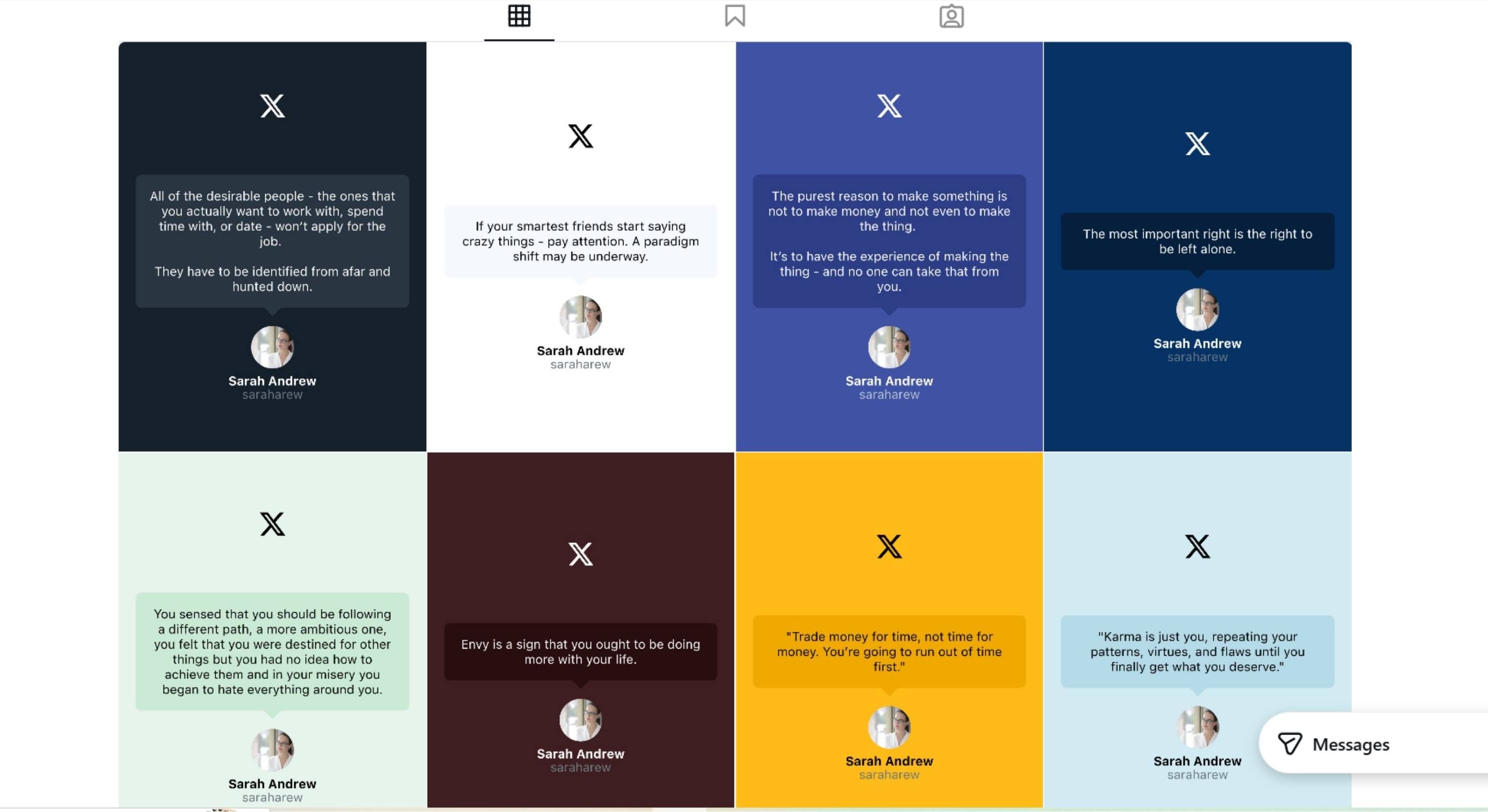
You can fill your Instagram feed with tweets!
Why Circleboom Works Better Than Typical Reposting Tools
Most reposting tools struggle with Twitter → Instagram because they:
- Only repost links or captions
- Don’t generate visuals
- Treat Instagram as text + image upload
Circleboom is different because it:
- Turns tweets into images automatically
- Supports true cross-posting, not just scheduling
- Works across multiple platforms from one tweet
The same tweet can be reposted to:
- Bluesky
- Threads
All without rewriting or reformatting.
What Automatic Reposting Changes Long-Term
Once reposting is automated, a few things happen naturally:
- Instagram stays consistently active
- Content lifespan increases
- Engagement grows without extra effort
- Posting stops feeling like a chore
Twitter remains the place where ideas are created.
Instagram becomes where those ideas compound reach.
Who Automatic Twitter → Instagram Reposting Is For
This setup works especially well for:
- Creators who post daily on Twitter
- Founders sharing insights and updates
- Indie makers and solo operators
- Teams with limited design time
If Twitter is already doing the heavy lifting, automation ensures that effort isn’t wasted elsewhere.
Build Once, Distribute Everywhere
Automatically reposting from Twitter to Instagram isn’t about doing more work, it’s about getting more value from the work you already do.
When one tweet can power multiple platforms, content stops being fragile.
It becomes a system.
That’s exactly what made automatic reposting sustainable for me.