

If you deleted your tweets on X but your post count still shows a higher number, something is not fully gone.
This usually means there are still some tweets left in your account… even if you can’t see them.
They don’t appear in your Tweets, Replies, or Media tabs.
But they still exist in your account history.

These are called hidden tweets.
And here’s the key point: You can’t delete them directly on X.
➡️ To fully remove these hidden tweets, you can use Circleboom Twitter, which allows you to access your full tweet archive and delete all tweets, including tweets that are not visible on your profile.
What Is Circleboom Twitter?
Circleboom Twitter is an official X Enterprise Developer, which means it works directly with X’s official APIs and follows platform rules.

But what makes it different is how deeply it analyzes your account.
Keep in mind that the API provides a more accurate real-time data stream than the X interface itself. While the platform UI may experience lag, the API captures and reflects new developments instantaneously.
Circleboom has the official Enterprise API, we don't scrape data from X!
Instead of only showing what you see on your profile, Circleboom works with your Twitter archive, which contains your full tweet history, including posts that are not visible anymore.
With Circleboom Twitter, you can:
✅ Upload your full tweet archive
✅ Detect tweets that don’t appear on your profile
✅ Remove hidden or invisible tweets
✅ Clean your account completely
This is something X itself does not provide. If a tweet is not visible, you simply can’t find or delete it manually. Circleboom solves this by working with your archive data.
How to Delete Hidden Tweets with Circleboom Twitter
Step #1: Start by logging into Circleboom Twitter.
If you're new to Circleboom, creating an account is swift and straightforward!

Step #2: Welcome to the dashboard! On the left, locate "Essential Toolbox".
Select the "Delete all my Tweets" option under the "Delete Tools". With Circleboom, you're not confined by the 3,200 tweet limit – bulk delete even more!

Step #3: To view and bulk delete all your tweets, first download your Twitter archive, then upload the tweet.js file from it.
No stress – Circleboom is here to guide you through it!
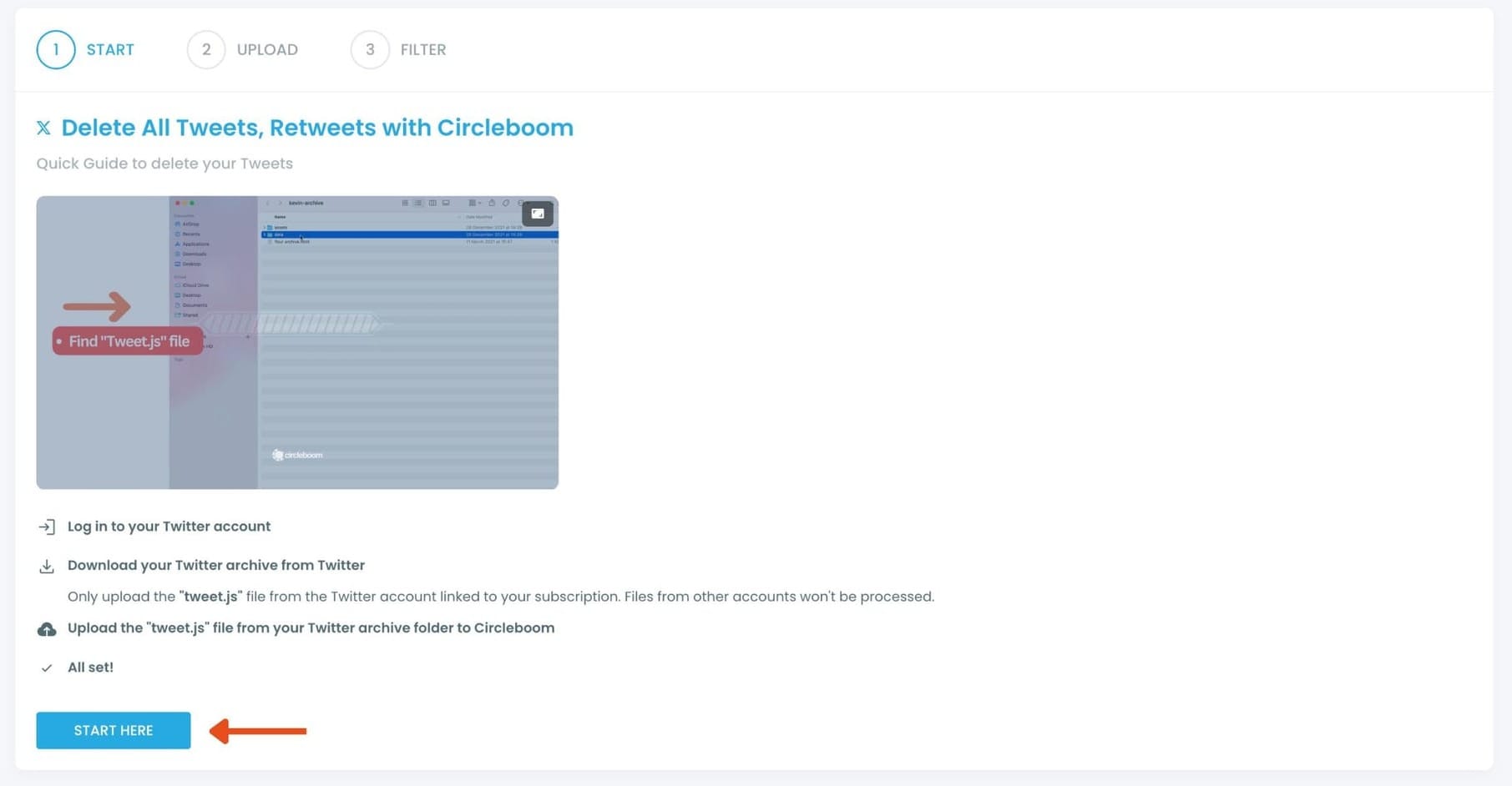
Simply download your Twitter archive and upload the tweet.js file. Drag and drop the tweet.js file from your Twitter Archive files with ease.
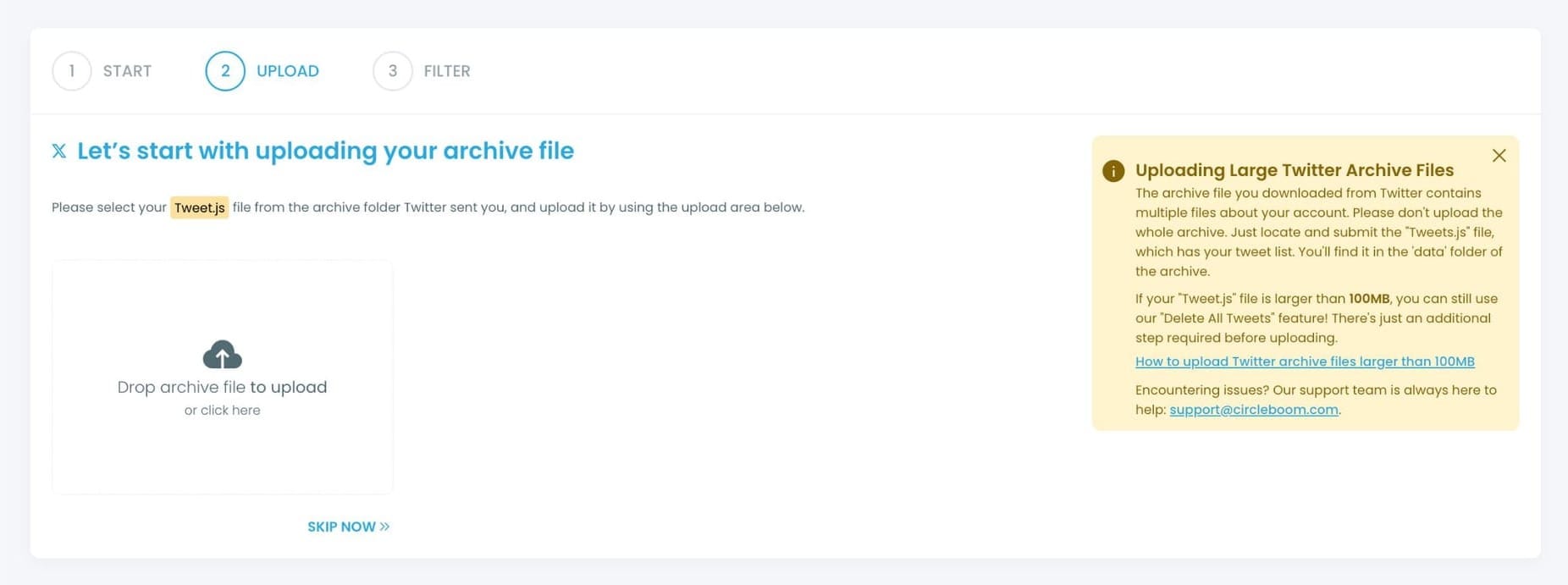
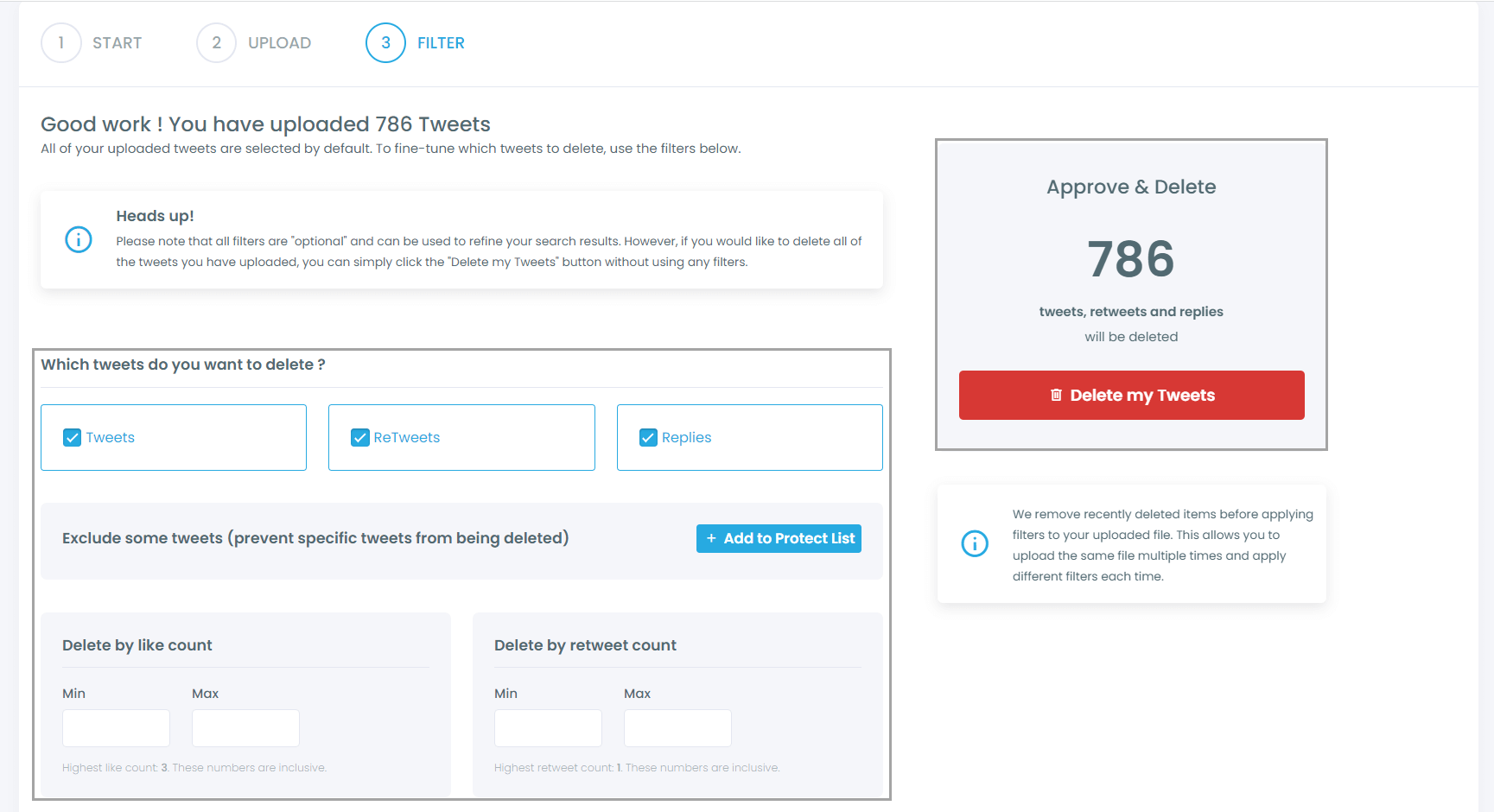
Step #4: All your tweets (including retweets and replies) are now displayed. Regardless of the number, even if it's over 3,200, they'll all appear here, ready for you to mass delete with just one click!
Moreover, you have the option to filter your tweets for selective deletion. For instance, you can choose to delete tweets based on the number of likes and retweets, as shown.
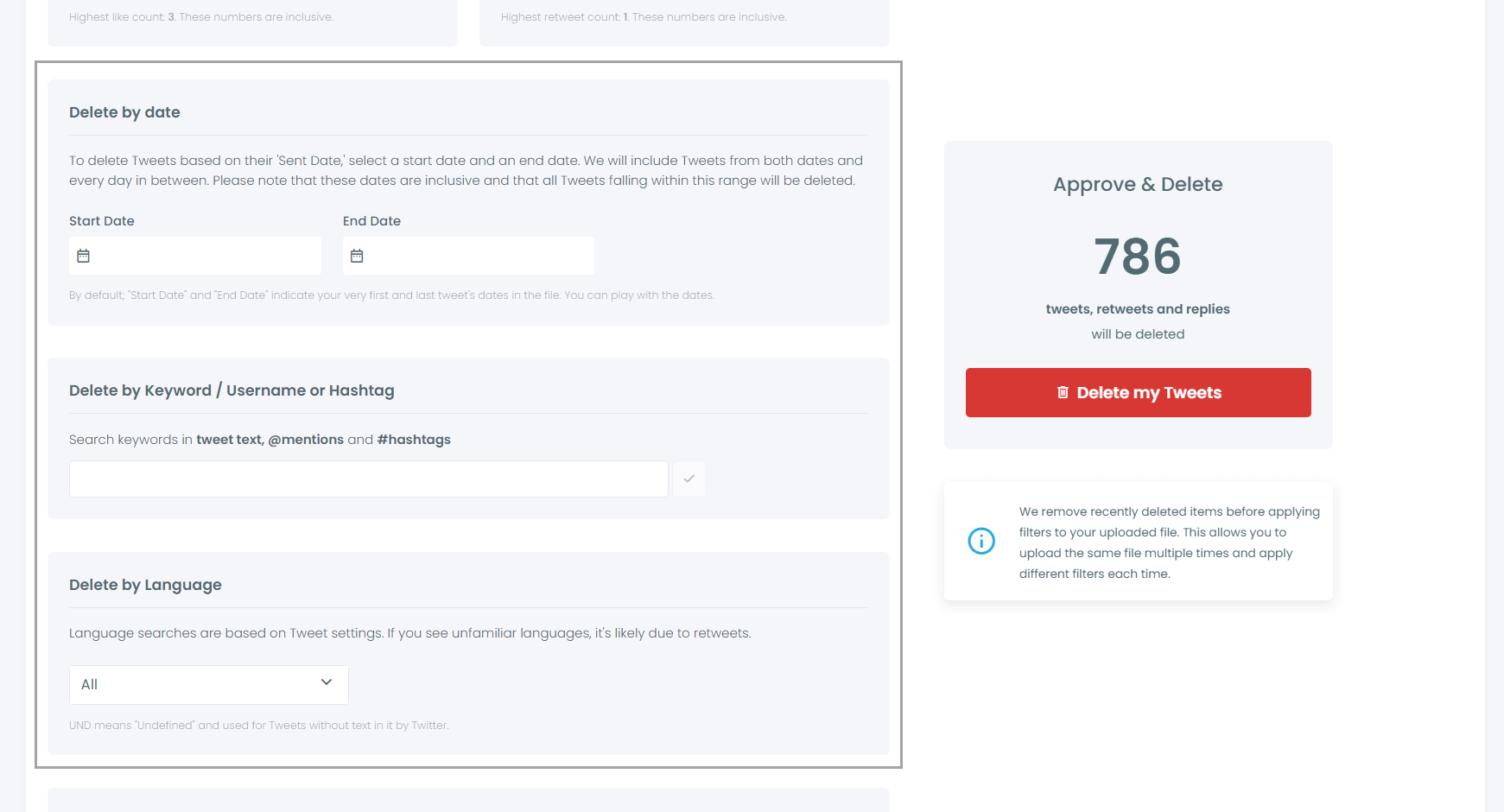
You can also locate and bulk delete tweets by date, keywords, hashtags, and languages.
Finding and erasing tweets is incredibly straightforward, isn't it?
Another feature allows you to delete or retain tweets with media, or exclusively remove tweets without media.
All these options are at your disposal!
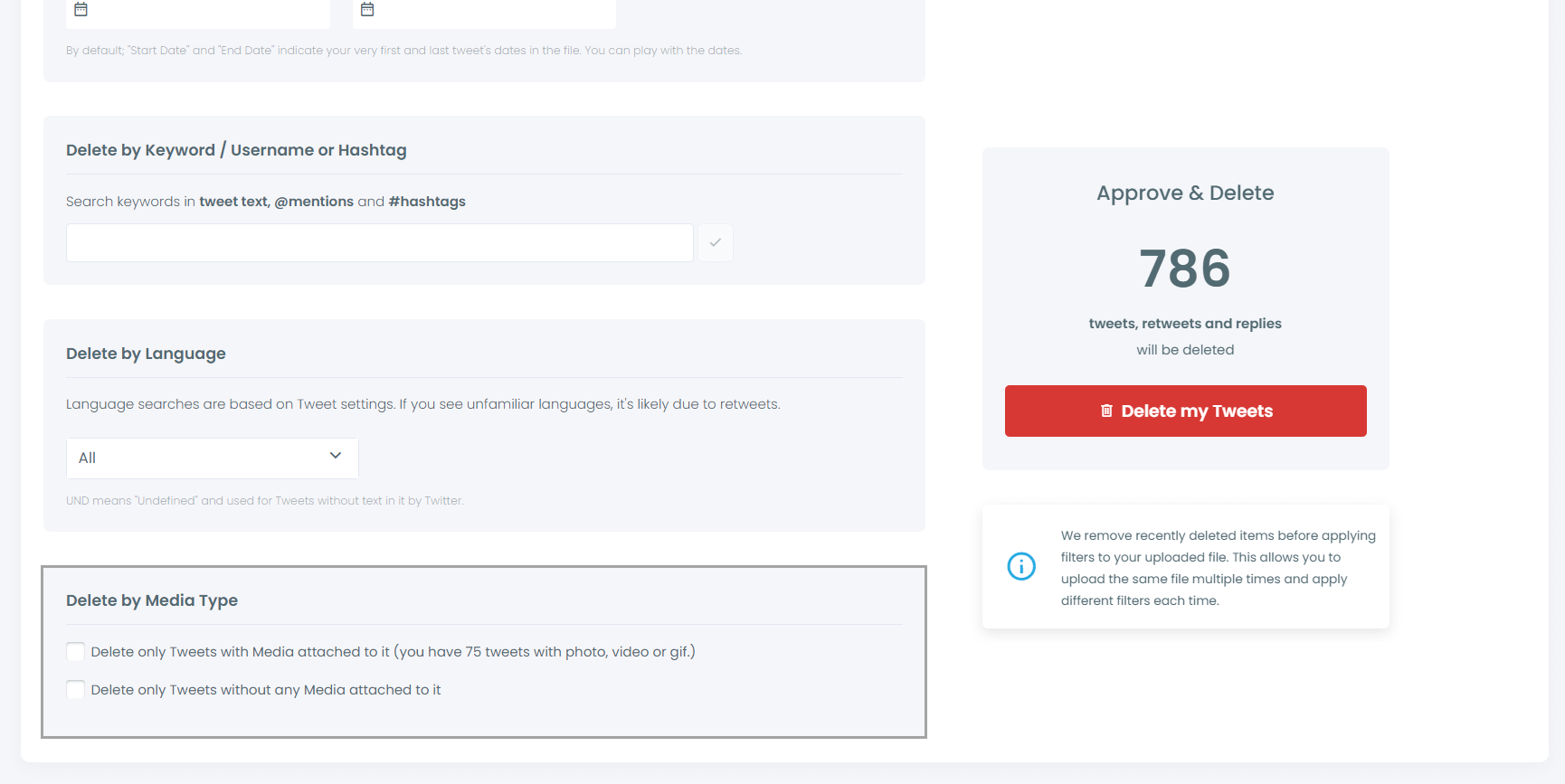
Step #5: Once you're ready, hit the red "Delete my Tweets" button.
You'll be directed to a confirmation page to ensure you're certain about deleting your tweets.
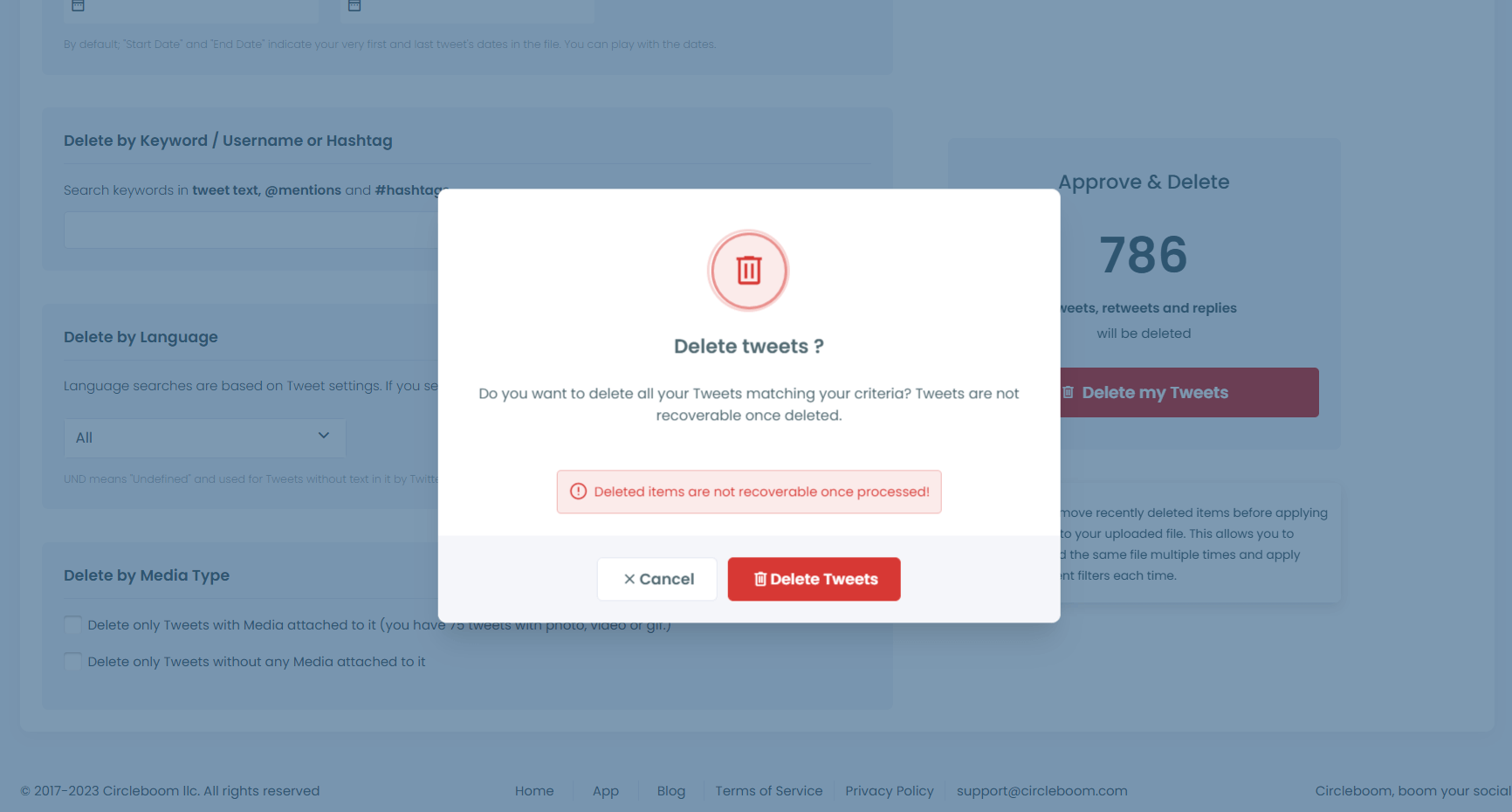
Remember, once you delete your tweets, there's no turning back. So, be absolutely sure before you proceed with deleting all your tweets!
Why Hidden Tweets Exist on X
Hidden tweets are not a bug. They are usually the result of how X stores and displays data.
Your profile shows only a visible layer of your content. But behind that, your account has a much deeper history.
Hidden tweets can exist because:
- X’s interface does not always reflect your full tweet history
- Some tweets are removed from display but still exist in your archive
- Old replies or interactions may no longer appear properly
- After deleting many tweets, the post count may not fully update
So even if something is not visible, it doesn’t always mean it’s completely gone.
 Arif Akdogan
Why You Can’t Delete Hidden Tweets Manually
The problem is simple:
You can only delete what you can see.
If a tweet:
- doesn’t appear in your timeline
- isn’t in your replies
- can’t be found through search
…then there is no way to delete it on X.
That’s why hidden tweets stay in your account.
Only tools that use your Twitter archive can access and remove them.
Final Thoughts
Deleting tweets on X is not always as final as it looks.
Even if your profile appears clean, some tweets can still remain hidden in your account history. And since X doesn’t let you access or delete them directly, they stay there unless you take a different approach.
Using Circleboom Twitter with your archive is the only practical way to fully clean your account, including hidden tweets you can’t even see.
If you want complete control over your X history, this is how you do it.

