

X has always been my main platform. It’s where ideas turn into conversations fast, where reach compounds quickly, and where posting text-first content actually works.
But there was one problem I kept running into: Instagram.
I didn’t want to lose the audience there just because I wasn’t actively posting. And manually reposting tweets? That quickly became a time sink. Screenshots, resizing, captions, stories… it added friction to something that should’ve been simple.
So I looked for a way to turn my tweets into Instagram posts automatically— posts, stories, even reels — without changing how I create content on X.
That’s how I ended up linking X to Instagram the right way.
Can You Directly Link X to Instagram?
Short answer: No.
X and Instagram don’t offer a native way to cross-post content.
You can’t publish a tweet and have it automatically appear on Instagram, especially not as a proper visual post.
And that’s the real issue:
- Instagram doesn’t support text-only posts
- Copy-paste doesn’t work
- Screenshots don’t scale
- Manual reposting kills consistency
If you want to keep both audiences active, you need a tool that understands how X content should live on Instagram.
How I Linked Twitter to Instagram Using Circleboom
I ended up using Circleboom because it solved the problem at the workflow level.

Circleboom is an official X (Twitter) Enterprise Developer, which was important to me. It means the connection is safe, compliant, and built directly on X’s official infrastructure.
Instead of treating Instagram as a separate platform, Circleboom lets you:
- Create tweets normally
- Turn those tweets into images automatically
- Cross-post them to Instagram (and more) in the same flow
No screenshots. No extra tools. No manual steps.
What Makes Circleboom Different for X → Instagram Posting
Circleboom isn’t just a scheduler. It’s built specifically around X-first creators.
Here’s what stands out:
- X Post Planner to create tweets from scratch
- AI Tweet Generator to speed up ideation
- Font styler & image tools to make tweets visual
- Cross-posting system that sends the same content everywhere
Most importantly:
👉 Circleboom is the only tool that converts tweets into images and shares them on Instagram automatically.
With one post, you can publish to:
- Instagram (post, story, reels)
- Bluesky
- Threads
All from the same screen.
Step-by-Step: How to Post Tweets Automatically to Instagram
Here’s exactly how the process works.
Step #1: On the Circleboom Twitter dashboard, navigate to the left menu.
First, find the “Post Management & Analytics” and then click on “Write and Plan Your Post”.

Step #2: Write your tweet. Circleboom’s AI options can generate tweets for you automatically.
When it is ready, you can “Post” or “Schedule” your tweet. To see your cross-posting options, you should click on one of them.
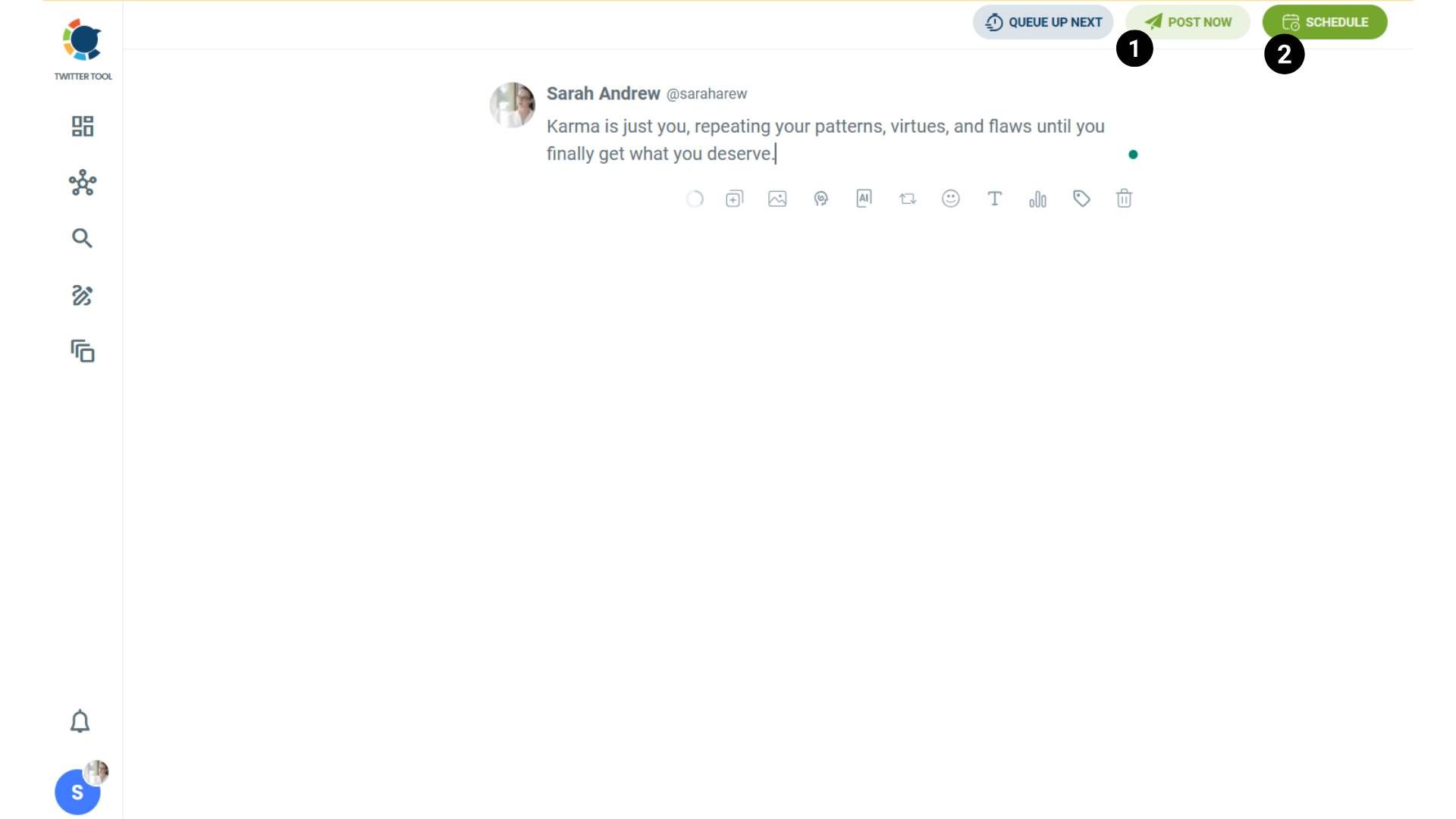
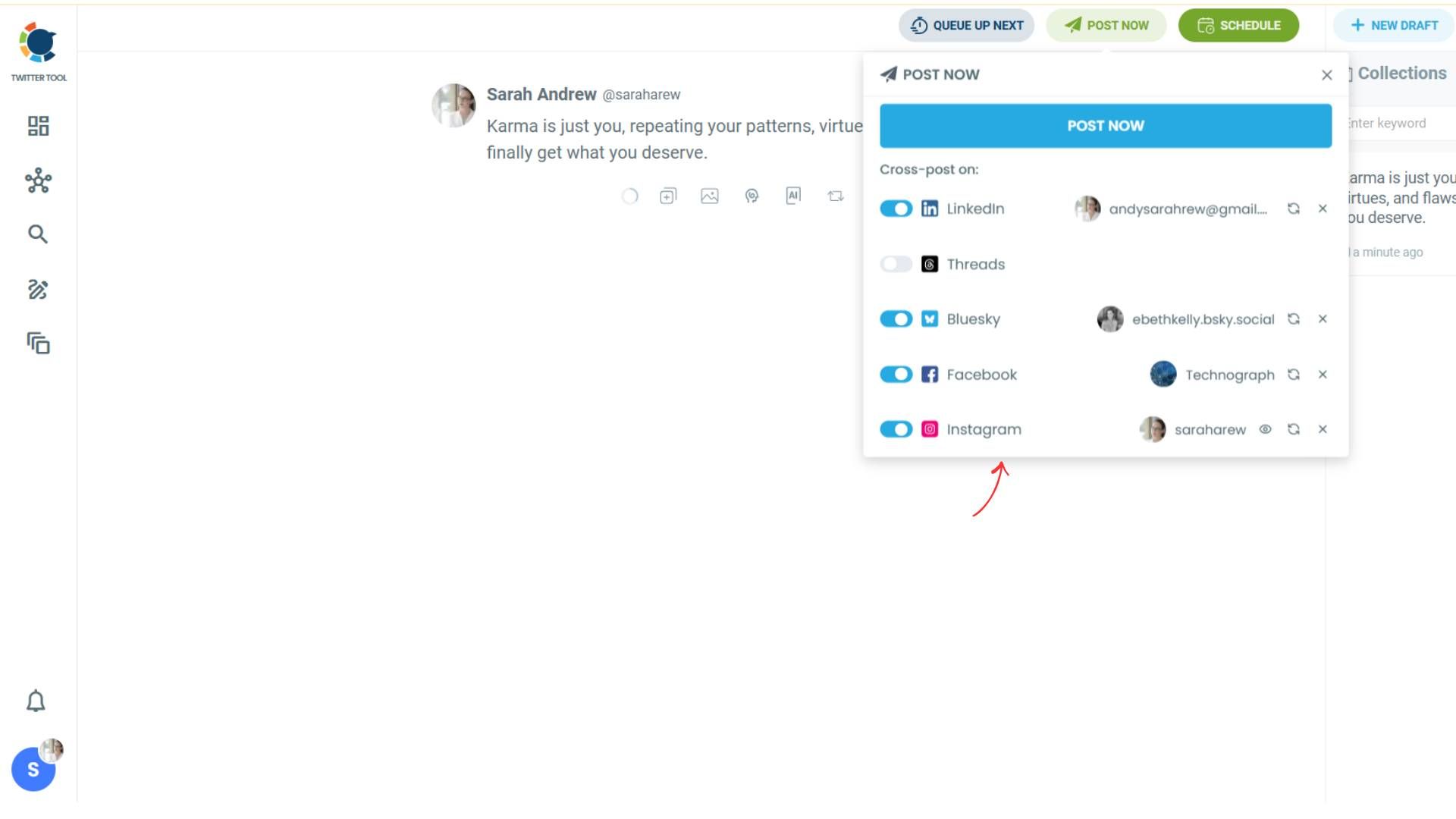
Step #3: You will see your connected platforms. You can cross-post your tweets to these accounts automatically.
You can share tweets on LinkedIn, Facebook, Threads, Bluesky, and finally, Instagram!
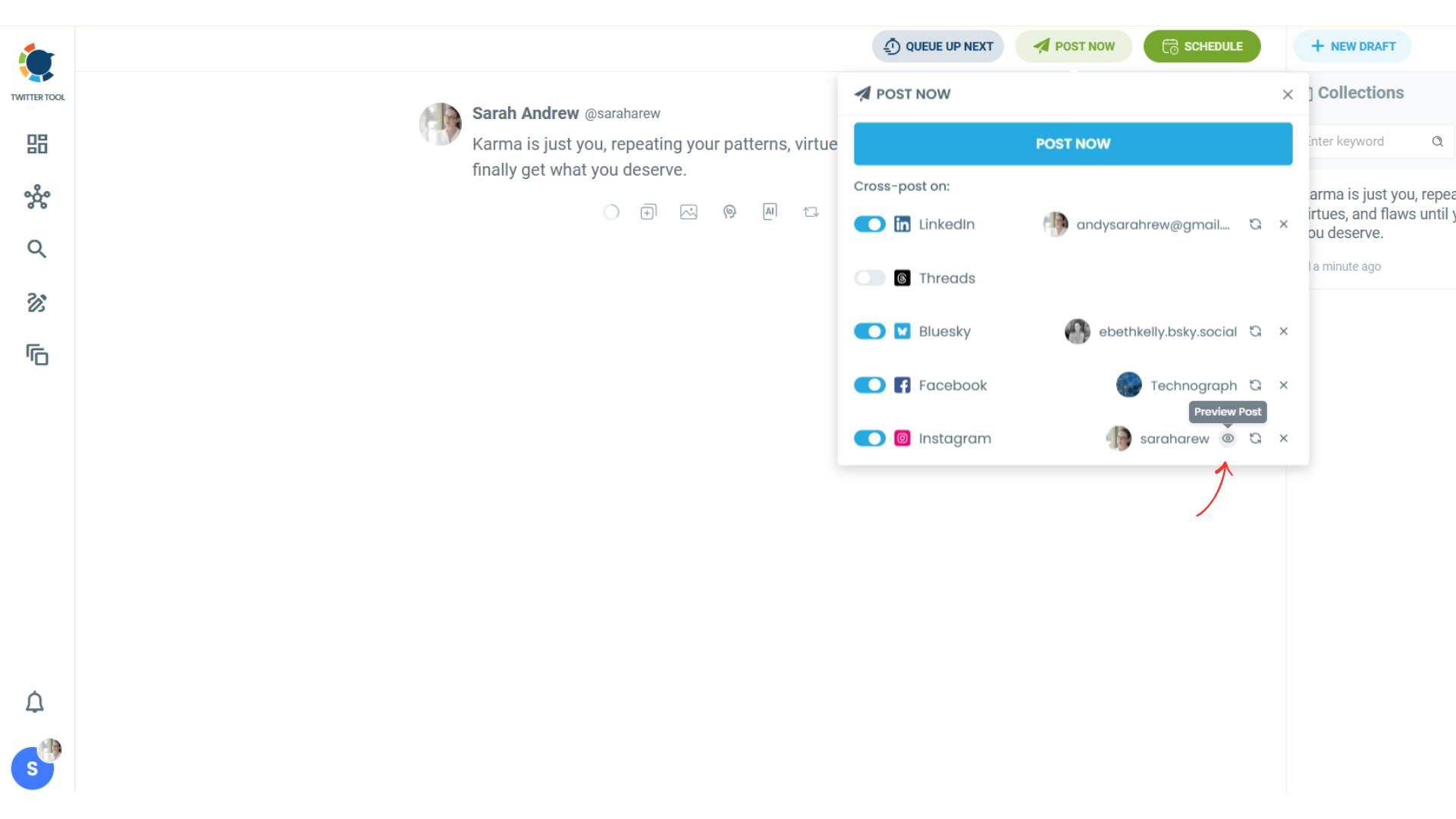
To decide if it is going to be a standard Instagram post or Story or Reels, and decide layouts and colours, click on “Preview”.
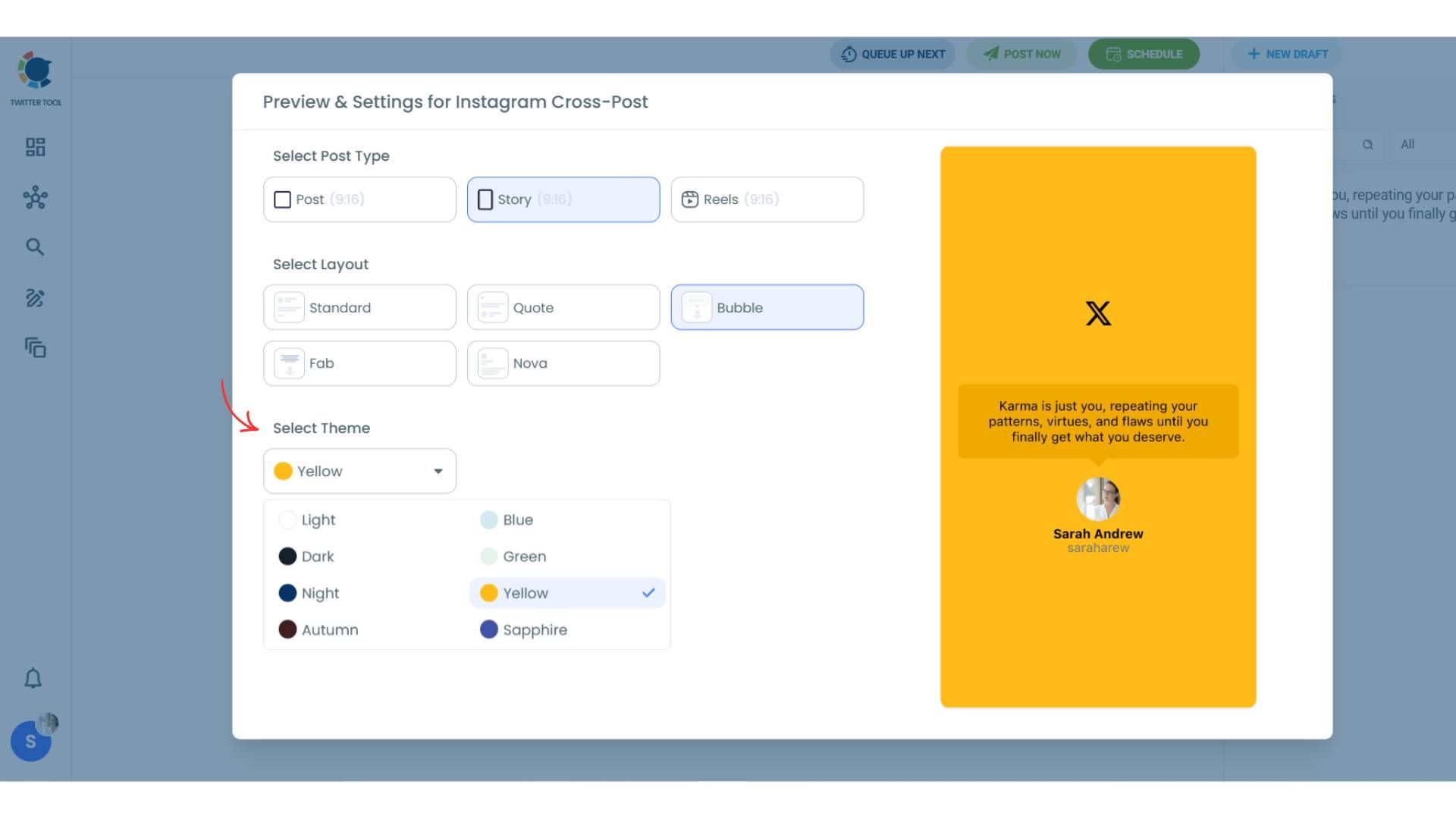
Step #4: Here you can select Instagram post type: “Post”, “Story”, and “Reels”.
You can also select the post layout.
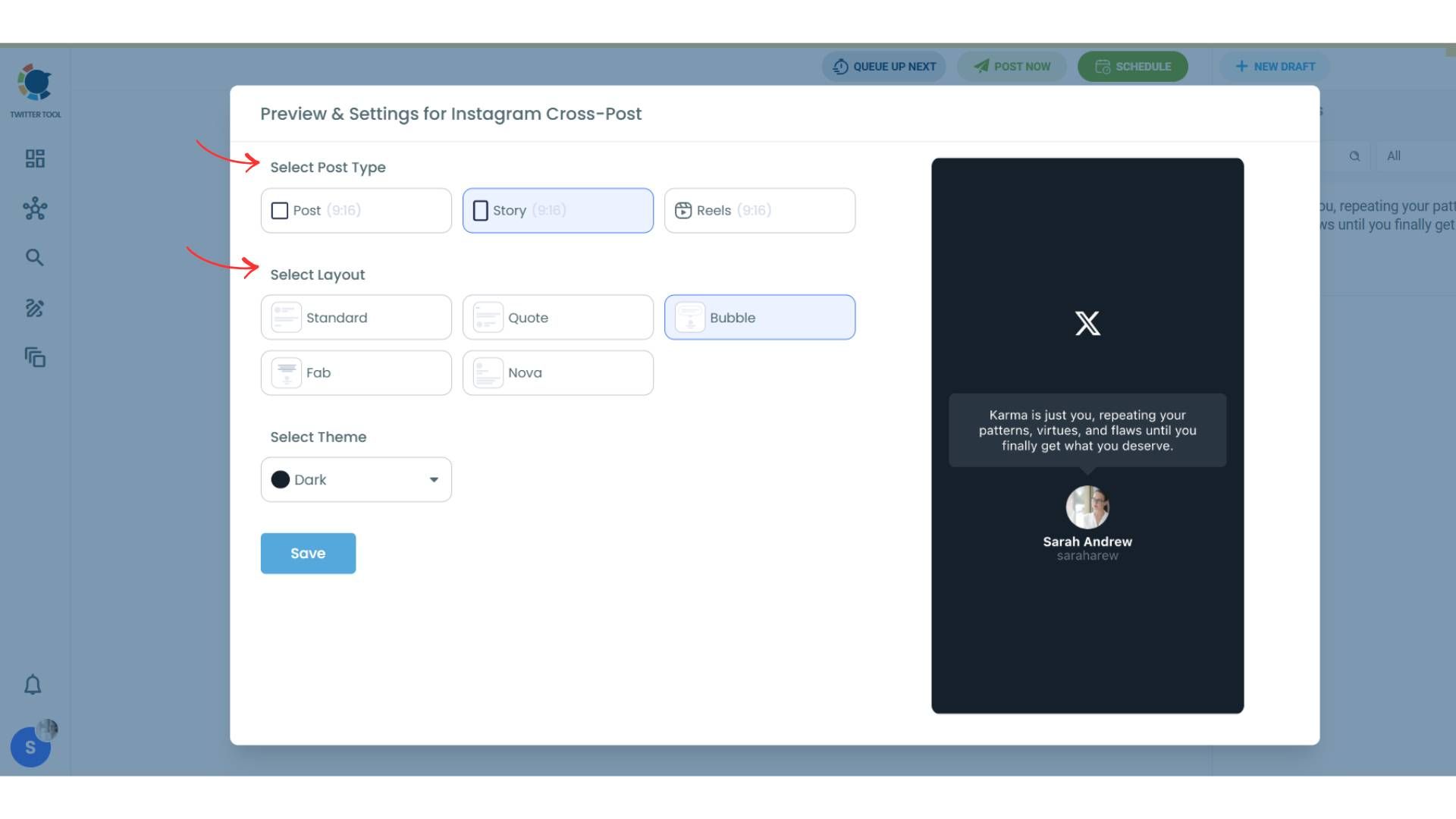
You can also select different themes. Share your tweet on Instagram with different colors.
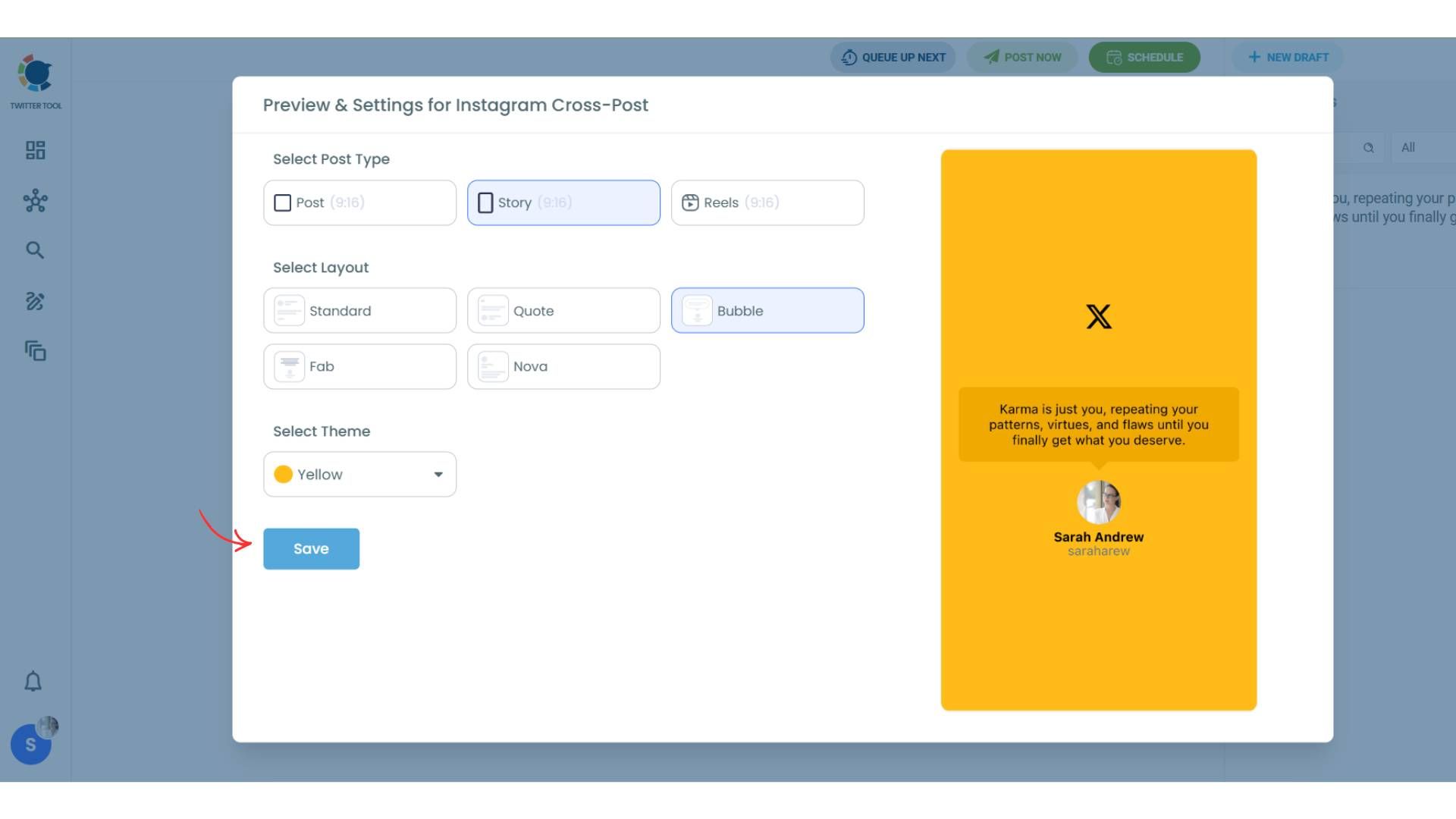
Lastly, you should click on “Save” and your Instagram cross-post is ready.
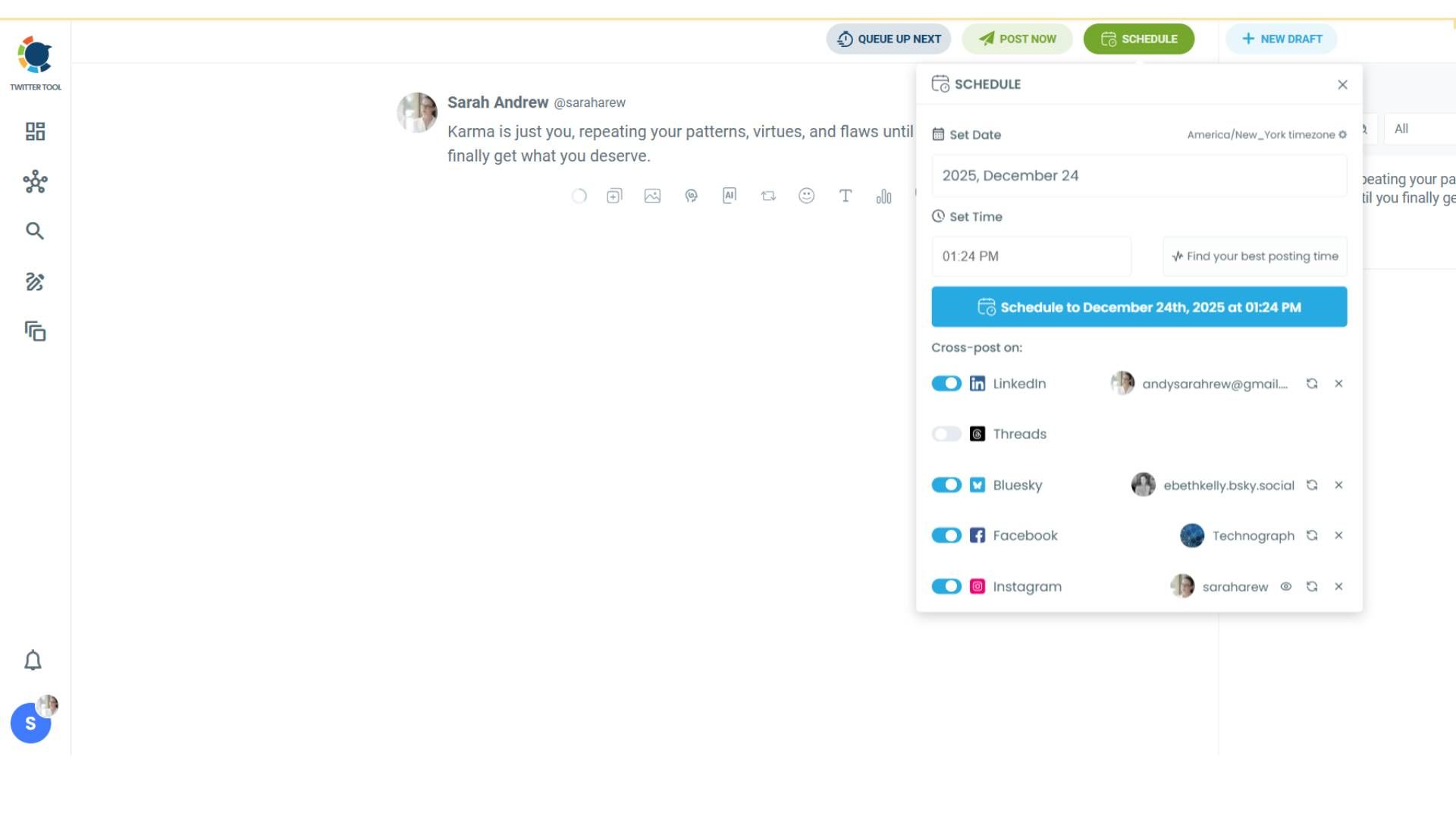
Step #5: When all is set, you can share your cross-post immediately or schedule it for a later time.
You can select the day and hour and click to share your tweet!
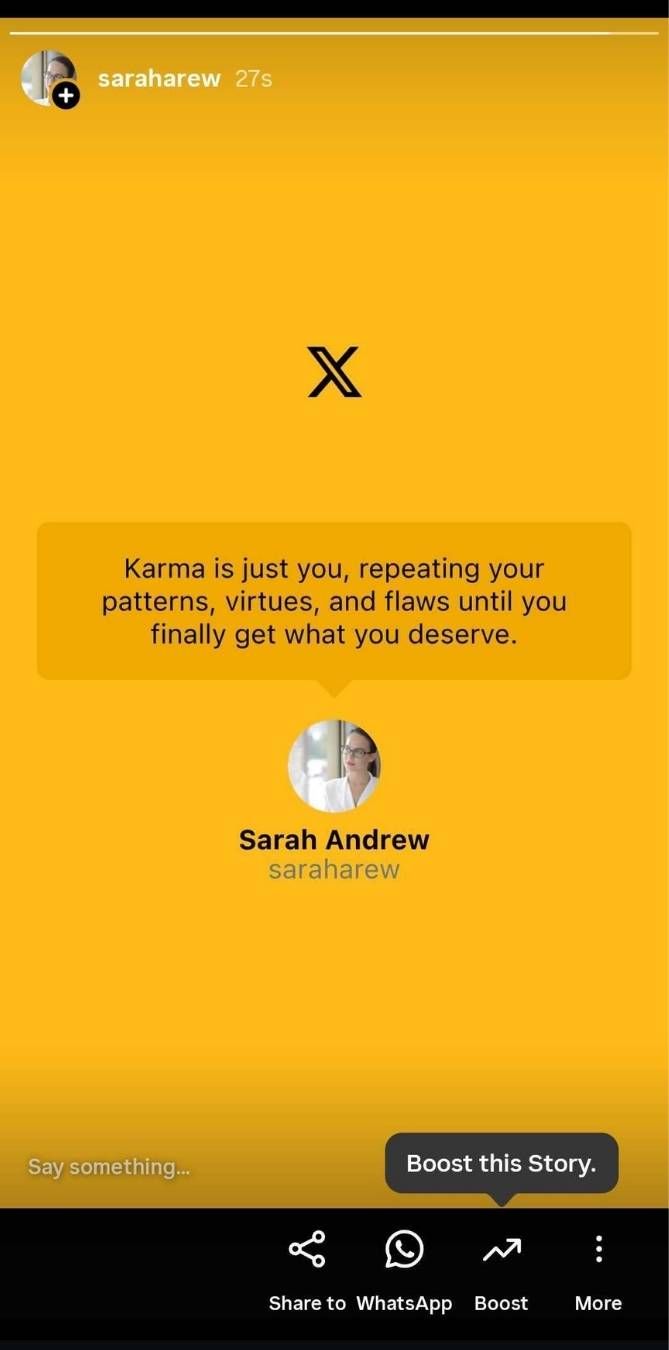
There is your tweet on Instagram, as a Story!
You can fill your Instagram feed with tweets!
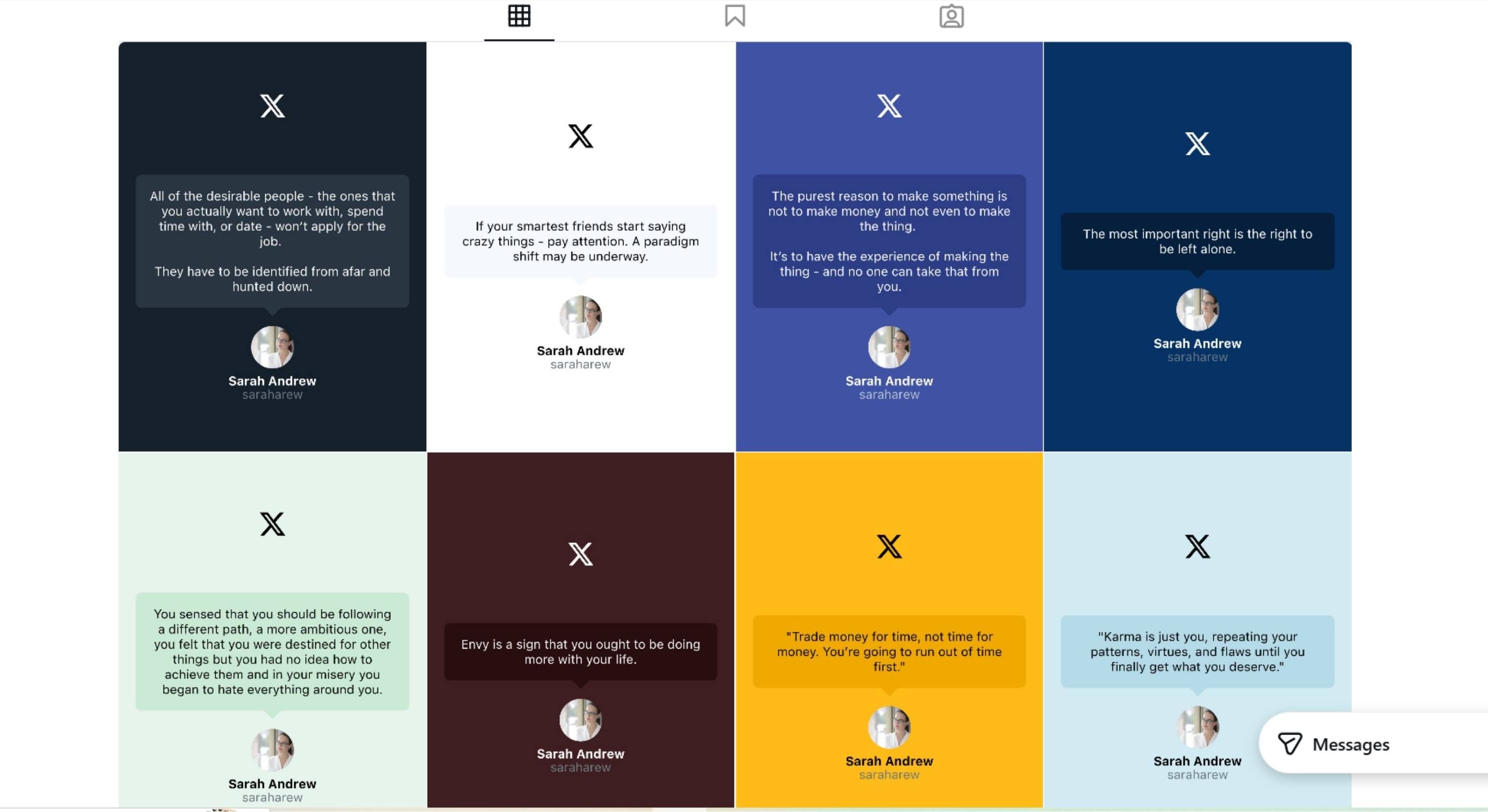
What Happened After I Started Posting Tweets on Instagram
This is where it got interesting.
By simply cross-posting my tweets to Instagram:
- Engagement increased 3×
- My Instagram account gained 1,000+ followers in one month
- I didn’t spend extra time creating content
Same ideas. Same tweets. New discovery surface.
Instagram started working as a distribution channel instead of a separate workload.
Why Posting Tweets on Instagram Works So Well
- Tweets that perform well on X already have proven messaging
- Turning them into images makes them native to Instagram
- Instagram’s algorithm rewards consistency
- You reach people who would never see your tweets otherwise
It’s especially effective for:
- Creators
- Founders
- Indie hackers
- Brands with strong opinions or insights
One Tweet, Everywhere
You don’t need to choose between X and Instagram anymore.
If X is where your content starts, Instagram can be where it multiplies, without extra effort.
Linking X to Instagram isn’t about automation for the sake of automation.
It’s about protecting your reach, saving time, and letting good ideas travel further.
That’s exactly what Circleboom made possible for me.

