

If you want to review the tweet history of a particular profile on Twitter (X), you might expect to find a simple sorting option.
However, Twitter does not provide a built-in way to sort a profile’s tweets from oldest to newest. When you visit a profile, tweets are shown based on the platform’s default timeline, and there is no button that lets you reorganize them by date or engagement.
This becomes limiting if you want to analyze a profile properly, review older tweets, or organize tweets by different conditions.
The only practical way I use to sort tweets is exporting them into a CSV file and then sorting them manually.
For this, I use Circleboom Twitter.
Circleboom Twitter is an official X Enterprise Developer, and it provides tools for managing and analyzing Twitter accounts. One of its useful features is the ability to export tweets from any Twitter account quickly.
Once the tweets are exported into a CSV file, you can sort them however you want — including from the oldest to the newest.
Export Tweets and Sort Them Yourself
Instead of scrolling through a profile page, you can simply open the file and apply sorting filters.
For example, after exporting tweets you can easily sort them by:
- Oldest to newest
- Newest to oldest
- Most liked tweets
- Most retweeted tweets
- Highest engagement tweets
Because the tweets are stored in a spreadsheet format, you can organize them however you want.
 Arif Akdogan
Why I Use Circleboom Twitter to Export Tweets
Circleboom Twitter makes exporting tweets extremely simple.

As an official X Enterprise Developer, it allows you to export tweets from any Twitter account and receive them as a detailed CSV file.
Instead of copying tweets manually, Circleboom generates the file quickly and delivers the data in a structured format.
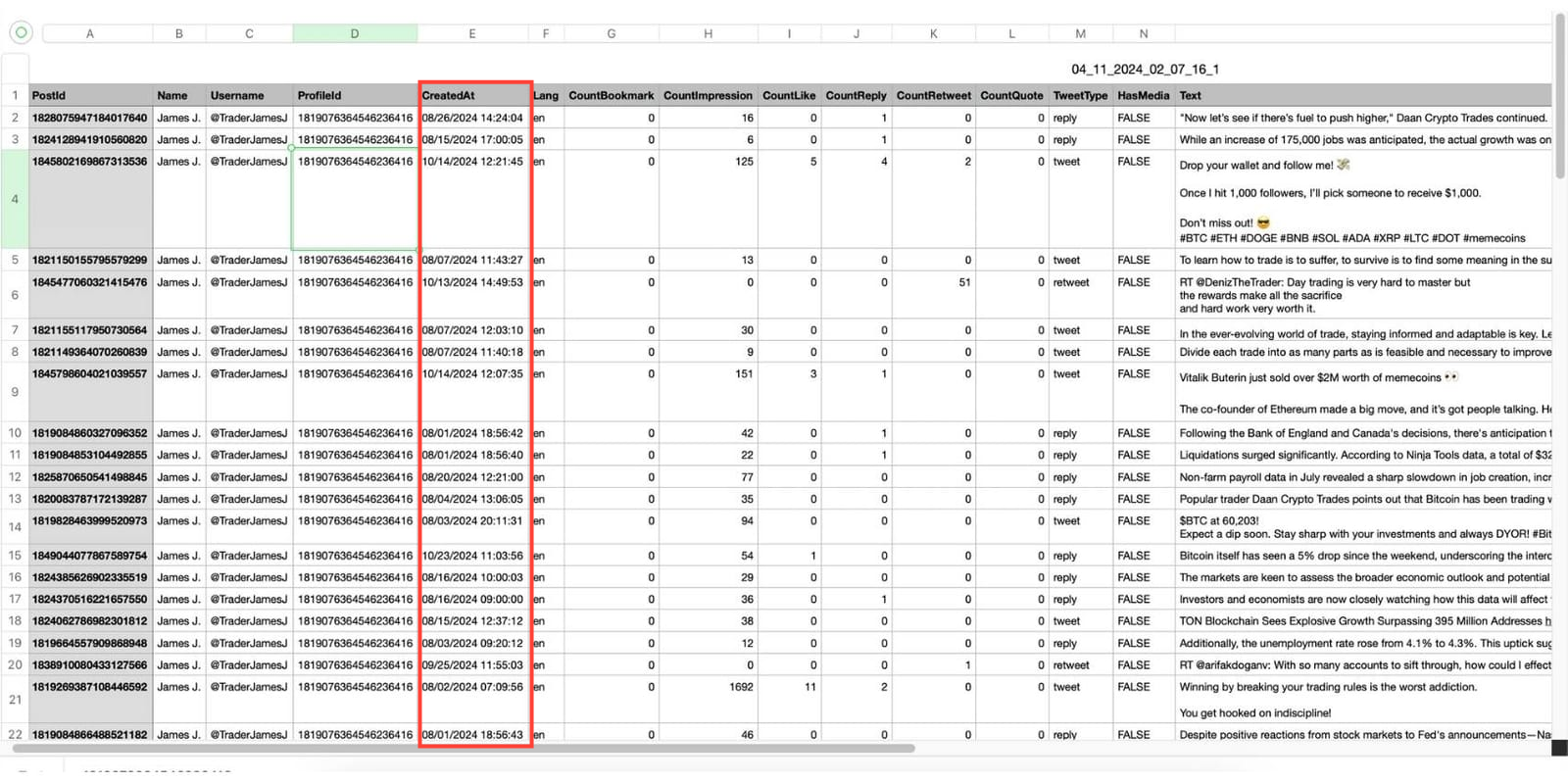
The exported CSV file typically includes information such as:
- Tweet text
- Publish date
- Engagement statistics
Once you have this file, you can open it in tools like Excel or Google Sheets and start sorting the tweets based on any metric you want.
This makes it easy to analyze tweet history or organize tweets by date.
How to Sort Tweets from Oldest to Newest with Circleboom Twitter
Here is how you can do it step by step.
Step #1: Enter the Username
On the Circleboom export page, type in the Twitter/X username of the account you want to export tweets from (without the “@” symbol) and click on the blue “Search” button.

Step #2: Confirm the Tweet Count
Circleboom will display the total number of tweets available for export from the selected account. Review this information, then click the “Next” button to proceed with the export process.

Step #3: Enter Your Email Address
Enter the email address where you’d like to receive the exported tweet file. Circleboom also recommends creating an account for easy access to your export file at any time. After entering your email, click the “Next” button to continue.

Step #4: After entering your email address, Circleboom sends the exported tweets in a CSV format directly to your inbox.
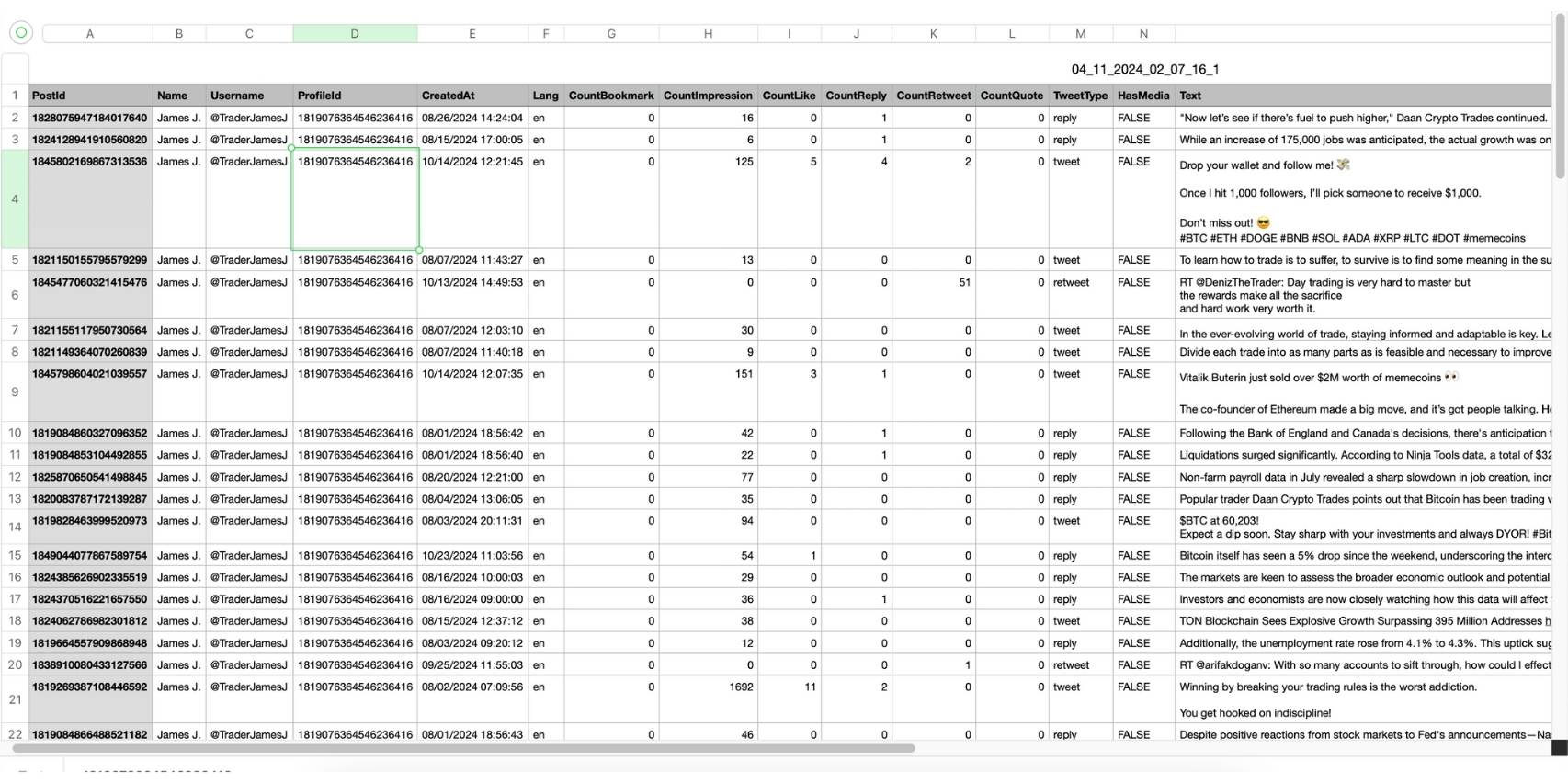
This CSV file includes essential details like Post ID, username, tweet text, engagement metrics (likes, retweets, replies), language, and timestamps, making it easy to review, analyze, or archive the tweets.
Now you can sort tweets by Creation date to find the oldest or newest tweets.
 infocircleboom.com
Why Twitter Does Not Allow Tweet Sorting
Twitter allows users to scroll through tweets on a profile and use some search filters, but it does not provide an actual sorting system for tweet history.
For example, you cannot simply reorder tweets by:
- Oldest to newest
- Newest to oldest
- Most liked to least liked
- Most retweeted to least retweeted
Instead, you must manually scroll through the timeline, which is not practical if you want to analyze a large number of tweets.
This is why exporting tweets into a spreadsheet becomes the easiest solution.
Final Thoughts
Twitter does not currently provide a feature that lets you sort tweets from oldest to newest directly on a profile.
However, you can easily achieve this by exporting the tweets into a CSV file and sorting them in a spreadsheet.
With Circleboom Twitter, you can export tweets from any account quickly and receive a detailed CSV file containing tweet text, publish dates, and engagement statistics. Once you have the file, you can sort tweets however you want, including from the oldest to the newest.

