

The archive is a record of everything you've ever posted, and almost nobody looks at it, which means most accounts are sitting on years of proof about what their audience actually rewards.
Native X gives you two halves of this and connects neither: an archive download with no analytics attached, and a Tweet Activity view with no way to rank your full history.
This piece walks through how to pull that archive, sort it by the metrics that actually matter, spot the themes your audience keeps rewarding, and turn your best-performing tweets into a repeatable content system.
We'll also show how Circleboom shortcuts most of this process, since manually sorting years of tweets in a spreadsheet is exactly the kind of work that gets postponed indefinitely.
Why the Native Archive Can't Do This Alone
The official archive download works, but it's built for data portability, not analysis:
- You go to Settings and Privacy.
- Then Your account, then Download an archive of your data.
- Verify your identity, request the file, and wait, sometimes an hour, sometimes most of a day.
What lands is a zipped folder with an index.html you can browse like a private timeline, plus raw CSV or JSON underneath.
The problem is what's missing.
The archive has your tweets but not their performance: no impressions, no engagement rate, no way to sort winners to the top.
Native analytics has the performance but only per-post, with no ranked view across your full history. So the standard workaround is loading the CSV into Google Sheets and rebuilding the metrics by hand, which is exactly the kind of project that gets postponed indefinitely.
There's a second gap: the archive only covers your own account.
If you want to run the same audit on a competitor, and you should, since their winners are free market research, the native route has nothing for you.
You can already see the shape of a better system: pull the history directly, rank it by real engagement signals, and read the patterns across years in one view. That's what the audit workflow below does.
How to Run the Audit With Circleboom
Circleboom Twitter connects to your X account through official OAuth and turns the audit into a sequence of tools instead of a spreadsheet project. Here's the flow, in order.
Connect your X account to Circleboom
Log in to Circleboom Twitter and connect your account. This is the entry point for every step below.
Export your posting history
- Open the Export Tools and use Export Tweets.
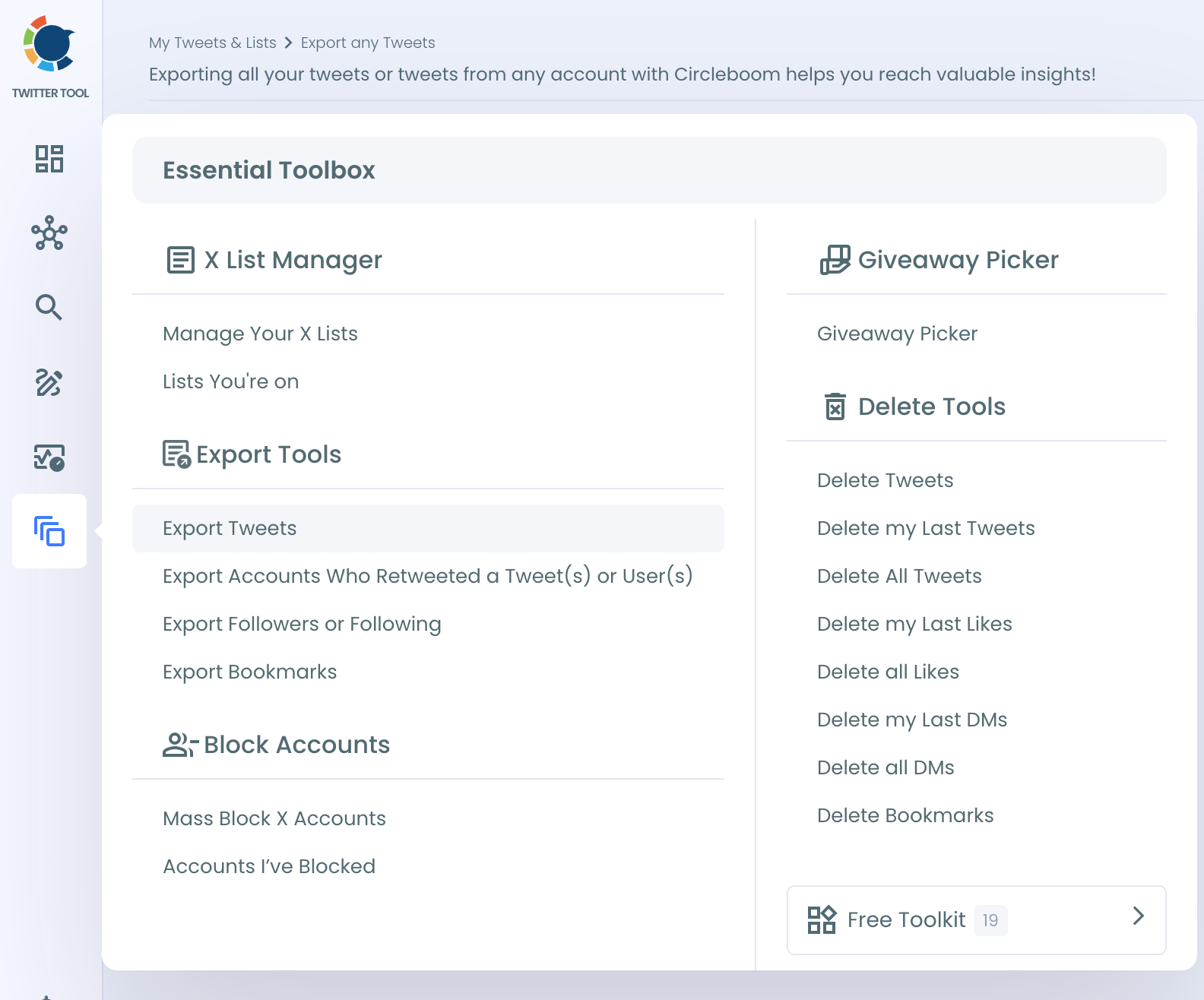
- Enter a username, yours or any public account's, and pull the posting history directly: no archive request, no identity verification, no waiting on an email.
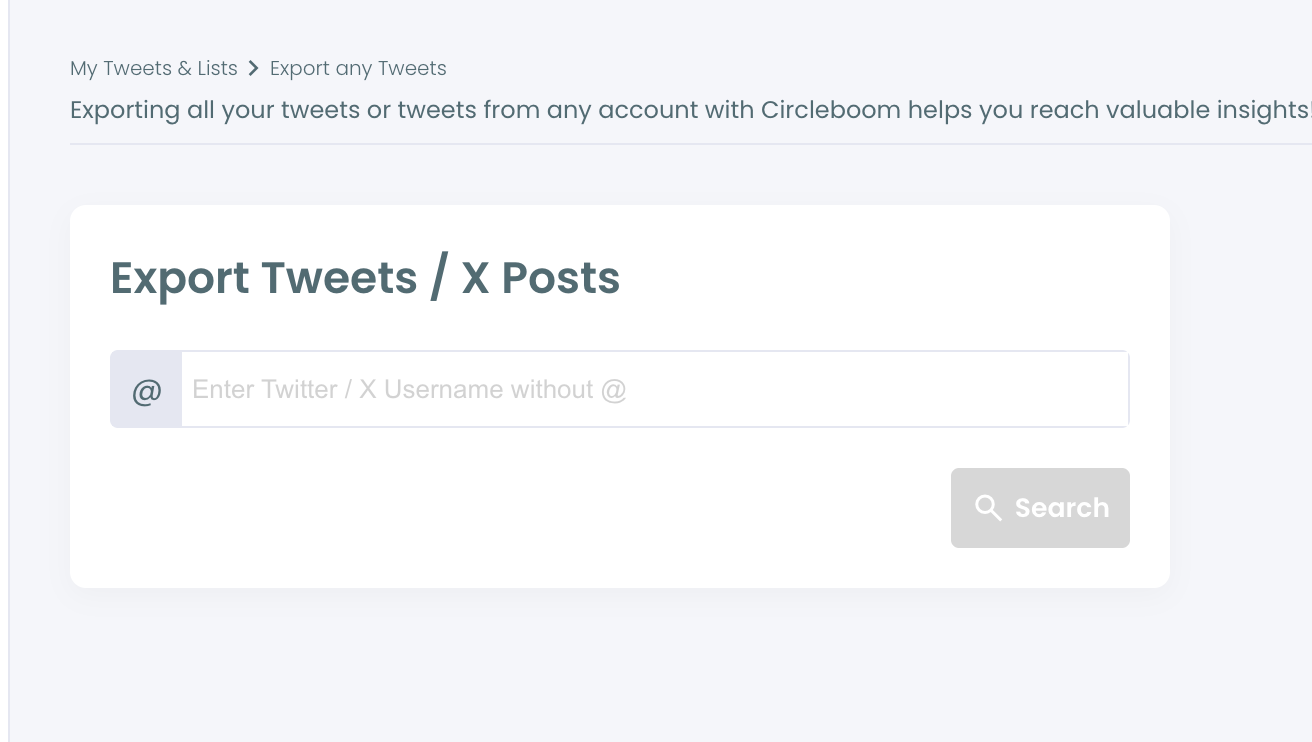
- This is also where the competitor angle lives: run the same export on the accounts you're benchmarked against and audit their history alongside yours.
Rank your posts in Post Analytics
- Open Post Analytics and sort your history by the signals that predict repeatability. Tweet Stats covers the per-post numbers, with a separate Video Analytics view if video is part of your mix.

- Sort by engagement rate, replies, retweets, and bookmarks before you sort by likes — the reasoning is in the metrics section below. Tag your top 10% by topic, format, and intent as you go.
Cluster your themes with Historical Tweet Search
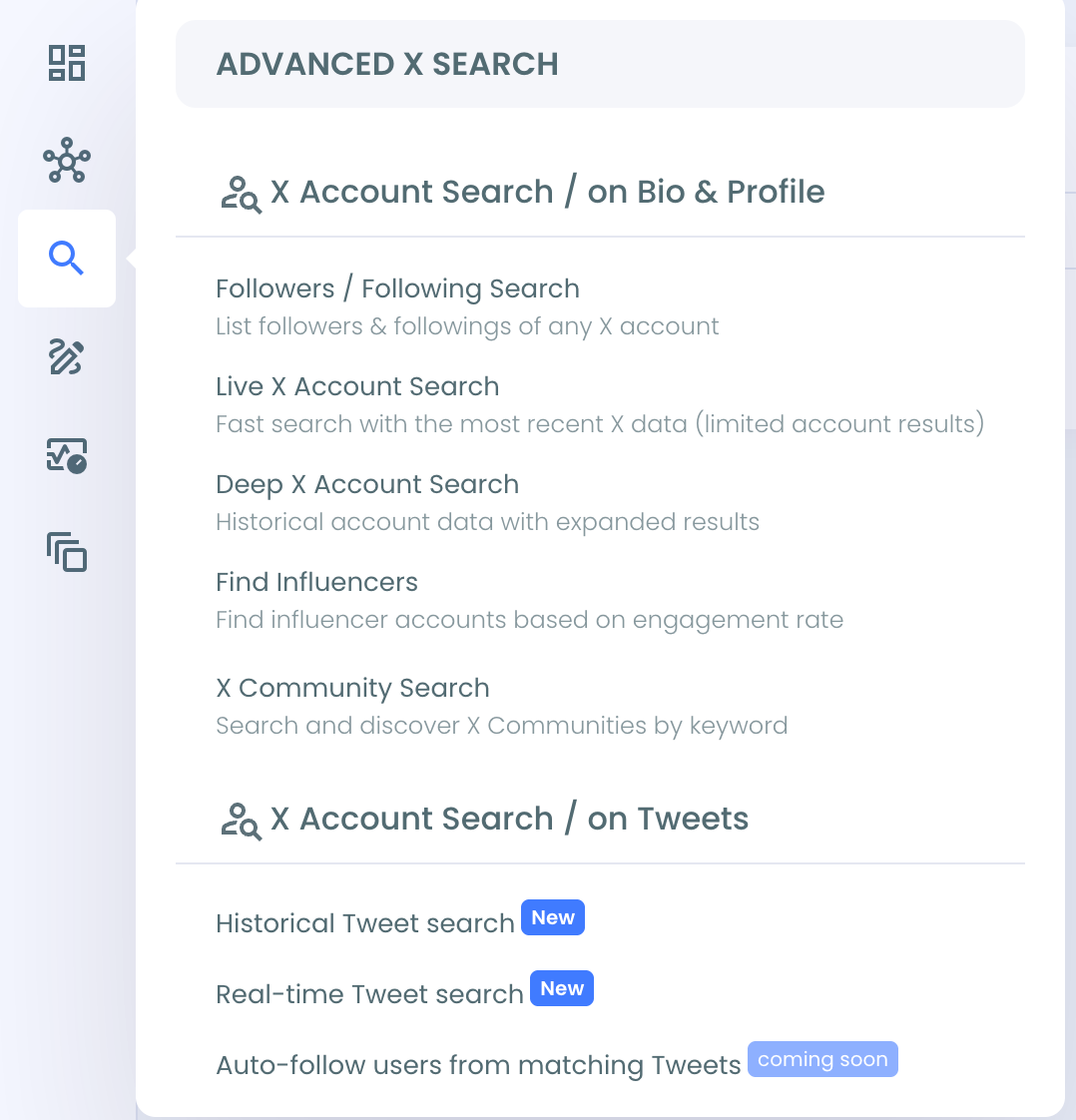
Take each theme your top posts suggest and query it in Historical Tweet Search, which runs keyword and filter searches across deep tweet history.
It confirms how much history actually sits behind a suspected theme, and it surfaces the accounts actively talking about that topic — useful for targeting once the theme is validated.
Check when your audience is actually online
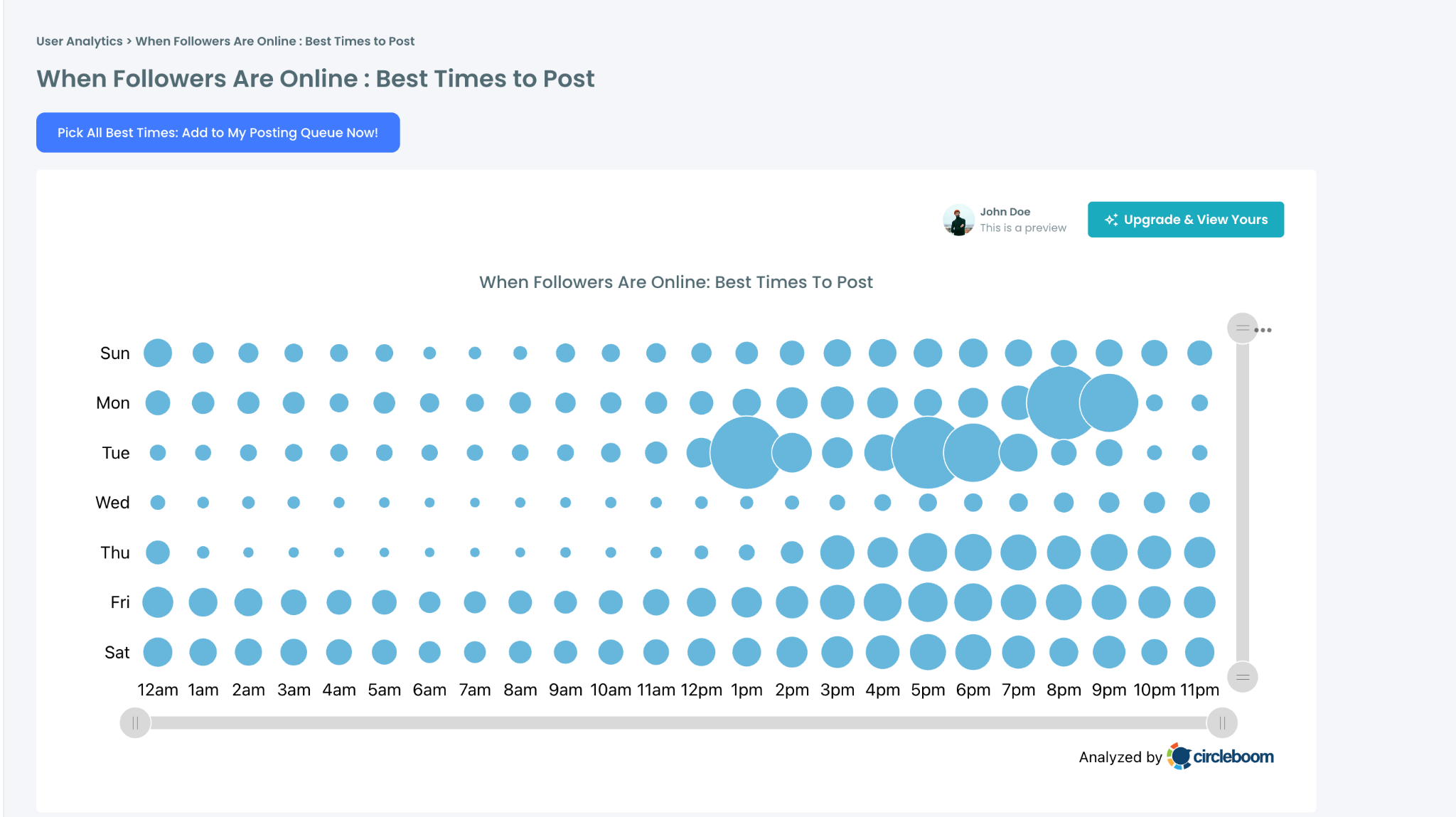
Timing patterns hide in a chronological feed. Circleboom's Best Time to Post view reads when your current followers are active, so you schedule into live windows instead of inferring timing from when past winners happened to land.
The Interest Cloud in the same menu is a useful cross-check: if your winning themes and your followers' interests don't overlap, you've been winning with the wrong crowd or posting past the right one.
Schedule the repurposed winners
Move to the publishing side. Write & Plan Your Post covers drafting, Bulk Schedule queues a batch of variations in one pass, and cross-posting pushes the same idea to LinkedIn, Facebook, and Instagram without rewriting it four times.
The AI Writer works best here as a variation engine, feed it a proven hook and let it draft the fresh intro for a re-run.
At a glance: connect, export, rank, cluster, time, schedule. The tools do the sorting so you spend your attention on the judgment calls.
How do you find your best-performing tweets?
You export your posting history and rank it by engagement metrics instead of scrolling and guessing. Circleboom Twitter pulls your tweets, or any public account's, into a sortable analytics view, so your top performers by engagement rate, replies, and retweets surface in a few clicks.
→ Analyze your tweets with Circleboom
The Metrics That Separate a Real Audit From a Vanity Pass
Likes are the easiest number to chase and the least useful one to optimize for. They're a pulse check, nothing more.
Engagement rate, engagements divided by impressions, is the one that actually normalizes for reach, which matters because a tweet seen by 400 people that got 60 replies is telling you something a tweet seen by 40,000 people with a thousand likes isn't.
Here's what that looks like on a real post in a custom apparel niche: a 24-second video pulled 4.8K impressions, 113 likes, 8 retweets, and 1 reply, for an engagement rate around 2.5%, well above the norm despite modest likes.
Here are a few other metrics:
- Notice the low reply count against high likes too. That's a pattern worth tagging differently than a post that sparks debate.
- Reply count and thread depth are the strongest tell that a topic hit a nerve; people don't argue with, build on, or ask follow-up questions about things they don't care about.
- Retweets are still a clean spread signal.
- Bookmarks mean someone thought the post was worth keeping, not just worth a tap.
Cluster your top-tagged posts by subject, and you'll usually find three to five buckets your audience keeps rewarding regardless of when or how you post.
Layer in format and tone, and audiences have preferences here that surprise people almost every time they check instead of assuming.
This matters more in some niches than others.
Anyone teaching land investing education knows the audience splits hard between people who want the mechanics, financing, title searches, deal structure, and people who want the psychology of why land beats other asset classes.
What You Gain From a Recurring Audit
A tweet that performed is a headline you've already tested.
An audit tells you exactly what's worth repurposing instead of repurposing everything and hoping.
It also compounds. An audit done once is a snapshot; on a monthly or quarterly schedule, each pass becomes a comparison with the last.
A theme that carried Q1 can go quiet by Q3 for reasons that have nothing to do with your writing, the schedule is how you catch that early and park it instead of forcing it.
Because your account stays connected in Circleboom, the repeat pass is opening Post Analytics and checking what shifted, not re-requesting an archive and rebuilding a spreadsheet.
Read the replies and DMs while you're at it. The why behind a number is often sitting right there, unread, in a comment thread from eight months ago.
Your archive was never just a record of what you posted. It's the only unbiased account of what actually worked, written by an audience that had no reason to lie to you.
Start your Twitter archive audit with Circleboom
FAQs
Do I still need to download the official X archive?
Not for the audit. Circleboom's Export Tweets pulls posting history directly, without the request-and-wait cycle. The official archive is still worth downloading periodically as a personal backup, since it includes DMs, likes, and media the audit doesn't need.
Can I audit a competitor's account this way?
Yes. Export Tweets works on any public username, and Historical Tweet Search queries public tweet history by keyword. You won't see their private impression counts, but public signals like replies and retweets are enough to spot which of their themes repeat.
How often should I re-run the audit?
Monthly for active accounts, quarterly for slower ones. The goal of the repeat pass is comparison: which themes held, which faded, and whether your posting windows still match when your followers are online.
What should I do with old tweets that no longer represent the account?
An audit usually surfaces a few of those too. Circleboom has a dedicated Delete Twitter Archive tool for cleaning out old posts in bulk, so pruning and repurposing can run as one pass over the same history.

