

Sometimes you see a tweet spreading in a way you don’t like. It might be getting shared by spam accounts, scam profiles, or low-quality users. Or you might notice that a specific group of accounts keeps retweeting certain content and showing up in your feed or notifications.
In these cases, you may want to block the people who are retweeting that tweet, not just the original account.
The problem is, X only shows a simple list of retweeters. You can’t analyze them properly, and blocking them one by one takes too much time.
With Circleboom Twitter, you can retrieve the full list of retweeters of any tweet, yours or someone else’s, and block them in bulk without doing it manually.
What Is Circleboom Twitter?
Circleboom Twitter is an official X Enterprise Developer, which means it works with X’s official APIs and handles data safely and reliably.

With Circleboom Twitter, you can retrieve the accounts who retweeted a specific tweet, whether that tweet belongs to you or to someone else.
This is especially useful when you want to examine the users spreading a suspicious post, a scam tweet, or any tweet that is attracting the wrong kind of engagement.
✅ Circleboom does not just pull usernames. It shows the retweeters as a proper list with account details, making it easier to review who these users are before taking action.
And most importantly, it lets you block those accounts without having to deal with them one by one on X.
 infocircleboom.com
How to Block People Who Retweeted a Tweet with Circleboom Twitter
Step #1: Go to your Circleboom Twitter dashboard.
If you don’t have an account yet, create one — it takes only a minute.

Step #2: On the left-hand menu, scroll down and click on “Mass Block X
Accounts” under the Essential Toolbox section.
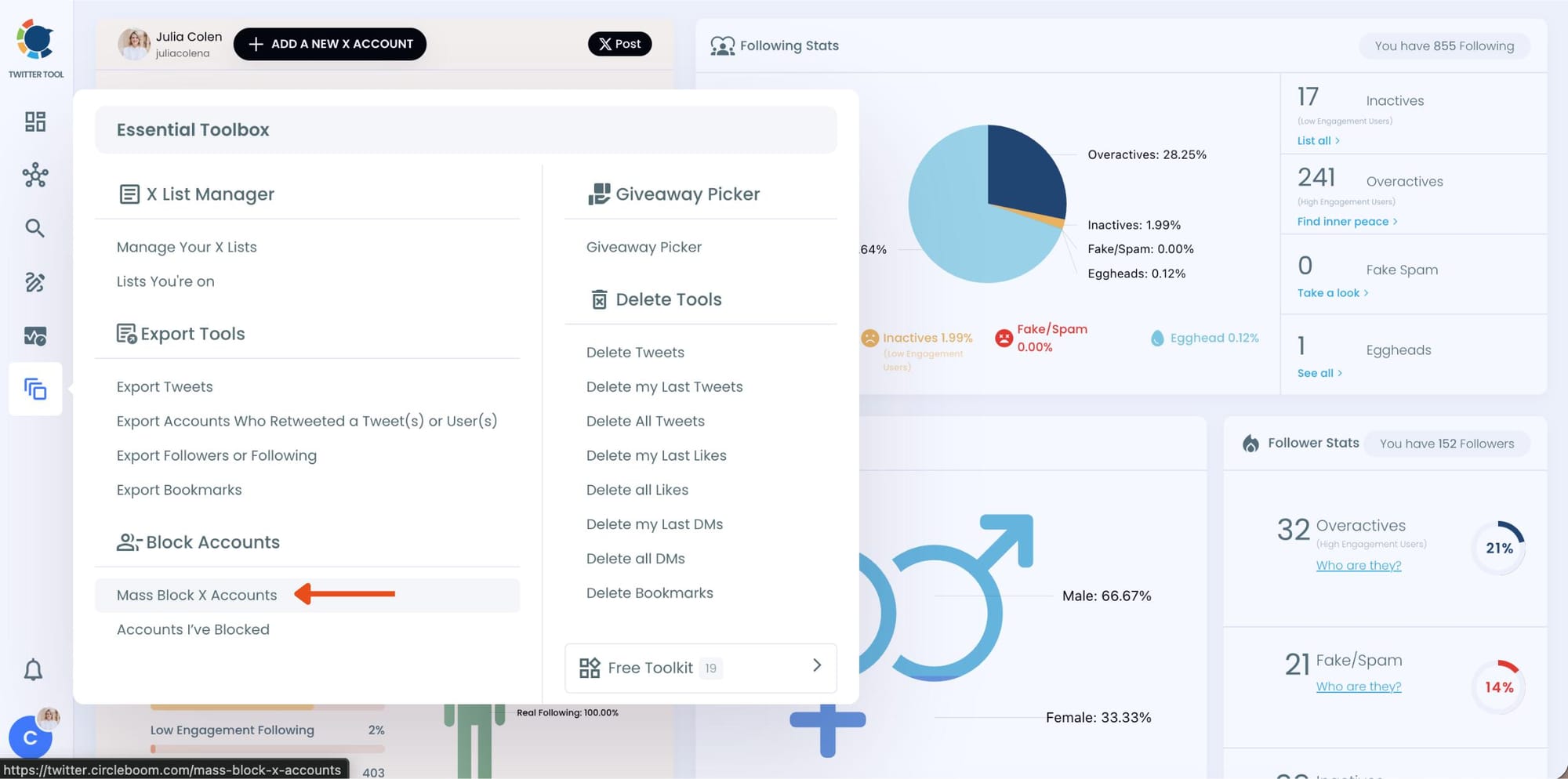
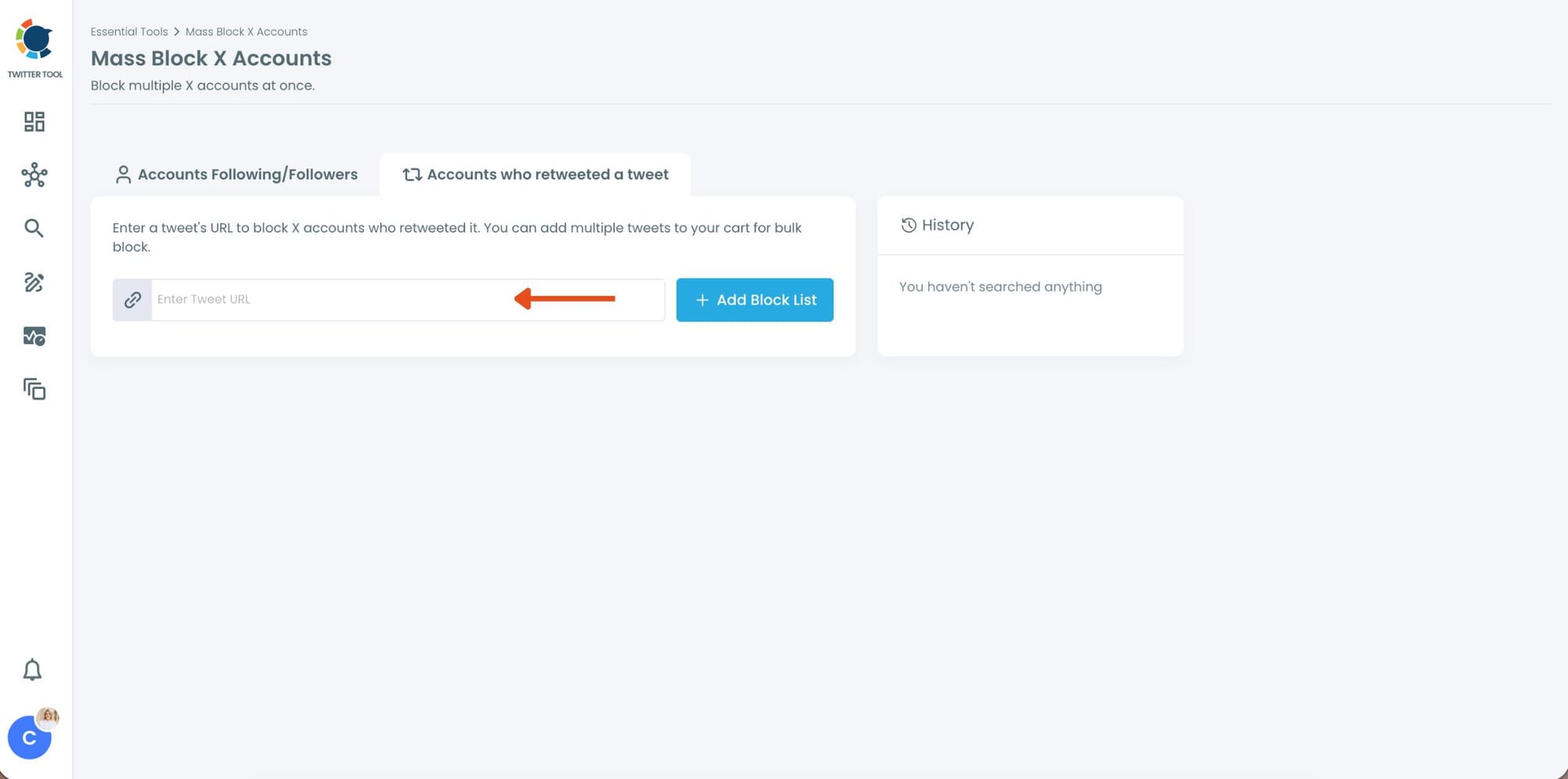
Step #3: You’ll be directed to the Account who retweeted a tweet module.
Enter the URL of the tweet that you want to block of the retweeters.
Step #4: Circleboom will instantly list all the retweeters of that tweet.
You can browse through the list, review profiles, or directly select all accounts to block them.
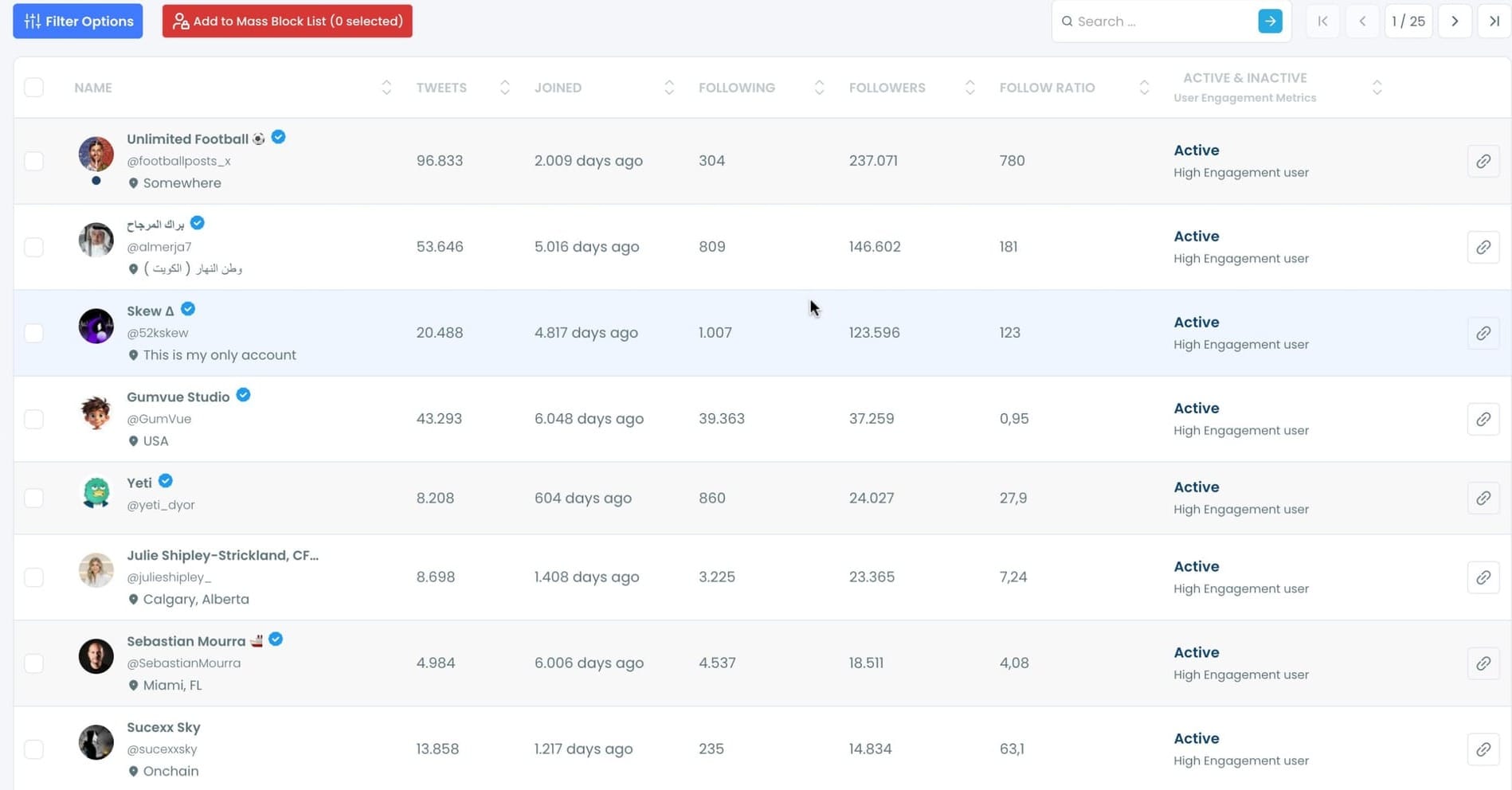
Step #5: Once you’ve made your selection, click on “Add to Mass Block List.”
A pop-up will appear asking you to download Circleboom’s Twitter Mass Block Extension if you haven’t already.
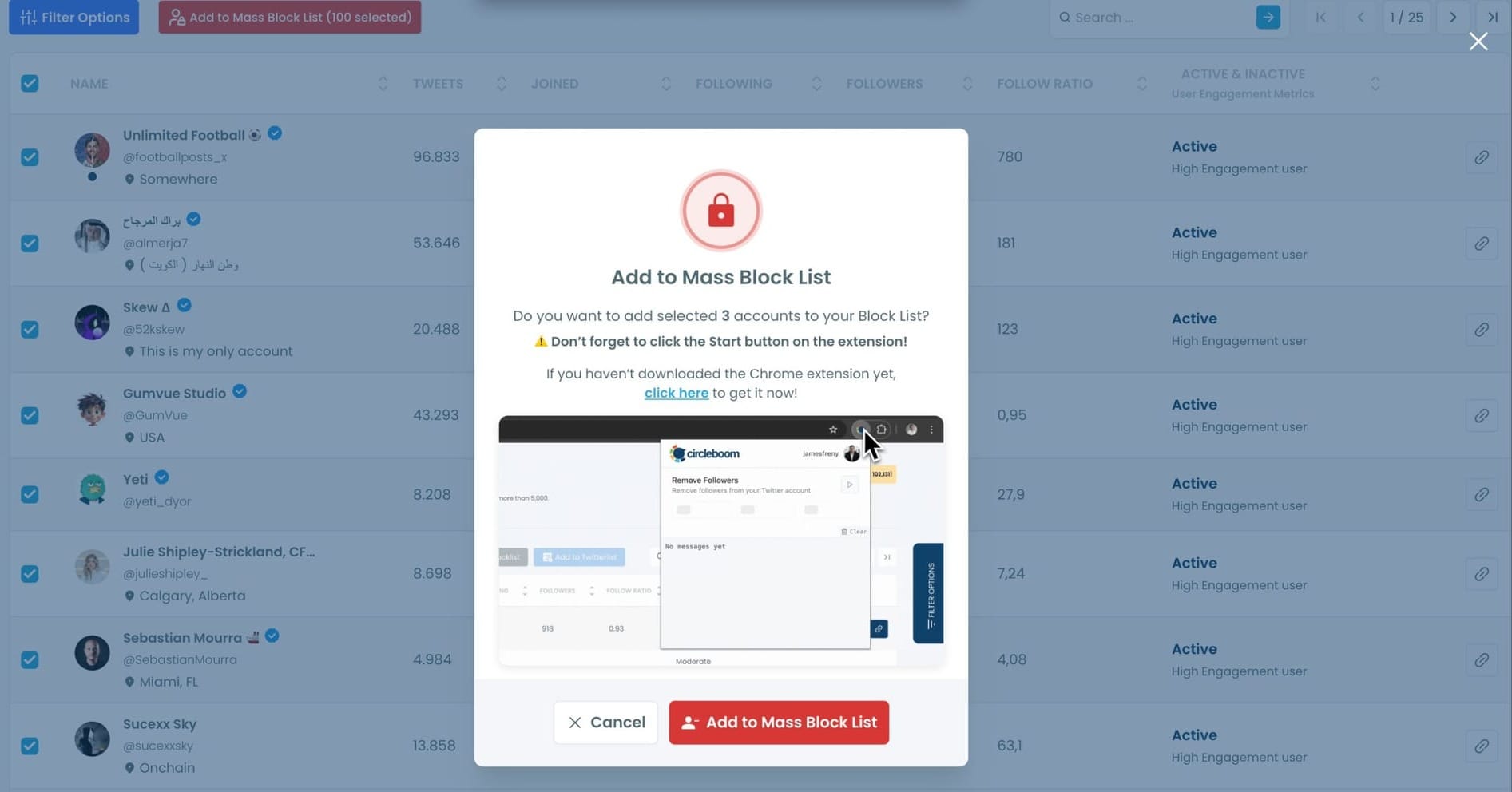
If you already have it, simply confirm by clicking “Add to Mass Block List.”
Step #6:You’ll be redirected to the Chrome Web Store.
Click “Add to Chrome” to install the extension.
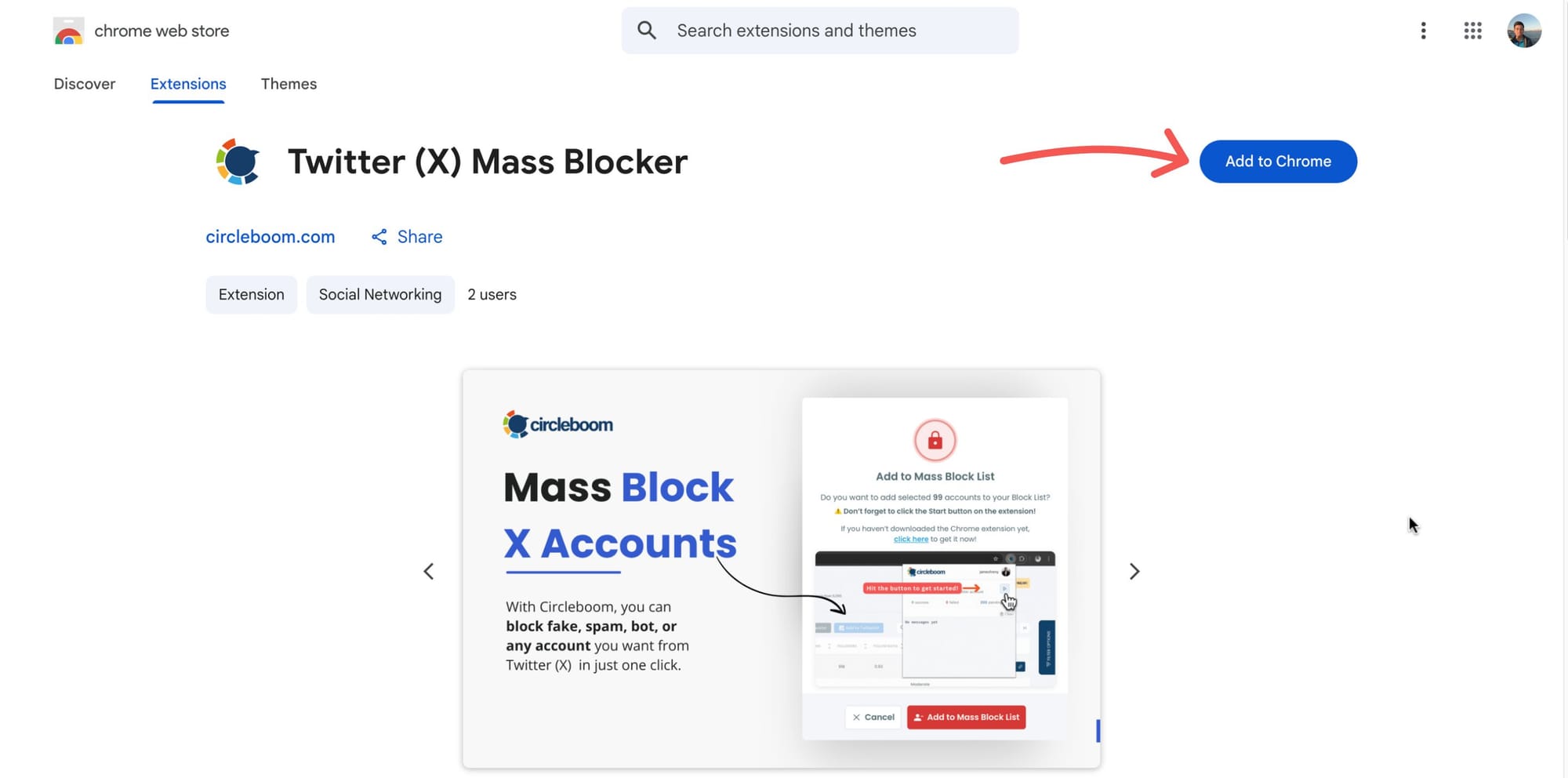
After that, you can start mass blocking, and the process will continue automatically.
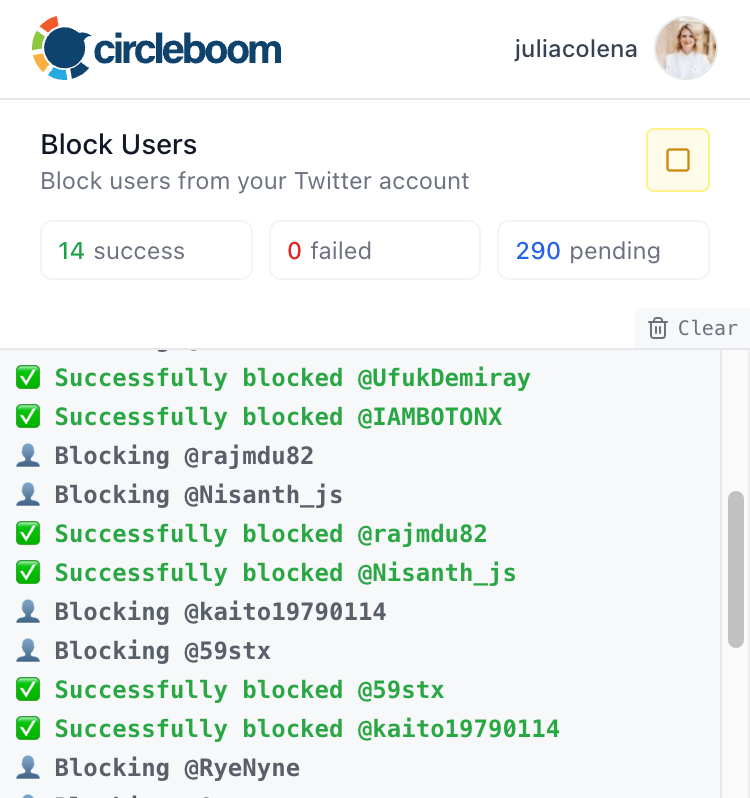
Now you can mass block the followers or followings of any Twitter/X account safely, easily, and in seconds, all with Circleboom Twitter.
Why Someone Might Want to Block Retweeters of a Tweet
Not every retweet is harmless.
Sometimes a tweet is amplified by accounts that clearly look suspicious. These can be spam accounts, fake users, scam profiles, or coordinated low-quality networks that keep interacting with the same type of content.
In these cases, checking who retweeted a tweet can tell you a lot.
You might find that the retweeters:
- look like fake or bot accounts
- have very similar profiles
- belong to the same scam-style network
- are pushing harmful or misleading content
- are part of a suspicious engagement pattern
If that happens, blocking those retweeters can help you protect your account, clean up your environment, and stop further unwanted interaction from similar accounts.
Arif Akdogan
How Circleboom Helps You Review Retweeters Before Blocking
One of the biggest advantages of Circleboom Twitter is that it does not make you block blindly.
First, it retrieves the full retweeter list of the tweet you want to examine. Then it shows those accounts with useful stats and details so you can review them before taking action.
This matters because when you are looking at retweeters of a suspicious tweet, you usually want to understand whether those accounts are real, low-quality, fake-looking, or part of a larger spam network.
Instead of manually opening profiles one by one, Circleboom helps you see the retweeters in a more structured way. That makes it much easier to spot patterns and identify the accounts you actually want to block.
So the workflow becomes much more practical: first review the retweeters, then select the suspicious ones, then block them.
Why This Is Useful for Scam and Spam Control
This feature is especially useful when a suspicious tweet is being spread by questionable accounts.
In many scam or spam cases, the retweeters themselves are a signal. They often look similar, behave similarly, and appear in clusters around the same tweets.
🔔 By checking who retweeted a tweet and blocking those suspicious accounts, you are not just reacting to one post. You are identifying part of the network behind it.
That can help you reduce spam, avoid future interaction from related accounts, and keep your account safer and cleaner.
Conclusion
If you want to block people who retweeted a tweet, even when the tweet belongs to someone else, doing it manually on X is slow and inefficient.
With Circleboom Twitter, you can retrieve the full list of retweeters of any tweet, review those accounts with details, and block the suspicious ones much more easily.
Instead of checking and blocking users one by one, you can handle the problem in a much smarter way.

