

Every social media app has its hooks: “likes,” shares, comments, trending topics. But for me, nothing beats the utility of bookmarks.
Bookmarks let you quietly build your own reference library: posts you want to revisit, ideas to dig deeper into, sources to quote later, all without cluttering your own profile or signaling something to the world. It’s your private cache of value.
On many platforms, “liking” something doubles as your save but that forces you to publicly display what you liked. That’s limiting. Bookmarks offer a clean separation: you can “save” something privately, without broadcasting it.
 Arif Akdogan
Because of that, I always thought any social network worth using should have native bookmarks. I was surprised (and disappointed) when Bluesky launched without them.
Bluesky At Launch: No Bookmark Feature
When Bluesky first rolled out, users had to resort to workarounds to “save” posts often replying to their own post with a 📌 emoji or pinning things in custom feeds. These hacks worked, but they were inelegant, public, and sometimes messy.
The absence of a true bookmark feature was one of the most-requested omissions from the early app. Many users felt it held back productivity and personal organization.
The Change Has Finally Arrived: Introducing Saved Posts
Good news: In September 2025, Bluesky officially added private bookmarks, called “Saved Posts.”
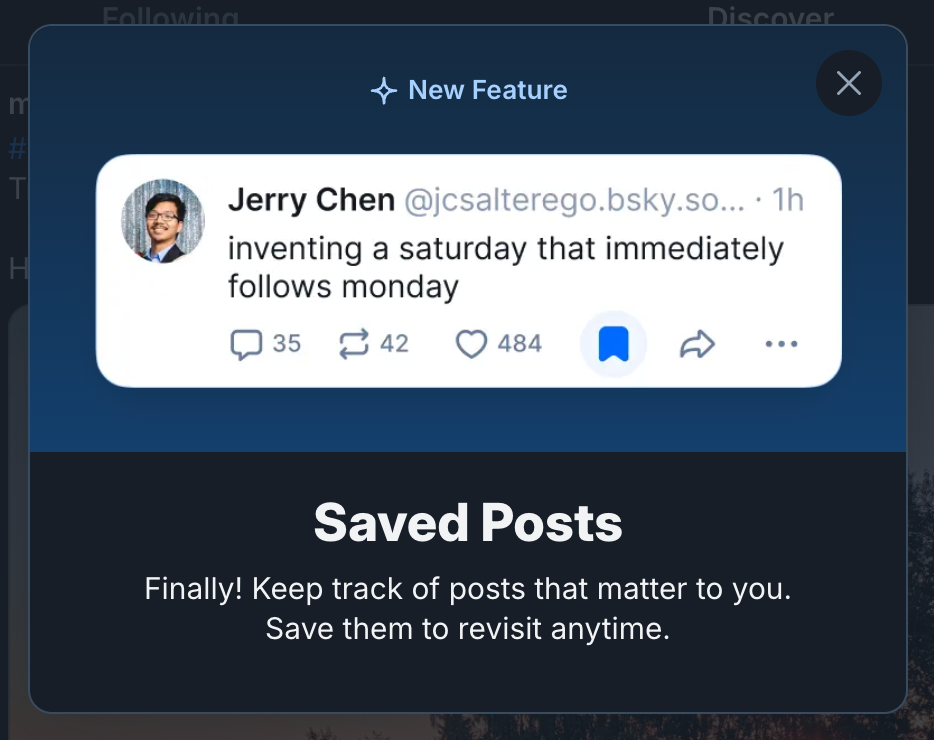
Here’s what changed:
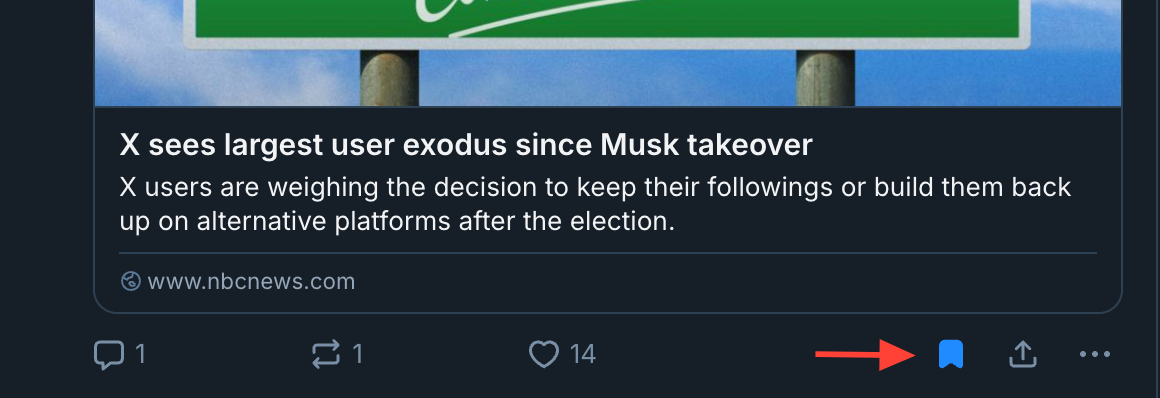
➡️ A bookmark icon now appears below posts (beside the heart icon).
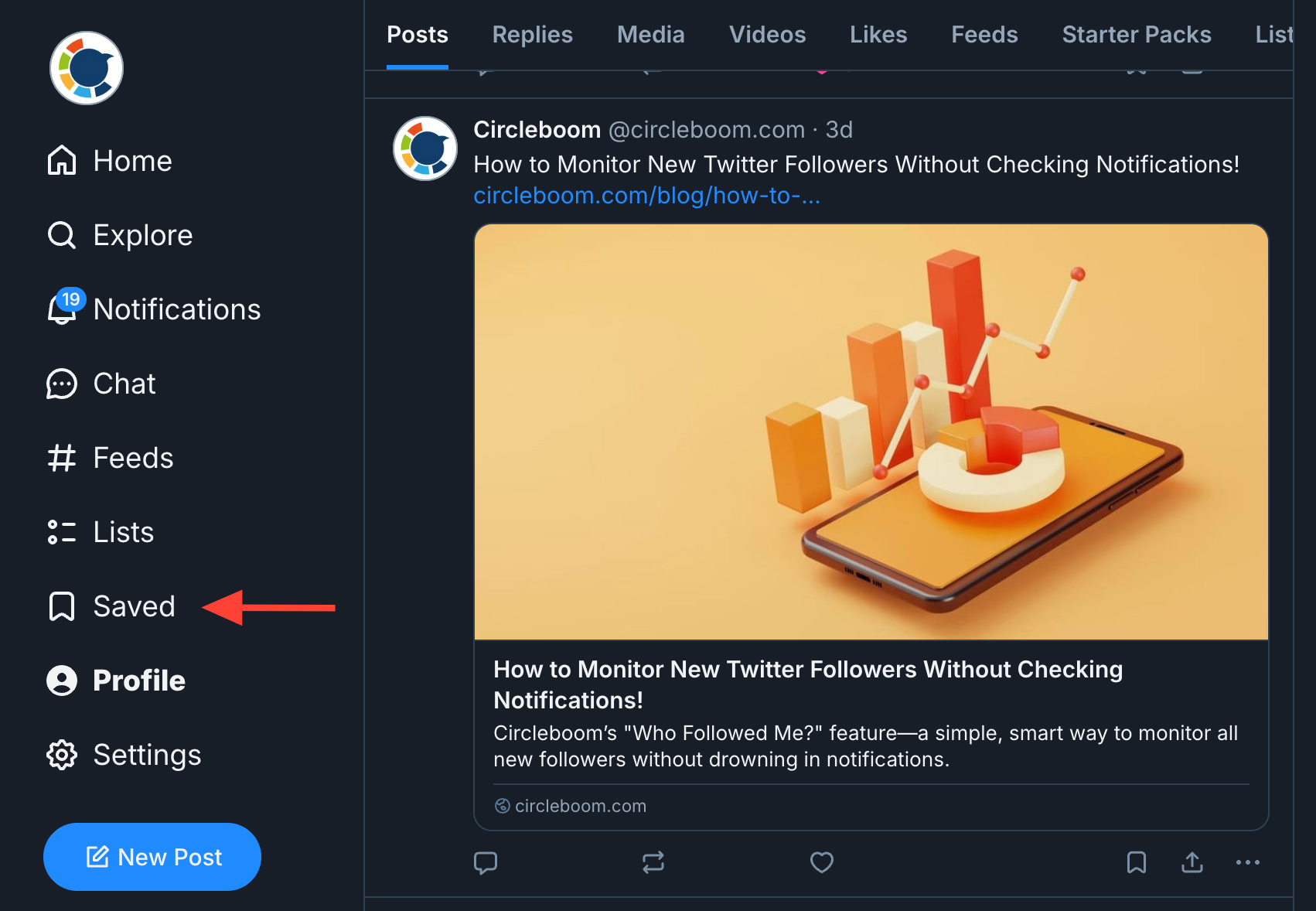
➡️ The “Saved” section is now part of the main navigation, where you can browse all your bookmarks in one place.
➡️ Saved Posts are private and nobody else can see what you’ve saved.
➡️ The feature is off-protocol for now (i.e. not part of the core AT Protocol public graph), similar to how Bluesky handles DMs.
➡️ There’s also a migration tool to convert old pinned posts (📌 replies) into Saved Posts.
So yes, the feature we longed for is now here, in officially supported form.
How to Bookmark (Save) a Post on Bluesky: Step by Step Guide
Below are instructions for both mobile apps and the web interface.
On Mobile (iOS / Android)
- Open the Bluesky app and browse your feed.
- When you see a post you want to save, tap the bookmark icon below it (right next to the heart).
- The post is now added to your “Saved Posts.”
- To remove a saved post, simply tap the bookmark icon again (it toggles).
On Web (bsky.app) / Desktop
1. Open your browser, go to bsky.app and log in.
2. Navigate your feed. Under each post, click the bookmark icon to save it.
3. To view your saved posts, click the Saved section from the main navigation (sidebar or menu).
4. If you later want to unsave, just click the bookmark icon again and it will be removed from your saved list.
After saving, your posts appear in a private “Saved” list, not shown anywhere publicly.
Tips & Best Practices for Using Saved Posts
- Organize the way you use them: Use bookmarks for research, inspiration, reference, and reading later, not just random scroll saves.
- Don’t overstuff: Periodically review & delete outdated bookmarks to keep the list useful.
- Private vs public signal: Because saved posts are private, they don’t offer public endorsement. Use “like” when you want to show support; save when you want to keep for yourself.
- Use in content workflow: As a writer or creator, you can use Saved Posts as a repository of quotes, images, ideas, or threads to revisit later without “liking” everything you plan to use.
- Keep your app updated: The bookmark functionality was rolled out around version v1.108 in September 2025. Some users got access gradually.
Why This Matters
Adding private bookmarks is a big win for Bluesky’s usability. It fills a major gap in personal content management, aligns the platform with user expectations, and helps reduce friction in how people collect and revisit content.
For creators, researchers, and power users especially, the divide between “public action” (likes, replies) and “private action” (bookmarks) is critical.
This gives users more control over their impression footprint while preserving a private archive of things that matter to them.
Conclusion
Bookmarks are one of the most underrated yet indispensable features on social media. Through them, you control your own library of ideas, content, and references, privately and effortlessly.
Bluesky recognized this need, and with the new Saved Posts feature (and migration of old pinned content), users now have a first-class, private bookmarking tool.
If you’re on Bluesky now, go ahead and start saving posts that matter, and let your personal reference library grow. Want me to write a version of this post more optimized for your blog audience (shorter, more narrative, or with images)? Just let me know.
)
