
Your Twitter (X) feed is only as good as your signals.
And likes are one of the strongest signals you send.
Every tweet you like tells the X algorithm what to prioritize. Over time, this builds a pattern. But the problem is, most people don’t think twice before liking something. A meme here, a viral post there, a random opinion that felt relevant in the moment.
Months later, those likes are still there.
And they continue shaping your feed.
That’s why bulk deleting likes is not just about cleaning your profile. It’s about taking back control of what you see on X.
The issue is, Twitter doesn’t make this easy. This is why I use Circleboom Twitter to clean my likes.
Circleboom Twitter is an official X Enterprise Developer, and it allows you to retrieve and manage your likes from a single dashboard. You can delete them automatically, filter them, or even exclude specific ones that you want to keep.
Keep in mind that the API provides a more accurate real-time data stream than the X interface itself. While the platform UI may experience lag, the API captures and reflects new developments instantaneously.
Circleboom has the official Enterprise API, we don't scrape data from X!

Can You Bulk Delete Likes on Twitter?
Short answer: No, you can’t do it on Twitter.
⛔ X does not offer a built-in feature to delete likes in bulk.
You can only unlike tweets one by one, which quickly becomes:
- extremely time-consuming
- frustrating
- practically impossible
Especially if you’ve been active for a long time and have thousands of likes.
But you’re not stuck with that limitation.
The Tool I Use: Circleboom Twitter
To solve this, I use Circleboom Twitter.

It is an official X Enterprise Developer, which means it works within X’s system and provides a safe way to manage your account.
Instead of manually removing likes, Circleboom allows you to:
✅ see all your liked tweets in one place
✅ select multiple tweets at once
✅ delete likes in bulk within seconds
 infocircleboom.com
What would normally take hours can be done in a few clicks.
How to Bulk Delete Likes on Twitter with Circleboom Twitter
Step 1: Logging into Circleboom Twitter
If you don't have a Circleboom account yet, you can get one quickly with a few clicks.

Step 2: Navigate to the left menu and find the "Essential Toolbox" section on the list
Then, you should click on "Delete All Likes" to delete all your X likes.

In the next stage, you should click on "Start Here" to proceed.
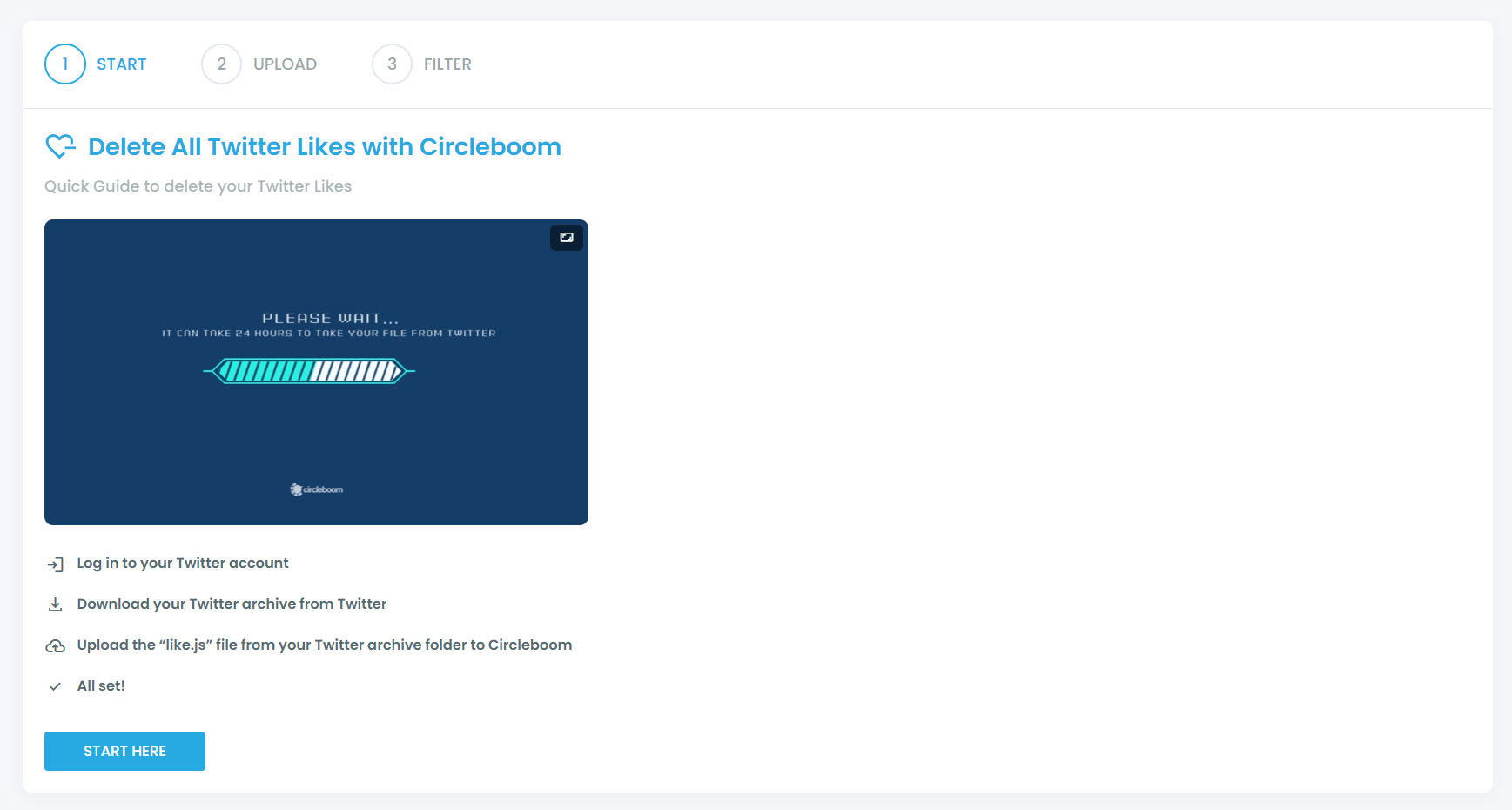
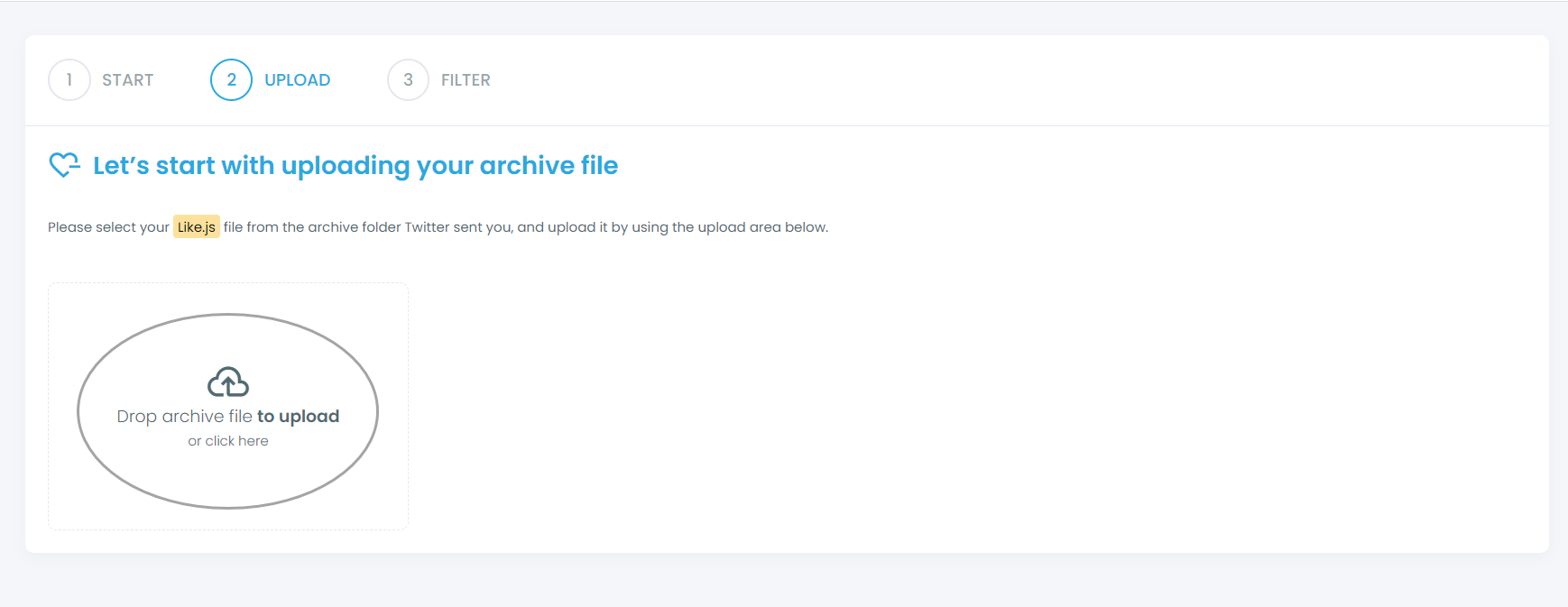
You should find your "like.js" file from your Twitter archive and upload it on Circleboom.
Step 3: Filter your liked tweets and approve your cleaning process
If you want to keep/delete only certain liked tweets, you can apply filters, though this is optional. Our filters give you the flexibility to keep or delete some tweets matching with selected hashtags, keywords, usernames, dates, and more.
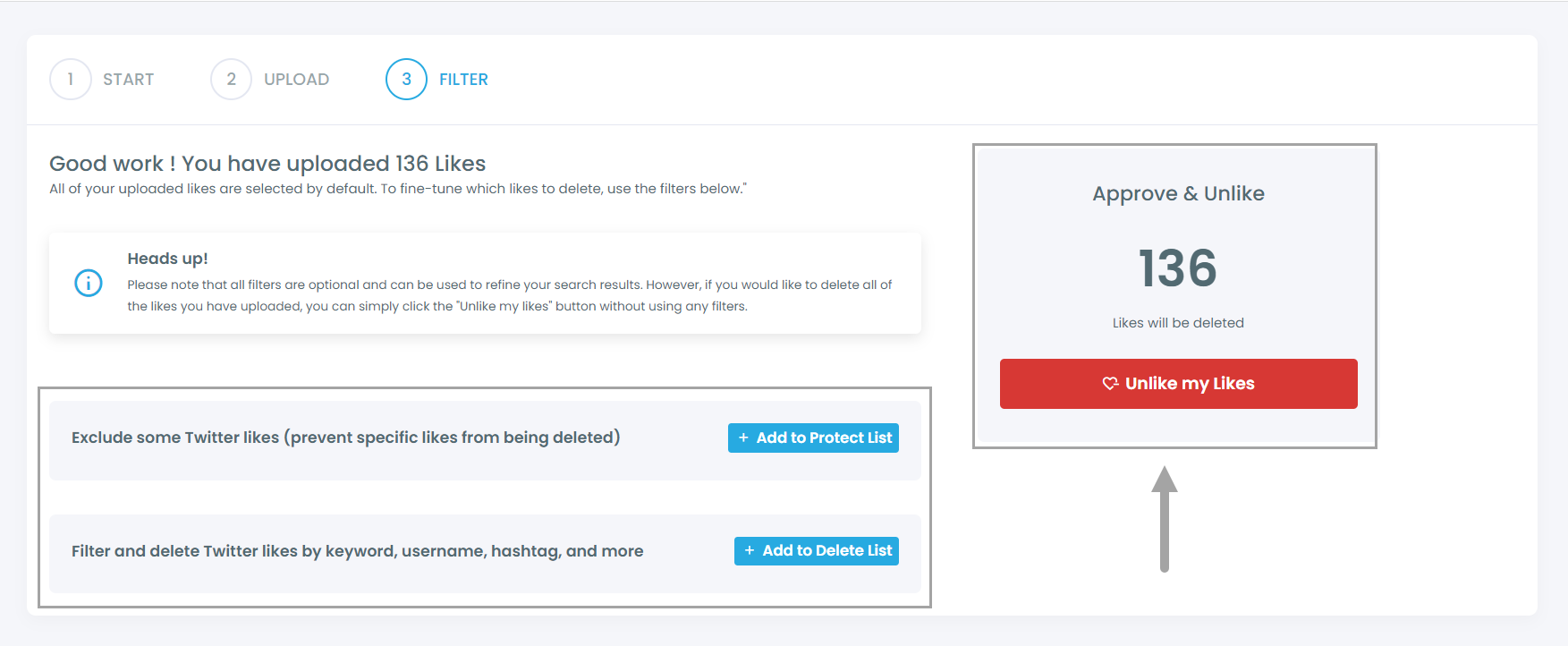
After you confirm your deletion requests, all set! We'll take care of the rest in a timely manner.
Why Bulk Deleting Likes Matters
Your Likes Shape Your Feed: Every like is a signal. When you like a tweet, you’re telling X to show you more of that type of content. Over time, if you’ve liked random or low-quality posts, your feed will start to reflect that.
Old Likes Send Wrong Signals: Your interests change, but your likes don’t update automatically. Tweets you liked months or years ago continue influencing what you see, even if those topics are no longer relevant to you.
It Helps Reset Your Experience: Bulk deleting likes clears outdated signals and allows the algorithm to better understand your current preferences, leading to a more relevant feed.
It Saves Time: Manually unliking tweets is not realistic at scale. If you have hundreds or thousands of likes, bulk actions make the cleanup process fast and practical.
What Changes After Deleting Your Likes
Once your likes are cleared, your account starts sending cleaner signals.
The algorithm may take a short time to adjust, but the impact becomes noticeable quickly.
You’ll start seeing:
➡️ more relevant content
➡️ fewer random recommendations
➡️ a more focused and useful feed
Final Thoughts
Bulk deleting likes is one of the simplest ways to improve your Twitter experience.
Since X doesn’t provide a native option, doing it manually is not practical.
Circleboom Twitter makes it easy by letting you review and remove your likes in bulk, saving time and helping you reset your feed.
If your timeline feels messy, your likes are likely part of the reason.
And once you clean them, the difference is hard to miss.