
You create one video. It took time, planning, and editing. Now you need it on TikTok, Instagram, YouTube, and Facebook, each with its own format requirements, caption style, hashtag strategy, and optimal posting time. Doing this manually means publishing the same video four times, in four different apps, with four different upload flows. That is not a content strategy. That is repetition.
Knowing how to cross post videos across platforms simultaneously is the skill that separates creators and teams who scale from those who stay stuck. It is an advanced marketing skill.
If you are a creator on X and want to know about the latest developments regarding the algorithm changes, engagement strategies, payout boosts, etc., you can join Circleboom's X Creator Growth Lab Community and enjoy a free space to learn from and contribute to!
How Can I Share the Same Video on TikTok, Instagram, YouTube, and Facebook at the Same Time?
To cross post videos to TikTok, Instagram, YouTube, and Facebook simultaneously, you need a multi-platform social media scheduling tool that accepts video uploads and publishes to multiple platforms in a single action. No platform natively cross-posts your content to its competitors, and doing it manually across four apps means four separate upload and publish flows. The fastest way to cross post videos to TikTok, Instagram, YouTube, and Facebook at the same time is to use Circleboom's Social Media Scheduler, connect all four platforms, upload your video once, and set one publish action that distributes to all channels automatically.
You can cross post the same video to TikTok, Instagram YouTube and Facebook.
— Sarah Andrew (@saraharew) April 2, 2026
Multiple platforms and multiple channels.
One video - 4 audience.
You can maximize your reach across multiple platforms and reach to a different audience segments.
Less effort, more reach. pic.twitter.com/uiH591p8vQ
To cross post videos means uploading a single piece of video content and distributing it to multiple social media platforms in one scheduled action, and the fastest way to do it is with Circleboom's Social Media Scheduler.
TABLE OF CONTENTS
- Why Cross Posting Videos Is the Highest-Leverage Content Move
- What Cross Posting Videos Actually Means
- What to Know Before You Cross Post Videos
- Platform Requirements: Video Specs for TikTok, Instagram, YouTube, and Facebook
- How to Cross Post Videos Using Circleboom
- How to Customize Captions and Hashtags Per Platform Before Publishing
- How to Schedule Cross Posted Videos at the Optimal Time Per Platform
- How to Use Circleboom's AI to Write Platform-Specific Captions
- The Right and Wrong Way to Cross Post Videos
- FAQ
- Conclusion
Why Cross Posting Videos Is the Highest-Leverage Content Move
Video is the dominant content format across every major social platform. According to DataReportal's 2024 Global Digital Overview, short-form video consumption has increased year-over-year on every major platform and shows no signs of slowing.
The problem is not creating video. It is distribution. Most creators invest heavily in production and then spend the same amount of time manually pushing that video to each platform. That time investment does not scale.
Cross posting videos solves the distribution problem. One video, prepared once, reaches four audiences simultaneously without four separate publishing sessions.
The only caveat is that cross posting done wrong means identical, unoptimized content on every platform. Cross posting done right means adapting captions, hashtags, and timing per platform while keeping the core video asset the same.
If you tweet a video, you can also share it on LinkedIn, Facebook, Bluesky, Threads, and Instagram.
Yes, you read it correctly. You can share your tweets to Instagram at the same time by cross posting.
You can turn your tweets into Instagram posts, reels and stories ⬇️
 Arif Akdogan
What Cross Posting Videos Actually Means
Cross posting videos is the practice of distributing the same video asset to multiple social media platforms in one coordinated publish action, with the option to customize metadata such as captions, hashtags, and thumbnails per platform.
It is different from re-uploading manually, which is just the same task repeated four times. And it is different from embedding or sharing a link, which only drives traffic to one platform rather than native uploads on each.
True cross posting video content means each platform receives a native upload that is treated as original content by that platform's algorithm, with captions and tags tailored for that specific audience.
What to Know Before You Cross Post Videos
Cross posting videos is not as simple as clicking a single button and watching the same file go everywhere without thought. There are three things to sort out before you publish.
File compatibility. Each platform has different video requirements for resolution, aspect ratio, file size, and duration. A video exported for YouTube's 16:9 landscape format will not display well as a TikTok vertical. You may need two exports of the same content.
Caption strategy. TikTok rewards hashtag-heavy, casual captions. LinkedIn rewards professional framing and longer captions. Instagram sits in between. YouTube requires a title, a description, and tags as separate fields. Cross posting tools let you write platform-specific captions from a single dashboard rather than switching apps.
Timing per platform. Peak engagement hours differ across platforms. A tool like Circleboom's Social Media Scheduler lets you set a different publish time for each platform within the same cross post action.

Platform Requirements: Video Specs for TikTok, Instagram, YouTube, and Facebook
Before you cross post videos, confirm your video file meets the basic requirements for each platform.
TikTok prefers vertical video (9:16 aspect ratio), with a maximum file size of 287.6MB for most formats. Maximum video length is 10 minutes for most accounts. MP4 and MOV are the recommended formats.
Instagram accepts vertical video for Reels (9:16), with a maximum length of 90 seconds for Reels and up to 60 minutes for regular video posts. Maximum file size is 650MB. MP4 is preferred.
YouTube accepts horizontal (16:9), vertical (9:16), and square (1:1) video. Maximum file size is 256GB or 12 hours. MP4 is the standard recommended format.
Facebook accepts horizontal and vertical video. Maximum file size is 10GB. Maximum length is 240 minutes. MP4 and MOV are supported.
The most practical approach for cross posting videos is to produce a vertical (9:16) version for TikTok, Instagram Reels, and Facebook Reels, and a horizontal (16:9) version for YouTube. Two exports covers all four platforms.
How to Cross Post Videos Using Circleboom
Circleboom is an Official X Enterprise Developer, trusted by NBC News, BBC, the American Red Cross, and L'Oréal, and fully compliant with social media API policies across every platform it supports. The fastest way to cross post videos to TikTok, Instagram, YouTube, and Facebook at the same time is to use Circleboom's Social Media Scheduler.
Here is the step-by-step process.
Step 1: Connect all four platforms. Go to circleboom.com/social-media-scheduler and authorize your TikTok, Instagram, YouTube, and Facebook accounts.
Circleboom uses official API connections for all platforms.
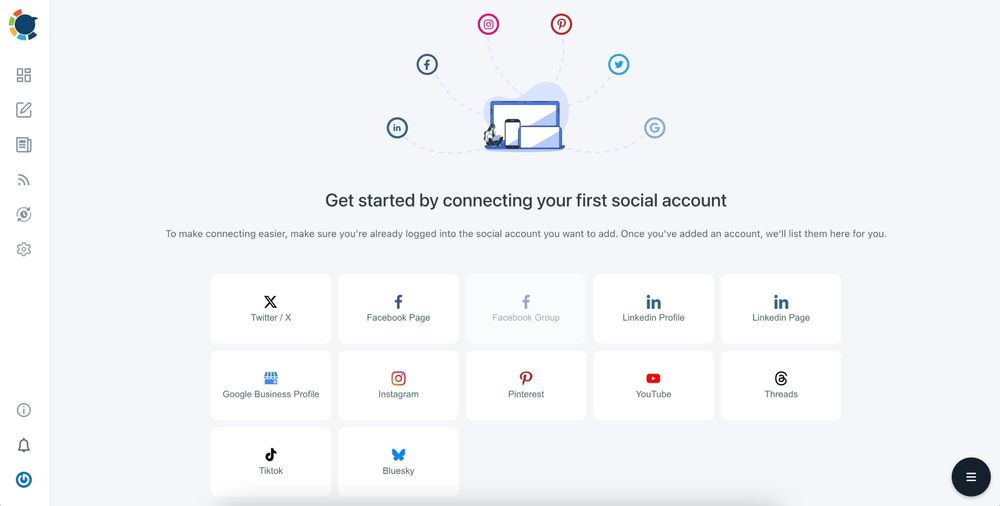
Step 2: Create a new post.
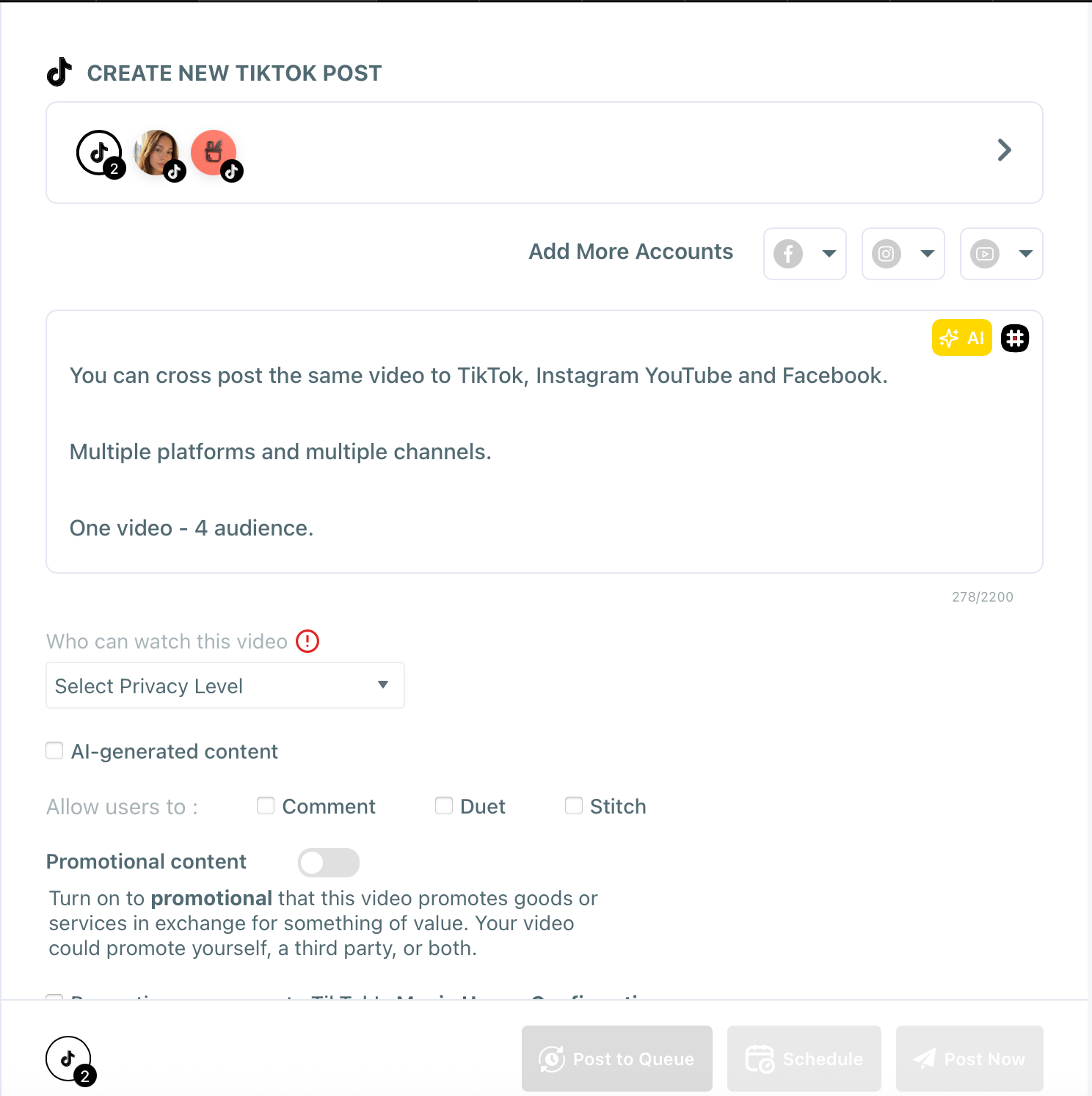
Select "TikTok" in the Circleboom dashboard. You will choose other platforms after you upload your video.

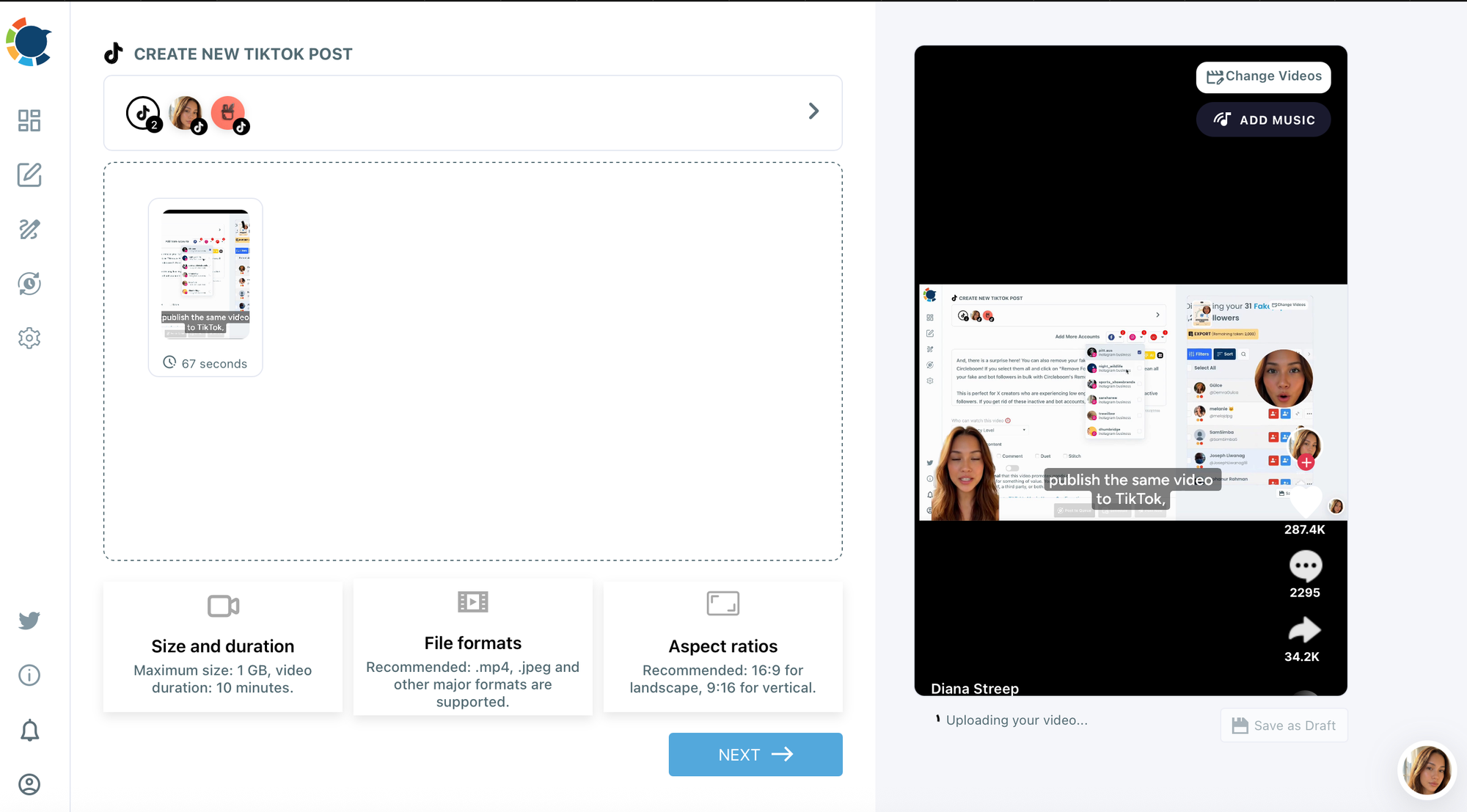
Step 3: Upload your video.
Upload your video file directly from your device. Circleboom accepts the standard video formats for all four platforms.
Step 4: Write your captions per platform.
Circleboom's composer lets you write a different caption for each platform within the same post creation flow. Write a hashtag-rich short caption for TikTok, a more narrative caption for Instagram, a professional framing for any LinkedIn cross post, and a full description with keywords for YouTube.
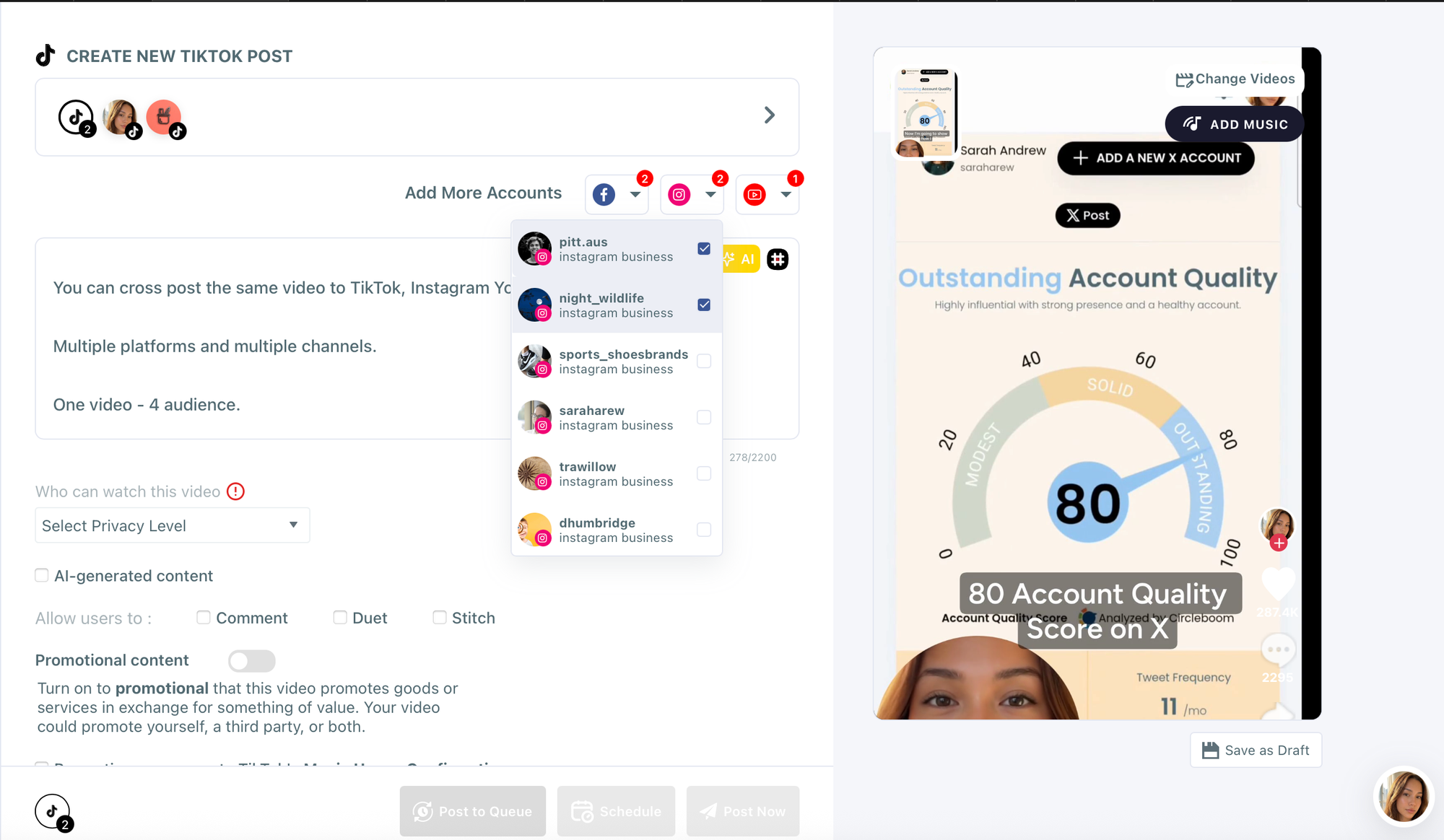
Step 5: Select other platforms.
You can now add your Facebook, Instagram, and YouTube accounts as well.
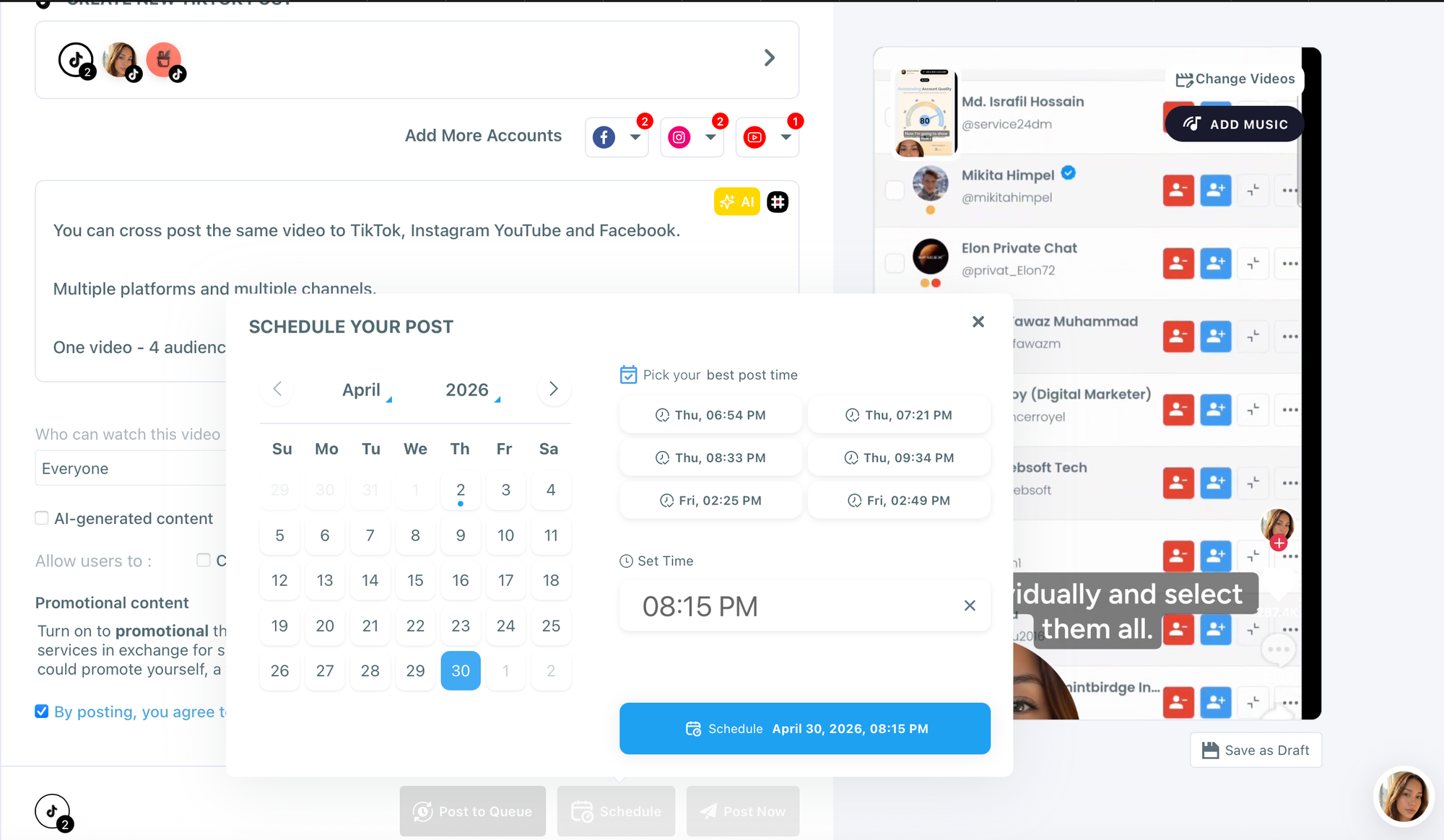
Step 6: Schedule and confirm.
Review the post preview for each platform, then confirm. Circleboom queues the video and publishes natively to each platform at the specified time.
The fastest and safest way to cross post videos to TikTok, Instagram, YouTube, and Facebook is to run this process inside Circleboom once per video asset.
How to Customize Captions and Hashtags Per Platform Before Publishing
One of the biggest mistakes in cross posting videos is using identical captions everywhere. Algorithms on each platform treat native, platform-optimized content differently. A YouTube description with timestamps and keywords ranks in search. A TikTok caption with trending hashtags reaches the For You page. A Facebook caption without hashtags performs fine because Facebook's algorithm does not rely on them the way TikTok does.
Circleboom's composer shows you a separate text field for each platform in a single view. You write once per platform, not once total. This takes an extra few minutes but meaningfully improves performance on each channel.
For hashtag strategy, use 3 to 5 targeted hashtags on Instagram, 3 to 8 trending hashtags on TikTok, none or 1 to 2 on Facebook, and relevant keyword-rich tags on YouTube as part of the video tags field.
How to Schedule Cross Posted Videos at the Optimal Time Per Platform
Timing is one of the most actionable variables in video performance. Publishing at peak engagement hours increases the probability that your video is seen and shared before the algorithm decides how widely to push it.
General peak times based on Sprout Social's 2024 engagement benchmarks:
TikTok sees strong engagement in the early morning (6 to 9 AM) and evening (7 to 11 PM) in the local time zone of your primary audience.
Instagram peaks mid-morning (9 to 11 AM) and early evening (6 to 8 PM) on weekdays.
YouTube sees the highest watch time in the afternoon and evening (2 to 8 PM), particularly on Thursdays and Fridays.
Facebook tends to peak mid-morning (9 to 11 AM) and midday (1 to 3 PM) on weekdays.
Circleboom provides user-specific optimal times for each user. We calculate the activities of your followers on each platform and then serve best days and hours for each platform for our Circleboomers.
How to Use Circleboom's AI to Write Platform-Specific Captions
Writing four different captions per video is the friction point that stops most people from cross posting properly. Circleboom's built-in AI content assistant reduces that friction significantly.
Give the AI a brief description of your video, the tone you want (casual, professional, educational, entertaining), and the platform target. It generates a ready-to-use caption that you can use as-is or edit to fit your voice.
For a single video, you can generate four platform-specific captions in under five minutes. This removes the main reason people skip the customization step and publish the same generic caption everywhere.
The Right and Wrong Way to Cross Post Videos
Wrong: Upload the same 16:9 landscape video to TikTok (which penalizes non-vertical content), paste the same generic caption across all four platforms, publish everything at the same time without considering peak hours, and ignore hashtag strategy entirely.
Right: Export a 9:16 vertical version for TikTok, Instagram, and Facebook and a 16:9 horizontal version for YouTube. Write platform-specific captions using Circleboom's AI assistant. Schedule each platform for its peak engagement window using Circleboom's per-platform timing feature. Include relevant hashtags for the platforms that reward them.
The video is the same. The strategy around it is what separates a cross post that performs from one that disappears.
FAQ
Do I need to upload different video files for each platform when cross posting? For best results, yes. TikTok and Instagram Reels perform best with vertical (9:16) video, while YouTube performs best with horizontal (16:9). Circleboom allows you to assign different video files to different platforms within the same post creation flow, so you can handle both exports in a single publishing session.
Does cross posting videos hurt performance because platforms penalize repurposed content? Each platform handles this differently. TikTok has historically reduced reach for videos with visible watermarks from competitor platforms. Upload clean, native video files through Circleboom rather than re-uploading TikTok-watermarked clips to Instagram or YouTube to avoid any algorithmic penalty.
Can I cross post to TikTok automatically without a manual step? TikTok's API for direct publishing is available to authorized platform partners. Circleboom supports direct TikTok publishing for business accounts. Check your account type and connection settings in Circleboom to confirm auto-publish is enabled.
How many platforms does Circleboom support for video cross posting? Circleboom supports Twitter (X), Instagram, LinkedIn, Facebook, Pinterest, YouTube, TikTok, and Google Business Profile. You can cross post videos to any combination of these platforms from a single post creation flow.
Can I bulk cross post multiple videos at once using Circleboom? Yes. Circleboom's bulk scheduling feature supports video content. You can prepare a CSV with video URLs, captions, platform targets, and timing, then upload the entire batch at once. This is the most efficient approach for teams managing high-volume video output.
What happens if a video fails to publish on one platform during a cross post? Circleboom notifies you of any publishing failure and logs the error. The failed post remains in your dashboard so you can retry it or adjust the file and settings before re-publishing.
Conclusion
Cross posting videos to TikTok, Instagram, YouTube, and Facebook simultaneously is not complicated when you have the right tool. The trap is treating it as a shortcut to post the same thing identically everywhere. The opportunity is using a tool like Circleboom to do the distribution work for you while you focus on making the captions, timing, and hashtags right for each platform.
One video, four platforms, one publishing session. That is how creators and brands scale their video presence without scaling their workload.