

Your Twitter (X) likes are not just simple reactions.
They are one of the main signals shaping your entire X experience.
Every like tells the algorithm what you enjoy, what you want to see more of, and which type of content should appear on your timeline. Over time, this creates a profile of your interests.
But here’s the problem.
Your interests change.
And your old likes? They keep sending outdated signals.
That’s why regularly cleaning your likes is one of the smartest things you can do if you want a more relevant and controlled X experience.
The issue is that X doesn’t offer a way to delete all your likes at once.
So instead of trying to remove them manually, you can use Circleboom Twitter, an official X Enterprise Developer, which allows you to delete all your likes quickly and efficiently.
Why You Should Clean Your Twitter Likes
Likes Shape Your Timeline
X heavily relies on your activity to personalize your feed.
Likes are one of the strongest signals.
If you liked certain topics months ago, the platform will continue showing you similar content even if you’re no longer interested in it.
 Arif Akdogan
Your Interests Change Over Time
What you liked a year ago might not reflect what you want to see today.
Old likes can:
- clutter your recommendations
- confuse the algorithm
- reduce the quality of your feed
Cleaning them helps you reset your content preferences.
 Arif Akdogan
Keep Your Profile Clean
Likes are also part of your public activity.
Old tweets you liked may:
- no longer represent your views
- be irrelevant
- look unprofessional
Removing them helps keep your account clean and up to date.
 Altug Altug
Can You Delete All Your Twitter Likes?
Short answer: No, you can’t do it on Twitter.
➡️ Twitter/X does not provide a built-in option to delete all likes at once.
You can only unlike tweets manually, which becomes:
- extremely time-consuming
- frustrating
- practically impossible
But you can still delete all your likes with Circleboom Twitter, an official X Enterprise Developer, which allows you to remove them in bulk in just a few clicks.
So what’s the solution?
Why Use Circleboom Twitter to Delete All Likes
Circleboom Twitter is designed to give you full control over your account activity.

As an official X Enterprise Developer, it works within X’s rules and provides a safe way to manage your account.
With Circleboom, you can:
🟢 Delete all your likes in bulk
🟢 Review your liked tweets before removing them
🟢 Clean your account in minutes instead of hours
It turns a manual and frustrating process into something simple and fast.
 infocircleboom.com
How To Delete All Your Twitter Likes with Circleboom Twitter
Step 1: Logging into Circleboom Twitter
If you don't have a Circleboom account yet, you can get one quickly with a few clicks.

Step 2: Navigate to the left menu and find the "Essential Toolbox" section on the list
Then, you should click on "Delete All Likes" to delete all your X likes.

In the next stage, you should click on "Start Here" to proceed.
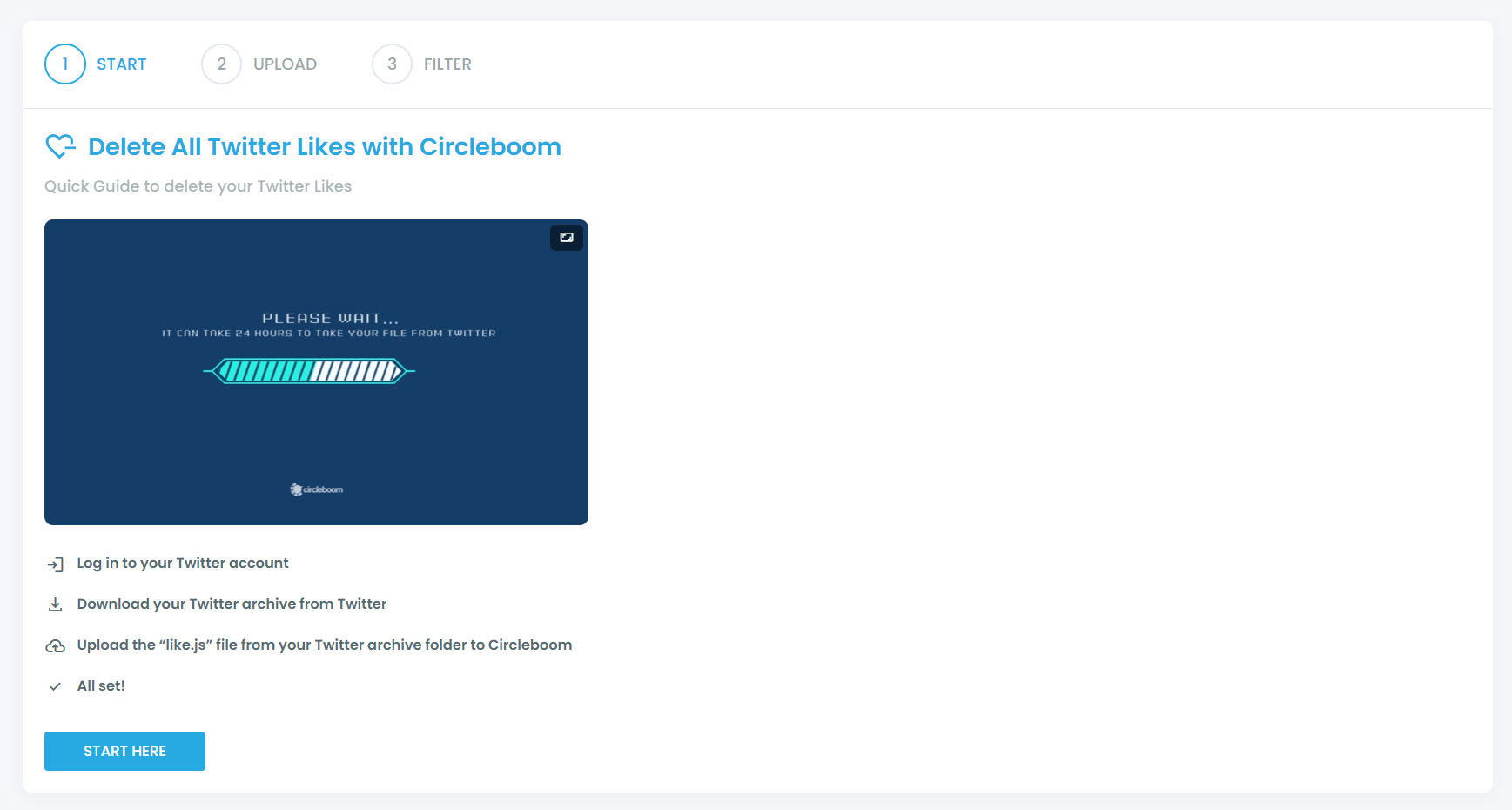
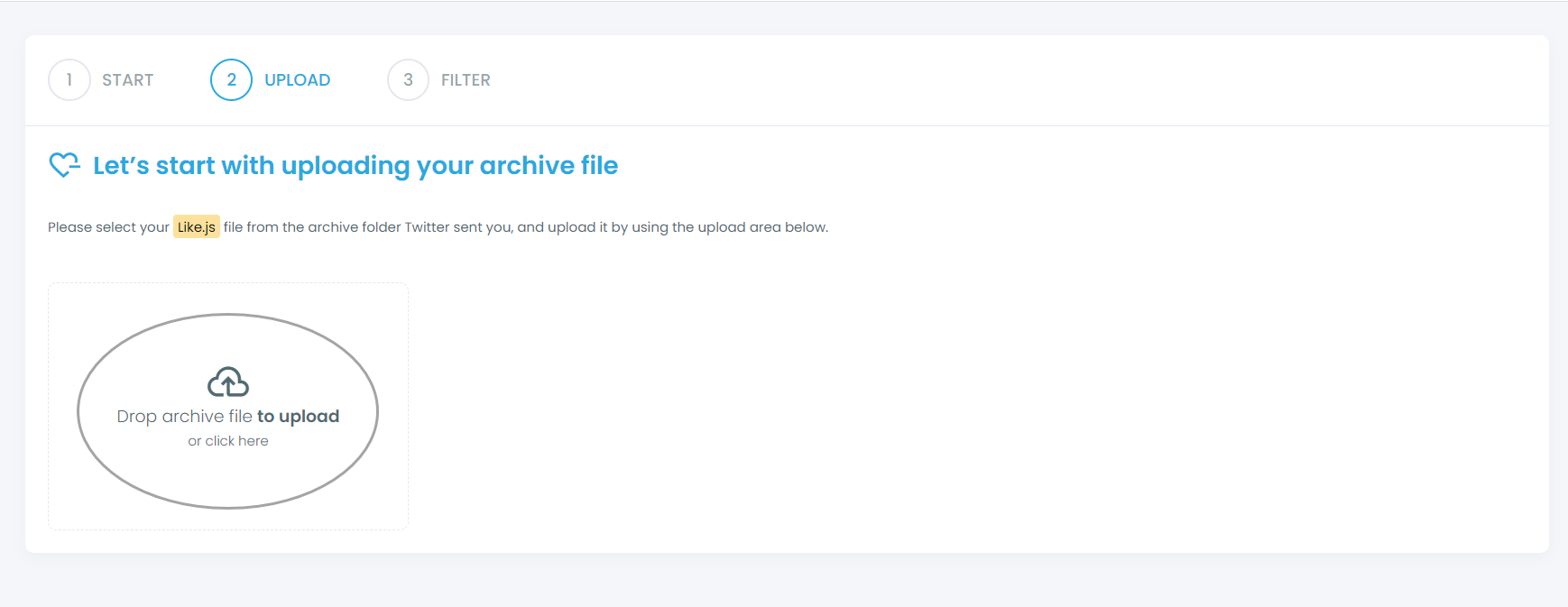
You should find your "like.js" file from your Twitter archive and upload it on Circleboom.
Step 3: Filter your liked tweets and approve your cleaning process
If you want to keep/delete only certain liked tweets, you can apply filters, though this is optional. Our filters give you the flexibility to keep or delete some tweets matching with selected hashtags, keywords, usernames, dates, and more.
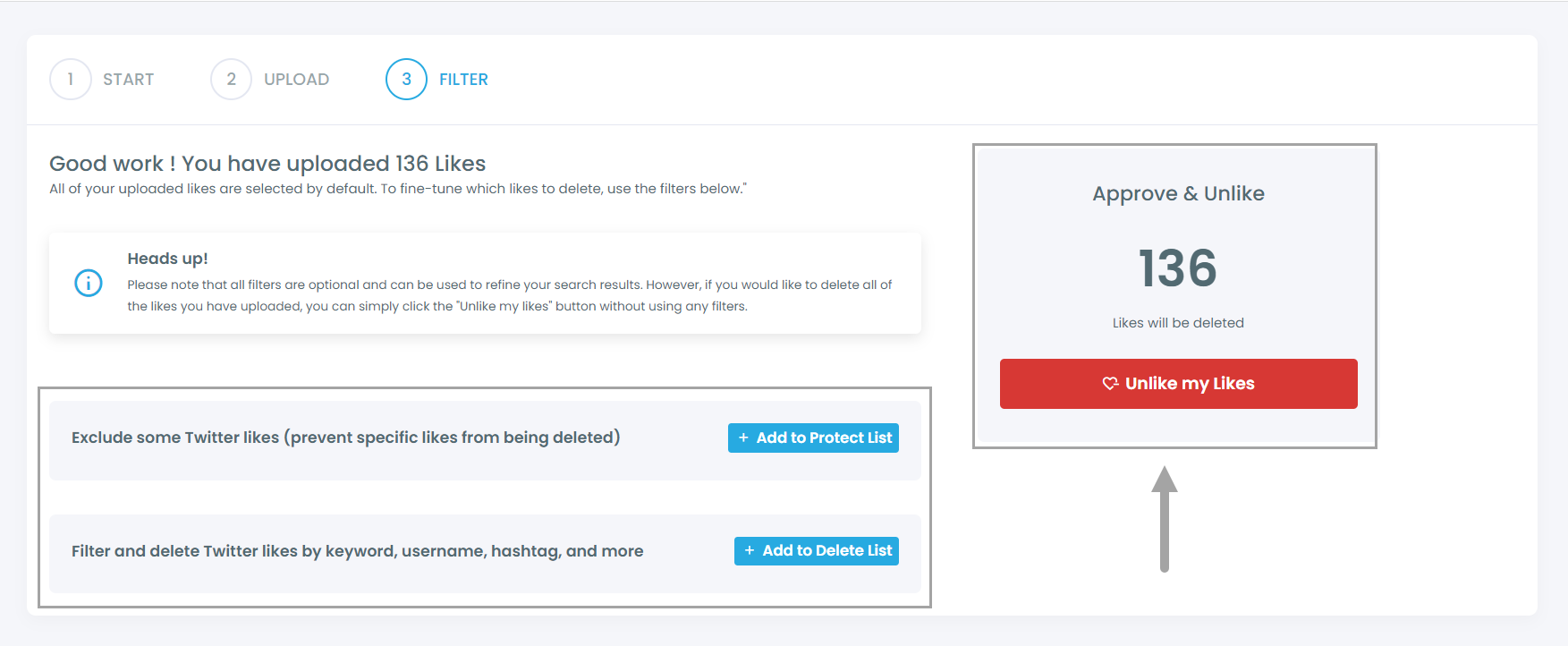
After you confirm your deletion requests, all set! We'll take care of the rest in a timely manner.
Things To Consider Before Deleting Likes
Before removing your likes, keep a few things in mind:
- Your likes help train the X algorithm
- Deleting them will reset part of your content signals
- Your feed may temporarily change as the algorithm adapts
Think of it as a fresh start for your account.
Final Thoughts
Your likes are one of the most powerful factors shaping your experience on X.
If you never clean them, your timeline can slowly become irrelevant.
Since X doesn’t provide a native way to delete all likes, using a tool is the only practical solution.
Circleboom Twitter makes this process simple by allowing you to remove all your likes quickly and efficiently.
If you want a cleaner profile, better recommendations, and more control over your experience, regularly reviewing and deleting your likes is a step worth taking.
%20Likes)
