

Some people think Twitter growth is about posting nonstop. Others think it's about replying to every comment, hearting every tweet, and showing up everywhere. I believed that too for a while—until I realized something important: not every follower deserves the same level of engagement.
I spent months trying to reply to everyone, thinking it would help me build a stronger community. Instead, it drained my energy and didn’t move the needle much.
Then I noticed something: a small group of followers was responsible for most of my retweets, replies, and profile visits. They were the ones who kept my tweets alive, pushed my content into new timelines, and actually helped me grow.
That’s when I understood the real secret:
Engage with the right followers—not all of them.
Why Engagement Matters on Twitter
On Twitter, engagement is the currency. Likes, replies, retweets, profile clicks—they all tell the algorithm, “This post matters.” When your tweets get meaningful interactions, Twitter shows them to more people.
And it’s not only about algorithmic reach. Engagement builds:
- Trust — people see you as accessible, real, and human.
- Community — your followers feel connected to you.
- Authority — active discussions around your content make you look like a thought leader.
But here’s the catch: not all interactions are equal.
Why You Shouldn’t Engage With Everyone
It sounds nice to say, “I reply to all my followers,” but it’s not practical—and it’s not strategic.
Some followers:
❌ never retweet you,
❌ never reply,
❌ never engage with your posts at all.
Engaging with everyone equally waters down your effort. Instead, your focus should be on loyal followers.
 Altug Altug
Who Are Loyal Followers?
They’re the people who:
✅ Retweet your tweets
✅ Reply to your posts
✅ Mention you in conversations
✅ Like your content regularly
✅ Stay active around your profile
Loyal followers are more likely to amplify your tweets, recommend you, boost your visibility, and stay with your brand long-term. They’re the backbone of your community.
The problem?
Finding loyal followers manually is almost impossible.
The Challenge: Finding Loyal Followers Manually
Twitter doesn't offer a built-in feature that says:
“Here are the people who retweeted you the most.”
“Here are your most active followers.”
“Here are your loyal fans.”
Instead, you’d have to:
- open each tweet’s analytics,
- scroll through retweeters manually,
- compare lists yourself,
- somehow piece together who is truly engaging.
This is time-consuming and unrealistic—especially if you tweet every day.
That’s when a Twitter management tool becomes essential.
Why Circleboom Twitter Is the Best Tool for Finding Loyal Followers
Circleboom Twitter has become my go-to solution for this because it gives insights Twitter doesn’t offer.

And because it’s an official partner of Twitter/X, everything you do inside Circleboom is API-safe, secure, and compliant with platform limits.
What makes Circleboom stand out is its ability to:
➡️ Analyze your followers deeply
➡️ Highlight who engages with your tweets
➡️ Show who retweets your content the most
➡️ Make the process fast, visual, and accurate
The “Who Retweeted Your Tweets” feature is basically a shortcut to finding your loyal followers. Instead of guessing who supports your content, Circleboom gives you a clear list in seconds.
How to Find Your Loyal Followers With Circleboom Twitter (Step-by-Step)
Step #1: Sign up to Circleboom and connect your X account.
Circleboom is an official X Enterprise partner! So, your account and all the data you have are safe and secure with us!

Step #2: Once reached dashboard, go over the menu and find “Essential Toolbox”.
You will see the sub-menu “Export Tools”. Under this, you will see Export Retweeters of a Tweet(s) or User(s).

Step #3: You will see two options there:
“Export retweeters of specific tweets” and “Bulk export retweeters of a user’s tweets”
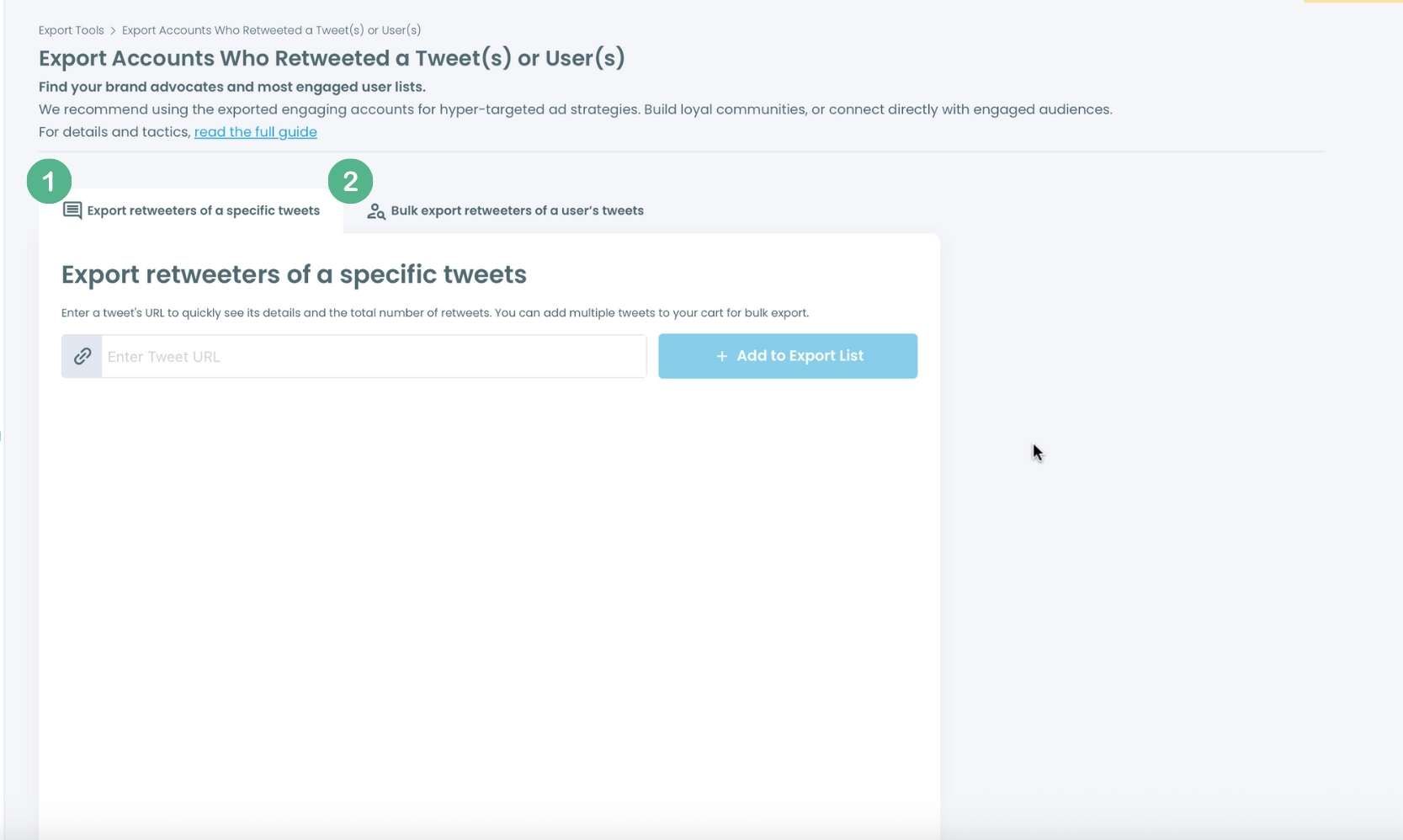
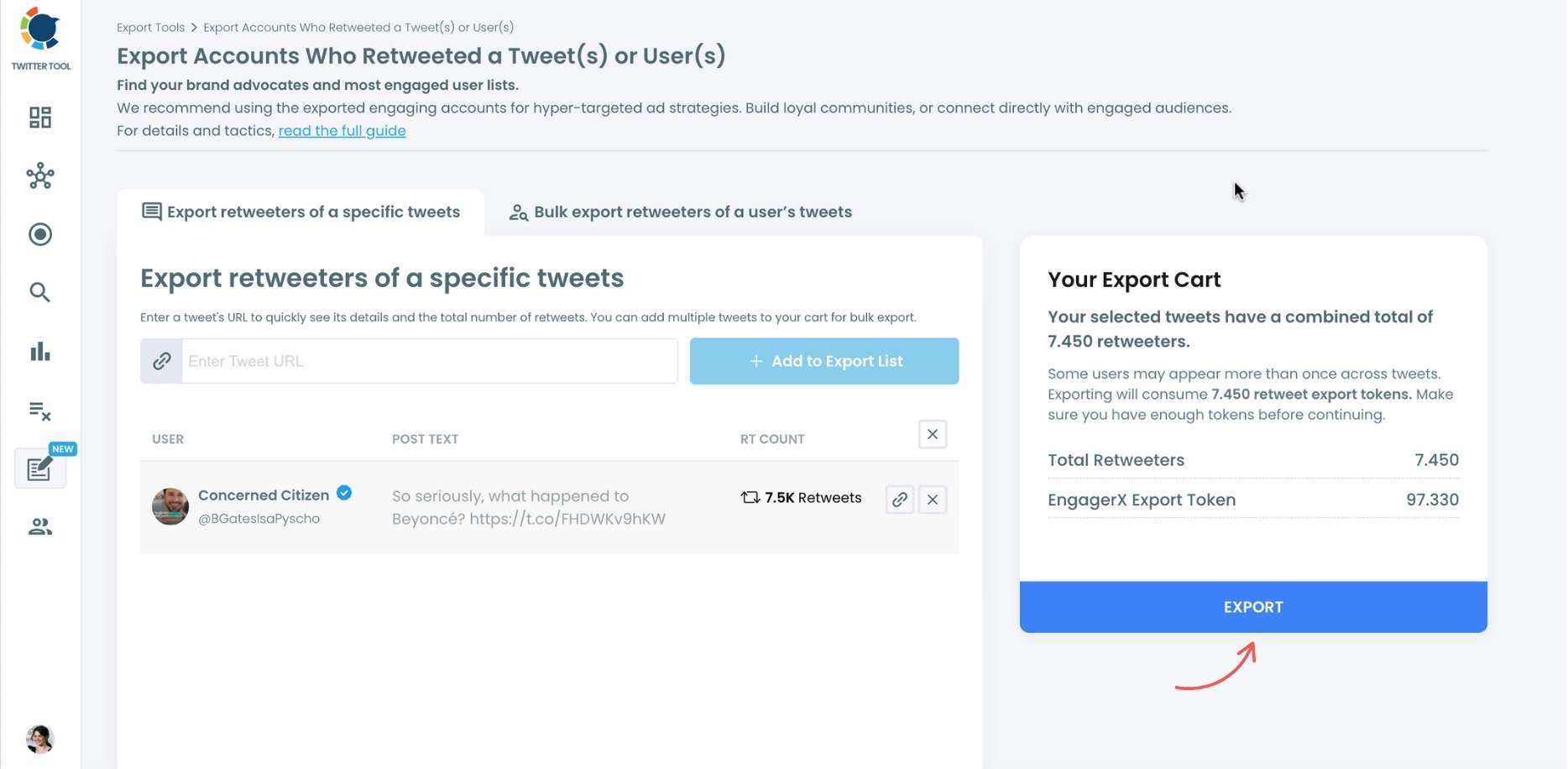
For specific tweets, Circleboom enables you to extract retweeters of specific tweets, yours or other users. You need to paste the URL of the targeted tweet.
Then, we will extract all retweeters of that tweet. The one thing you should do is clicking on the “Export” button.
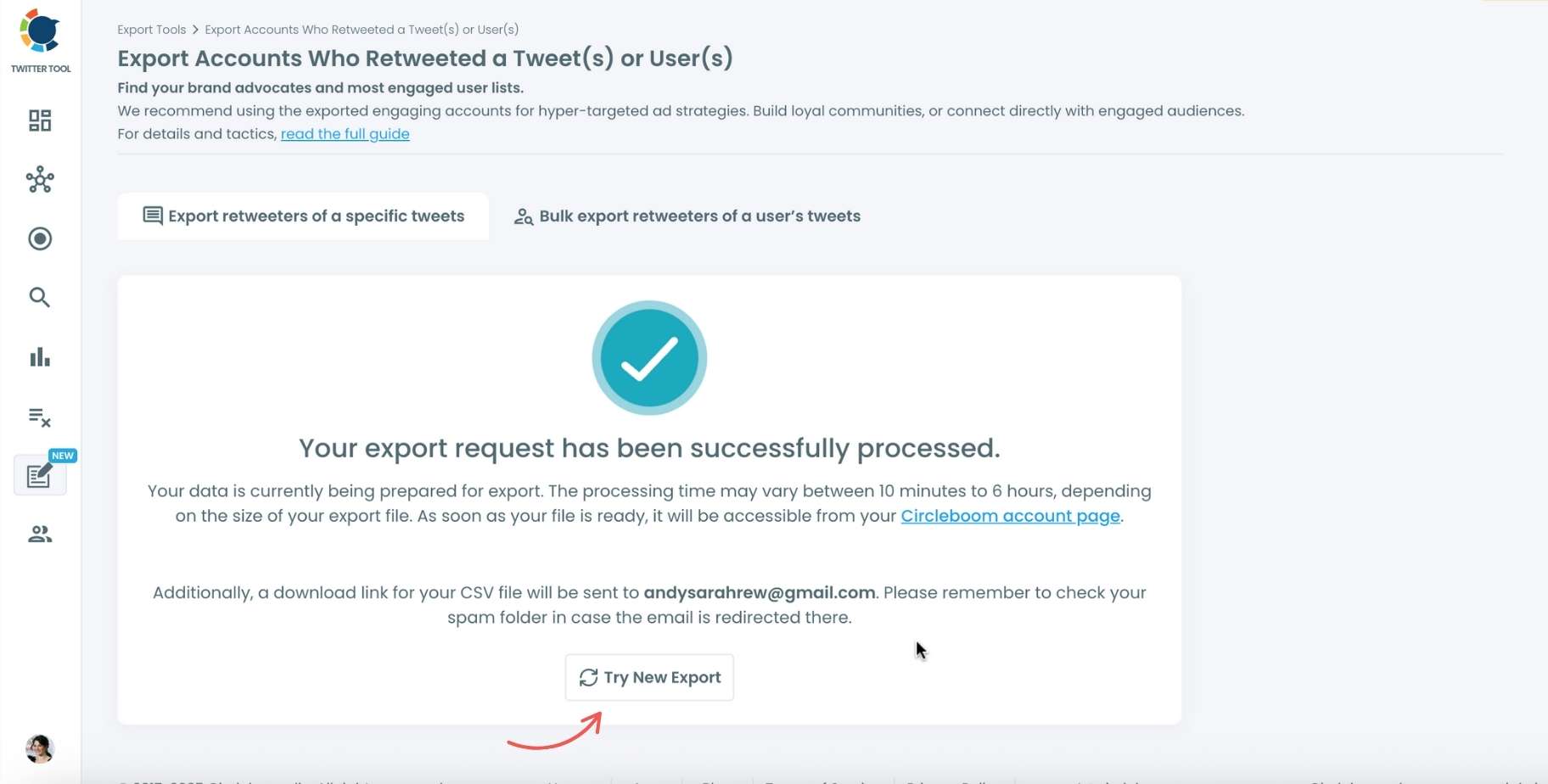
Your export request has been sent.
You will get your exported retweeters file within Circleboom also a copy will be sent to your email address.
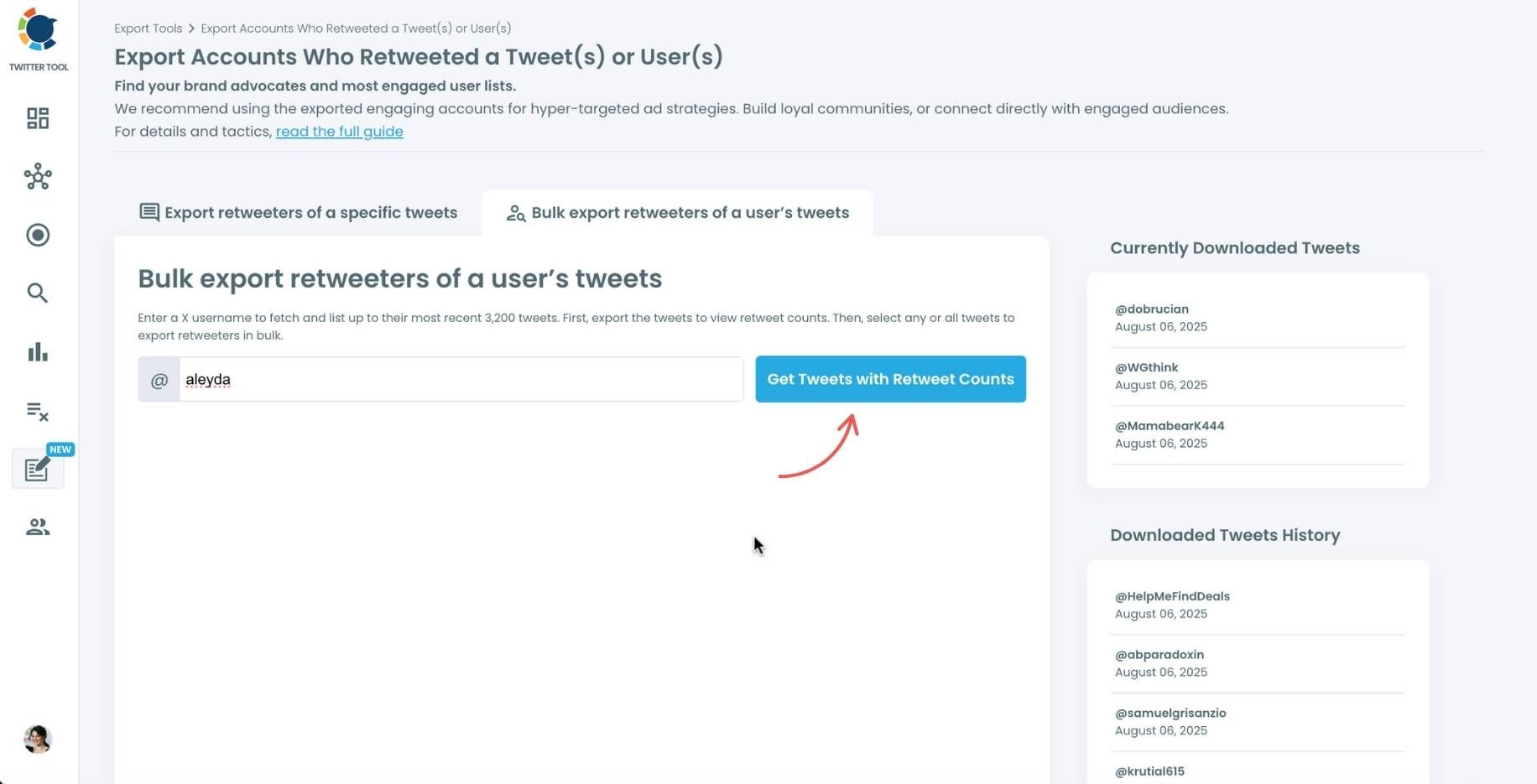
Step #4: Your second option is bulk export retweeters of a user’s tweets.
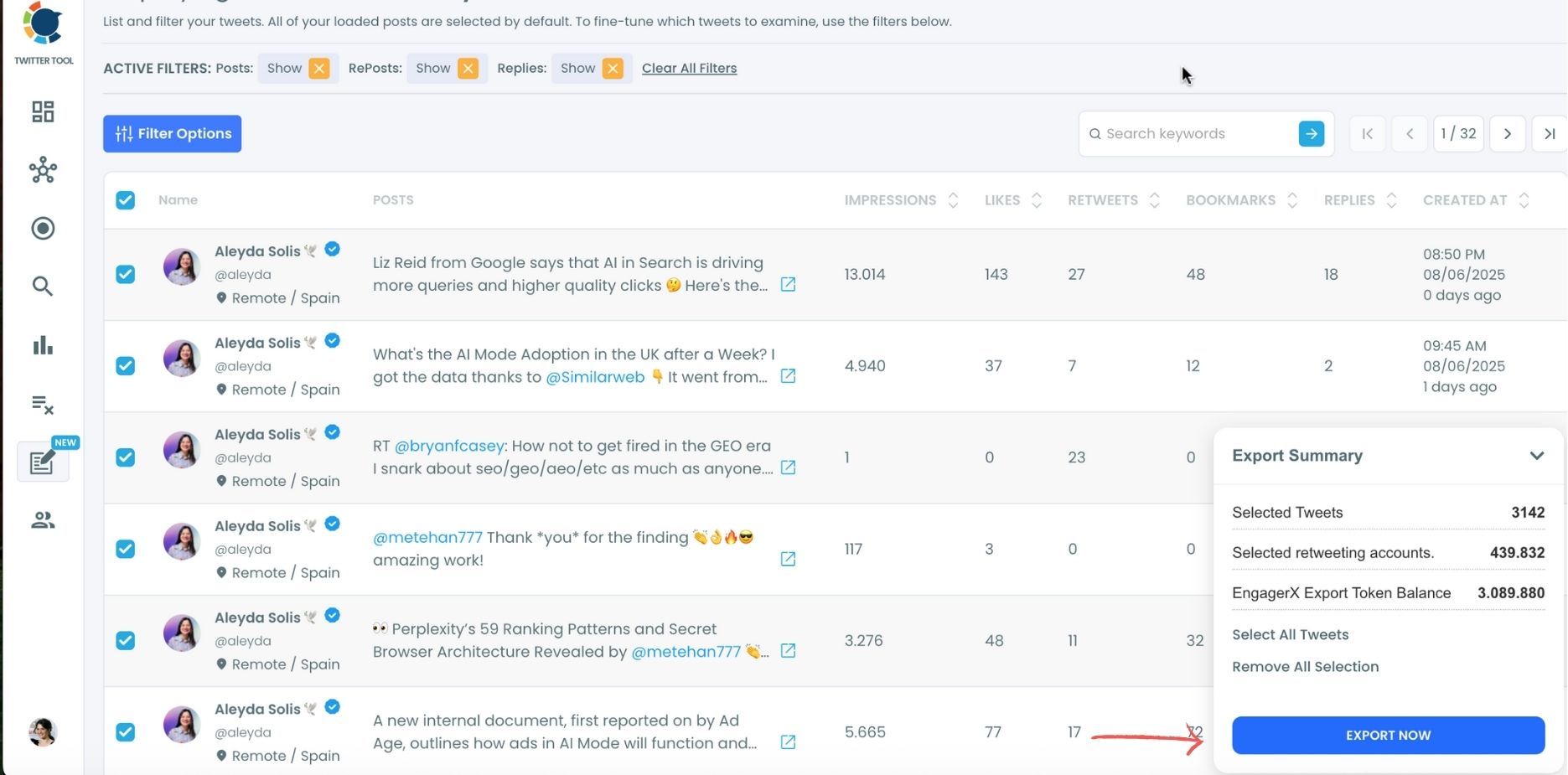
You need to enter the handle of a Twitter user. Then, we first extract their all tweets. Then, you can export all of their retweeters or some of them. You can apply filters to sort their tweets by retweet number, like number, etc.
You can export retweeters of all tweets or you can select some.
In this example, you will export 439.832 retweeters by clicking on the “Export Now” button.
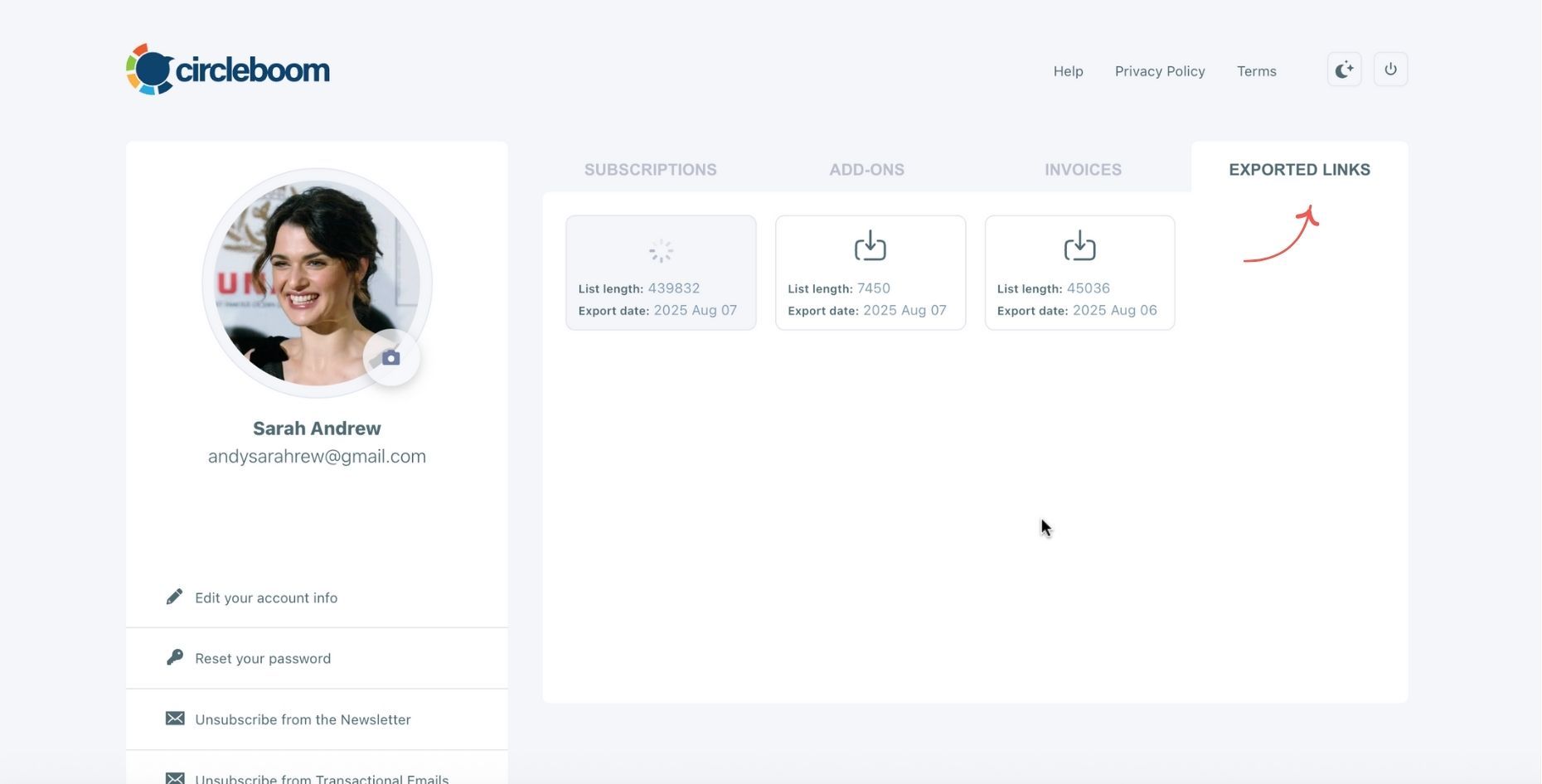
You can see your export lists, finished and processing, on your Circleboom account page, under “Exported Links” section.
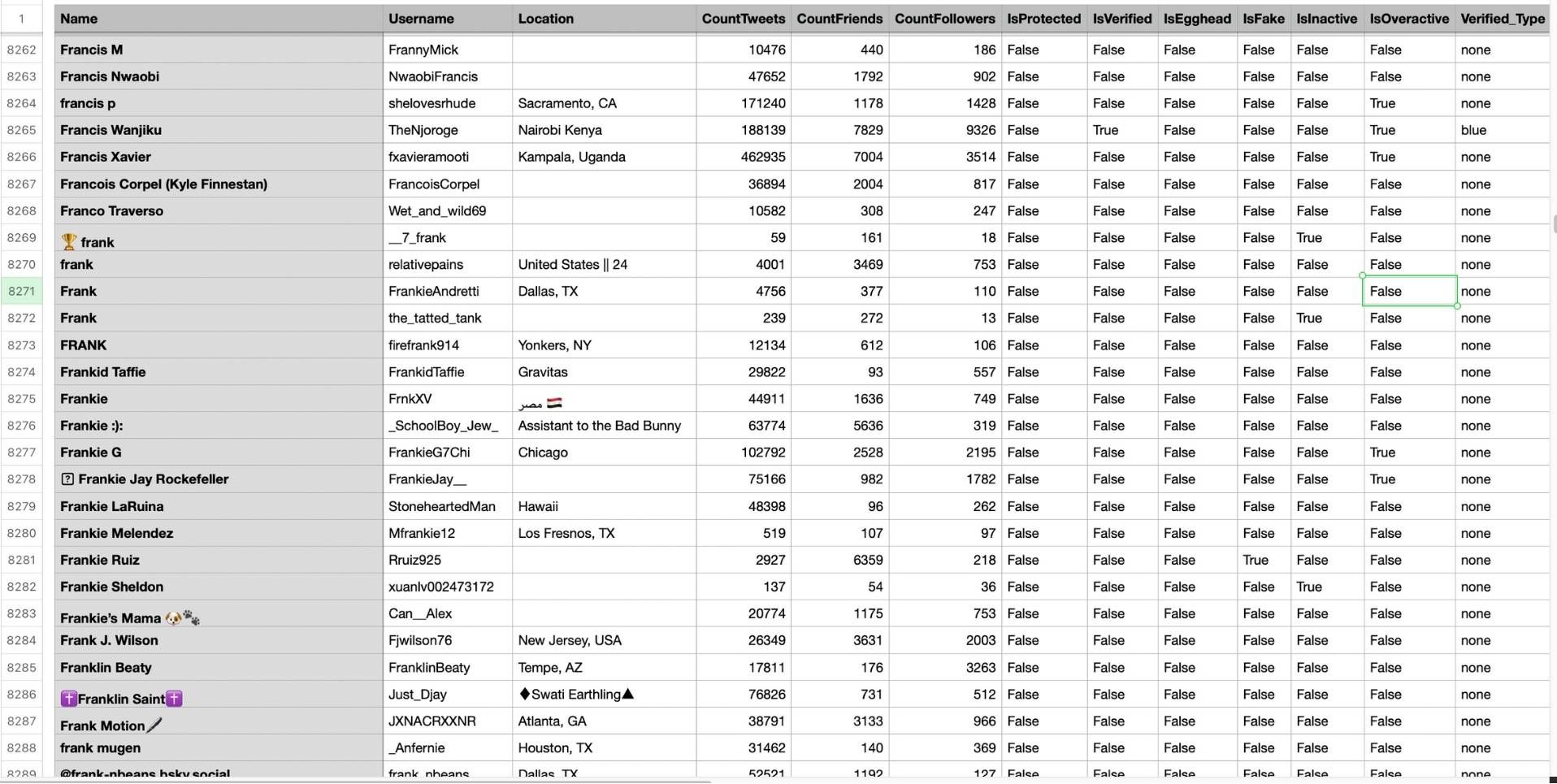
Step #5: You can see the list of retweeters in your CSV file.
There are their usernames, locations, account ages, followers counts, etc.
This is the easiest and safest way to identify the people who actually care about your content.
How to Engage With Loyal Followers the Right Way
Knowing who your loyal followers are is only the beginning. Here’s how to build a relationship with them:
1. Reply to Their Tweets: A thoughtful reply creates real connection—much stronger than a generic heart emoji.

2. Retweet Their Good Content: It shows appreciation and encourages them to keep engaging with you.

3. Quote-Retweet Your Loyal Fans: If they share something valuable, amplify it with a comment from your perspective.

4. Add Them to a Twitter List: Create a private list called “Loyal Followers” so you can monitor their tweets easily.

5. Tag Them When Relevant: If they inspire an idea or contribute something meaningful, acknowledge them.

6. Send a Simple Thank You: A brief message can turn a casual follower into a lifelong fan.

When you nurture loyal followers, they don’t just engage—they advocate.
Final Thoughts
Engagement is not about replying to everyone. It’s about investing your time where it actually counts.
Loyal followers are the people who help your profile grow, spread your message, and stay with you long-term. The challenge is identifying them—but Circleboom Twitter makes it simple, safe, and effortless.
Once you know who they are, show up for them the same way they show up for you.
That’s how real communities are built on Twitter.

