

Looking at retweets one tweet at a time can be useful—but it doesn’t tell the whole story. One tweet might go viral by chance, another might underperform for reasons that have nothing to do with content quality.
If you really want to understand engagement on X (Twitter), you need to look at retweeters across multiple tweets, not just one.
That’s where exporting retweeters in bulk becomes valuable. Instead of guessing who your real supporters are, you can see patterns, overlaps, and consistent engagement all in one place.
 Fatih Kemal Oksuzoglu
Why Exporting Retweeters from Multiple Tweets Matters
A single tweet is often misleading. It can be boosted by timing, a trending topic, or a lucky mention. Multiple tweets, however, reveal behavior.
When you export retweeters from more than one tweet, you can:
- Identify users who repeatedly retweet your content
- Understand which topics consistently get shared
- Separate one-time interactions from genuine interest
- See how your audience reacts over time, not just once
This kind of analysis is especially useful if you’re building an audience, running research, or trying to improve content strategy based on real engagement.
Why Twitter/X Doesn’t Let You Do This
Twitter simply isn’t designed for bulk analysis.
On the platform:
- You can only view retweeters per tweet
- There’s no way to combine retweeters from multiple tweets
- You can’t export retweeters as a file
- You can’t easily compare engagement between posts
Even if you manually open each tweet, you’re still limited by Twitter’s UI and partial lists. For serious analysis, it quickly becomes impractical.
How I Exported Retweeters of Multiple Tweets
At some point, checking retweets one by one stopped being useful. I needed a way to analyze engagement across several tweets at once and actually work with the data, not just look at it.
That’s when I used Circleboom Twitter. It’s an official X (Twitter) partner, which means it accesses data through the X API rather than scraping or shortcuts. This matters because it ensures accuracy, completeness, and safety.

Instead of fighting Twitter’s limitations, Circleboom made the process structured and scalable.
What Circleboom Twitter Allows You to Do
With Circleboom Twitter, you’re not limited to a single tweet.
You can:
✅ Search and analyze any public X account
✅ See all of that account’s tweets displayed in one place
✅ Choose to:
- Export retweeters from all tweets, or
- Select specific tweets you’re interested in
✅ Export everything in one go
This flexibility is what makes multi-tweet analysis possible.
 Altug Altug
How to Export Retweeters of Multiple Tweets Using Circleboom Twitter
The process is straightforward and doesn’t require technical knowledge.
Here’s how it works:
Step #1: Sign up to Circleboom and connect your X account.
Circleboom is an official X Enterprise partner! So, your account and all the data you have are safe and secure with us!

Step #2: Once reached dashboard, go over the menu and find “Essential Toolbox”.
You will see the sub-menu “Export Tools”. Under this, you will see Export Retweeters of a Tweet(s) or User(s).
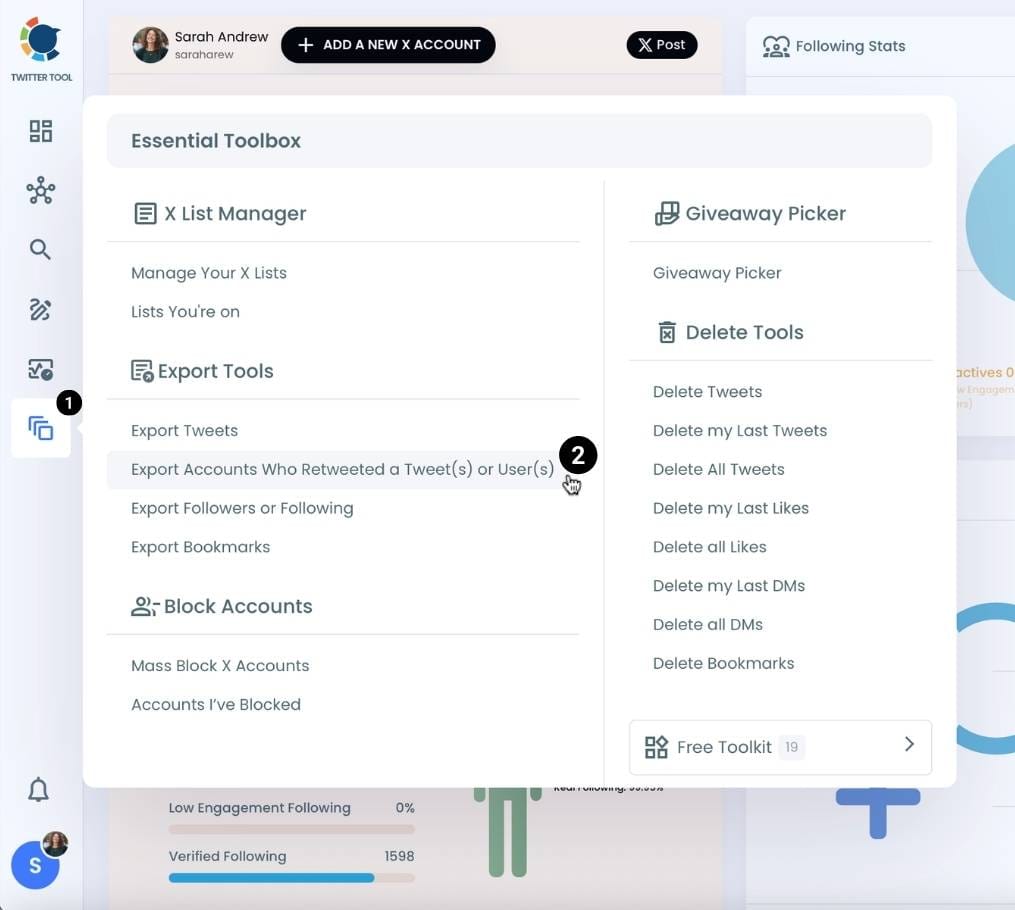
Step #3: You will see two options there:
“Export retweeters of specific tweets” and “Bulk export retweeters of a user’s tweets”
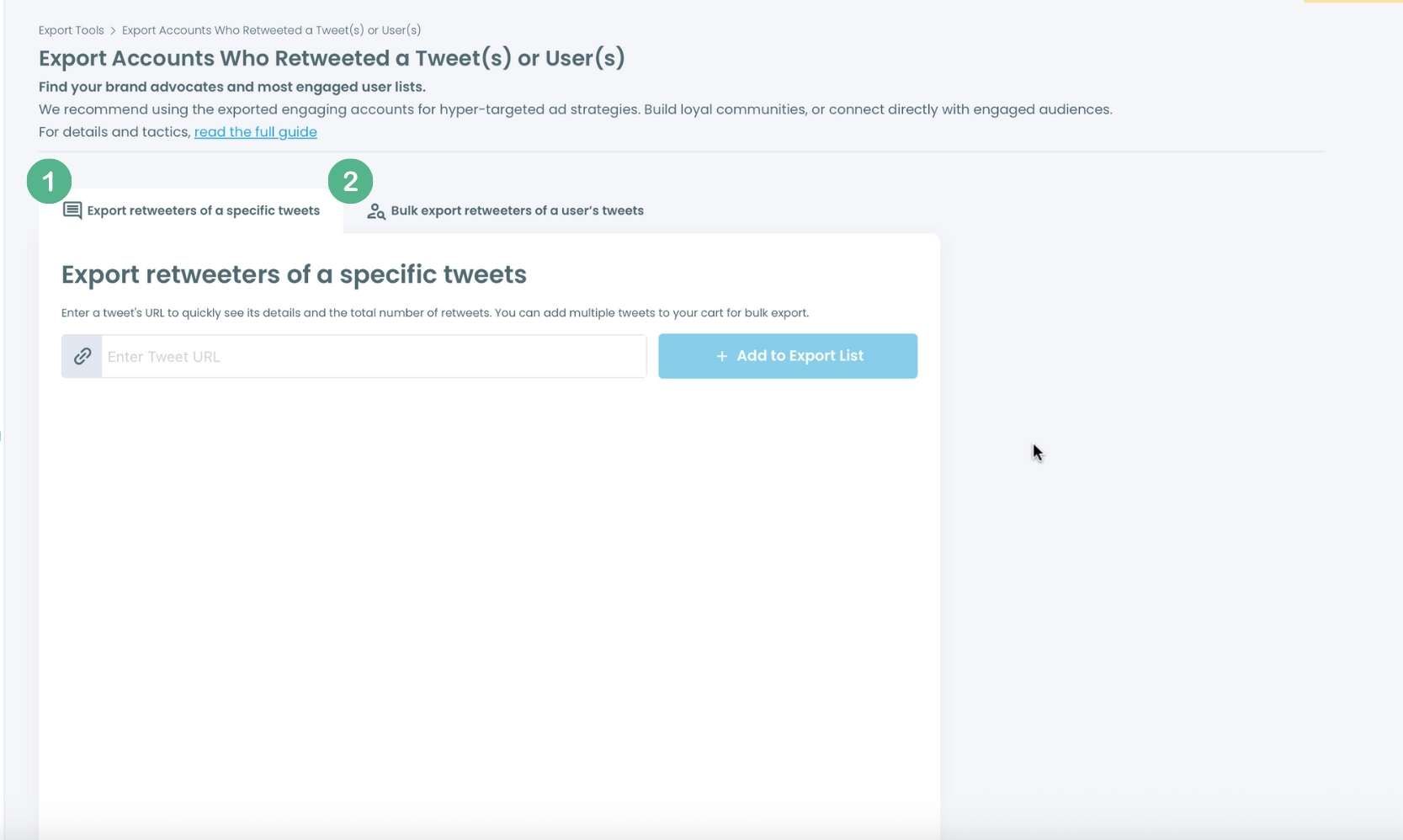
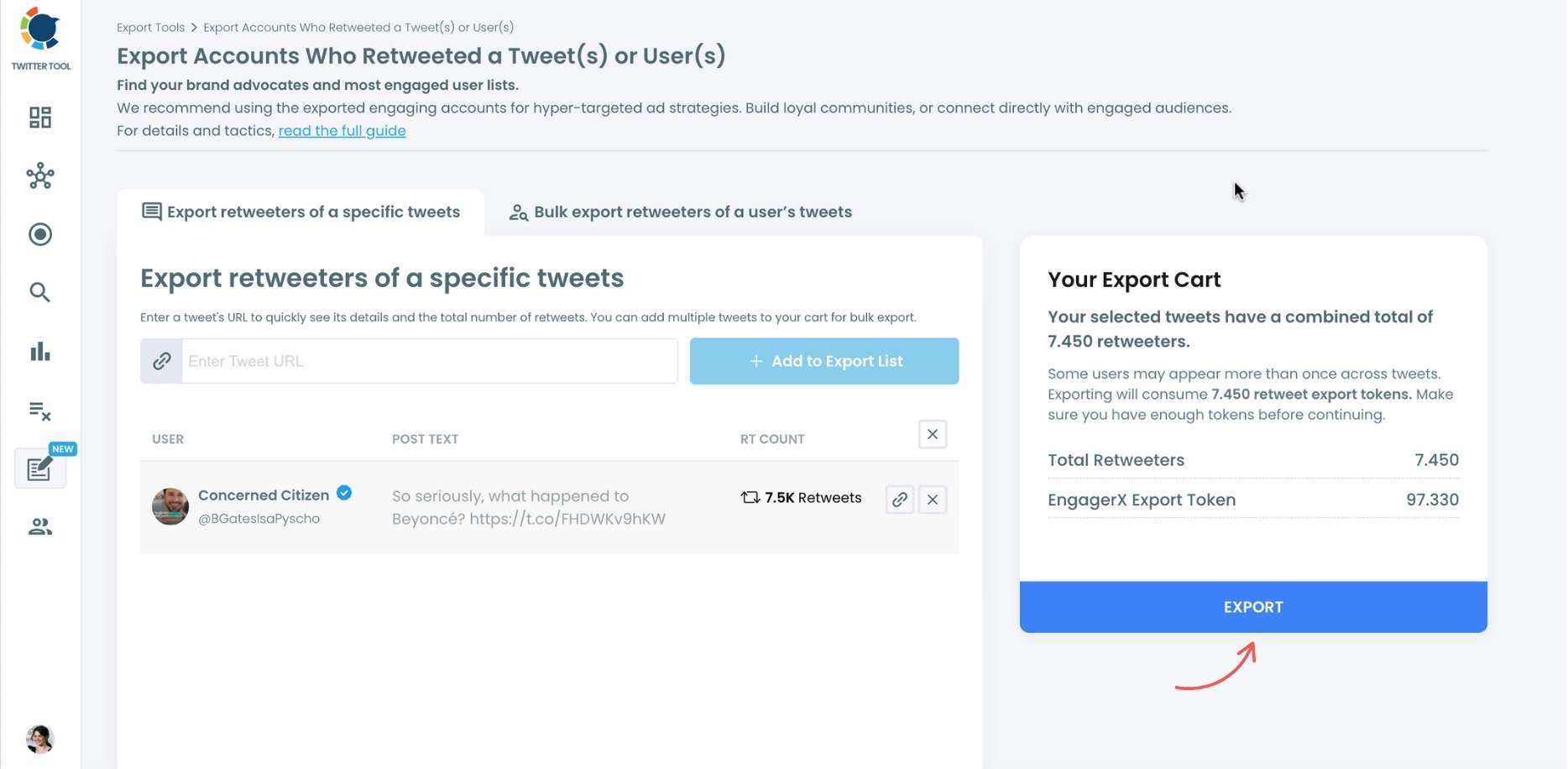
For specific tweets, Circleboom enables you to extract retweeters of specific tweets, yours or other users. You need to paste the URL of the targeted tweet. Then, we will extract all retweeters of that tweet. The one thing you should do is click on the “Export” button.
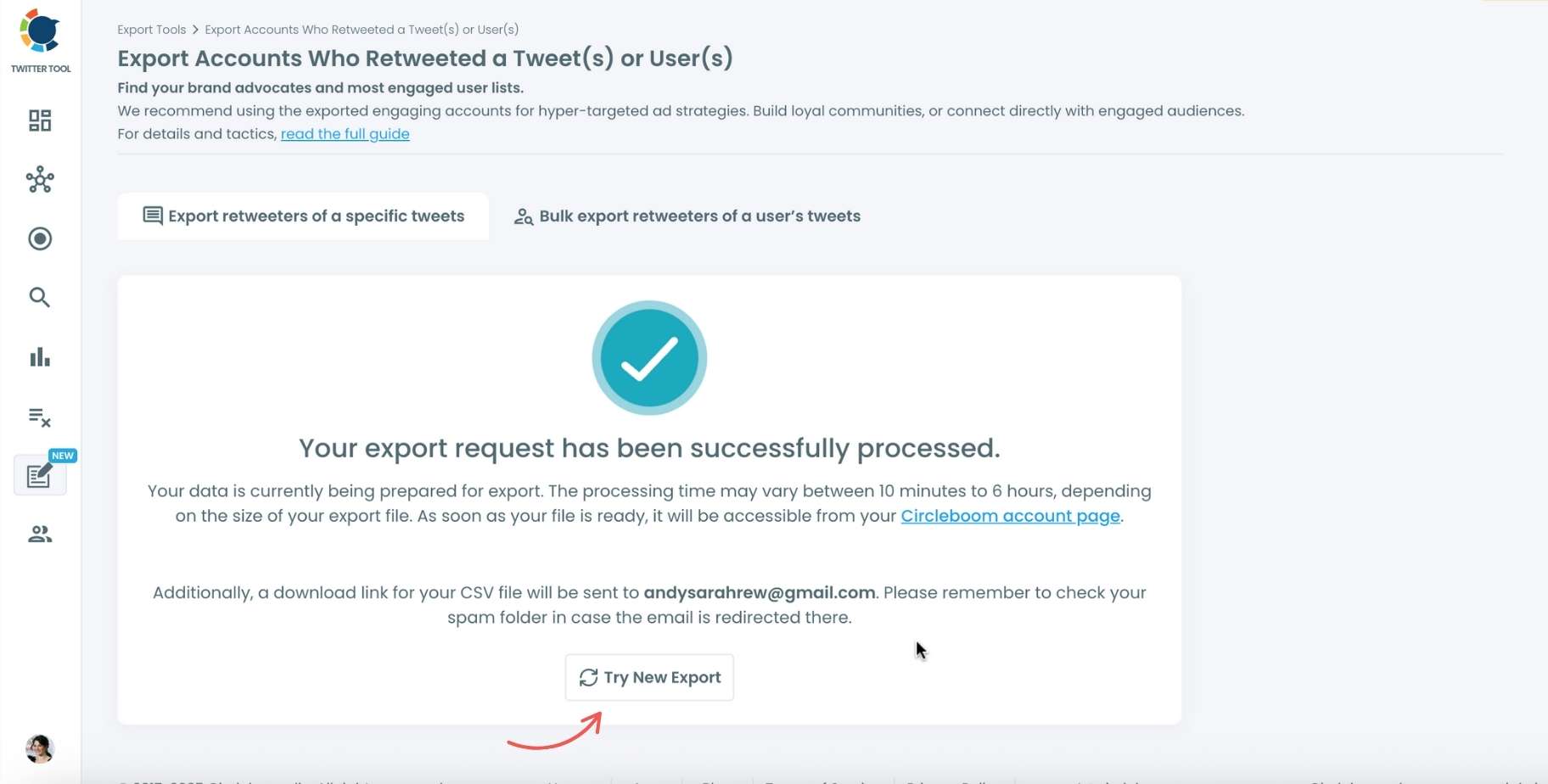
Your export request has been sent. You will get your exported retweeters file within Circleboom, and a copy will be sent to your email address.
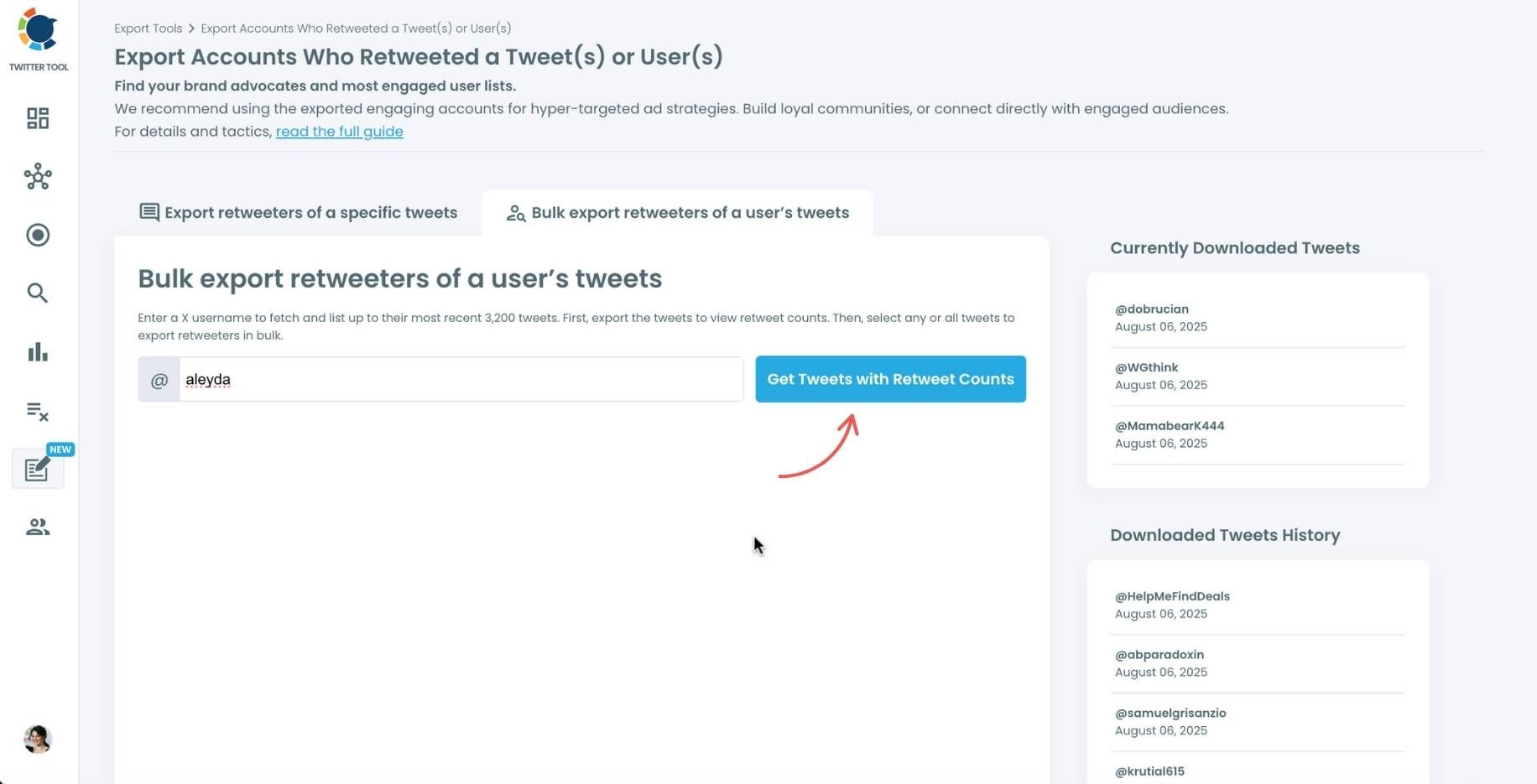
Step #4: Your second option is to bulk export retweeters of a user’s tweets.
You need to enter the handle of a Twitter user. Then, we first extract all their tweets. Then, you can export all of their retweeters or some of them. You can apply filters to sort their tweets by retweet number, like number, etc.
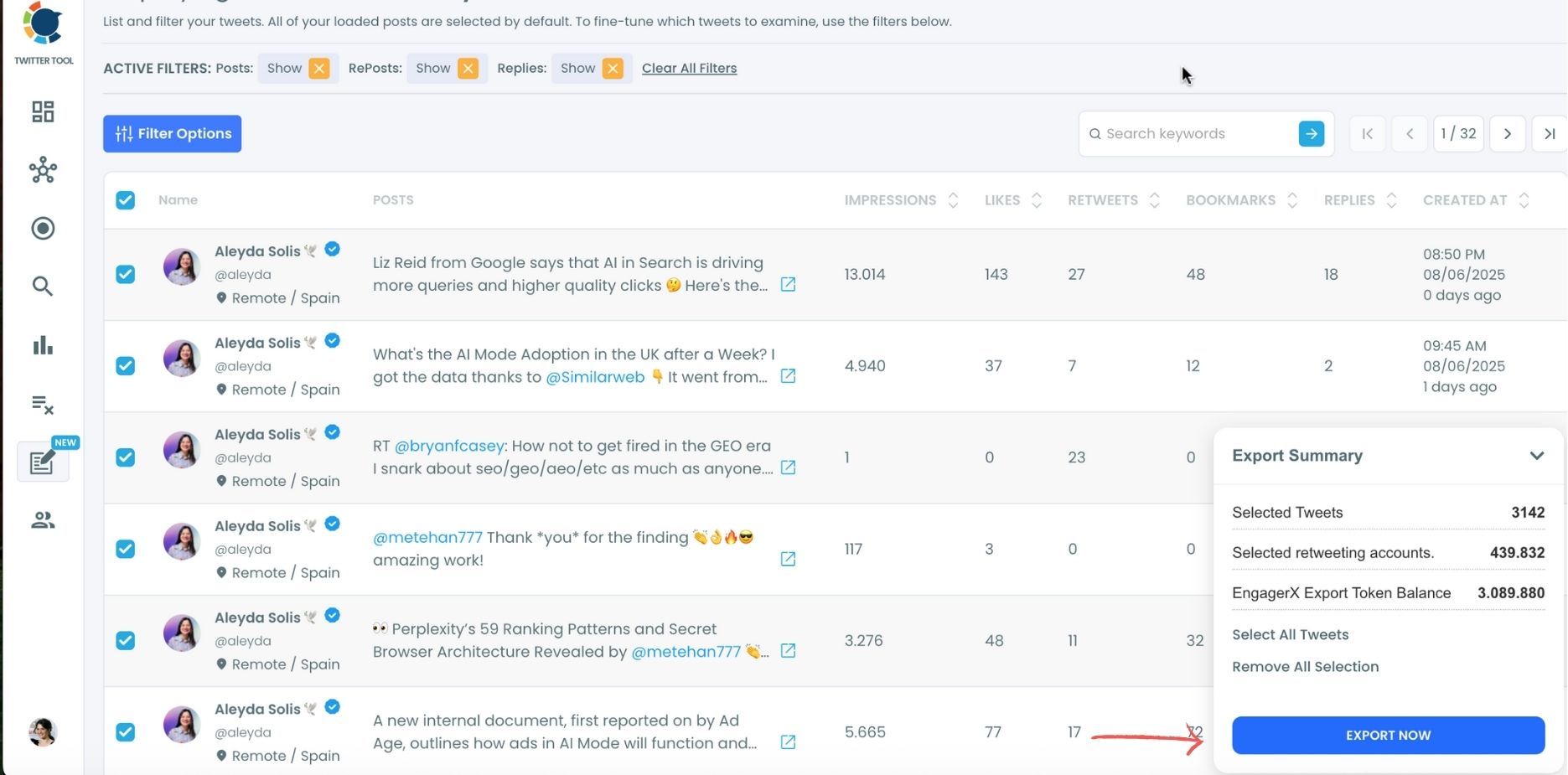
You can export retweeters of all tweets, or you can select some. In this example, you will export 439.832 retweeters by clicking on the “Export Now” button.
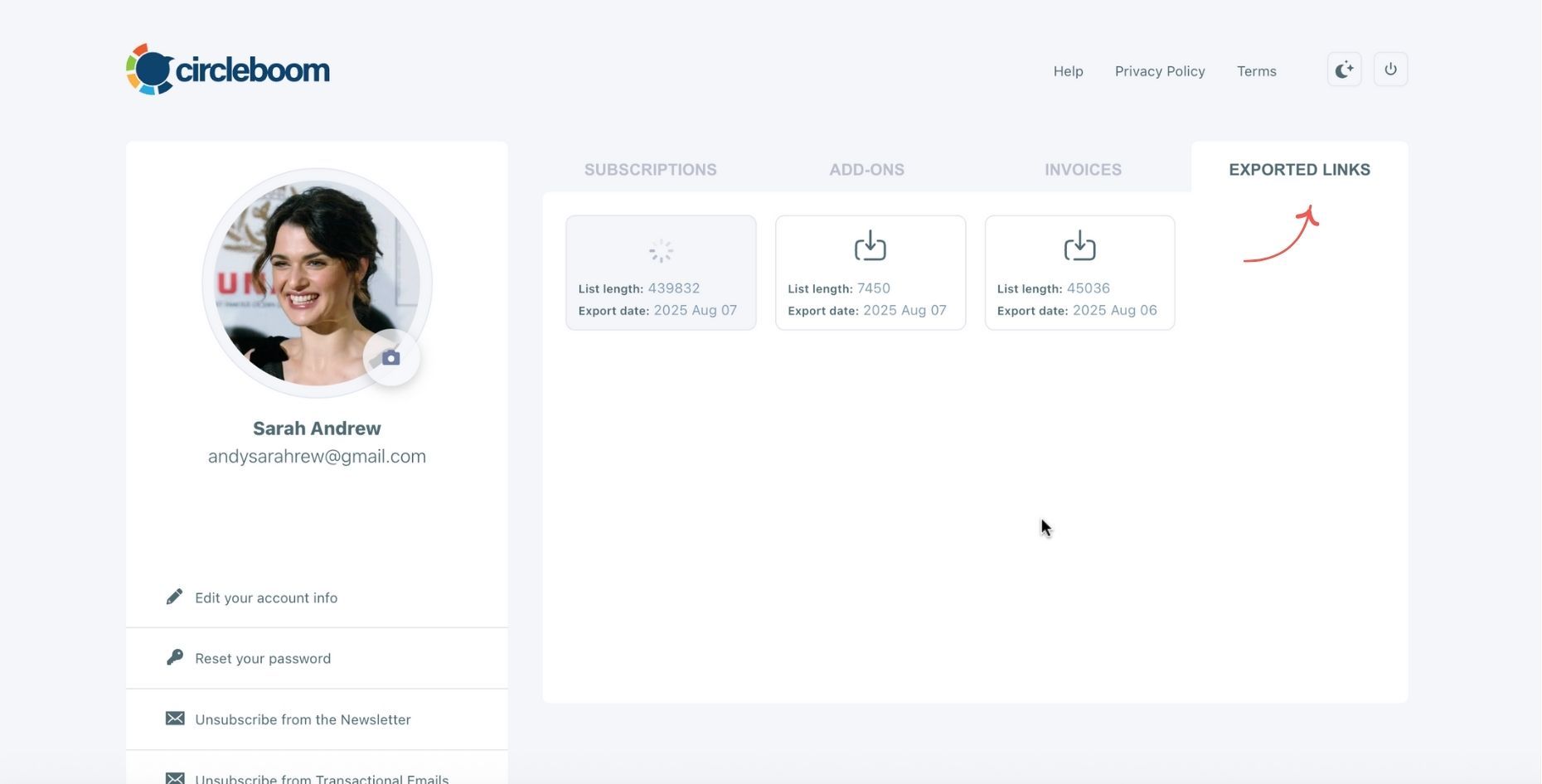
You can see your export lists, finished and processing, on your Circleboom account page, under the “Exported Links” section.
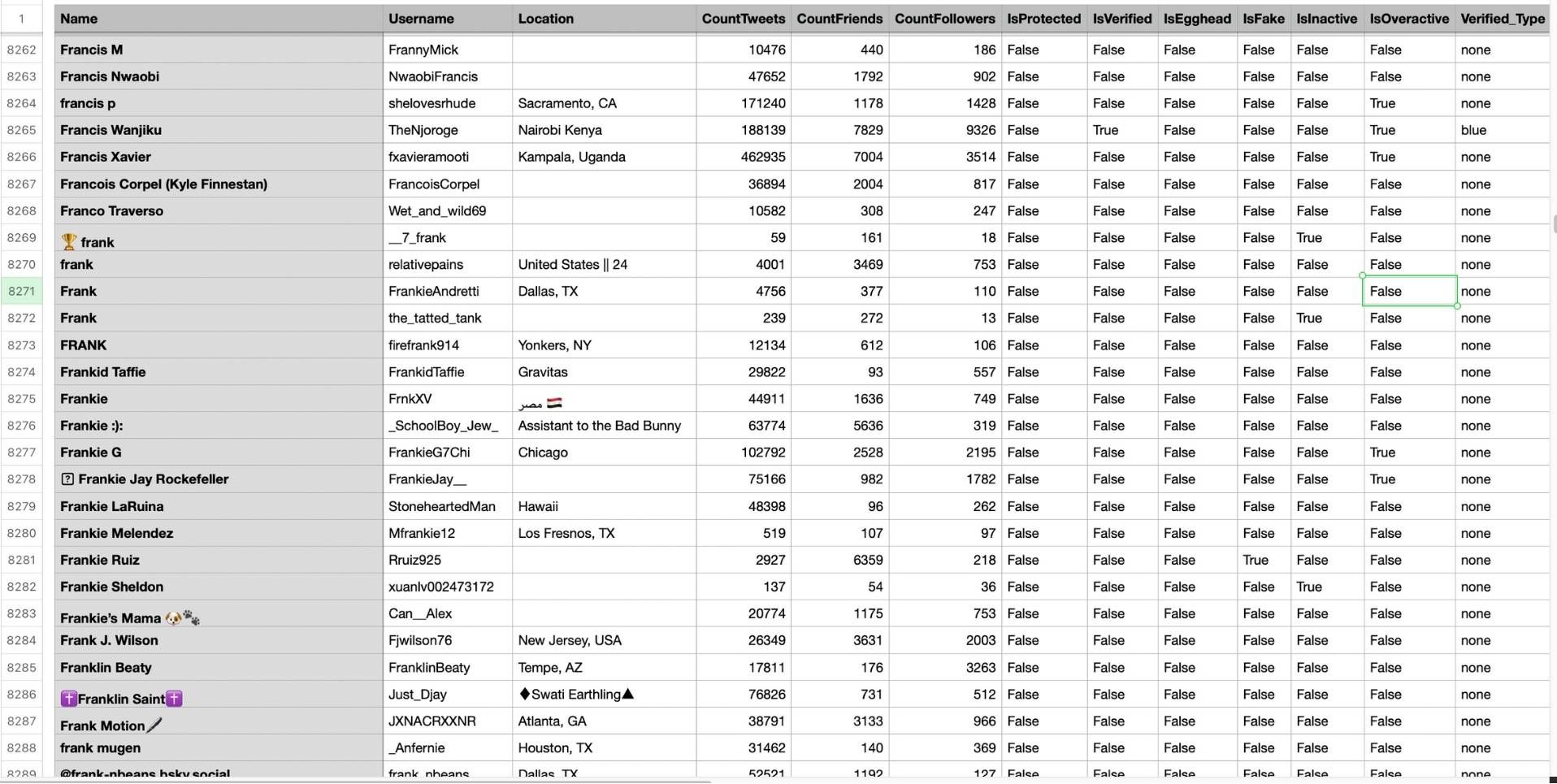
Step #5: You can see the list of retweeters in your CSV file.
There are their usernames, locations, account ages, follower counts, etc.
Circleboom then analyzes the selected tweets and collects all associated retweeters.
Getting the Retweeters as a CSV File
Once the analysis is complete, Circleboom provides a CSV file containing all retweeters from the selected tweets.
This file is clean, structured, and easy to work with. You can:
- Sort retweeters alphabetically
- Identify repeated usernames
- Filter by activity or relevance
- Compare engagement across different tweet sets
Instead of relying on screenshots or memory, you now have real data you can revisit anytime.
What You Can Do with Exported Retweeter Data
Exporting retweeters from multiple tweets unlocks several practical use cases:
- Find consistent supporters
Users who appear repeatedly are often your strongest advocates. - Analyze content performance
See which tweets attract the same audience and which bring new people in. - Improve engagement strategy
Focus your interactions on people who already care about your content. - Study other accounts
Analyze how successful accounts attract retweeters across multiple posts.
Practical Tips for Exporting Retweeters in Bulk
To get meaningful insights, how you export matters.
Some useful tips:
- Export tweets from the same topic or theme
- Avoid mixing unrelated content in one export
- Compare retweeters from high-performing and average tweets
- Look for overlaps rather than raw retweet counts
The goal is to understand patterns, not just collect large lists.
How to Use Retweeter Data for Engagement
Once you know who consistently retweets your content, engagement becomes more intentional.
You can:
➡️ Follow accounts that repeatedly support your tweets
➡️ Reply to their retweets with relevant context
➡️ Pay attention to what they usually share
➡️ Use their behavior as validation for future content ideas
This turns engagement from guesswork into a strategy.
Common Mistakes to Avoid
When exporting retweeters in bulk, it’s easy to misuse the data.
Avoid:
❌ Exporting too many unrelated tweets at once
❌ Treating retweeters like a generic outreach list
❌ Over-engaging or sending mass messages
❌ Focusing only on numbers instead of recurring behavior
Retweeter data is most valuable when used thoughtfully.
Final Thoughts: Look at the Bigger Picture
Single-tweet metrics can be misleading. Exporting retweeters from multiple tweets helps you see what actually matters: consistent engagement.
By analyzing retweeters across several posts, you move from surface-level metrics to real insights. Instead of guessing what works, you start understanding why it works, and who makes it work.
If you care about engagement, growth, or meaningful analysis on X, looking at retweeters in bulk isn’t optional anymore.

