

If you’ve ever tried to do it directly on X, you’ve probably noticed the limitation. Twitter only shows the accounts that reposted a tweet as a simple list. You can see the usernames, but that’s all.
There’s no detailed information about those accounts, and more importantly, the list is not something you can save or download. It’s just a display on the screen.
If you need a real list that you can analyze or keep, that’s not enough.
With Circleboom Twitter, you can export retweeters and download a full list with detailed account information.
What Is Circleboom Twitter?
Circleboom Twitter is an official X Enterprise Developer, which means it works directly with X’s official APIs and follows platform rules safely.

This is important because most alternatives rely on scraping or unofficial methods. With Circleboom, you get secure access to X data, policy-compliant handling, and no risky scraping or credential sharing.
Instead of just showing retweeters like Twitter does, Circleboom turns that data into something usable.
With Circleboom Twitter, you can:
➡️ Export the retweeters of a specific tweet
 infocircleboom.com
➡️ Check retweets on your own tweets or another account’s tweet
➡️ Analyze the full retweet activity of an account
➡️ Extract retweeters from multiple tweets at once
➡️ Download everything as a clean CSV file ready for Excel or Google Sheets
So instead of just seeing names, you get a structured dataset you can actually work with, without manual copying or guesswork.
How to Export a List of Retweeters with Circleboom Twitter
Step #1: Sign up to Circleboom and connect your X account.
Circleboom is an official X Enterprise partner! So, your account and all the data you have are safe and secure with us!

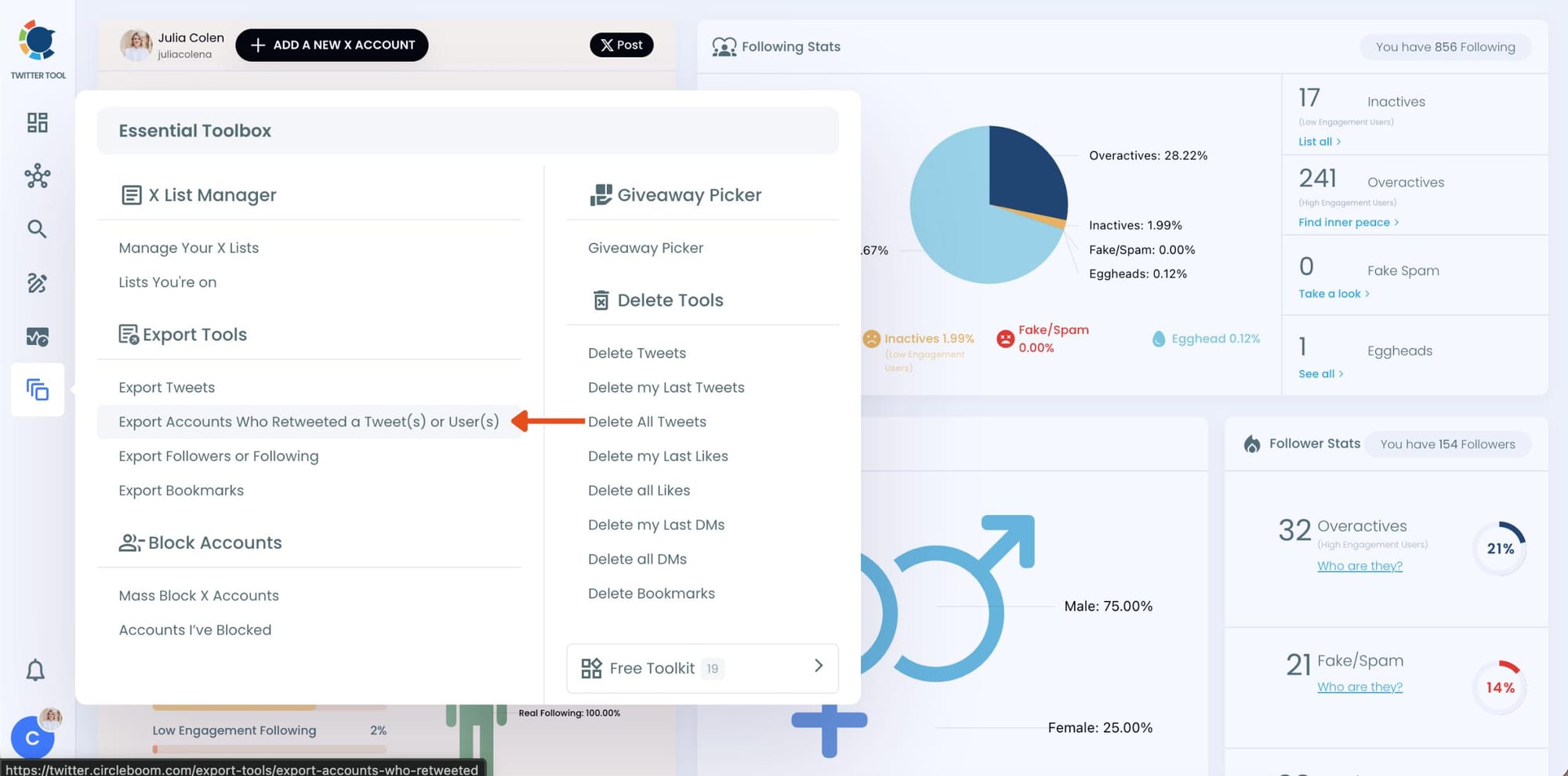
Step #2: Once reached dashboard, go over the menu and find “Essential Toolbox”.
You will see the sub-menu “Export Tools”. Under this, you will see Export Retweeters of a Tweet(s) or User(s).
Step #3: You will see two options there:
“Export retweeters of specific tweets” and “Bulk export retweeters of a user’s tweets”
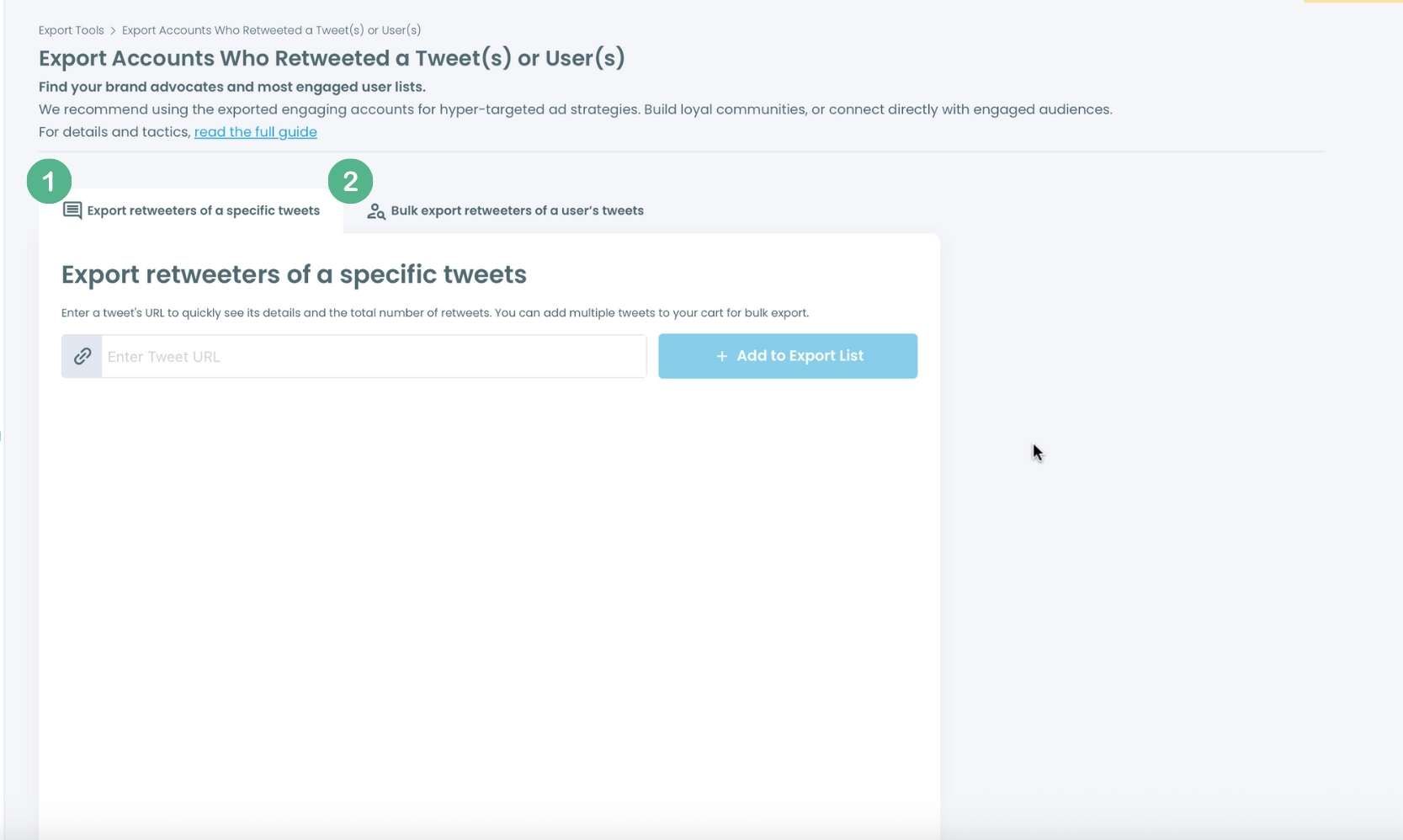
For specific tweets, Circleboom enables you to extract retweeters of specific tweets, yours or other users. You need to paste the URL of the targeted tweet.
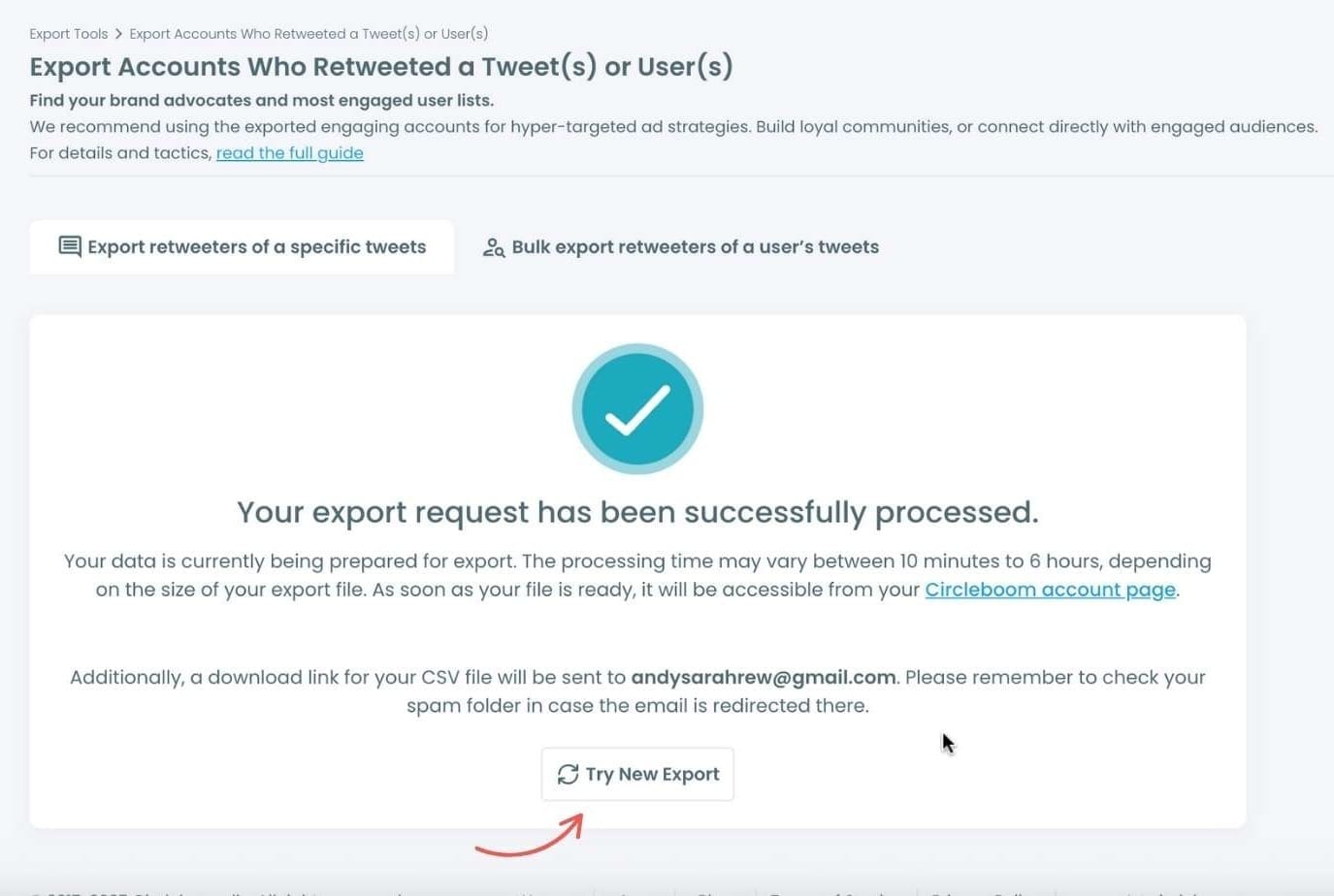
Then, we will extract all retweeters of that tweet. The one thing you should do is clicking on the “Export” button.

Your export request has been sent.
You will get your exported retweeters file within Circleboom also a copy will be sent to your email address.
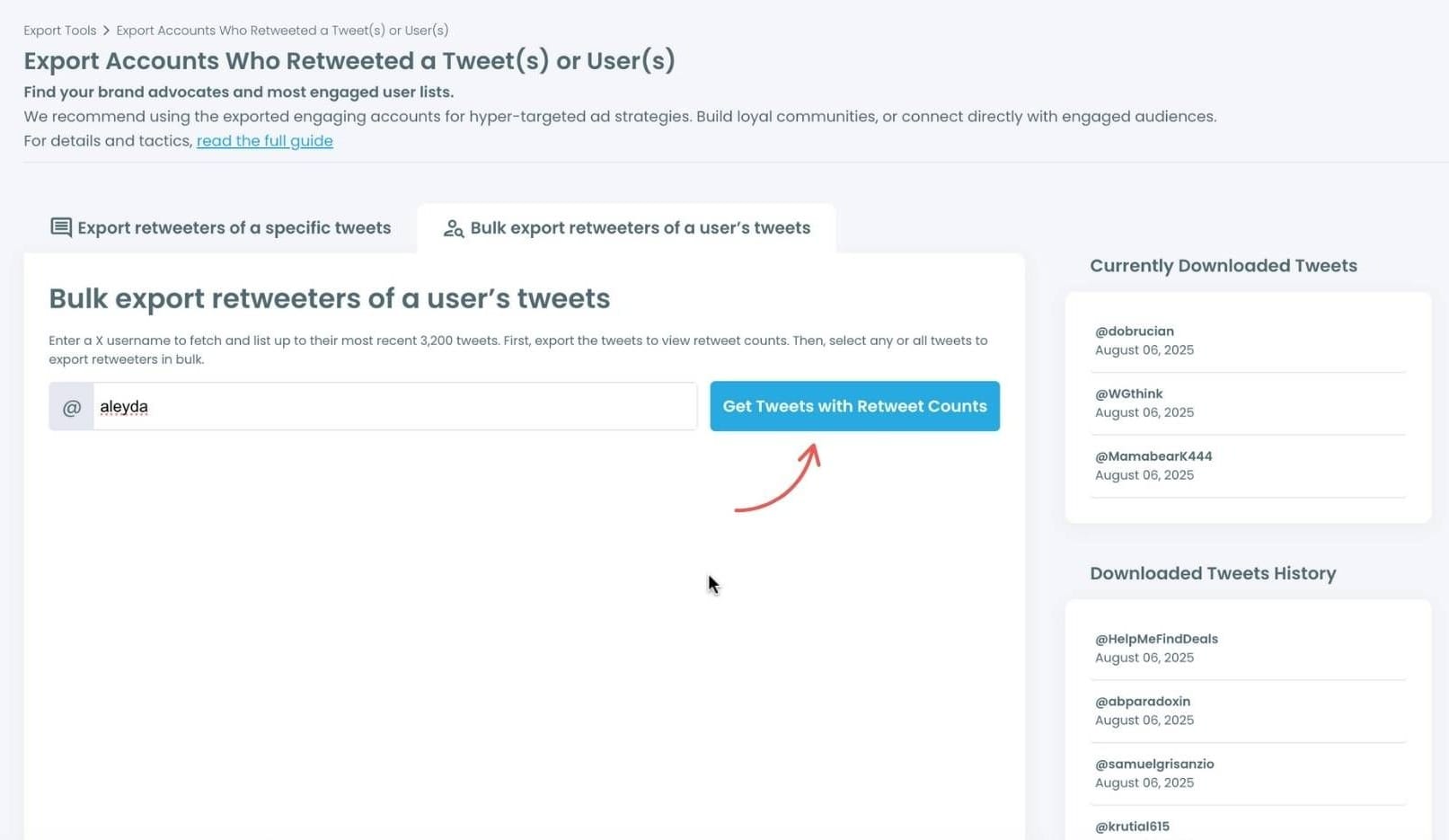
Step #4: Your second option is bulk export retweeters of a user’s tweets.
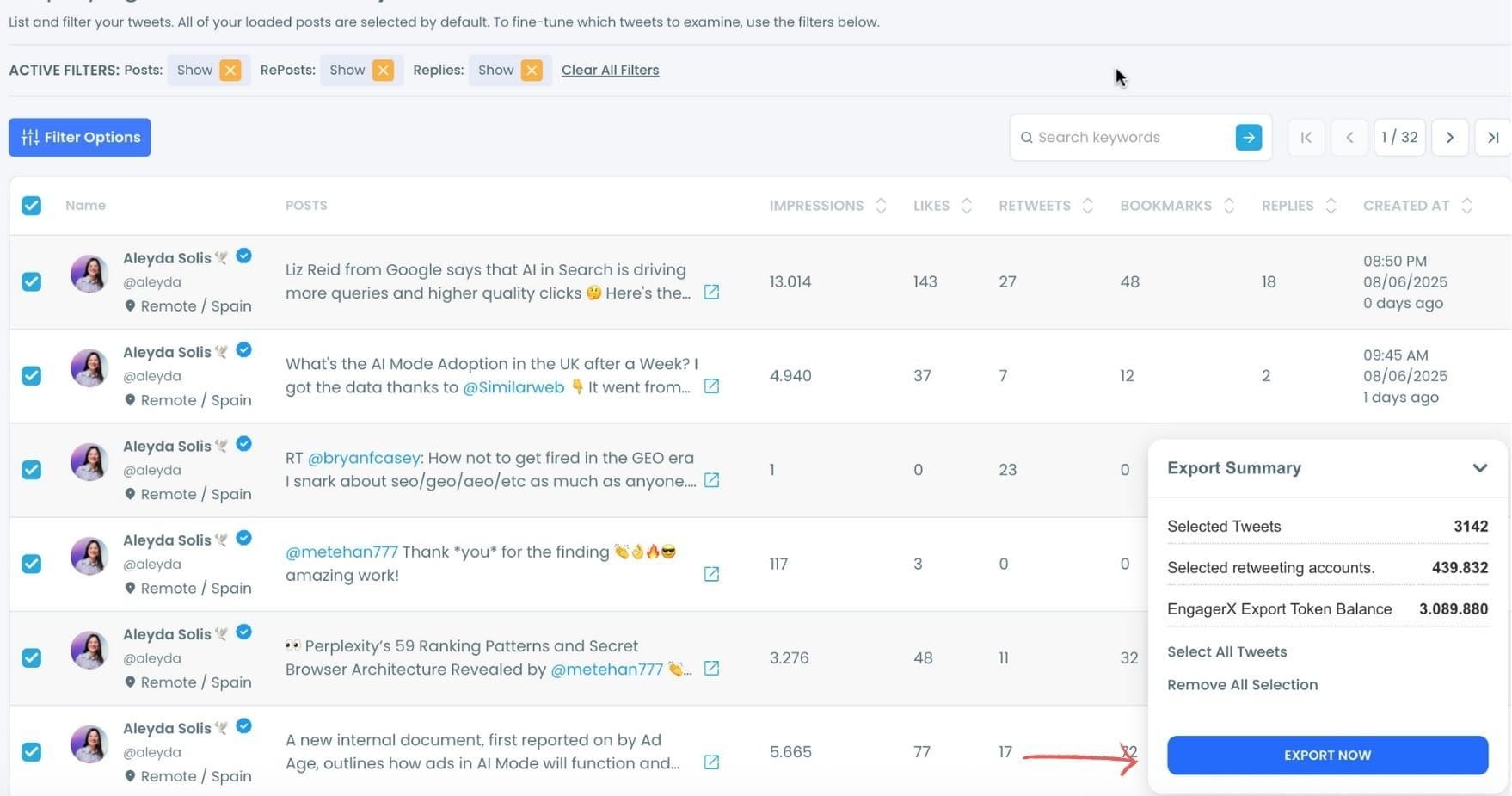
You need to enter the handle of a Twitter user. Then, we first extract their all tweets. Then, you can export all of their retweeters or some of them. You can apply filters to sort their tweets by retweet number, like number, etc.
You can export retweeters of all tweets or you can select some.
In this example, you will export 439.832 retweeters by clicking on the “Export Now” button.
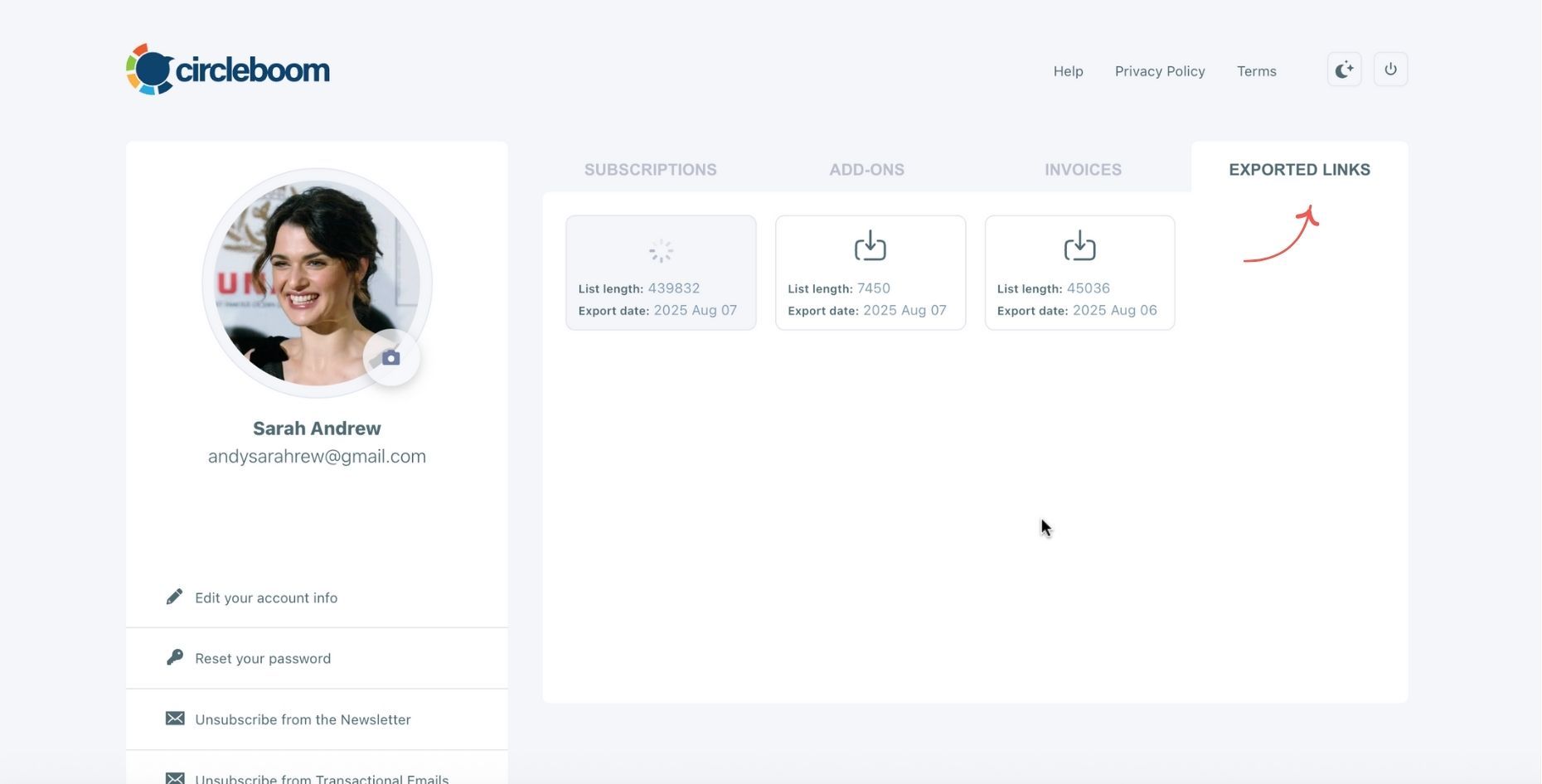
You can see your export lists, finished and processing, on your Circleboom account page, under “Exported Links” section.
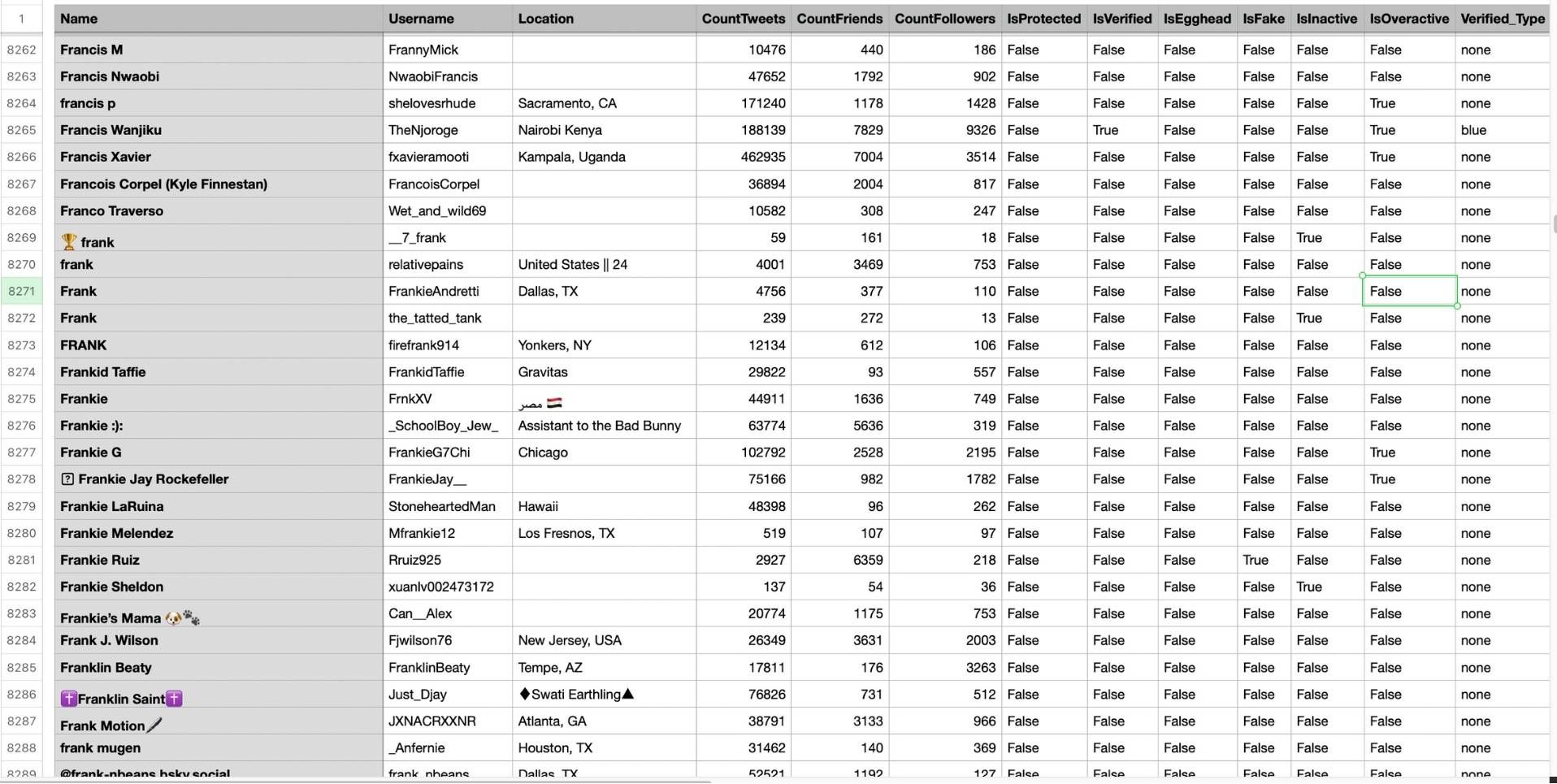
Step #5: You can see the list of retweeters in your CSV file.
There are their usernames, locations, account ages, followers counts, etc.
Circleboom then analyzes the selected tweets and collects all associated retweeters.
What Information You Get in the Retweeter List
When you export retweeters with Circleboom Twitter, you don’t just get usernames, you get a structured dataset.
Each row represents a user, and each column gives you meaningful data about that account.
You can clearly see who has a strong follower base, which accounts are inactive or barely tweet, and which ones look suspicious or fake.
📌 You can also identify verified users, spot accounts that are highly active or overactive, and understand where your audience is located.
Because the data is delivered as a CSV file, you can open it in Excel or Google Sheets and actually work with it. You can sort users by follower count, filter by verification status, segment audiences, and even combine lists from multiple tweets.
This turns a basic retweet list into something you can actually analyze and use.
Export Retweeters of a Single Tweet or a User’s Tweets
Circleboom Twitter is flexible in how you use it.
You can export the retweeters of a specific tweet, whether it’s your own or someone else’s, simply by pasting the tweet URL.
Arif Akdogan
You can also go further and extract retweeters from a user’s multiple tweets.
Arif Akdogan
In this case, Circleboom first collects the tweets, lets you filter them (for example by retweet or like count), and then allows you to export retweeters across those selected posts.
This means you’re not limited to one tweet. You can analyze engagement at scale and build much larger, more meaningful datasets.
Why This Retweeter List Is Actually Useful
Getting a detailed retweeter list is not just about curiosity. It’s a practical way to understand what’s really happening behind your tweets.
✅ It helps you see who is spreading your content and which accounts are actually helping your posts reach more people.
You can identify strong or influential users, spot suspicious or low-quality engagement, and better understand the quality of your audience.
Because the data is structured and downloadable, you can sort, filter, and segment users easily. This makes it much easier to track campaign performance, find potential followers or collaborators, and build lists you can actually use.
Instead of guessing who your audience is, you start seeing it clearly and working with real data.
Conclusion
So, how can you get a list of retweeters on Twitter?
Twitter itself only shows a basic list of accounts, without details and without any way to save it.
If you need a downloadable and detailed retweeter list, Circleboom Twitter provides exactly that.
It allows you to export retweeters from a specific tweet or analyze an account’s retweet activity, giving you real data you can use for insights, analysis, and growth.


)
