

Everyone wants more engagement on X. More likes, more replies, more retweets… the things that make a tweet feel alive. But there’s a truth most creators forget:
You can’t get engagement if no one sees your tweets.
It doesn’t matter how good your content is—if your impressions are low, your engagement will always suffer, meaning everything will be in vain!
For a long time, I thought the problem was my writing. I edited tweets, rewrote them, changed the tone… but nothing changed. Then I noticed something: the tweets that got high impressions automatically got higher engagement. The ones with low impressions? Completely dead.

That’s when everything clicked:
Engagement starts with impressions.
What does high impressions mean on X?
Having "high impressions" simply means your post was seen many times. So, the formula is simple. If you can show off your content as many times as possible, your impressions will be higher proportionally.
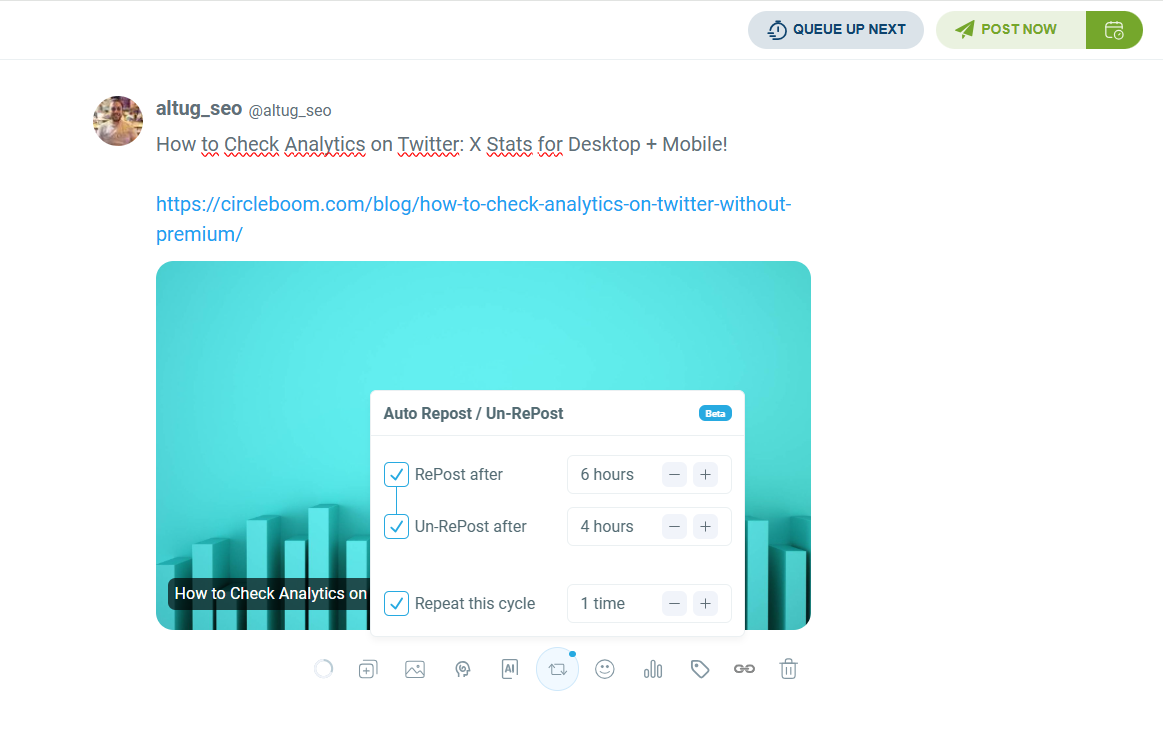
At this point, I would like to introduce Circleboom's Auto-Retweet feature that allows you set time intervals when you create your post to automatically retweet it without any further intervention.
What Engagement Actually Means on X
Before talking about how to increase it, you need to understand what engagement includes. On X, engagement is any action taken on your content, such as:
- Likes
- Replies
- Retweets
- Quote tweets
- Bookmarks
- Shares to DMs
- Profile visits
- Link clicks
- Video views
These interactions matter because they show your content is relevant—and when people engage, the algorithm pushes your tweets even further.
 Fatih Kemal Oksuzoglu
Who will engage? This is the question!
It doesn't matter how large your audience is. What matters is how relevant it is. That is exactly why you need to learn how to properly narrow down your target audience. There is no point in gathering unrelated people who won’t show interest in your content. Think quality over quantity: you need to build a smaller audience that will actually care about your content and drive engagement.
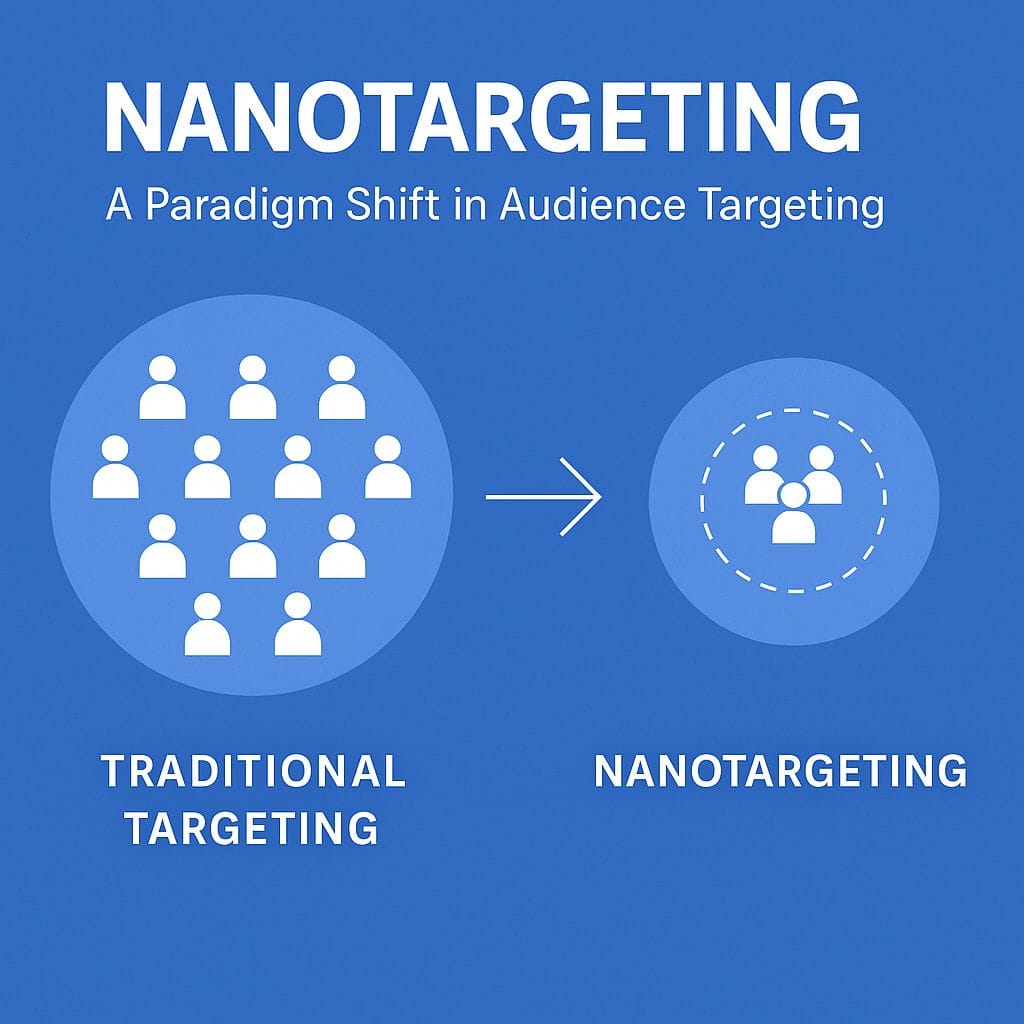
This is where nanotargeting comes in. I won't dive into the details of nanotargeting here, but if you want to learn more, you can find the details in this post ⬇️
 Altug Altug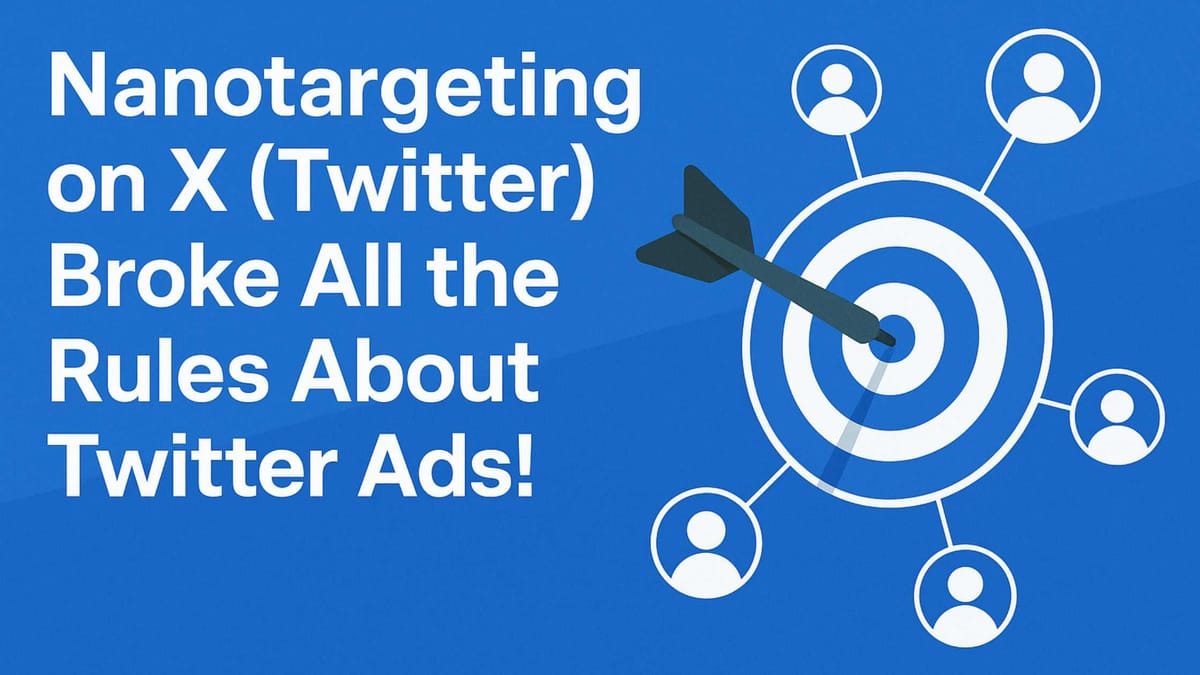
But again, none of these happen without impressions.
Why Engagement Depends on Impressions
It sounds simple, but it’s the core of everything:
If people don’t see your tweets, they cannot engage with them.
The algorithm decides what tweets get visibility. And visibility creates the opportunity for engagement. Once a tweet gets a certain amount of impressions, it enters a growth loop:
More impressions → More engagement → More algorithm reach → Even more impressions
This means the real question you should focus on is:
How do you increase your impressions?
This is the part most people get wrong. They post at random times. Their tweets die after 20 minutes. Their audience is offline when they post. And that is why engagement never grows.
I went through the same thing—until I started using Circleboom Twitter.
Why Circleboom Twitter Is the Best Tool for Increasing Engagement
Circleboom Twitter gives you something X doesn’t:
a system for boosting impressions consistently and safely.
Since it’s an official X Enterprise Customer, everything works through safe, compliant API limits. No risky automation, no spammy behavior, no danger to your account.
What makes Circleboom so effective is a powerful combination of three things:
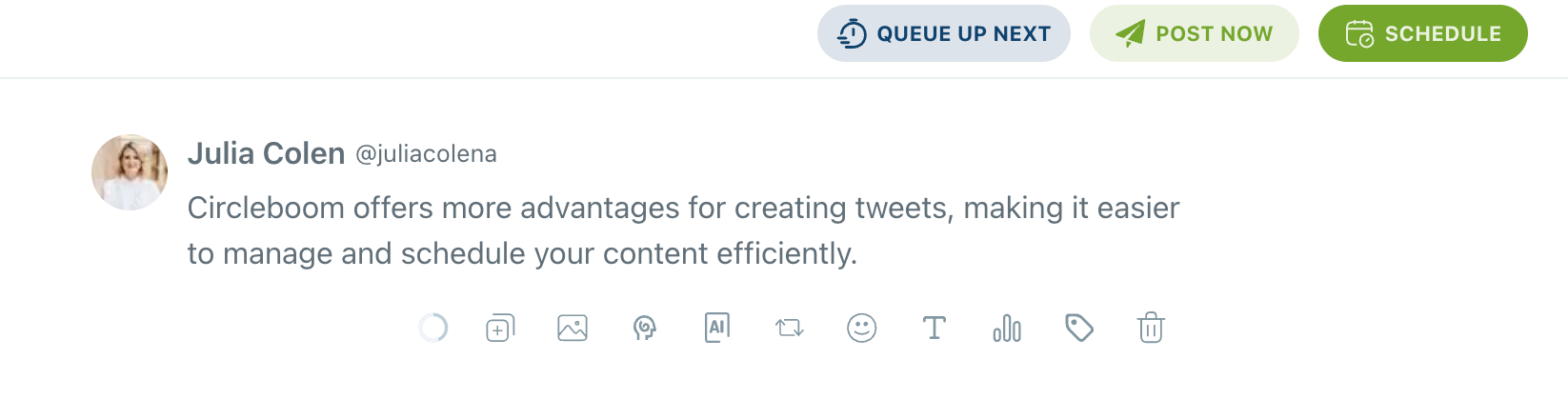
1. You can create tweets directly inside the scheduler.
The editor is clean, simple, and perfect for organizing your posting routine.
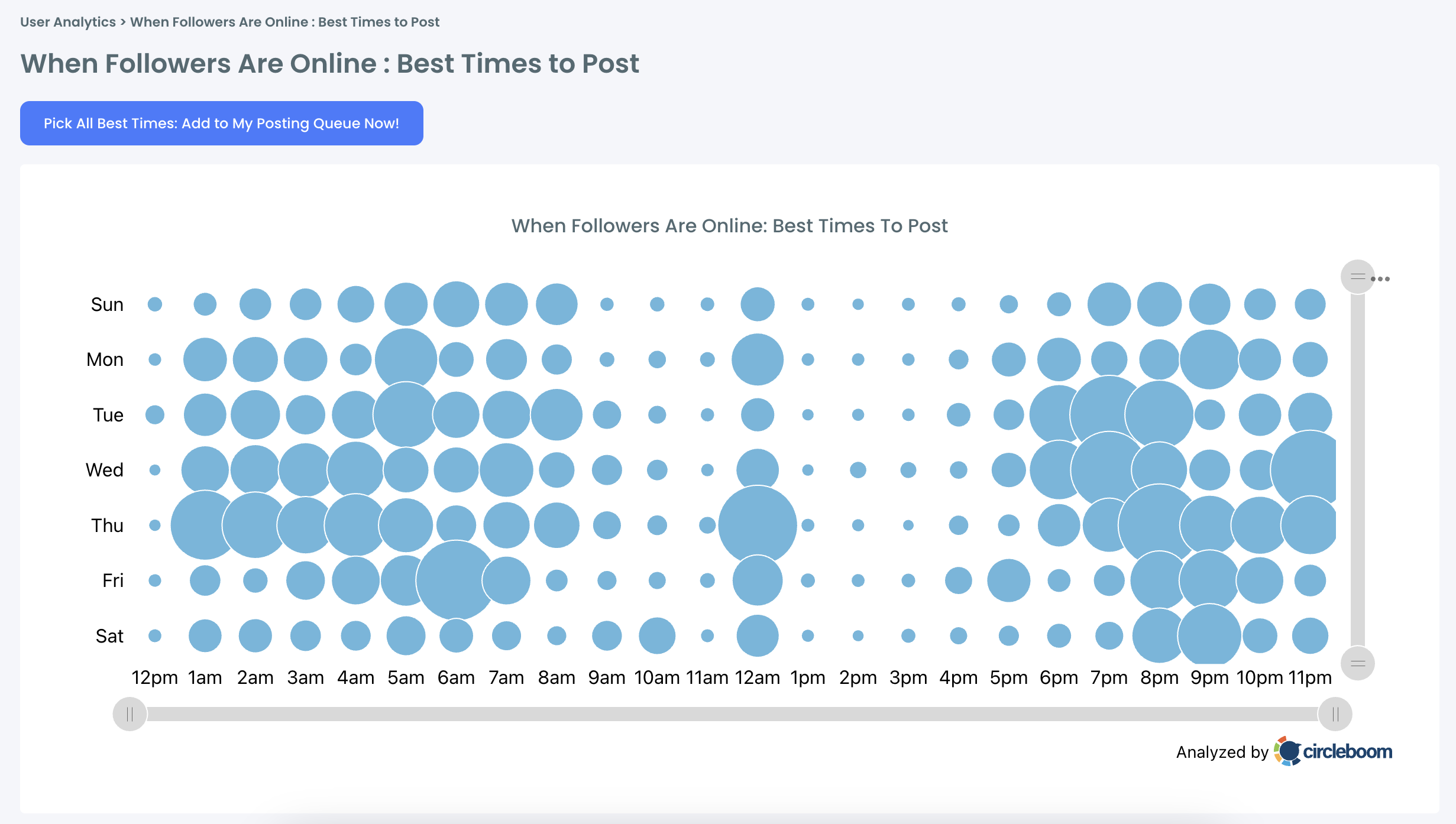
2. Circleboom finds the best times to post.
It analyzes your followers’ active hours and highlights the exact time windows when your audience is online and ready to engage.
3. The Auto Retweet feature is the real engagement booster.
This is the key.
Your tweets don’t die after 20–30 minutes, they keep getting resurrected.
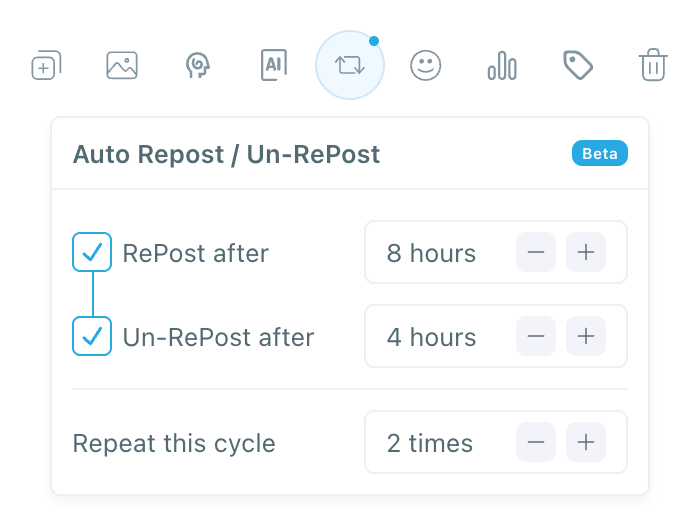
Circleboom automatically retweets your tweet at safe intervals. Each retweet pushes your post back into timelines and boosts impressions dramatically.
Most users see 3x–5x more impressions just from Auto Retweets alone.
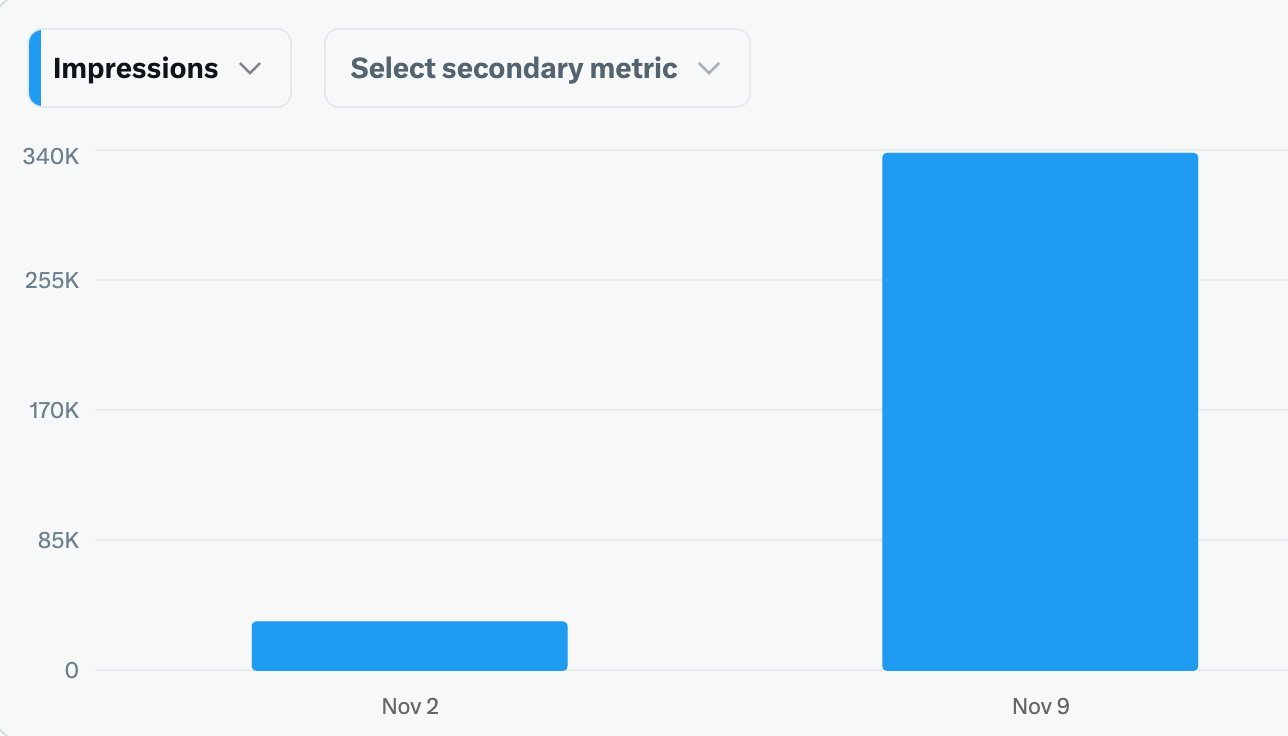
And once your impressions increase, your engagement rises naturally.
How to Increase Impressions (and Engagement) With Circleboom Twitter
Here’s exactly how I use it step-by-step:
Step #1: Log into Circleboom Twitter and open X Post Planner

After logging in with your X account, go to the left-hand menu and click on “X Post Planner + AI Writer.”
Click the “Write & Plan Your Post” button to begin crafting your tweet.
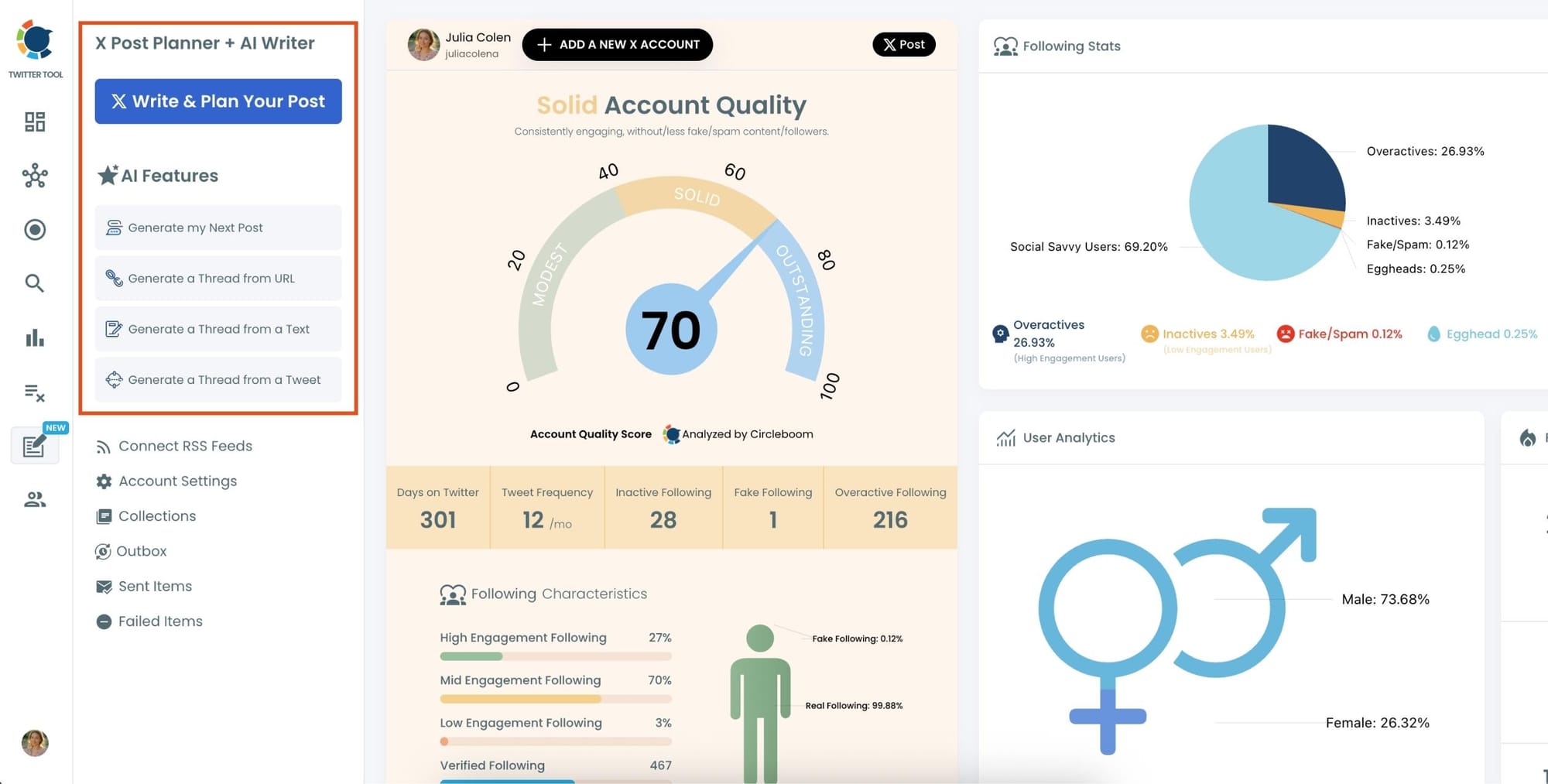
If needed, you can also use the built-in AI tools to generate your next tweet or create a thread from a URL, a block of text, or even another tweet.
Step #2: Add visuals to enhance your post
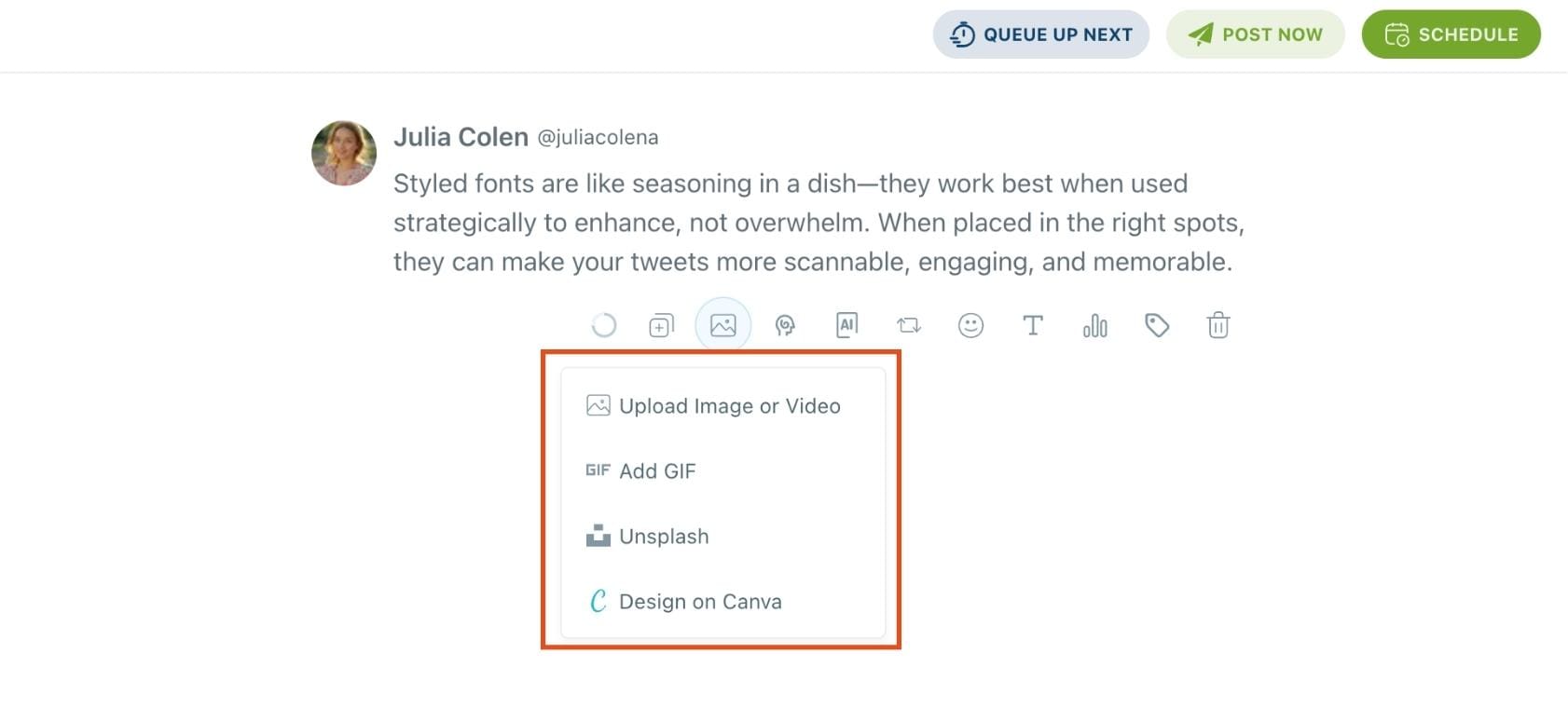
You can upload images or videos, add a GIF, pull high-quality photos directly from Unsplash, or design something custom using Canva—all without leaving Circleboom.
These media options are available under the image icon in the editor.
Step #3: Use AI to write and improve your text
You can create a new tweet or rewrite your tweet with the AI Tweet Generator to make it more punchy, add emojis or hashtags, fix grammar, rephrase for clarity, or even continue writing where you left off.
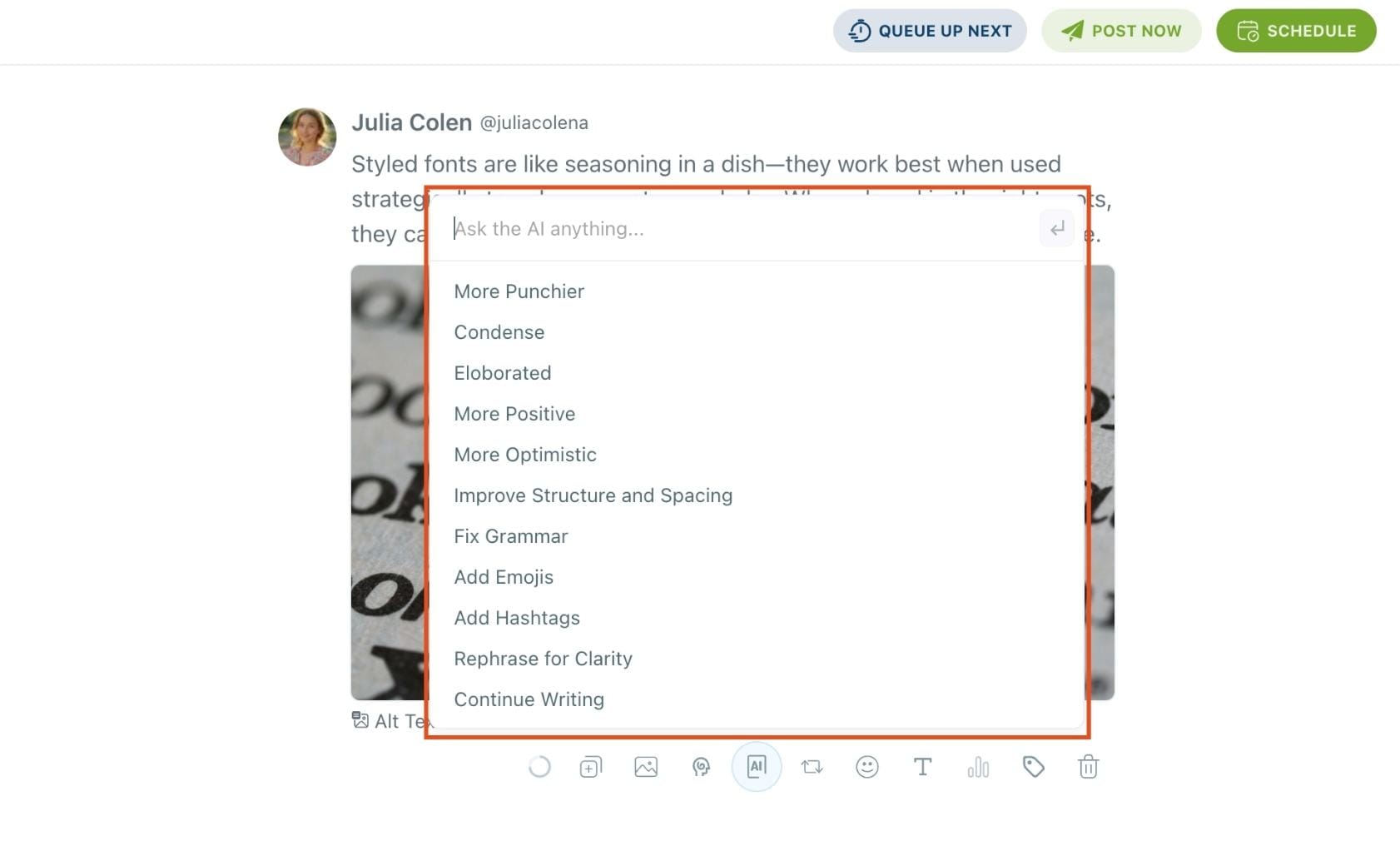
The AI tools are designed to match your tone—whether you want something professional, casual, or energetic.
Step #4: Highlight text and apply a font style.
Select the part of your tweet you want to style. Click the Font & Styling (T) option.
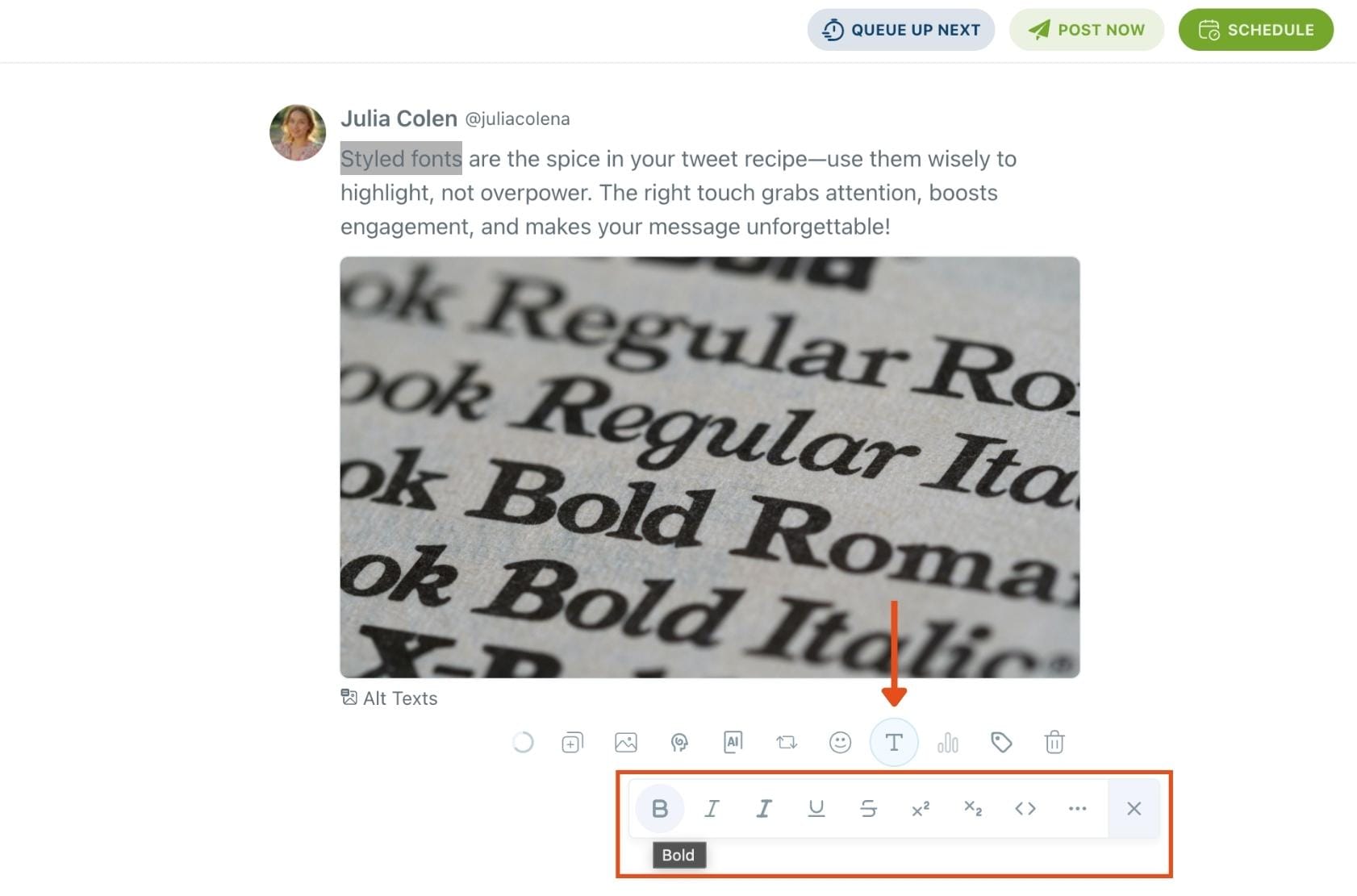
You’ll see a dropdown with options like:
- Normal Text
- Fullwidth
- Fraktur / Fraktur Bold
- Double Struck
- Cursive Script
- Circled / Circled Inverse
- Squared / Squared Inverse
- Inverted
…and more.
Step 5: Set auto-repost to increase visibility
You can turn on the Auto Repost feature to reshare your tweet automatically.
Set how long to wait before reposting, when to un-post it, and how many times to repeat the cycle.
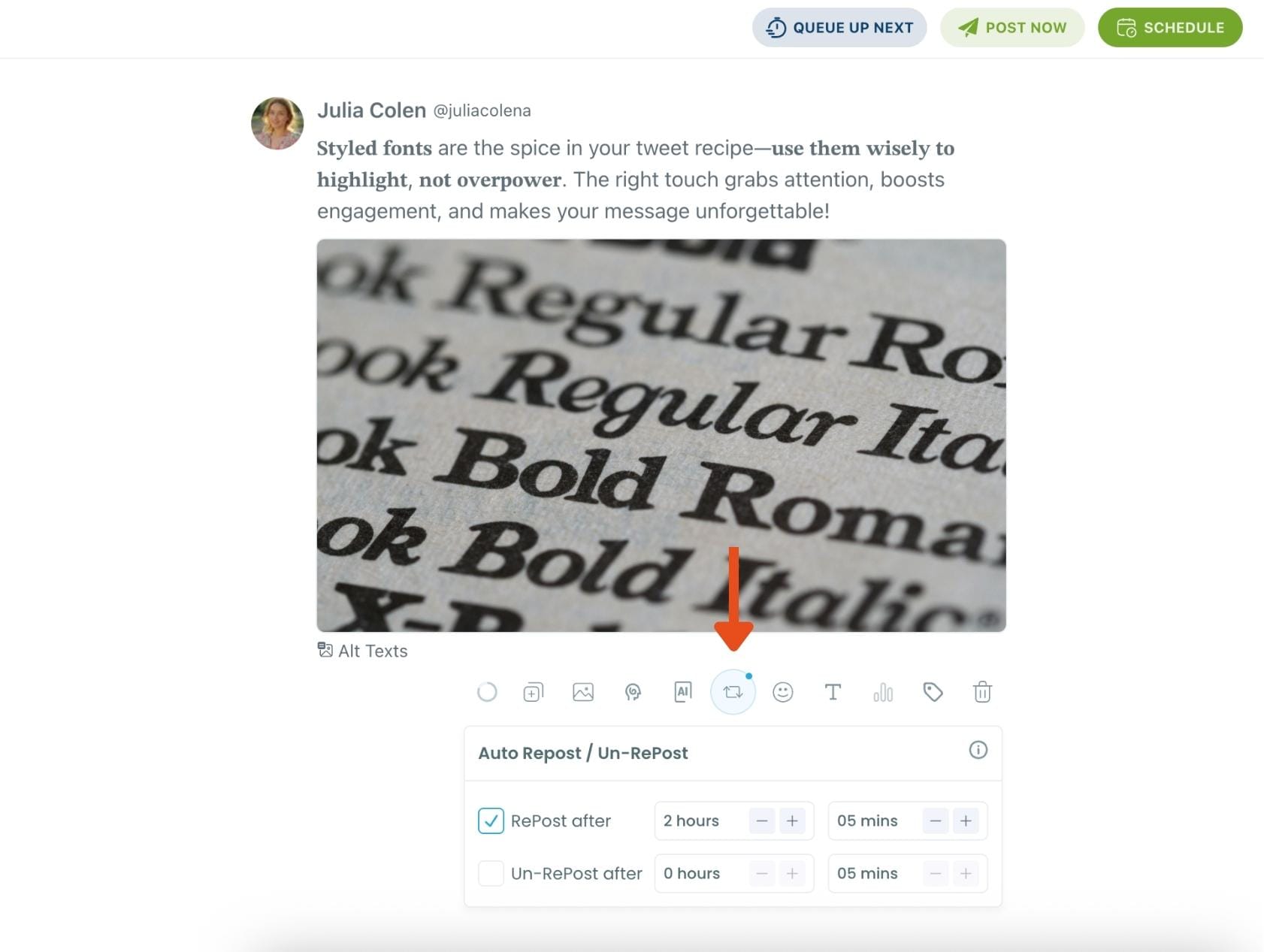
This is a useful way to reach followers across different time zones without any manual effort.
Step #6: Post or schedule your tweet
Once your tweet is ready, you can choose to post it immediately or click the green “Schedule” button to post it later.
You can choose the exact date and time or let Circleboom suggest the best posting time based on your audience activity.
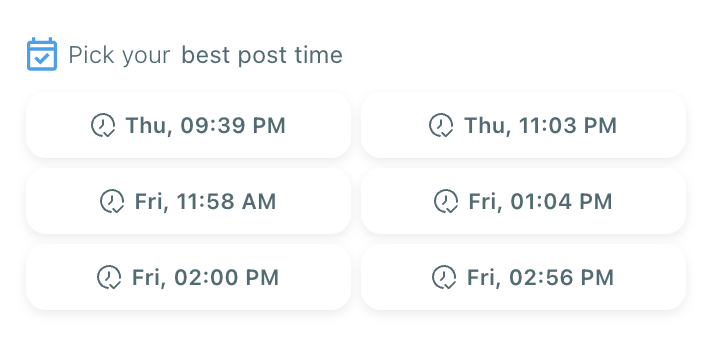
Your tweet will be automatically published at the optimal moment.
Bonus Tip: Cross-post to other platforms
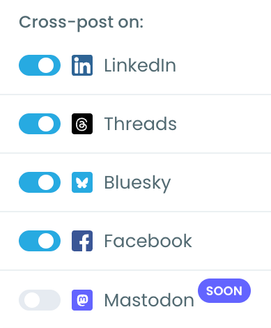
You can publish your tweet not just on X, but also on LinkedIn, Threads, Bluesky, and Facebook—all from the same screen.
Just toggle the platforms you want, and Circleboom will handle the rest.
This strategy completely transformed my engagement.
Extra Tips to Boost Engagement After Increasing Impressions
Once visibility improves, you can maximize engagement by doing a few simple things:
- Keep tweets short and clear
- Use visuals when relevant
- Ask easy, direct questions
- Write curiosity-driven hooks
- Interact with others right before posting
- Join meaningful conversations, not random trends
- Use simple language and avoid overthinking your tweets
These tactics help—but they only work well if impressions are already strong.
Final Thoughts
People often ask, “How do I get more engagement on X?”
The answer is simple:
➡️ Increase your impressions first. Engagement comes after.
When your tweets reach more people, every like, retweet, and reply multiplies. And Circleboom Twitter makes this process easy by letting you:
- create tweets
- schedule posts for peak times
- boost visibility with Auto Retweet
- work safely as an official X partner
If you start focusing on impressions instead of obsessing over engagement metrics, you’ll see your results change almost instantly.
)
