

My Twitter account once hit a milestone I wasn’t expecting — thousands of new followers in just a few days. But when I looked closer, something felt off. Most of these new followers had no profile pictures, no tweets, or suspicious links in their bios.
They weren’t real people. They were bots. Why do bots follow me? ⬇️
 Altug Altug
Blocking them one by one would take hours, maybe even days. That’s when I realized I needed a way to mass block followers on Twitter — safely, quickly, and without risking my account.
 Fatih Kemal Oksuzoglu
Why You Might Need to Mass Block Followers
Getting new followers feels great, but not all followers are good for your account. Some can actually hurt your performance and credibility.
Here’s why you might need to mass block followers:
🔴 Bot and fake followers: These accounts never engage but make your analytics look worse.
🔴 Spam or scam accounts: Often created to promote gambling, adult sites, or crypto scams.
🔴 Inactive users: Accounts that haven’t posted for years, lowering your engagement rate.
🔴 Irrelevant audiences: People who aren’t interested in your content but clutter your feed.
Blocking such accounts helps you keep your audience authentic and improve engagement quality, which also helps your tweets perform better in the algorithm.
Why Twitter Doesn’t Offer a Mass Block Feature
You might think Twitter would have an easy way to mass block people, but it doesn’t.
The platform only allows manual blocking, one account at a time. This design prevents misuse or automated spam actions.
The problem? If you have hundreds or thousands of fake followers, blocking them manually is almost impossible.
And while there are many third-party tools claiming to do “mass blocking,” most of them are unsafe — they can exceed Twitter’s API limits and even risk getting your account suspended.
That’s why it’s crucial to use an Enterprise X Customer like Circleboom Twitter, which works within Twitter’s safety rules.
The Best Way to Mass Block Followers: Circleboom Twitter
Circleboom Twitter is an Enterprise Developer Customer of X (Twitter), trusted by thousands of users to manage their followers safely.

It allows you to find, filter, and mass block fake, spammy, or inactive followers — all in one place.
With Circleboom, you can:
🟢 Detect fake or bot followers automatically.
🟢 Apply smart filters (activity, verification, ratio, profile image, etc.).
🟢 Select multiple accounts and block them at once.
🟢 Stay fully compliant with Twitter’s automation and API rules.
Everything happens through Circleboom’s clean, user-friendly dashboard — no scripts, no risks, no manual chaos.
How to Mass Block Followers on Twitter
Here’s how you can do it safely and effectively using Circleboom:
Step #1: Land on the Circleboom Twitter dashboard.
If you don't have an account yet, get one, it takes only a minute.
Step #2: On the dashboard, hover on the left menu.
Find "Followers" and "All My Followers".

Step #3: All your followers will be listed. You can mass block all your followers if you wish.
Alternatively, you can apply filters to find inactive, spammy, ghost, and unwanted followers.

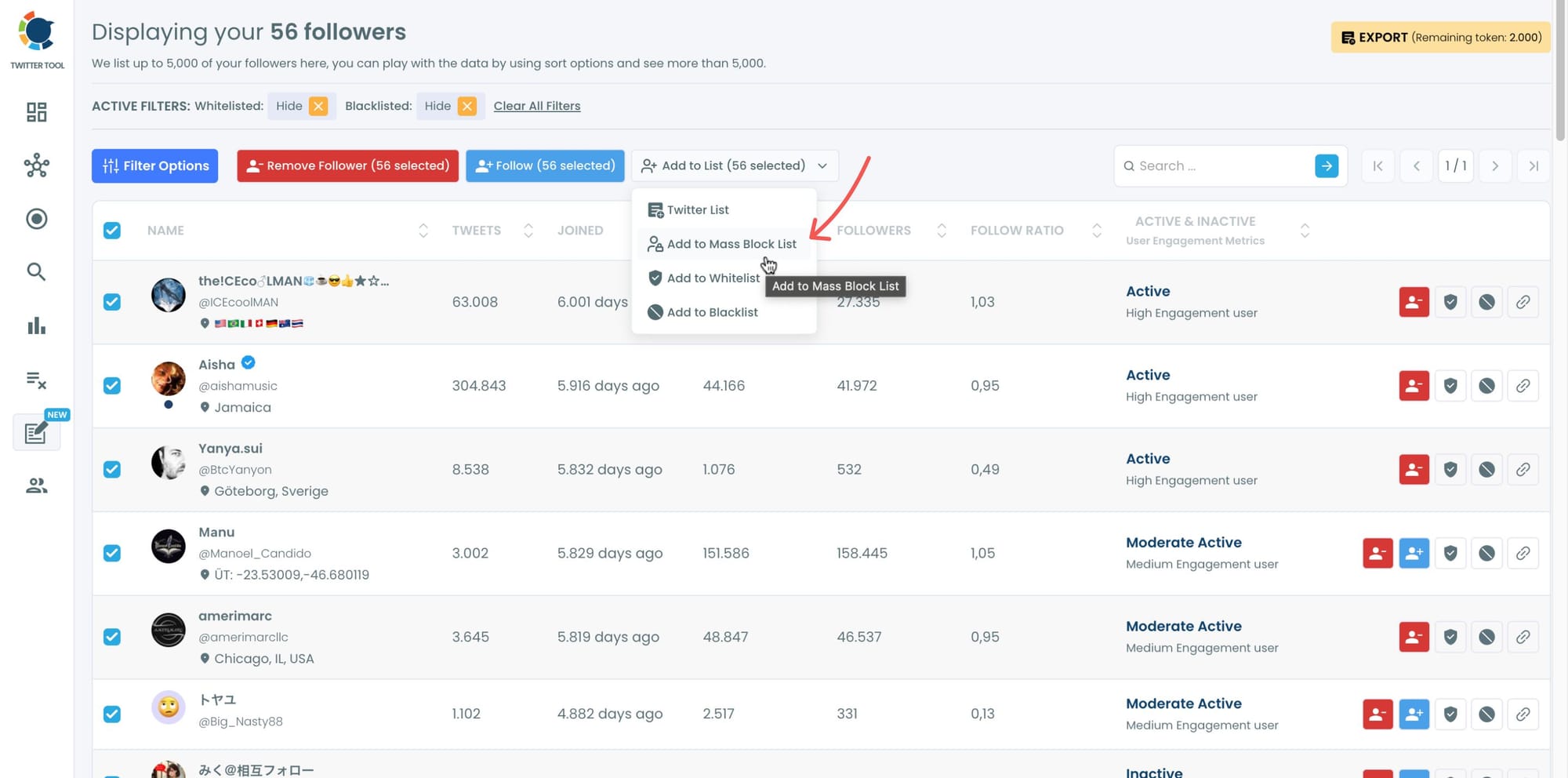
Step #4: After filters applied, now you should select accounts.
You can select some or all to mass block. I selected all! Then, you should click on "Add to Mass Block List".
Step #5: A new window will welcome you, stating that you should download Circleboom's Twitter Mass Block Extension.
If you haven't downloaded it yet, click on "click here" and move forward. If you have this extension, click on "Add to Mass Block List".

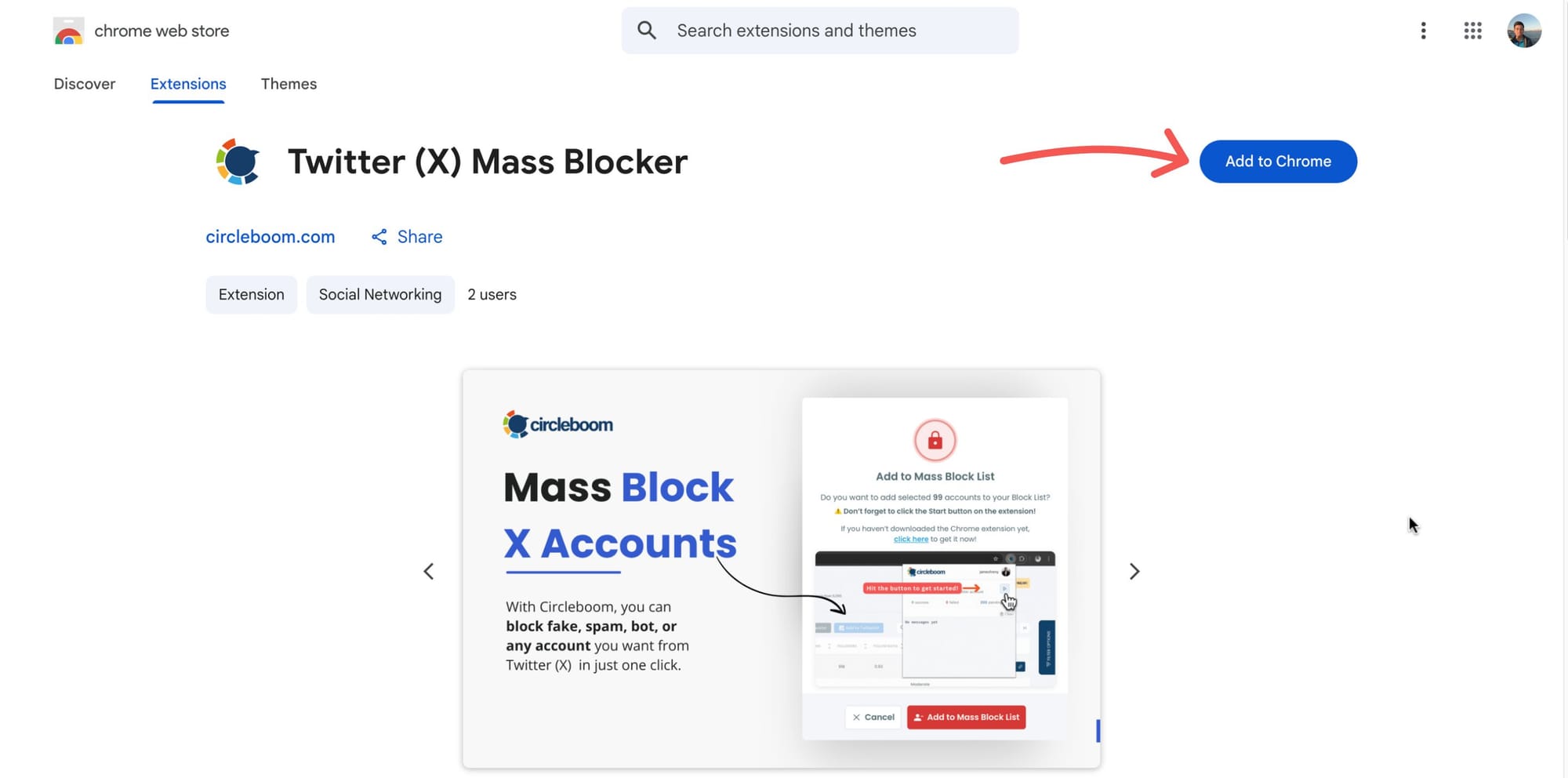
Step #6: You will be directed to the Chrome Extension page.
Please click on "Add to Chrome".
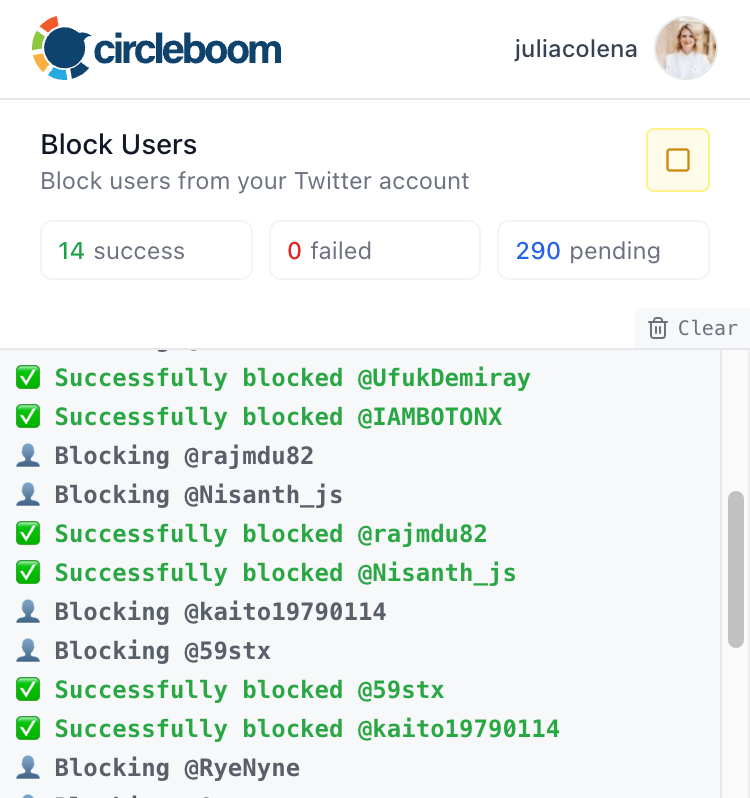
Then your process will start.
Now, you can mass block your spammy, bot followers on Twitter with Circleboom.
Bonus: Mass Block Followers or Followings of Any Other Account
Circleboom also lets you block the followers or followings of any other X user.
For example, if you don’t want to interact with a specific community or influencer’s audience, you can block them all in one go.
Step #1: You should go back to the Circleboom dashboard and find "Mass Block X Accounts" on the Essential Toolbox.

Step #2: You will be directed to the Account Search module. There are two options: "Display Following" and "Display Followers".
After choosing one of them, you need to enter a Twitter username to mass block followers or followings.
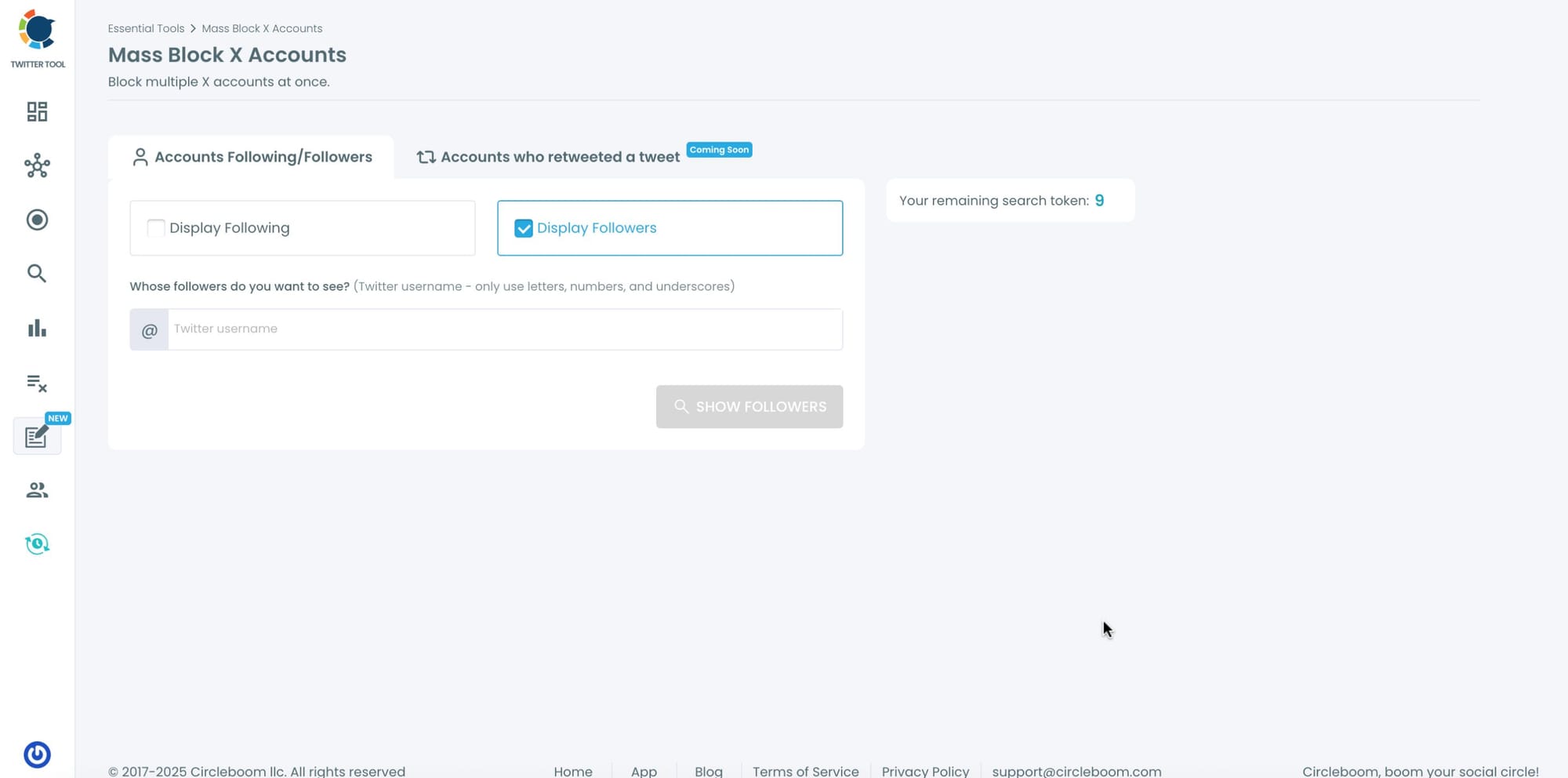
Step #3: I search for the followers of Andrew Tate. His opinions about women are very cruel, so I don't agree with them.
I don't want to see a post published by any of his followers so I wanted to mass block them. Circleboom listed all his followers.

Step #4: After you have selected all the accounts listed here, you should first click on the "Add to Mass Block List" at the top.
Then a new window will appear. There, you should click on the "Add to Mass Block List".

That's it! Now, you can mass block multiple Twitter accounts with Circleboom!
You can even repeat this process to block the followers of a spammy profile or the retweeters of a specific tweet. It’s efficient, precise, and risk-free.
Why Circleboom Is the Safest Option
There are many tools that promise bulk blocking, but Circleboom stands out because it’s:
✅ Officially partnered with X (Twitter) — fully API-compliant.
✅ Fast and automated — block hundreds of accounts in seconds.
✅ Customizable — filter out exactly who you want to remove.
✅ Safe — no risk of suspension or policy violations.
✅ User-friendly — no coding, no confusion, just click and clean.
Final Thoughts
A clean follower base is a strong foundation for growth.
Fake and inactive accounts may look harmless, but they dilute your engagement, mislead analytics, and weaken your reach.
With Circleboom Twitter, you can mass block fake, bot, or unwanted followers safely and instantly — helping your account stay healthy, authentic, and algorithm-friendly.
If you’re ready to take control of your audience, start cleaning your follower list today with Circleboom.

