

Trying to understand someone’s activity on X can feel harder than it should be. You open their profile, check who they follow, come back later… and try to remember what changed. But that’s not really tracking. It’s just guessing.
If you want to actually monitor who someone follows, see new connections, and understand how their network evolves, X doesn’t give you that.
But there is a way to do it.
With Circleboom Twitter, you can track and monitor someone’s new follows and see exactly who they follow over time.
Can You See Who Someone Follows on X?
Yes, but only in a limited way.
When you open someone’s profile, you can view their “Following” list. But that list is static, and even X doesn't show the full following list of the other accounts. It doesn’t tell you what changed, who was followed recently, or when those actions happened.
 Arif Akdogan
There is no history, no tracking, and no way to see recent follow activity.
So while X shows you who someone follows, it doesn’t show you how their behavior changes over time.
What Is Circleboom Twitter?
Circleboom Twitter is an official X Enterprise Developer, meaning it works directly with X’s official APIs and follows platform rules safely.
The data you see is accurate, structured, and reliable.

But what really makes Circleboom different is how it transforms data.
On X, you can only see static information. You open a profile, scroll through a following list, and that’s it. There is no tracking, no history, and no way to understand what changed over time.
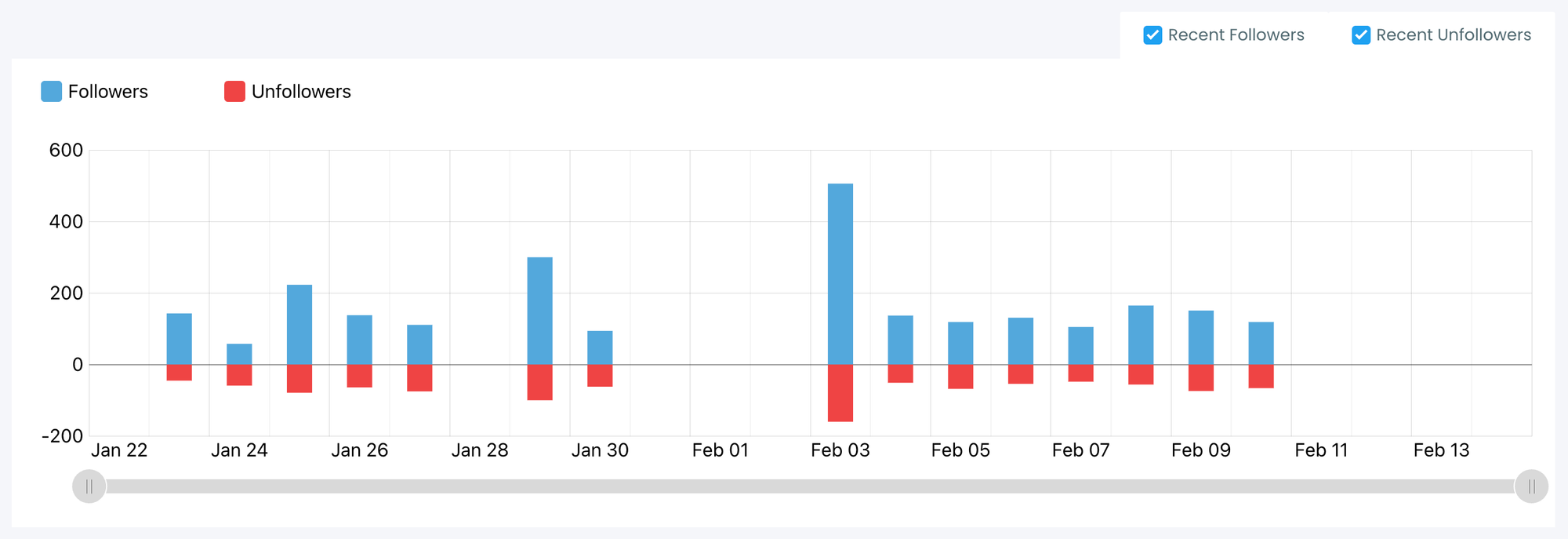
Circleboom turns this static data into something dynamic and trackable.
Instead of just viewing profiles, you can monitor activity and see how an account evolves over time. It collects changes, organizes them, and presents them in a clear way.
So instead of asking:
“Did they follow someone new?”
You start seeing:
“Who did they follow today, yesterday, and over time?”
How Circleboom Twitter Lets You Monitor Follow Activity
Circleboom doesn’t just show a following list, it actively tracks it.
Once you start tracking an account, Circleboom records changes and shows them as structured updates.
With it, you can:
- Track new followings → see exactly who someone recently followed
- Monitor unfollowed accounts → understand how their network changes
- View daily or weekly updates → follow activity over time, not randomly
- Access real account lists → not just numbers, but actual profiles
This means you don’t see something like:
“+15 followings”
You see:
“These are the 15 accounts they followed.”
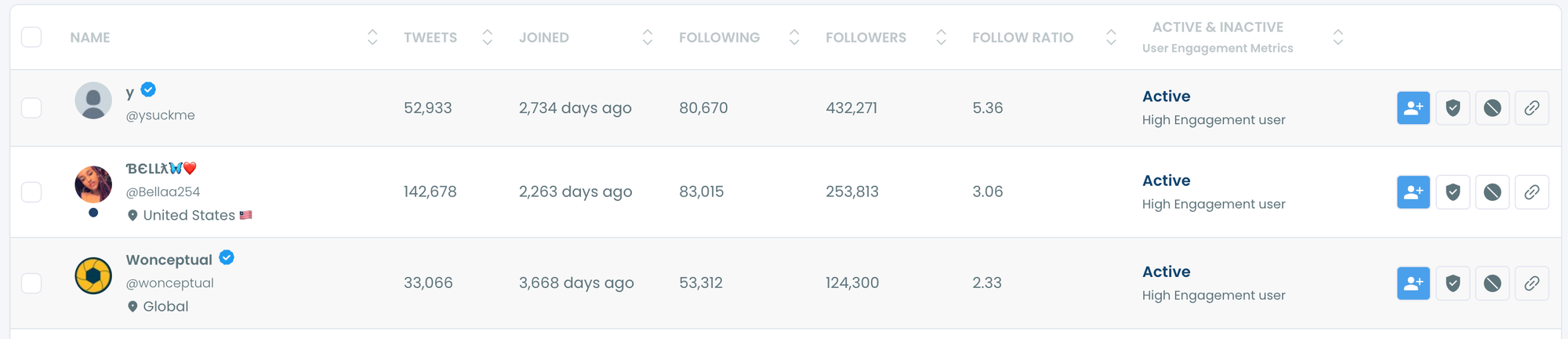
And that’s what makes it powerful.
You can explore those accounts, discover new people in your niche, and understand how others are building their network.
Circleboom doesn’t just help you monitor activity.
It helps you turn that activity into insight.
How to Monitor Who Someone Follows (Step-by-Step)
With Circleboom's Track Someone’s Most Recent X Followers and Following feature, you can track and analyze someone’s most recent X followers and following with detailed reports!
Here is how:
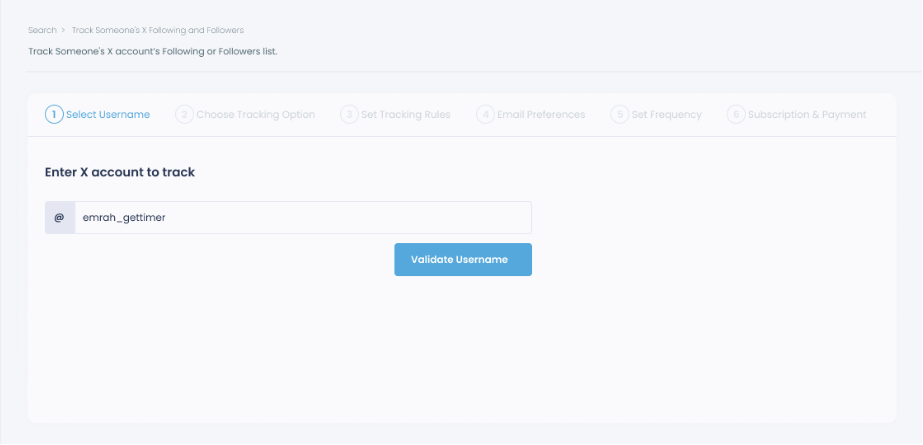
Step #1: Select any username you want to track on X.
You will track their recently followed audience.
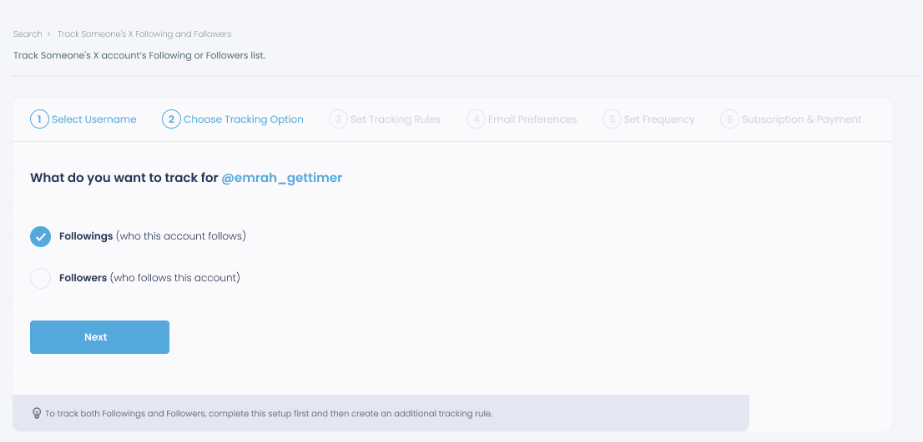
Step #2: Next, you will choose "Followings" or "Followers".
You should select one of the tracking options.
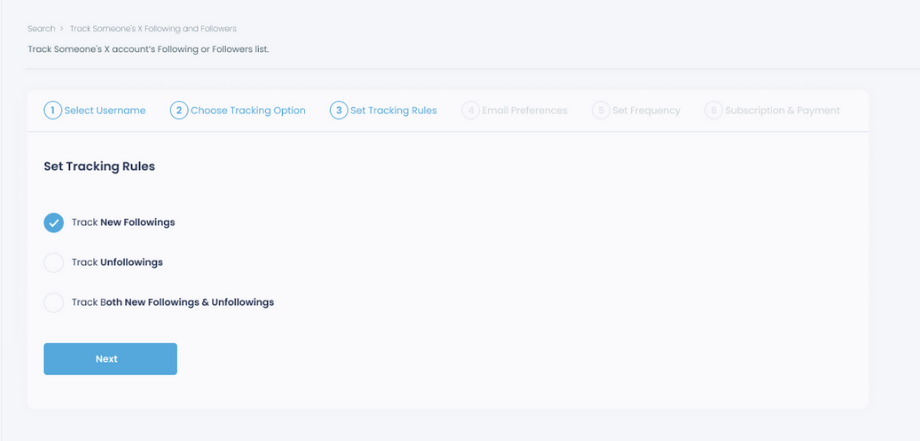
Step #3: Regarding the followings, you can track new, recent followings and unfollowings.
You can track both at the same time!
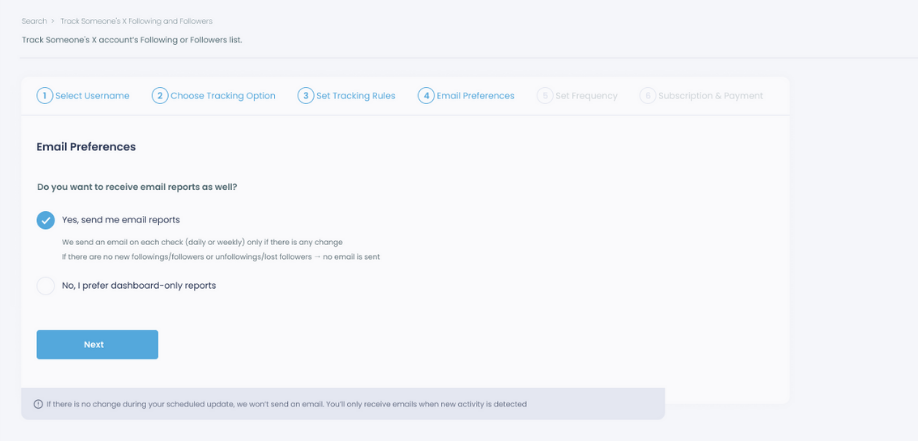
Step #4: For your tracking operations, you can receive email updates for each check.
You can still track new followings or followers without email notifications. You can monitor the following or followers with dashboard-only reports.
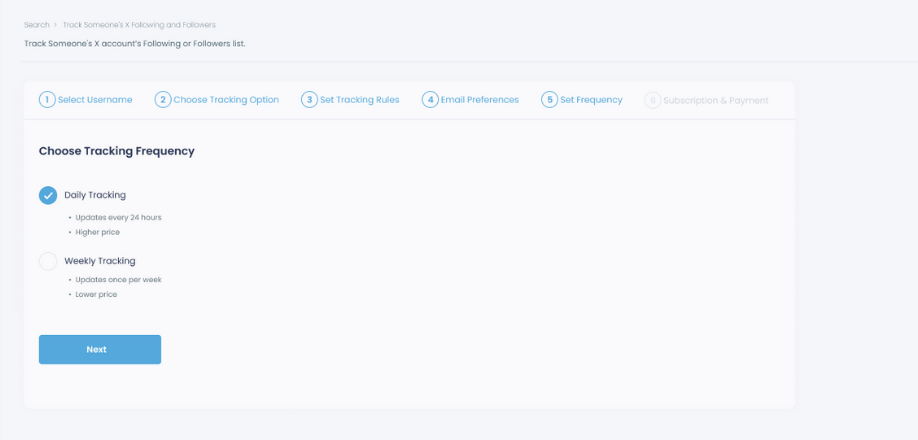
Step #5: Now, you should set the frequency.
You can get "Daily Tracking" or "Weekly Tracking".
Step #6: The next step is subscription.
After checking the rules, you can start tracking.
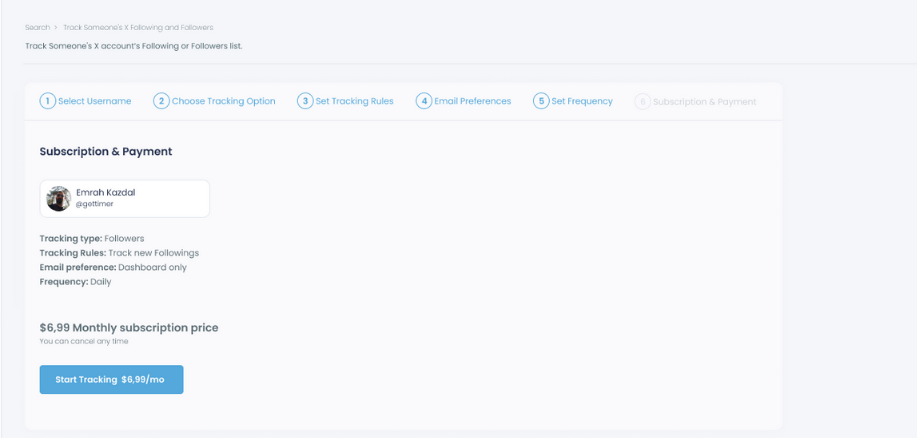
Tracking is now active.
That's it! Now you can monitor newly followings and followers of anyone on X with Circleboom!
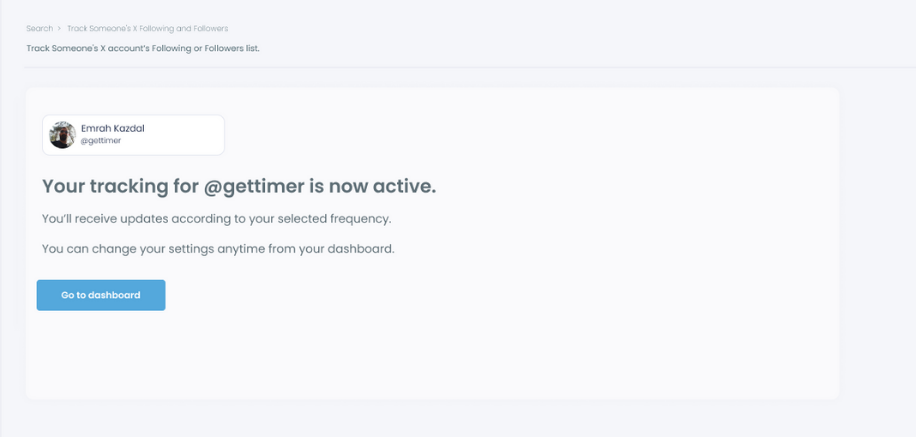
How Recently Following Tracking Works in Practice
I will show you a case study on Circleboom to show you the step-by-step process of how to track recent following and followers on X:
Step #1: Land in the Circleboom dashboard.
Under the "Monitoring" menu, find "Track Someone's X Account's Following and Followers".
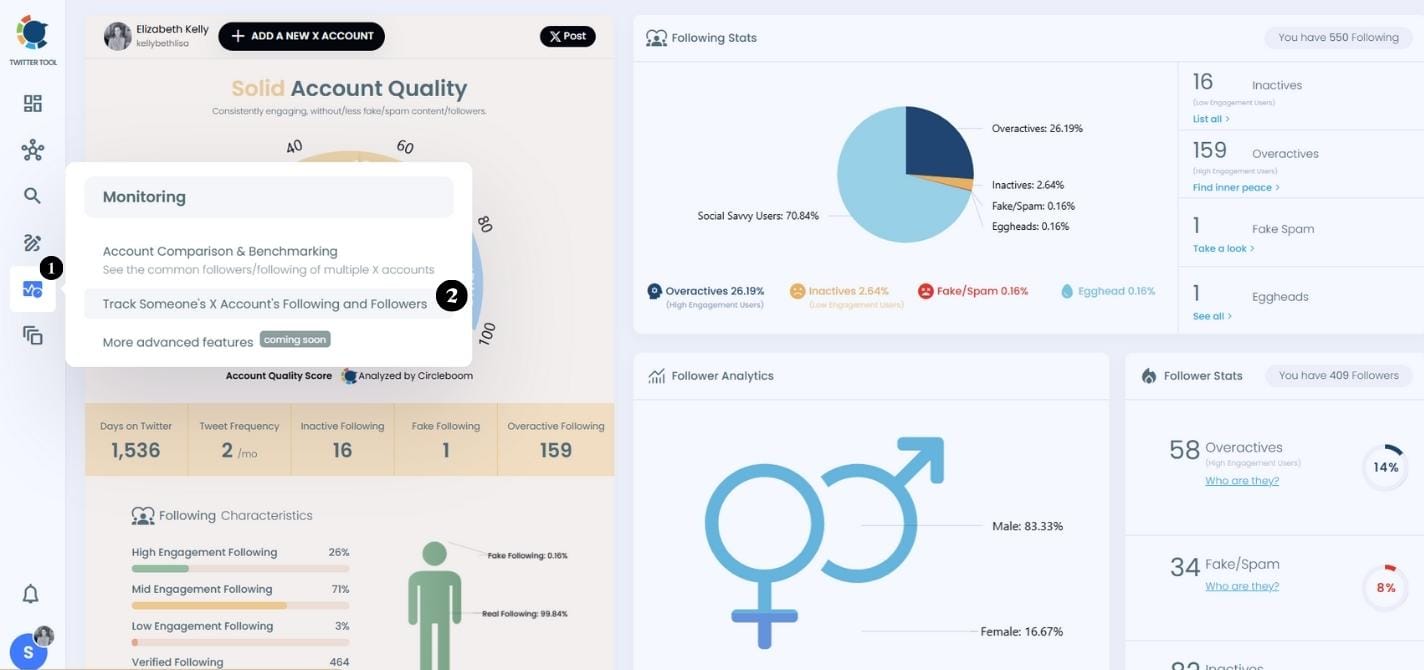
Step #2: I track many people and "CZ Binance" is one of them.
I want to track recent following of CZ Binance so maybe I can find new projects or partnerships.
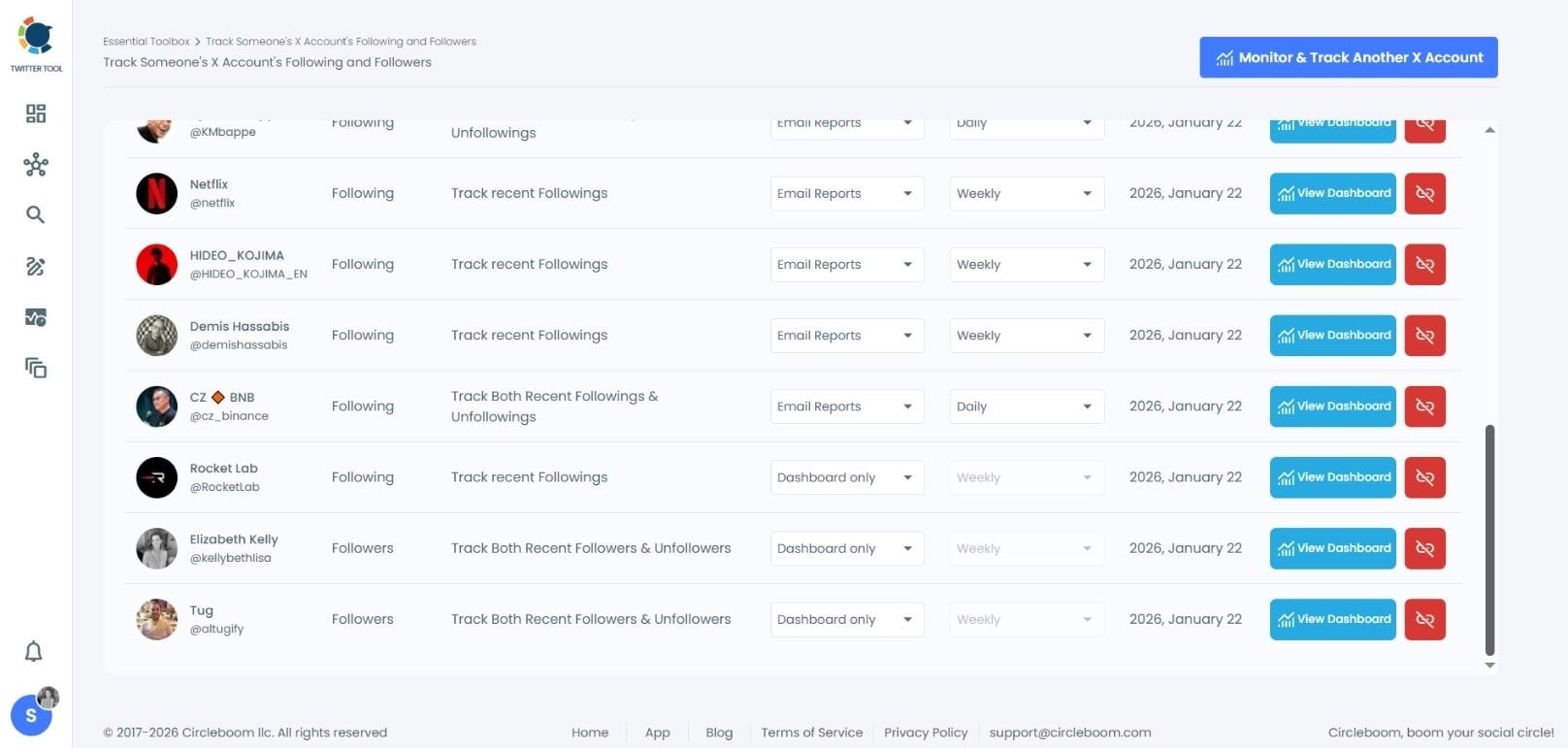
Step #3: I find "1" recent following of CZ Binance.
Who is this profile?
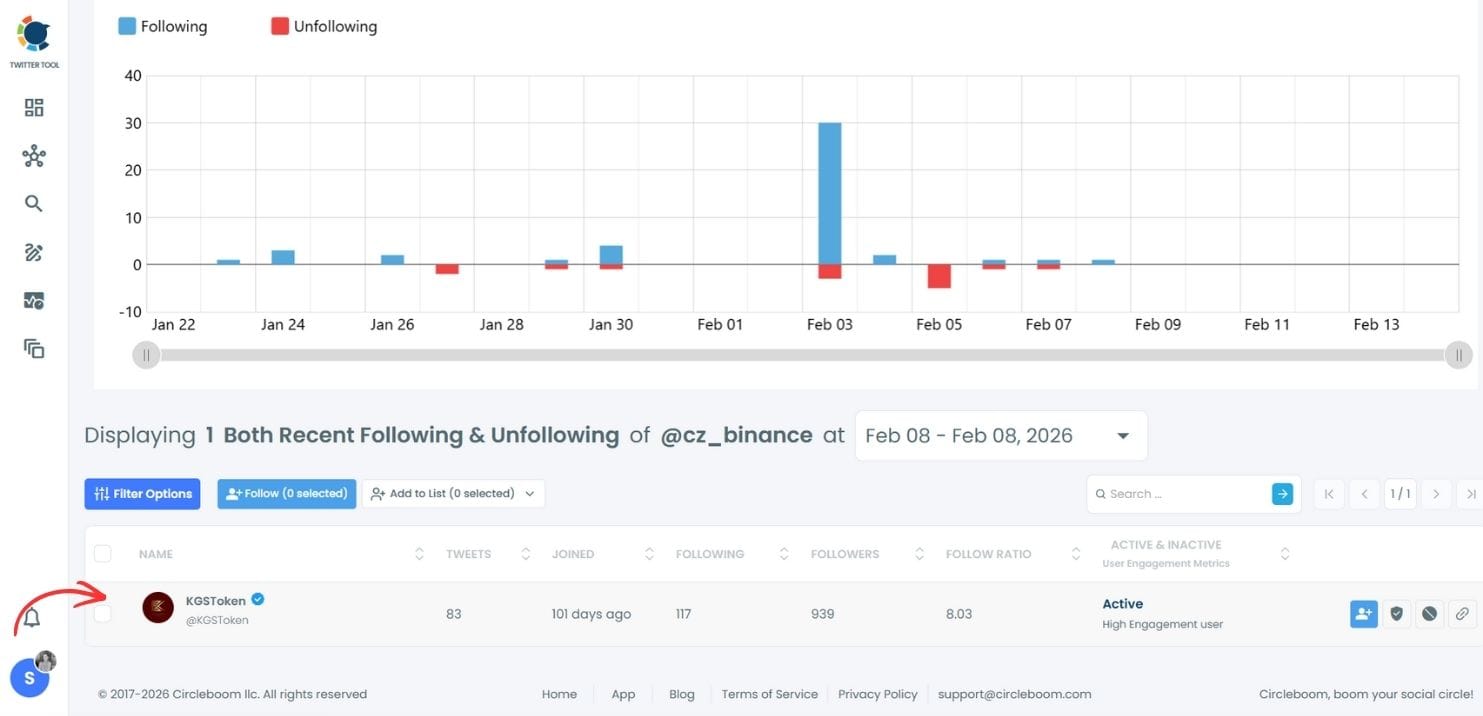
Step #4: It is the KGS Token, the national stablecoin of the Kyrgyz Republic.
Thanks to this, I learn it and I can explore possible collaborations.

Why Monitoring Follow Activity Is Useful
This is not just curiosity. It’s a strategy.
When you track who someone follows, patterns start to appear.
- You can analyze competitors and see who they are connecting with. Instead of guessing their strategy, you see it directly.
- You can discover new accounts in your niche. If someone consistently follows high-quality profiles, you can explore those same accounts.
- You can understand growth behavior. Some accounts follow strategically, others follow aggressively and unfollow later. Tracking reveals these patterns.
- You can spot trends and communities. When multiple accounts start following similar profiles, it usually signals something growing in that space.
And most importantly, you can improve your own strategy. Instead of searching randomly, you use real data to decide who to follow and engage with.
Turn Tracking Into Opportunity
Tracking is just the first step. What you do with that information is what actually matters.
When you see who someone follows, you can explore those profiles immediately. You can identify relevant users, check their content, and decide whether they are worth following.
This turns tracking into a discovery tool.
You’re not just watching someone’s activity. You’re using it to find better accounts, build a stronger network, and stay ahead in your niche.
Conclusion
So, can you monitor who someone follows on Twitter (X)?
Not with X itself.
You can see a list, but you can’t track changes, monitor activity, or understand patterns over time.
With Circleboom Twitter, you can track someone’s followings, see new connections, monitor daily changes, and view the exact accounts behind those actions.
Instead of guessing what changed, you see it clearly.
And once you start seeing those patterns, you’re no longer just observing activity.
You’re understanding it.
)
