
While scrolling through Facebook, one thing started to stand out more and more:
quote images were everywhere.
Not just random ones, but well-designed visuals with short sayings, song lyrics, or lines from famous people's posts that were quietly collecting likes, shares, and comments without needing long captions or explanations.

Some of them felt inspirational, some relatable, some emotional, but almost all of them had one thing in common: they worked.
That’s when the idea became obvious.
If people enjoy consuming quote posts this much, why not create them intentionally instead of just scrolling past them?
 Fatih Kemal Oksuzoglu
Why Quote Posts Work So Well on Facebook
Facebook is a platform where people tend to slow down more compared to fast-scrolling networks.
Users don’t just skim content; they pause, read, reflect, and react emotionally and quote posts fit perfectly into that behavior.
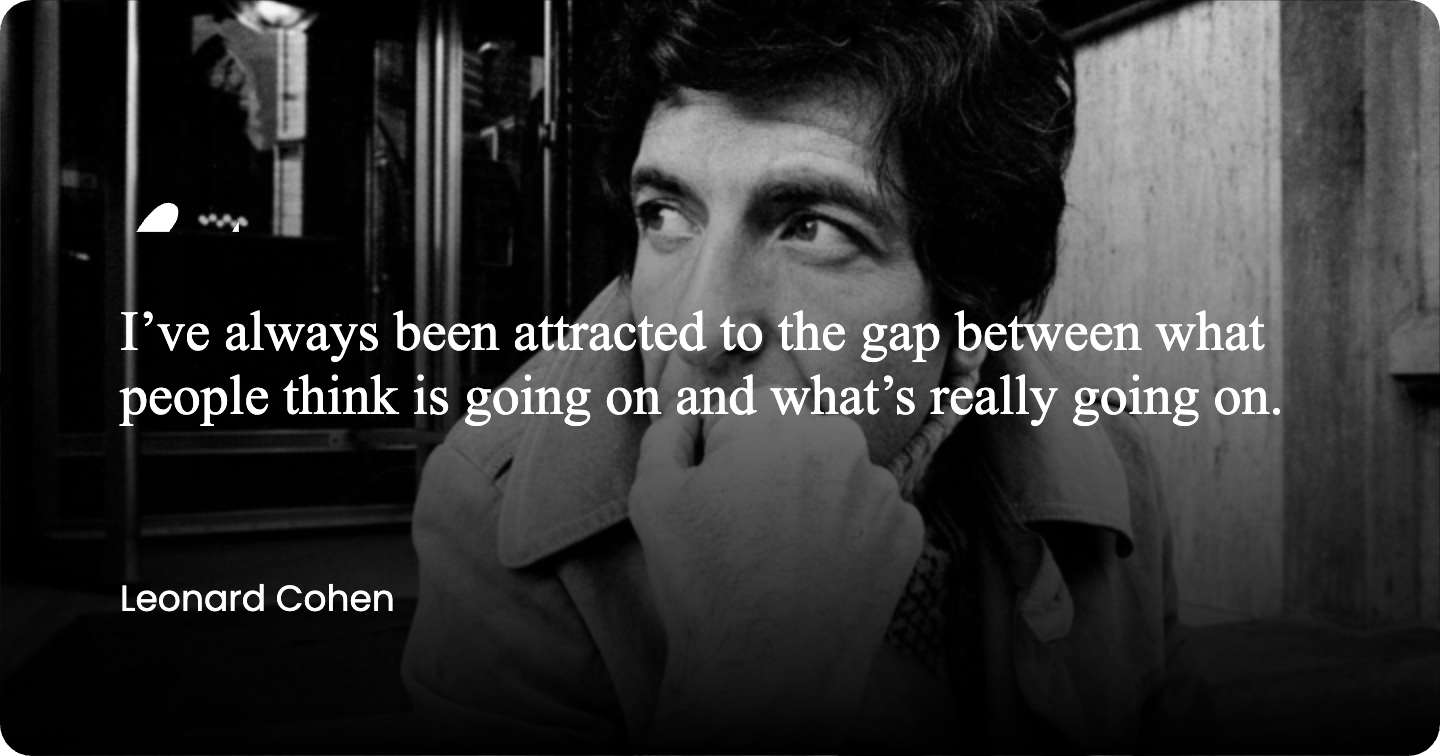
A well-written quote doesn’t demand attention aggressively. Instead, it gently pulls people in. It’s short, easy to understand, and often relatable enough that users feel the urge to like, save, or share it with others.
Some quote formats consistently perform better than others:
- Famous quotes from well-known people that feel timeless
- Song lyrics people already have an emotional connection with
- Motivational or self-reflective sayings
- Short thoughts that mirror everyday experiences
But noticing good quote posts is easy. Creating them consistently is where things usually get complicated.
Wanting to Create Quote Images (Without Design Skills)
At first, the idea of making quote images sounds simple. You write a sentence, put it on an image, and post it. In reality, it rarely works that smoothly.
Most people run into the same problems:
- Images don’t fit Facebook’s preferred dimensions
- Fonts feel awkward or hard to read
- Layouts look cluttered or unbalanced
- Too much time is spent fixing small visual details
The goal isn’t to design complex graphics. It’s simply to create clean, readable quote visuals that look good on Facebook without turning content creation into a design project.
The Best Free Tool to Create Quote Images: Circleboom Quote Maker
This is exactly where Circleboom’s Quote Maker becomes useful.


It’s a completely free tool, and unlike many “free” tools, it doesn’t come with hidden barriers. There’s: no login requirement, no ads to watch, no watermarks on your images, no forced upgrades.
You open the tool and start creating immediately, which makes it ideal for quick and consistent content creation.
More importantly, it’s designed specifically for social media quote posts, not generic graphic design. That focus makes the entire experience simpler and faster.
Circleboom Quote Maker removes the most frustrating parts of creating quote images.
Instead of worrying about technical details, the tool:
🟢 Automatically adjusts images to the ideal size for Facebook
🟢 Offers multiple layout styles that you can switch between instantly
🟢 Keeps text readable with clean typography
🟢 Allows you to upload your own background images if you want a custom look
🟢 Makes spacing and alignment feel natural instead of forced
You don’t design from scratch. You choose, adjust, and move on exactly how quote creation should feel.
Step-by-Step: How to Create a Quote Image for Facebook
Creating a Facebook-ready quote image with Circleboom takes only a few minutes and requires no design background.
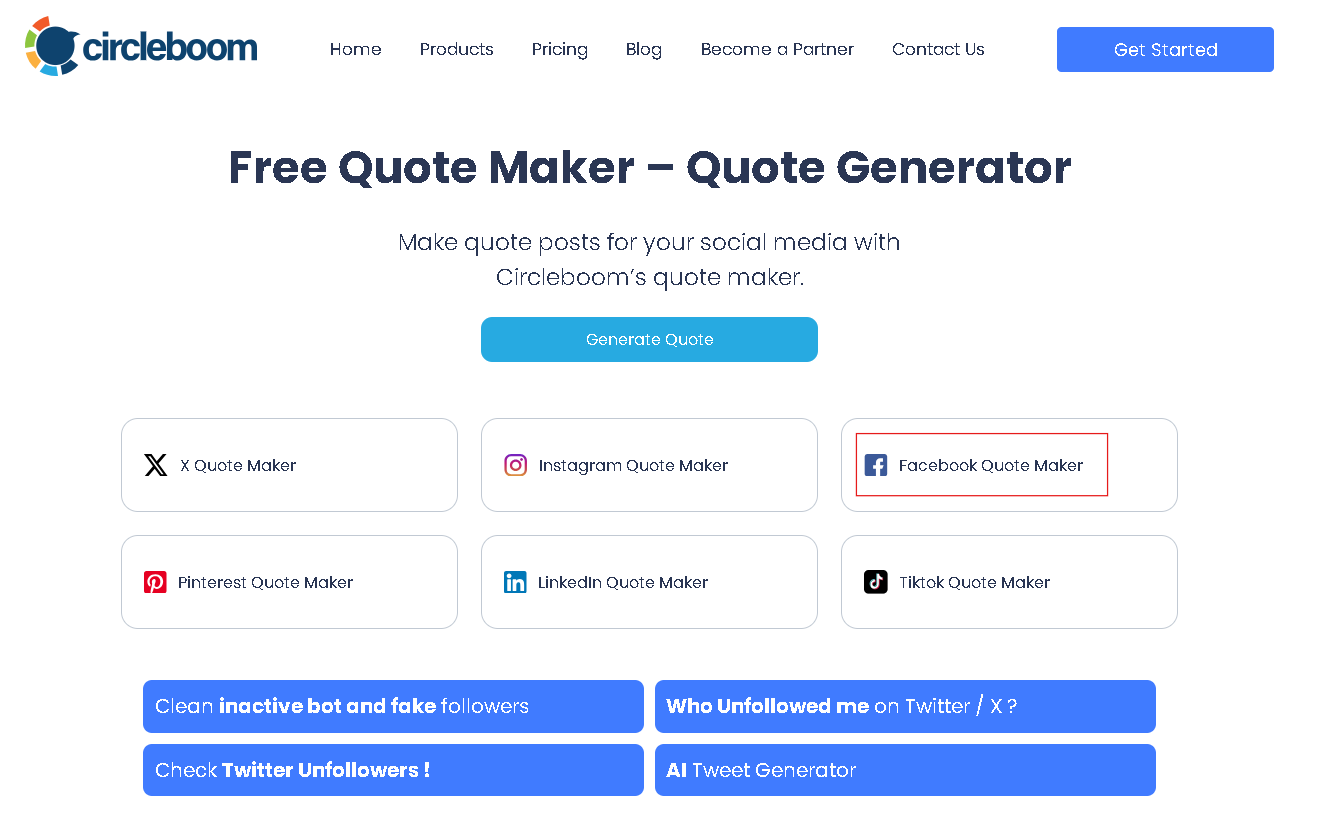
Step #1: Visit the Circleboom's free quote maker and choose "Facebook Quote Maker".
Step #2: Choose the desired image size and pick your layout.
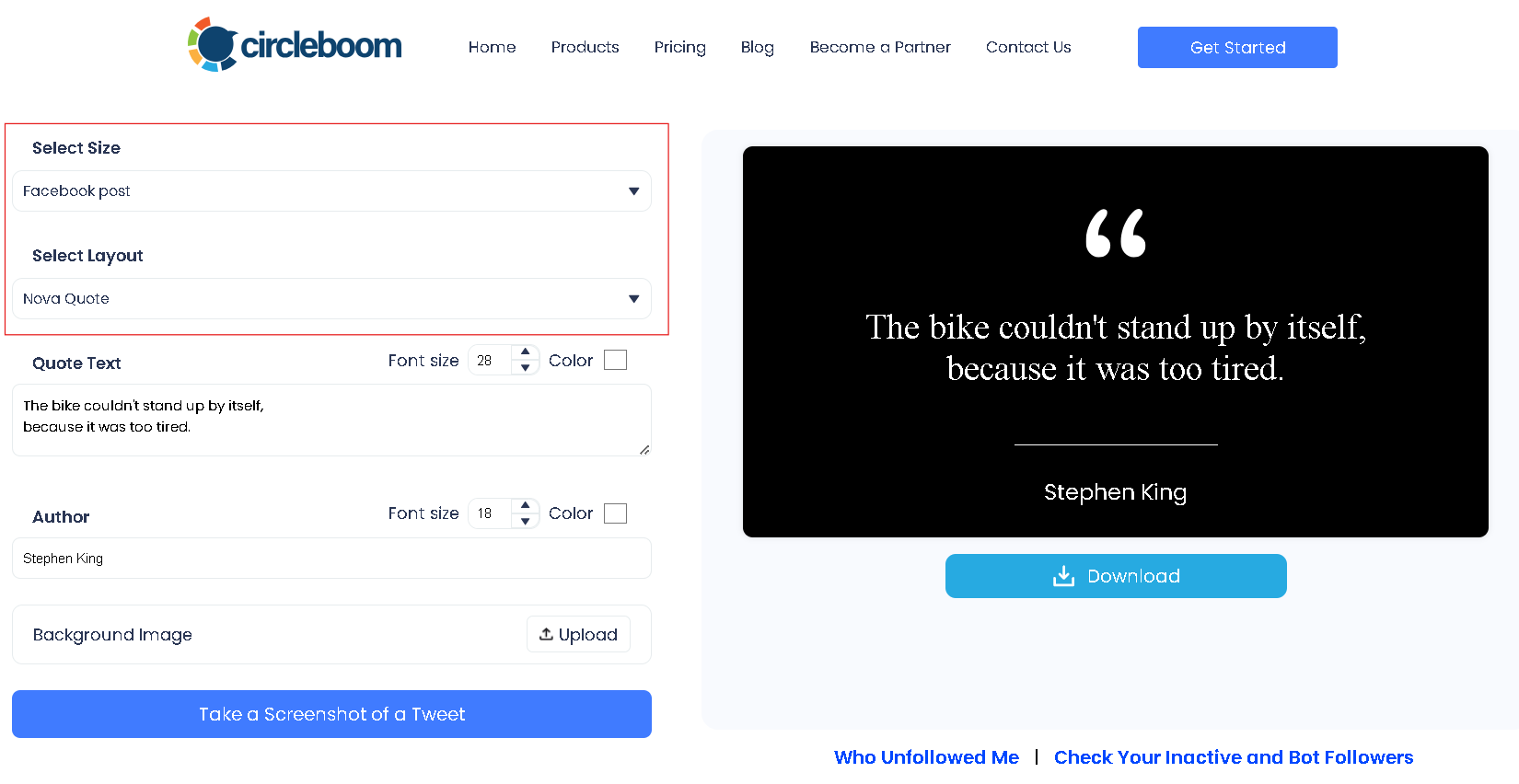
Step #3: Type down the quote and the name of the author. Also, choose your font sizes and colors.
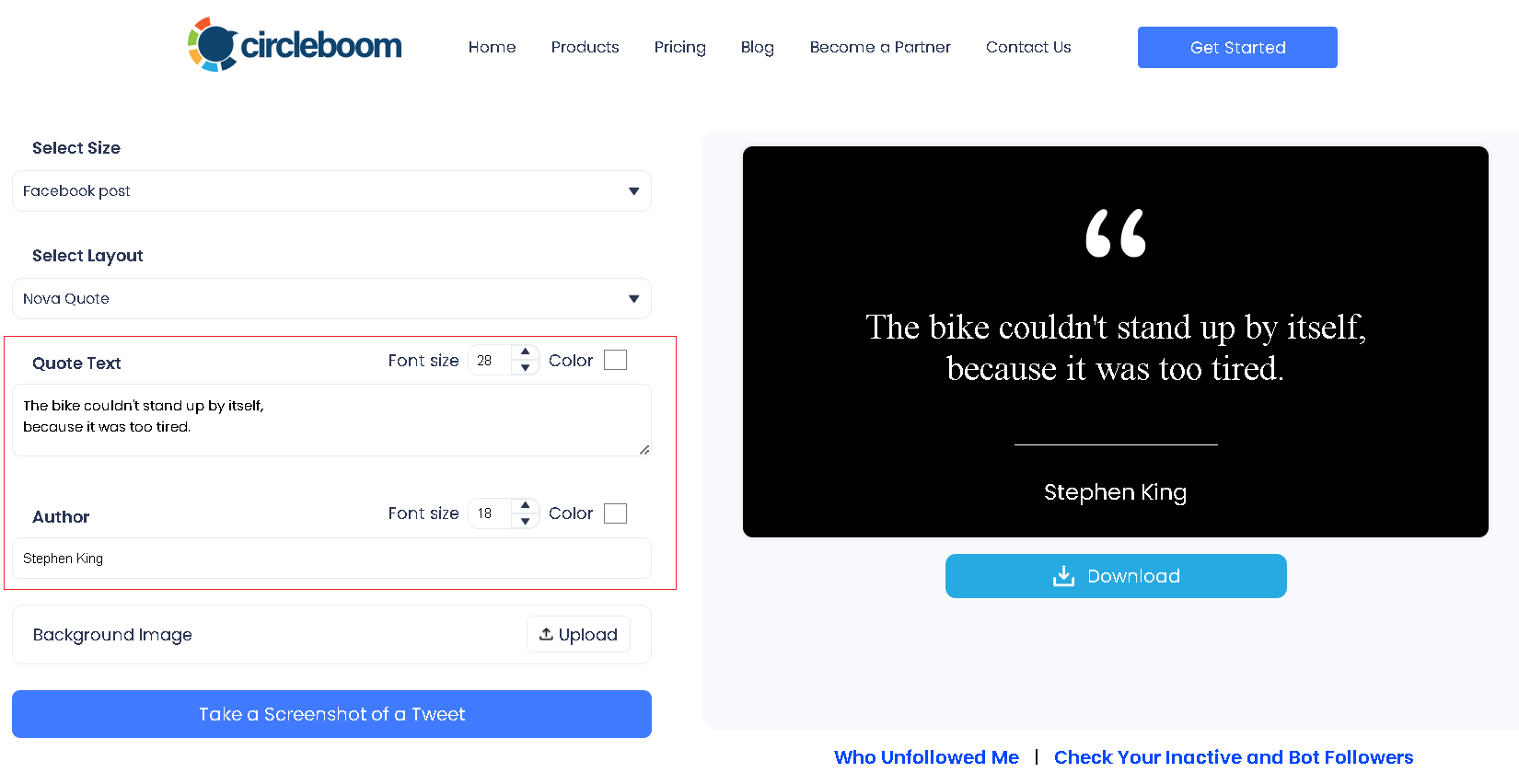
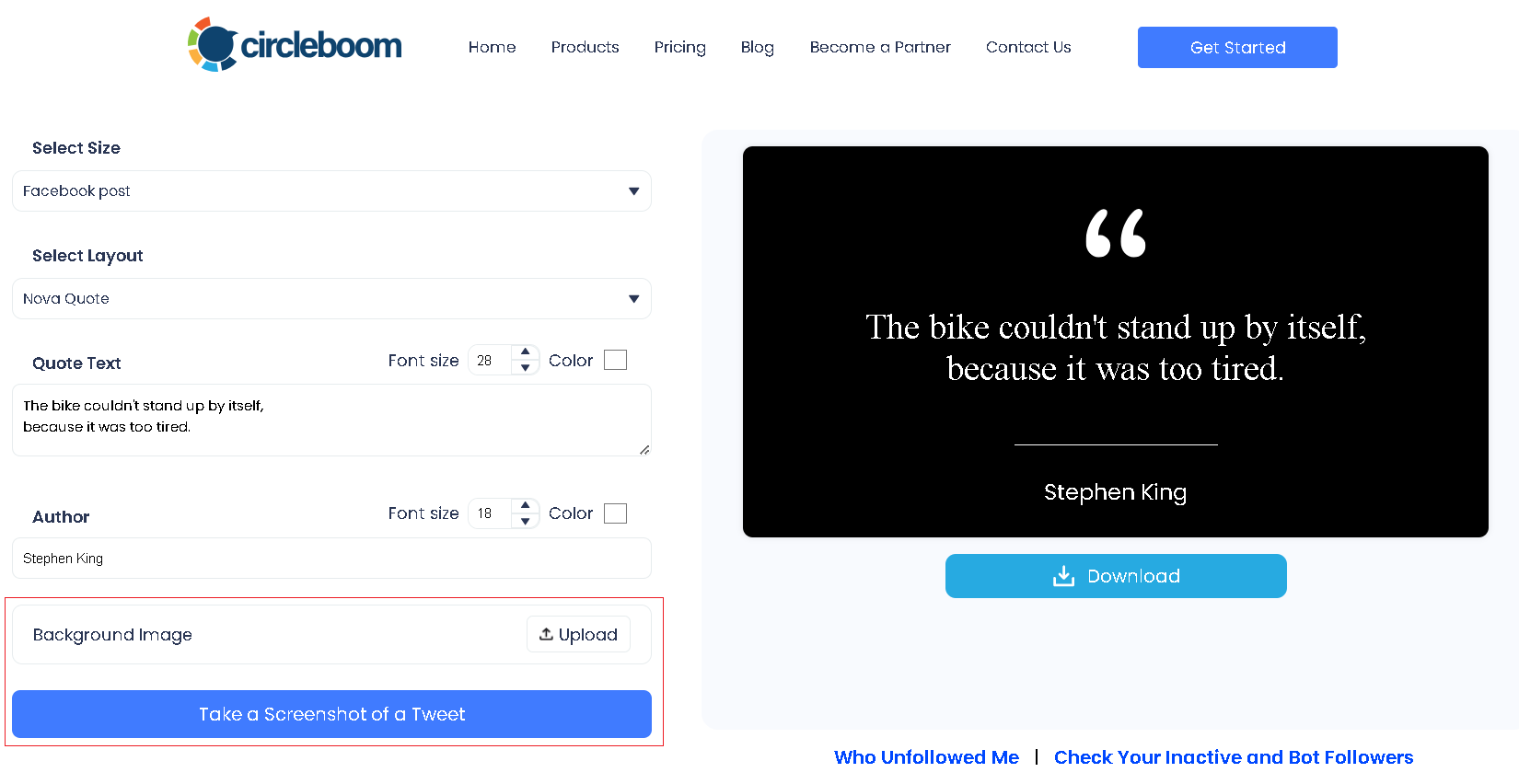
Step #4: Add a background image if you prefer. You can also take a screenshot of a tweet and use it as your image.
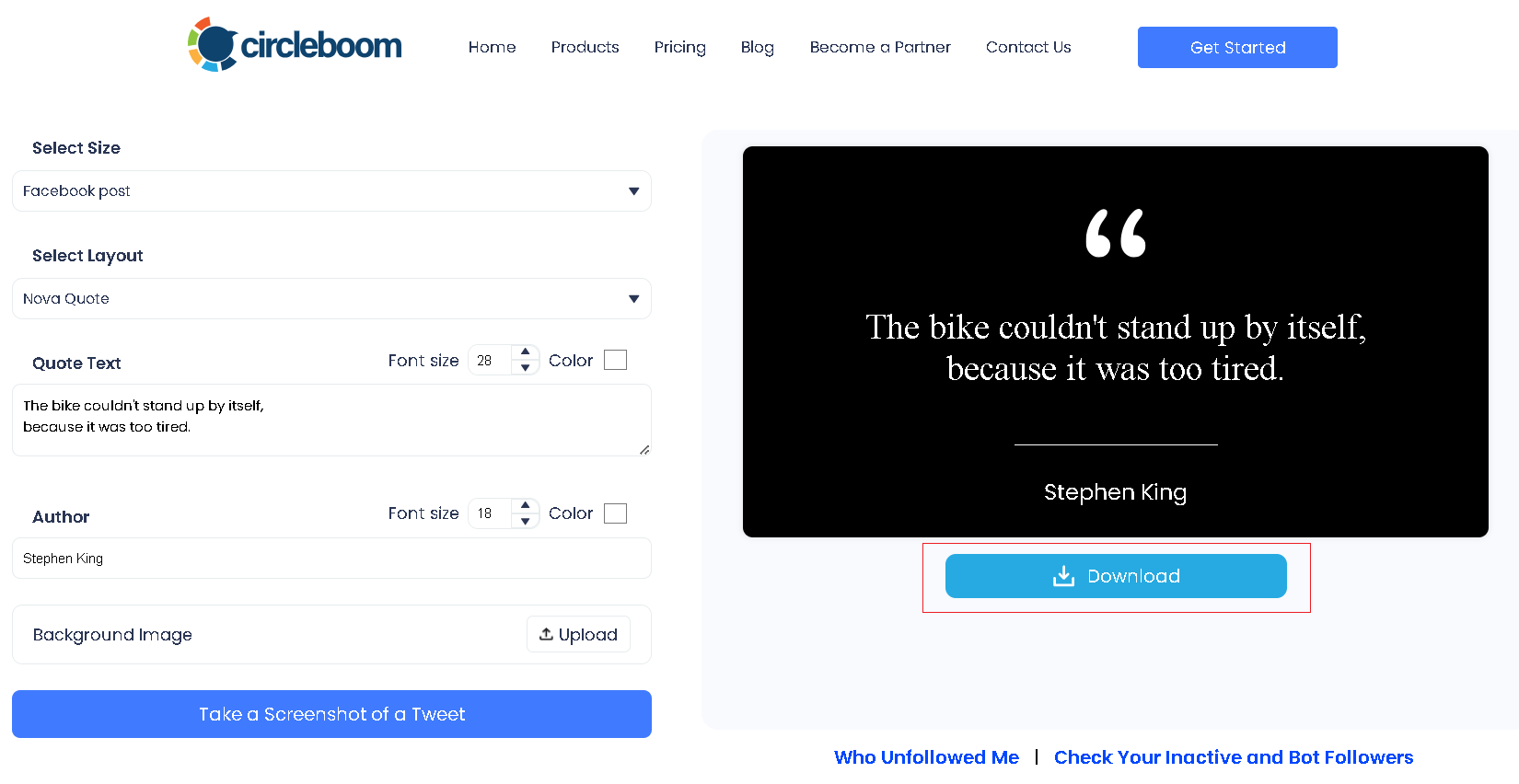
Step #5: Once you're all done with your design, simply click on the "Download" button and download your Facebook quote as an image.
Here’s a quick video guide showing you how to do it step by step ⬇️
Posting Quotes on Facebook the Smart Way
Creating a good-looking quote image is important, but it’s only part of the equation.
Timing plays a huge role in how quote posts perform. Even the most relatable quote can get buried if it’s shared when your audience isn’t active. Facebook’s feed prioritizes engagement, and that engagement depends heavily on when people are online.
Posting randomly often turns great content into missed opportunities.
This is where Circleboom Publish completes the process.

Instead of guessing when to post, Circleboom Publish analyzes your followers’ activity patterns and shows when your audience is most active on Facebook.
This allows you to schedule quote posts at times when people are actually scrolling, reading, and engaging.
 Kevin Frank
You upload your quote image, add a short caption if you want, and schedule the post in advance. Once it’s set, everything runs automatically in the background.
This turns quote posting into a system rather than a daily task.
Turning Quote Posting Into a Consistent Strategy
Quote posts perform best when they’re shared consistently, not occasionally.
By combining Circleboom Quote Maker and Circleboom Publish, you can:
- Create multiple quote images in one session
- Schedule them across different days
- Mix quote styles to keep content fresh
- Stay active on Facebook even during busy periods
Instead of thinking about what to post every day, you build a small library of quote content and let scheduling handle the rest.
Final Thoughts: Simple Content, Strong Results
Quote posts may look simple on the surface, but their impact is surprisingly strong.
They connect emotionally, feel familiar, and invite interaction without asking for much effort from the audience. That’s exactly why they perform so well on Facebook.
With Circleboom Quote Maker, creating quote visuals becomes fast and friction-free.
With Circleboom Publish, sharing them at the right time becomes effortless.
Together, they turn quote posting on Facebook into one of the easiest and most sustainable ways to stay visible, engaging, and consistent without overcomplicating content creation.

