
When you share a tweet, it usually goes out as a link.
That’s fine on X itself, but on platforms like WhatsApp, Instagram, Reddit, or even in private chats, links don’t always look great or get much attention.
So naturally, you try to take a screenshot.
 Arif Akdogan
And that’s where things fall apart.
The screenshot looks awkward.
The background is messy.
The size is wrong.
And it definitely doesn’t look like those clean, stylish tweet images you’ve seen shared everywhere.
I ran into the same problem, and then realized those great-looking tweet images aren’t screenshots at all.
Why People Turn Tweets Into Images
Saving tweets as images has become common for a reason:
- Images perform better than links on most platforms
- You can share tweets on Instagram, Reddit, or messaging apps
- Visual tweets are easier to read and more eye-catching
- They work great for quotes, opinions, and short insights
That’s why you see tweets shared as:
- Quote-style images
- Clean cards with custom backgrounds
- Minimal designs without Twitter UI clutter
But none of that comes from manual screenshots.
Why Manual Screenshots Look Bad
Screenshots are quick, but they’re rarely good.
Common issues include:
❌ Random background colors
❌ Cropped usernames or timestamps
❌ Low resolution
❌ Inconsistent sizing
❌ No visual style or branding
After seeing beautifully designed tweet images with different colors, layouts, and quote styles, I started wondering how creators were making them look so clean.
That’s when I learned they weren’t screenshotting at all.
The Tool Behind Those Styled Tweet Images
The tool most creators use is the Twitter Screenshot Generator by Circleboom.


It’s a free tool designed specifically to turn tweets into images, without needing design skills or external software.
Instead of capturing the Twitter interface, it lets you recreate the tweet as a clean visual that’s ready to share anywhere.
What the Circleboom Twitter Screenshot Generator Can Do
With Circleboom’s screenshot generator, you can:
✅ Turn any tweet into an image
✅ Redesign it with different background colors
✅ Apply clean layouts and quote-style formats
✅ Create high-resolution images suitable for social media
You’re not limited to Twitter’s default look.
You control how the tweet appears.
Step-by-Step: How to Save a Tweet as an Image
Here’s exactly how to do it.
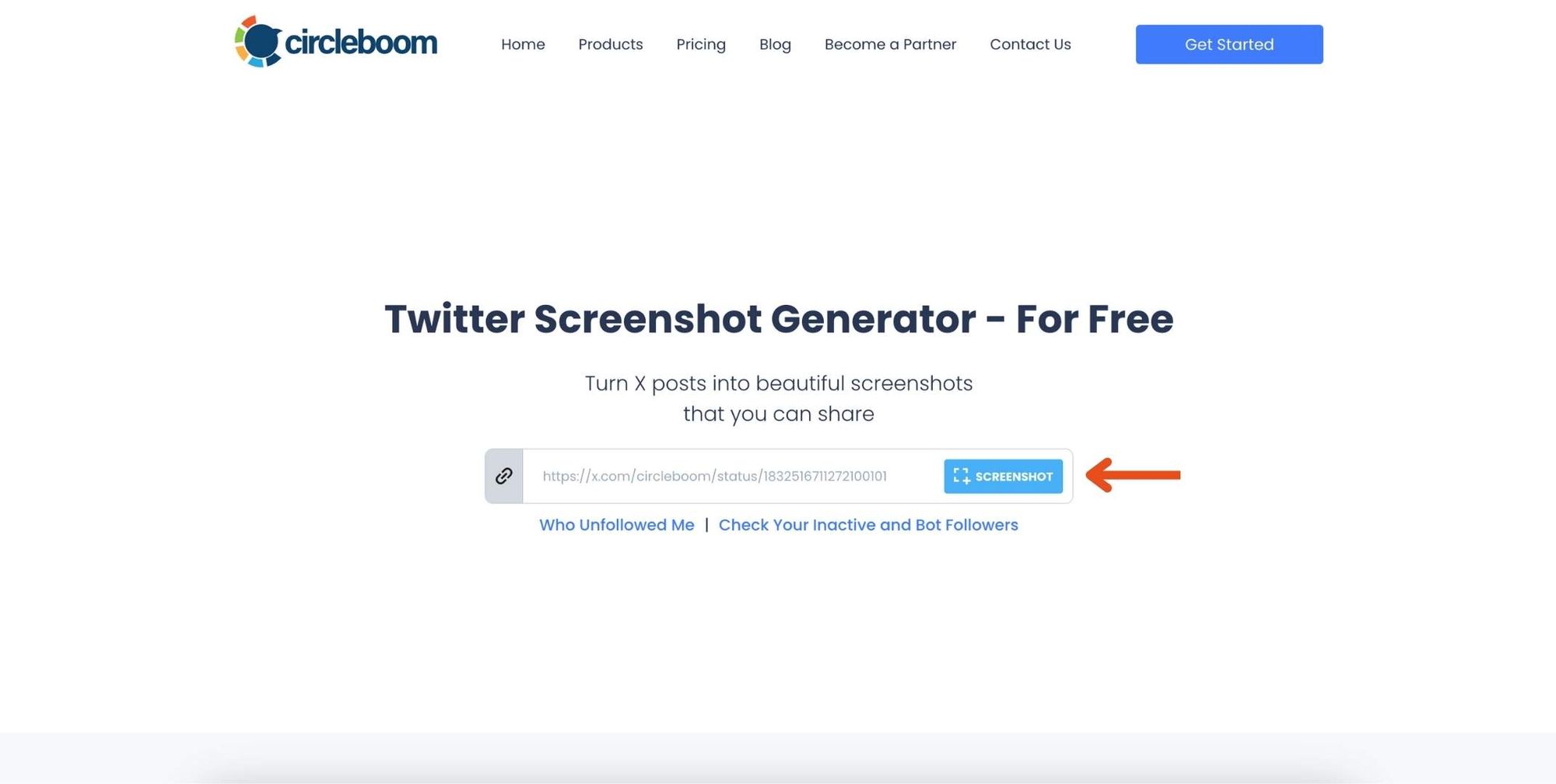
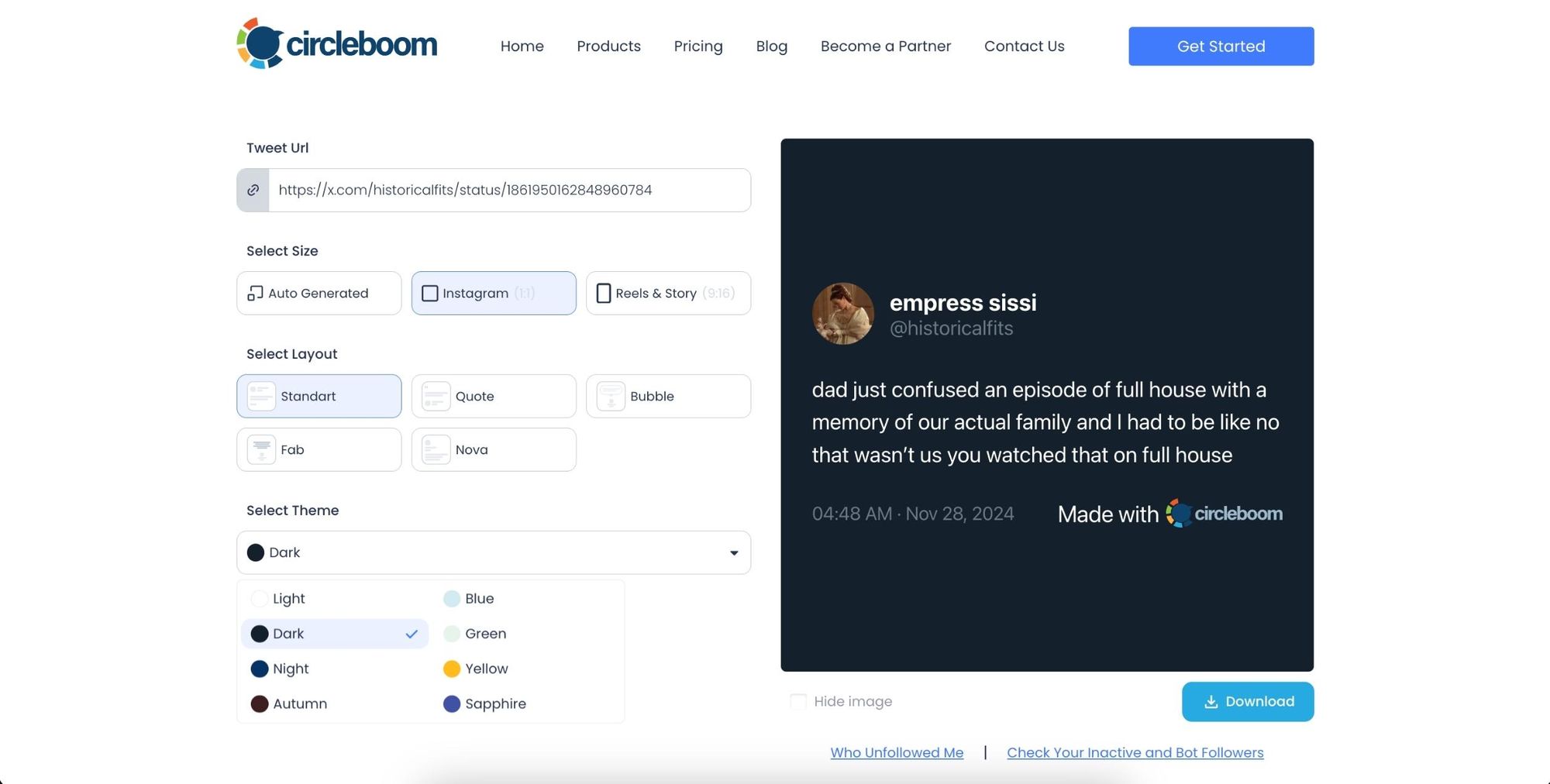
Step #1: Go to ➡️ Circleboom Twitter Screenshot Generator
First, navigate to the Circleboom Twitter Screenshot Generator. Paste the URL of the tweet you want to capture in the provided field. Then, click the 'Screenshot' button.
Step #2: Customize Your Screenshot
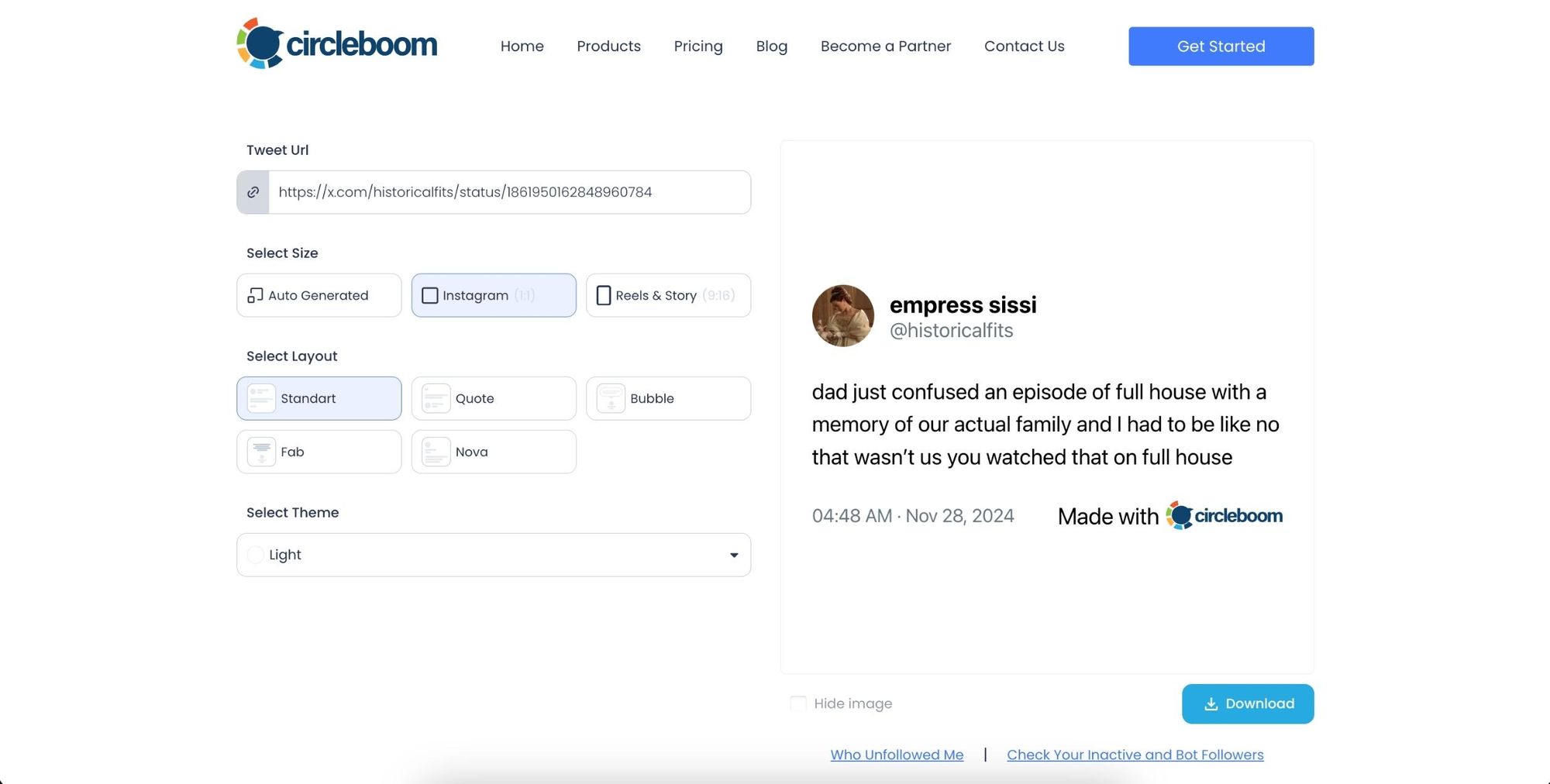
Circleboom will generate the screenshot for you instantly. If you’d like, you can change the size, layout, and theme to fit your preferences.
Step #3: Download the Screenshot
Once you’ve adjusted the design to your liking, simply click the 'Download' button. Circleboom will provide you with a high-quality screenshot of the tweet, ready to use.
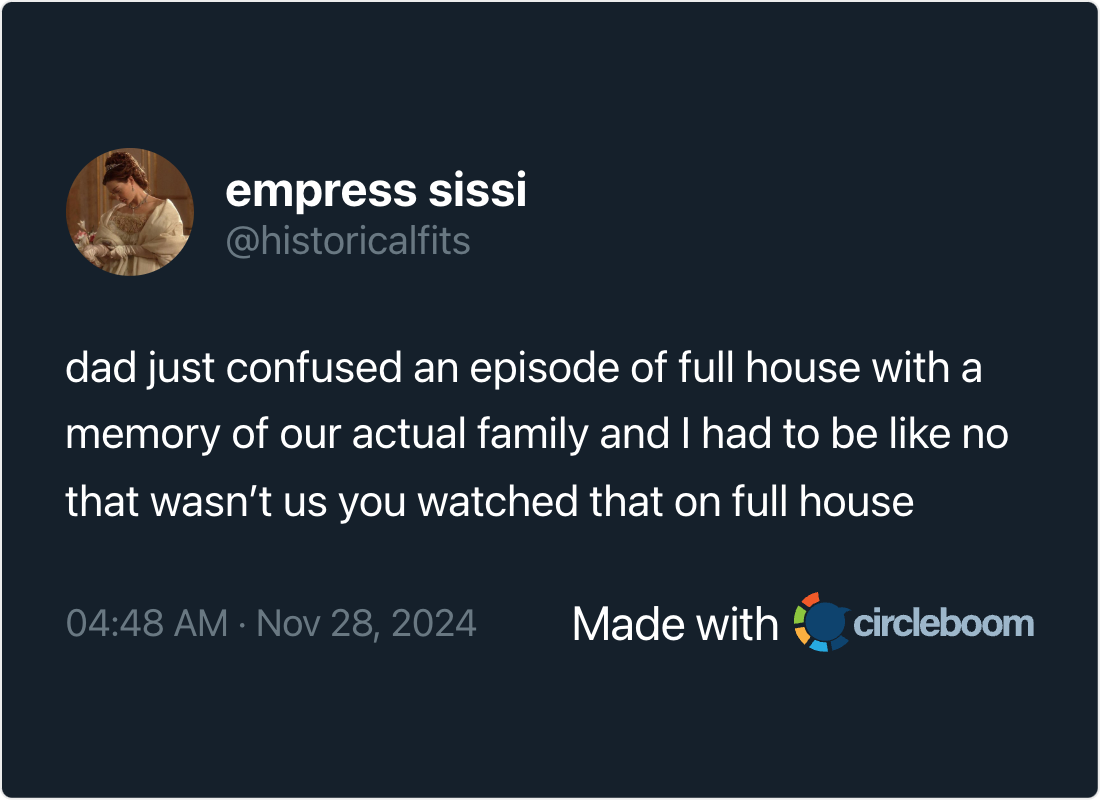
Here is the result:
The next step is to share the screenshot on Instagram.
You can share your professional screenshot as a post or story.
If you need a more detailed guide, check out our video! ⬇️
Where You Can Share Tweet Images
Saving tweets as images makes them usable almost everywhere:
- Instagram posts or stories
- Reddit threads
- WhatsApp and Telegram chats
- Blog posts and newsletters
- Even reposting on X as a visual
It turns a single tweet into a flexible piece of content.
Extra Tip: Turn Tweets Into Images Automatically While Posting
There’s another, more advanced way to do this, especially if you post often.
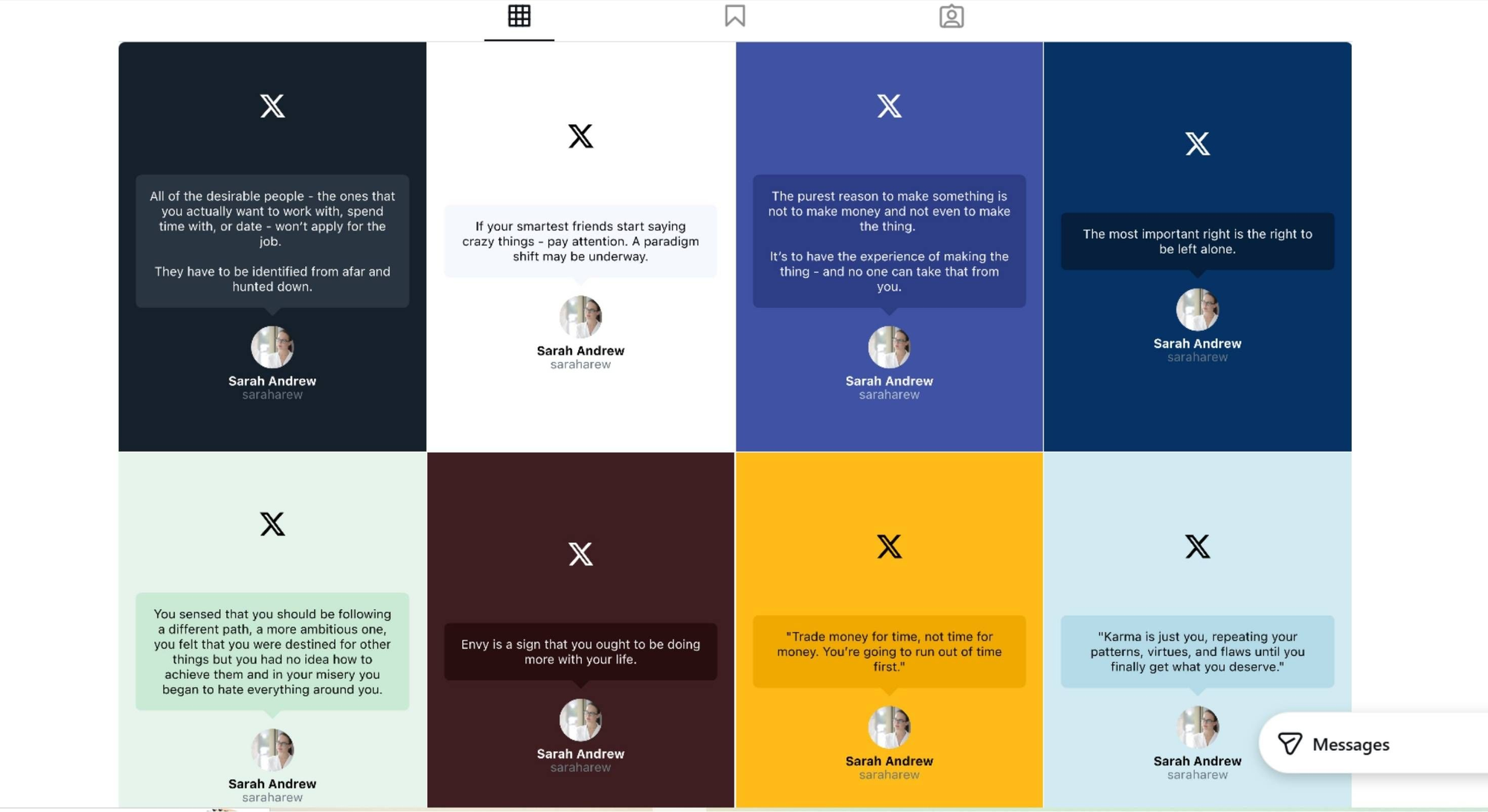
Inside Circleboom’s X Post Planner, you can:
- Create your tweet
- Enable cross-posting
- Automatically convert the tweet into an image
When you choose Instagram as a destination, Circleboom:
- Turns the tweet into an image
- Shares it as a post, story, or reel
- Publishes it automatically
This means you don’t even need to download images manually if your goal is Instagram distribution.
 Arif Akdogan
Stop Screenshotting Tweets
Manual screenshots are outdated, and they show.
If you want your tweets to look clean, readable, and shareable across platforms:
- Use a proper tweet-to-image tool
- Customize the design
- Or automate the whole process while posting
Saving tweets as images isn’t about aesthetics alone, it’s about making your content travel better, everywhere.

