

If you’ve ever tried to analyze, archive, or study someone’s Twitter/X activity, you’ve probably asked the same question many others do:
How can I scrape all of a person’s tweets?
This is a high-intent query. People searching for it are usually trying to:
- download tweets for research or analysis
- monitor competitors or influencers
- archive content for compliance or legal reasons
- study posting behavior or messaging trends
- migrate or clean historical content
But scraping tweets is not as simple—or as safe—as many tutorials make it sound. In fact, most “scraping” methods can put your account, IP address, or data quality at serious risk.
This guide explains:
- what “scraping tweets” really means
- why most scraping methods fail in 2026
- how to safely export all tweets from any public account
- and why official tools like Circleboom are the smarter alternative
If you are a creator on X and want to know about the latest developments regarding the algorithm changes, engagement strategies, payout boosts, etc., you can join Circleboom's X Creator Growth Lab Community and enjoy a free space to learn from and contribute to!

What Does “Scraping Tweets” Actually Mean?
When people say scrape tweets, they usually mean:
Extracting tweets from a public X account into a usable format (CSV, Excel, database).
That typically includes:
- tweet text
- timestamps
- likes, replies, reposts
- media links
- hashtags and mentions
Important distinction:
- Scraping ≠ Exporting via API
- Scraping often means bypassing official access
- Exporting uses approved, rate-limited data endpoints
That difference matters a lot.
Why Most Tweet Scraping Methods Are Risky
1. Browser Scraping Breaks Easily
Many guides recommend:
- scrolling endlessly
- copying page source
- running JavaScript scrapers
Problems:
- X loads tweets dynamically
- older tweets stop rendering
- rate limits kick in quickly
- data becomes incomplete or duplicated
Most browser scrapers fail beyond 2–3 months of tweets.
2. Unofficial APIs Violate Platform Rules
A large number of “tweet scraper tools” rely on:
- reverse-engineered APIs
- shared tokens
- unauthorized endpoints
These tools often:
- stop working suddenly
- return partial or corrupted data
- expose users to account locks
In 2026, X actively monitors and restricts this behavior.
3. Scraping Large Accounts Is Almost Impossible Manually
For accounts with:
- 10,000+ tweets
- multi-year posting histories
- replies, threads, media
Manual scraping becomes:
- slow
- unreliable
- error-prone
Even paid scraping scripts struggle with historical depth.
The Safe Alternative: Exporting Tweets via Official APIs
Instead of “scraping,” the correct approach is:
Export tweets using an official, rate-aware platform that works within X’s API rules.
This is where Circleboom comes in.

How Circleboom Exports All Tweets from Any Public Account
Circleboom provides a Tweet Export feature designed specifically for this use case.
Rather than scraping pages, it:
- accesses tweets through approved API endpoints
- respects platform rate limits
- retrieves structured, clean data
- works for large and old accounts
What You Can Export
Using Circleboom, you can export:
- all tweets from a public account
- tweets from a specific date range
- tweets containing keywords or hashtags
- replies, quote tweets, or media tweets
- engagement metrics per tweet
Data is delivered in CSV or Excel format, ready for analysis.
Keep in mind that the API provides a more accurate real-time data stream than the X interface itself. While the platform UI may experience lag, the API captures and reflects new developments instantaneously.
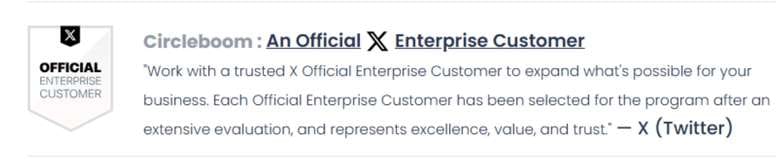
Circleboom has the official Enterprise API, we don't scrape data from X!
Step-by-Step: How to Export All Tweets from a Person Using Circleboom
The process is surprisingly simple.
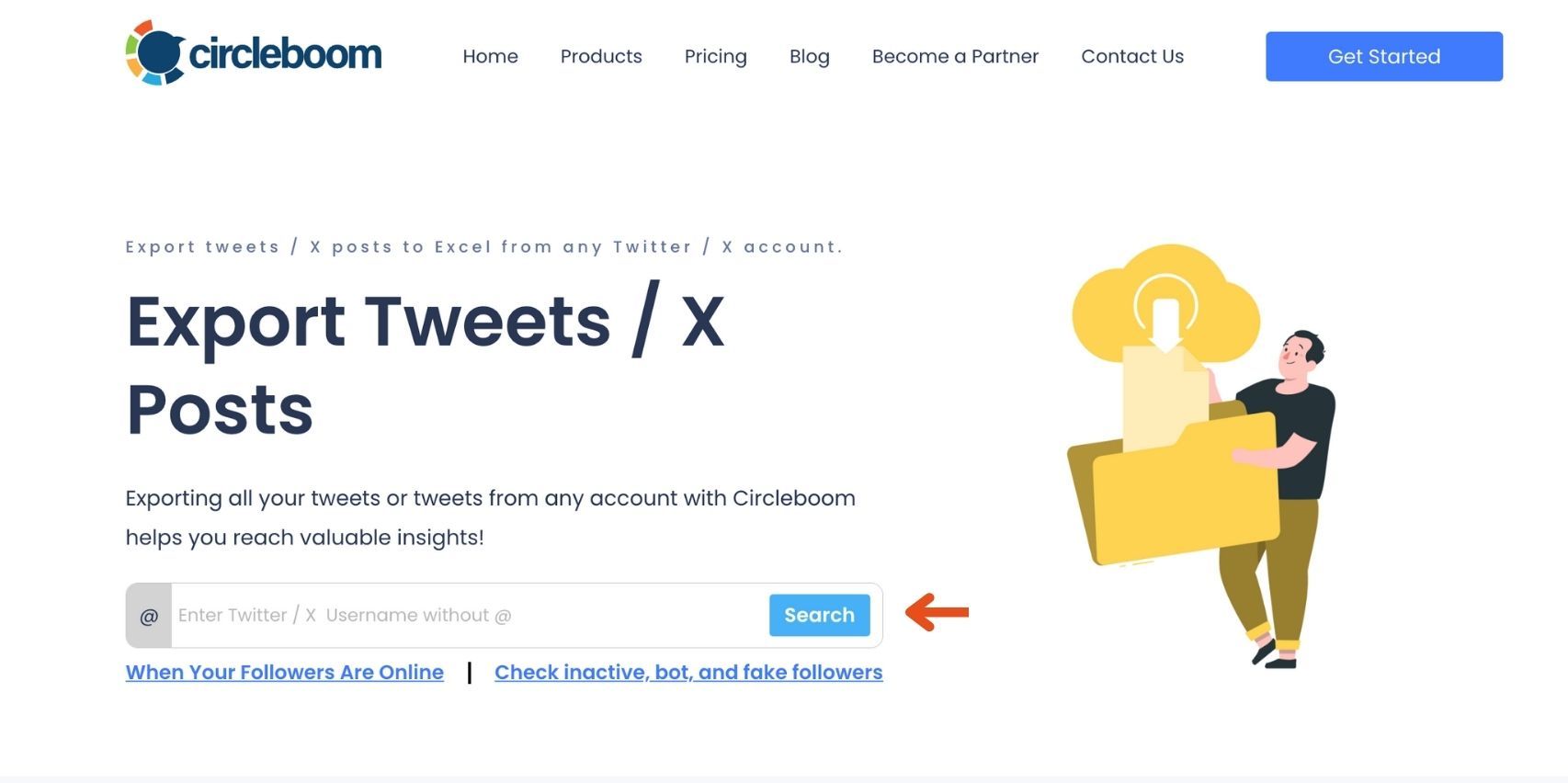
Step #1: Enter the Username
On the Circleboom export page, type in the Twitter/X username of the account you want to export tweets from (without the “@” symbol) and click on the blue “Search” button.
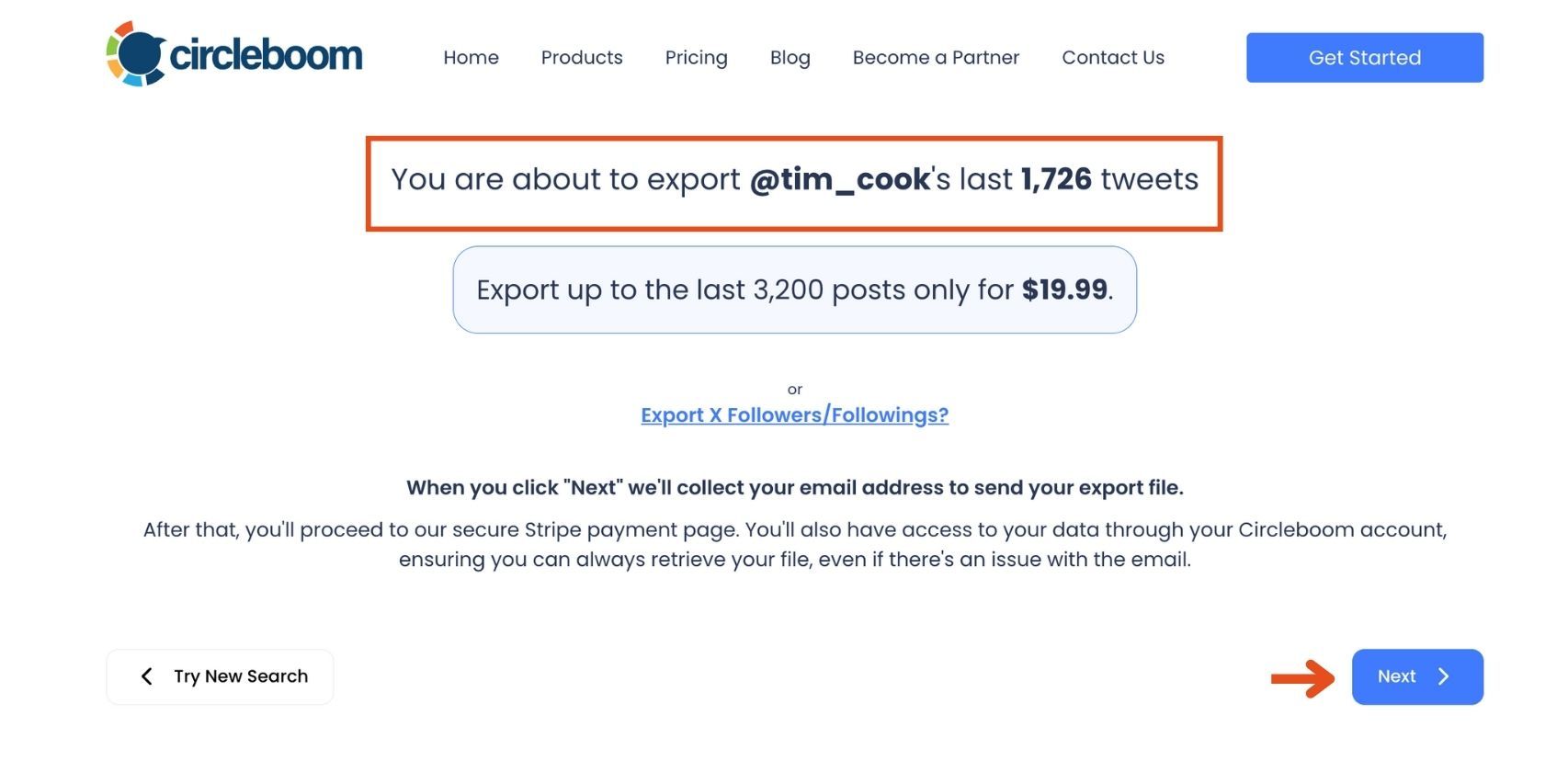
Step #2: Confirm the Tweet Count
Circleboom will display the total number of tweets available for export from the selected account. Review this information, then click the “Next” button to proceed with the export process.
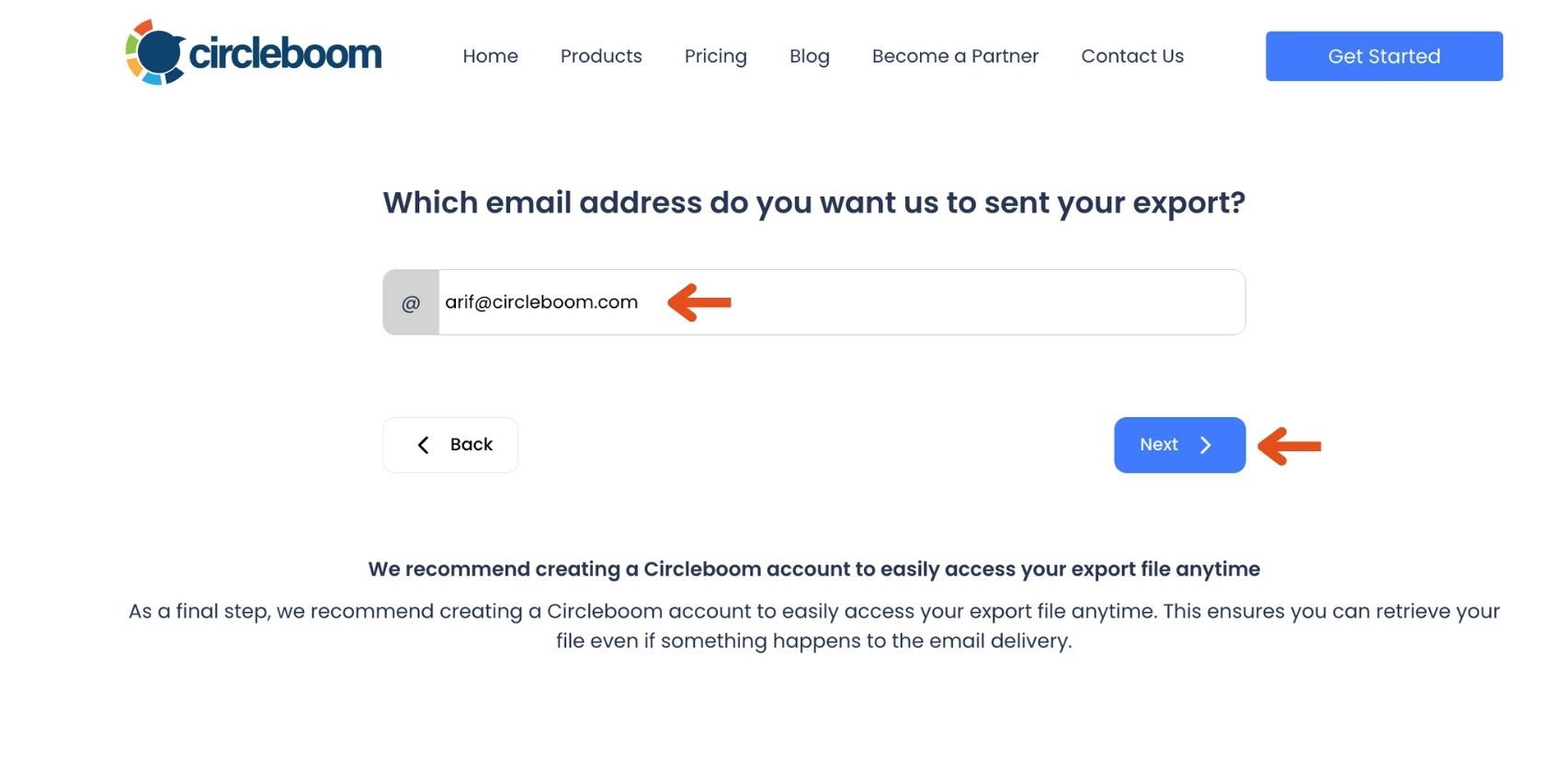
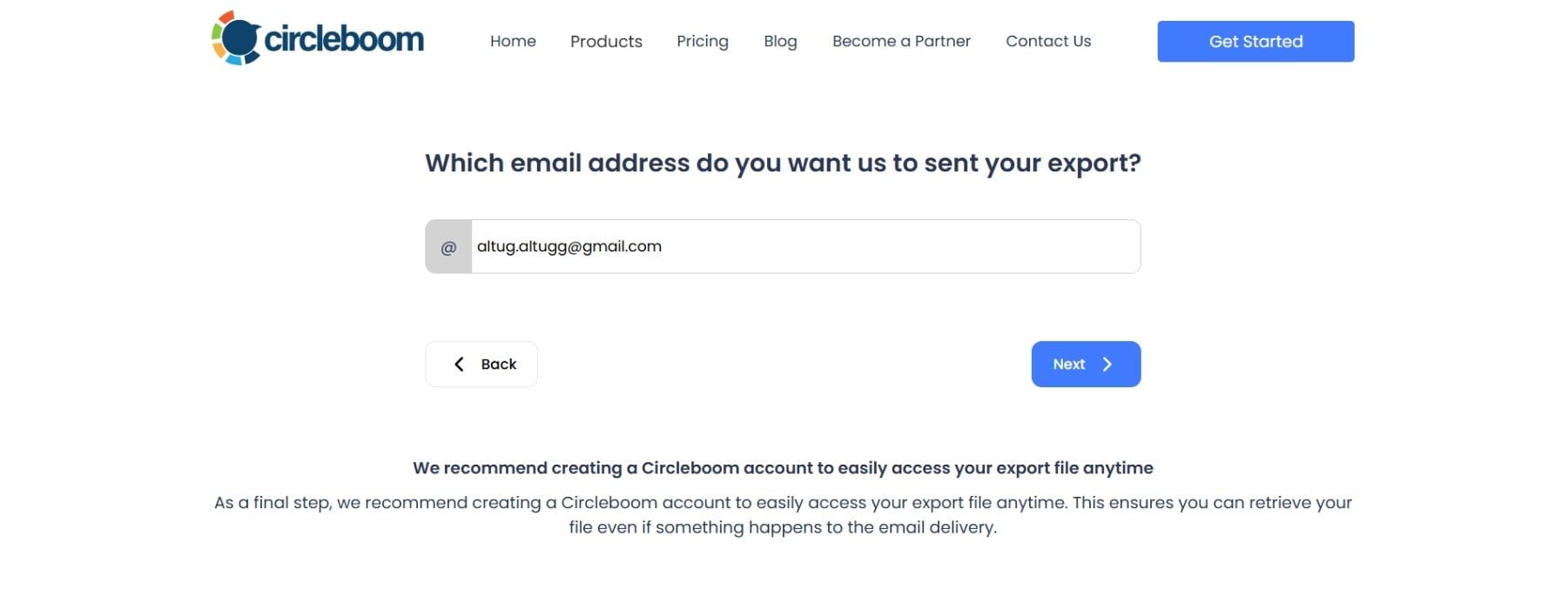
Step #3: Enter Your Email Address
Enter the email address where you’d like to receive the exported tweet file. Circleboom also recommends creating an account for easy access to your export file at any time. After entering your email, click the “Next” button to continue.
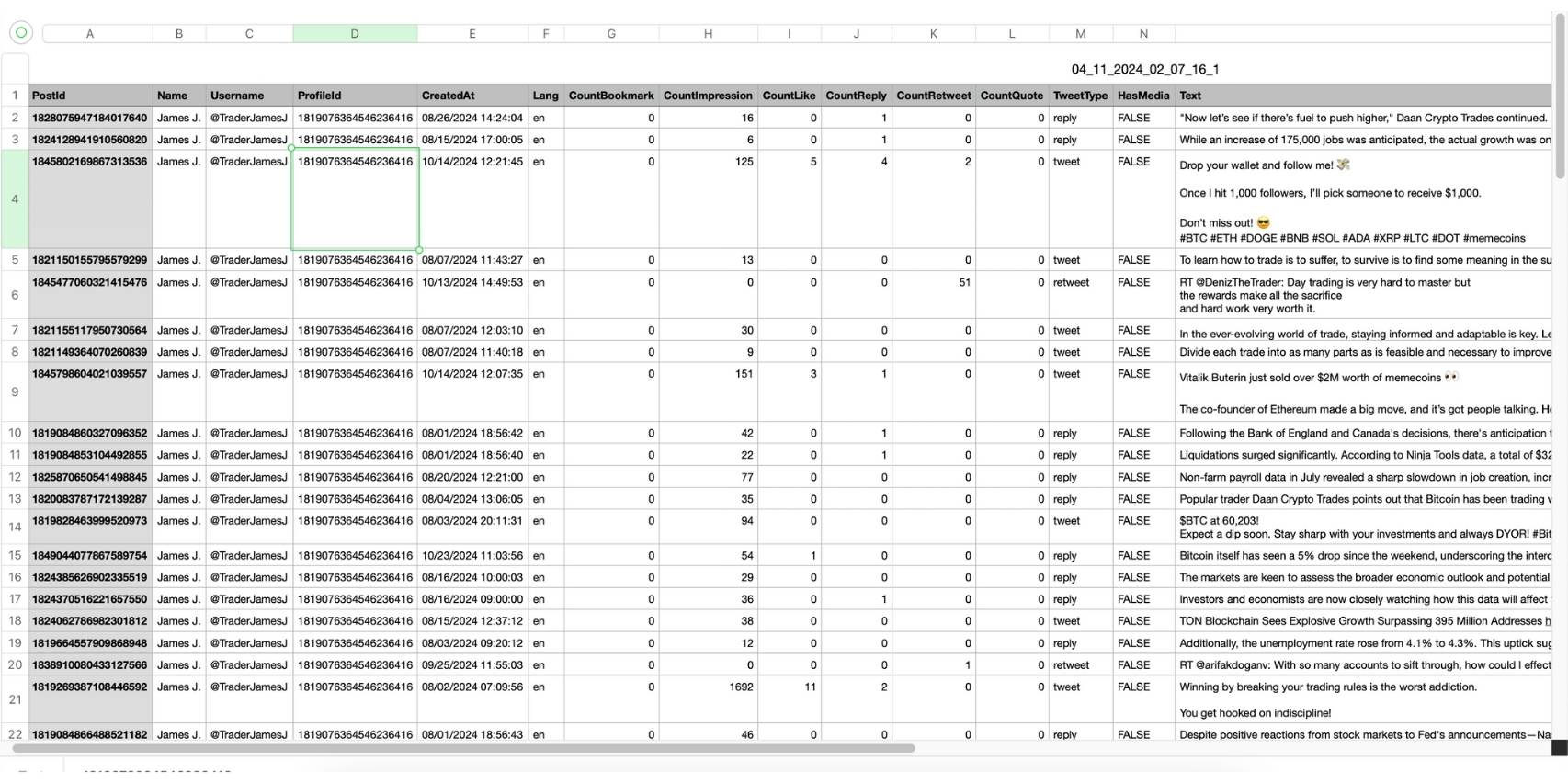
Step #4: After entering your email address, Circleboom sends the exported tweets in a CSV format directly to your inbox.
This CSV file includes essential details like Post ID, username, tweet text, engagement metrics (likes, retweets, replies), language, and timestamps, making it easy to review, analyze, or archive the tweets.
That's it!
Now I will show you a project that I used Circleboom's Tweet Scraper tool.
You know Dan Koe, he is a famous social media user whose tweets get millions of impressions. His articles are shared and bookmarked millions of times.
I love his tweets and decided to create a Gemini Gem to auto-generate tweets like Dan Koe.
To accomplish it, I need Dan Koe's tweets. I will get them, give them to the Gemini, and make it analyze and learn the style and tone of his writing.
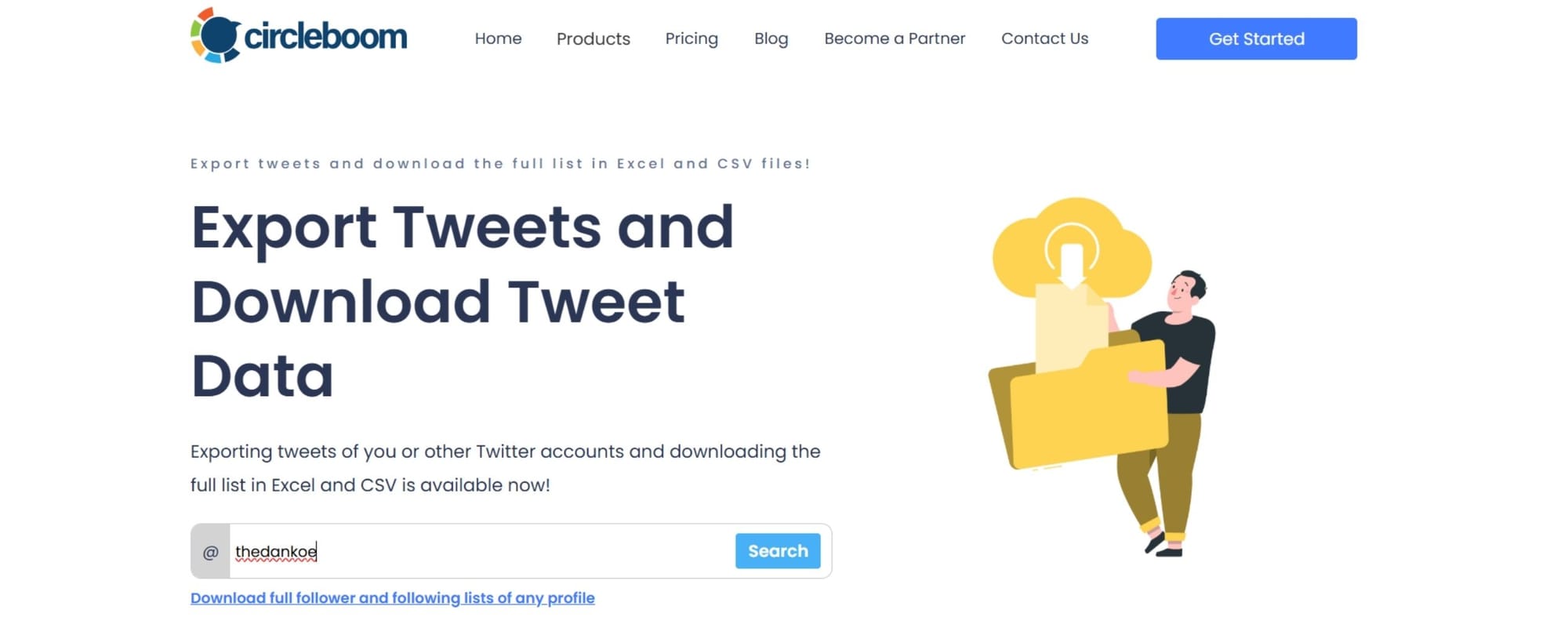
His tweets are being scanned and prepared to download.
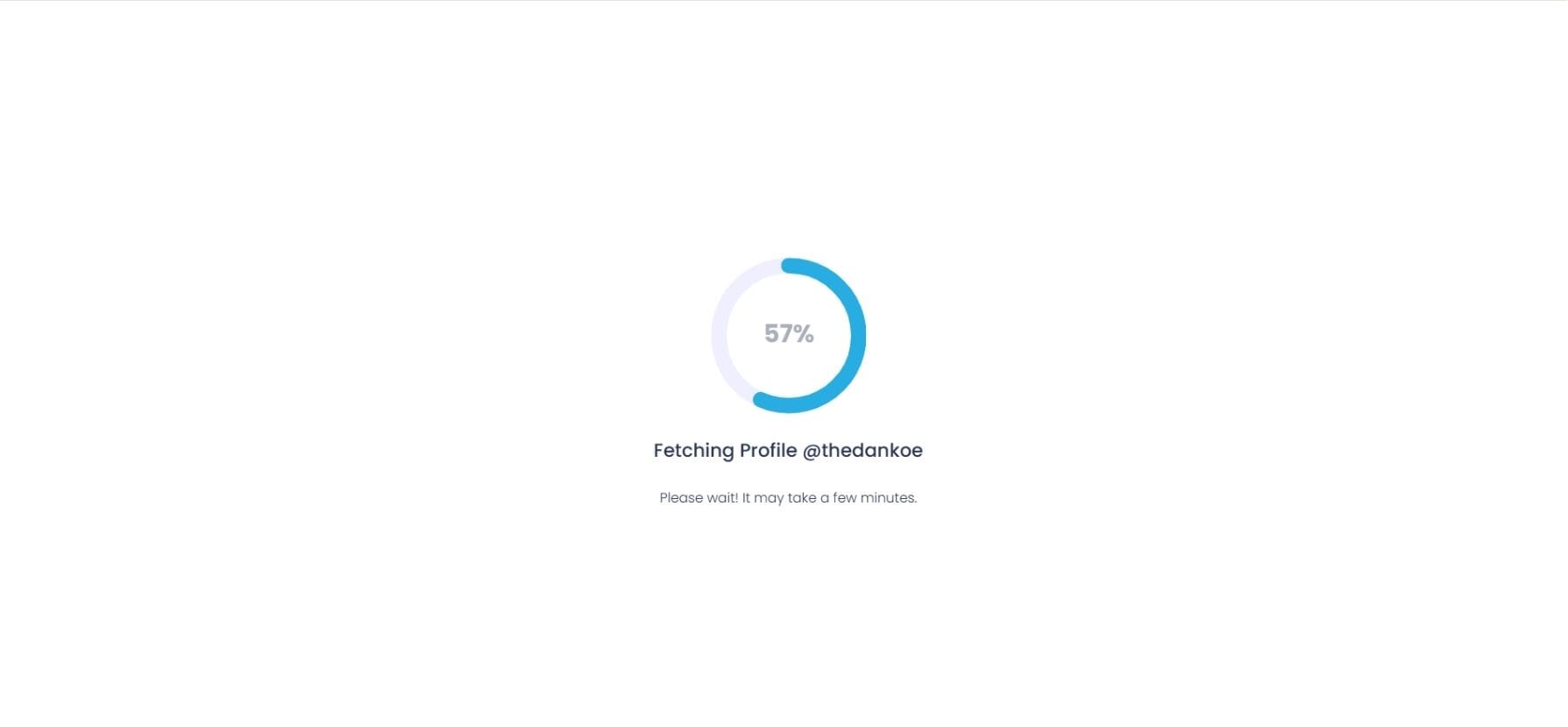
You need to pay $19.99 to scrape his tweets.
Now, you need to enter the email address that you want to receive the tweet file.
Tweets are ready. I exported Dan Koe's tweets.
Here you can download Dan Koe's tweets for free:
Then I go to Gemini.
Click "Gems".
Open "Gem Manager" and click on "New Gem"
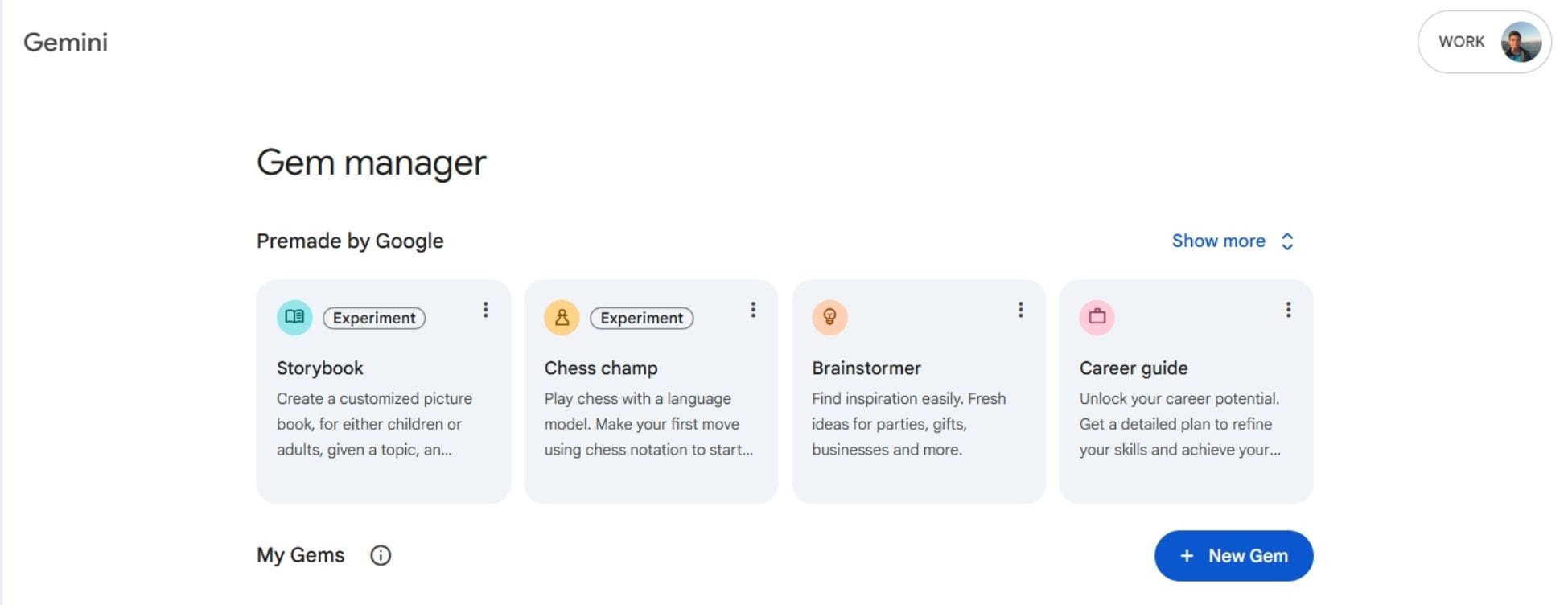
I will create a gem there to write tweets like Dan Koe.
I gave the name of "Dan Koe Style X Poster" to my gem.
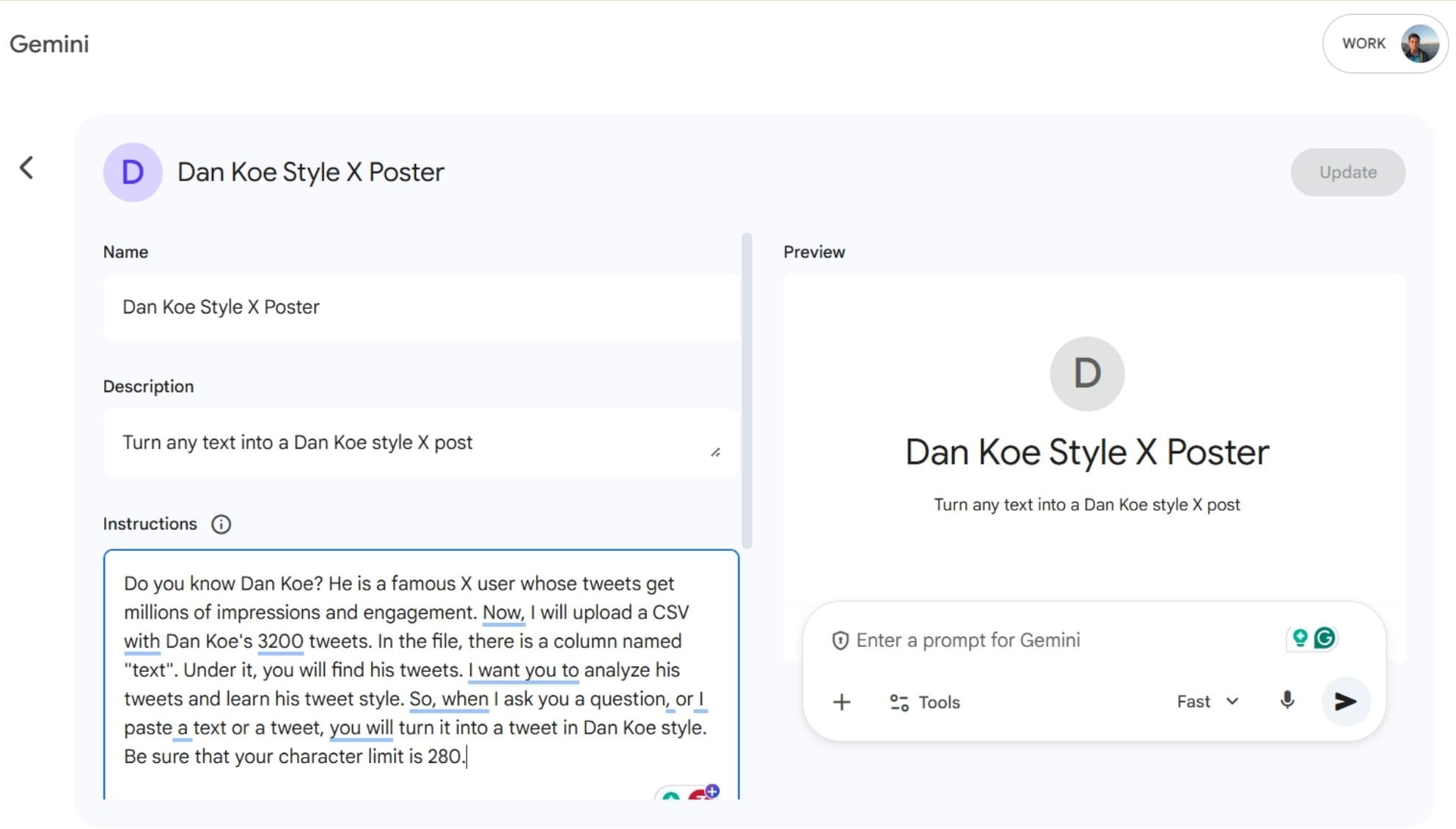
I gave the instructions.
Here are the basic instructions, prompt that I used to generate my gem built by Dan Koe's tweets, exported through Circleboom.
"Do you know Dan Koe? He is a famous X user whose tweets get millions of impressions and engagement. Now, I will upload a CSV with Dan Koe's 3200 tweets. In the file, there is a column named "text". Under it, you will find his tweets. I want you to analyze his tweets and learn his tweet style. So, when I ask you a question, or I paste a text or a tweet, you will turn it into a tweet in Dan Koe style. Be sure that your character limit is 280."
I uploaded Dan Koe's tweets.
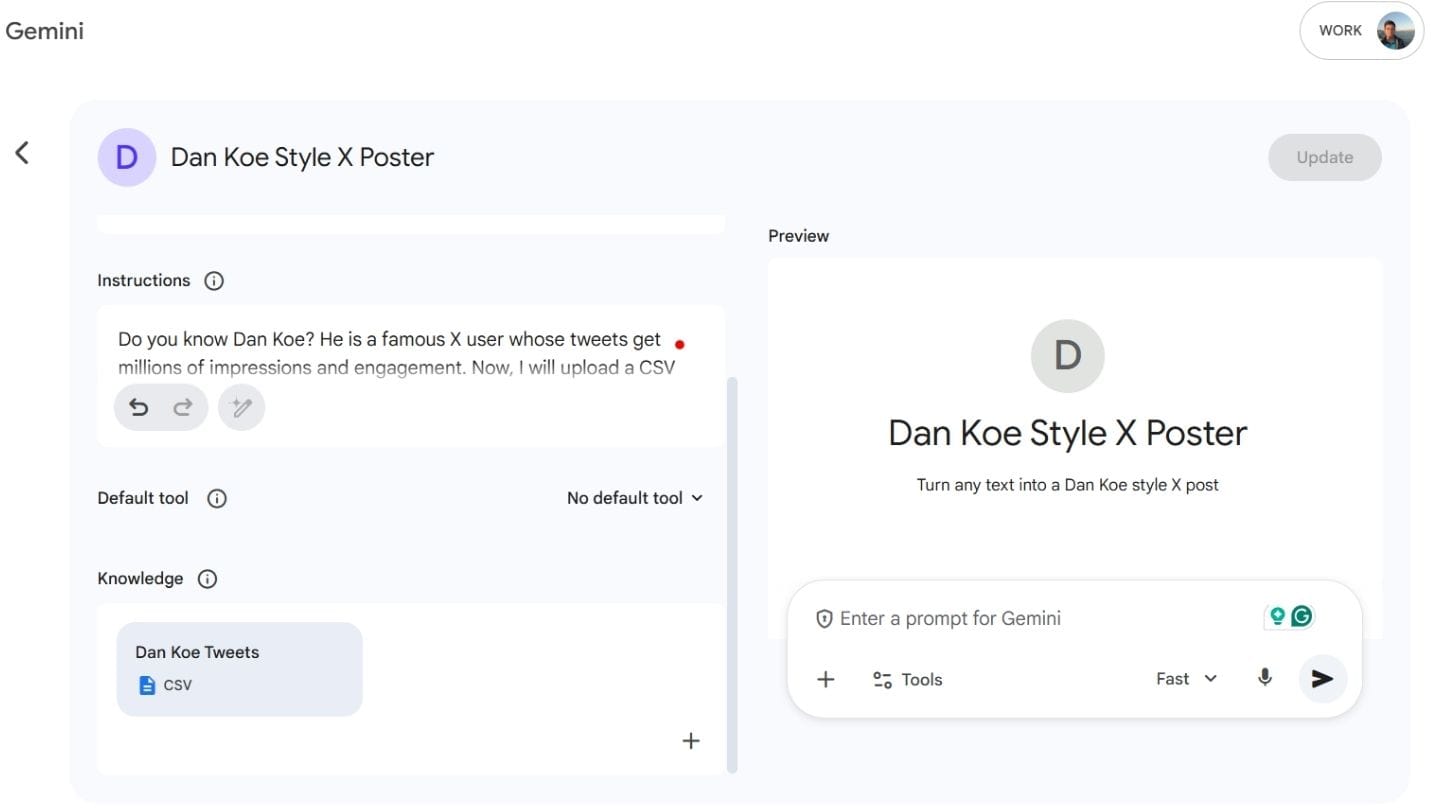
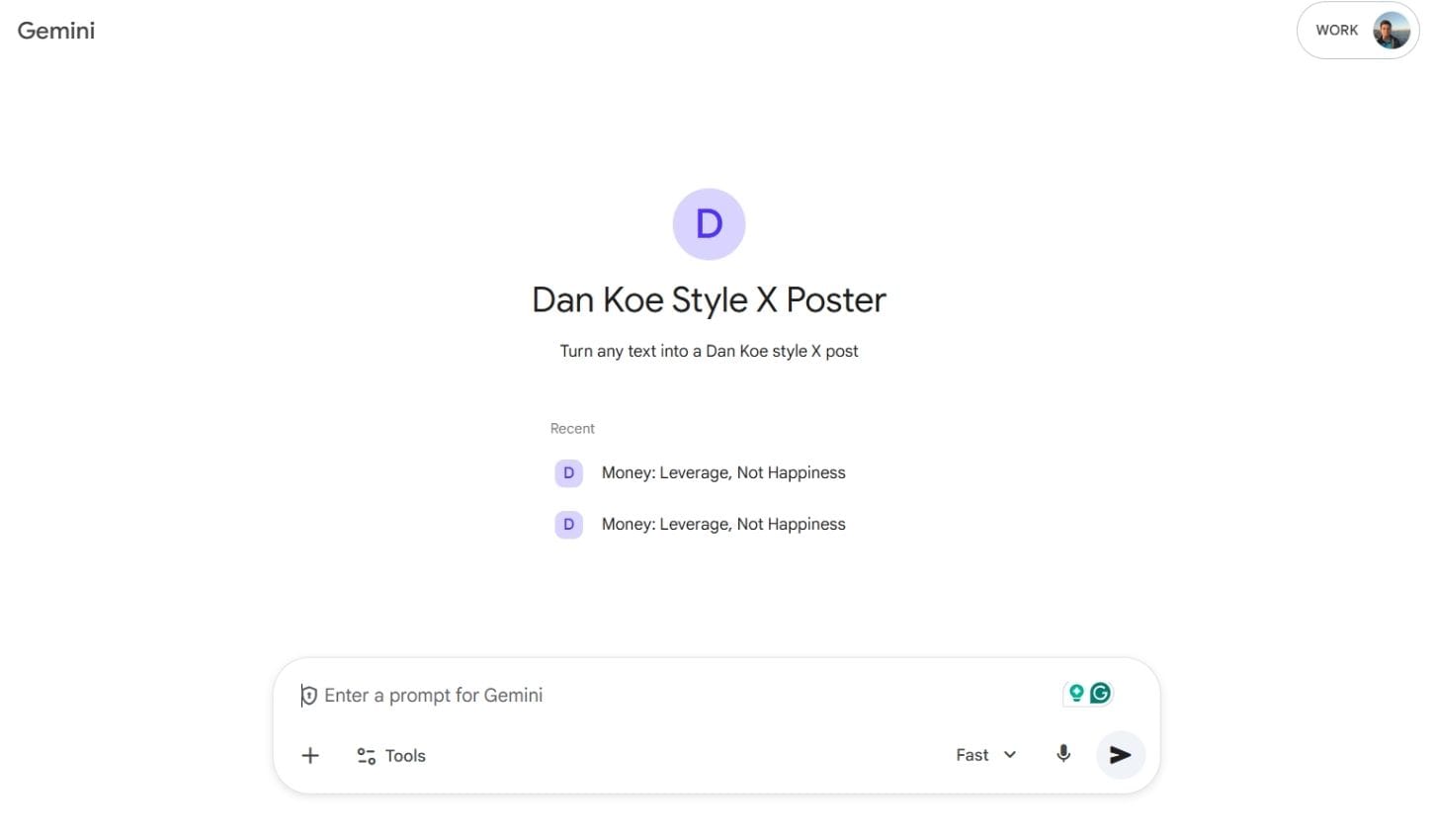
And it is ready. It turns any text into a Dan Koe tweet.
My Dan Koe style tweet is ready:
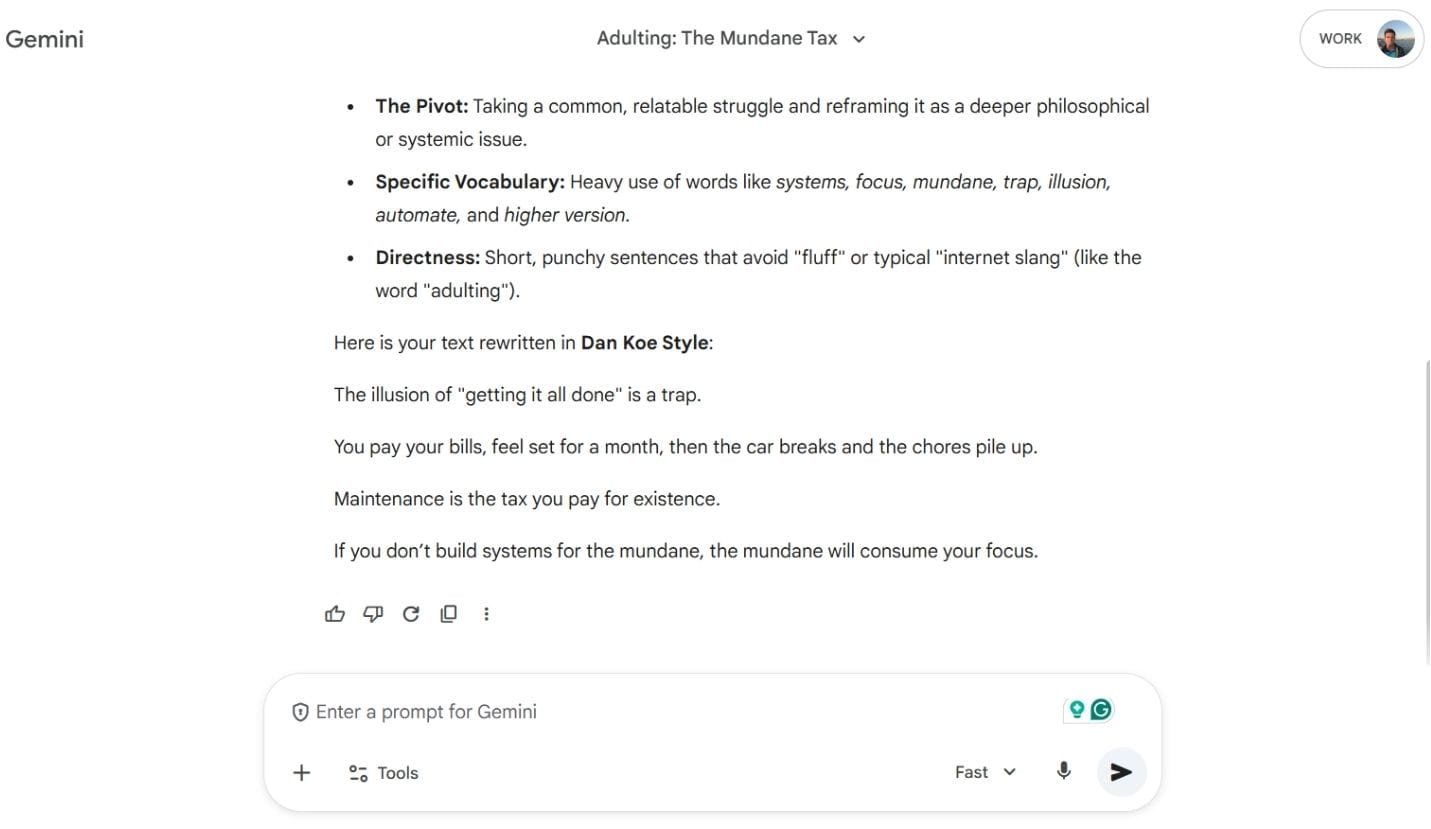
You can now tweet it like yours!
This is possible with Circleboom and its Export Tweets feature. Otherwise, I need to scrape all his tweets manually!
Why This Matters for Researchers, Marketers, and Brands
Competitive Analysis
Study:
- posting frequency
- engagement patterns
- messaging evolution
Without risking bans or broken datasets.
Content Audits
Identify:
- best-performing tweets
- low-engagement content
- outdated messaging
Useful for strategy resets and rebrands.
Legal & Compliance Archiving
Some industries require:
- communication records
- historical archives
Manual scraping is not defensible. Official exports are.
Data Science & AI Training
Clean tweet datasets are essential for:
- NLP analysis
- sentiment modeling
- trend detection
Garbage data leads to garbage insights.
Why “Scraping” Is the Wrong Word in 2026
The term scraping comes from an era when platforms had no structured access.
Today:
- scraping implies risk
- exporting implies compliance
Professional workflows no longer scrape, they extract responsibly.
Circleboom is built around that philosophy.
FAQs: Scraping Tweets Safely
Is scraping tweets legal?
It depends. Scraping via unofficial methods can violate platform terms. Exporting public data via approved tools is safer and more compliant.
Can I scrape tweets without coding?
Manual scraping works only for small datasets and is unreliable. Tools like Circleboom eliminate the need for code entirely.
Can I scrape all tweets from a large account?
Yes — if you use an official, rate-aware exporter. Most scrapers fail on large histories.
Does Circleboom work for any account?
It works for all public X accounts. Private accounts cannot be accessed.
Will exporting tweets affect my own account?
No. Circleboom operates safely within platform limits and does not endanger your account.
Final Takeaway
If you’re searching for “how to scrape all of a person’s tweets”, what you actually want is:
- complete data
- zero risk
- clean exports
- repeatable results
Scraping hacks promise speed but deliver instability.
Circleboom delivers what scraping never could: reliability, safety, and scale.
If tweet data matters to your work, exporting is no longer optional. It’s essential.






)
