

Tracking follower count alone does not explain growth or decline on X. A number increasing or decreasing only shows the result, not the reason.
If you want to understand how an account grows, loses followers, or changes its audience, you need to track daily follower change, not occasional snapshots.
I needed this because I regularly monitor other public accounts. Competitors, creators in the same niche, and accounts that perform consistently well. Checking their profiles manually was not enough. I could see their total follower count, but I could not tell what actually changed from one day to the next.
That gap is what makes daily follower tracking necessary.
 Fatih Kemal Oksuzoglu
Why Tracking Daily Follower Change Is Important
Follower change is one of the clearest indicators of how an account is performing over time. Daily tracking shows what happens between two points, not just where an account ends up.
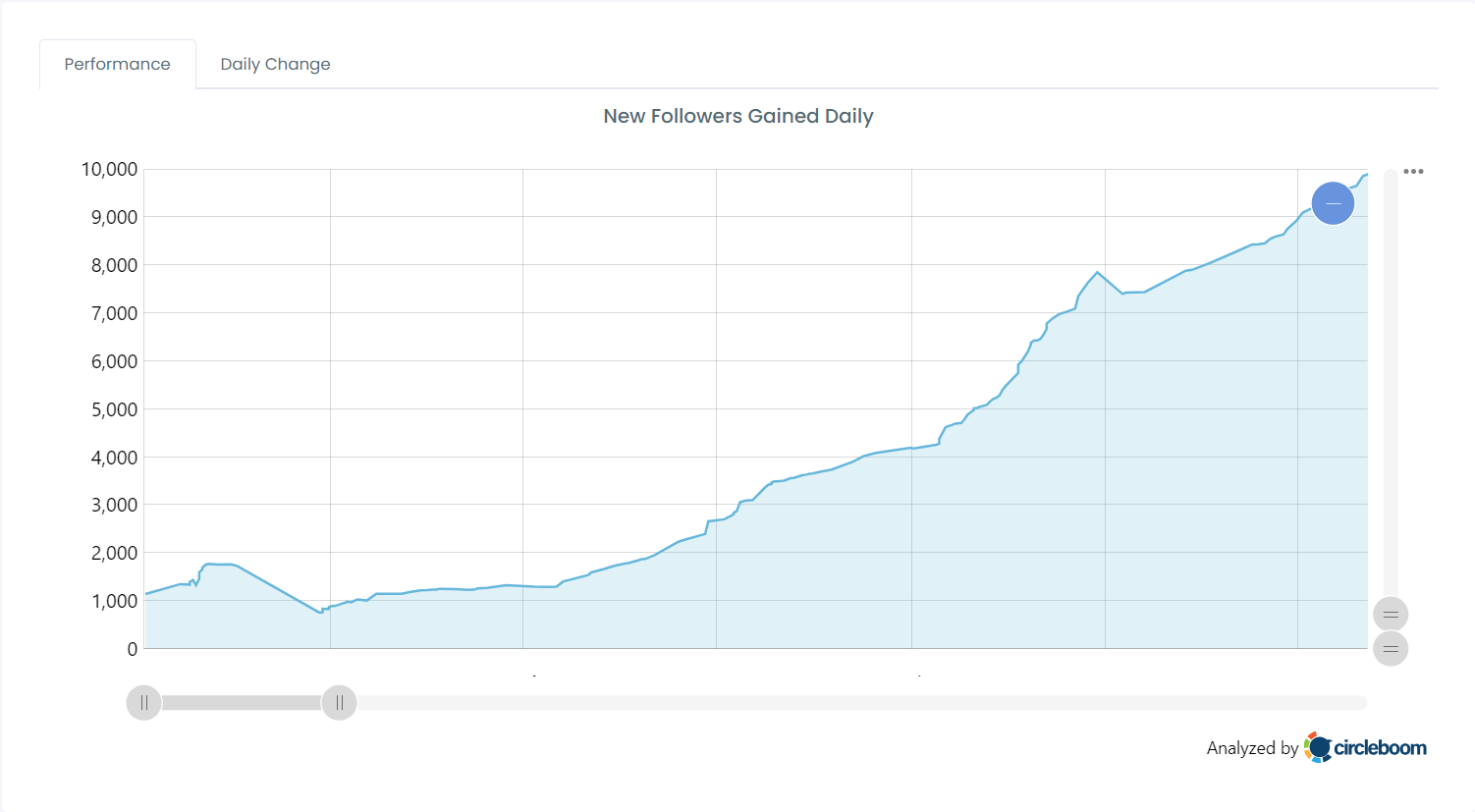
With daily follower change, you can identify:
- When growth starts or slows down
- Whether growth is consistent or irregular
- If follower losses happen after specific actions or content
- Whether the account uses following activity as a growth tactic
This is especially important when you are analyzing accounts other than your own. X does not provide tools to monitor follower change for other accounts, even if they are public.
What “Follower Change” Includes on a Daily Basis
Daily follower change is not a single metric. It is a combination of several activities that together explain how an account’s audience evolves.
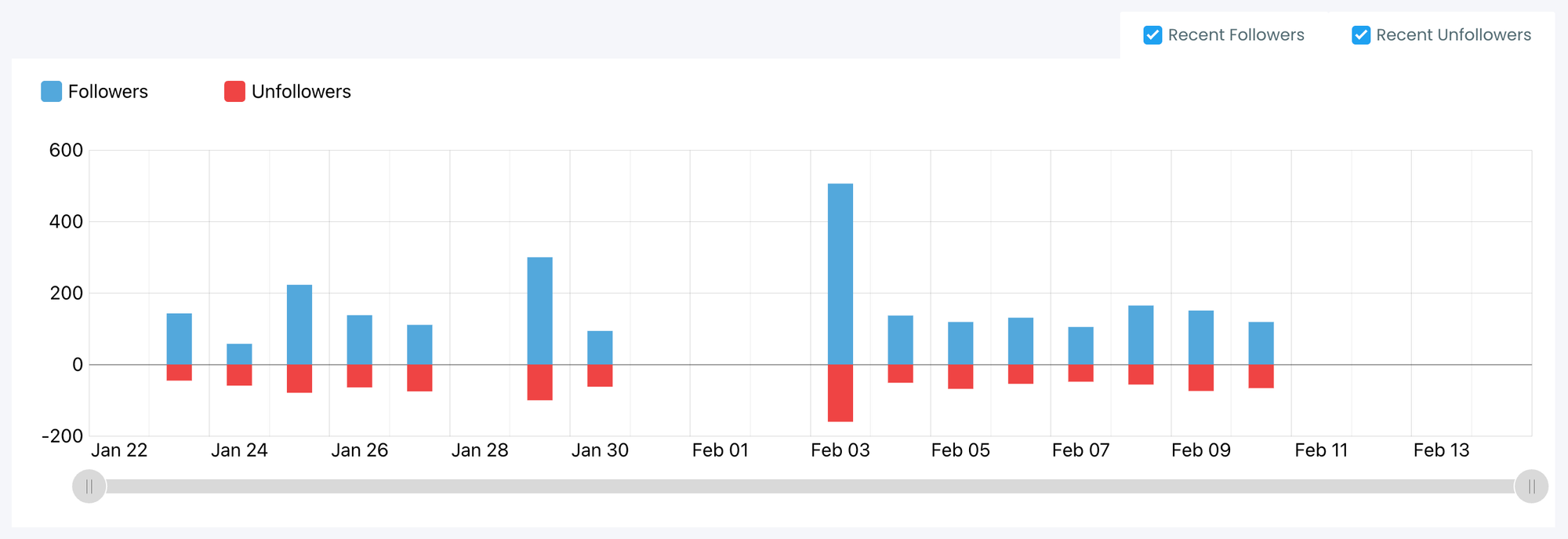
🔹 New followers: These are the users who started following the account since the last recorded day. Over time, patterns in new followers reveal audience type, interest areas, and reach.
🔸 Unfollows (lost followers): Unfollows are often ignored, but they provide important context. Sudden increases in unfollows usually indicate content mismatch, over-posting, promotion fatigue, or a shift in messaging.
🔹 Following and unfollowing activity: An account’s own following behavior often explains its growth. Many accounts follow users to gain visibility and then unfollow later. Seeing this daily makes growth tactics visible instead of assumed.
Looking at only one of these metrics in isolation does not give a complete picture. Tracking all of them together does.
Why Manual Tracking on X Is Not Reliable
X does not offer a native way to track daily follower changes for other accounts.
You can:
- See total follower numbers
- View part of a follower list
- Scroll through followers manually
But you cannot:
- Compare follower lists between days
- See who followed or unfollowed since yesterday
- Track following activity in a structured way
- Receive daily updates automatically
Even if you try to check manually every day, the data is incomplete and easy to misinterpret. After a few days, it becomes unclear what changed and when it changed.
That is why manual tracking does not scale and does not produce reliable insights.
The Tool I Use: Circleboom Twitter
To solve this, I use Circleboom Twitter.

Circleboom Twitter is an official X Enterprise developer, which means it works with X’s official data access rather than relying on unreliable methods.
What makes it useful for this purpose is its ability to track accounts activty over time and report daily changes in a clear format.
 infocircleboom.com
With Circleboom Twitter, you can:
🟢 Track new followers of any public account
🟢 Track unfollows (lost followers)
🟢 Track following and unfollowing activity
🟢 View daily follower change, not just totals
🟢 Set alerts so changes are recorded automatically
Once tracking is enabled, you no longer need to check profiles manually. The changes are already identified and logged.
Seeing Daily Change Instead of Static Numbers
The main advantage is continuity.
Instead of seeing follower count at random moments, you see what happened every single day. This makes it possible to understand trends rather than isolated events.
For example:
- A growth spike followed by increased unfollows shows unstable growth
- Steady new followers with low unfollows shows content alignment
- Increased following activity followed by growth shows a tactical approach
These patterns only become visible when daily change is tracked consistently.

Using Follower Change Data to Take Action
Daily follower change is not only useful for analysis. It can also be used for practical actions.
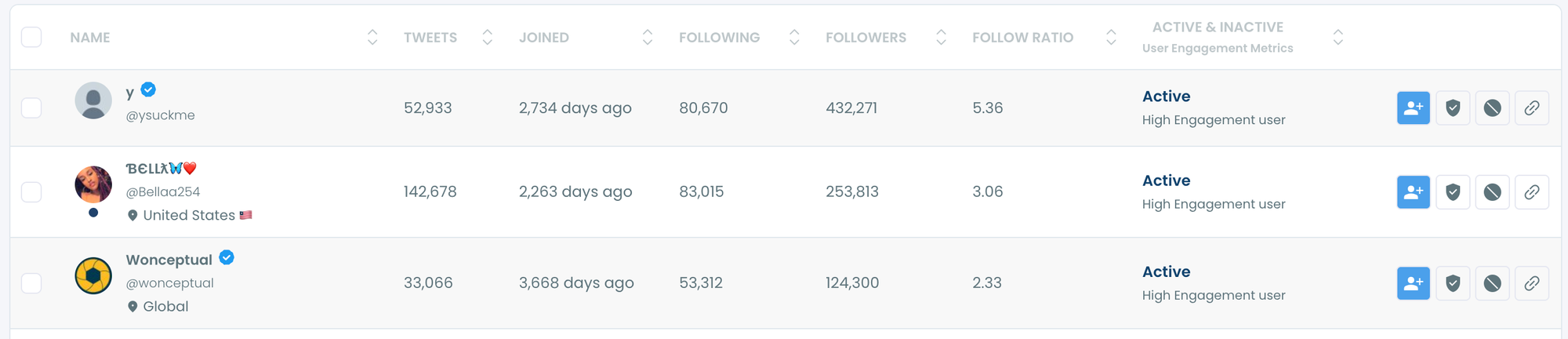
When you see new followers on another account, you can:
- Identify users interested in the same topics
- Discover potential leads or connections
- Follow relevant accounts directly
- Build targeted lists based on real activity
Instead of discovering users randomly, you base actions on current audience behavior.
How to Track Someone’s Follower Change Daily with Circleboom Twitter
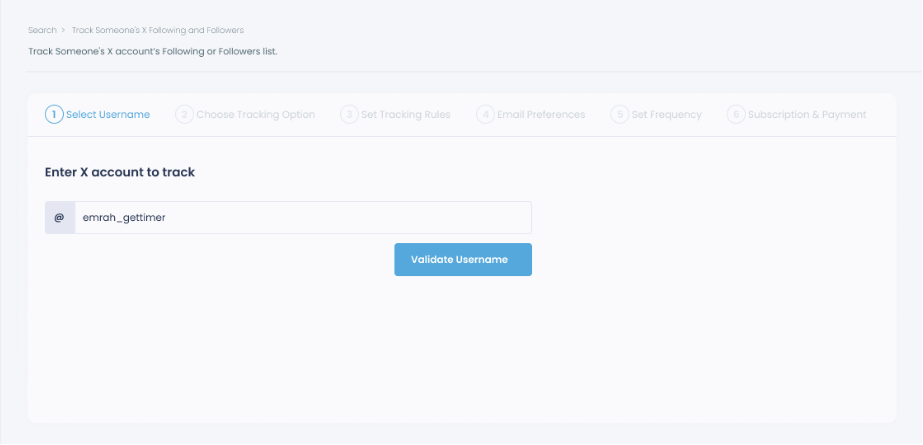
Step #1: Select any username you want to track on X.
You will track their recently followed audience.
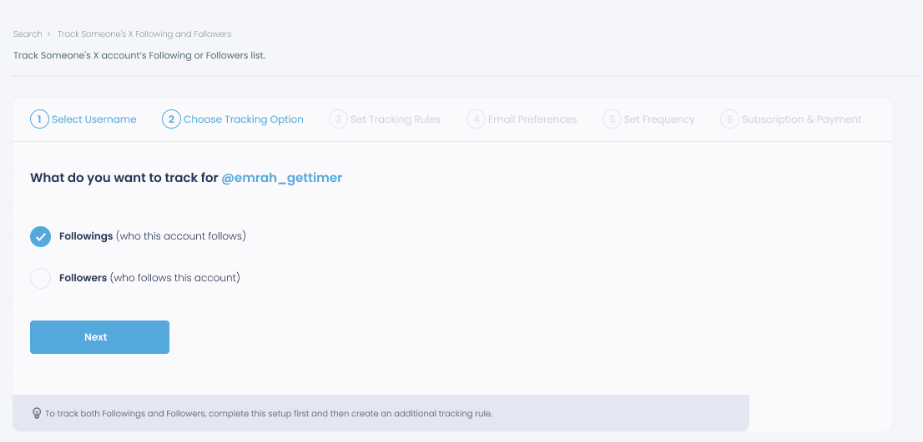
Step #2: Next, you will choose "Followings" or "Followers".
You should select one of the tracking options.
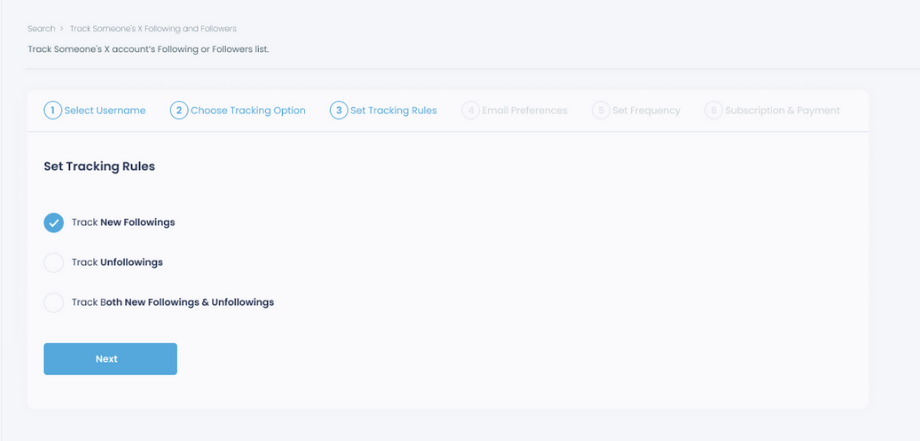
Step #3: Regarding the followers, you can track new, recent followers and unfollowings.
You can track both at the same time!
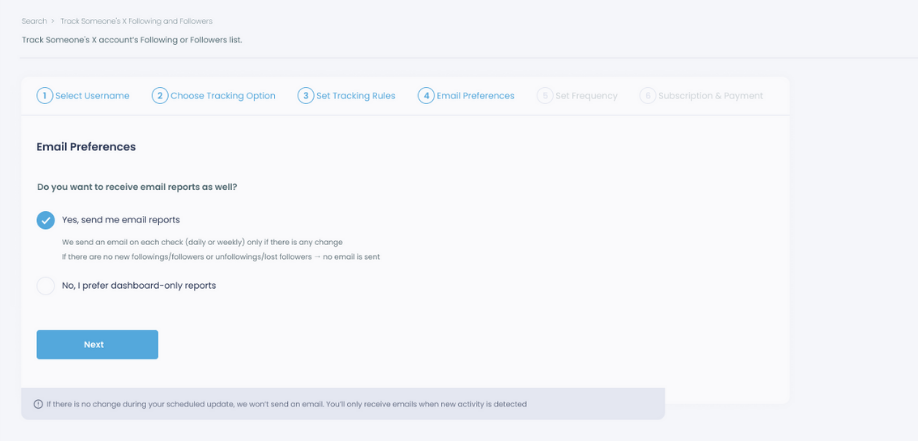
Step #4: For your tracking operations, you can receive email updates for each check.
You can still track new followings or followers without email notifications. You can monitor the following or followers with dashboard-only reports.
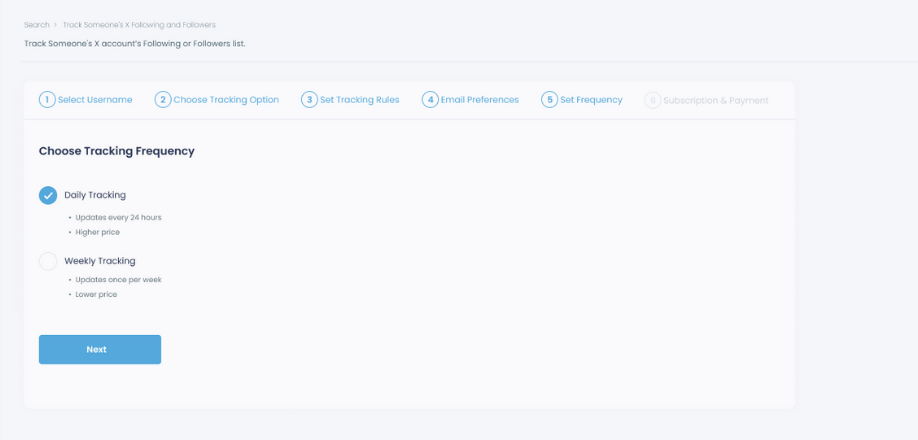
Step #5: Now, you should set the frequency.
You can get "Daily Tracking" or "Weekly Tracking".
Step #6: The next step is subscription.
After checking the rules, you can start tracking.
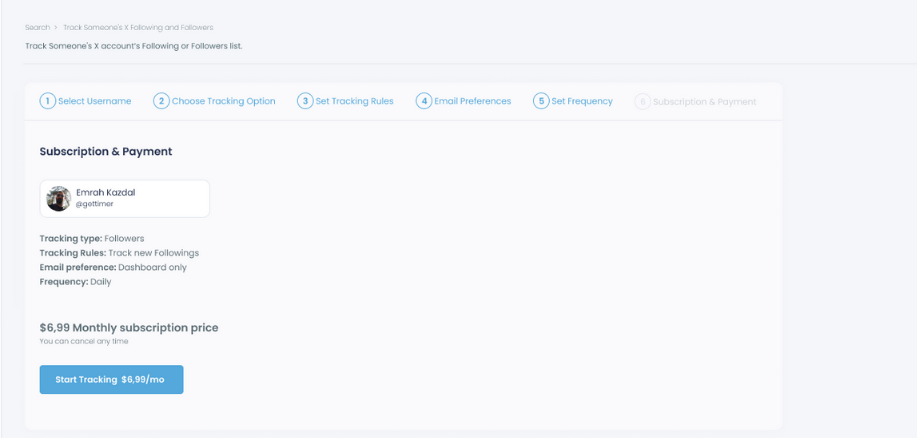
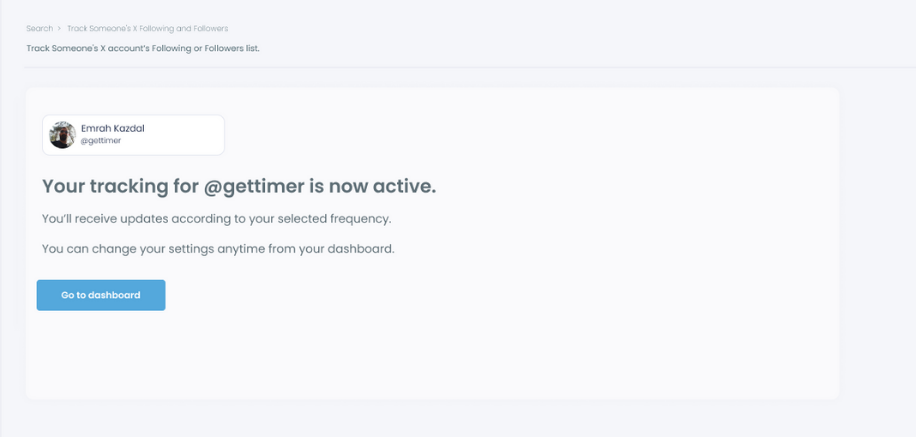
Tracking is now active.
That's it! Now you can monitor newly followings and followers of anyone on X with Circleboom!
What Becomes Clear After Consistent Tracking
After tracking an account for several days or weeks, patterns become obvious.
You start to see which days bring growth, which actions lead to unfollows, and how following behavior affects visibility. You also gain a better understanding of how stable or artificial an account’s growth is.
This level of insight cannot be achieved by checking profiles occasionally on X.
Conclusion
If you want to understand how an account grows or declines, total follower count is not enough. Daily follower change provides the missing context.
Tracking who followed, who unfollowed, and how following activity changes over time turns public account monitoring into a structured analysis process.
That is why I rely on Circleboom Twitter. It makes daily follower tracking possible, reliable, and usable, without depending on manual checks or assumptions.
)
