

If you’re already posting regularly on Twitter (X), you’re already creating content every day. Ideas, opinions, tips, short insights, everything is there. The real problem is that only Twitter users get to see it.
Your Instagram audience is a completely different group of people, and unless you repurpose your tweets, they never come across those ideas. That means a big part of your content’s potential reach is simply wasted.
Turning tweets into Instagram Story images is one of the easiest ways to fix that without creating brand-new content from scratch.
Why Turning Tweets Into Instagram Story Images Works
Twitter and Instagram work very differently, but that doesn’t mean your content can’t live on both platforms.
Twitter is built around text and fast scrolling. Instagram Stories, on the other hand, are visual and sit at the very top of the app, which gives them extremely high visibility. When tweets are transformed into Story-friendly images, they suddenly fit into Instagram’s native experience.
This approach works because:
➡️ You reuse content that already performed well on Twitter
➡️ You reach a new audience without changing your message
➡️ You stay consistent on Instagram without posting random filler content
➡️ You grow multiple platforms using the same ideas
Instead of posting once and moving on, your tweets start working in more than one place.
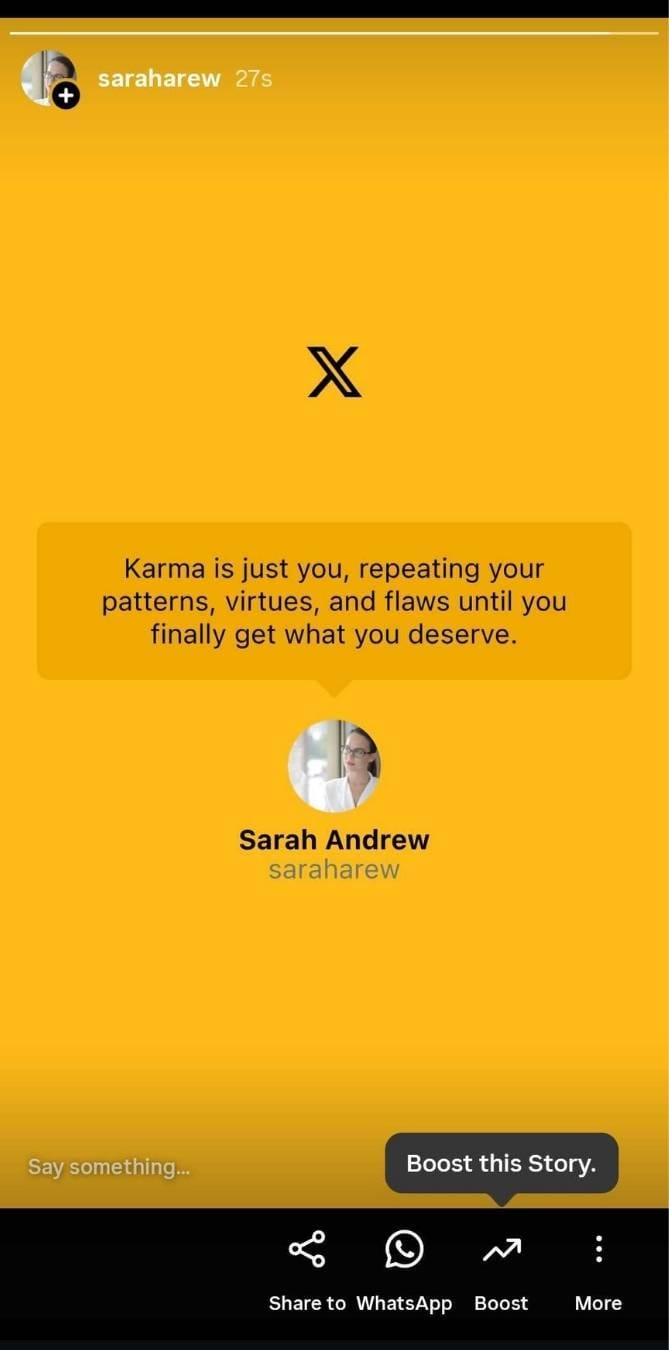
The Real Problem: Tweets Don’t Fit Instagram Stories by Default
The main reason people don’t cross-post tweets to Instagram Stories is formatting.
Tweets are text-based. Instagram Stories are visual. When you try to bridge that gap manually, things get messy quickly. Screenshots often look low-quality, text becomes hard to read on mobile screens, and every Story ends up looking different unless you spend time designing each one.
This is where many people give up, not because cross-posting doesn’t work, but because manual formatting is too time-consuming.
The Simple Solution: Automatically Turn Tweets Into Story Images
This is where Circleboom Twitter comes in.

Circleboom Twitter is an official X Enterprise Developer that allows you to create, manage, and distribute your Twitter content across multiple platforms, including Instagram.
The key feature here is that it doesn’t just repost tweet text. It automatically converts tweets into high-quality visual images designed for platforms like Instagram.
Instead of dealing with screenshots or external design tools, Circleboom:
🟢 Turns tweet text into clean, readable visuals
🟢 Applies proper Story dimensions automatically
🟢 Uses different text styles, colors, and layouts
🟢 Keeps everything consistent and professional
This removes the biggest barrier to cross-posting: design work.
How to Turn Tweets Into Instagram Story Images with Circleboom
Step #1: First, log in to your Circleboom Twitter account.
If you don't have an account yet, you can create one in seconds!

Step #2: On the Circleboom Twitter dashboard, navigate to the left menu.
First, find the “Post Management & Analytics” and then click on “Write and Plan Your Post”.

Step #3: Write your tweet. Circleboom’s AI options can generate tweets for you automatically.
When it is ready, you can “Post” or “Schedule” your tweet. To see your cross-posting options, you should click on one of them.
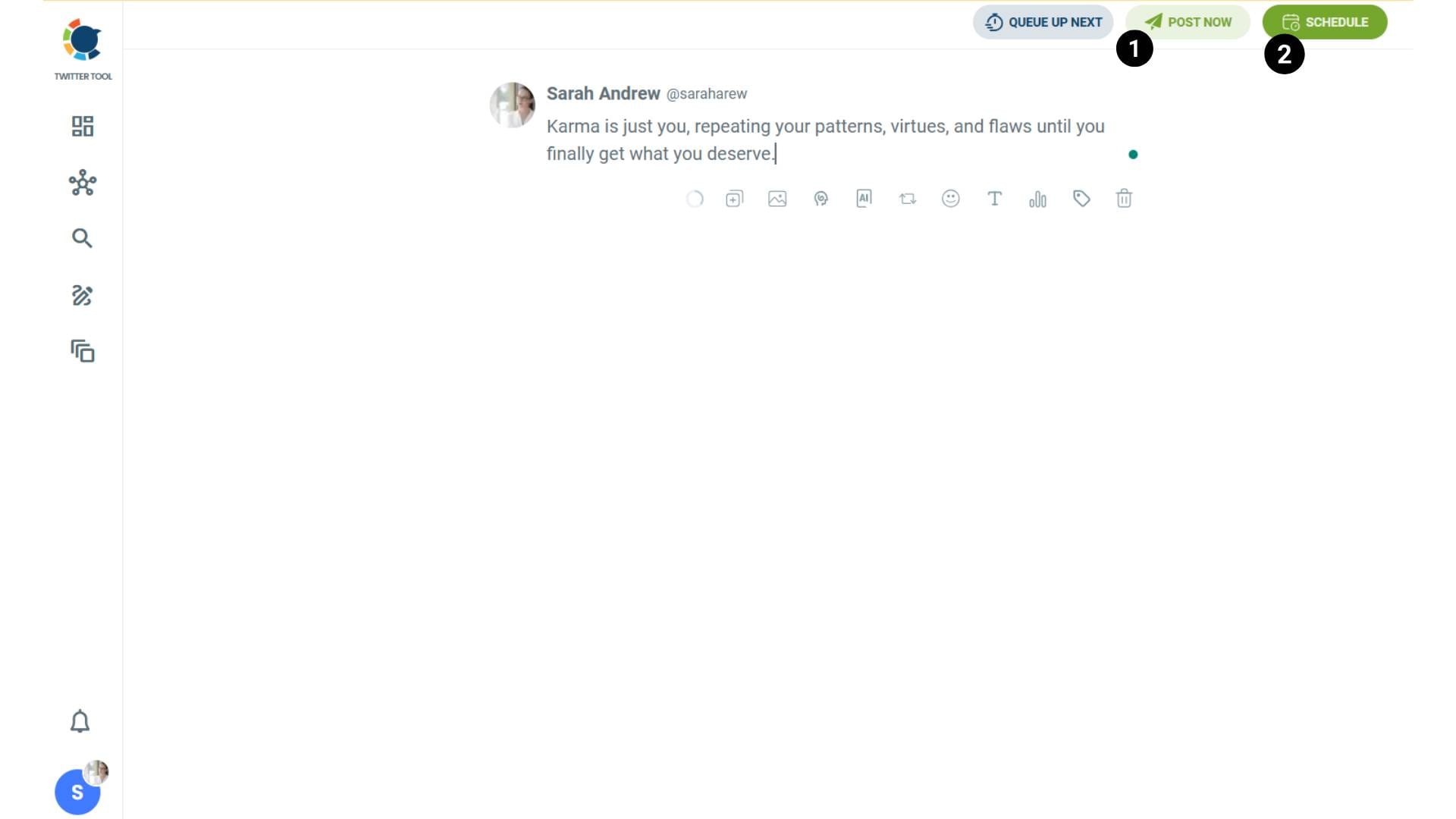
Step #4: You will see your connected platforms. You can cross-post your tweets to these accounts automatically.
You can share tweets on LinkedIn, Facebook, Threads, Bluesky, and finally, Instagram!
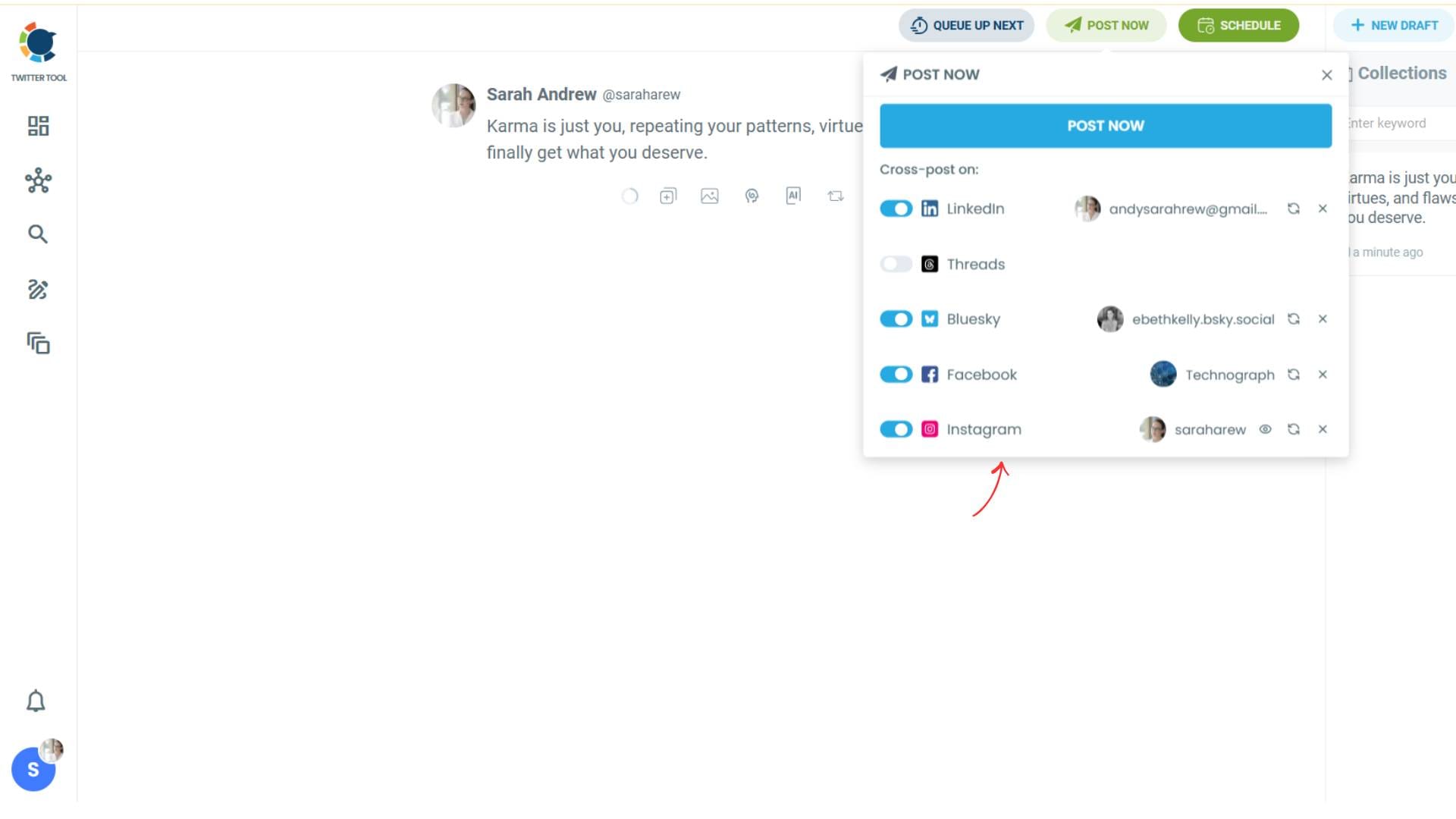
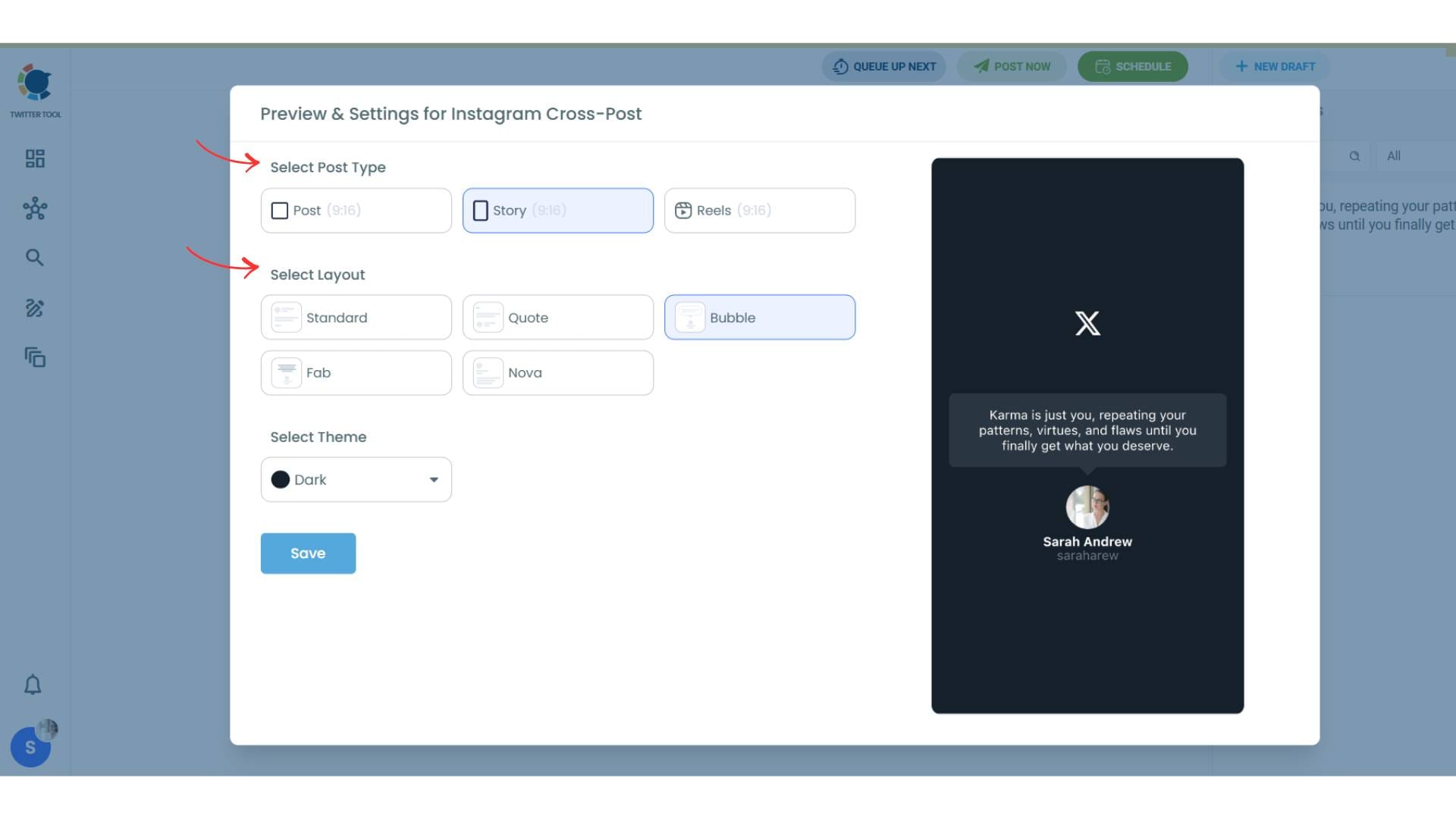
To decide if it is going to be a standard Instagram post or Story or Reels, and decide layouts and colours, click on “Preview”.
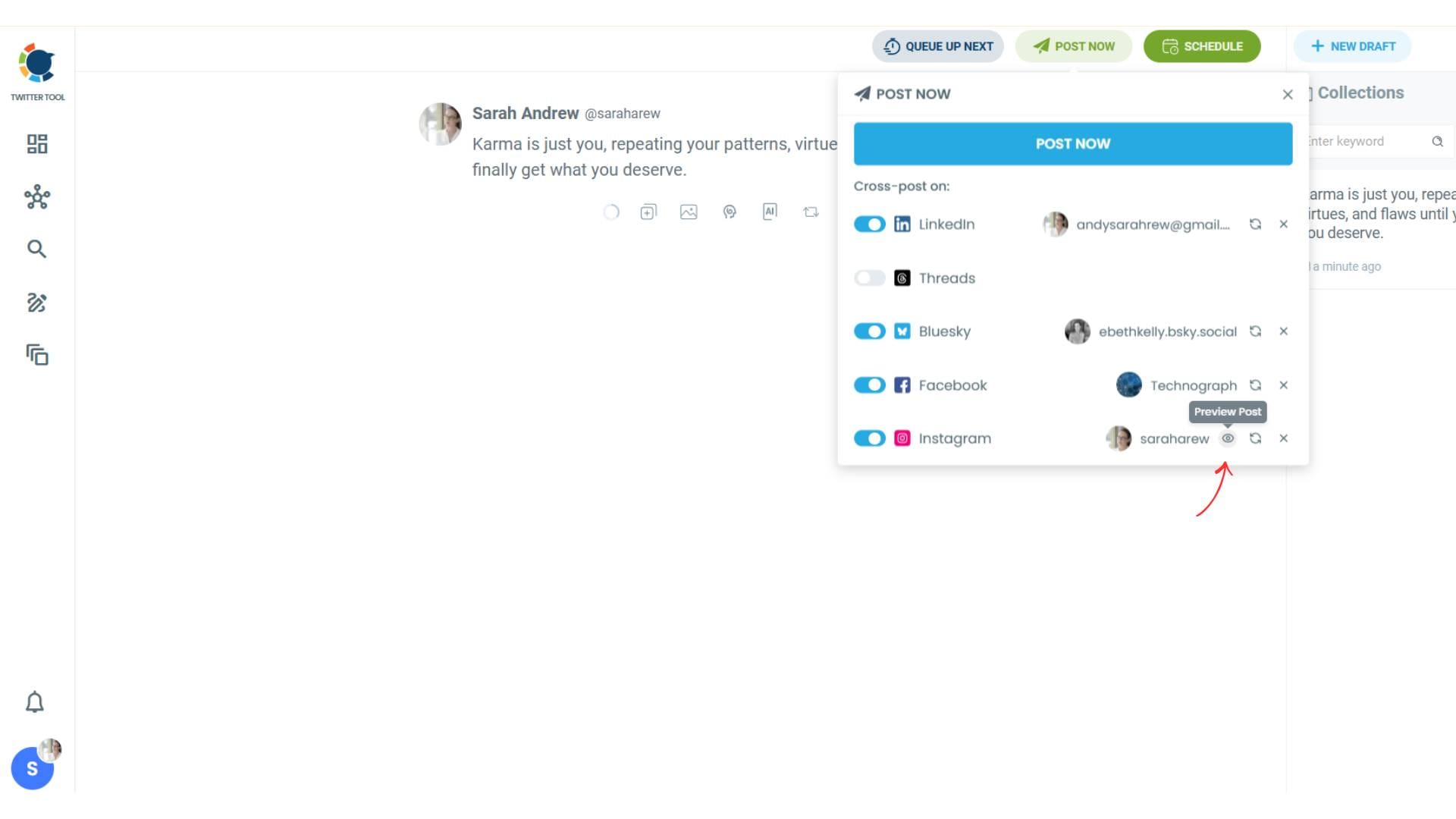
Step #5: Here you can select Instagram post type: “Post”, “Story”, and “Reels”.
You can also select the post layout.
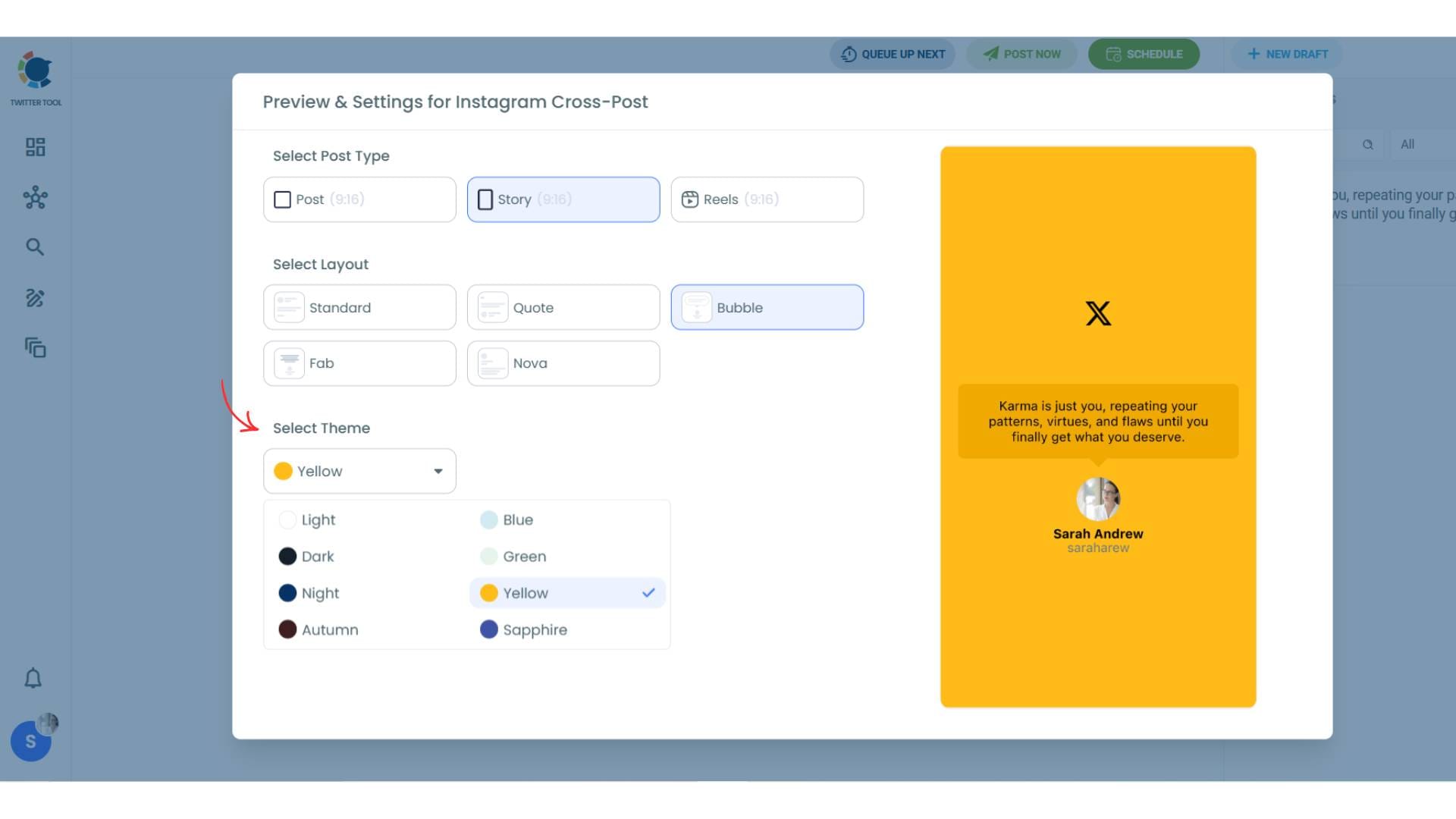
You can also select different themes. Share your tweet on Instagram with different colors.
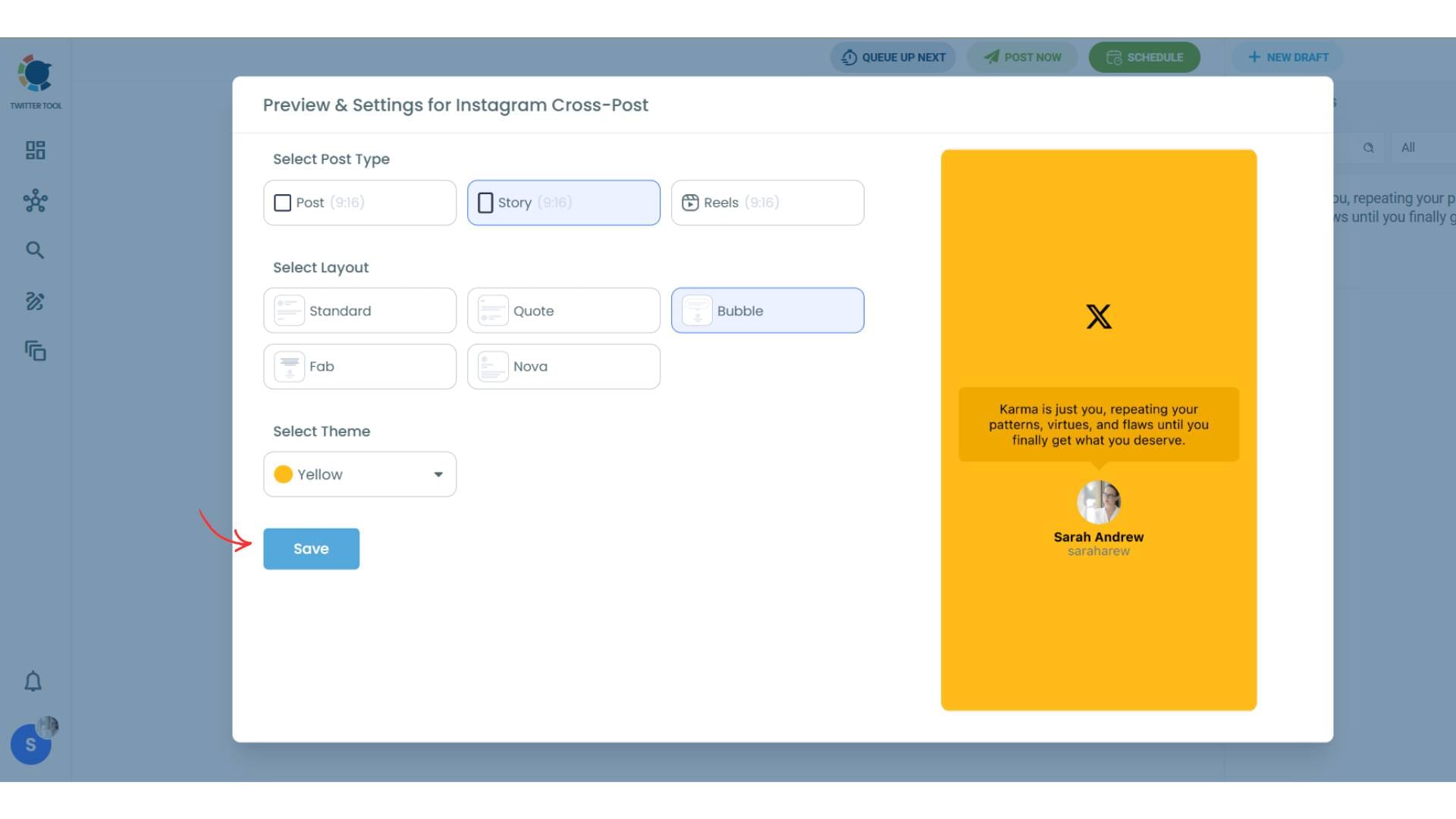
Lastly, you should click on “Save” and your Instagram cross-post is ready.
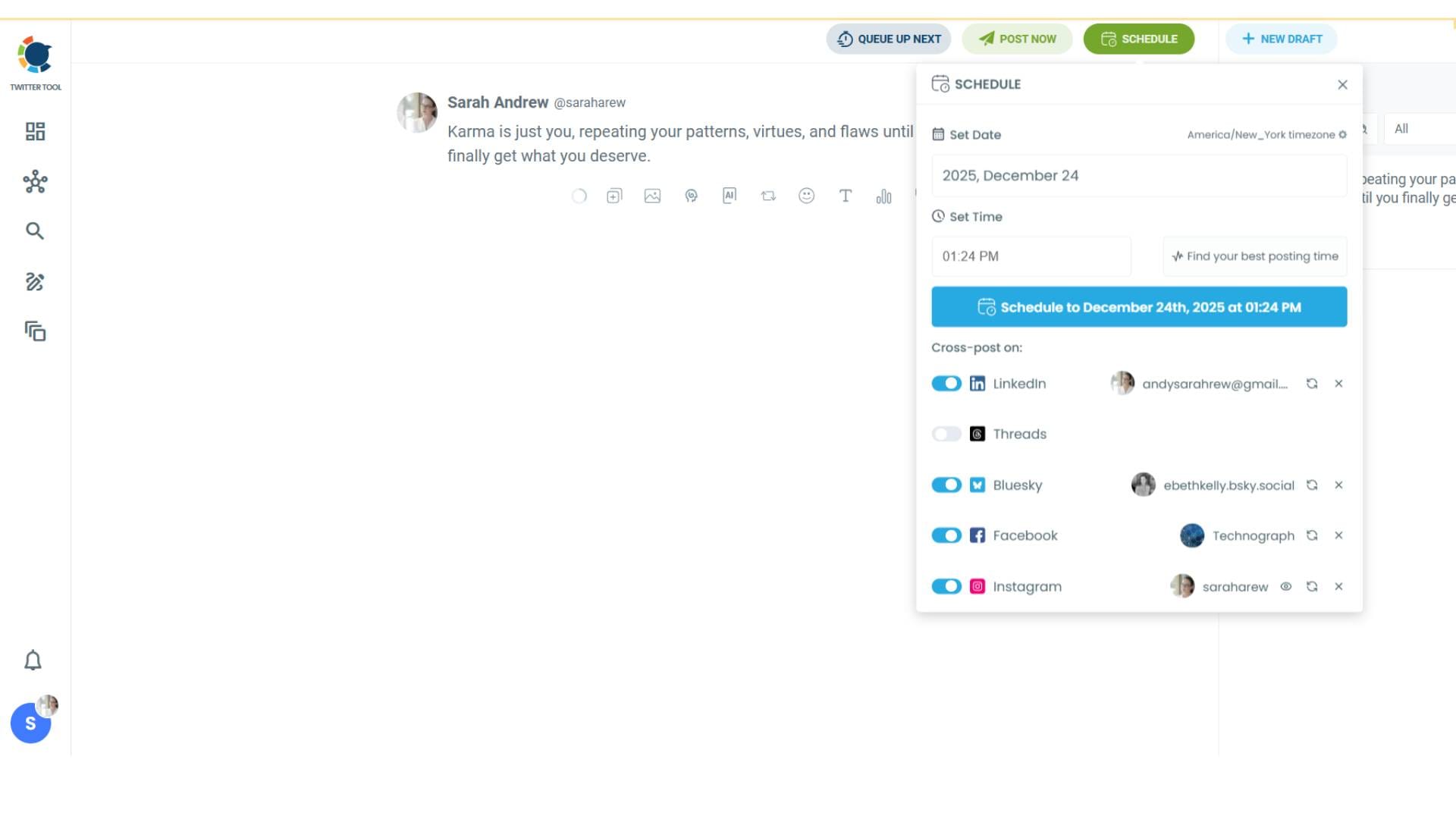
Step #6: When all is set, you can share your cross post immediately or schedule it for a later time.
You can select the day and hour and click to share your tweet!
You can get more impressions and engagement for your tweets on Instagram. Don't limit yourself to Twitter (X).
Share your tweets on Instagram to reach a wider audience.
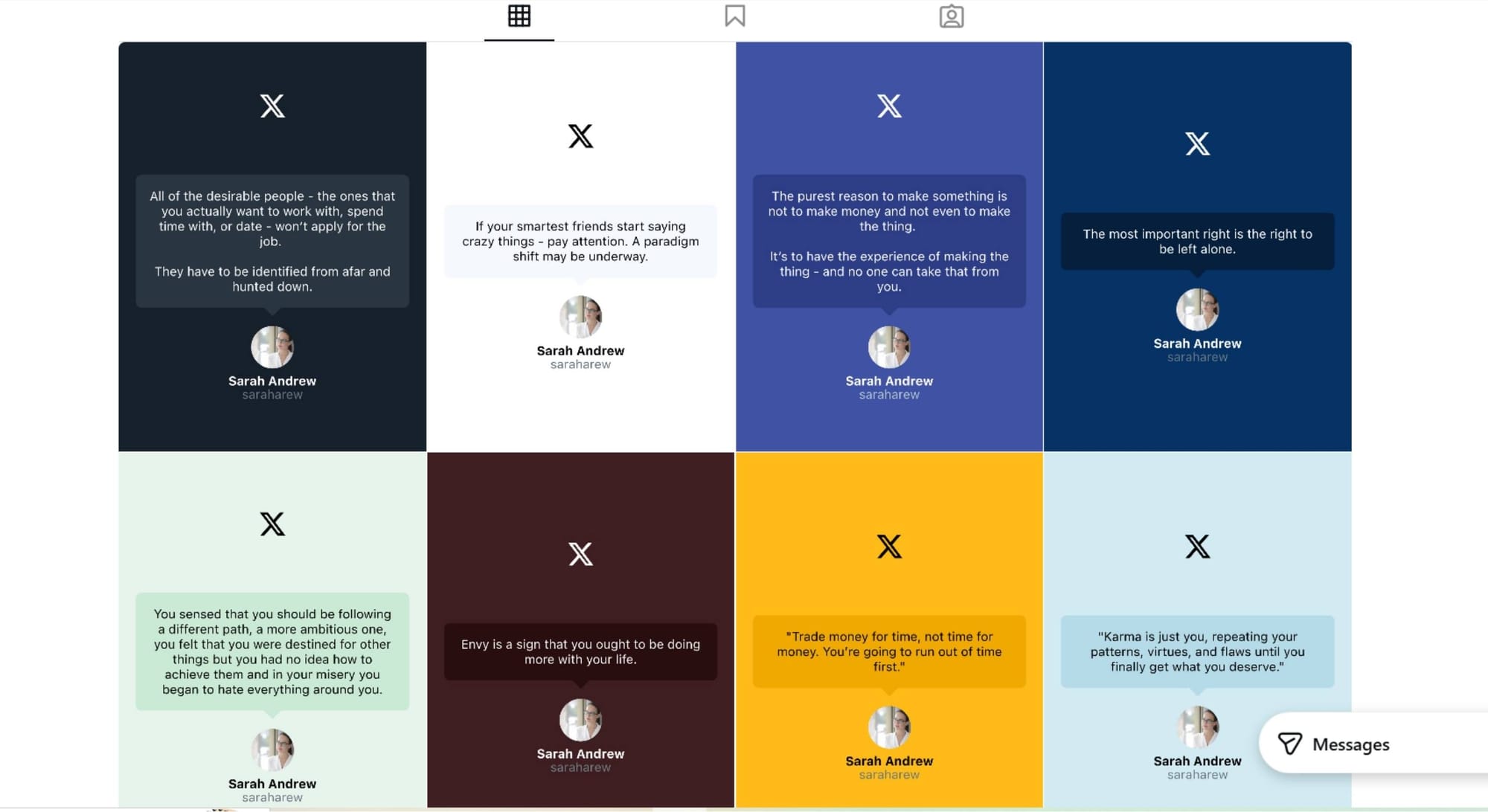
What Makes a Tweet-to-Story Image “High Quality”
Not every converted tweet works equally well as a Story. High-quality Story images share a few common traits.
They’re easy to read: Instagram Stories are viewed quickly, often with one hand, so long paragraphs don’t work. Clear spacing and strong contrast matter more than decoration.
They focus on one idea: A single insight, tip, or opinion per Story performs far better than trying to fit too much text into one slide.
They look intentional: Consistent fonts, colors, and layouts make Stories feel like part of a brand instead of random screenshots.
Circleboom handles most of this automatically, which is why the output feels native to Instagram rather than copied from Twitter.
Best Tweets to Turn Into Instagram Story Images
Some tweets naturally translate better into Story images than others.
- Short insights and strong opinions work well because they immediately catch attention.
- Tips and quick takeaways also perform strongly, especially when they deliver value in one or two lines.
- Quotes and one-liners are ideal for visual formats because they’re easy to read and emotionally engaging.
- Educational tweets can also work, as long as they focus on one clear idea instead of a long explanation. If a tweet teaches something quickly, it feels like a micro-lesson rather than a lecture.
Final Thoughts: One Tweet, More Reach
If you’re already active on Twitter, you’re already doing the hard part, creating content. Turning tweets into high-quality Instagram Story images allows that content to reach people who would never see it otherwise.
Format differences between platforms are real, but they’re no longer a blocker. With Circleboom, your tweets can become clean, visual Stories automatically, helping you grow Instagram alongside Twitter without doubling your workload.

