
If your Instagram text keeps getting cut off, covered by buttons, or hidden behind UI elements, the problem isn’t your design.
It’s your safety zone.
That’s why searches for Instagram safety zone template have become increasingly popular especially among creators, designers, and brands that want their content to look clean on every device.
In this guide, you’ll learn:
- what an Instagram safety zone template is
- why safety zones matter for posts, Stories, and Reels
- exact safety zone guidelines for each format
- common mistakes to avoid
- how to design content that always stays visible
What Is an Instagram Safety Zone Template?
An Instagram safety zone template is a visual guide that shows which areas of your content are guaranteed to remain visible across all devices and UI overlays.
Instagram adds interface elements such as:
- profile names
- captions
- like, comment, and share buttons
- Story controls
- Reels captions and icons
If you place important text or visuals outside the safe area, Instagram may hide or crop them.
A safety zone template helps you avoid that.
Style A: Warm gradient (peach / sunset UI)
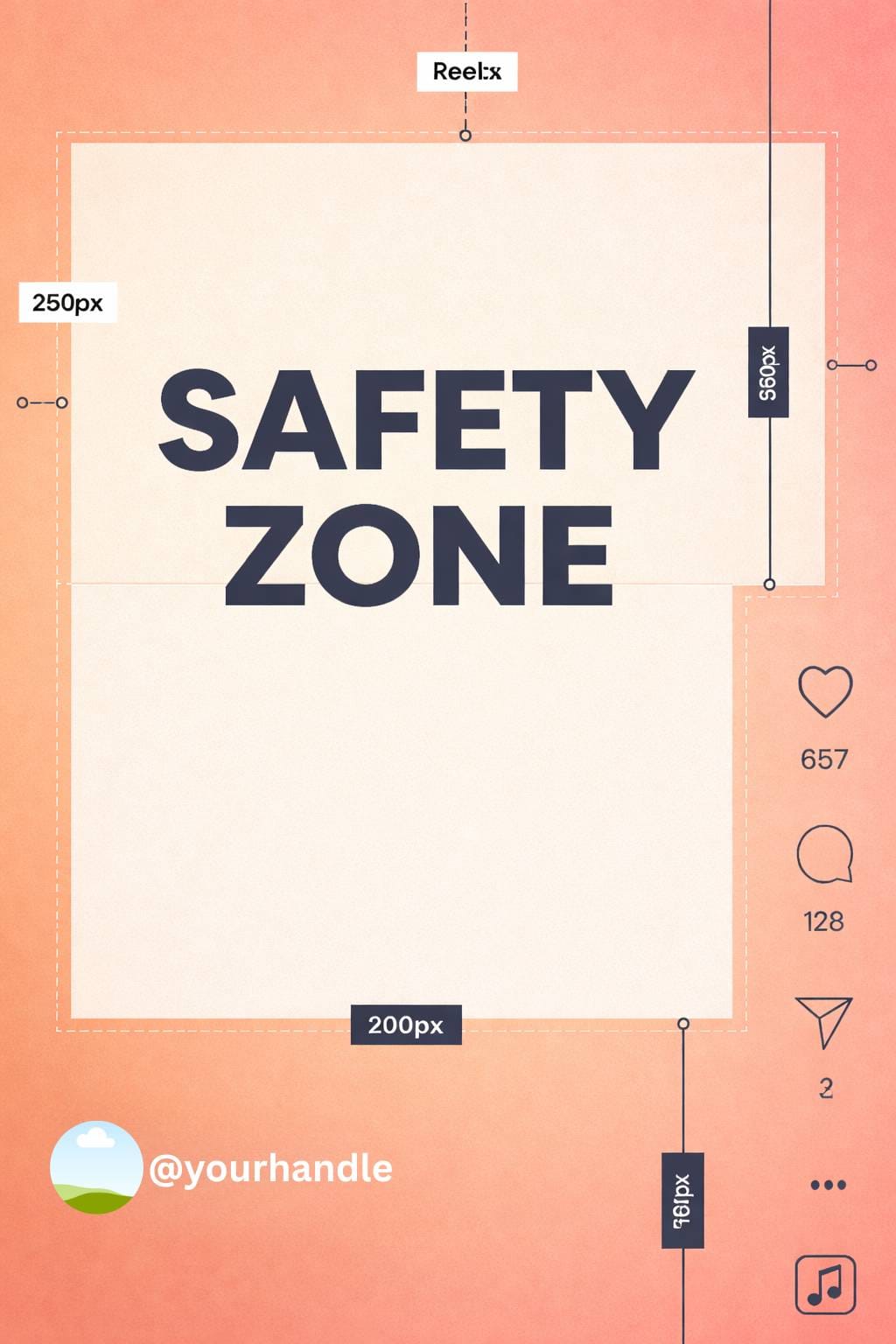
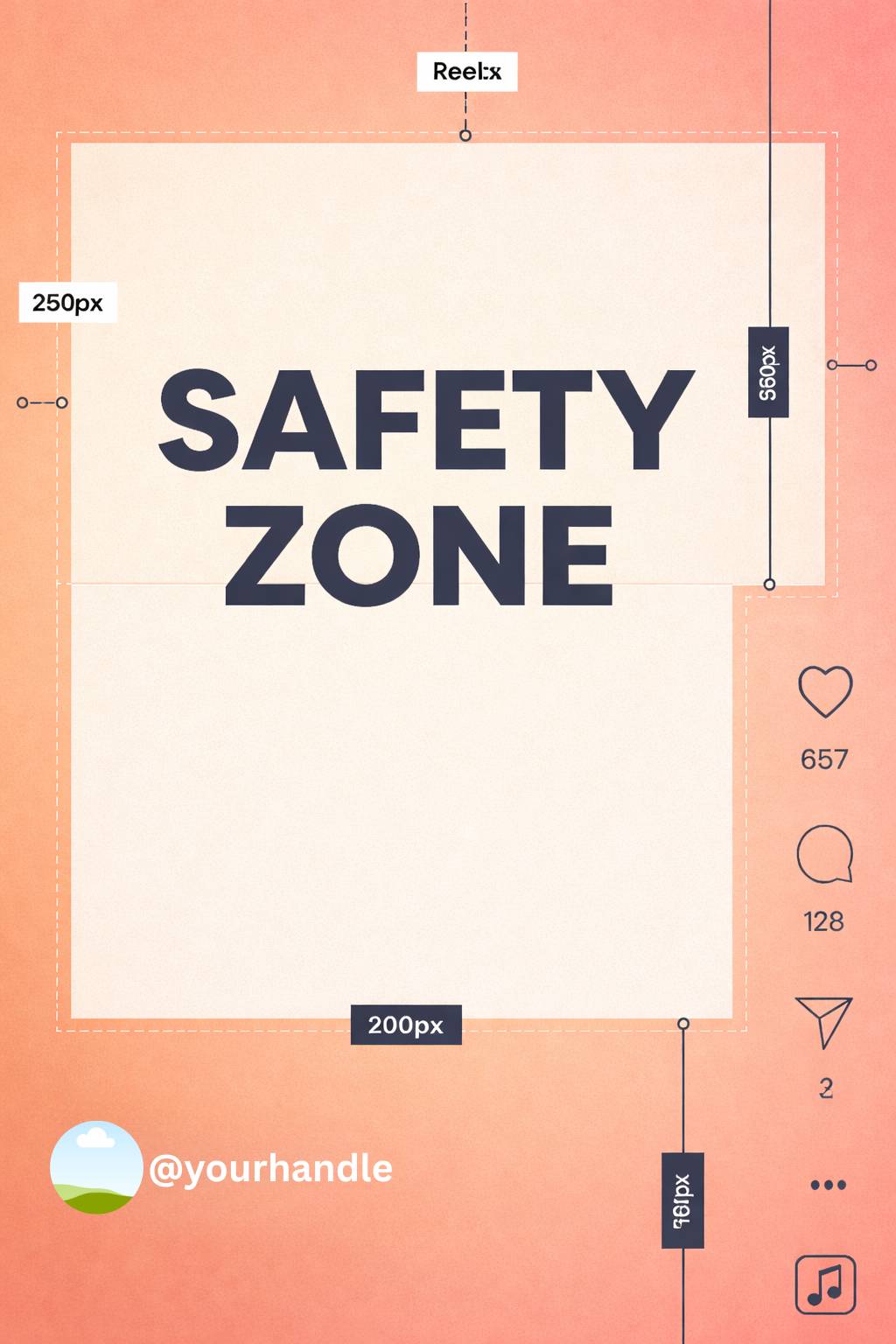
Style B: Minimal light (green)
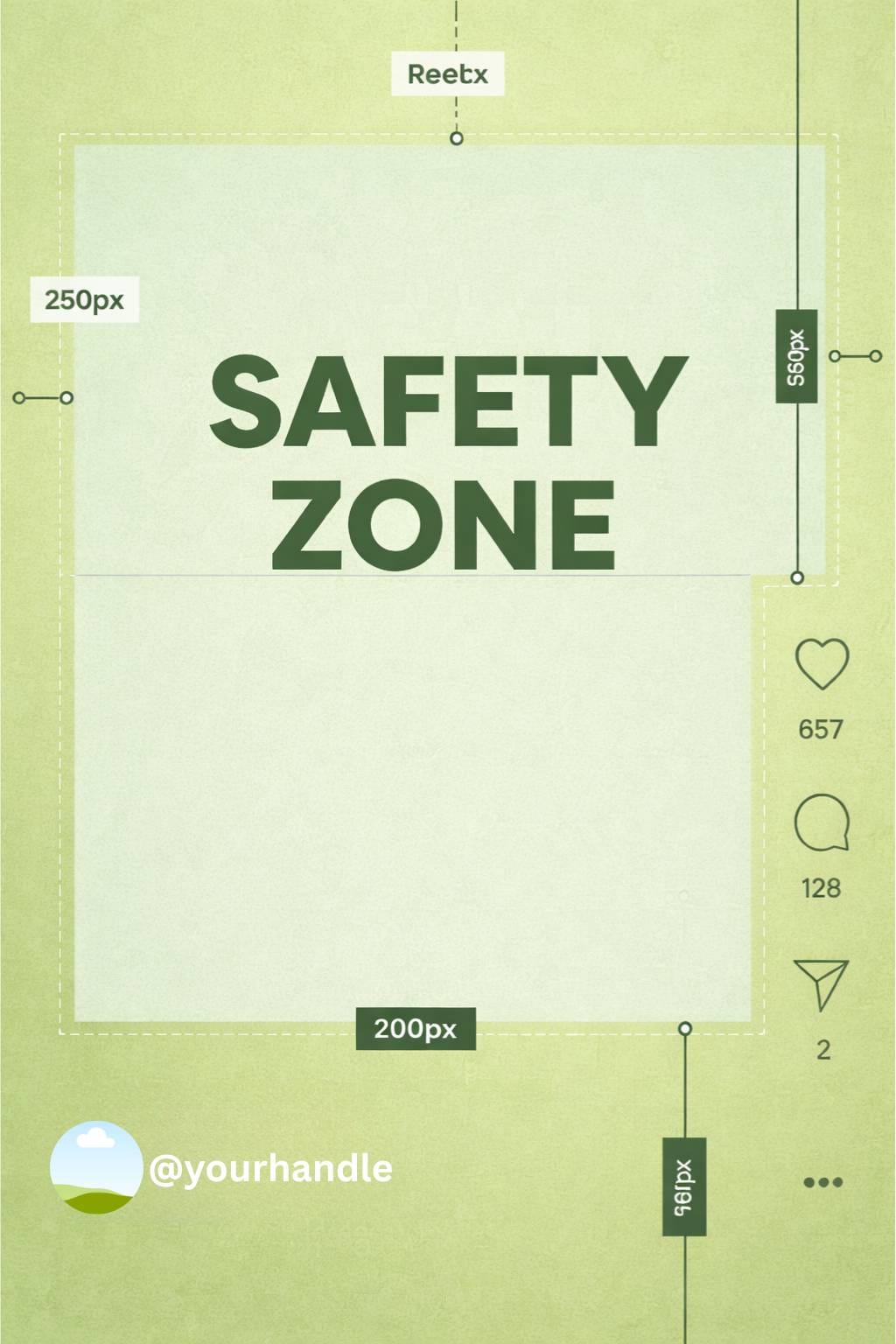
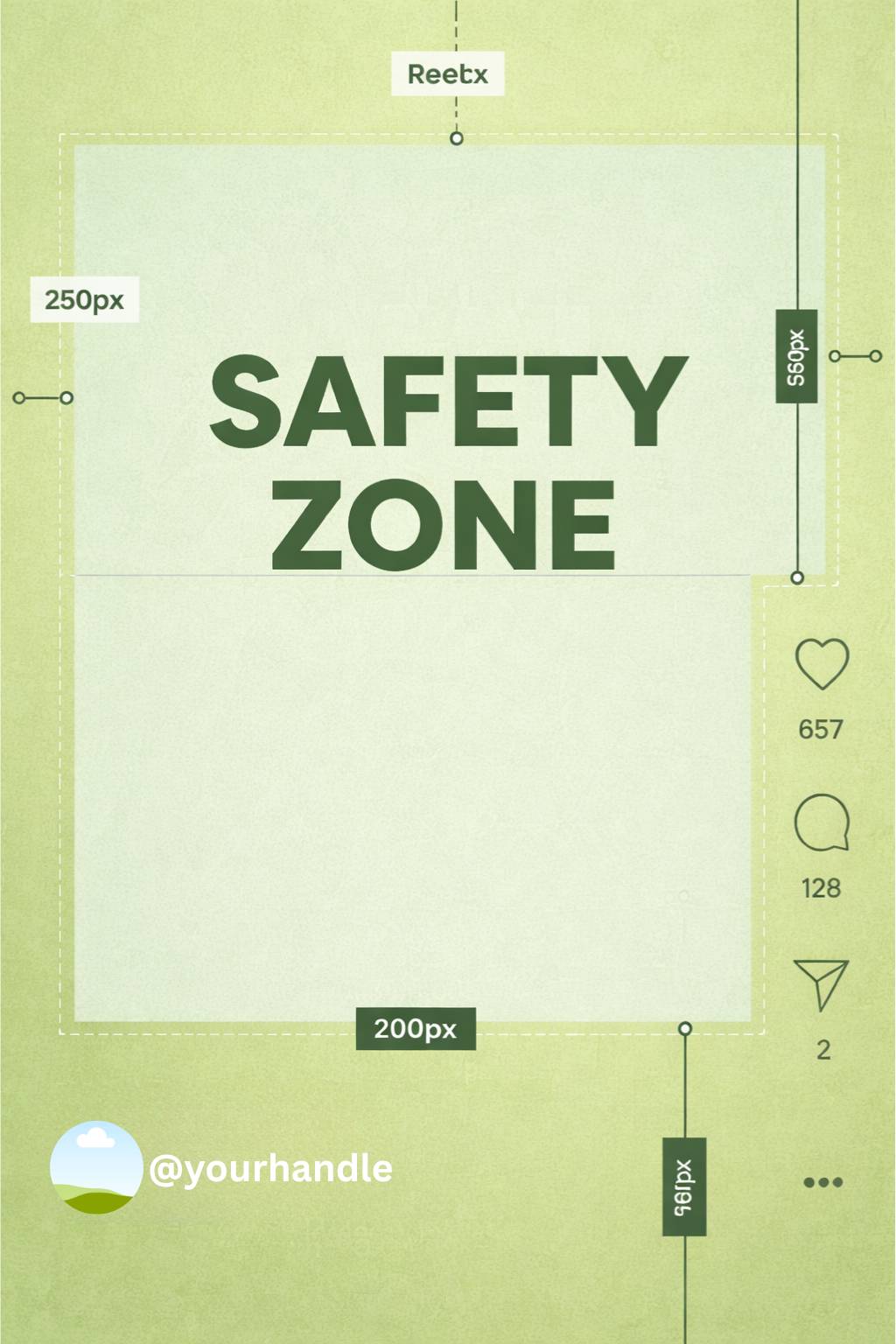
Style C: Soft gradient (purple)
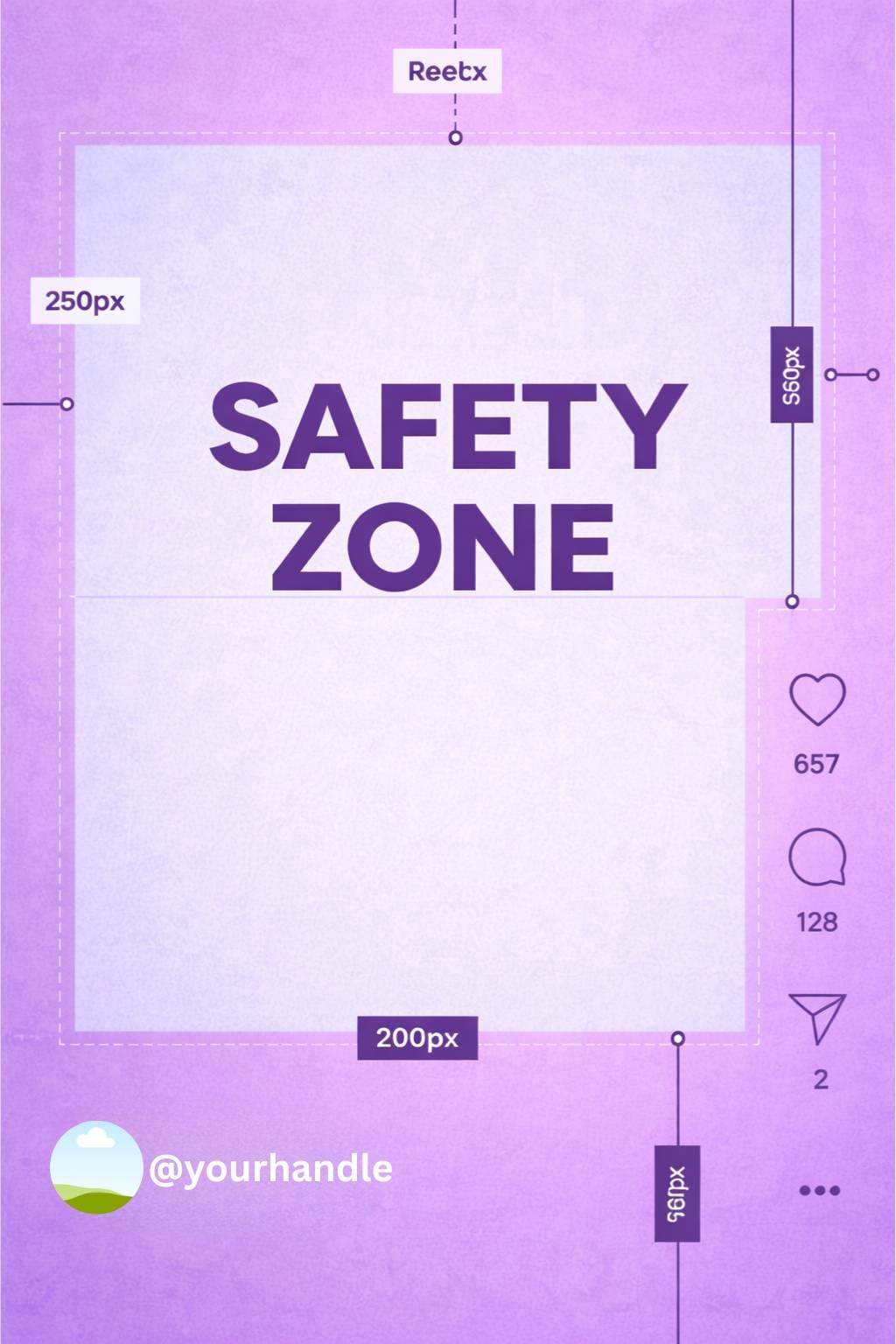
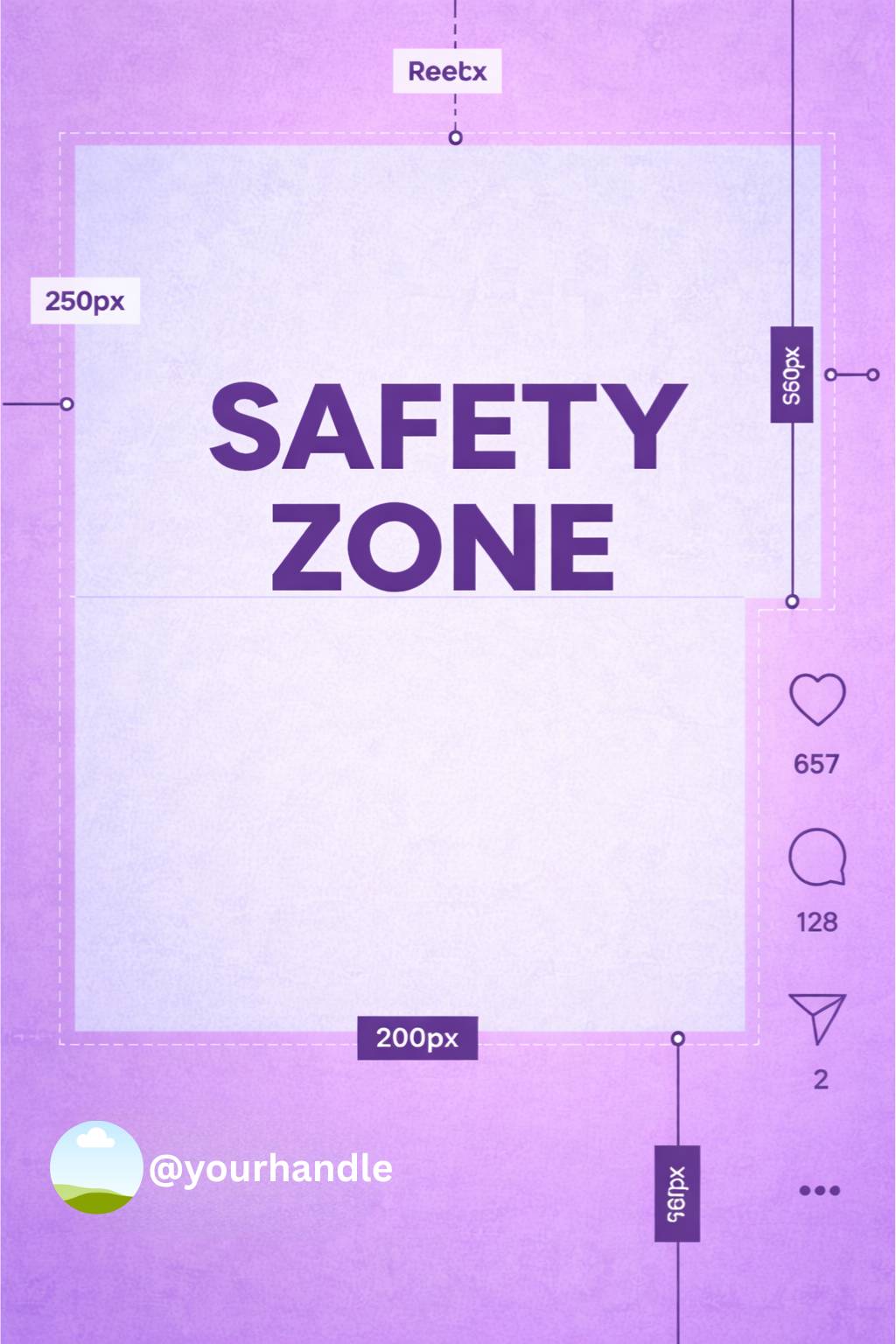
Style D: Warm contrast (orange)
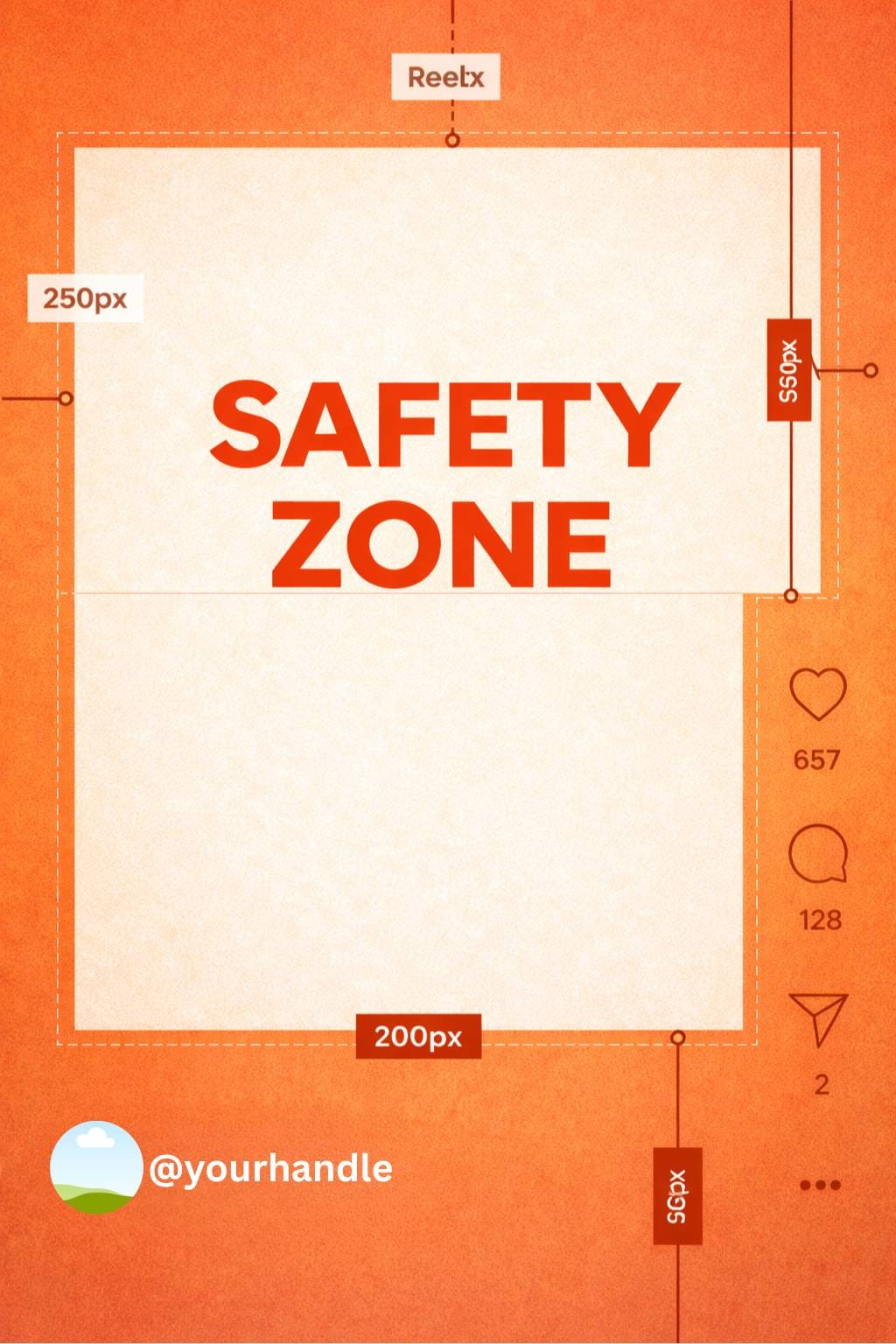
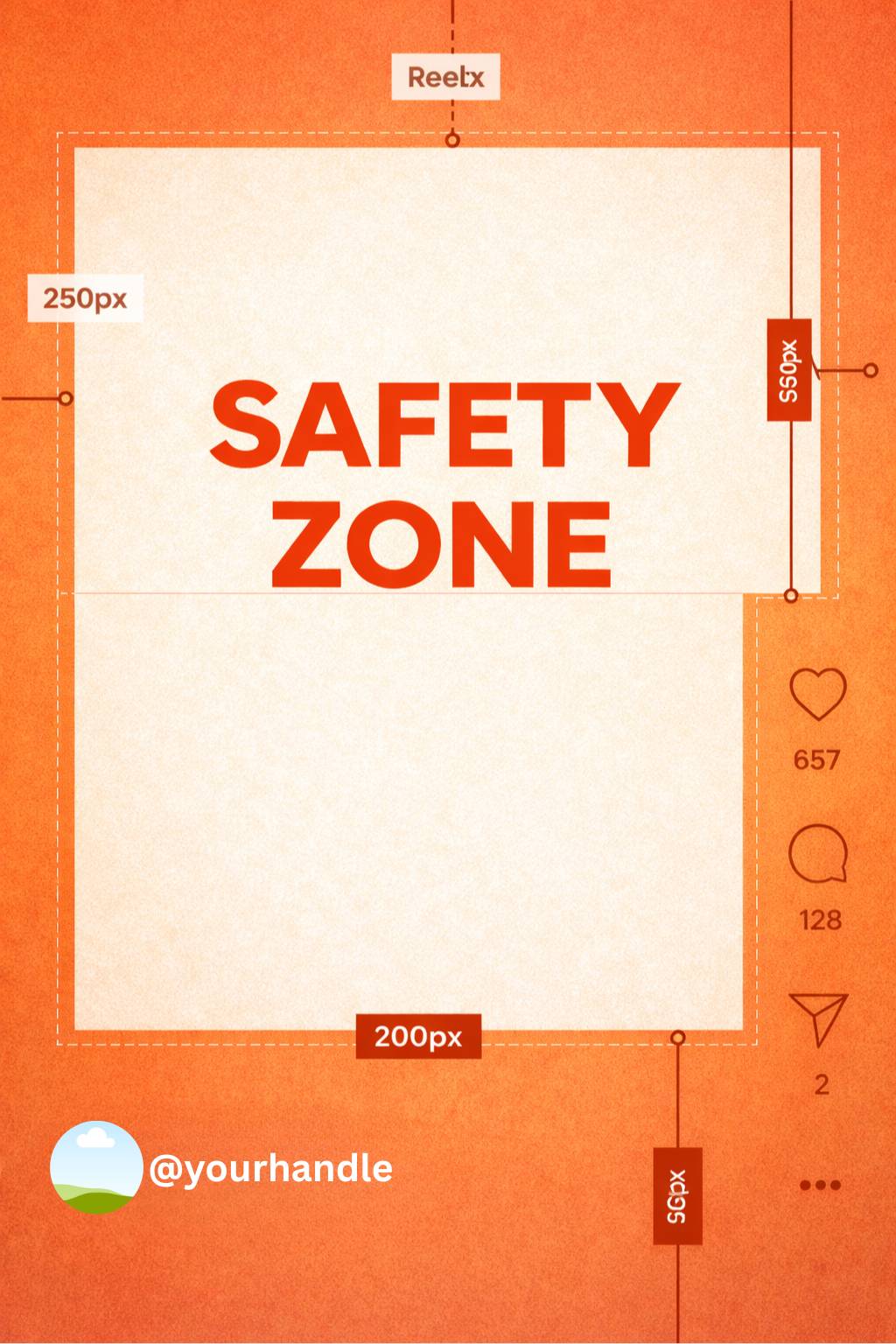
Style E: Dark / neon (night mode)
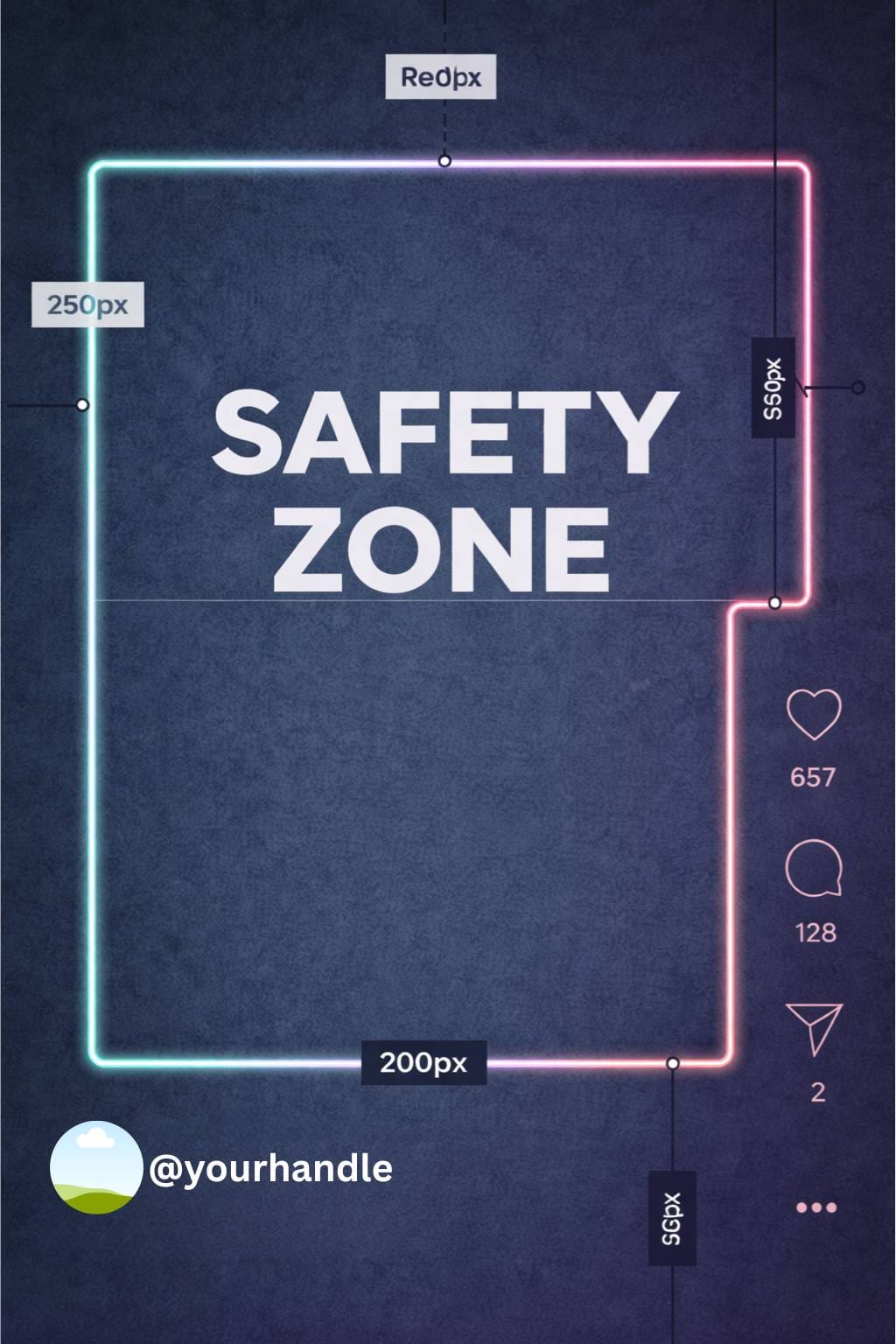
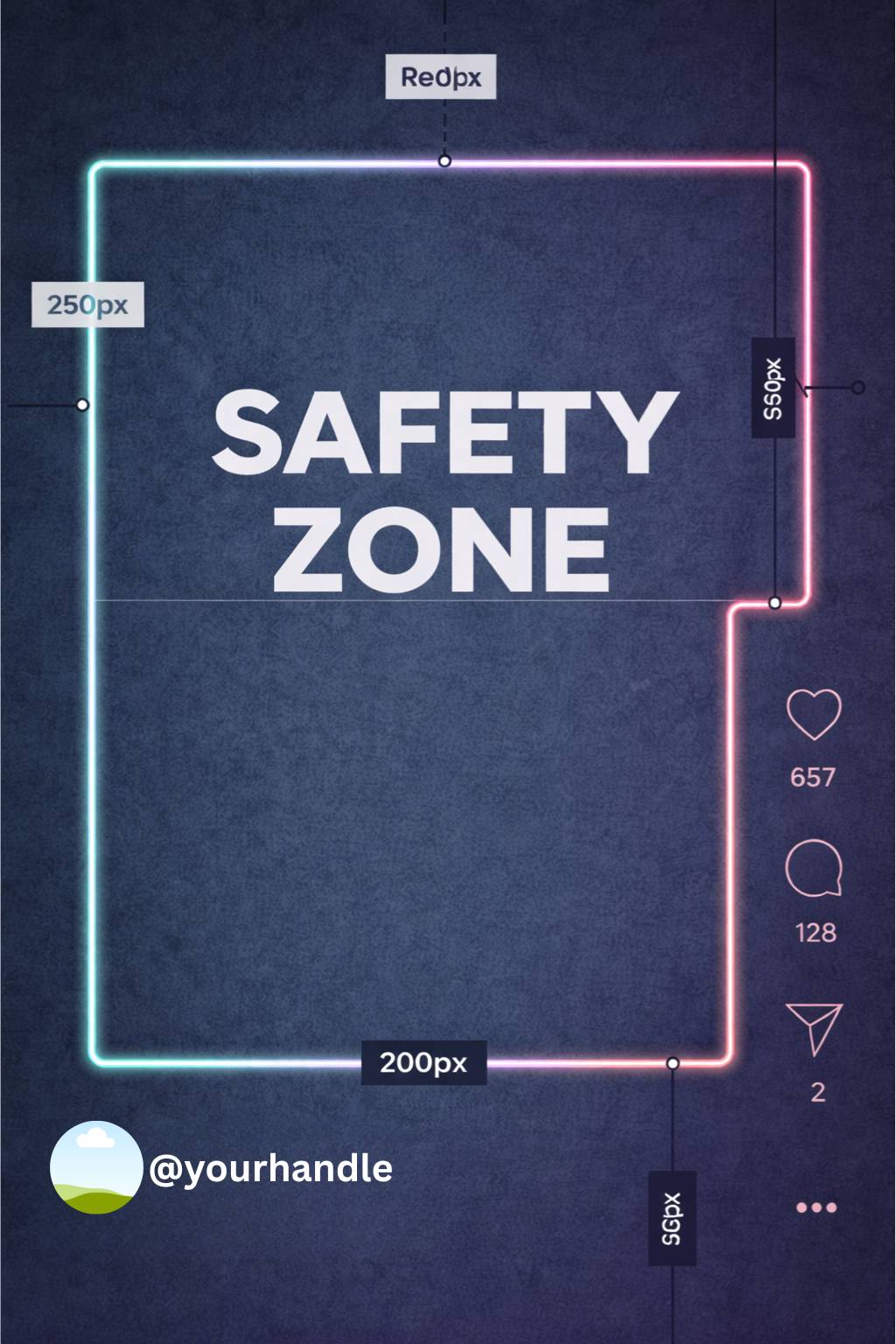
You can also get a Canva link for these Instagram safety zone templates. You can use these templates, edit them and use them for any other purposes, on any other platforms:
Editable template link from Canva
Why Instagram Safety Zones Matter
Instagram content is displayed differently depending on:
- device size
- orientation
- platform updates
- UI overlays
This means a design that looks perfect in your editor can look broken once published.
Using an Instagram safety zone template ensures:
- text stays readable
- CTAs remain visible
- branding isn’t cropped
- content looks professional
This is especially critical for Reels and Stories, where UI elements take up a large portion of the screen.
Instagram Safety Zone Template for Posts
Standard Instagram Post Size
- 1080 × 1080 px (square)
- 1080 × 1350 px (portrait – preferred)
Safe Area Guidelines
For square and portrait posts:
- keep important text centered
- avoid placing text near the bottom edge (caption preview overlaps)
- leave padding on all sides
While Instagram posts have fewer overlays than Stories or Reels, captions and preview cropping still affect visibility.
Instagram Safety Zone Template for Stories
Stories are where safety zones matter most.
Instagram Story Size
- 1080 × 1920 px (9:16)
Story UI Overlays Include:
- profile name and time (top)
- reply bar and interaction buttons (bottom)
Recommended Safe Zone
- keep all essential text and graphics within the center 80% of the screen
- avoid top and bottom 250–300 px
Anything placed outside this zone risks being hidden.
This is why Story templates that ignore safety zones often fail.
Instagram Safety Zone Template for Reels
Reels combine the risks of Stories with even more UI clutter.
Instagram Reel Size
- 1080 × 1920 px (9:16)
Reel UI Overlays Include:
- captions (bottom)
- like, comment, share buttons (right side)
- audio and username labels
Reel Safe Zone Best Practices
- keep key visuals and text centered
- avoid the bottom third of the screen
- avoid the right side where icons appear
- design with vertical balance in mind
A Reel safety zone template is essential if you add:
- text overlays
- subtitles
- CTAs
Common Mistakes When Ignoring Safety Zones
Creators often lose engagement because:
- text is covered by captions
- CTAs are hidden behind buttons
- branding is partially cropped
- subtitles become unreadable
These mistakes are avoidable with a proper Instagram safety zone template.
How Designers and Creators Use Safety Zone Templates
Safety zone templates are commonly used in:
- Canva designs
- Figma layouts
- Photoshop files
- video editing timelines
They act as an invisible guide layer that ensures every element stays within Instagram’s visible area.
Managing Instagram Content Consistently
Designing within safety zones is only part of the workflow.
Scheduling, posting, and repurposing content consistently is just as important—especially when managing multiple formats like posts, Stories, and Reels.
This is where tools like Circleboom fit naturally into the process.
Circleboom helps creators and brands:
- manage Instagram posts, Stories, and Reels from one place
- schedule content consistently
- preview layouts before publishing
- maintain design and posting discipline
When safety zone–aware designs meet structured publishing, content quality stays high across platforms.
Best Practices for Instagram Safety Zones
- always design at full resolution (1080 × 1920)
- keep critical text inside central safe areas
- test designs on real devices
- avoid placing text near edges
- update templates as Instagram UI changes
Safety zones aren’t static. Instagram evolves, and so should your templates.
Final Thoughts: Why Instagram Safety Zone Templates Matter
An Instagram safety zone template isn’t a design trend it’s a necessity.
Whether you’re creating:
- feed posts
- Stories
- Reels
Safety zones ensure your message is actually seen.
They protect your content from being cropped, hidden, or ignored and they help you present your brand professionally on one of the most competitive platforms today.
FAQ: Instagram Safety Zone Template
What is an Instagram safety zone template?
It’s a visual guide that shows which areas of your content will remain visible after Instagram adds UI elements.
Do Instagram posts need safety zones?
Yes, especially portrait posts and designs with text near edges.
Are safety zones different for Stories and Reels?
Yes. Stories and Reels have heavier UI overlays, making safety zones more critical.
What happens if I ignore safety zones?
Text, CTAs, or visuals may be hidden, cropped, or unreadable.
Can safety zones change over time?
Yes. Instagram updates its interface, so templates should be reviewed regularly.