

Yes, there is.
You can automatically post your tweets to Facebook and Instagram at the same time using Circleboom Twitter.
Circleboom Twitter is an official X Enterprise Developer, and it provides powerful tools for managing and publishing tweets. One of its most useful features is cross-posting, which allows you to share your tweets on other social media platforms automatically.
Once you connect your accounts, the tweet you publish on X can also be shared on Facebook and Instagram at the same time, without needing to recreate the post on each platform.
 infocircleboom.com
Circleboom Twitter also allows you to connect additional platforms, including LinkedIn, Threads, and Bluesky, so your content can reach multiple networks from a single dashboard.
Cross-Post Tweets to Multiple Platforms
With Circleboom Twitter, you don’t need to create separate posts for each platform.
You can write your tweet once and choose where it should be shared. When cross-posting is enabled, Circleboom will automatically publish the same content on your connected platforms.

This allows you to distribute your content across several social networks without switching between apps or repeating the same process.
Currently, Circleboom Twitter allows you to cross-post tweets to:
- Threads
- Bluesky
This means your tweet can instantly become a post on several platforms, helping you maintain an active presence everywhere while managing everything from one place.
Connecting Your Social Media Accounts
Before you start cross-posting, you need to connect your social media accounts to Circleboom Twitter.
The process is simple. You authorize your accounts once, and after that, Circleboom can automatically publish your tweets to the platforms you selected.
You can connect:
- Facebook profiles or pages
- Instagram accounts
- LinkedIn profiles or company pages
- Threads accounts
- Bluesky accounts
Once connected, these platforms appear as sharing options whenever you create a tweet.
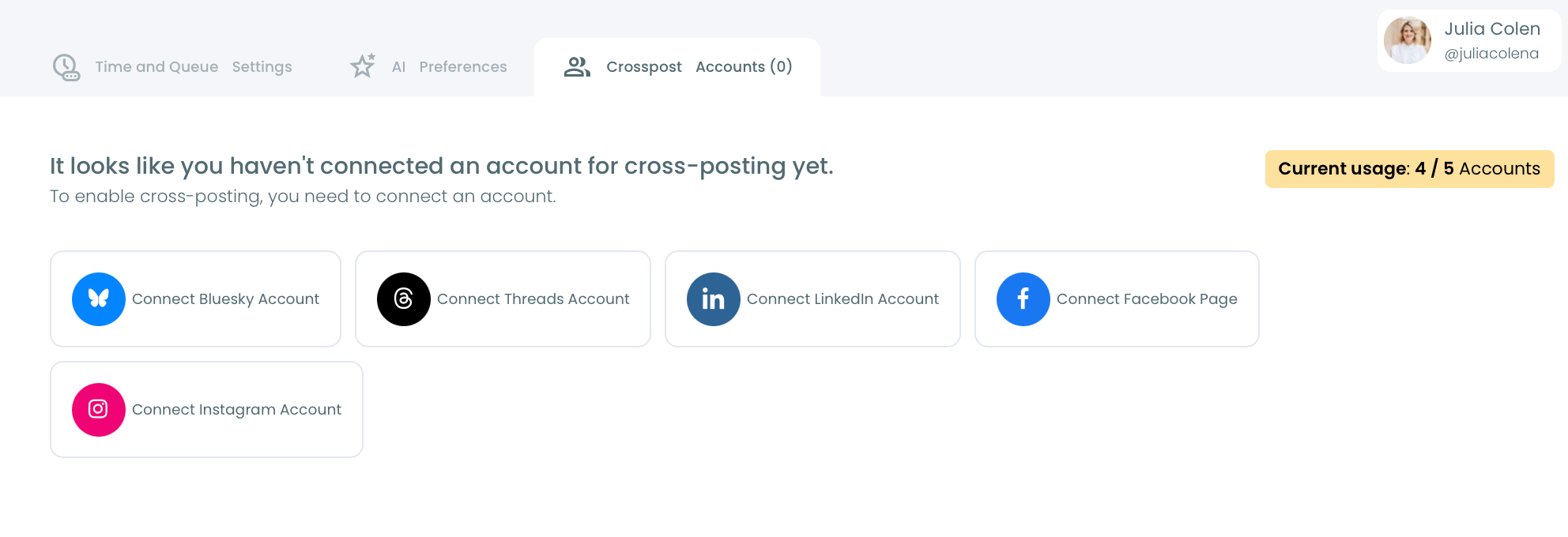
This makes cross-posting very flexible because you can decide where each tweet should be published.
For example, you might want one tweet to go to Facebook and LinkedIn, while another one is shared on Instagram and Threads.
Sharing Tweets on Instagram
Instagram works differently from X because it does not allow text-only posts. Every post must include a visual element.
Circleboom Twitter automatically solves this problem.
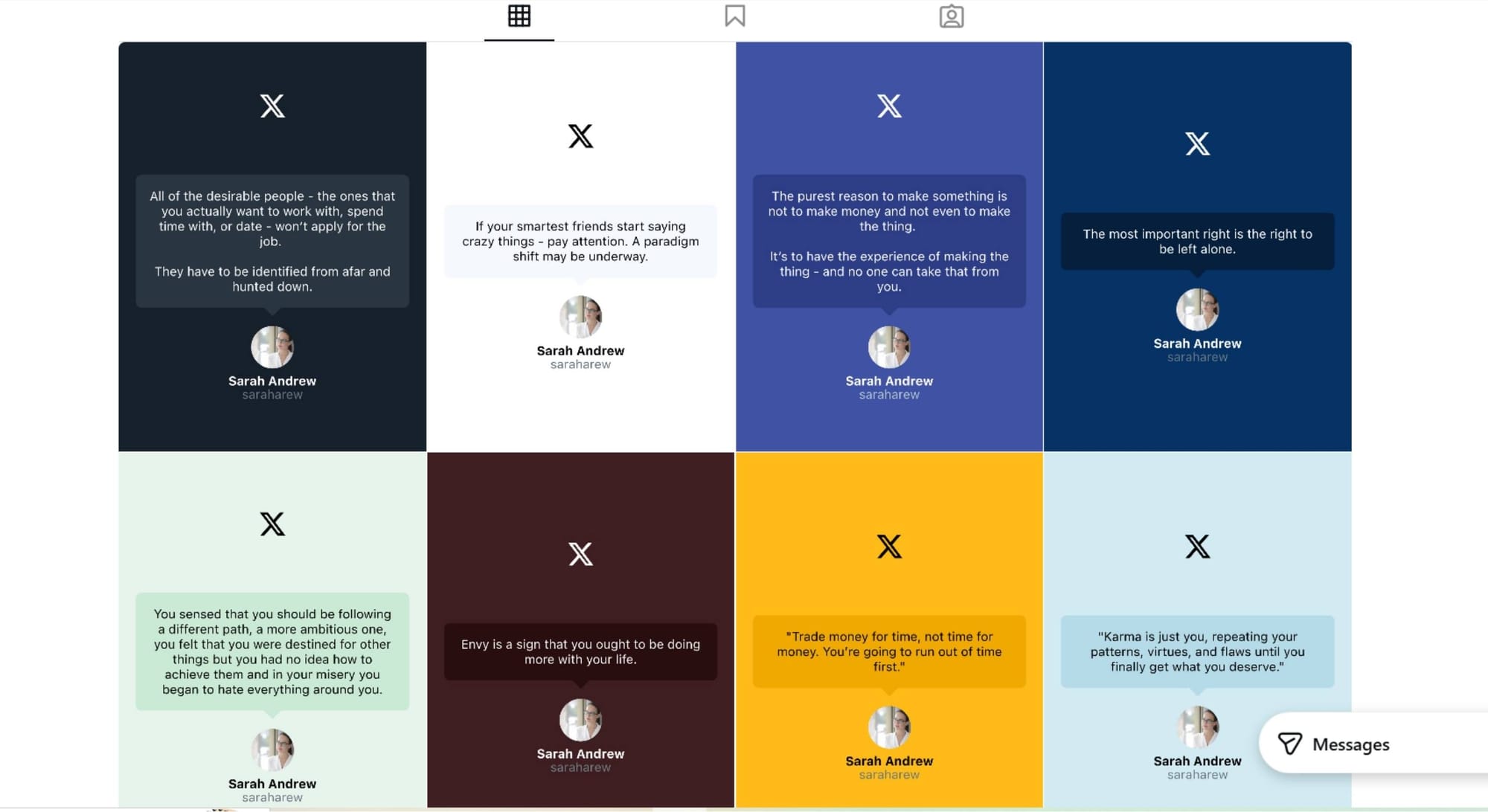
When you select Instagram as a destination platform, Circleboom converts your tweet into an image format automatically. This allows the tweet to meet Instagram’s visual requirements without needing to manually design an image.
After conversion, you can choose how the tweet should appear on Instagram. The content can be shared as:
- an Instagram post
- an Instagram Story
- an Instagram Reel
This makes it possible to repurpose tweet content for Instagram without creating additional graphics.
How to Automatically Post Tweets to Facebook and Instagram
Here’s how you can set it up with Circleboom Twitter.
Step #1: First, log in to your Circleboom Twitter account.
If you don't have an account yet, you can create one in seconds!

Step #2: On the Circleboom Twitter dashboard, navigate to the left menu.
First, find the “Post Management & Analytics” and then click on “Write and Plan Your Post”.

Step #3: Write your tweet. Circleboom’s AI options can generate tweets for you automatically.
When it is ready, you can “Post” or “Schedule” your tweet. To see your cross-posting options, you should click on one of them.
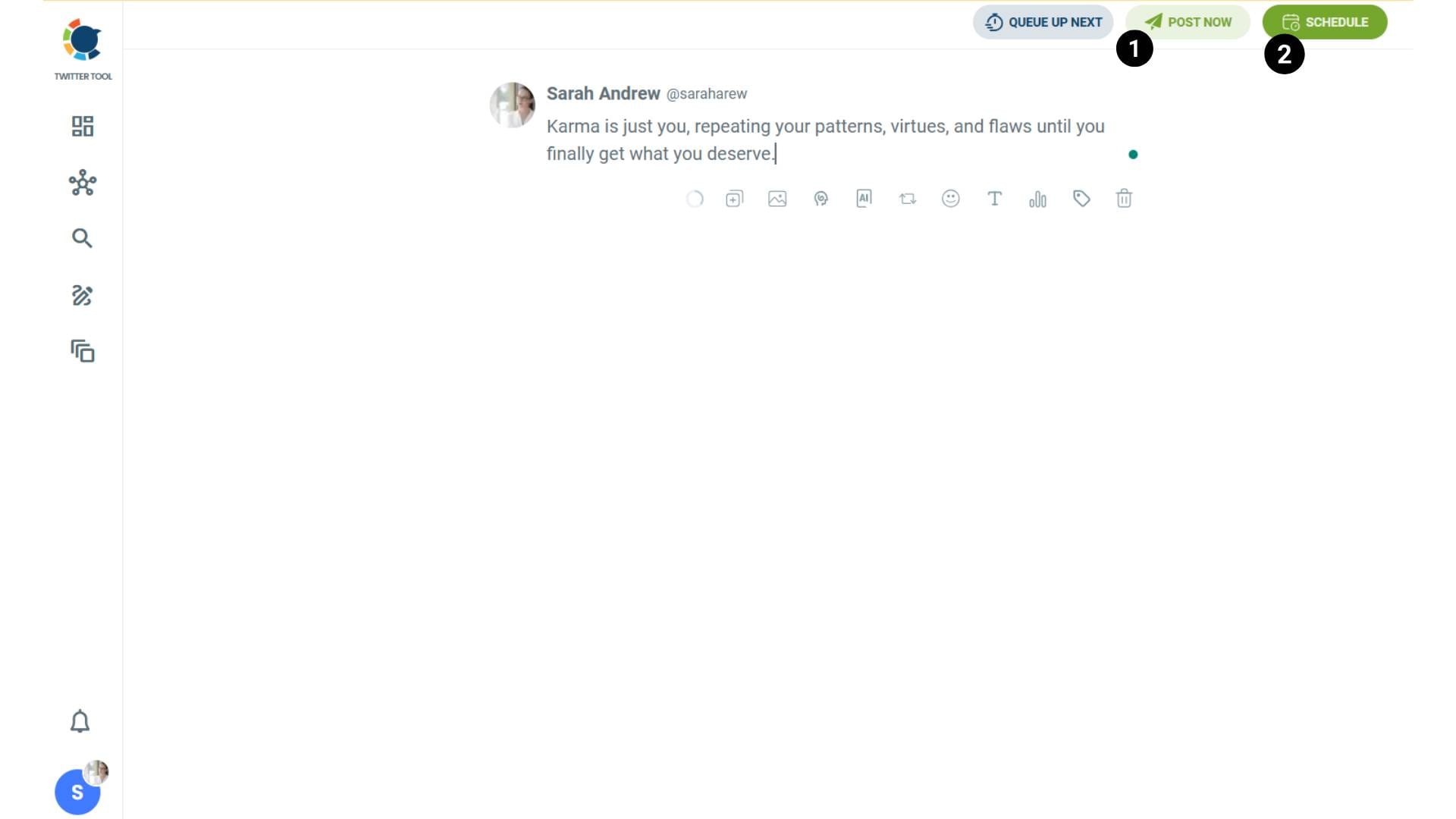
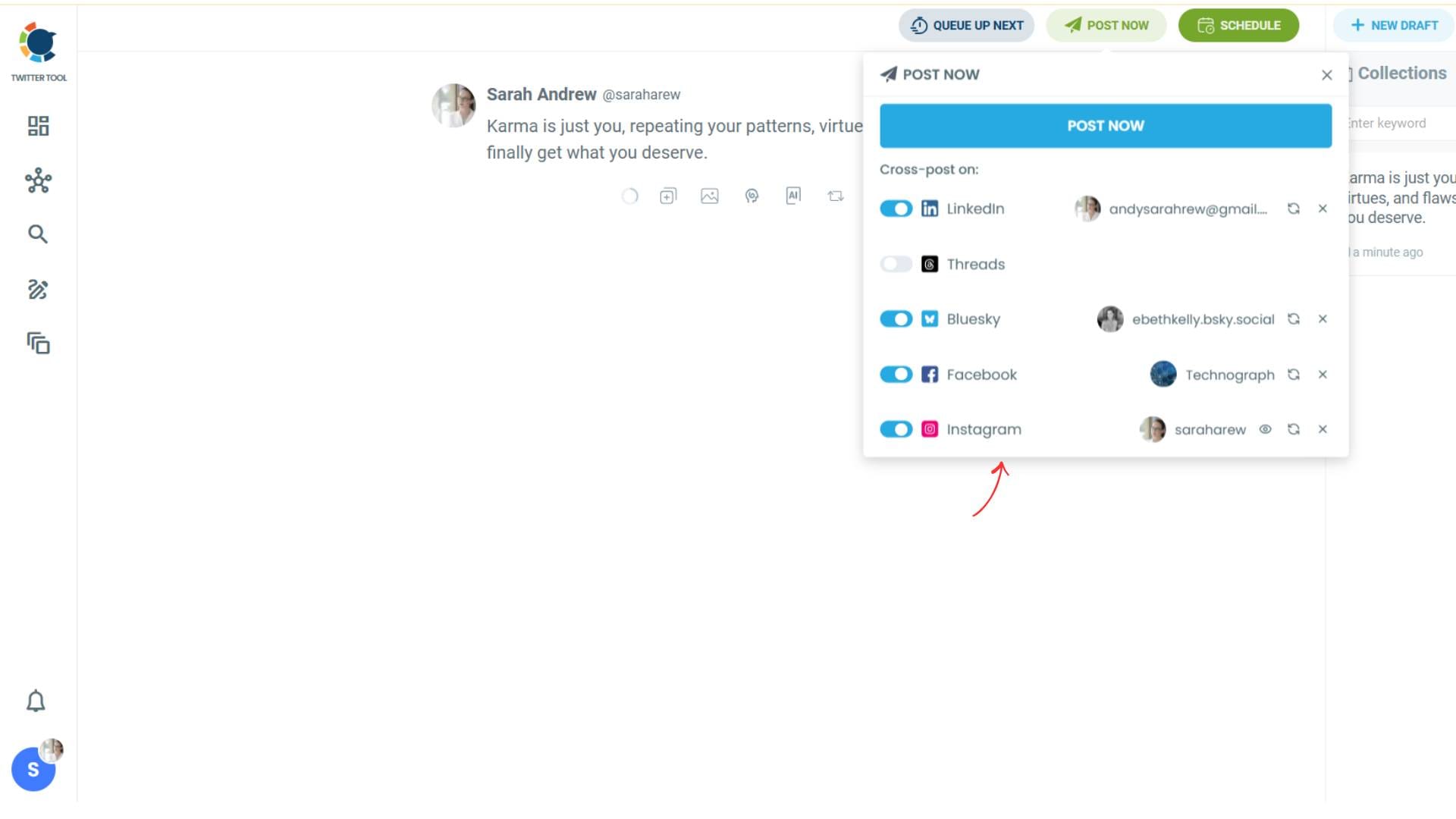
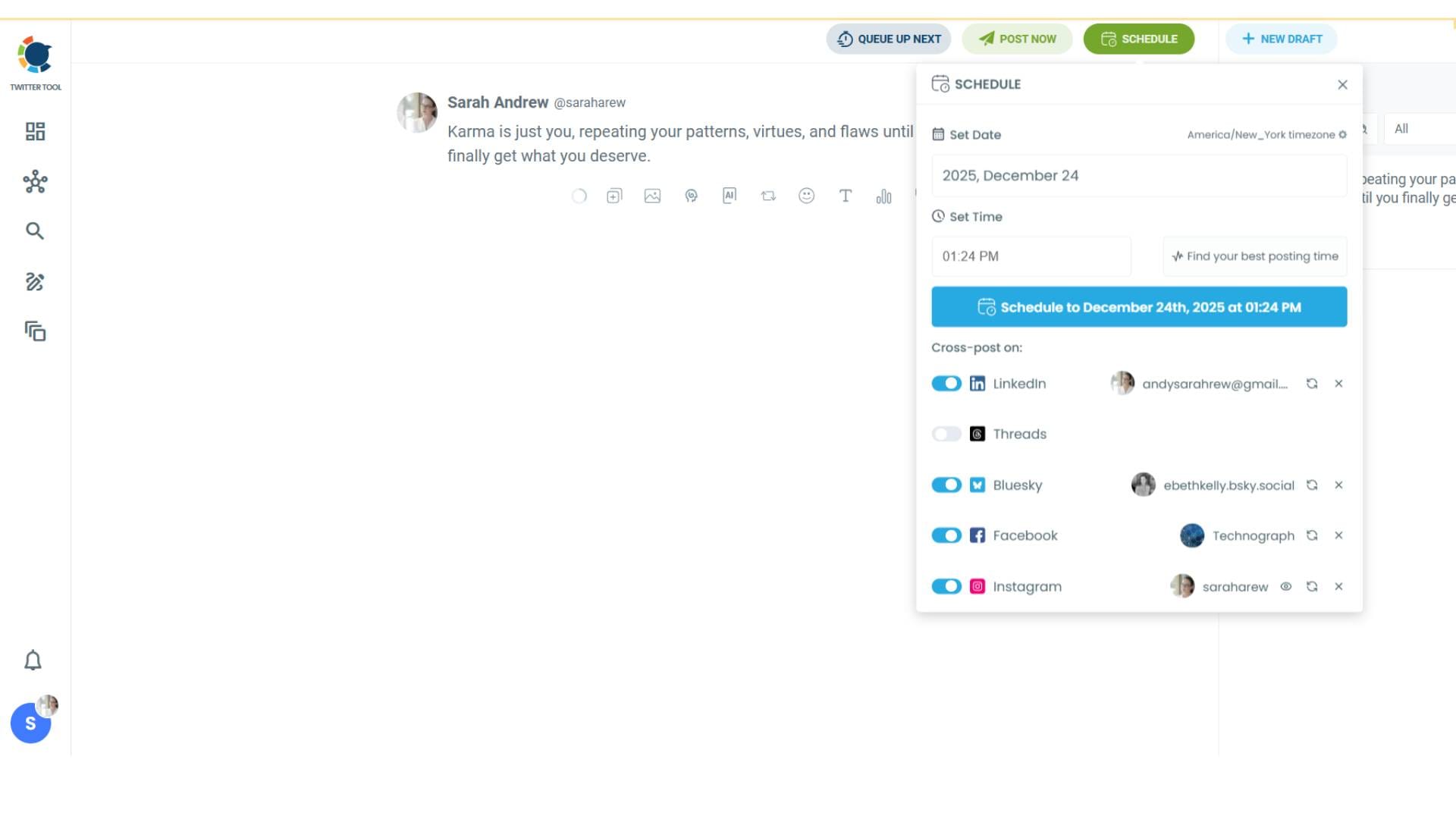
Step #4: You will see your connected platforms. You can cross-post your tweets to these accounts automatically.
You can share tweets on LinkedIn, Facebook, Threads, Bluesky, and finally, Instagram!
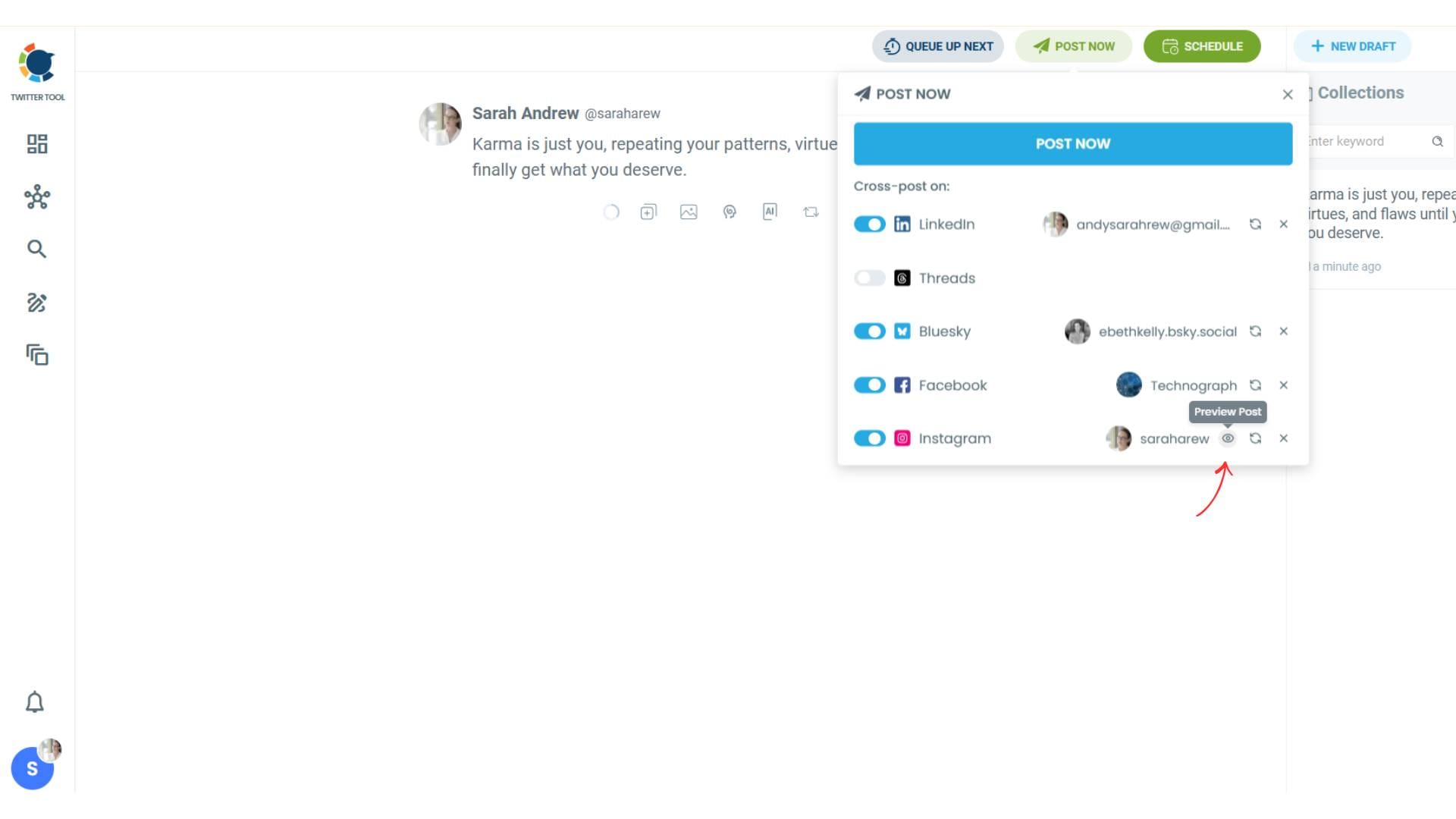
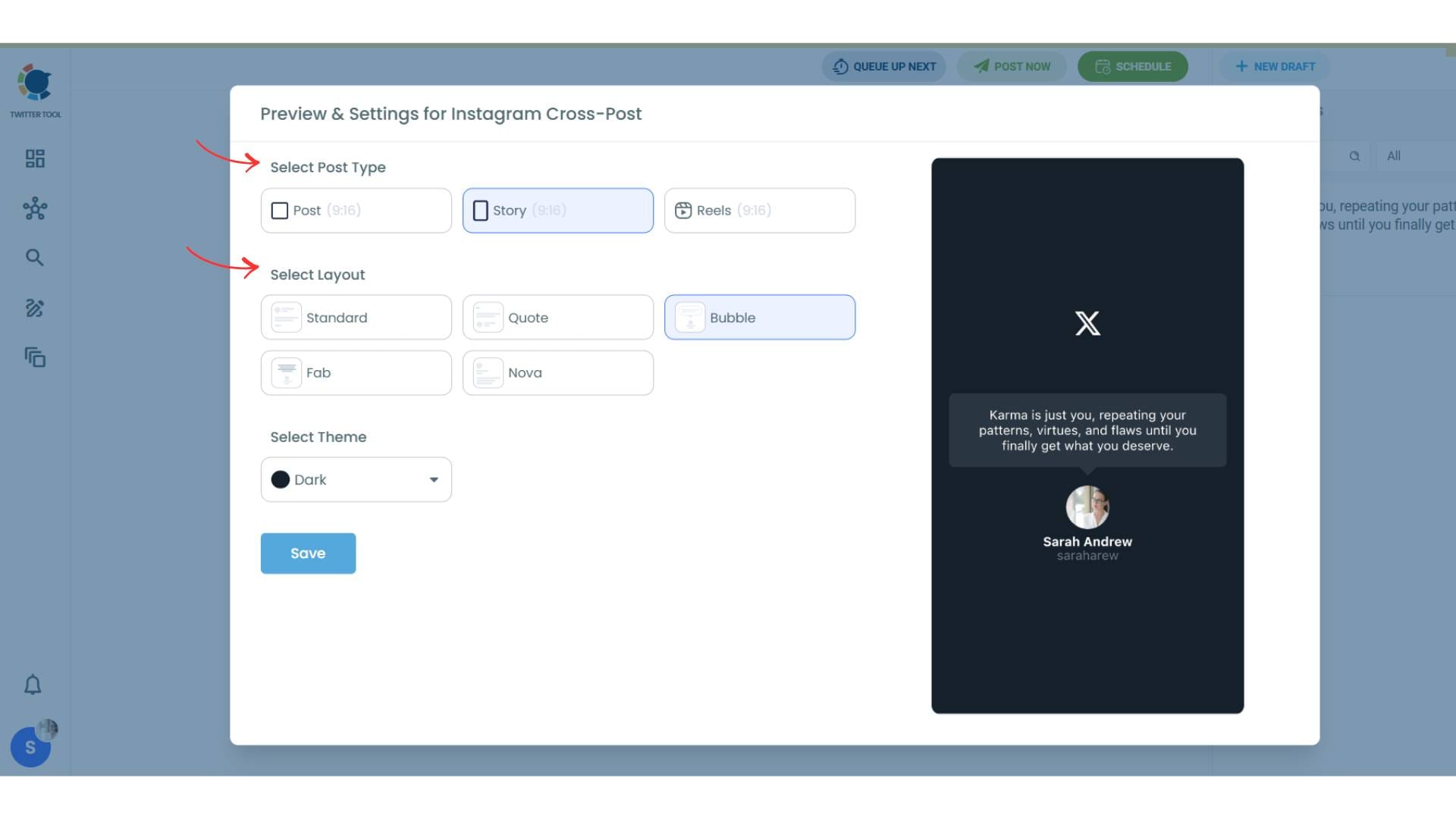
To decide if it is going to be a standard Instagram post or Story or Reels, and decide layouts and colours, click on “Preview”.
Step #5: Here you can select Instagram post type: “Post”, “Story”, and “Reels”.
You can also select the post layout.
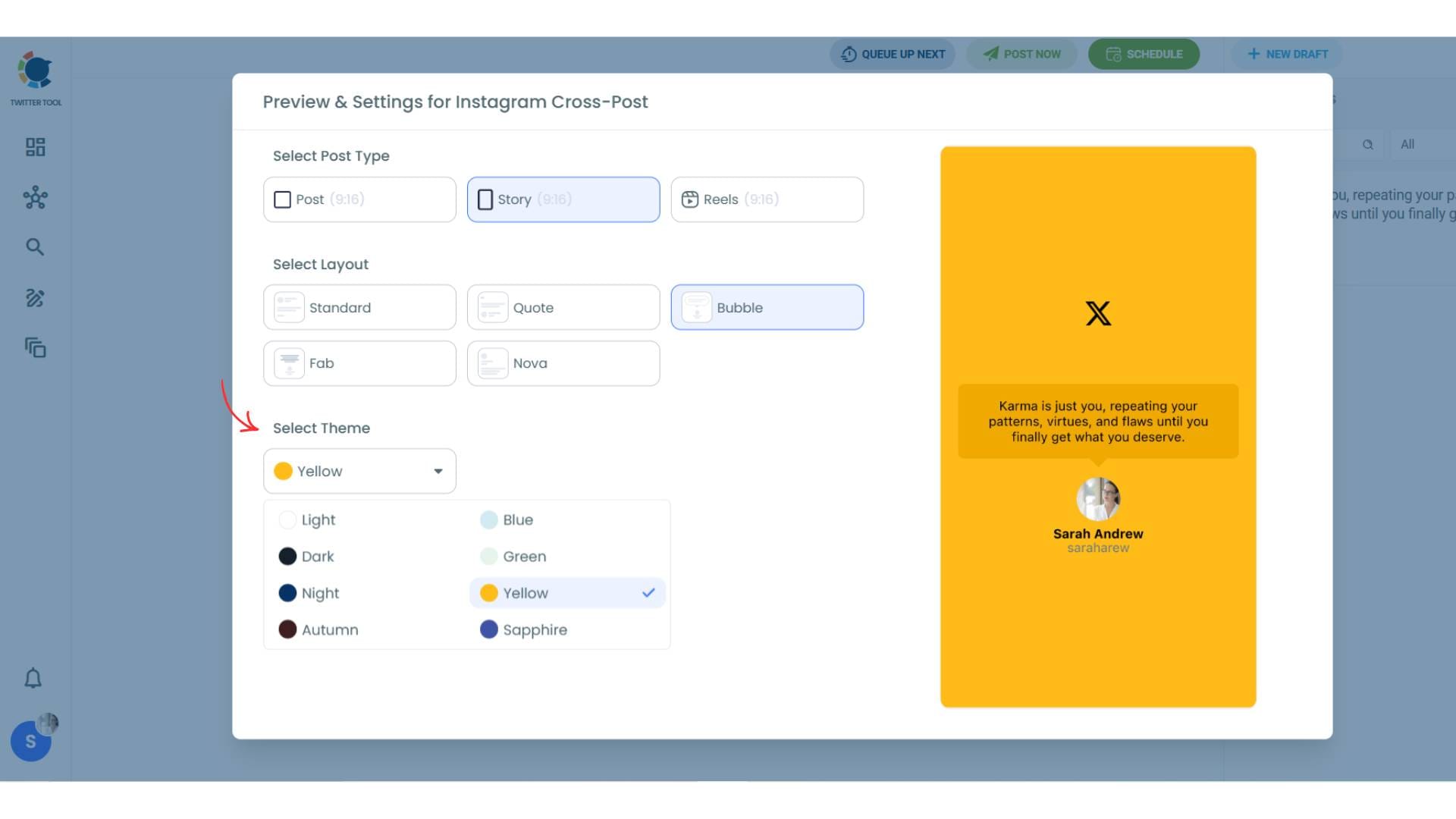
You can also select different themes. Share your tweet on Instagram with different colors.
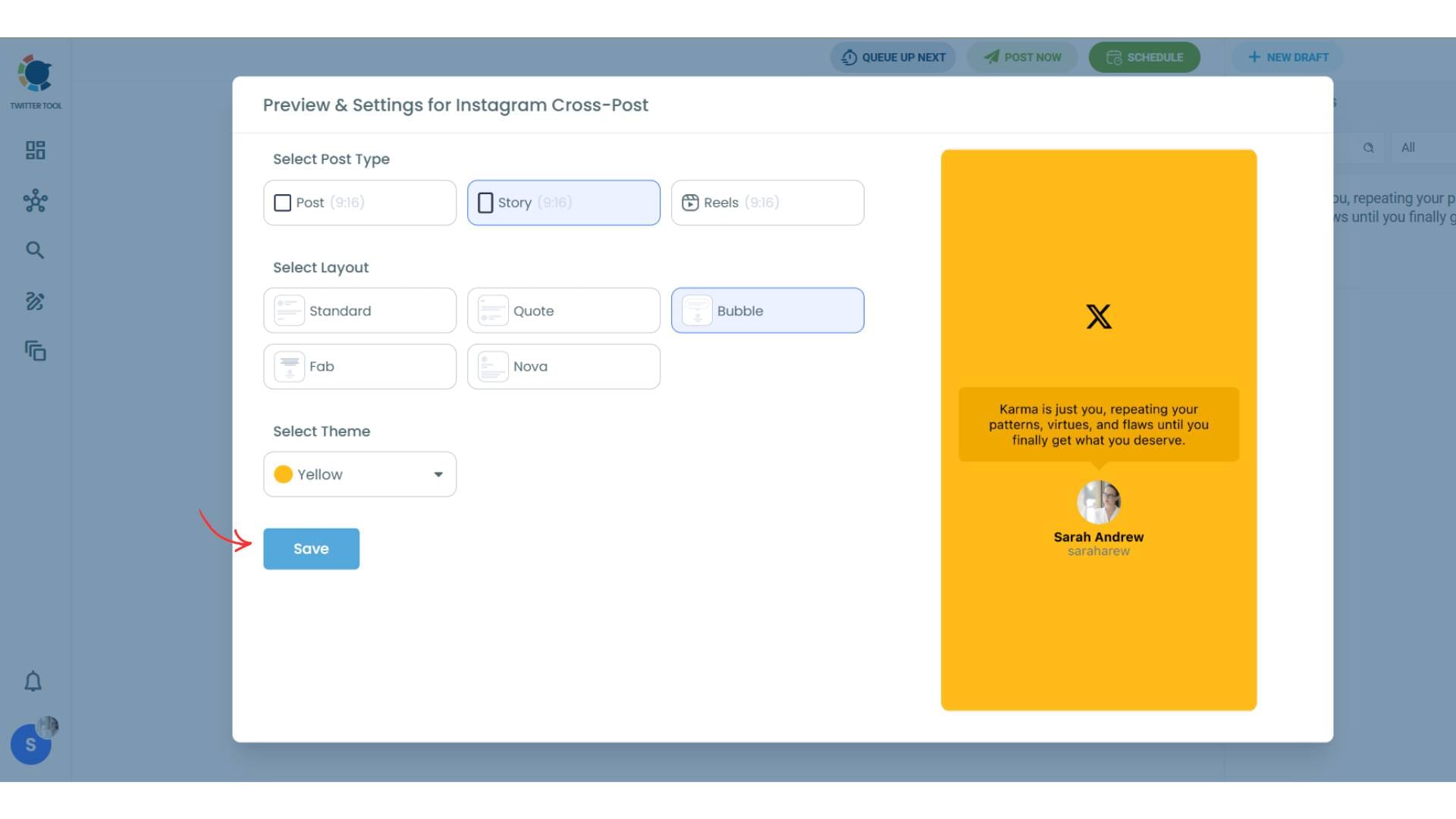
Lastly, you should click on “Save” and your Instagram cross-post is ready.
Step #6: When all is set, you can share your cross post immediately or schedule it for a later time.
You can select the day and hour and click to share your tweet!
You can get more impressions and engagement for your tweets on Instagram. Don't limit yourself to Twitter (X).
Share your tweets on Instagram to reach a wider audience.
Manage Multiple Platforms from One Dashboard
Circleboom Twitter makes it easy to manage content across several social platforms from a single place.
Instead of switching between apps and recreating the same post multiple times, you can write a tweet once and distribute it to Facebook, Instagram, LinkedIn, Threads, and Bluesky.
By connecting your accounts and using the cross-posting feature, you can keep all your social media platforms active while managing everything from one dashboard.

