

On LinkedIn, your username isn’t just a text field — it’s your identity.
It becomes the last part of your public profile URL, the link you send to employers, clients, recruiters, and companies who may want to work with you. A clean, professional username instantly builds trust, makes you searchable, and strengthens your personal brand.
In simple terms:
Your LinkedIn username = your digital business card.
But here’s the problem most people face:
Finding a unique, available LinkedIn username is surprisingly difficult.
Millions of professionals already use their real names, and LinkedIn doesn’t offer creative alternatives when your desired username is taken.
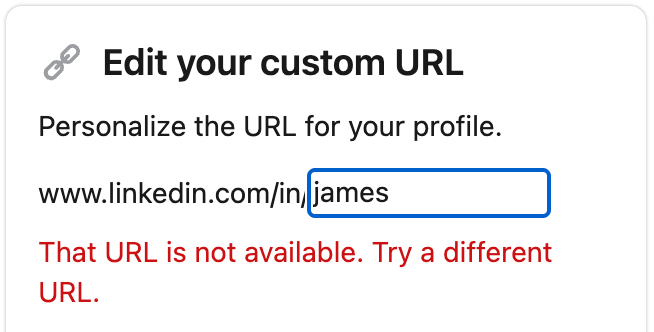
You try version after version, adding numbers, adding underscores, and suddenly your URL doesn’t look professional anymore.
So, how do you get a clean, available LinkedIn username without wasting time?
You use a LinkedIn Username Generator.
Let’s break down why it’s useful, how to generate a professional username instantly, and how to change or check username availability step-by-step.
 Kevin Frank
Why Finding a Good LinkedIn Username Is Hard
On platforms like Twitter or TikTok, usernames can be playful or casual.
But LinkedIn is different — usernames shape credibility.

You need a username that is:
- Professional
- Search-friendly
- Clean and easy to share
- Available for your linkedin.com/in/username URL
- Trust-building for employers and clients
The challenge is that most names are already taken, especially common ones. If you’re John Smith, Sarah Lee, David Chen, or Maria Soren, the odds are low you’ll get your name unmodified.
And that’s exactly where a username generator solves the problem.
The Best Tool to Generate LinkedIn Usernames Instantly
The most effective tool for claiming a unique, available LinkedIn username is the Circleboom LinkedIn Username Generator.
 infocircleboom.com
It’s built for professionals and uses AI to generate clean, credible handles while automatically eliminating usernames that are already taken.
Why it's the best option:
- AI-generated username ideas
- Professional, resume-friendly results
- Filters out unavailable usernames
- Works for personal accounts and company pages
- Free to use — no hassle, no trial-and-error
If you want a LinkedIn profile that looks polished from the first impression, this tool saves hours of frustration.
How to Use Circleboom’s LinkedIn Username Generator (Step-by-Step)
Step #1: Go to the LinkedIn Username Generator.
Open the Circleboom Free LinkedIn Username Generator page on your browser. Then enter a keyword, your name, industry, or positioning you want to reflect. Examples include:
- Your full name or initials
- Company or personal brand name
- Professional keywords like marketing, HR, product design, finance
- Career focus (founder, analyst, developer, consultant)
- A tone you want to carry (professional, modern, clean, authoritative)
This helps the AI understand your personal brand direction.
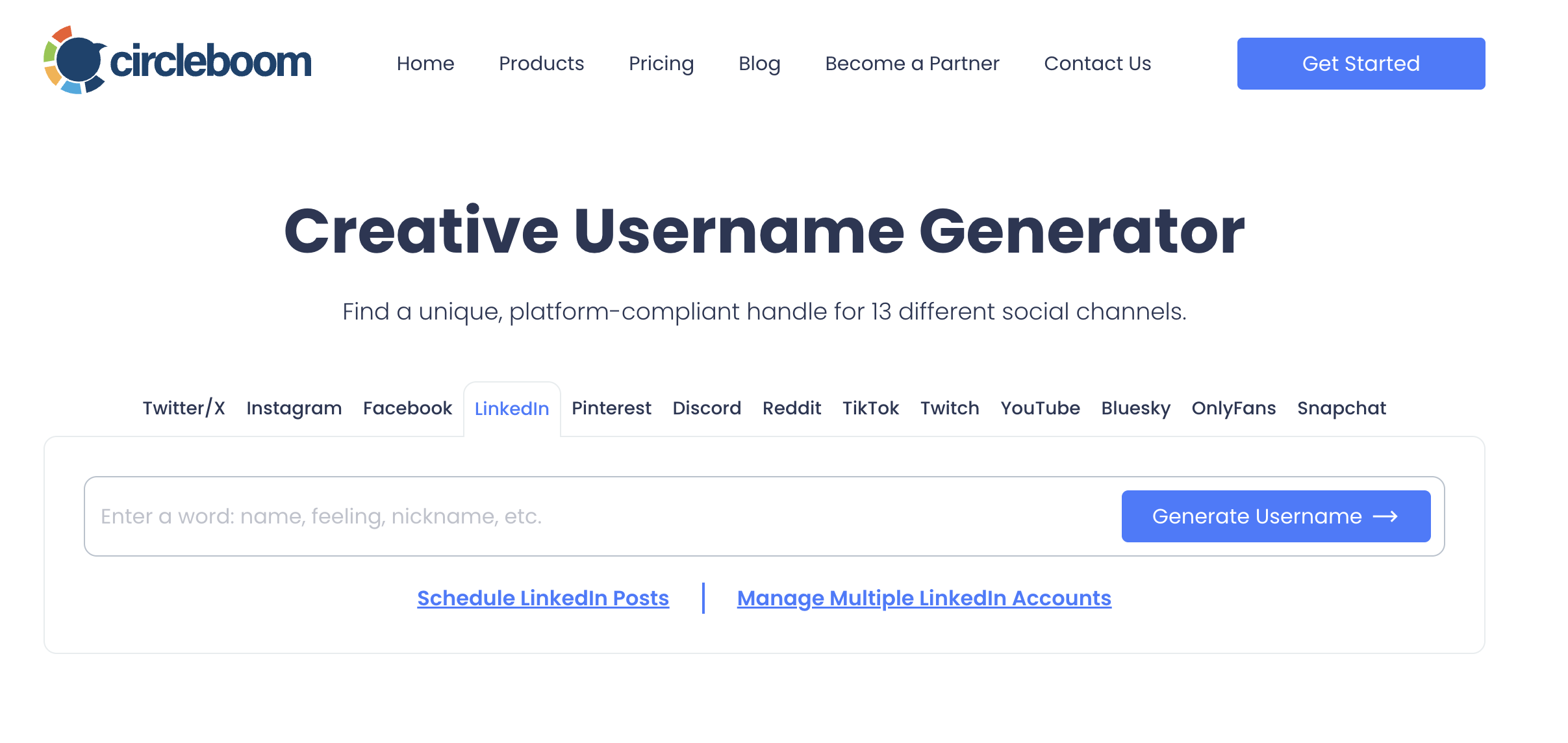
Step #2: Let the AI Generate Unique Username Ideas
The tool instantly creates dozens — sometimes hundreds — of unique names. Pick one from the generated usernames
The generator filters out all taken usernames.
So everything you see is ready to use — no more trial and error.
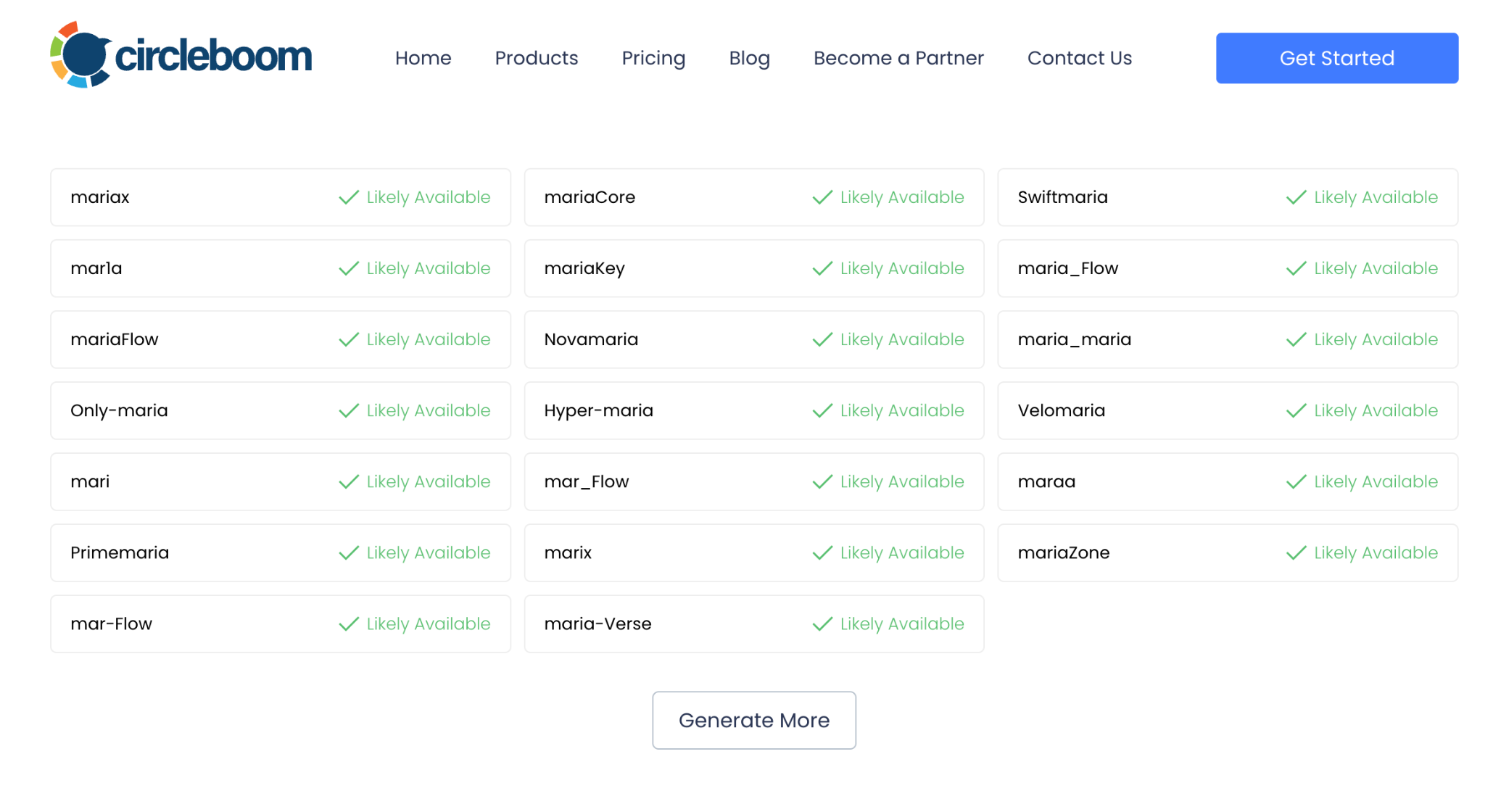
Copy the username you like.
Click on the one you love and copy it.
Step #3: Paste it on LinkedIn
Use it when creating your LinkedIn account or updating your existing profile.
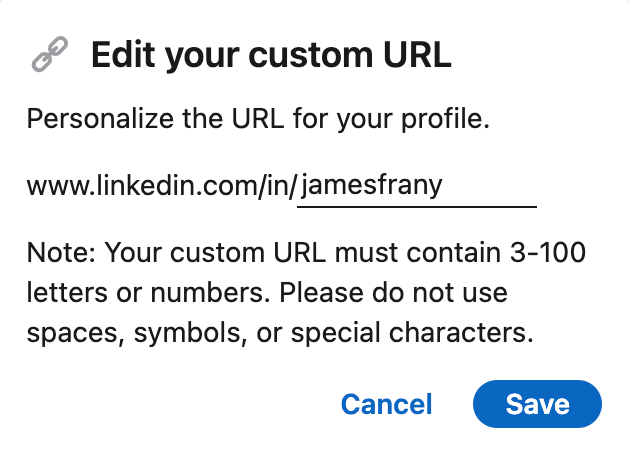
Done.
Tips for Choosing the Best LinkedIn Username
To make the strongest impression:
✔ Use your real name if possible
✔ Otherwise, add your profession or industry
✔ Avoid unnecessary symbols and numbers
✔ Keep it short, memorable, and readable
✔ Match with your personal brand across platforms
Strong examples:
| Username Style | Example |
|---|---|
| Your Name Only | andy-kant |
| Name + Industry | julia-uxdesign |
| Name + Skill | cerny-datascience |
| Initial + Surname | b-stone |
| Business/Freelance Page | creativebrandingagency |
Anything messy like johnsmith74829 weakens your brand — avoid it if you can.
How to Change Your LinkedIn Username (Profile URL)
You can update your username anytime through profile settings.
On Desktop:
- Open LinkedIn
- Go to View Profile
- On the right — click Edit public profile & URL
- Click the pencil icon next to your URL
- Type your new username
- Save
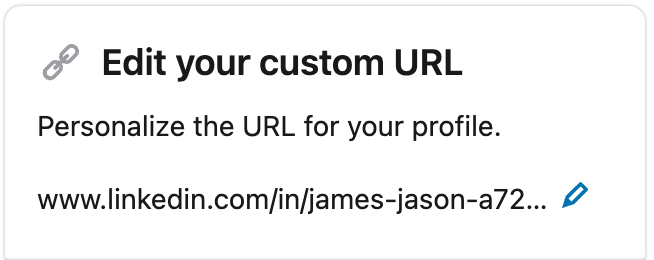
This modifies your public link to:
linkedin.com/in/yourusername
Your followers, connections, and posts remain intact — only the URL changes.
How to Check if a LinkedIn Username Is Available
There are four simple methods:
1. Try the Username in LinkedIn’s URL Editor
If unavailable, LinkedIn will notify you instantly.
2. Enter the URL Directly
Example:
linkedin.com/in/yourname
If a profile loads, it’s taken.
If you see an error page, it may be available.
3. Search the Username on LinkedIn
Type it into the search bar and filter for People.
Final Thoughts: Your Username Builds Your LinkedIn Reputation
Your name on LinkedIn isn’t just a handle — it's your career signature.
It influences searchability, credibility, and how you appear on Google.
If the username you want is taken, don’t waste time experimenting manually.
With an AI-powered LinkedIn Username Generator, you can instantly generate professional, unique, available usernames and secure a URL worth sharing.
Use Circleboom to generate your LinkedIn username today — fast, clean, and ready for your professional future.
%20in%20Seconds)
