

If you’ve ever wanted to design a tweet before posting it, you’re definitely not alone.
Searches for “tweet template editable” usually come from people who want more control over their content, control over layout, wording, visuals, and overall presentation, without the pressure of publishing immediately on Twitter/X.
Many creators prefer to start with a blank tweet template, especially when they’re planning campaigns, teaching examples, or drafting posts that need review before going live. Working from a blank structure makes it easier to focus on clarity and formatting without distractions.
Others turn to a tweet maker when they want to quickly build a tweet layout, test how text and images will appear, or prepare content for scheduling later. This approach is common among brands, educators, and teams that collaborate on social media posts.
In some cases, such as design mockups, presentations, or student projects, a fake tweet generator is used to create realistic tweet visuals without publishing anything at all. These tools are especially useful when a real post isn’t needed, but the format still matters.
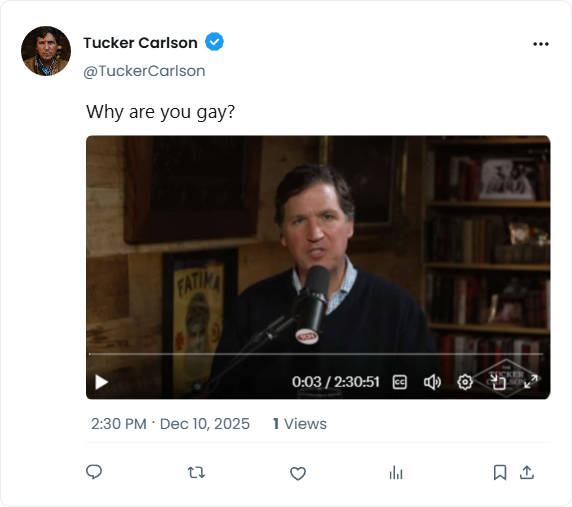
All of these tools serve the same practical purpose: helping you shape tweets thoughtfully before they reach an audience, instead of rushing content straight into the feed.
In this guide, you’ll learn:
- what editable tweet templates are,
- how blank tweet templates fit into content planning,
- when a tweet maker or fake tweet generator makes sense,
- and how to work with these tools efficiently while keeping your workflow intentional and professional.
The goal isn’t to fake engagement or overengineer posts.
It’s to create better tweets, by design, not by accident.
What Is an Editable Tweet Template?
A tweet template editable format is a customizable version of a tweet that allows you to adjust:
- text content
- username and handle
- visuals or images
- formatting
- timing (before publishing)

Instead of composing tweets directly inside Twitter/X, editable templates let you design first, publish later.
This approach is especially useful for:
- creators planning content in advance
- brands maintaining tone consistency
- educators and students
- teams collaborating on posts
Why People Use Editable Tweet Templates
Editable tweet templates help solve common problems:
- rushed posting
- inconsistent voice
- formatting mistakes
- lack of preview
They allow creators to:
- plan tweets ahead of time
- edit copy calmly
- reuse structures that work
- collaborate before publishing
For visual or campaign-based content, templates are essential.
Editable Tweet Templates vs Writing Directly on X
| Method | Limitations |
|---|---|
| Writing directly on X | No previews, no drafts at scale |
| Editable tweet templates | Planned, consistent, reusable |
Templates turn tweeting into a repeatable system, not a spontaneous task.
Managing Editable Tweet Templates at Scale
When managing multiple tweets, accounts, or campaigns, templates need to integrate with scheduling and publishing tools.
This is where Circleboom fits naturally.
Circleboom allows users to:
- draft tweets in advance
- edit and refine tweet content
- save reusable structures
- preview posts before publishing
- schedule or queue tweets
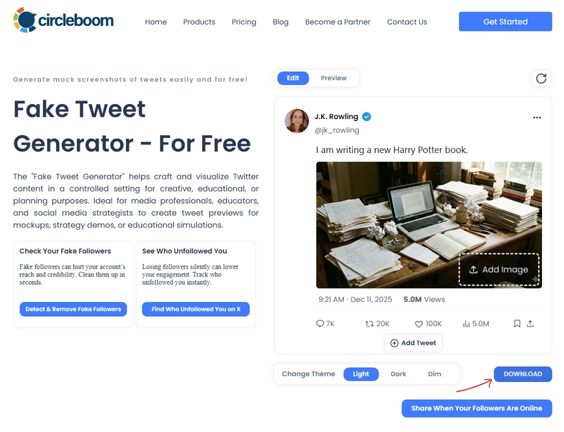
This turns editable tweet templates into a practical workflow, not just static drafts.
Best Practices for Editable Tweet Templates
- keep templates flexible, not rigid
- avoid over-templating creativity
- update templates based on performance
- separate content creation from posting
FAQ: Tweet Template Editable
What is an editable tweet template?
A customizable tweet draft that can be edited before publishing.
Who uses tweet templates most?
Creators, brands, educators, and teams.
Are templates better than writing tweets live?
Yes, for consistency and planning.
