
My friends send me the funniest, most interesting videos on Twitter DMs — movie clips, memes, interviews, sports highlights, everything.
Naturally, I wanted to save a few of them to my phone.
So I tried to download them directly.
That’s when I discovered a problem:
Twitter doesn’t let you download videos from DMs.
Even if you’re a Premium subscriber, downloading videos from your messages is limited — and in most cases, completely blocked.
Let’s break down why that happens and what actually works.
 Arif Akdogan
Why Twitter Doesn’t Let You Download DM Videos
When you open a video in your DM and tap the share icon, you’ll notice there’s no download button.
That’s because:
- Twitter/X only allows video downloads on mobile, not desktop.
- You must have an X Premium account.
- Even if you pay for Premium, the video owner has to enable downloads when posting it.
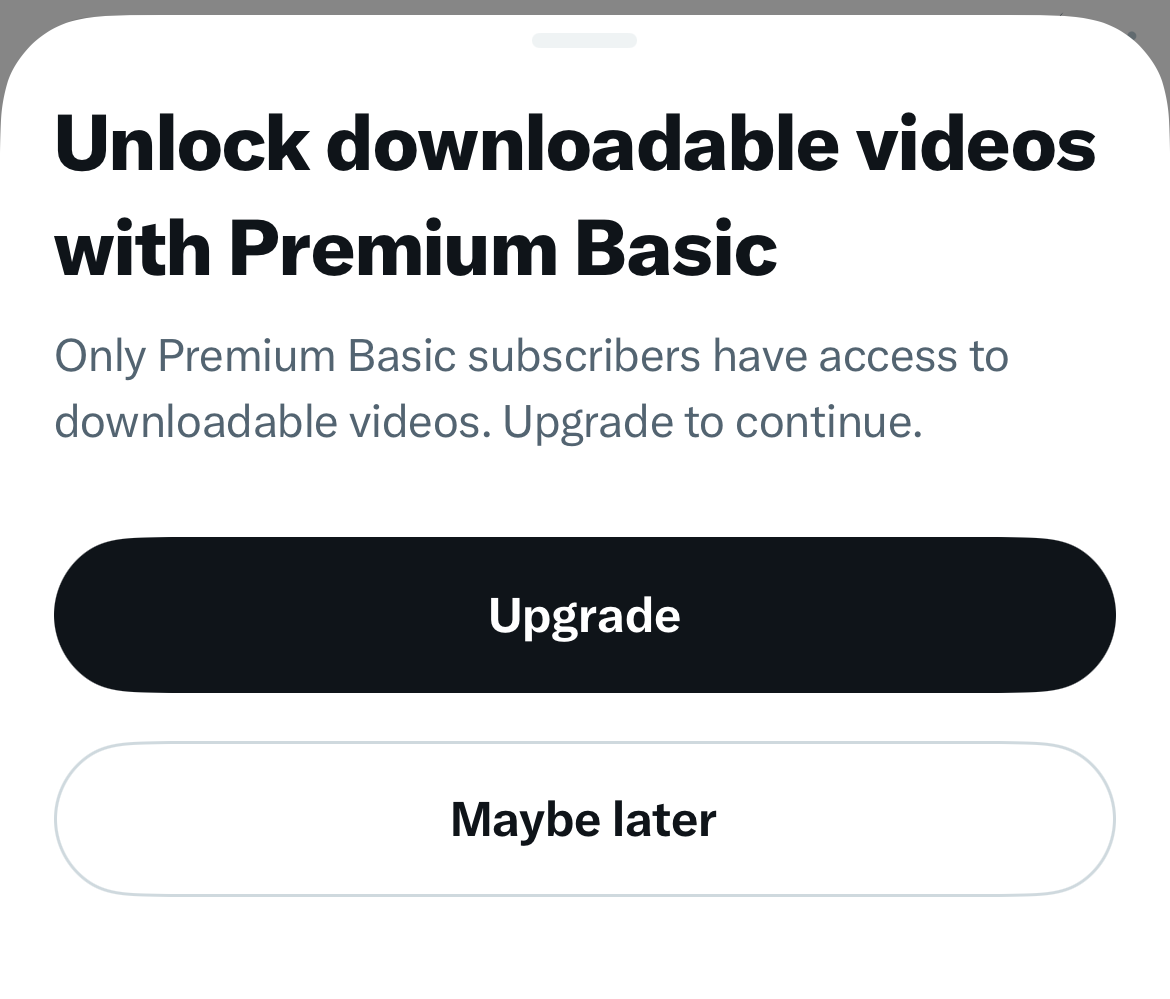
And here’s the catch:
If the uploader didn’t make the video downloadable, you still can’t save it — even after paying.
So even Premium isn’t a guarantee.
That’s frustrating, especially if the video came from a public tweet that’s freely available to everyone.
Twitter simply doesn’t offer a universal download option.
The Better Solution: Circleboom’s Free Twitter Video Downloader
After trying different methods, I found one that works every time — and doesn’t require Premium, apps, or risky extensions.
It’s Circleboom’s free Twitter Video Downloader.
 infocircleboom.com
Here’s why it stands out:
🟢 It’s completely free.
🟢 It has no ads, no pop-ups, and no watermarks.
🟢 It’s developed by an official partner of X (Twitter) — so it’s safe and compliant.
And most importantly:
It downloads every video — even those not marked as downloadable.
You just copy the tweet’s link (even if it’s from a DM), paste it, and get your video instantly.
How to Download a Video from Your Twitter DM
Here’s the simple way to do it. You can follow this method on both desktop and mobile.
Step #1: Open the DM and Find the Video
When you receive a video in your Twitter DMs.
Tap the video to open it — this takes you to the original tweet.
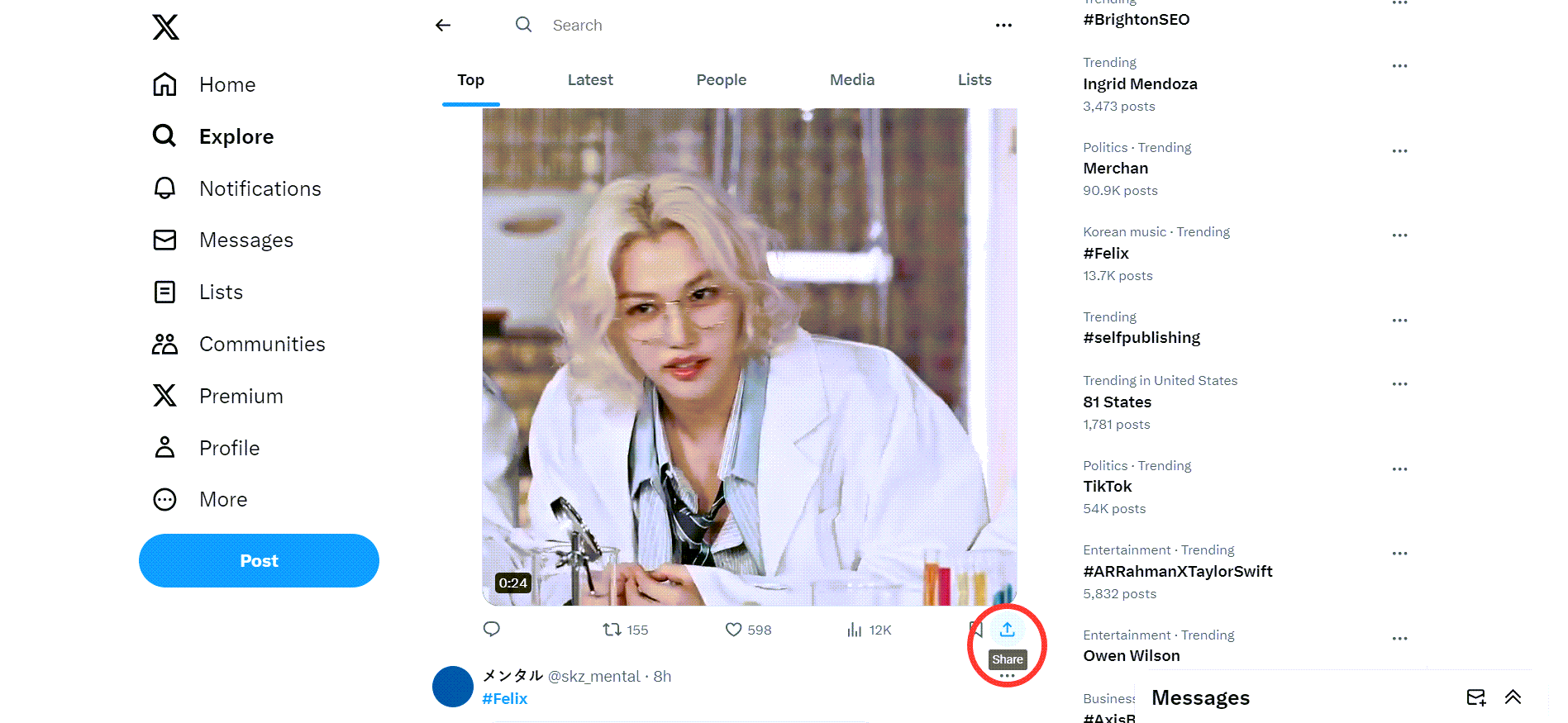
Once the tweet is open: Tap the Share icon → Copy link to Tweet.
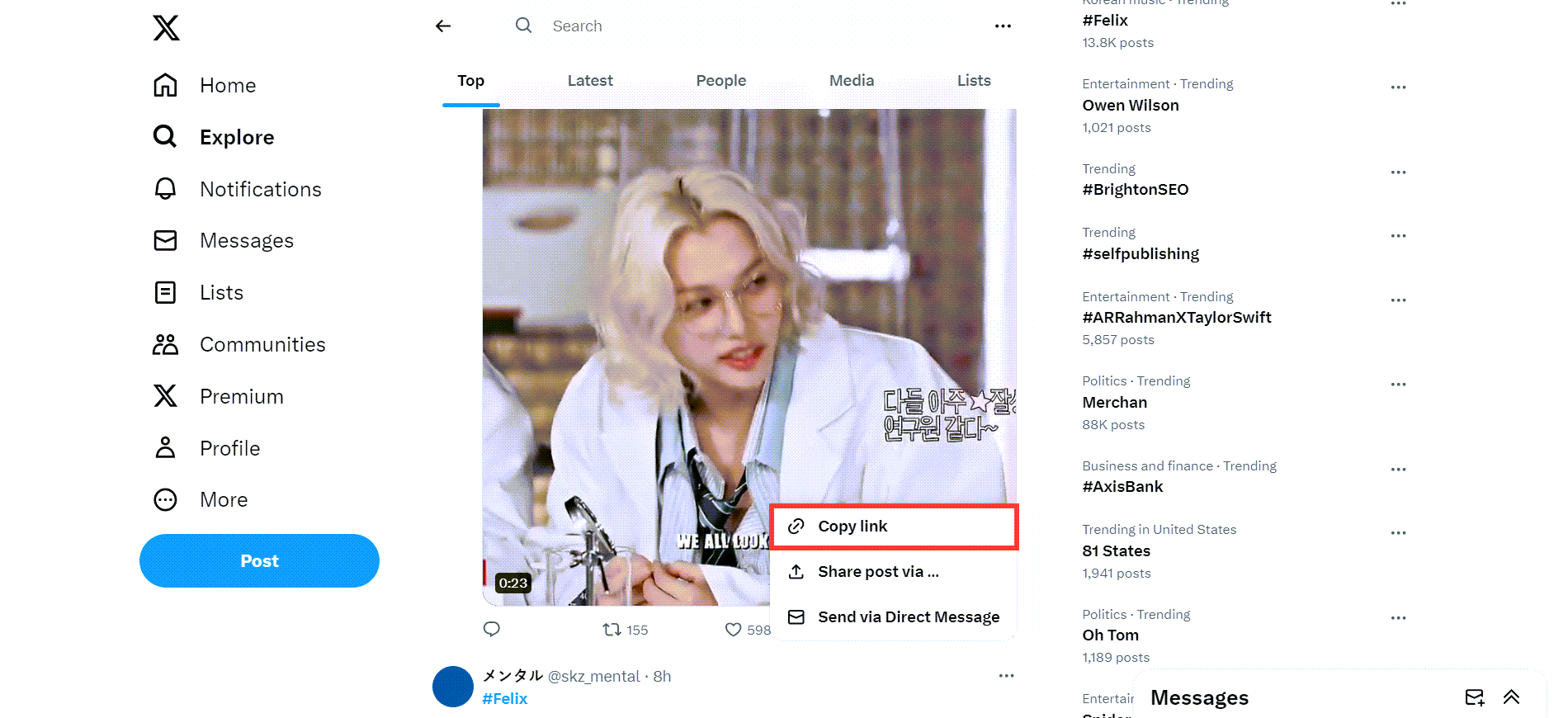
Then, copy the share link of this video tweet, go to Circleboom's Twitter Video Downloader, and paste it.
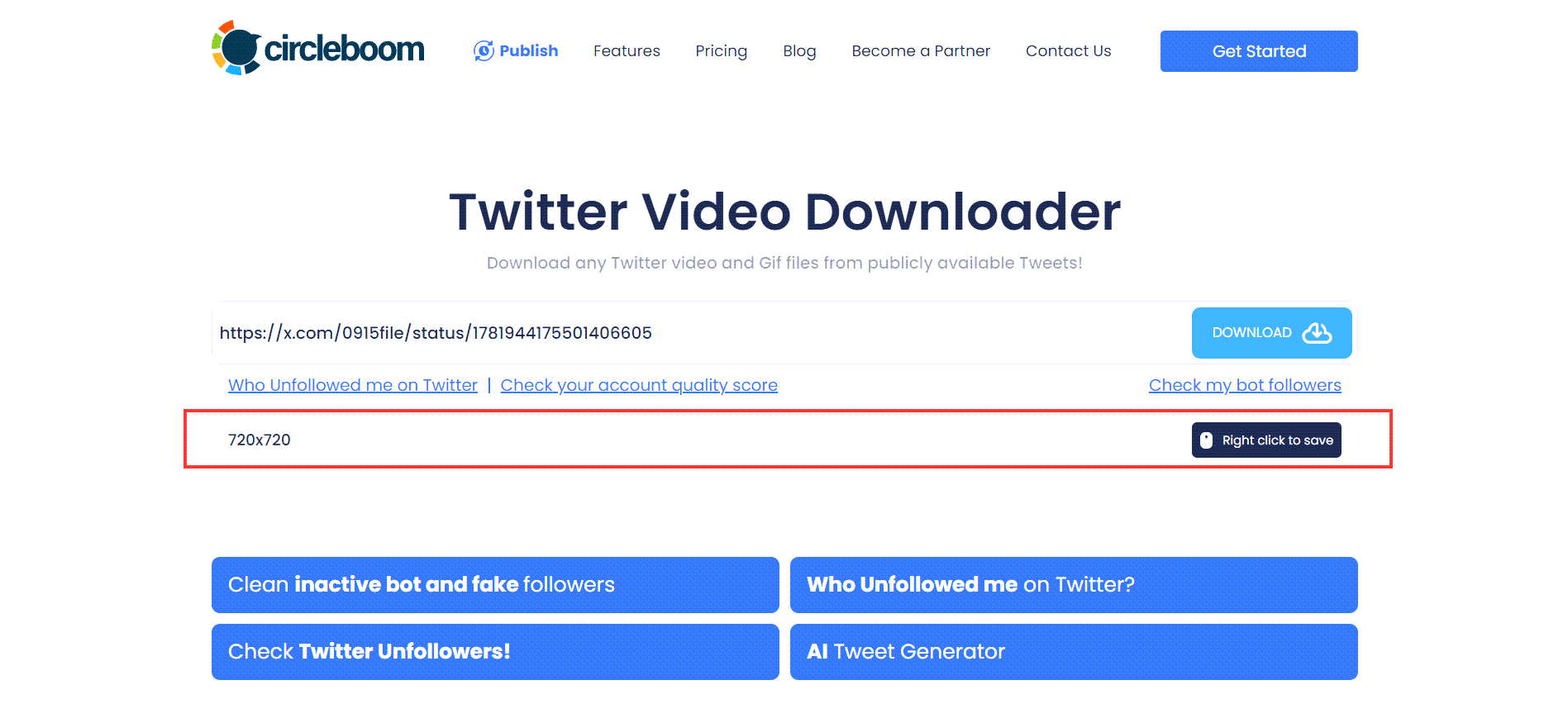
Step #2: You will see a text bar on Circleboom's Twitter Video Downloader page.
Paste the link to the video tweet here, as shown in the image below! Then, click on the "Download" button!
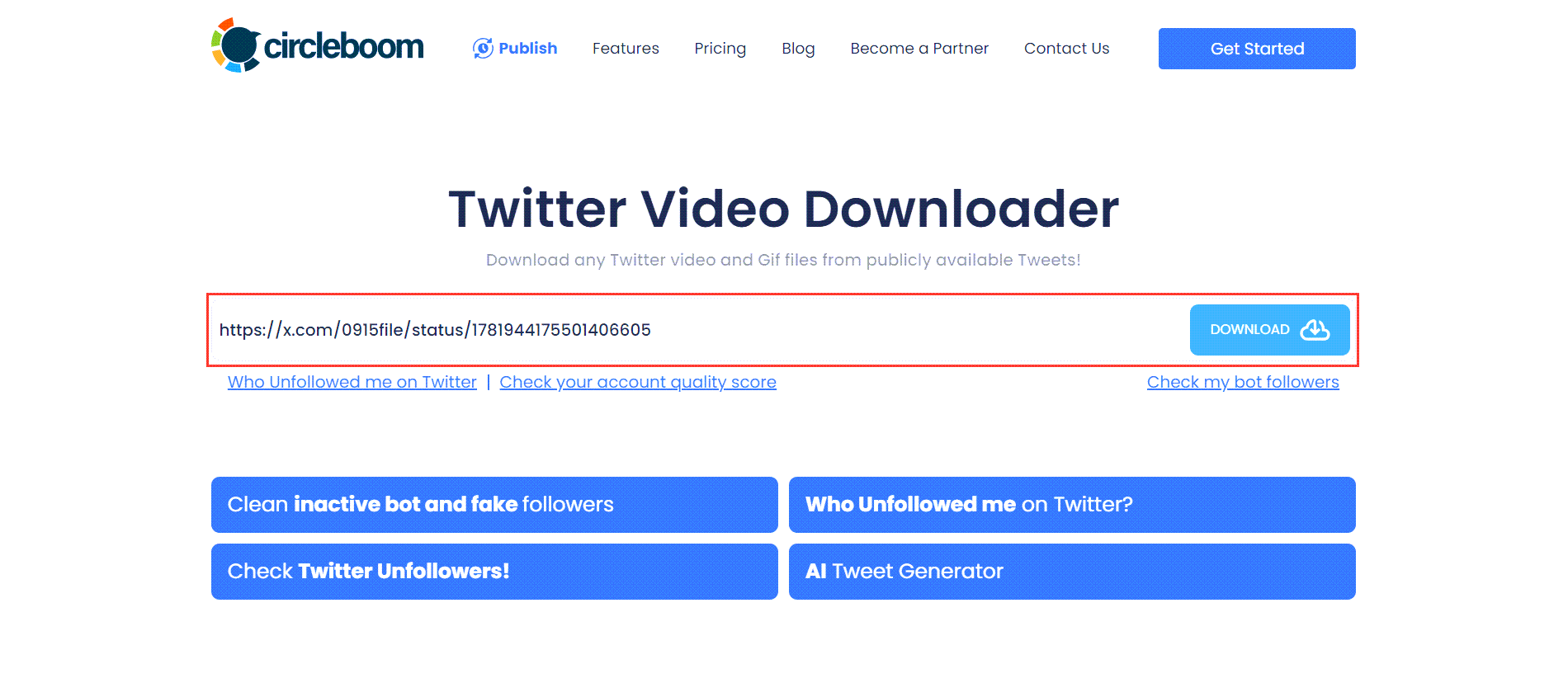
You will see download options below the text bar. If the video has versions of multiple qualities, all will be listed here.
In this example, there is only one option, and I click on the "Right click to save" button next to it!
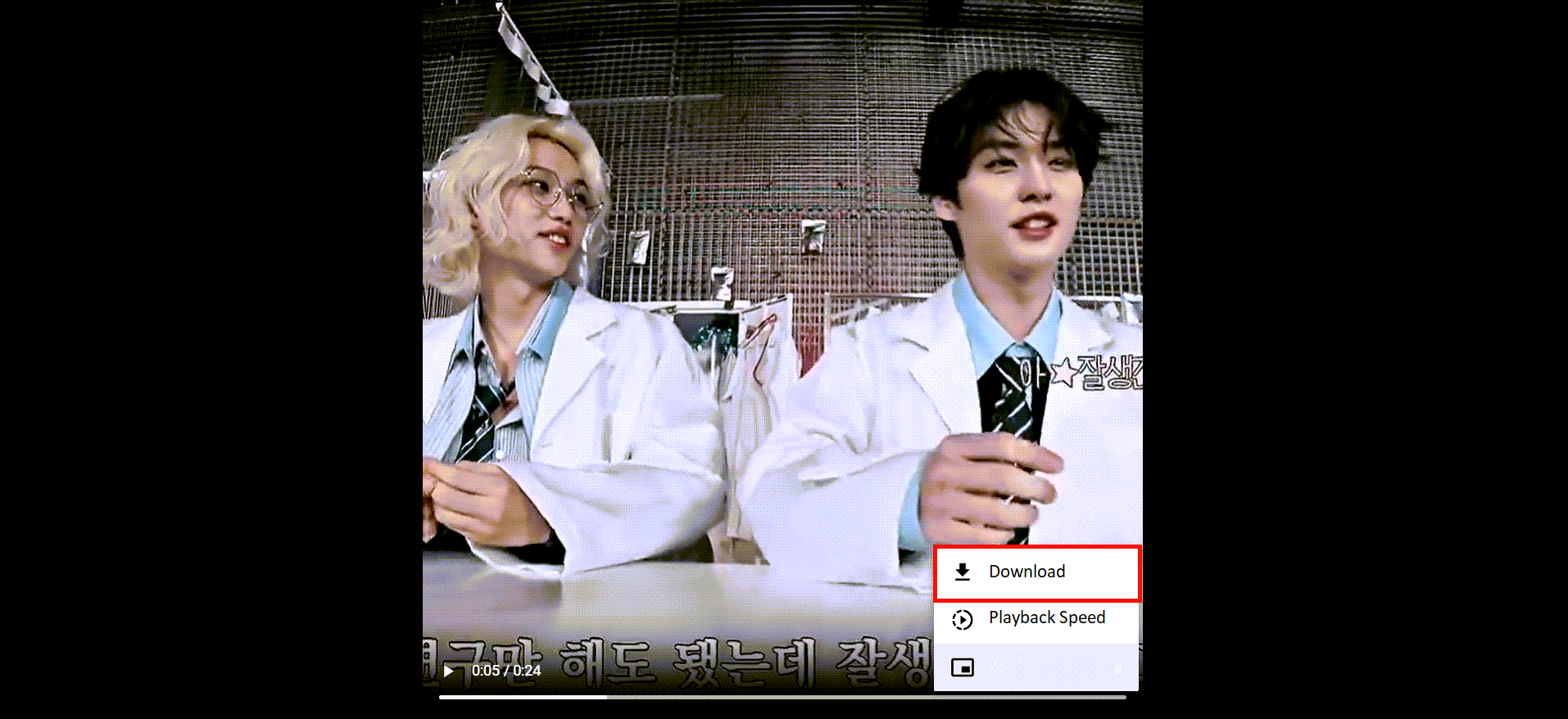
Step #3: Your Twitter video will be open in a new tab on your browser.
Click on the three dots and open up the menu.

Click on "Download," and that's it! Your Twitter video is downloaded onto your device. You can use it on other social media channels.
Common Scenarios & Quick Tips
✅ For Private Accounts: If your friend’s account is private and you can view their tweet, you can still download it. Just make sure you’re logged in when copying the link.
✅ For DM-Only Uploads: If it’s not tied to a tweet (just a raw DM upload), it can’t be fetched. Ask the sender to post or share it as a tweet first — then download it.
✅ For Mobile Users: You can use the same method in your mobile browser (Safari, Chrome, or any app).
No installation required.
✅ No Watermarks, No Pop-ups: Circleboom’s downloader is 100% clean — it doesn’t redirect or inject branding like many third-party sites do.
Why I Prefer Circleboom’s Downloader
I tried plenty of downloaders before, and most of them were:
- Full of ads or redirects
- Asking for suspicious permissions
- Watermarking every video
- Or worse, not even working for DM-linked tweets
Circleboom’s tool just works.
No extra clicks. No tricks. Just copy → paste → save.
It’s safe, fast, and officially partnered with Twitter — so you don’t risk your account or device security.
Quick Reminder on Responsible Use
Always respect creator rights and copyright laws.
You can:
- Save videos for personal viewing, sharing with friends, or offline access.
But don’t: - Re-upload others’ videos without credit or permission.
Downloading responsibly keeps the community healthy and fair.
Final Thoughts
Twitter makes saving videos harder than it should be — especially for those shared in DMs.
Even Premium users can’t download every video, since it depends on the original uploader’s settings.
That’s why Circleboom’s Twitter Video Downloader is the best solution:
- It’s free,
- No login required,
- Works with any public tweet,
- And downloads instantly without ads.
If your friends keep sending great clips, you don’t need Premium or complicated software.
Just copy the link, paste it into Circleboom’s downloader, and enjoy your videos offline.
👉 Try it now: Download Twitter Videos for Free
 infocircleboom.com