

Retweets aren’t just numbers on a screen, they’re signals.
When someone retweets your post, they actively choose to amplify your message. That makes retweeters one of the most valuable audiences on X (Twitter). The problem? Twitter doesn’t give you a reliable way to access or download a complete retweet list, especially if you want to use that data for targeting, outreach, or campaign analysis.
That’s where a Twitter Retweet List Extractor becomes essential.
In this guide, you’ll see why Twitter falls short, why untrusted tools are risky, and how to extract and export full retweet lists safely and in bulk using an official, authorized solution.

Why Retweet Lists Matter More Than Likes or Views
A like is passive. A retweet is intentional.
People who retweet your content are:
- Actively spreading your message
- Publicly associating themselves with your topic
- Showing high intent and relevance
That makes retweeter data extremely useful for:
- Smarter audience targeting
- Influencer and creator outreach
- Identifying repeat supporters
- Campaign follow-ups
- Community and brand advocacy building
To do any of this properly, you need structured data, not a partial on-screen list.
The Problem: Twitter Doesn’t Let You Export Retweet Lists
X (Twitter) does not offer a built-in option to:
 Arif Akdogan
- Download retweet data in bulk
- See the full list of retweeters for many tweets
Even on popular tweets, Twitter often shows only a limited subset of accounts. There’s no CSV download, no filtering, and no way to analyze retweeters across multiple tweets.
Why You Should Avoid Untrusted Retweet Extractor Tools
A quick search reveals dozens of “retweet extractor” tools but many of them come with serious risks:
- Requesting unsafe permissions
- Asking for login credentials
- Using unofficial scraping methods
- Violating platform policies
Using untrusted tools can lead to:
- Account restrictions
- Data inaccuracies
- Security and privacy issues
Rule of thumb:
If you’re working with Twitter data, use only officially authorized applications.
The Official Solution: Circleboom Twitter (Official X Partner)
Circleboom Twitter is currently the only tool providing a safe, authorized way to extract full Twitter retweet lists.

Most importantly, Circleboom Twitter is an official partner of X, which means:
- Secure access
- Policy-compliant data handling
- No risky scraping or credential sharing
With Circleboom Twitter, you can:
✅ See the full retweet list of any tweet
✅ Extract retweeters from multiple tweets of an account
✅ Export everything with one click
✅ Download a clean CSV file ready for Excel or Google Sheets
No coding. No manual copying. No guesswork.
What You Get When You Export Retweeters
Once you export retweet data with Circleboom Twitter, you receive a structured CSV file that can be easily opened in Excel or Google Sheets.
This makes it simple to:
- Sort retweeters by follower count
- Filter by verification status
- Segment by relevance or profile details
- Remove duplicates across multiple tweets
- Build campaign-ready lists in minutes
Instead of raw numbers, you get usable engagement intelligence.
How to Extract a Retweet List with Circleboom Twitter (Step by Step)
Here’s how it works:
Step #1: Sign up to Circleboom and connect your X account.
Circleboom is an official X Enterprise partner! So, your account and all the data you have are safe and secure with us!

Step #2: Once reached dashboard, go over the menu and find “Essential Toolbox”.
You will see the sub-menu “Export Tools”. Under this, you will see Export Retweeters of a Tweet(s) or User(s).
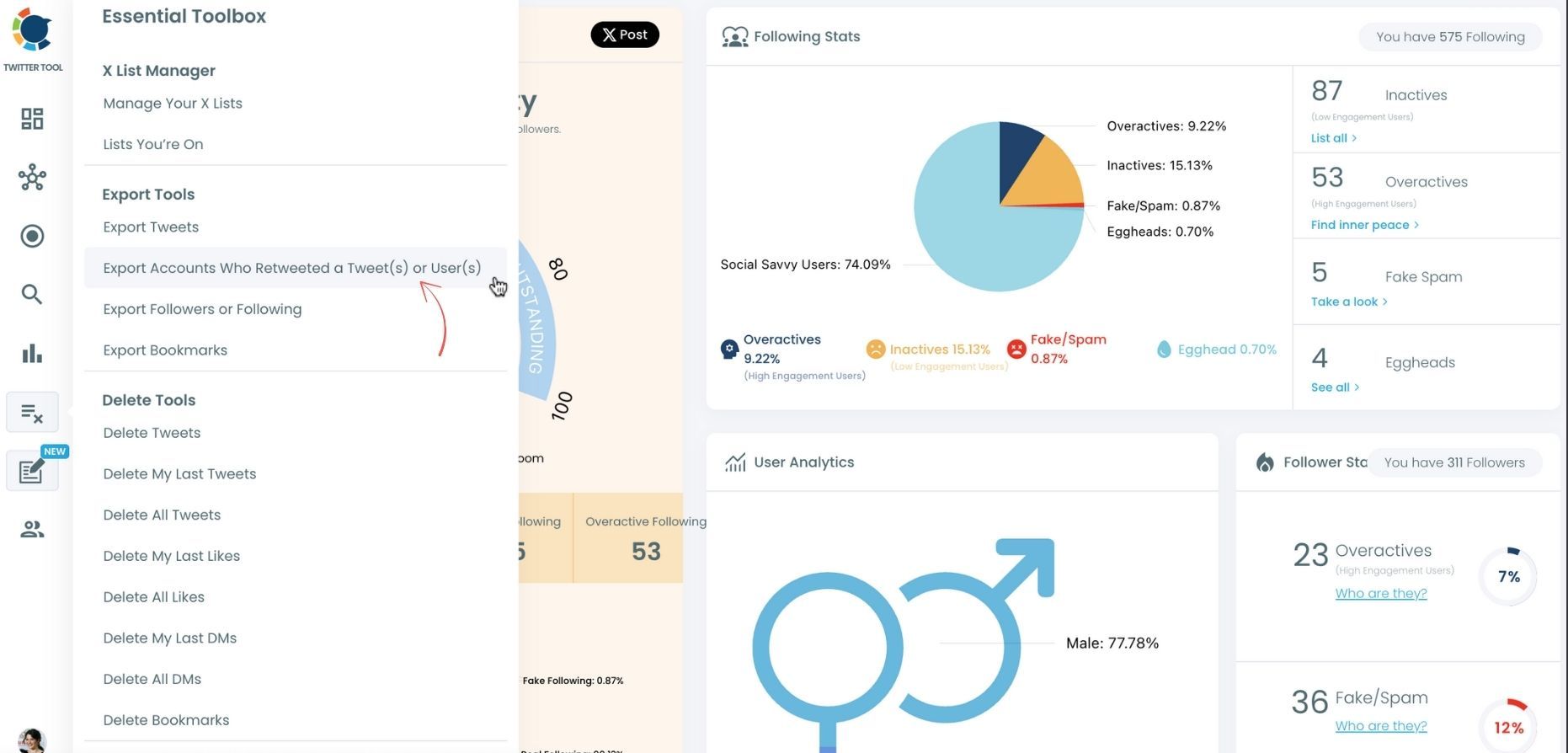
Step #3: You will see two options there:
“Export retweeters of specific tweets” and “Bulk export retweeters of a user’s tweets”
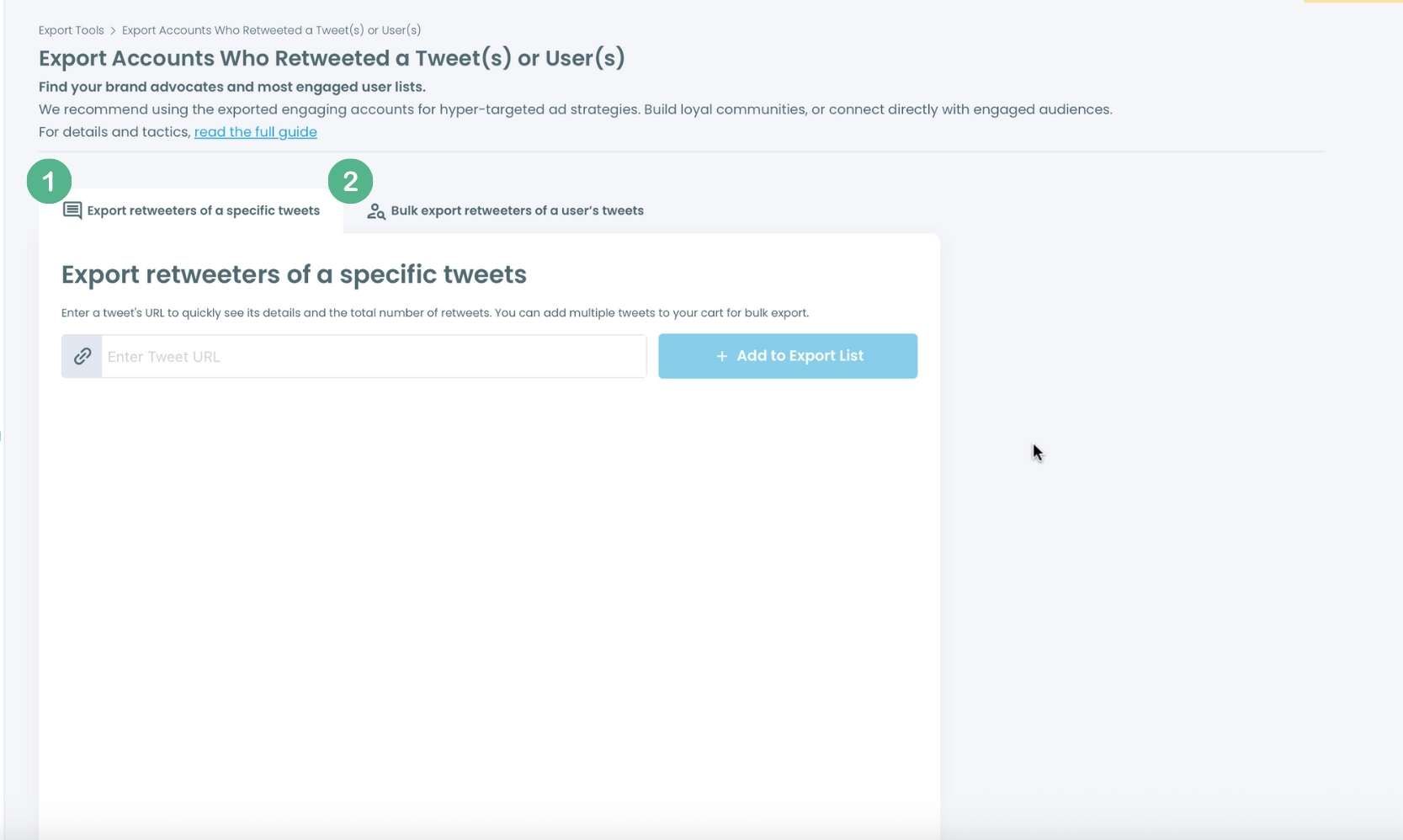
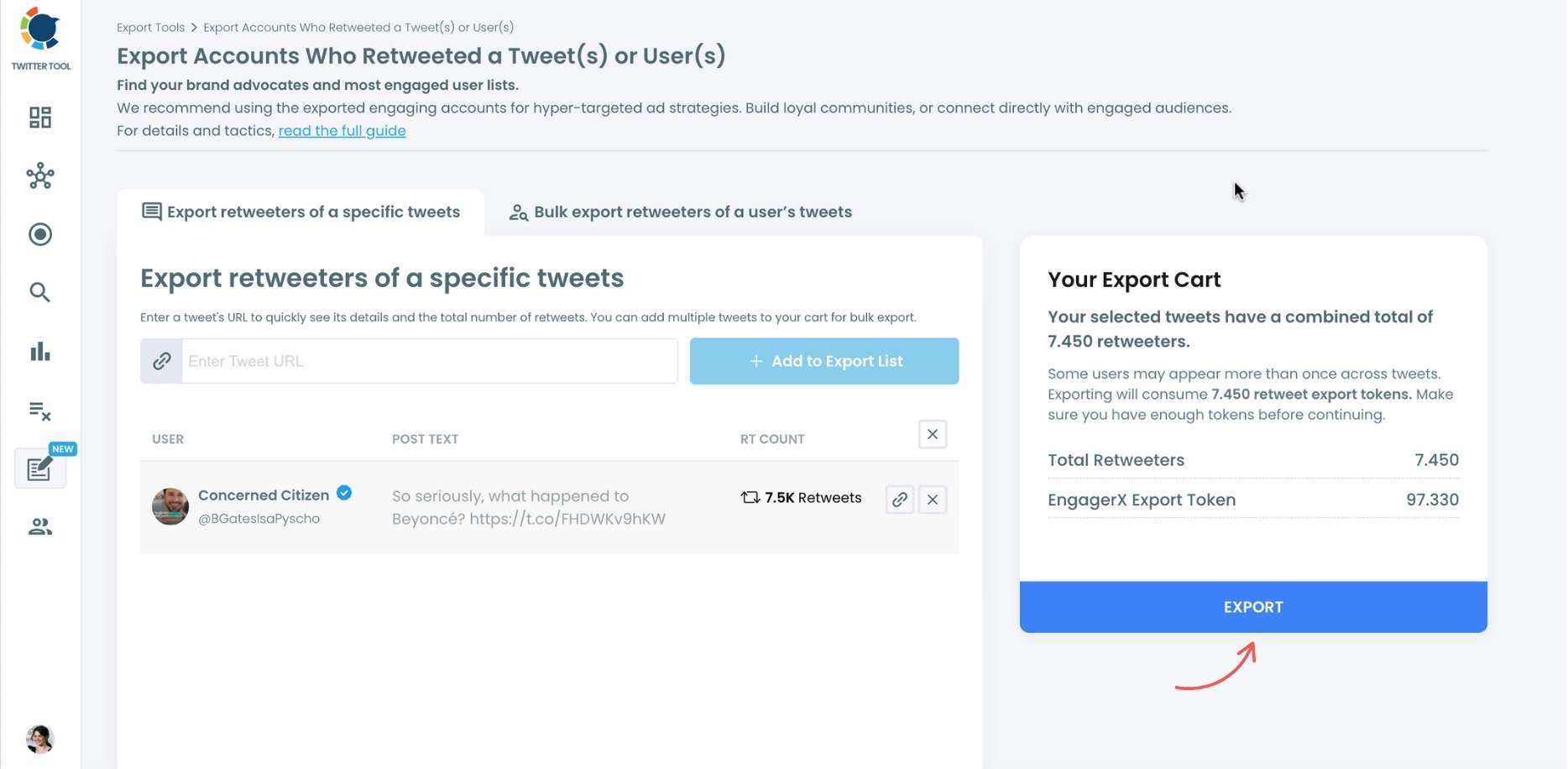
For specific tweets, Circleboom enables you to extract retweeters of specific tweets, yours or other users. You need to paste the URL of the targeted tweet.
Then, we will extract all retweeters of that tweet. The one thing you should do is clicking on the “Export” button.
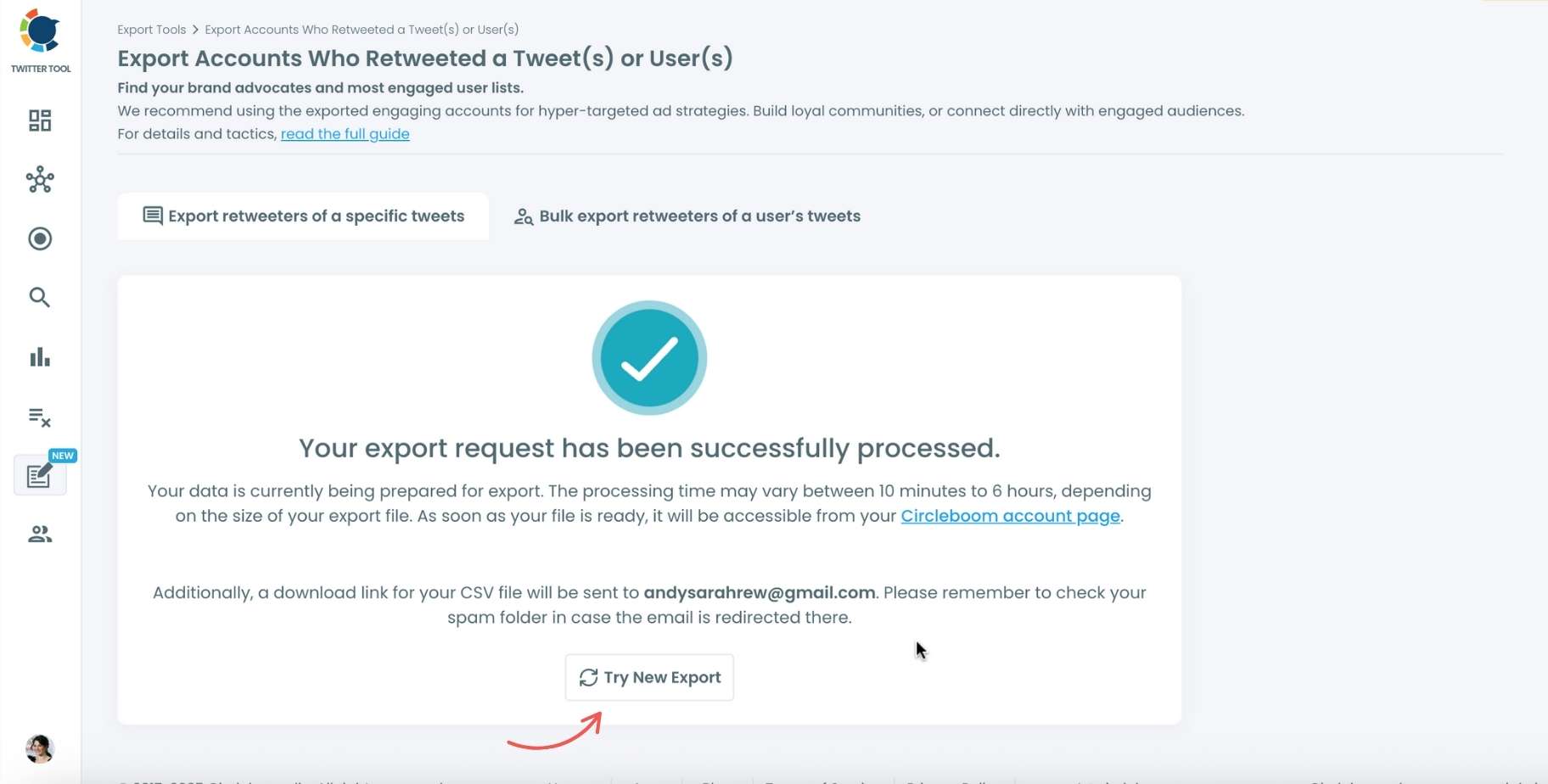
Your export request has been sent. You will get your exported retweeters file within Circleboom also a copy will be sent to your email address.
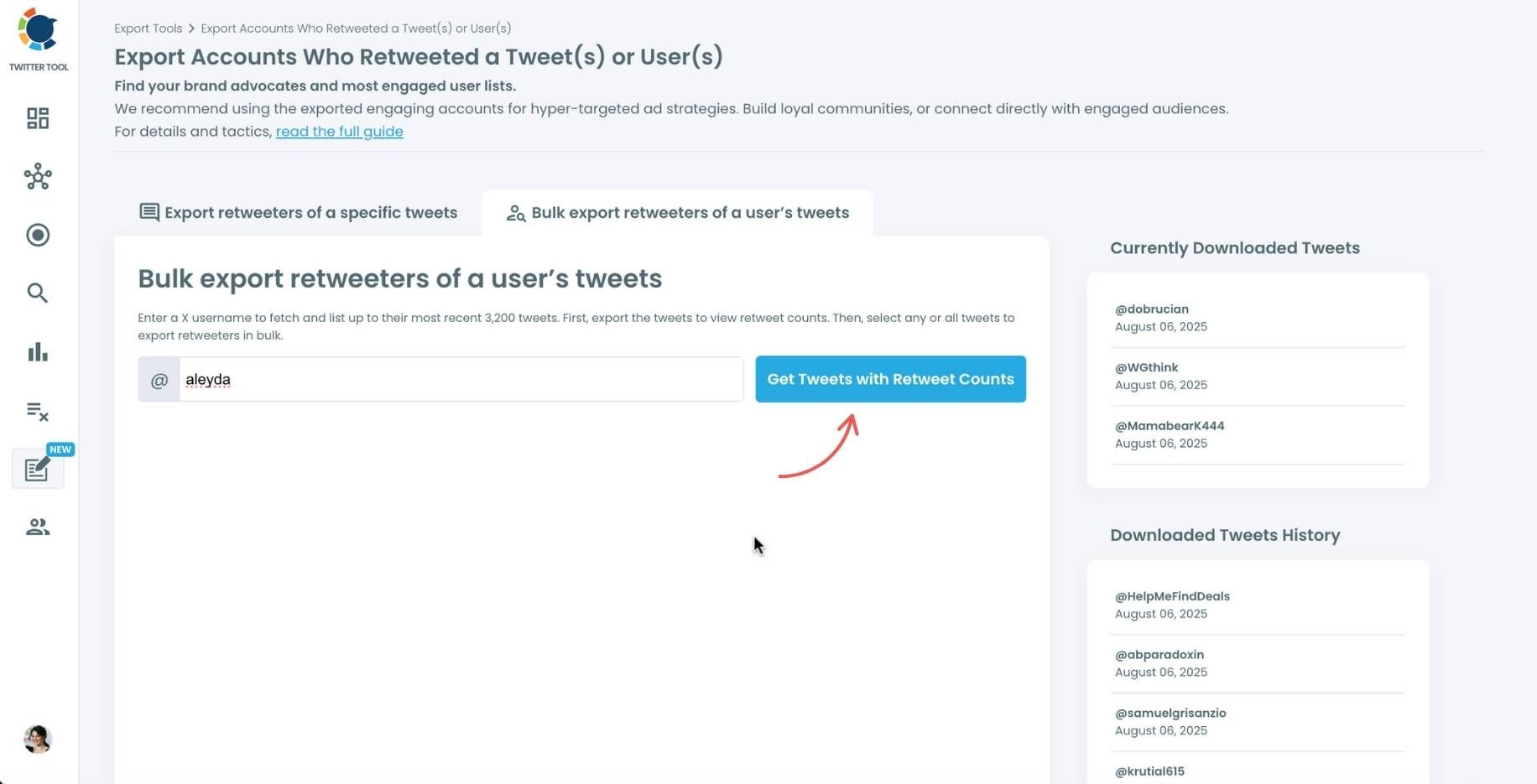
Step #4: Your second option is bulk export retweeters of a user’s tweets.
You need to enter the handle of a Twitter user. Then, we first extract their all tweets. Then, you can export all of their retweeters or some of them. You can apply filters to sort their tweets by retweet number, like number, etc.
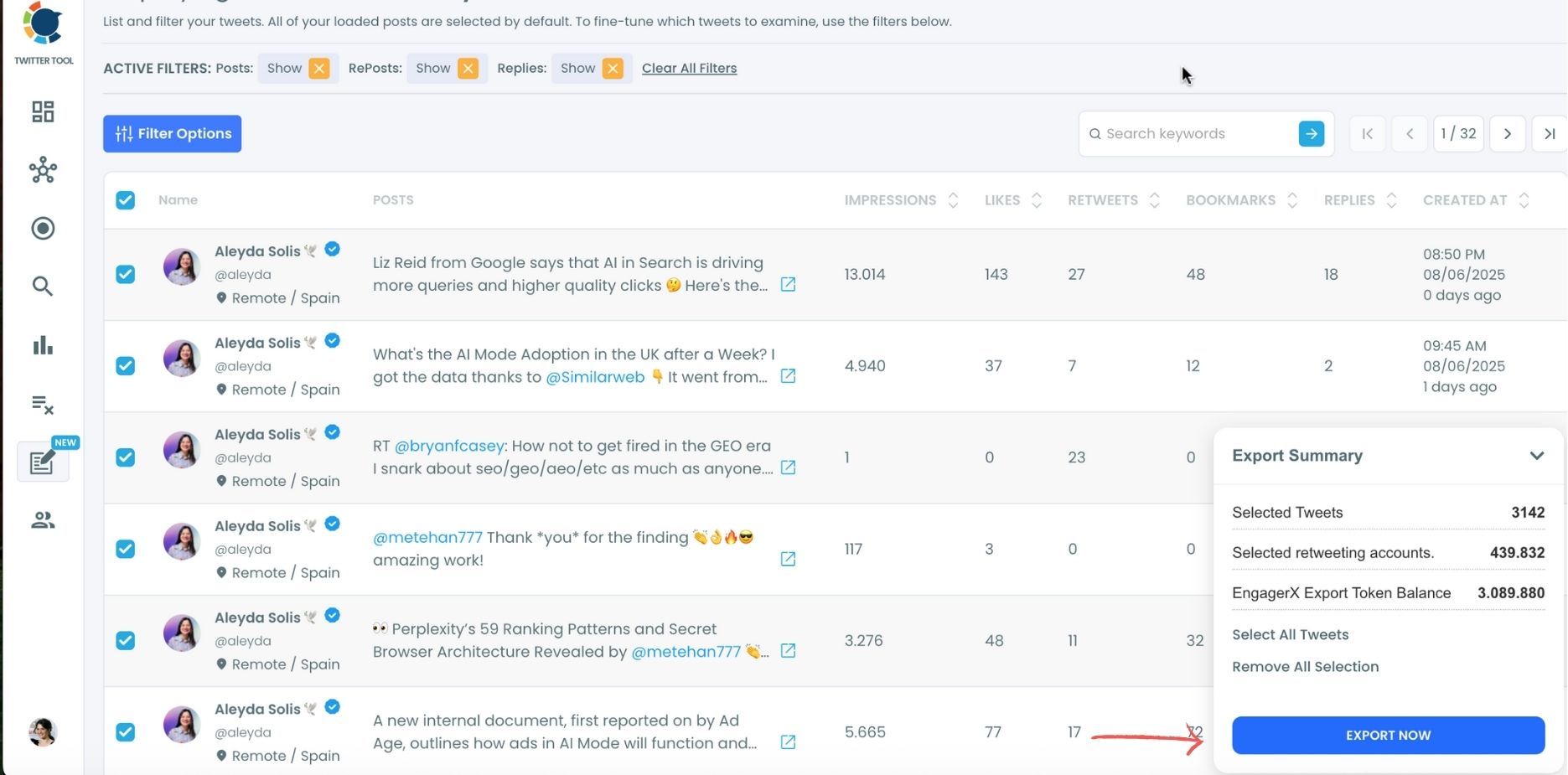
You can export retweeters of all tweets or you can select some.
In this example, you will export 439.832 retweeters by clicking on the “Export Now” button.
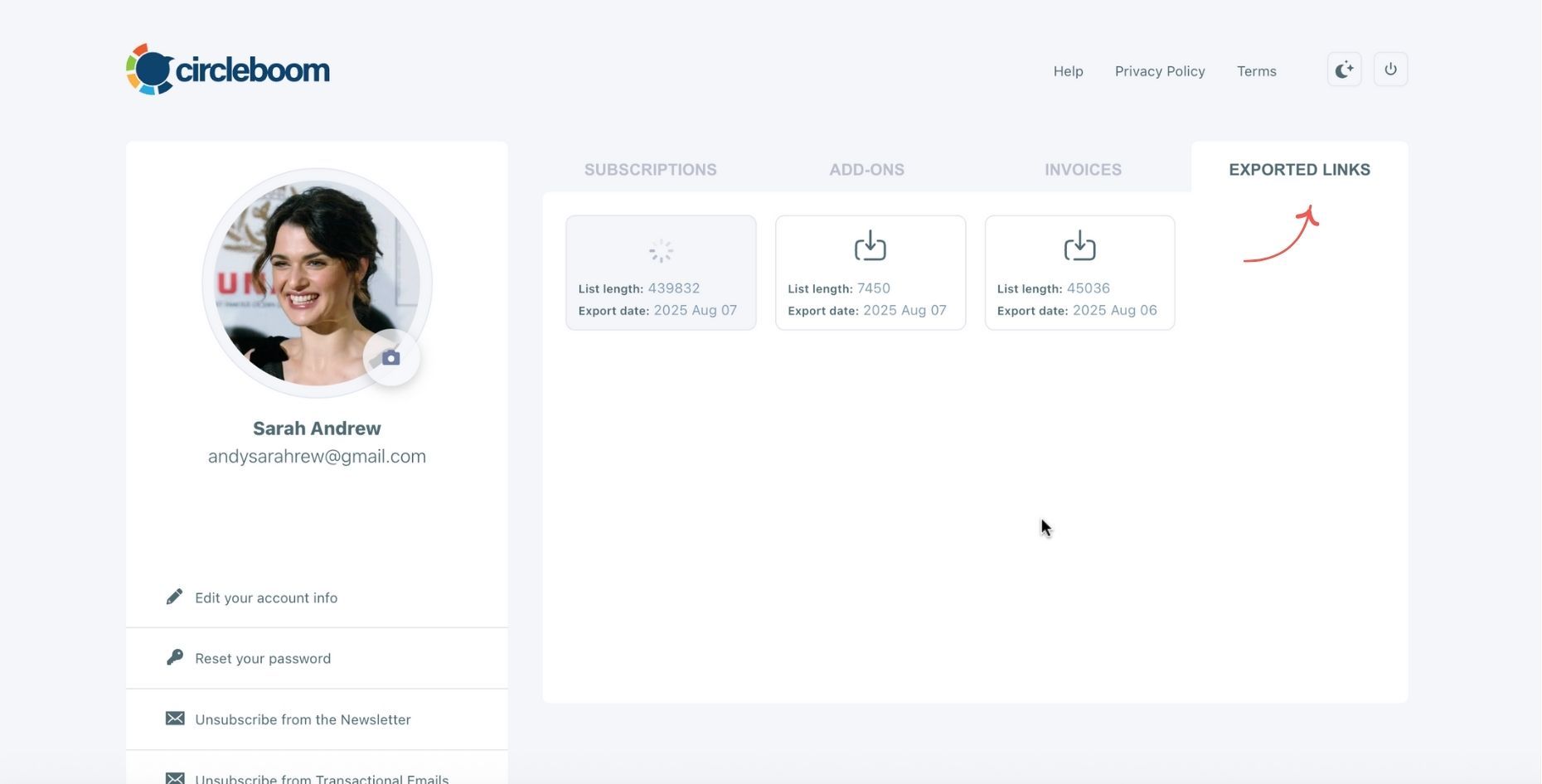
You can see your export lists, finished and processing, on your Circleboom account page, under “Exported Links” section.
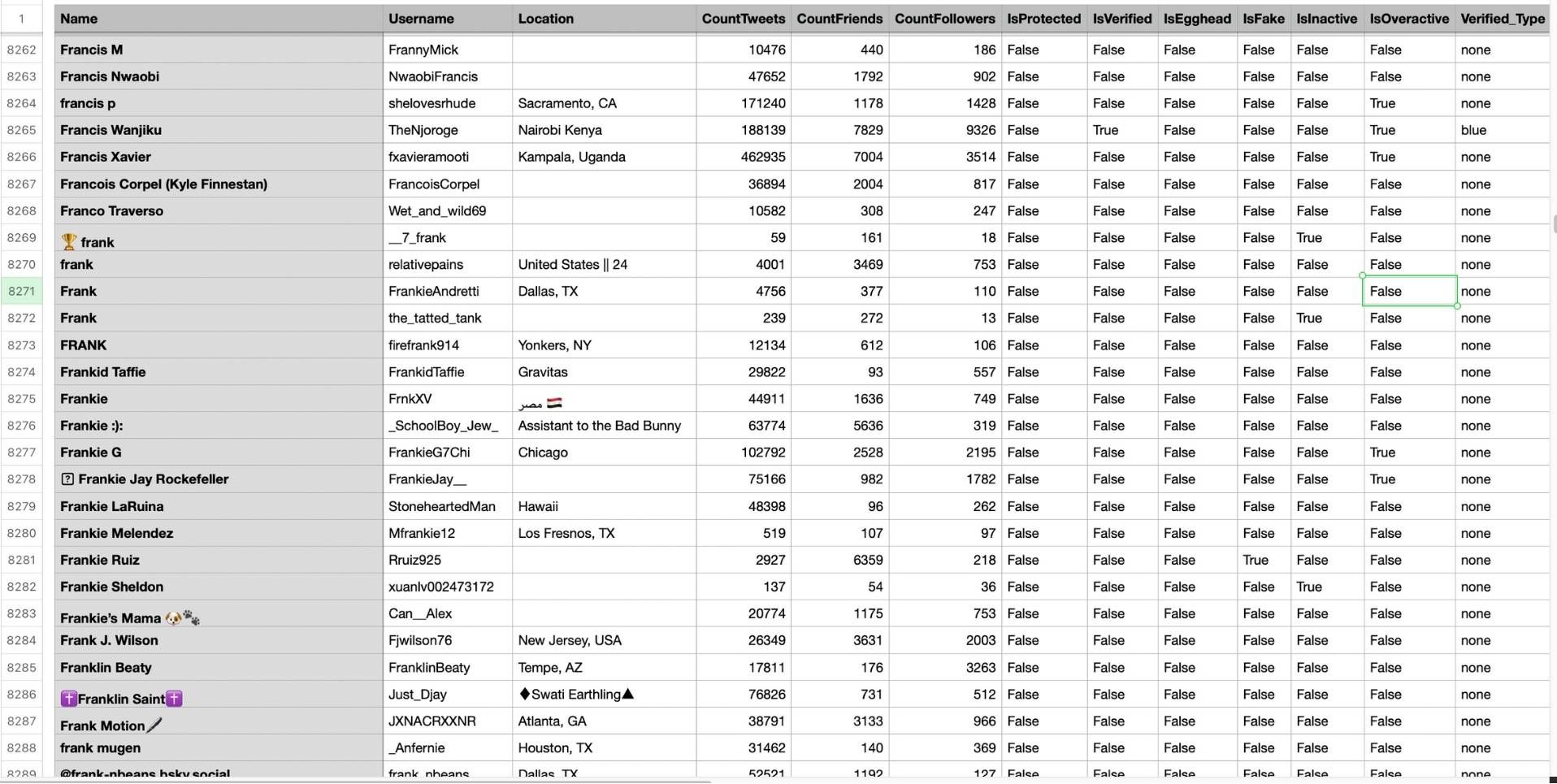
Step #5: You can see the list of retweeters in your CSV file.
There are their usernames, locations, account ages, followers counts, etc.
Circleboom then analyzes the selected tweets and collects all associated retweeters.
Turning Retweet Data into Smarter Targeting
Once you have the exported list, you can quickly build actionable workflows:
- Identify high-impact retweeters by follower count
- Find verified or creator accounts for outreach
- Spot users who retweeted multiple posts
- Create segmented lists for campaigns or partnerships
- Prepare clean datasets for CRM or internal analysis
Instead of guessing who cares about your content, you work with proof-based engagement data.
Final Thoughts
Twitter/X does not provide a proper way to export retweeter lists, and it often doesn’t even show the full list on screen. Untrusted tools can put your account and data at risk.
If you want a safe, fast, and structured way to extract Twitter retweet lists, the only authorized option is Circleboom Twitter, an official partner of X.
With one click, you can export full retweet lists, download clean CSV files, and turn engagement into actionable targeting, without code, without risk, and without wasted time.
Retweets tell you who truly supports your message.
Now you can finally use that insight properly.

