
Twitter (X) gives you some basic insights about your followers. But there’s something important missing.
It doesn’t tell you what percentage of your followers are bots.
I wanted to know this for my own account. The follower count was growing, everything looked fine, but I had no idea how many of those followers were actually real.
That’s when I started using Circleboom Twitter.
➡️ It analyzes your followers in detail and shows which ones are bot or fake accounts and what percentage of your audience they make up.
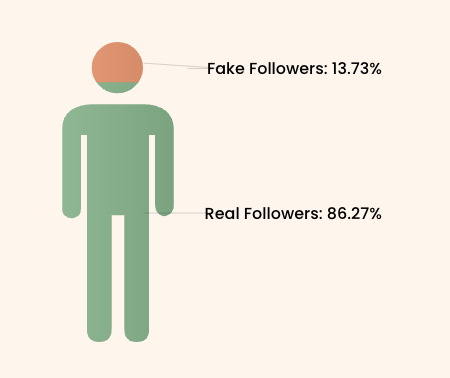
When I checked mine, I found out that 13.73% of my followers were bots.
What is Circleboom Twitter?
Circleboom Twitter, an official X Enterprise Developer, works directly with Twitter’s official APIs, which means the data it provides is accurate and structured.

Instead of just showing surface-level numbers, it goes deeper into your audience.
With Circleboom, you can:
🟢 Detect bot and fake accounts
🟢 See the percentage of low-quality followers
🟢 Filter your audience based on quality
🟢 Remove bot and fake followers easily
 infocircleboom.com
So instead of guessing, you get a clear picture of who is actually following you, and you can take action to clean your audience at the same time.
How to Find and Remove Bot Followers with Circleboom Twitter
Step #1: Go to the Circleboom Twitter website and log in with your credentials.
If you’re a new user, sign up, it’s quick and easy!

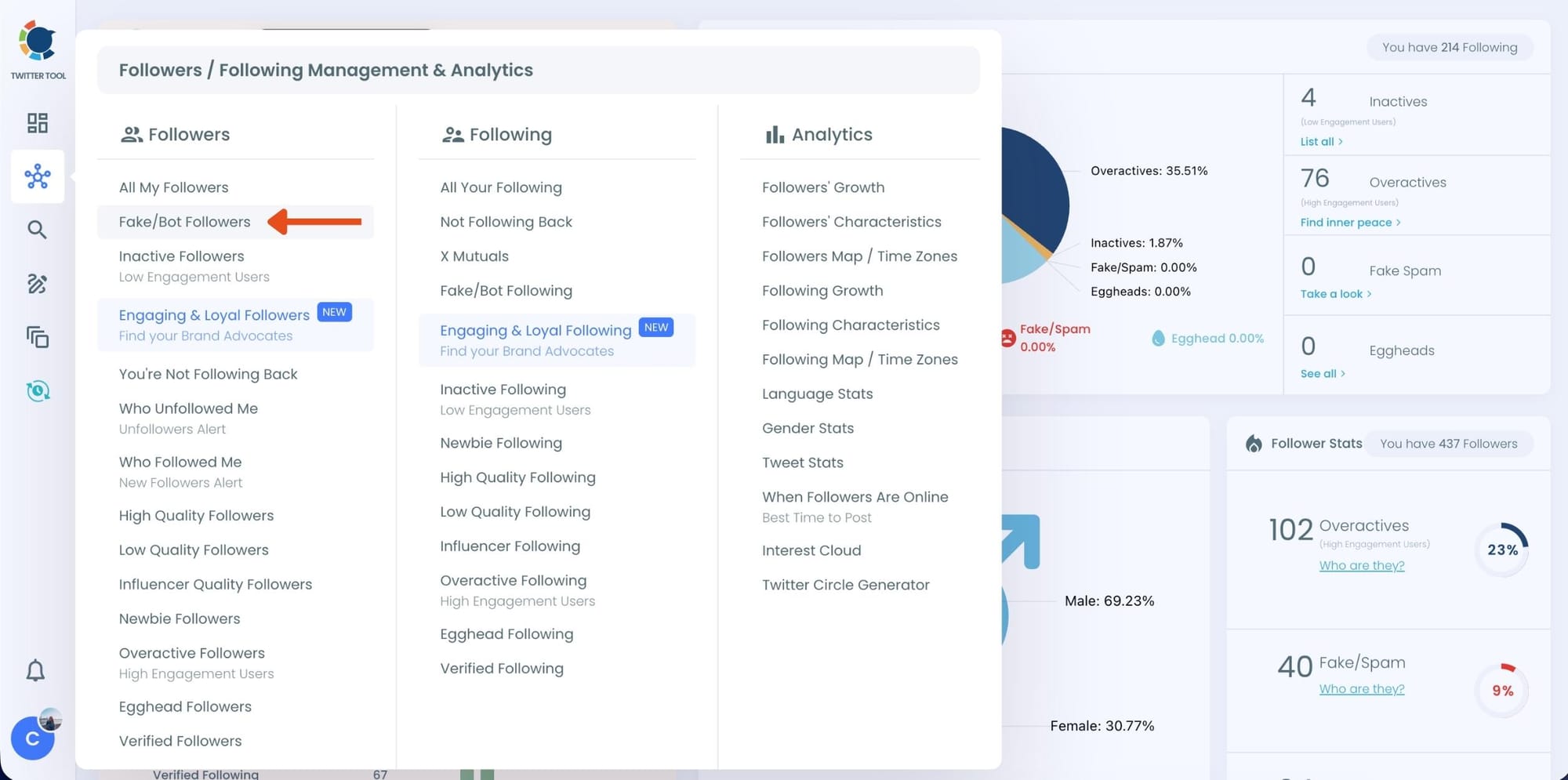
Step #2: On the left-side menu, click on the Followers / Following Management section. A dropdown menu will appear. Select Fake/Bot Followers to see the full list of your followers.
If you want to remove specific accounts, such as inactive users, you can directly select these categories from the dropdown menu instead of viewing all followers.
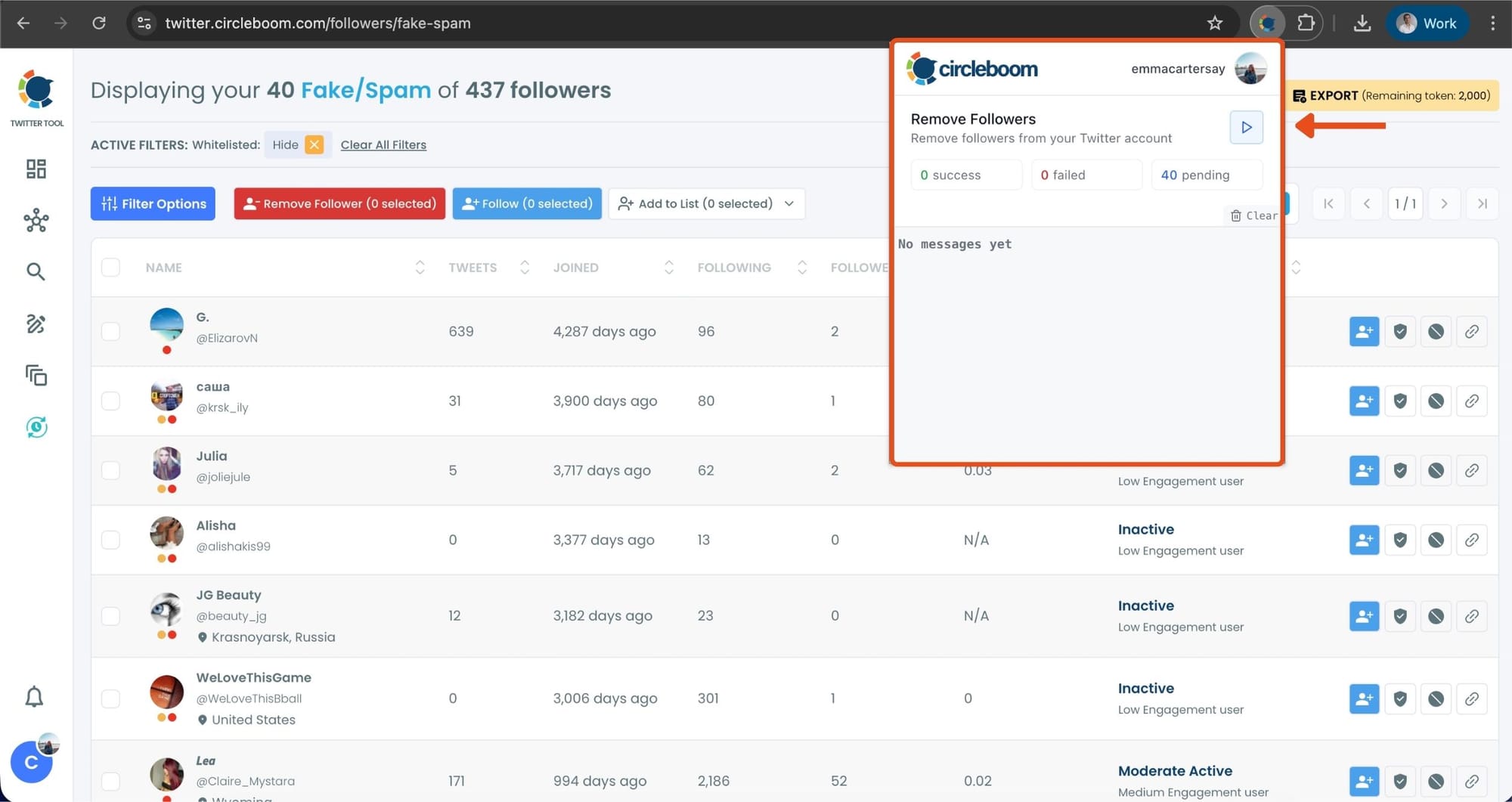
Step #3: You will see a complete list of your fake/bot followers.
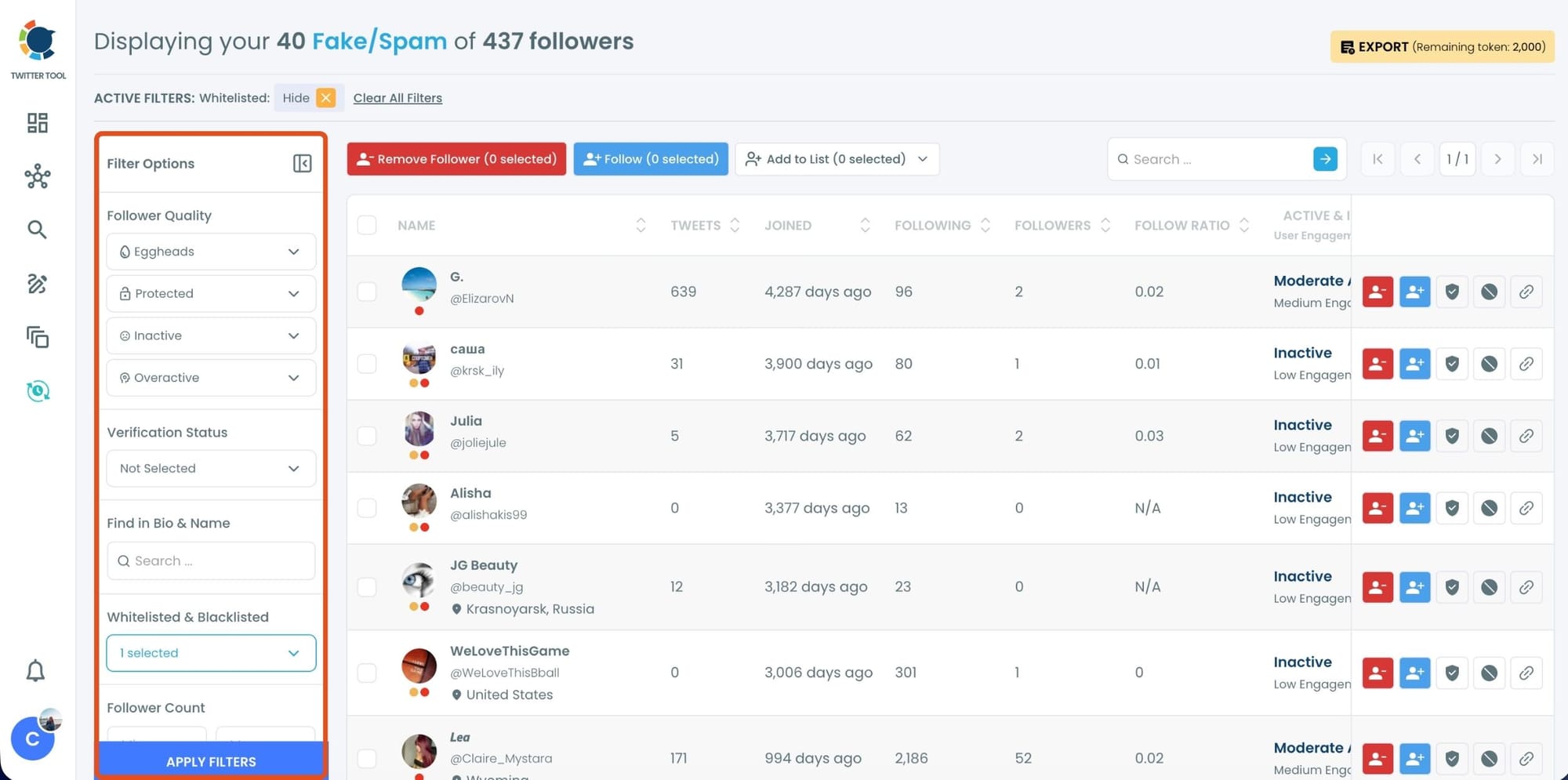
Use the Filter Options on the left side to refine your list.
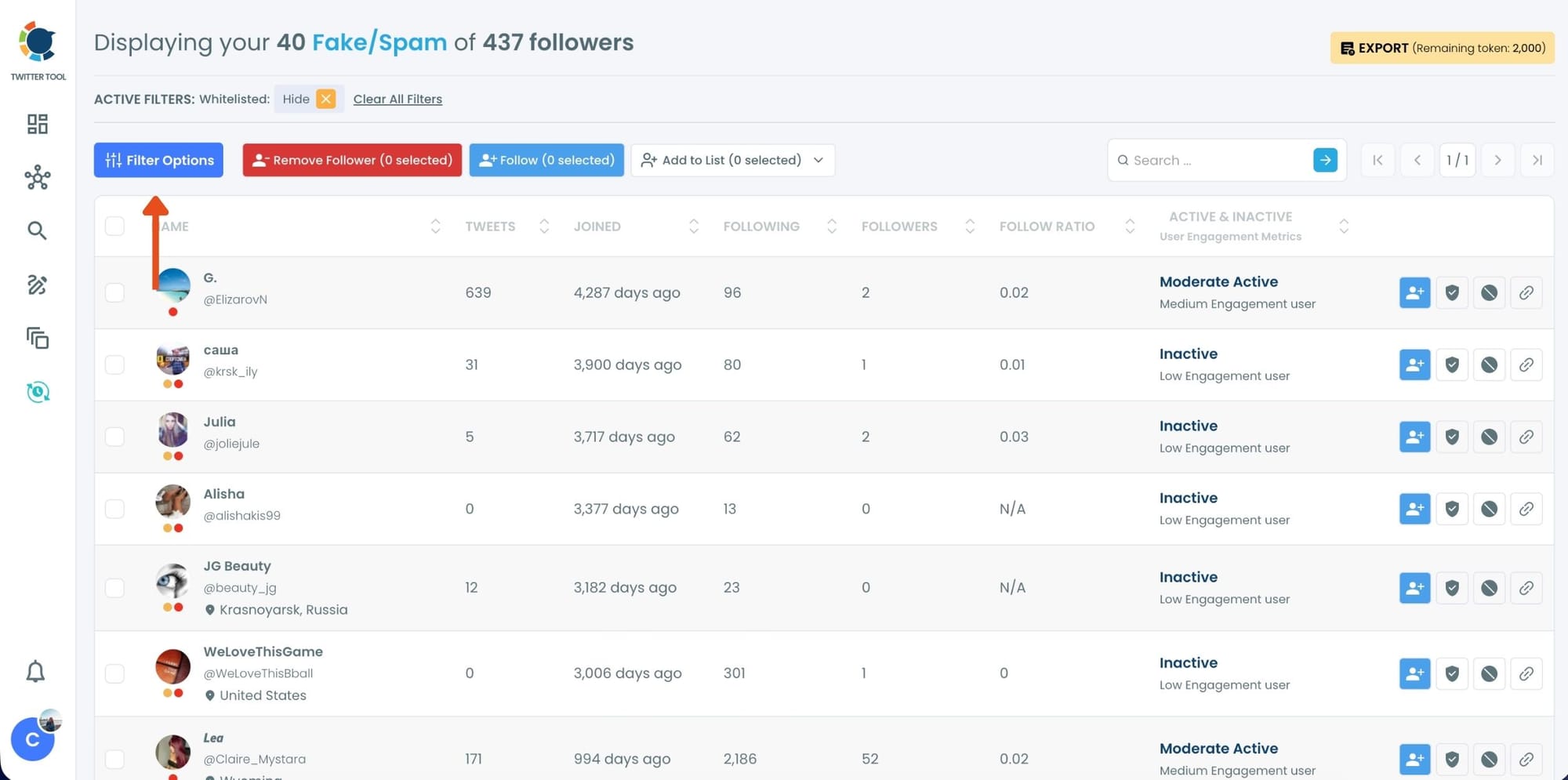
You can filter followers based on engagement levels, inactivity, verification status, follower/following count, and more.
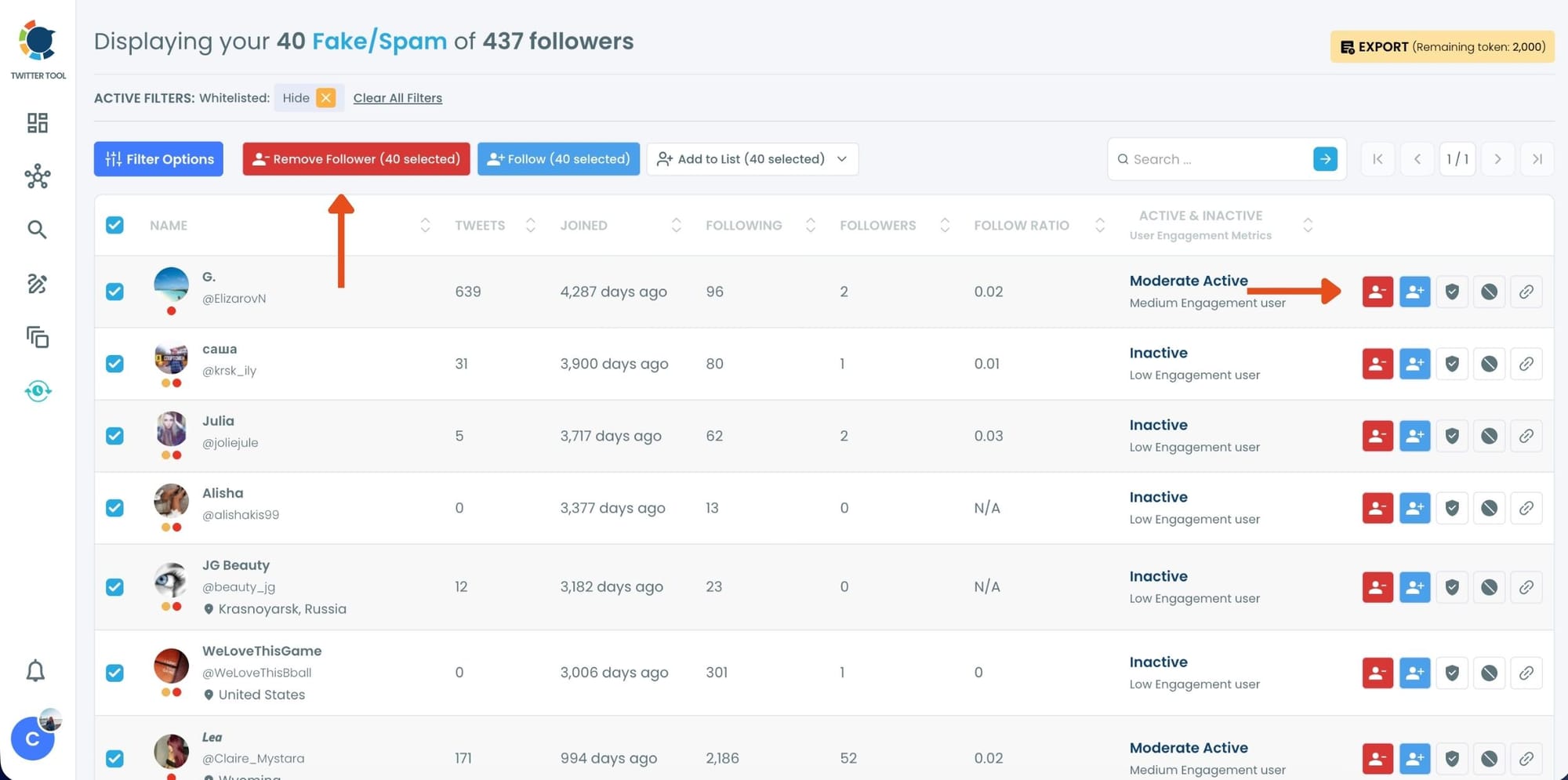
Step #4: Browse through your followers and check the boxes next to the users you want to remove.
You can also select multiple users at once. Once you have selected the users, click on the Remove Followers button at the top.
Alternatively, you can remove individual followers by clicking the red remove icon next to their name on the right side of the list.
A confirmation message will appear asking if you are sure you want to remove the selected followers.
Click ''Remove Followers''.
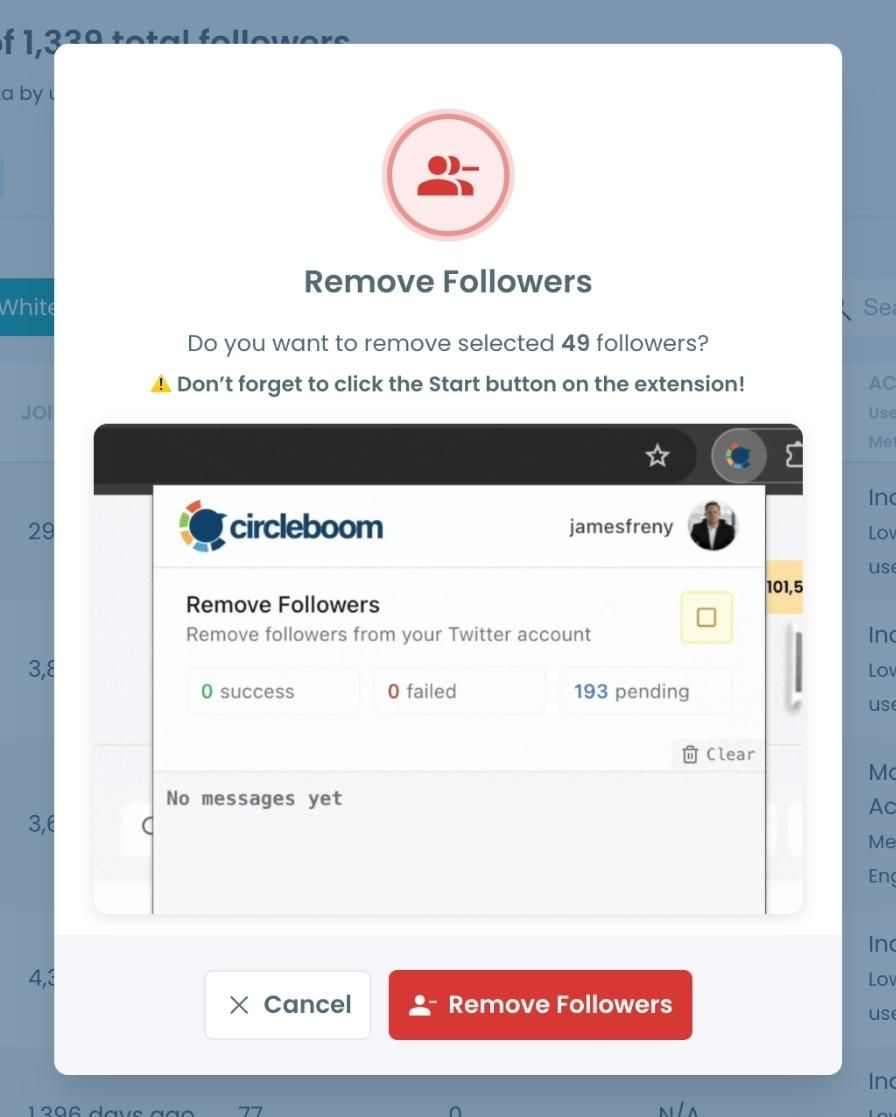
Step #5: Since the removal action is processed via the Circleboom Remove Twitter/X Followers extension, you need to install it to complete the process.
Click on Download the Extension and install it from the Chrome Web Store.
Once installed, you can easily remove followers.

Step #6: After installing the extension, Circleboom will automatically add all your removal requests to the extension queue.
Click on the Start button to begin the removal process.
The extension will process your requests and remove the selected followers.
That's it!
Your selected followers have been removed automatically.
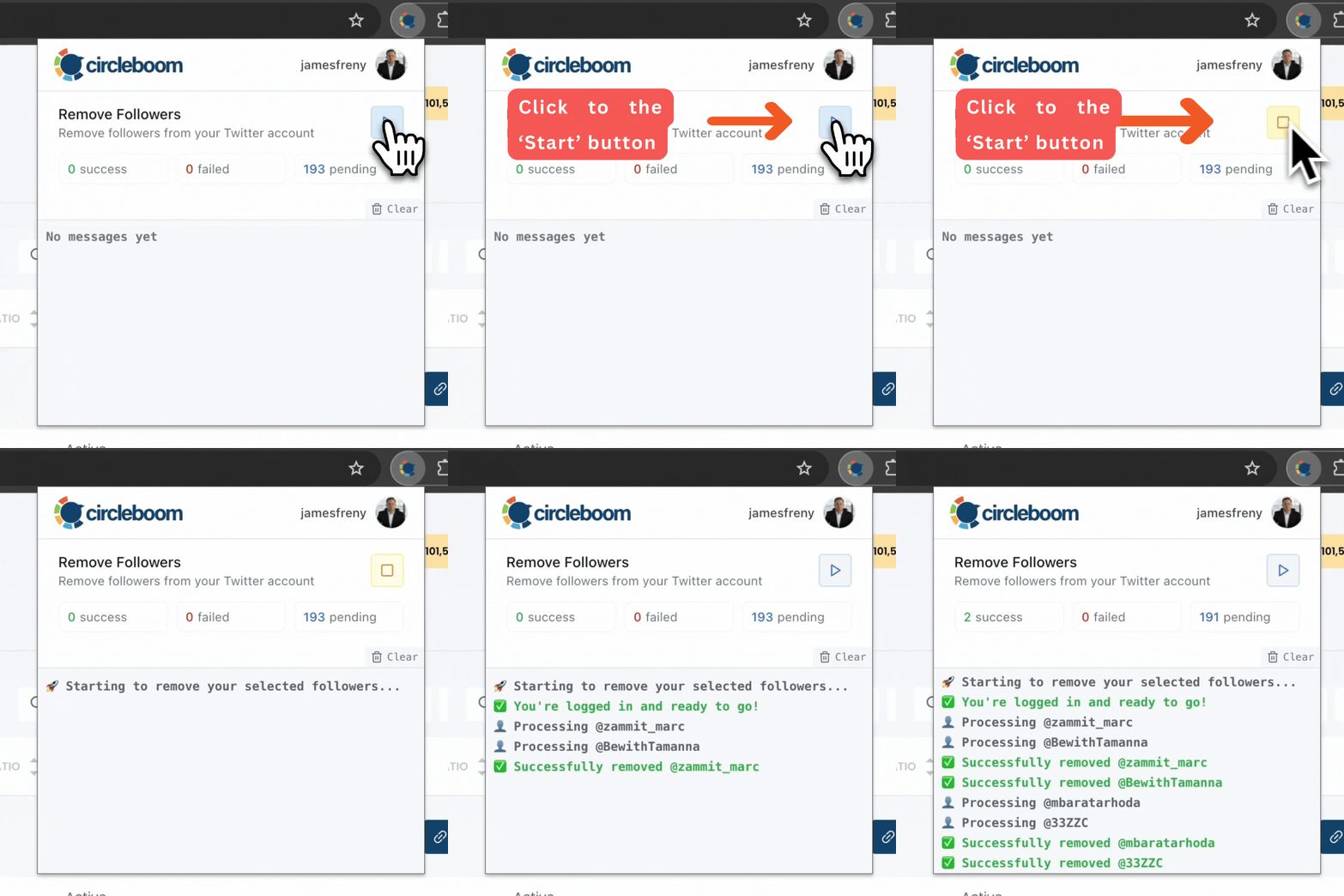
⚠️ Important Warning: Once the removal process begins, do not close your Chrome browser or the Circleboom tab. The tool will automatically remove followers in the background, but if you close the tab or exit Chrome, the process will stop.
If you need a more detailed guide check this video ⬇️
Why Twitter Doesn’t Show Your Bot Follower Percentage
Twitter does provide some basic categories, but it doesn’t go far enough.
You can see verified vs unverified accounts, but:
- Not all unverified accounts are bots
- Not all bots are clearly labeled
- There is no direct “bot percentage” metric
⚠️ So even if a large part of your audience is fake, you wouldn’t easily notice it just by looking at your follower list.
This creates a false sense of growth.
Your numbers go up, but the quality of your audience might actually be going down.
Why Knowing Your Bot Percentage Matters
This is more important than it looks.
Bot followers:
- Don’t see your tweets
- Don’t like, reply, or repost
- Don’t contribute to your growth
But they still count toward your total follower number.
This creates a problem.
 Kevin O. Frank
Because the algorithm looks at engagement, not just follower count.
If a large percentage of your audience doesn’t interact:
- Your engagement rate drops
- Your tweets get less reach
- Your impressions decrease
So even though your follower count increases, your performance can actually get worse.
What I Learned From My Own Account
Seeing that 13.73% number changed how I looked at my account. It meant that more than 1 out of every 10 followers was not real or not contributing anything.
So my follower count looked higher than it actually was in terms of value.
After identifying them with Circleboom Twitter, I went through the list and removed them. With just a few clicks, I was able to clean my audience.
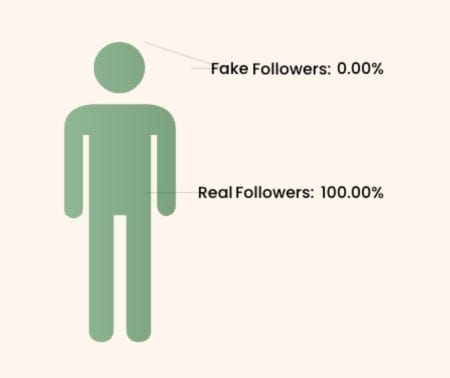
✅ Now my followers are much more real, and the overall quality of my account is better.
Why Real Followers Matter More Than Numbers
A common mistake is focusing only on growing follower count.
But what really matters is who those followers are.
Real followers:
- Actually see your content
- Engage with your tweets
- Help your posts reach more people
Bot followers do none of that.
So:
- 1,000 real followers > 10,000 fake ones
Because real engagement is what drives visibility.
Once your audience becomes cleaner, your content has a much better chance to perform well.
Final Thoughts
Twitter doesn’t show what percentage of your followers are bots.
So it’s easy to assume your audience is healthier than it actually is.
With Circleboom Twitter, you can:
- See your bot follower percentage
- Identify fake and low-quality accounts
- Remove them at once.
Once you understand your audience quality and clean it, everything starts to improve.
Because in the end, it’s not about how many followers you have.
It’s about how many of them are real.

