The last account someone followed on Twitter is not something you can read off their profile with any confidence. X shows a current following list, but it carries no dates, no history, and no reliable "newest first" order. To know the real answer, you have to compare that list at two points in time and read the difference.
Can you see the last account someone followed on Twitter?
Not from the profile alone. X shows a current following list with no timestamps and no changelog, so "most recent" is a guess. Circleboom monitors any public X account's follow activity through official Enterprise access and turns each new follow into a dated entry you can actually read.
→ see the last account someone followed
That gap between what X displays and what you actually want to know is the whole problem. Below is why the native trick fails, and the method that produces a real, dated answer.
Why the "scroll to the bottom of the following list" trick fails
Most guides tell you to open a profile, tap the Following count, and look at the bottom of the list for the newest follows. It sounds right. It is not dependable.
X keeps a current following list, but it does not attach a follow date to any entry, and the list order is not a trustworthy recency signal.
According to X's own Following on X help page, the Following view is for seeing and managing who an account follows, not for reading when each follow happened.
Real users notice this constantly: the order shifts, drifts, and does not match the sequence in which follows were actually made.
So even in the best case, the trick gives you a rough guess with no date attached. You cannot tell whether the account at the bottom was followed five minutes ago or five months ago. Anyone who has tried to find the exact date you started following someone has already hit the same wall from the other direction.
A single list snapshot answers "who do they follow." It never answers "who did they follow last."
Those are two different questions. The first is a state. The second is a change, and changes only show up when you compare two snapshots.
The method that actually reveals the last followed account
To see the last followed account, you capture the target account's following list on a schedule and diff each new capture against the previous one. Every account that appears in the newer snapshot but not the older one is a new follow, and it gets stamped with the date it was detected.
Circleboom runs this loop for you. It records the state of a public account's following list at regular intervals, computes the delta between intervals, and lists the specific accounts that are newly followed, each as a dated row. The result is a change log X never gives you.
The tracking dashboard shows these changes as a bar chart over time, with blue bars for new follows and red bars for unfollows, plus a results grid listing each detected account with its bio, follower counts, join date, and activity indicators. You are no longer guessing at list order. You are reading a timeline.
Video walkthrough: how a target account's newest follow appears as a dated entry the moment a snapshot catches it.
How to See the Last Account Someone Followed on Twitter
To track the last account someone followed, log in, open the Monitoring menu, point it at the username you care about, and switch on following alerts. The setup takes a few minutes and then runs on its own.
1. Log in to Circleboom Twitter and connect your X account with official OAuth.

2. Open the Monitoring menu and start a new tracking setup for the account you want to watch.
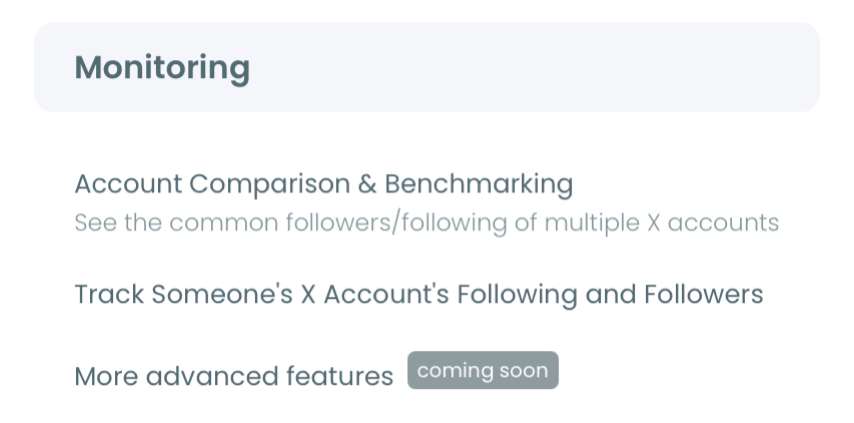
3. Validate the username in the single input field, then choose to track their Following so new follows are captured.
4. Set your alert preference and activate tracking, and every new follow lands as a dated entry in the dashboard from that point forward.
That order works because the login earns official-API access first, the Monitoring setup defines exactly which account and which activity to capture, and the alert step turns a passive list into a running record. Skip the tracking setup and you are back to guessing at list order.
At a glance: connect, point at the account, track Following, read the dated results.
Does tracking start from today or from the past?
Tracking captures changes from the moment you switch it on, not retroactively. There is no hidden archive of a stranger's past follows to pull from, because X never stored one.
That is why the timing question matters. If you want to catch the next account a competitor, investor, or creator follows, you set up tracking now and let the baseline build.
The value compounds: the longer the monitor runs, the clearer the pattern of what that account pays attention to becomes. You can also check someone's new followers on X using the same monitoring approach when the followers side is what you care about.
For the current-state view, a plain Twitter following list viewer shows you who they follow right now, and tracking layers the dated changes on top of it.
Is this safe to do on a stranger's account?
Yes, because it uses only public data and official access. Circleboom is an official X Enterprise developer, so the monitoring pulls list data through sanctioned Enterprise APIs rather than scraping. The tracked account is never notified, and only public accounts can be tracked. Private profiles are not accessible through the API regardless of who follows them.
This matters because plenty of "recently followed" websites and scripts work by scraping X, which is both unreliable and risky. The safe path is the one that reads public data the way the platform intends. If you have ever wondered whether visibility settings interfere, this breakdown of whether a protected account hides its following list explains where the line sits.
What the last followed account can tell you
A follow is a quieter signal than a post, and often an earlier one. When someone follows a new account, they are directing attention somewhere before they say anything out loud about it. The same instinct applies to the inbound side, where a check new followers on Twitter view shows who is starting to pay attention to an account you care about.
- A venture investor who follows three founders in one vertical in one week is in active research mode.
- A competitor's product lead who follows a cluster of engineers at one company is signaling a possible hire or partnership.
- A journalist who follows a niche account is tipping where their next story might land.
None of that is visible from a static profile. It only appears when you can see the last account someone followed, dated, and read the sequence.
The reverse case matters too. When a long-standing follow disappears, that is a signal as well. The same workflow that catches follows also lets you see who unfollowed you on Twitter and shows who a tracked account dropped.
You can act on these signals directly from the results grid: follow a newly detected account, add it to a Twitter List, or export the batch for research.
The Bottom Line
The last account someone followed on Twitter is a change, not a state, and X only shows you states. The profile gives you a current list with no dates and an order you cannot trust, so the native trick will always leave you guessing.
The fix is to capture the following list over time and read the diff. Circleboom does exactly that, turning a public account's follow activity into a dated, searchable record through official Enterprise access. Set it up once and the answer arrives on its own, every time the account moves.
You can start here: → monitor who someone followed last
Common Questions About Tracking Follows
Can I really not see when someone followed an account?
Not from the X profile. The Following list has no per-follow date and its order is not a reliable recency signal, so there is no native way to read a follow date. A tracking tool adds the date by comparing snapshots over time.
How current is the tracking data?
Tracking runs on periodic snapshots, not a live stream, so there is a small lag between a follow happening on X and it appearing in your dashboard. Alerts arrive on your chosen daily or weekly schedule, and only when there is new activity to report.
Can the person tell they are being tracked?
No. Monitoring reads public list data through official Enterprise access and never interacts with the target account, so there is no notification and no visible footprint on their side.
Can I track more than one account?
Yes. You can monitor several public accounts at once, and you can watch both a target's Following and their Followers by setting up a separate tracking rule for each. Each active rule runs independently.
What can I do with the accounts it finds?
You can review each detected account's full profile data, follow it, add it to a Twitter List, or export the results as a CSV for competitive research or client reporting, all from inside the tracking dashboard.
You can open your first tracker here: → start tracking recent follows