

Many X (formerly Twitter) users notice something strange happening in their inbox. Different accounts send very similar messages and quickly ask to continue the conversation on WhatsApp.
At first it may look like a normal message. But when you start receiving the same request from multiple accounts, it becomes clear that something is wrong.
In most cases, this is a scam.
Scammers often operate large networks of bot accounts that send automated messages to thousands of users. Their goal is simple: move the conversation away from X to another platform where it is harder to track or report them.
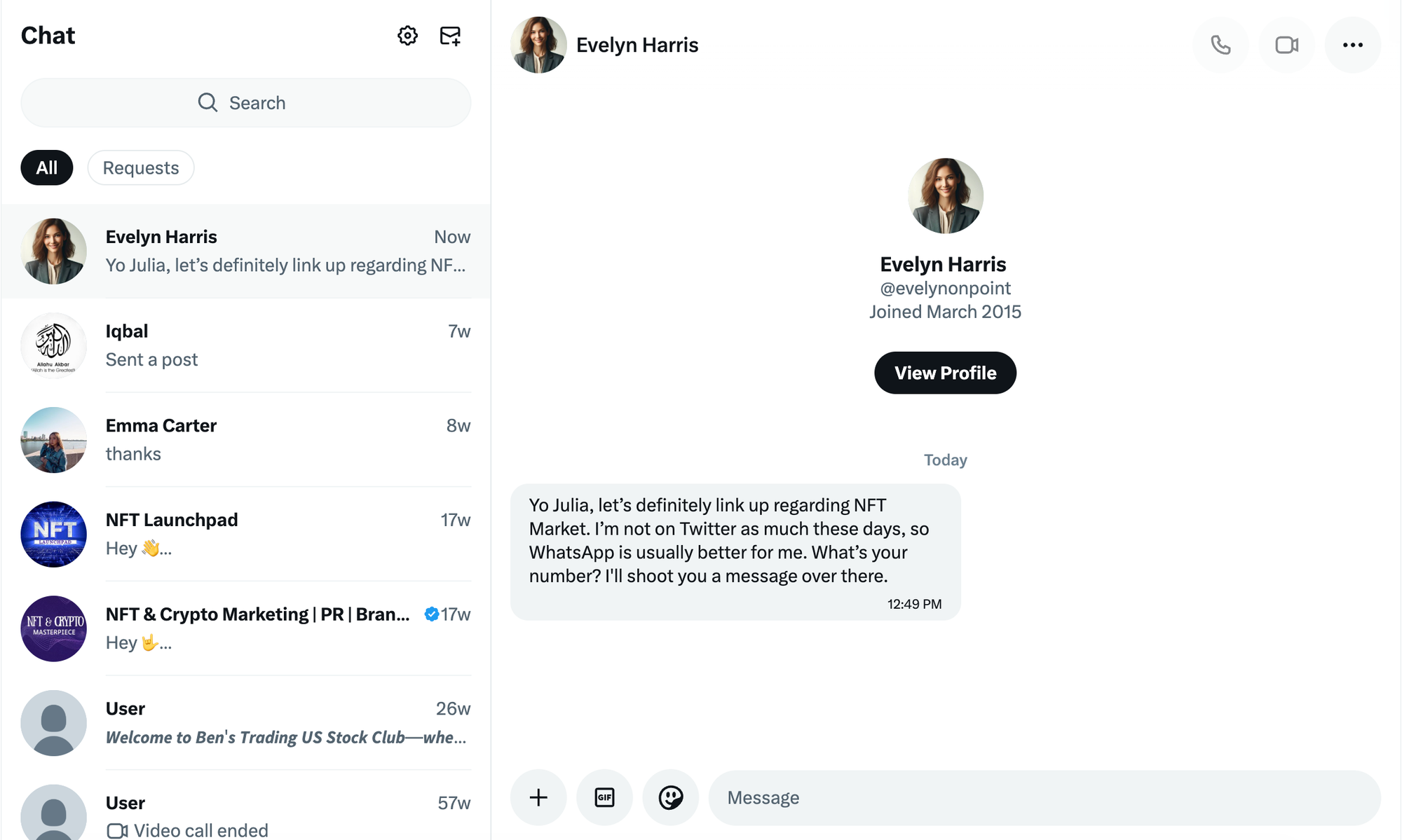
If several people are asking you to talk on WhatsApp after contacting you on X, it is very likely part of a spam or scam campaign.
Why Scammers Ask You to Move to WhatsApp
Scammers rarely want to keep the conversation on X. Instead, they quickly try to move the discussion to platforms like WhatsApp or Telegram.
There are a few reasons for this.
First, once the conversation moves away from X, it becomes harder for the platform to monitor or stop the scam. Second, messaging apps allow scammers to communicate more directly and continue their manipulation. Third, they can easily delete accounts on X and create new ones while keeping the WhatsApp conversation active.
Many of these scams involve fake investment opportunities, crypto scams, or phishing attempts.
That is why the message pattern often looks identical. Different accounts send almost the same text and quickly ask you to contact them on WhatsApp.
Signs the Message Is a Scam
There are some clear warning signs that help you recognize these scam messages.
The message often looks copy-pasted.
Multiple accounts send almost the same text.
The account contacting you has very few tweets or interactions.
They ask you to move the conversation to WhatsApp almost immediately.
When these signs appear together, the safest decision is simply not to respond.
Why You Are Receiving These Messages
If you are receiving many of these DMs, there are usually two main reasons.
Your DMs Are Open to Everyone:
If your X account allows anyone to send you direct messages, bot accounts can easily target you. Scammers run automated systems that scan profiles and send thousands of messages at once.
Restricting who can message you can significantly reduce spam.
You May Have Bot Followers Without Knowing It:
Many users unknowingly have fake or bot followers on their accounts.
 Altug Altug
These accounts are often part of larger spam networks. When bot accounts follow you, your profile may become visible to other bots and scammers, increasing the chances of receiving spam messages.
This is why cleaning fake followers from time to time can make a big difference.
How to Stop WhatsApp Scam Messages on X
Fortunately, there are a few simple ways to reduce or completely stop these messages.
1. Change Your DM Settings
The first step is limiting who can message you.
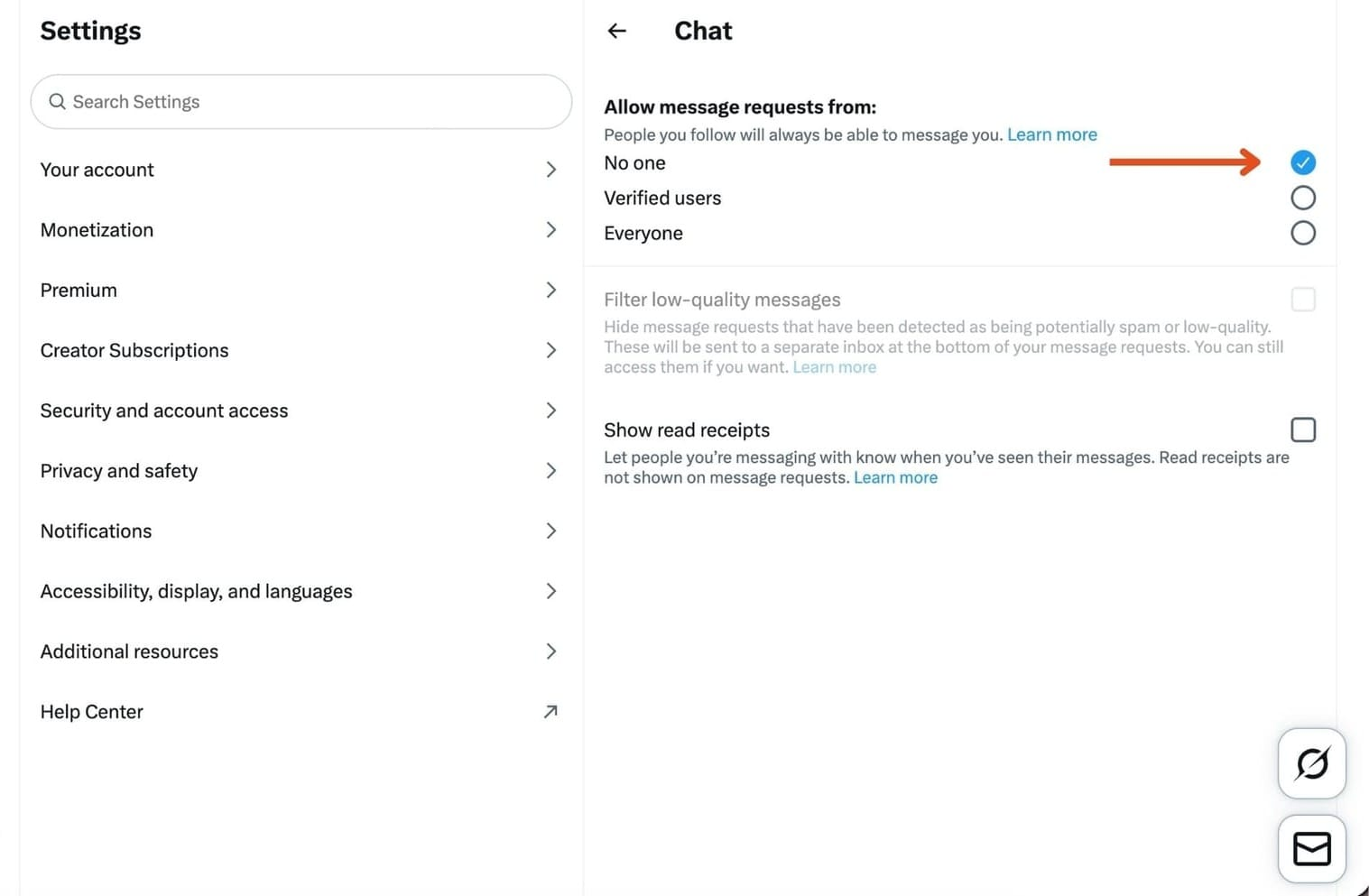
Go to Settings → Privacy and Safety → Direct Messages on X.
Disable the option that allows messages from everyone, and allow messages only from people you follow. This simple change can instantly block most automated spam messages.
2. Remove Bot Followers From Your Account
Another important reason why scammers reach your inbox is bot followers.
Many X users think bots only affect engagement numbers, but they actually cause another problem. Bot networks often operate in clusters.
When one bot account follows you, your profile can become visible to other automated accounts from the same network. Over time this can lead to more spam messages, scam attempts, and suspicious interactions.
The problem is that most users do not even realize they have bot followers. Some bots follow accounts randomly, while others appear after viral tweets, giveaways, or sudden follower growth.
Manually checking thousands of followers is almost impossible. This is why many creators and brands use Circleboom Twitter to analyze their audience.

Circleboom Twitter is an official X Enterprise Developer, and it provides advanced follower analysis tools that help identify fake or suspicious accounts.
Instead of manually checking profiles one by one, Circleboom scans your followers and highlights accounts that show common bot signals, such as:
- Very low or zero engagement
- No profile picture or incomplete profiles
- Suspicious follow/follower ratios
- Accounts that post spam or repetitive content
- Newly created accounts that follow thousands of users
This makes it much easier to identify which accounts may be bots.
 infocircleboom.com
How to detect and remove bot followers with Circleboom
Step #1: Go to the Circleboom Twitter website and log in with your credentials.
If you’re a new user, sign up, it’s quick and easy!

Step #2: On the left-side menu, click on the Followers / Following Management section. A dropdown menu will appear. Select Fake/Bot Followers to see the full list of your followers.
If you want to remove specific accounts, such as inactive users, you can directly select these categories from the dropdown menu instead of viewing all followers.

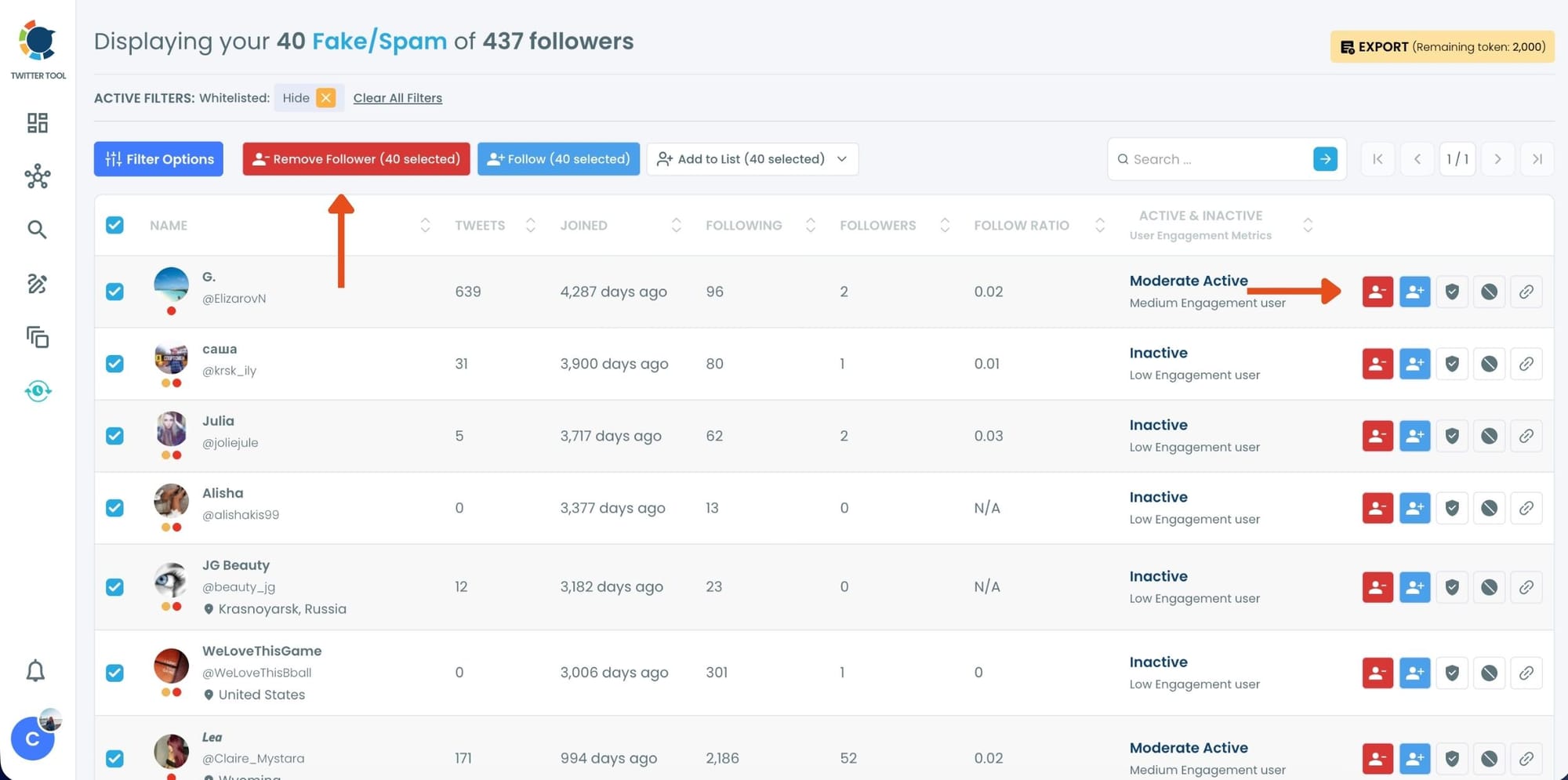
Step #3: You will see a complete list of your fake/bot followers.
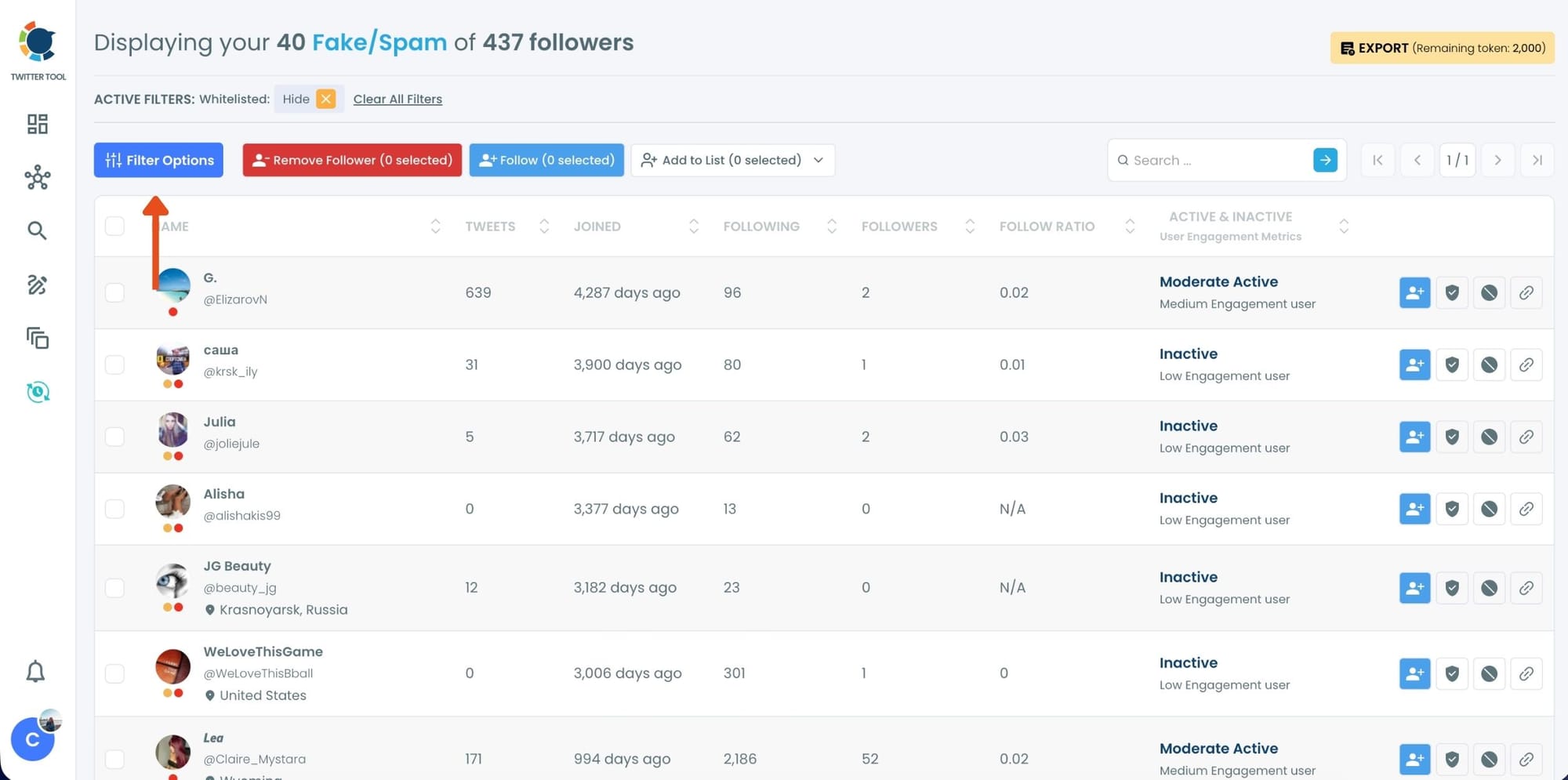
Use the Filter Options on the left side to refine your list.
You can filter followers based on engagement levels, inactivity, verification status, follower/following count, and more.
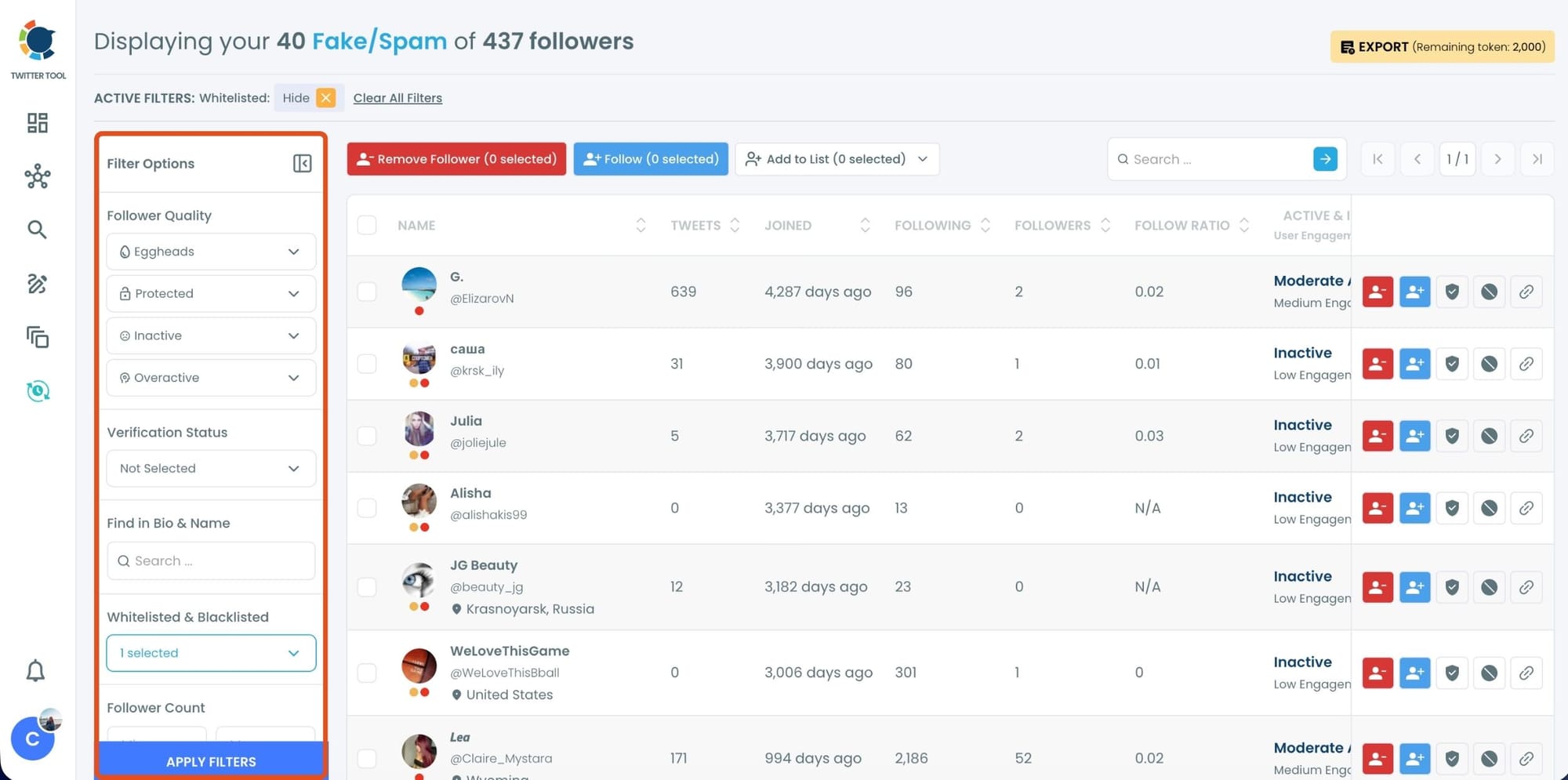
Step #4: Browse through your followers and check the boxes next to the users you want to remove.
You can also select multiple users at once. Once you have selected the users, click on the Remove Followers button at the top.
Alternatively, you can remove individual followers by clicking the red remove icon next to their name on the right side of the list.
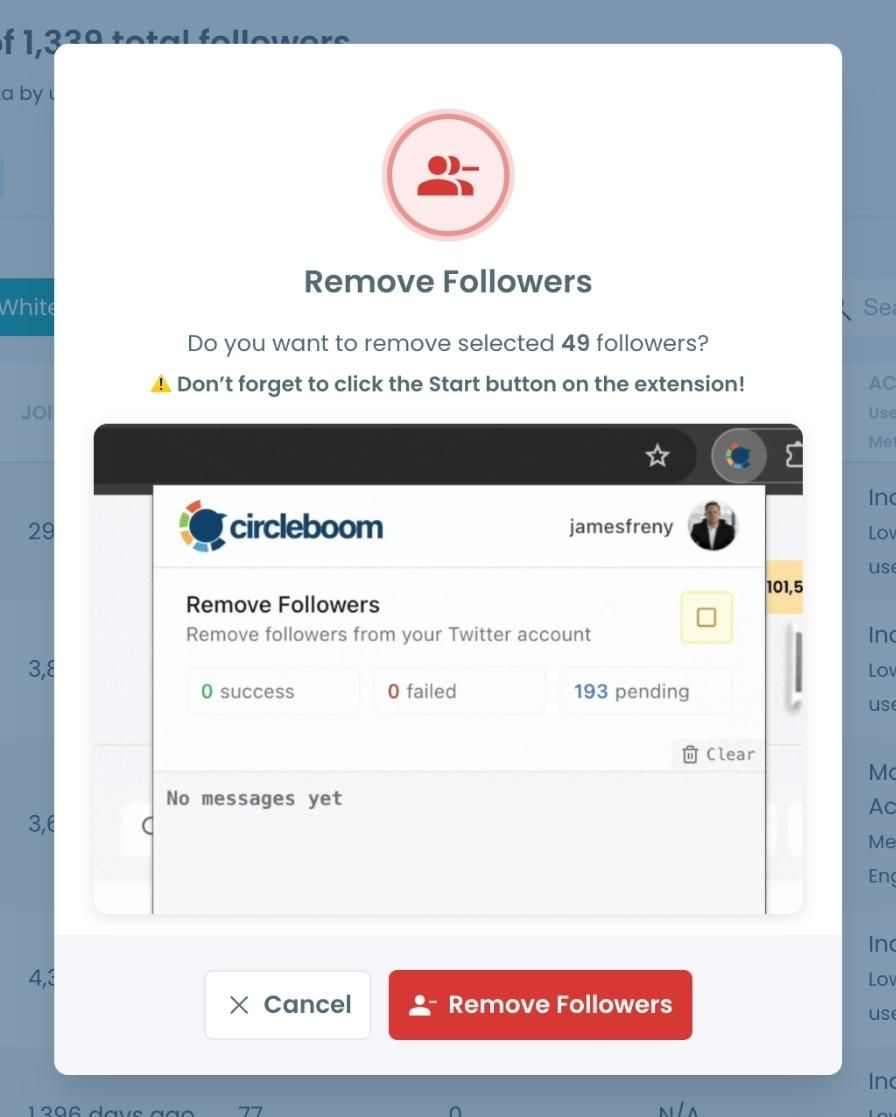
A confirmation message will appear asking if you are sure you want to remove the selected followers. Click ''Remove Followers''.
Step #5: Since the removal action is processed via the Circleboom Remove Twitter/X Followers extension, you need to install it to complete the process.
Click on Download the Extension and install it from the Chrome Web Store.
Once installed, you can easily remove followers.

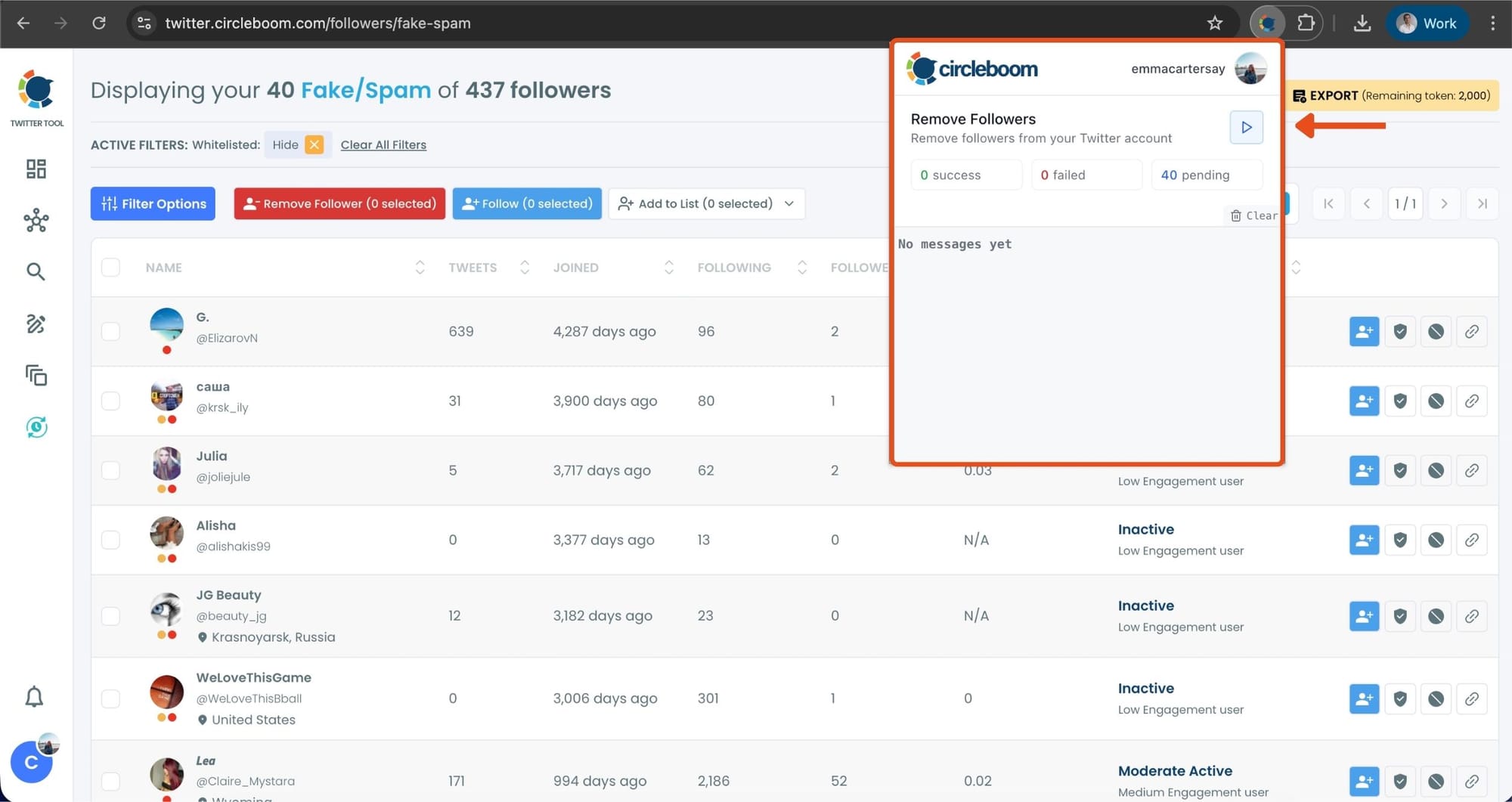
Step #6: After installing the extension, Circleboom will automatically add all your removal requests to the extension queue.
Click on the Start button to begin the removal process.
The extension will process your requests and remove the selected followers.
That's it! Your selected followers have been removed automatically.
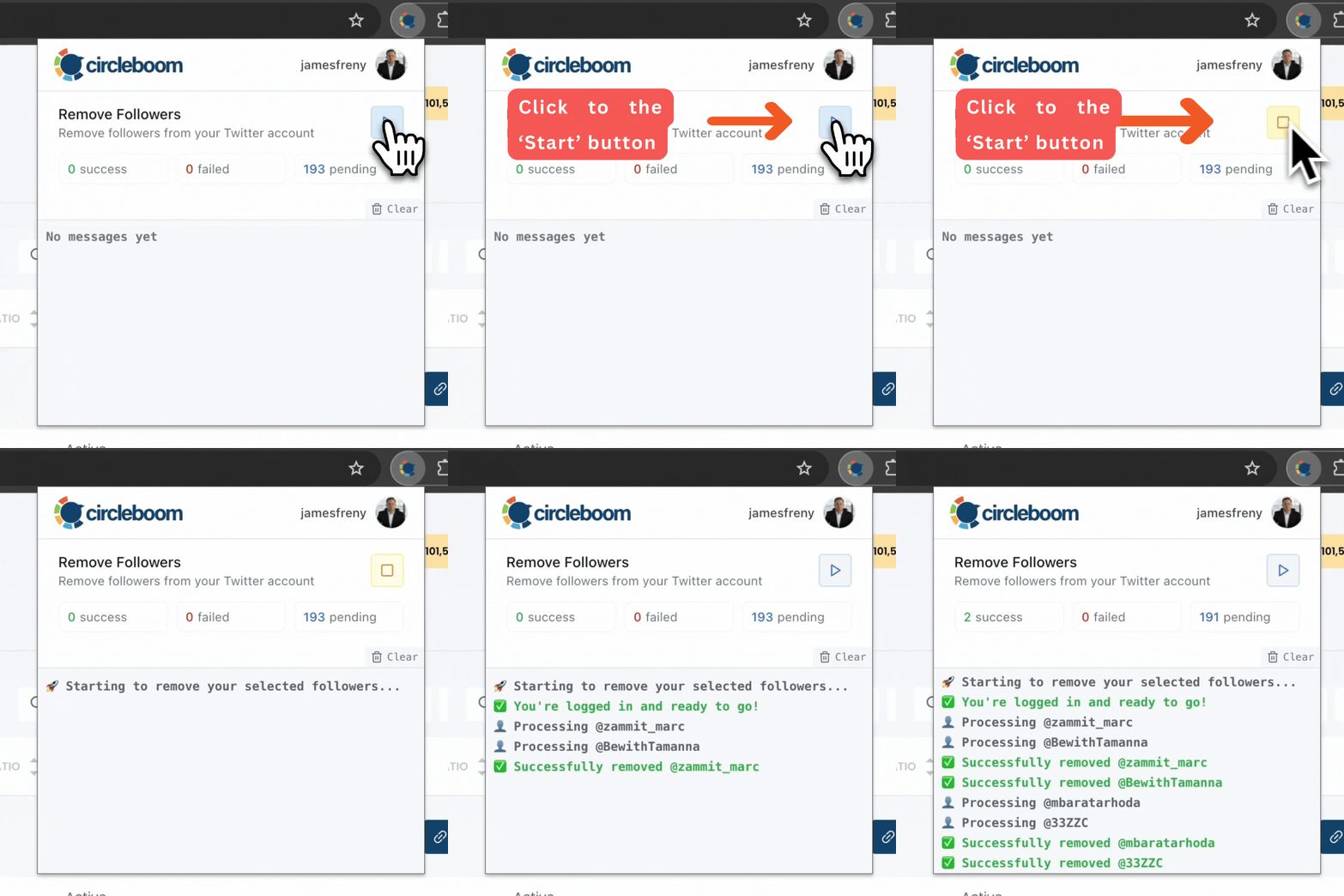
⚠️ Important Warning: Once the removal process begins, do not close your Chrome browser or the Circleboom tab. The tool will automatically remove followers in the background, but if you close the tab or exit Chrome, the process will stop.
If you need a more detailed guide check this video ⬇️
Cleaning these accounts helps you maintain a healthier follower base, improves the quality of your audience, and reduces the chances of being targeted by spam networks.
Many users notice that after removing bot followers, they receive significantly fewer scam messages.
3. Clean Your Direct Messages
If you have been using X for years, your Direct Message inbox can easily become cluttered.
Spam messages, promotional DMs, and automated scam attempts slowly pile up over time. When this happens, it becomes difficult to find real conversations between all the unwanted messages.
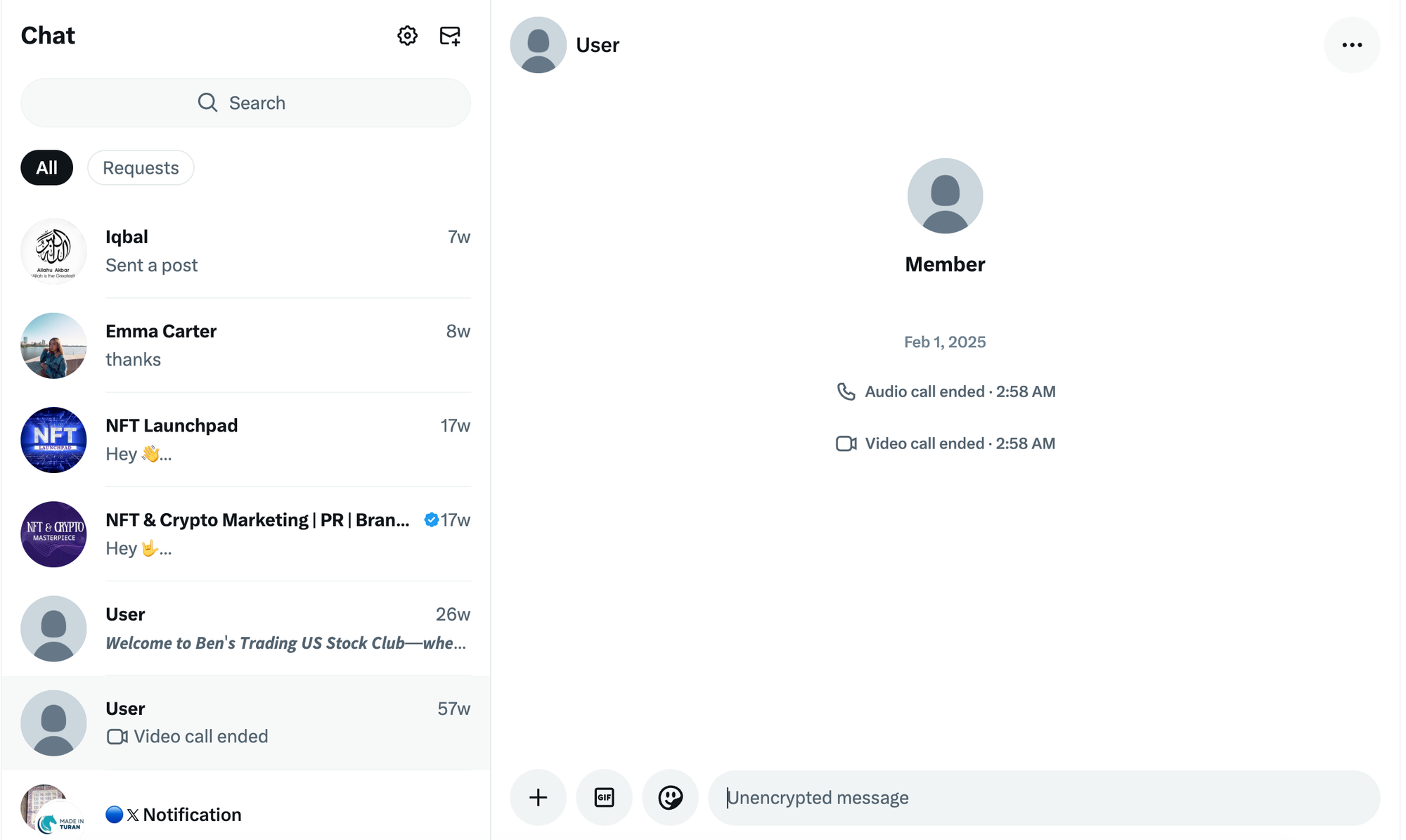
Another problem is that scam messages often stay in your inbox even if the sender deletes their account. This means your DM list can remain filled with old spam threads.
Deleting these messages manually on X can be frustrating because you have to open and remove conversations one by one.
This is where Circleboom Twitter makes the process much easier.
Circleboom provides tools that allow you to manage your messages and remove unwanted conversations much faster.
Instead of manually cleaning your inbox, you can quickly identify spam conversations and remove them to keep your DMs organized.
 infocircleboom.com
How to clean your DMs with Circleboom
Step #1: On your Circleboom dashboard, navigate to Delete Tools and select Delete My Last DMs.
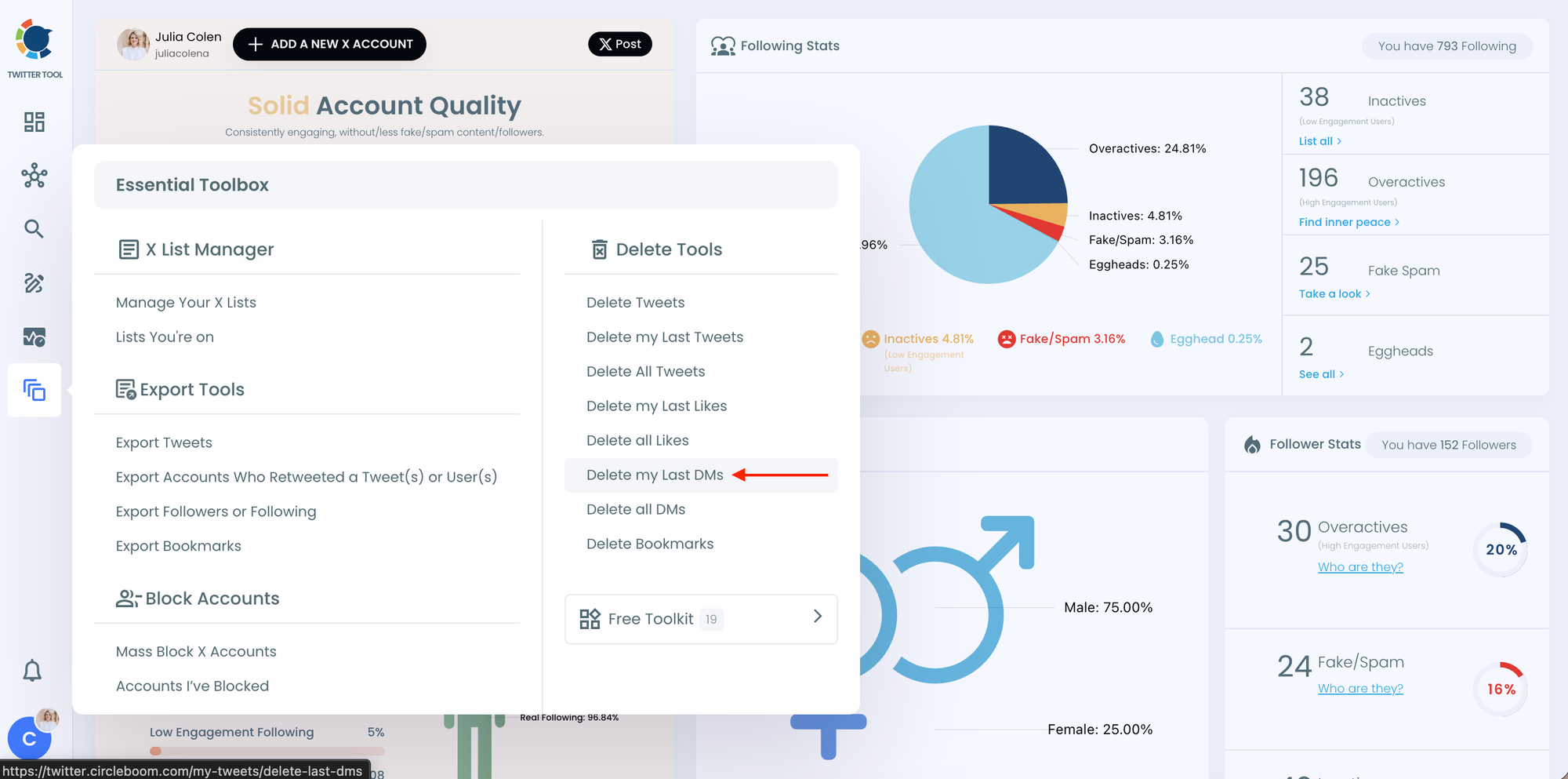
This option will bring up a list of all your direct messages from the past month, giving you a quick overview of your recent DMs.
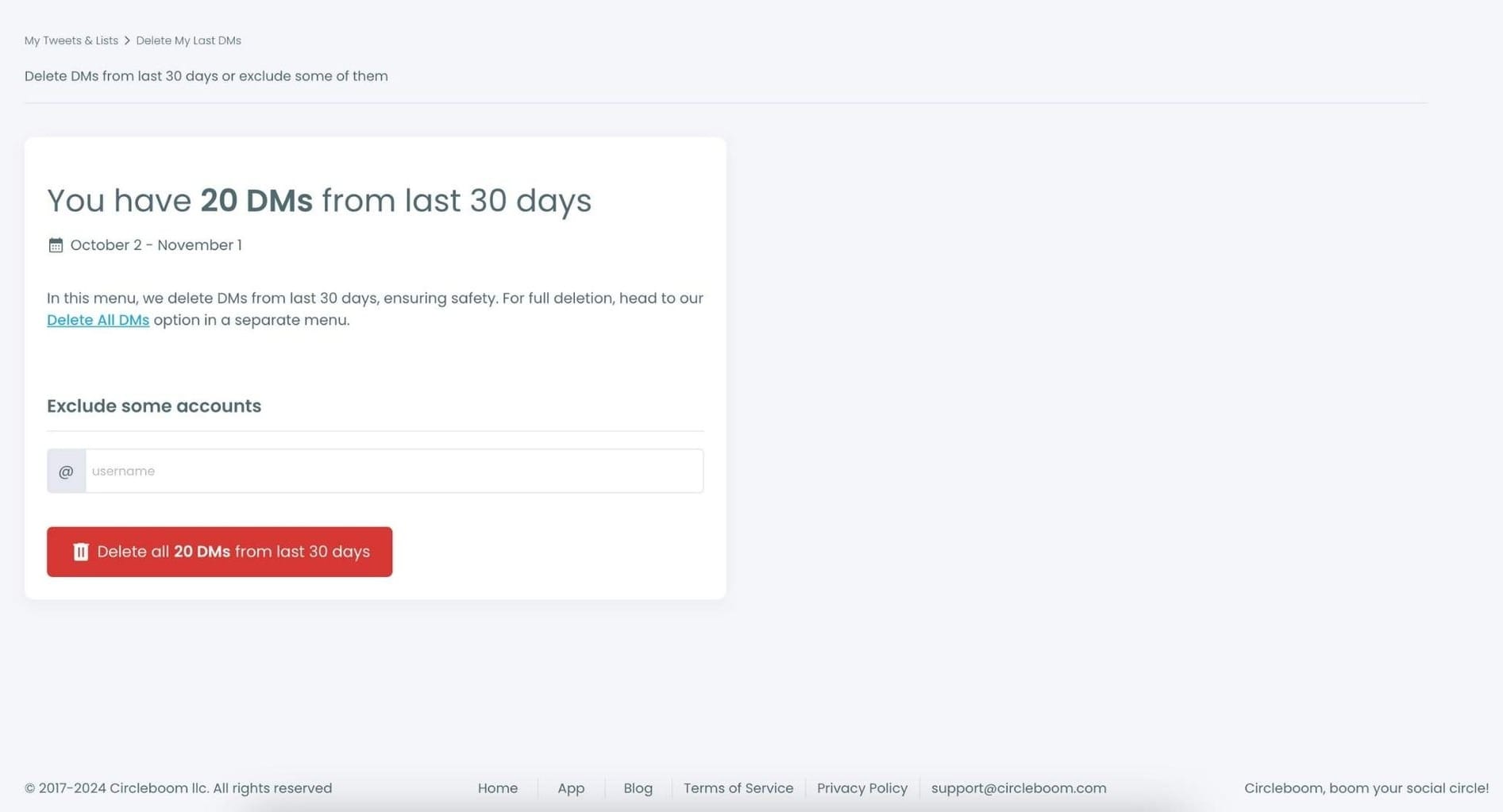
Circleboom will display the count of messages you’ve received over the last month, making it easy to see your message activity in one place.
Step #2: If there are specific accounts you want to keep messages from, simply select those accounts from the list.
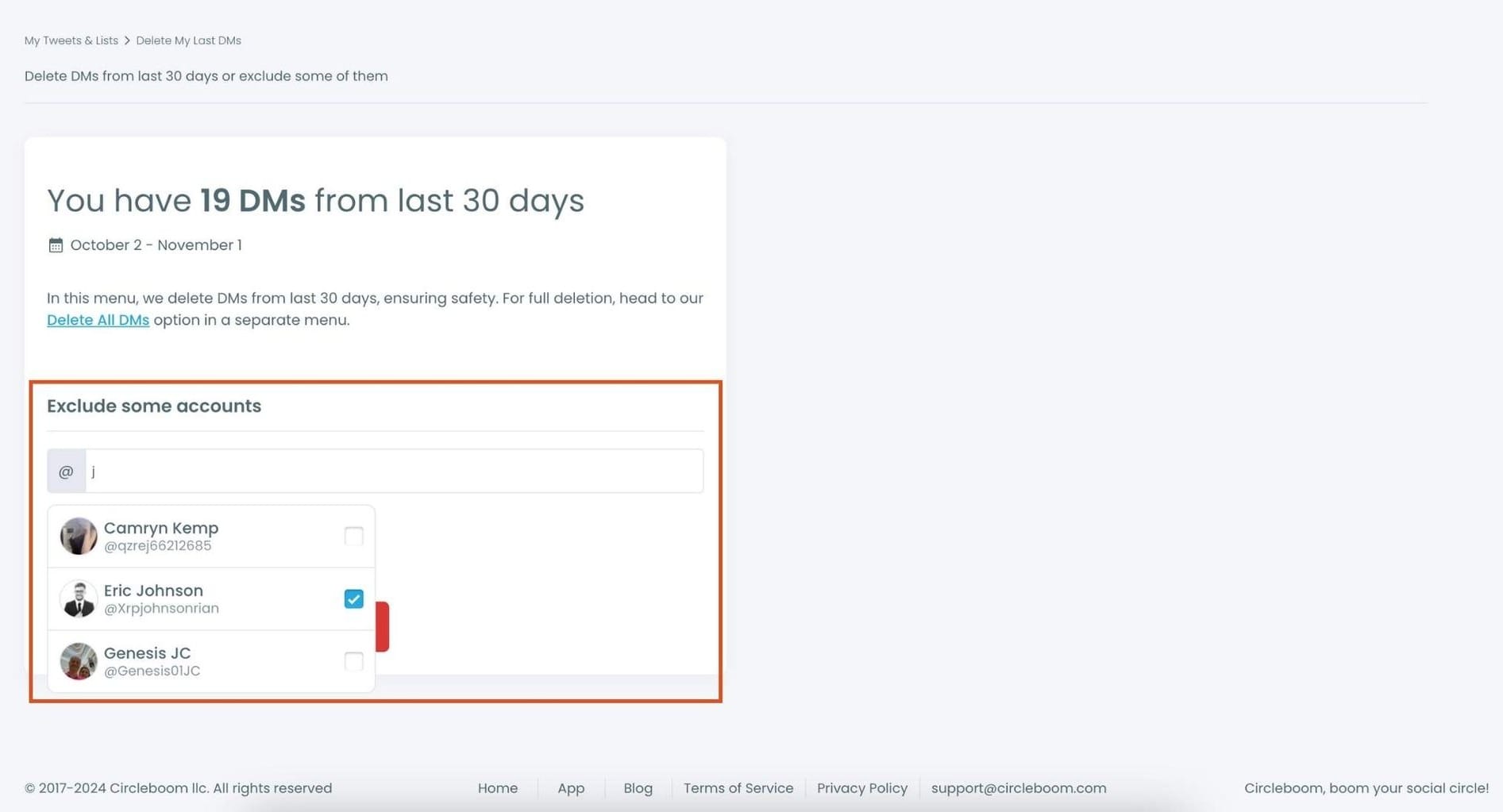
Once selected, these accounts will be excluded from the deletion process, ensuring that their messages are protected
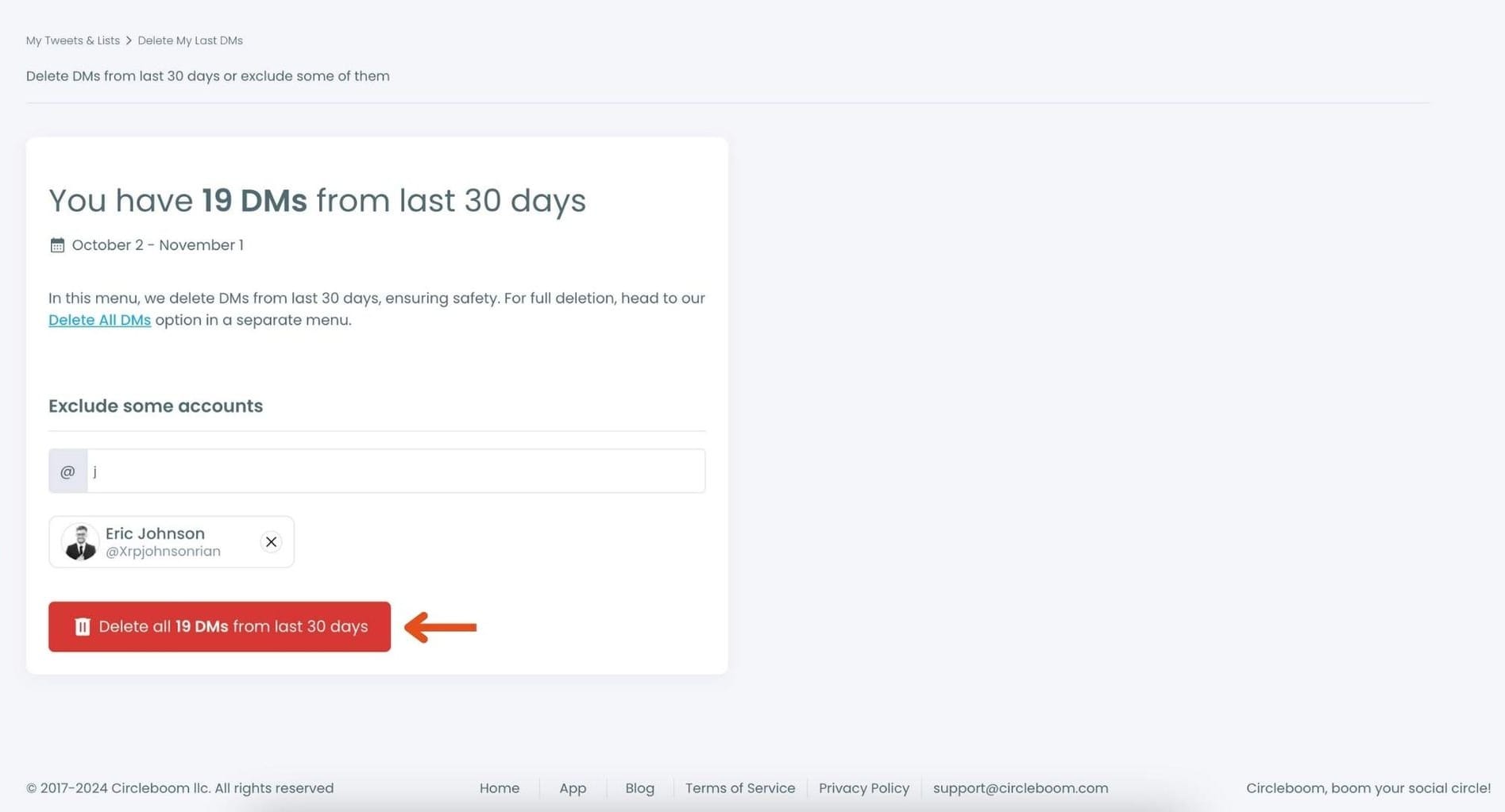
Now, to delete the remaining messages, click the Delete button.
Step #3: Once you’re ready, click Delete again to confirm. And that’s it! Circleboom will delete all your DMs from the past month, keeping only those you’ve chosen to save.
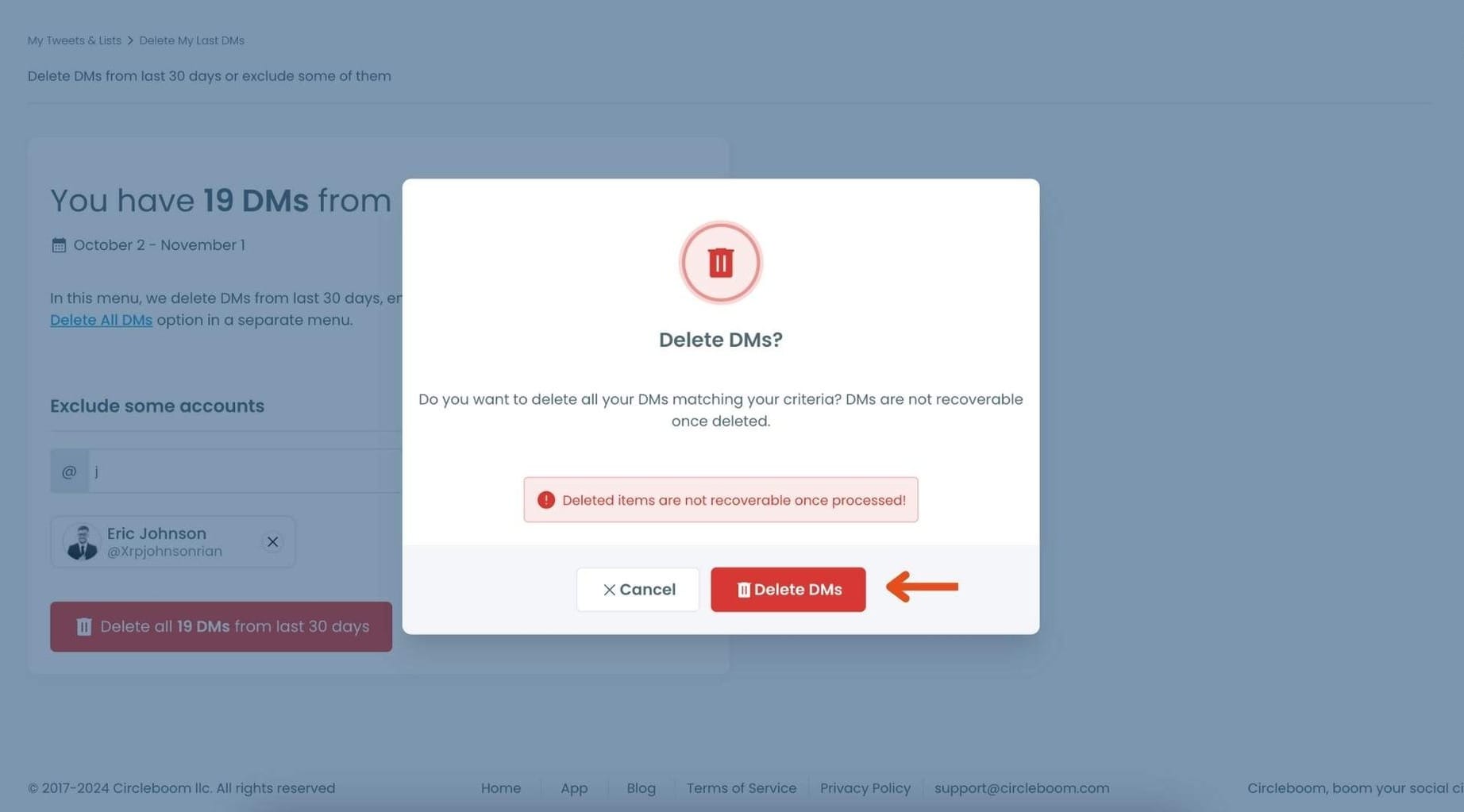
Congratulations—your inbox is now refreshed and clutter-free!
Here's how you can delete Twitter DMs all at once. Watch the video ⬇️
Cleaning your DMs regularly helps you keep your inbox focused on real conversations instead of spam.
It also makes it easier to notice suspicious messages early and avoid interacting with scam accounts.
Final Thoughts
If multiple people on X are asking you to move the conversation to WhatsApp, it is very likely a scam. These messages are usually sent by automated bot accounts that target thousands of users.
The best way to protect yourself is to ignore these messages, adjust your DM settings, and clean your account from bot followers.
Keeping your account free from suspicious followers and spam messages will make your X experience safer and much more enjoyable.

