

The follower count keeps going up…
but impressions start going down.
This happened to me as well.
For a while, everything looked fine from the outside. New followers were coming in every day, and the account was growing steadily. But when I checked my tweets, the reach was actually getting worse. Some posts were performing even lower than when I had fewer followers.
That’s when I realized the real problem: Most of my new followers weren’t real or active.
As your account grows on Twitter (X), it naturally starts attracting fake, bot, or low-quality accounts.
These accounts don’t engage, don’t interact, and often don’t even see your tweets. So while your follower count increases, your engagement rate drops.
And once engagement drops, the algorithm slows down your reach.
That’s exactly the point where I needed a proper solution, and that’s how I started using Circleboom Twitter to detect and remove bot followers.
What is Circleboom Twitter?
Circleboom Twitter is an official X Enterprise Developer, which means it works directly with Twitter’s official APIs.

That part is important.
Because instead of relying on scraped or delayed data, Circleboom gives you accurate, real-time insights about your followers. It doesn’t just show how many followers you have, it shows what kind of followers you have.
What stood out to me is how detailed the analysis is.
With Circleboom Twitter, you can:
➡️ Detect fake and bot followers
➡️ Analyze follower quality
➡️ Filter accounts based on behavior and activity
➡️ Remove unwanted followers in bulk
 infocircleboom.com
So instead of guessing why performance is dropping, you can actually see the problem clearly and take action immediately.
It basically turns your follower list into something you can control and optimize, not just a number you watch.
How to Detect and Remove Fake Followers
Step #1: Go to the Circleboom Twitter website and log in with your credentials.
If you’re a new user, sign up, it’s quick and easy!

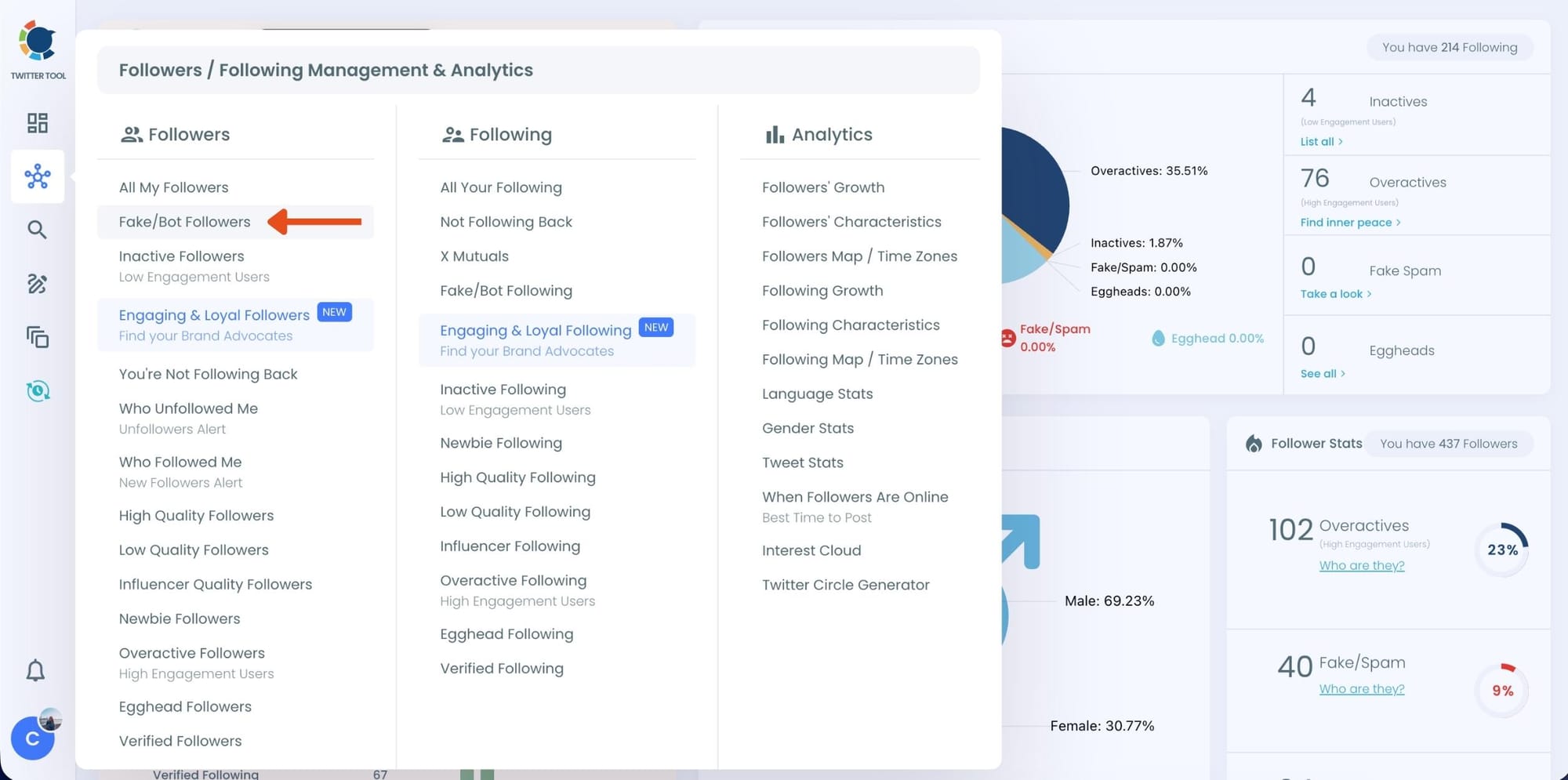
Step #2: On the left-side menu, click on the Followers / Following Management section. A dropdown menu will appear. Select Fake/Bot Followers to see the full list of your followers.
If you want to remove specific accounts, such as inactive users, you can directly select these categories from the dropdown menu instead of viewing all followers.
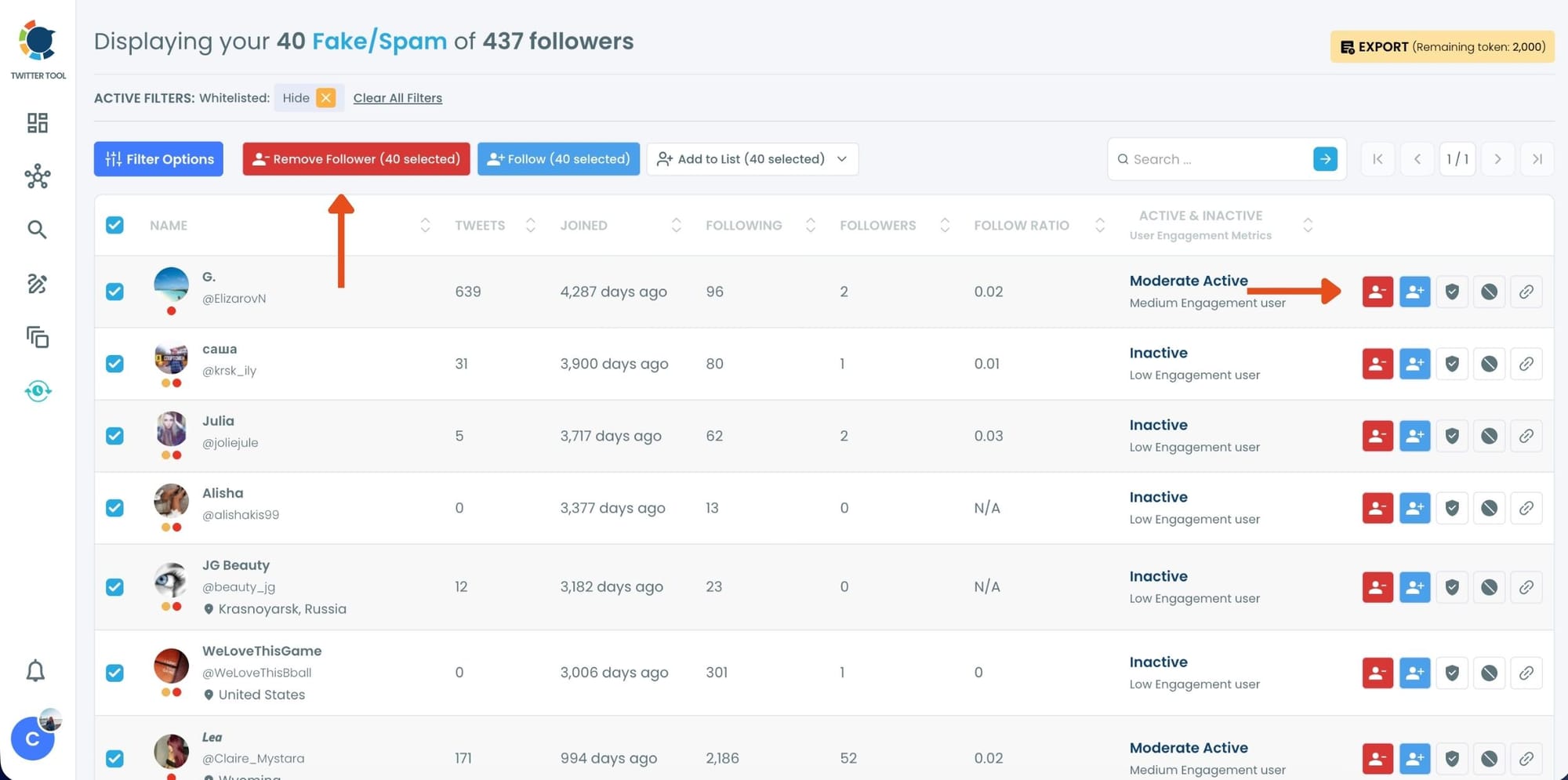
Step #3: You will see a complete list of your fake/bot followers.
Use the Filter Options on the left side to refine your list.
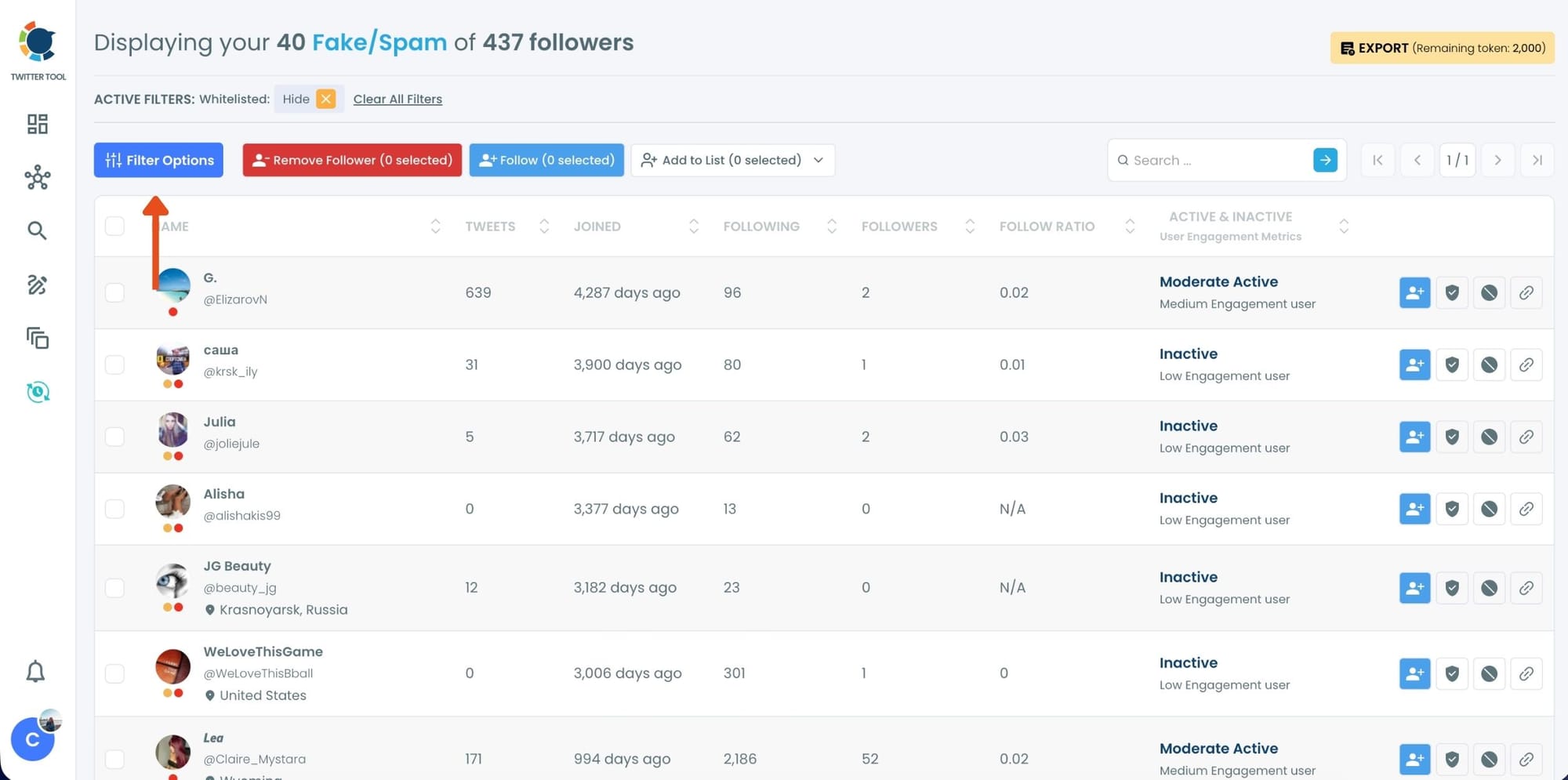
You can filter followers based on engagement levels, inactivity, verification status, follower/following count, and more.
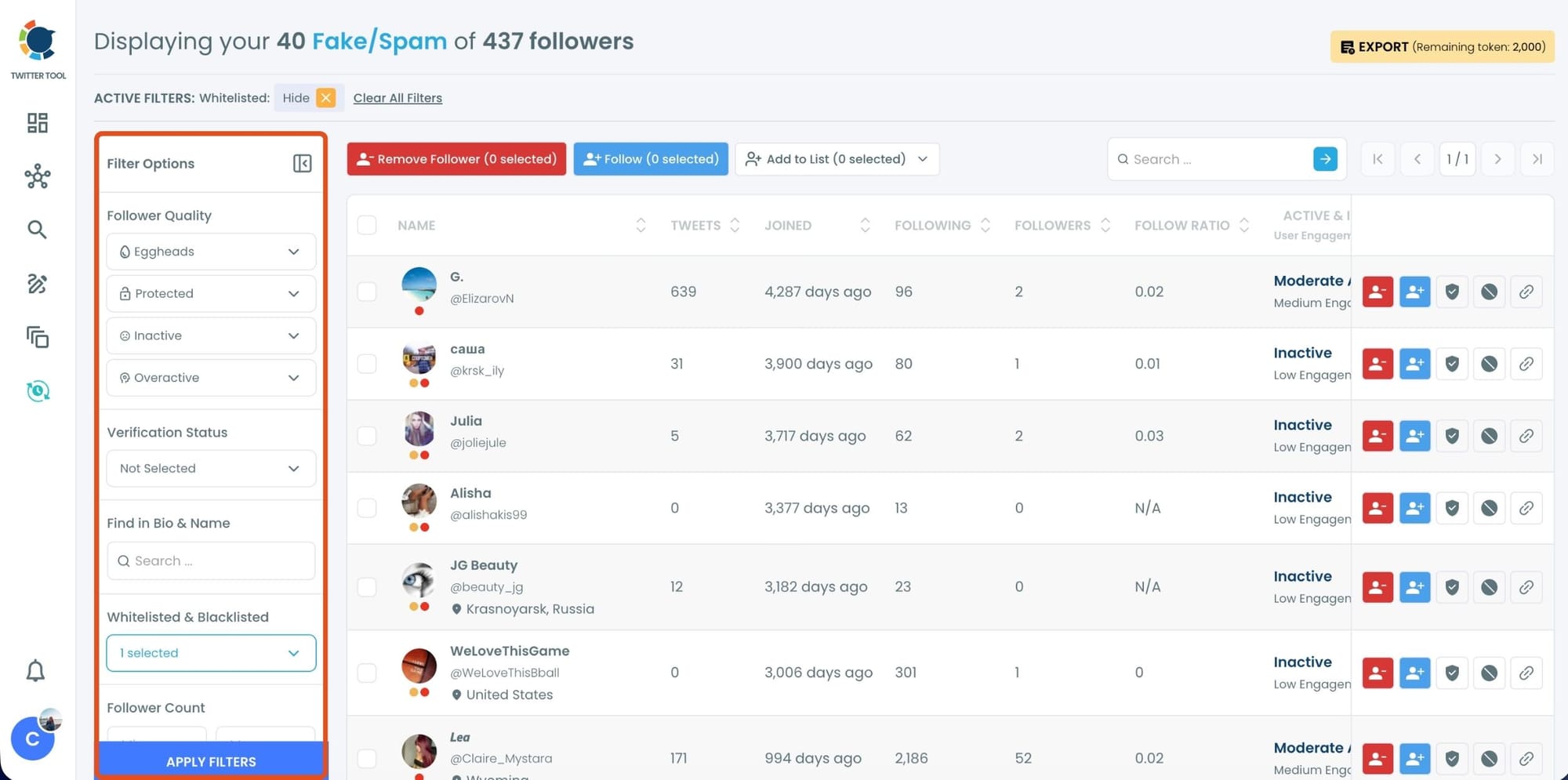
Step #4: Browse through your followers and check the boxes next to the users you want to remove.
You can also select multiple users at once. Once you have selected the users, click on the Remove Followers button at the top.
Alternatively, you can remove individual followers by clicking the red remove icon next to their name on the right side of the list.
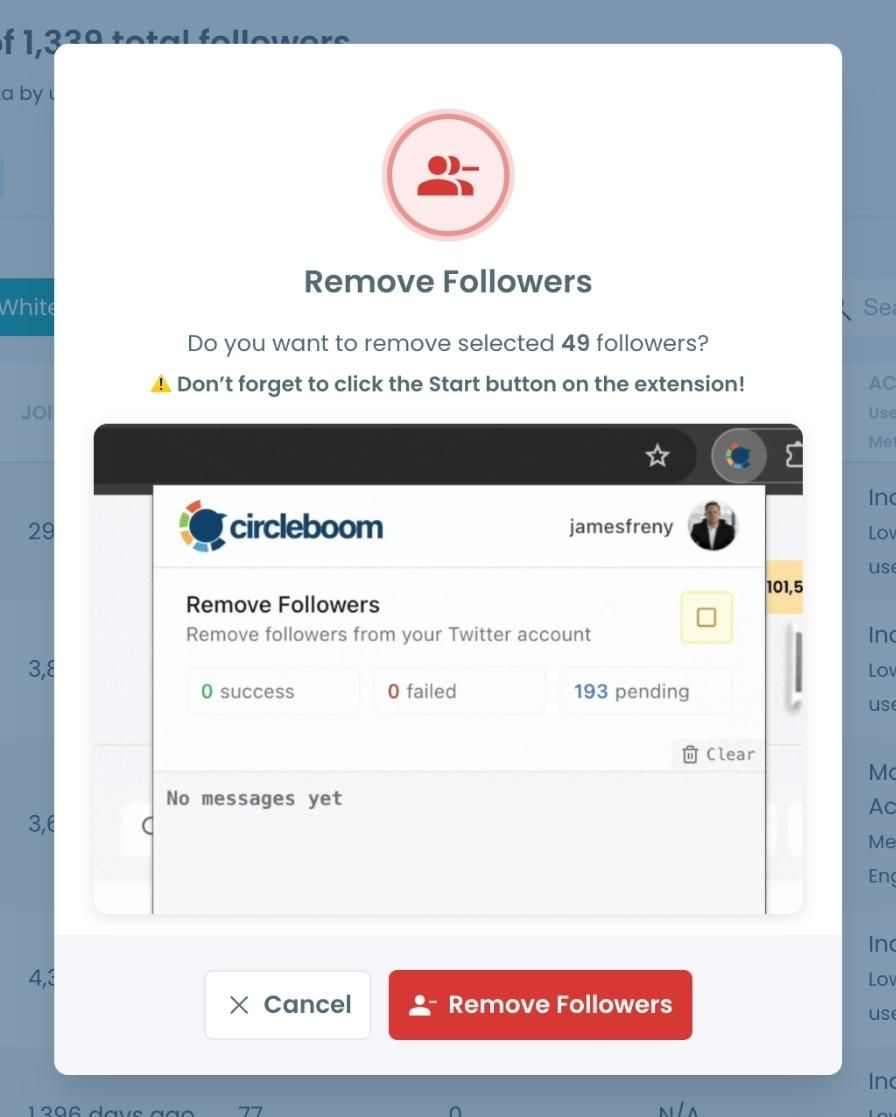
A confirmation message will appear asking if you are sure you want to remove the selected followers. Click ''Remove Followers''.
Step #5: Since the removal action is processed via the Circleboom Remove Twitter/X Followers extension, you need to install it to complete the process.
Click on Download the Extension and install it from the Chrome Web Store.
Once installed, you can easily remove followers.

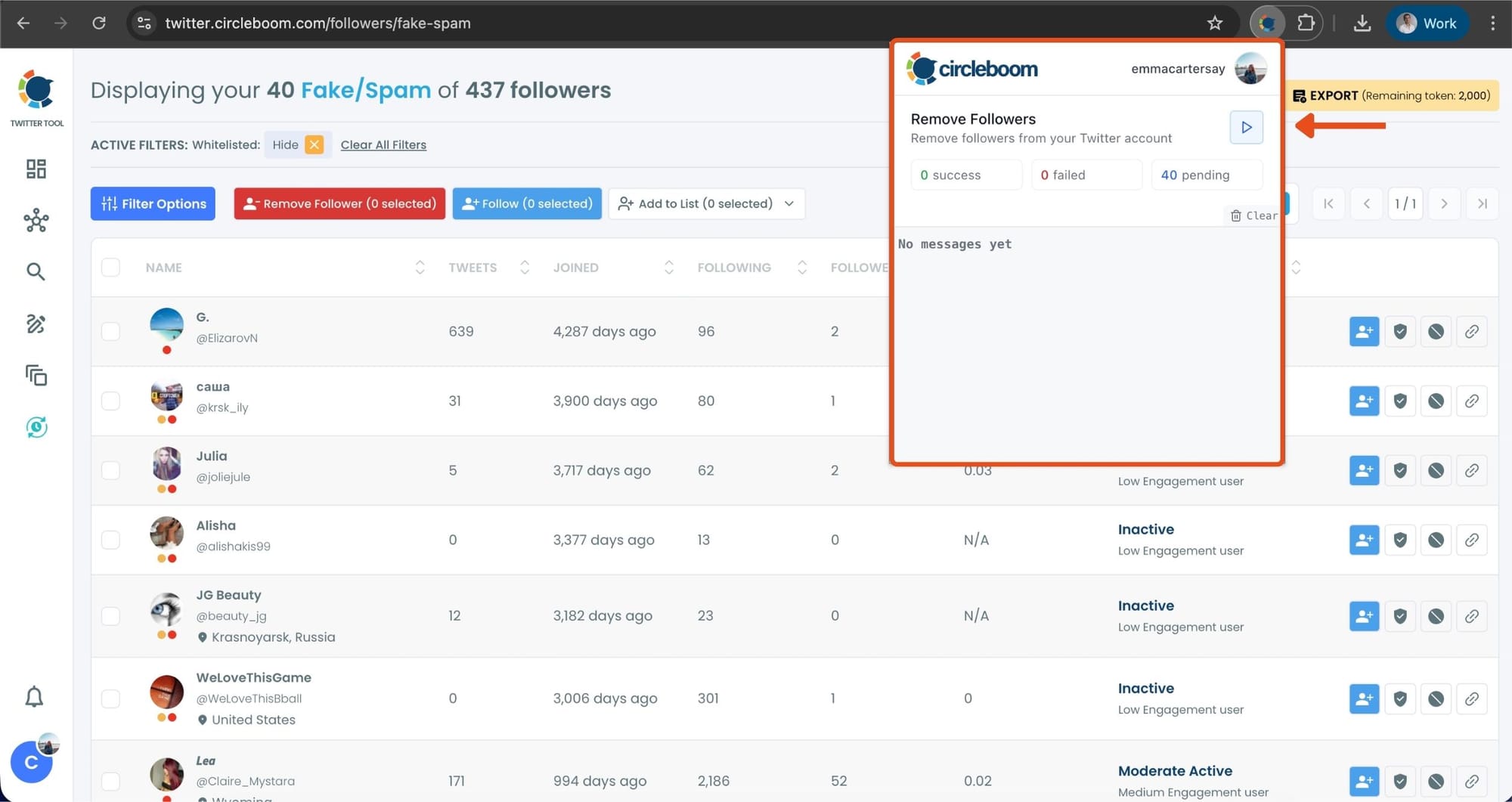
Step #6: After installing the extension, Circleboom will automatically add all your removal requests to the extension queue.
Click on the Start button to begin the removal process.
The extension will process your requests and remove the selected followers.
That's it! Your selected followers have been removed automatically.
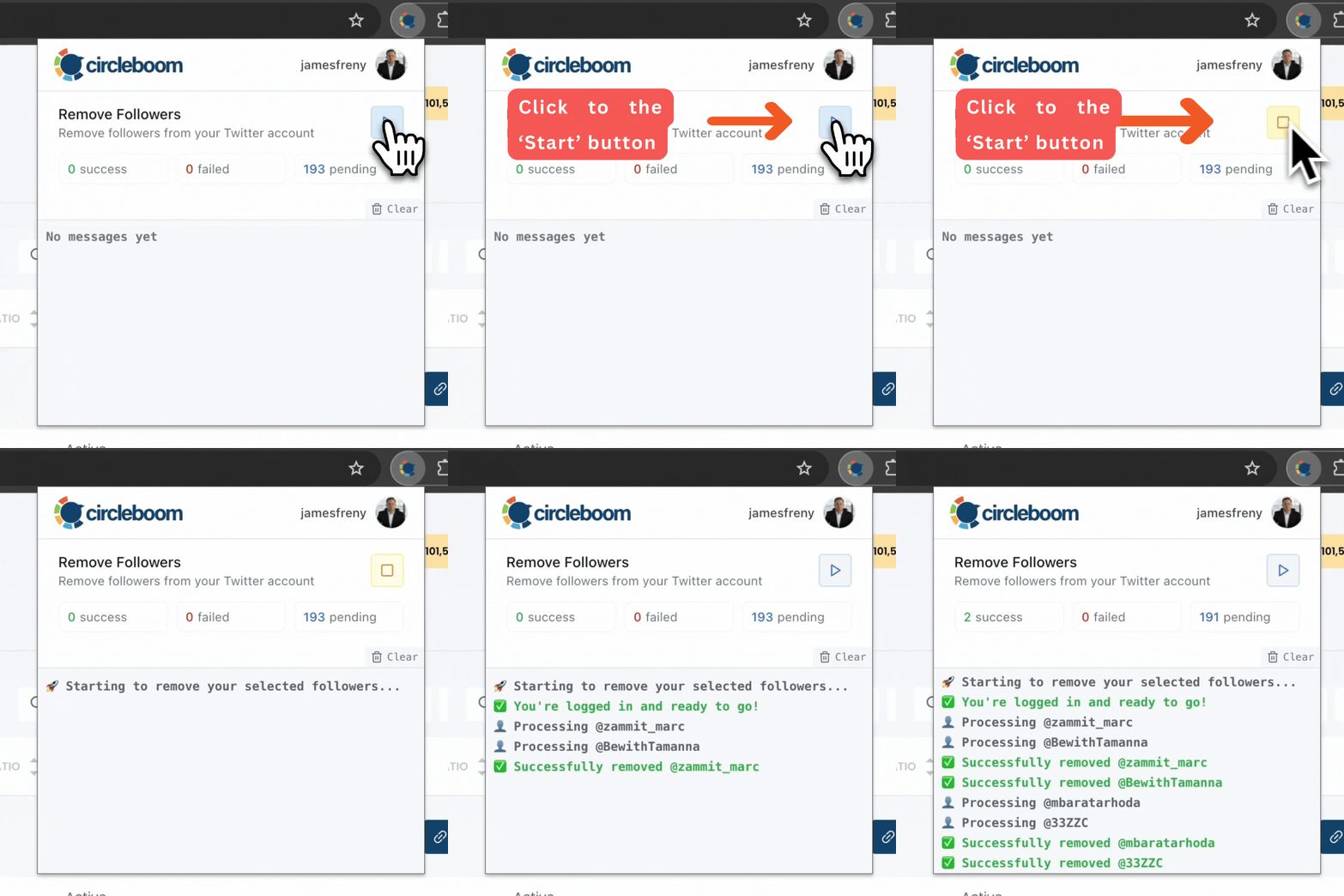
⚠️ Important Warning: Once the removal process begins, do not close your Chrome browser or the Circleboom tab. The tool will automatically remove followers in the background, but if you close the tab or exit Chrome, the process will stop.
If you need a more detailed guide check this video ⬇️
There’s no need to guess or manually inspect accounts. The system highlights low-quality followers for you, so you can focus only on what matters.
The Hidden Problem: Why Fake Followers Kill Your Impressions
This is where things get more technical.
Twitter doesn’t show your tweet to all your followers at once. It first shows it to a small portion of your audience. Based on how that group reacts, the platform decides whether to push the tweet further.
If that first group includes:
- Bots
- Inactive users
- Low-quality accounts
Then:
- They don’t like
- They don’t reply
- They don’t retweet
Which sends a strong negative signal to the algorithm.
❌ Even if your content is good, the tweet stops spreading early.
That’s why fake followers don’t just “sit there.”
They actively reduce your reach.
 Arif Akdogan
Why This Problem Gets Worse as You Grow
Growth brings visibility, but also noise.
As your account grows:
- You become more visible to random audiences
- Bot accounts are more likely to follow you
- Low-quality users enter your audience
Over time, this lowers your overall engagement rate.
And here’s the important part:
⚠️ The algorithm doesn’t care about your total followers.
It cares about how many of them engage.
So even if your follower count doubles, your impressions can drop if engagement quality decreases.
This is why many accounts hit a point where:
- Growth continues
- But performance declines
Why High-Quality Followers Matter More Than Numbers
After cleaning my followers, the difference was clear.
Even though the follower count slightly decreased:
- Engagement increased
- Tweets started performing better
- Impressions became more consistent
Because real followers:
- Actually see your tweets
- Interact with your content
- Help trigger the algorithm
This leads to a much healthier growth pattern.
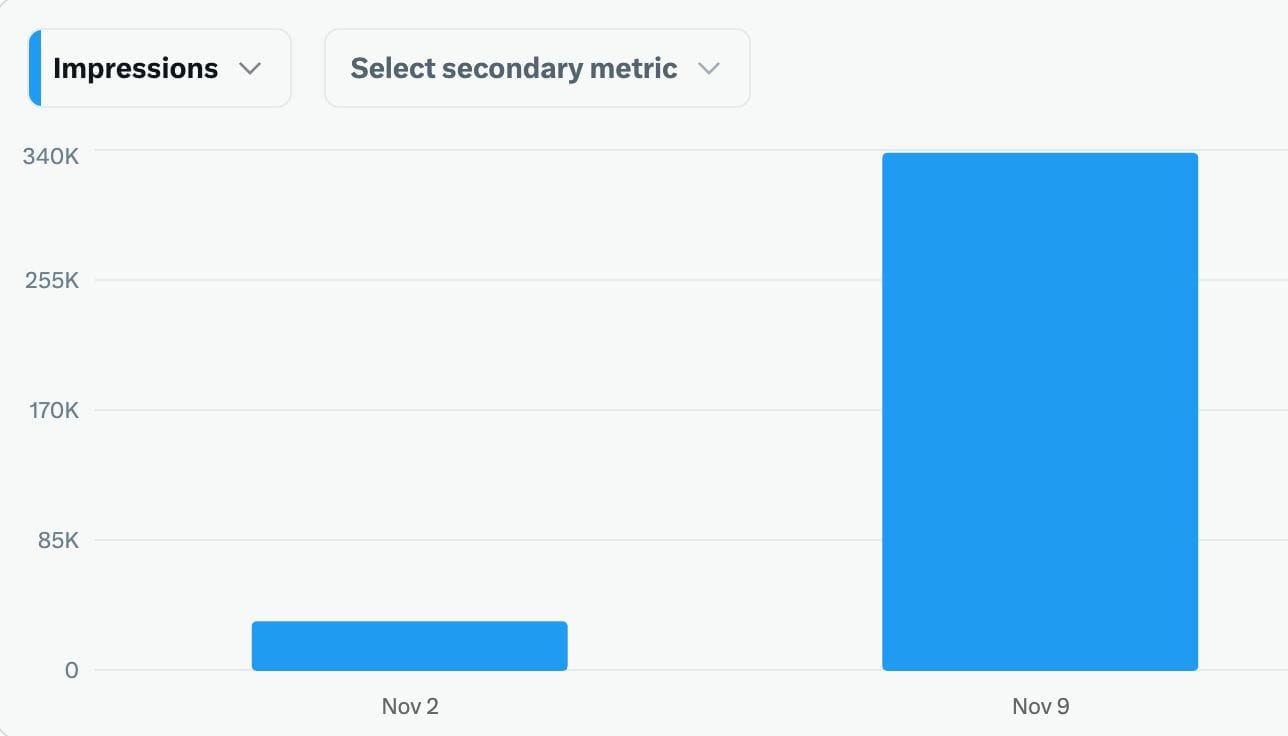
That’s why:
1,000 real followers will always outperform 10,000 fake ones.
Bonus Tip: Increase Impressions with Auto Retweets
Cleaning your audience is the foundation. But there’s another layer to increasing impressions: timing and repetition.
Most tweets have a very short lifespan. A large portion of your followers simply miss your post the first time.
Instead of posting again manually, I started using auto retweets with Circleboom Twitter.
The average lifespan of a post is fleeting; if your followers aren't online at the exact moment you post, your best content is often lost forever. Circleboom’s Auto Retweet feature solves this "visibility gap" by strategically resurfacing your posts to ensure your audience never misses an update. It’s the ultimate tool for capturing attention across different time zones and activity peaks without the manual effort of reposting.
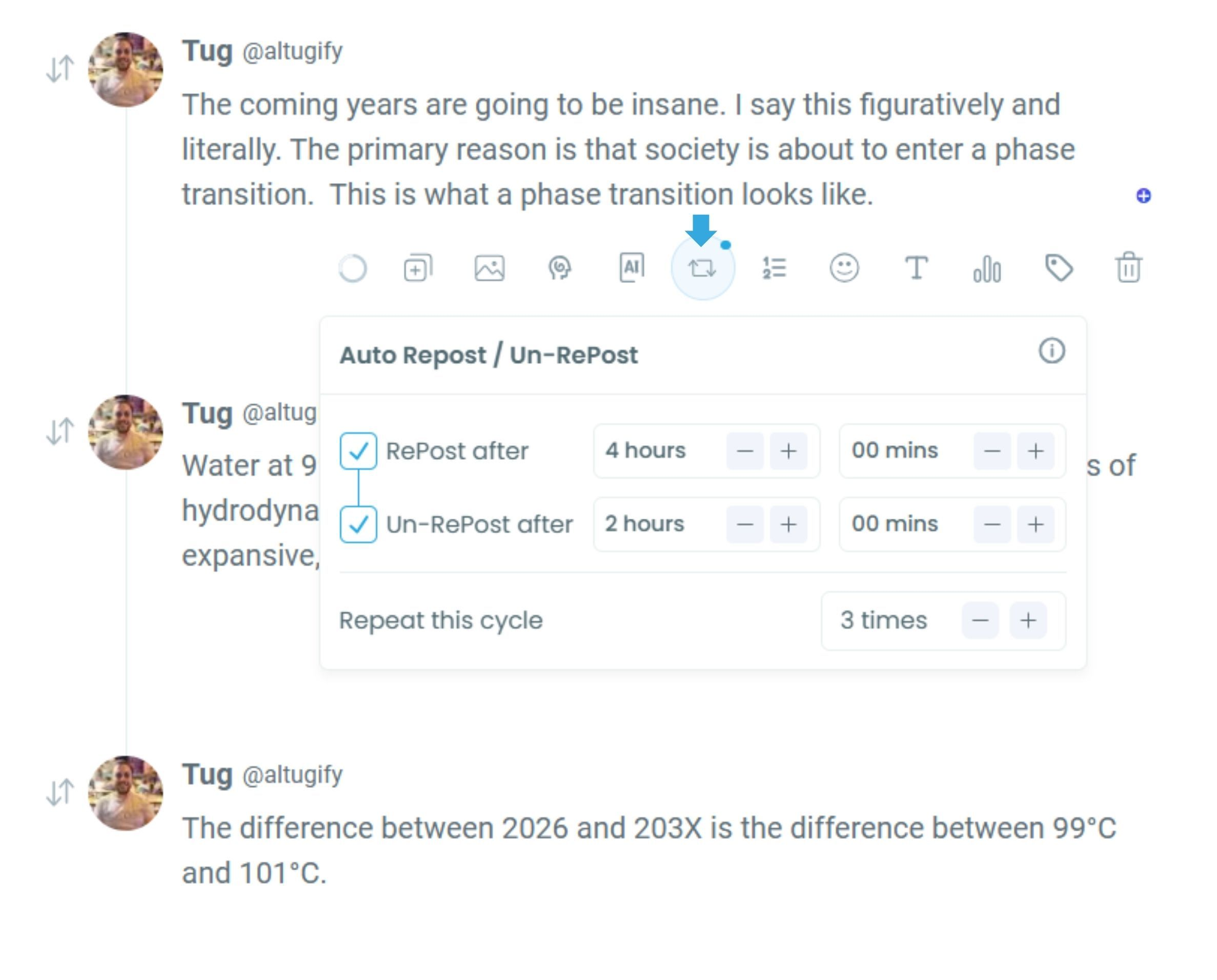
By automating your retweet strategy, you can effectively boost your impressions by 4x and double your engagement rates. This practice doesn't just keep your profile active; it forces the algorithm to give your content a second life, reaching fresh segments of your audience who missed the original broadcast. With Circleboom, you transform a single post into a high-performance asset that works around the clock to maximize your digital reach.
 infocircleboom.com
This feature allows you to:
- Automatically repost your tweets at set intervals
- Reach different segments of your audience
- Extend the lifespan of each tweet
So instead of relying on one moment, your tweet gets multiple chances to perform.
This alone can significantly increase impressions over time, especially when combined with a clean, high-quality audience.
 Arif Akdogan
Final Thought
When impressions drop while followers grow, it feels confusing at first.
But in most cases, the issue isn’t the content.
It’s the audience behind it.
Once fake and inactive followers are removed, and the focus shifts to real engagement, everything starts working again.
Growth becomes meaningful, and impressions follow naturally.

