

Sometimes you post something on Twitter/X that you believe should perform well. The idea is good, the tweet is clear, and the topic is relevant. But the result is disappointing.
The tweet barely receives impressions and almost no engagement.
Many users assume the problem is the content itself. In reality, the issue is usually visibility and timing.
On Twitter/X, a tweet gets a very short window to prove that it deserves attention.
The Main Reason Your Tweets Don’t Reach More People
Tweets have a very short lifespan. Most tweets live for about 12–15 minutes.
During this short period, Twitter/X observes how people react to the post. The platform checks things like:
- Are people seeing the tweet?
- Are they liking it?
- Are they replying or reposting it?
If the tweet does not receive engagement quickly, the platform assumes that the content is not interesting enough to push further.
As a result, the distribution slows down.
Your tweet might only be shown to a small portion of your followers, and if they are offline or inactive at that moment, they will never even see it. Without early engagement, the tweet quickly becomes almost invisible.
This is why some tweets never go beyond your existing audience.
Fortunately, there are two simple strategies that can dramatically improve your reach. ⬇️
1. Post Your Tweets When Your Followers Are Online
The easiest way to increase early engagement is to publish your tweets when your followers are active.
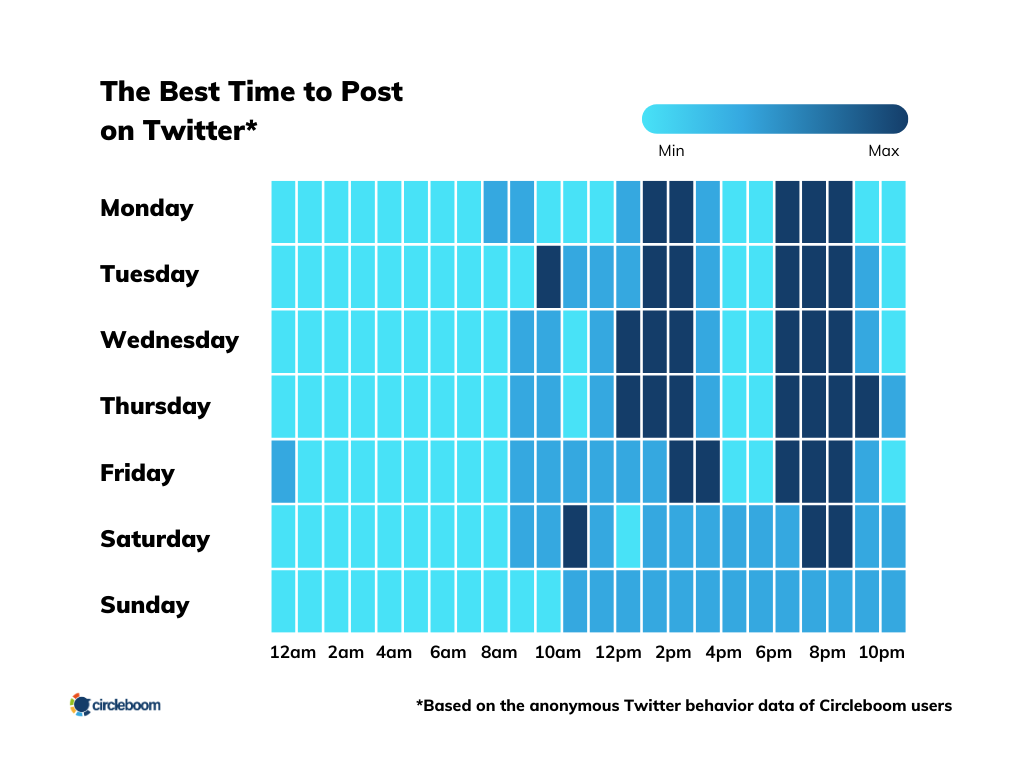
If your audience is online when you post, they are much more likely to see the tweet immediately. That early interaction sends positive signals to the algorithm and increases the chances of the tweet being shown to more people.
The problem is that it is very difficult to guess when your followers are active.
This is why I use Circleboom Twitter.
Circleboom Twitter is an official X Enterprise Developer, and it analyzes your followers’ activity. It looks at when your audience:
- posts tweets
- replies to conversations
- engages with content
Based on this data, Circleboom shows you the best times to post.
Instead of guessing when to tweet, you can simply schedule your content for the times when your audience is most active.
2. Use Retweets to Bring Your Post Back to Life
Even a strong tweet can disappear after its first short lifespan.
Once the initial engagement window passes, the tweet starts losing visibility. But that does not mean the post cannot perform later.
One of the smartest ways to extend a tweet’s life is reposting it.

When a tweet gets reposted, it appears again in timelines and has another opportunity to attract attention. This can generate new impressions, more engagement, and additional reach.
Instead of doing this manually, I use Auto Retweet in Circleboom Twitter.
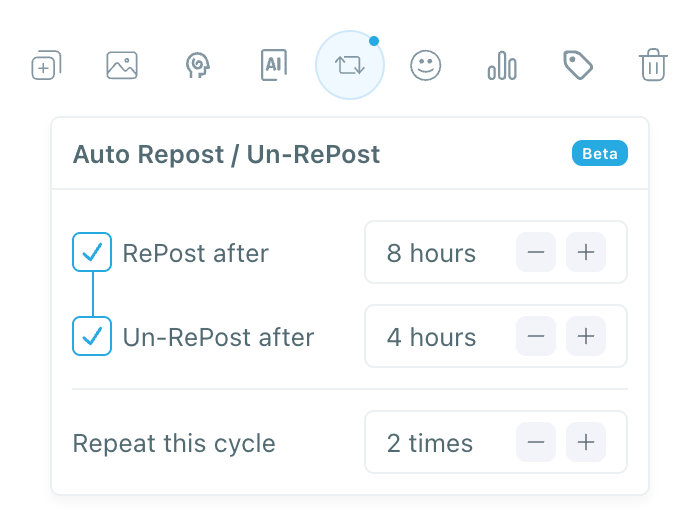
Circleboom allows you to automatically repost and unrepost tweets based on the schedule you choose. The system can repeat this cycle so your content gets multiple visibility opportunities throughout the day.
This means a single tweet does not disappear after 15 minutes. It gets multiple chances to reach more people.
Why I Use Circleboom Twitter
Managing visibility manually on Twitter/X can be difficult. Timing posts, monitoring engagement, and reposting content takes a lot of effort.
Circleboom Twitter simplifies this process.

As an official X Enterprise Developer, it provides tools that help creators and marketers increase the visibility of their content.
With Circleboom Twitter you can:
🟢 create and schedule tweets
🟢 automatically repost tweets
🟢 extend the lifespan of your content
Instead of relying on luck, you can use data and automation to improve your reach.
How to Use Circleboom Twitter to Increase Your Reach
Step 1: Go to Circleboom Twitter’s X Post Planner
Open Circleboom Twitter and click X Post Planner + AI Writer.
Then select Write & Plan Your Post to start creating your tweet.

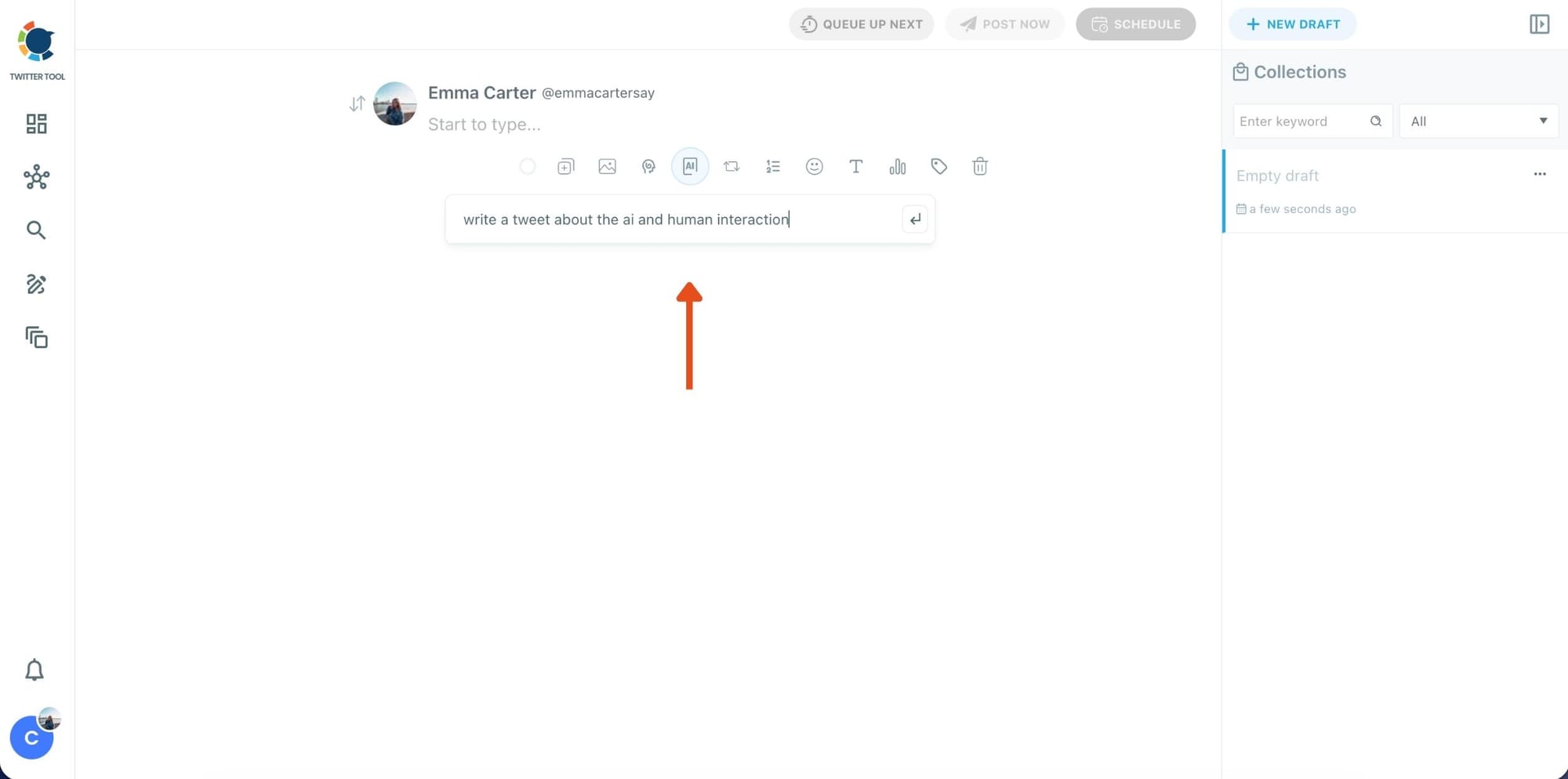
Step 2: Write your tweet (or generate one with AI)
You can type your tweet manually in the editor.
Or, if you want to move faster, click the AI option and let Circleboom generate a tweet idea for you based on your topic.
Step 3: Add an image to make the post more engaging
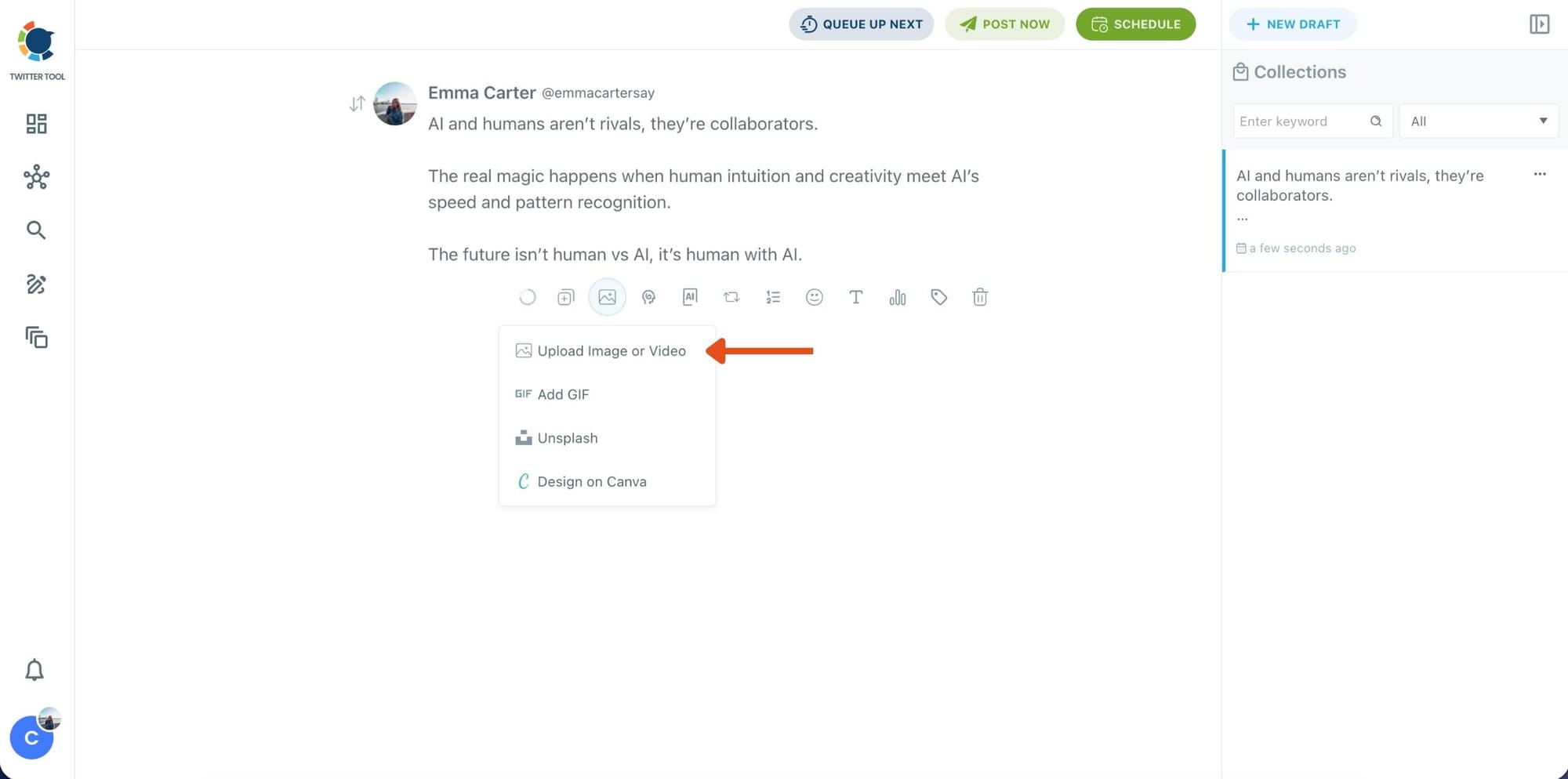
Once your text is ready, attach a visual to your tweet.
You can:
- Upload an image/video from your device
- Pick one from Unsplash
- Or design one instantly using Canva
Step 4: Style your tweet using Circleboom’s Font Generator
Now it’s time to make your tweet stand out visually.
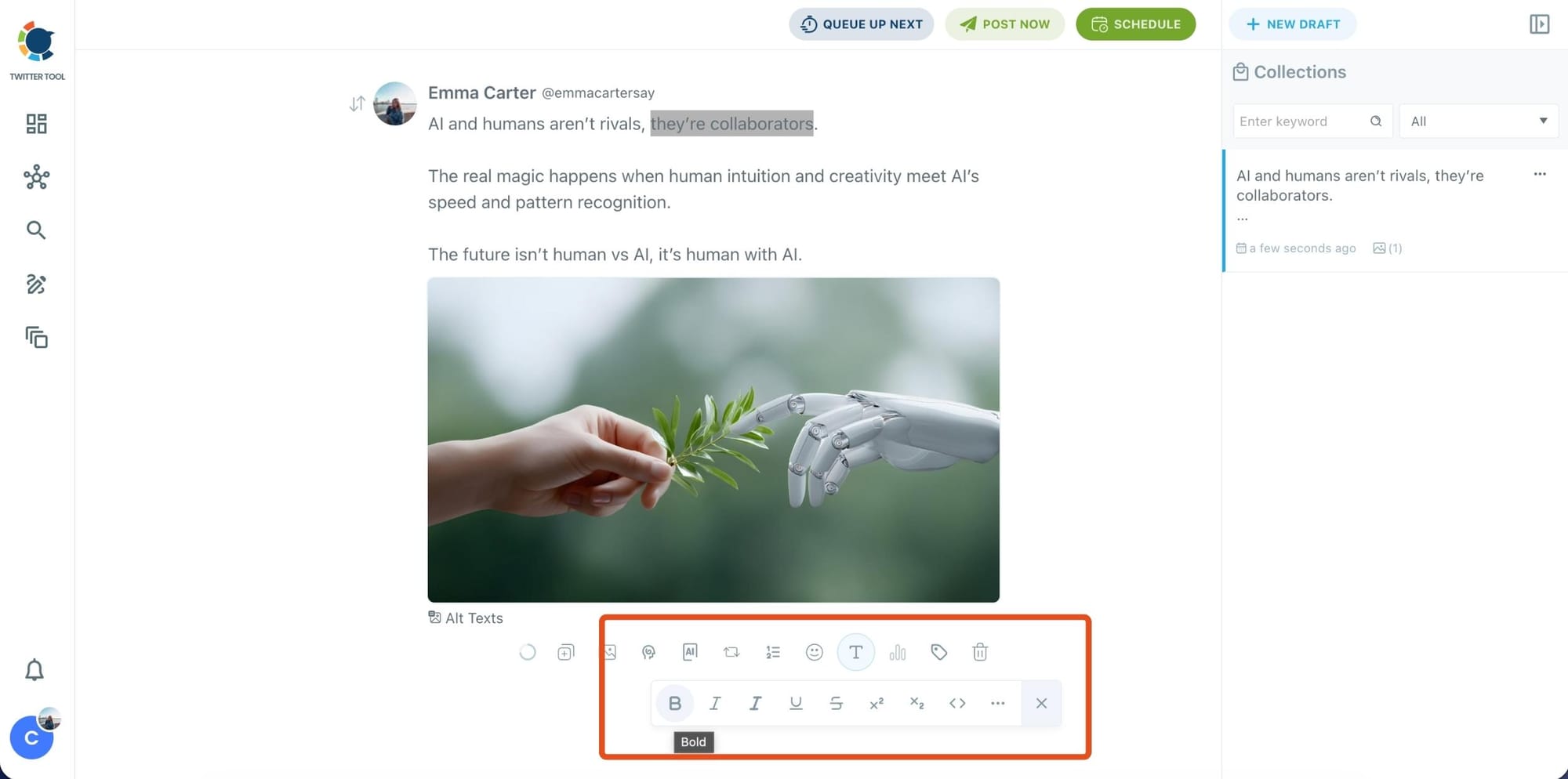
Select the part of your text you want to change, then open the Font Generator toolbar and apply styles like:
- Bold / Italic / Underline
- Different font variations
- Extra formatting options for a more “designed” look
This is perfect when you want key parts of your tweet to grab attention immediately.
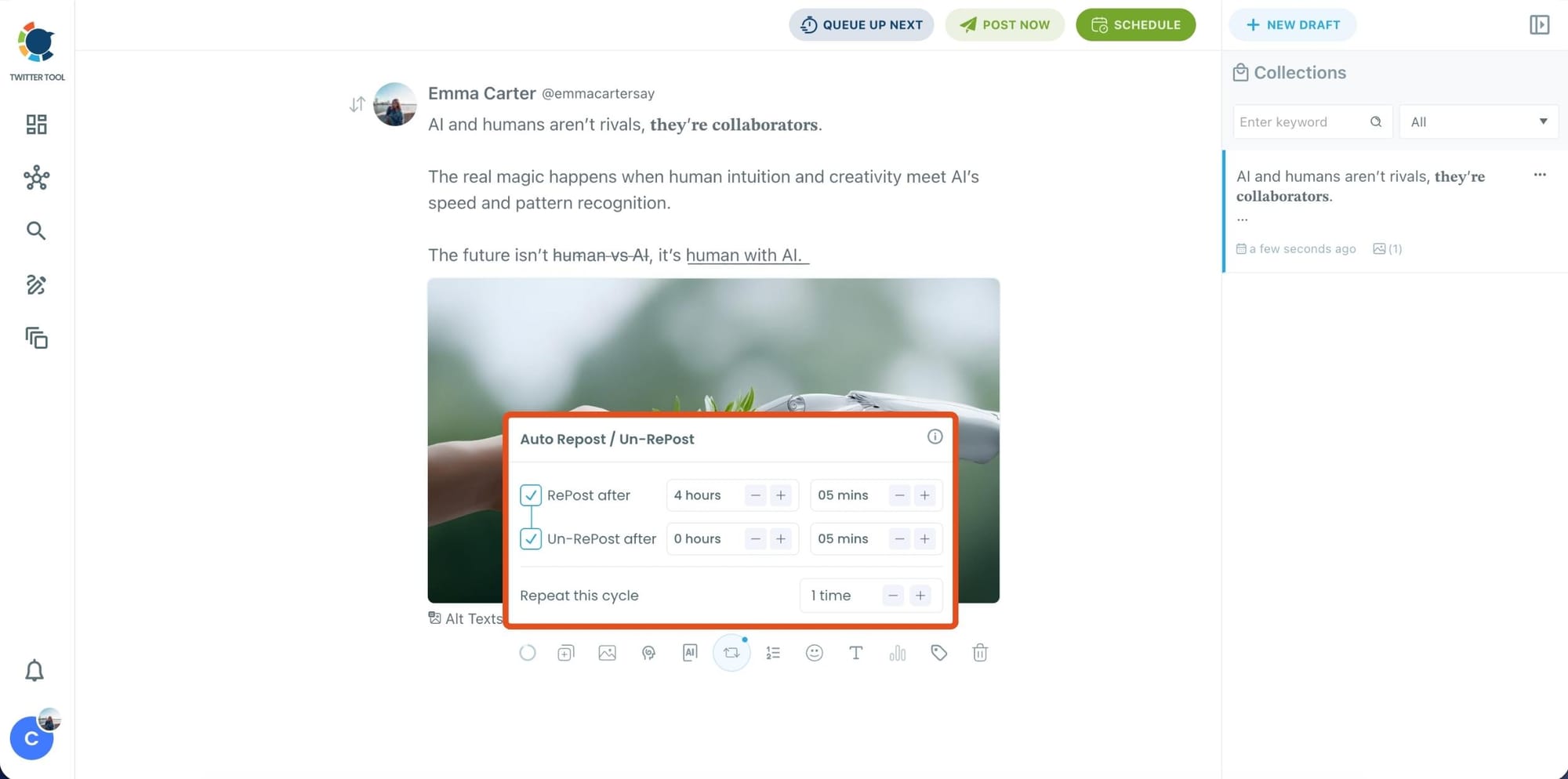
Step 5: Set Auto Retweets to boost visibility
After styling your post, you can increase reach by enabling Auto Repost / Un-RePost settings.
This lets you automatically:
- Repost your tweet after a selected time
- Remove the repost later
- Repeat the cycle if you want more than one repost
It’s a smart way to bring your tweet back into the feed without manually reposting it.
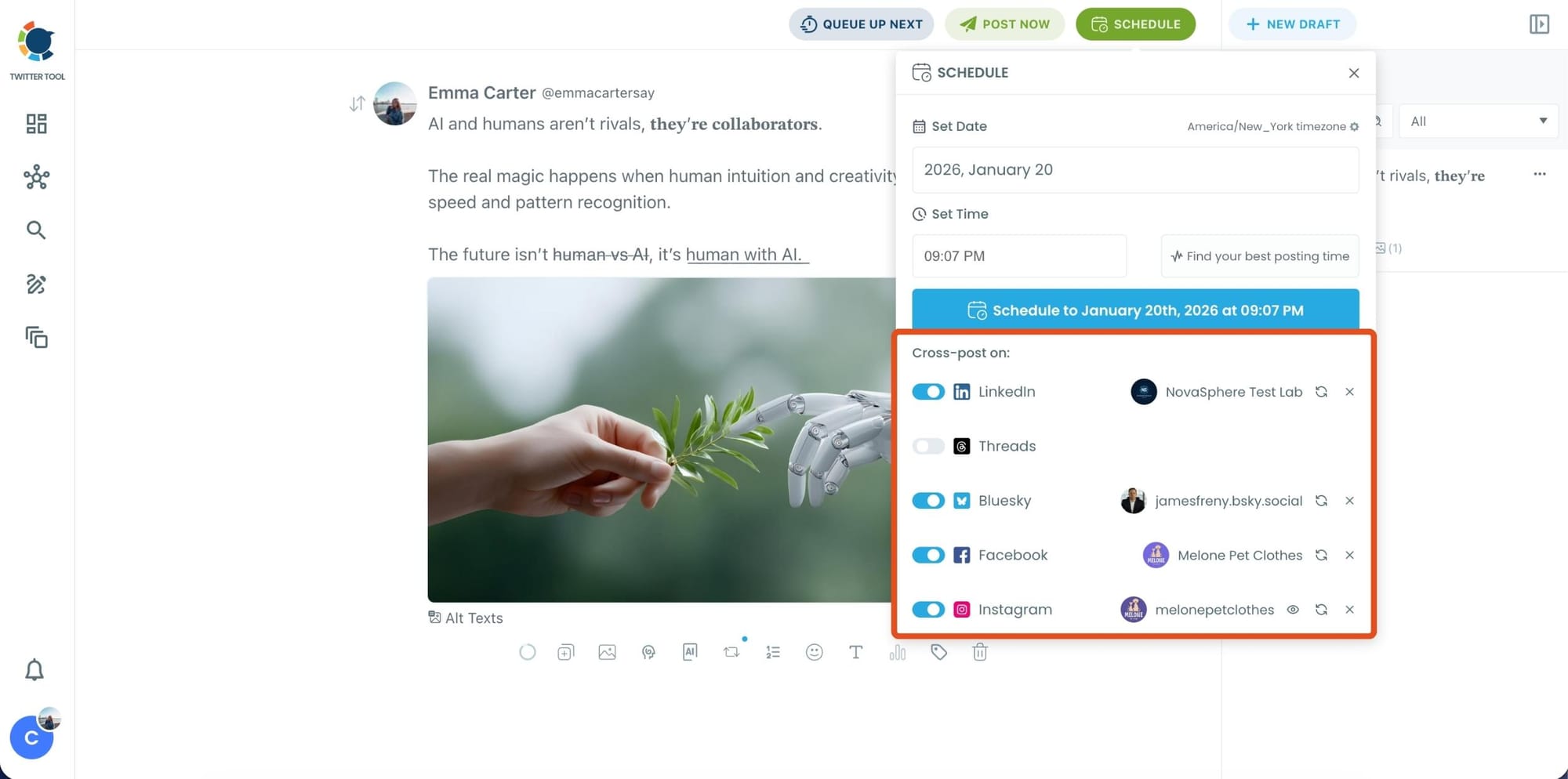
Bonus Tip: Cross-post your tweet to other platforms automatically
Before you publish, you can also enable Cross-Post to share the same tweet across multiple platforms in one go.
Circleboom lets you post your content to Instagram, Facebook, LinkedIn, Bluesky, and Threads automatically, so you don’t have to rewrite, re-upload, or repeat the same work on each platform.
Step 6: Schedule it for the best time to post
Finally, click Schedule and set your date and time.
You can also click Find your best posting time to see Circleboom’s suggested time slots based on follower activity.
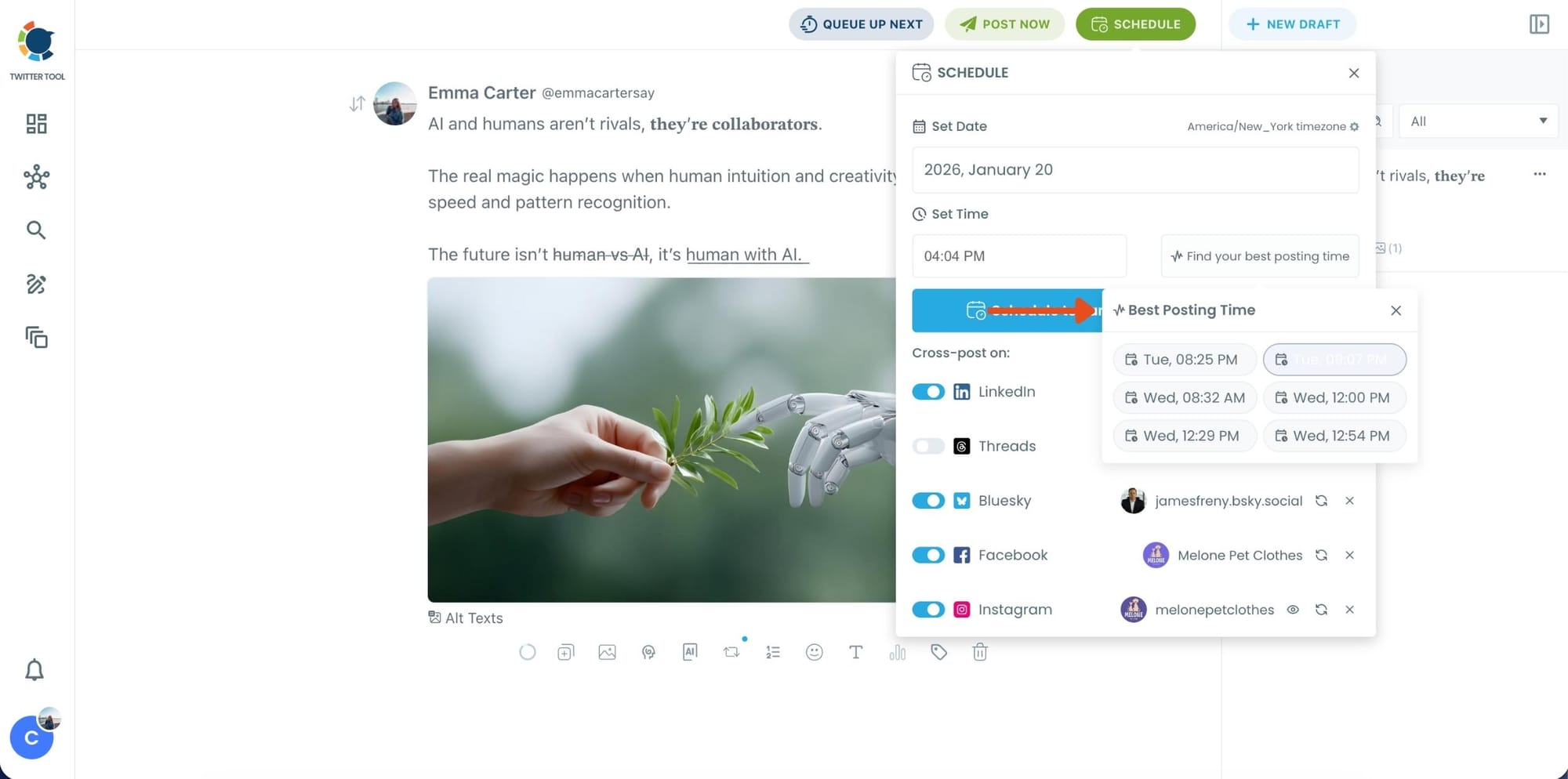
Once you pick the best option, smart-schedule it, and you’re done. Your tweet will go out at the time it has the highest chance to perform well.
Final Thoughts
If your Twitter/X posts do not reach beyond your followers, the problem is often timing and early engagement, not the quality of the tweet itself.
Because tweets only live for around 12–15 minutes, they need quick interaction to gain momentum.
Posting when your followers are online and using reposts to revive your tweets can significantly increase your reach.
This is exactly why I use Circleboom Twitter. By analyzing follower activity, scheduling tweets at the best times, and automating retweets, it helps ensure that my tweets get more than just a short moment of visibility.

