

When I first started building my presence on Twitter (X), I didn’t have a complicated growth strategy.
I didn’t run ads, I didn’t chase viral trends, and I wasn’t spending all day tweeting. Instead, I relied on a simple but very effective tactic: I followed people back.
It might sound too basic, but it works. When someone follows me, I follow them back. That mutual connection encourages them to stay, and it also signals to others that I’m active, approachable, and balanced in my follow/follower ratio.
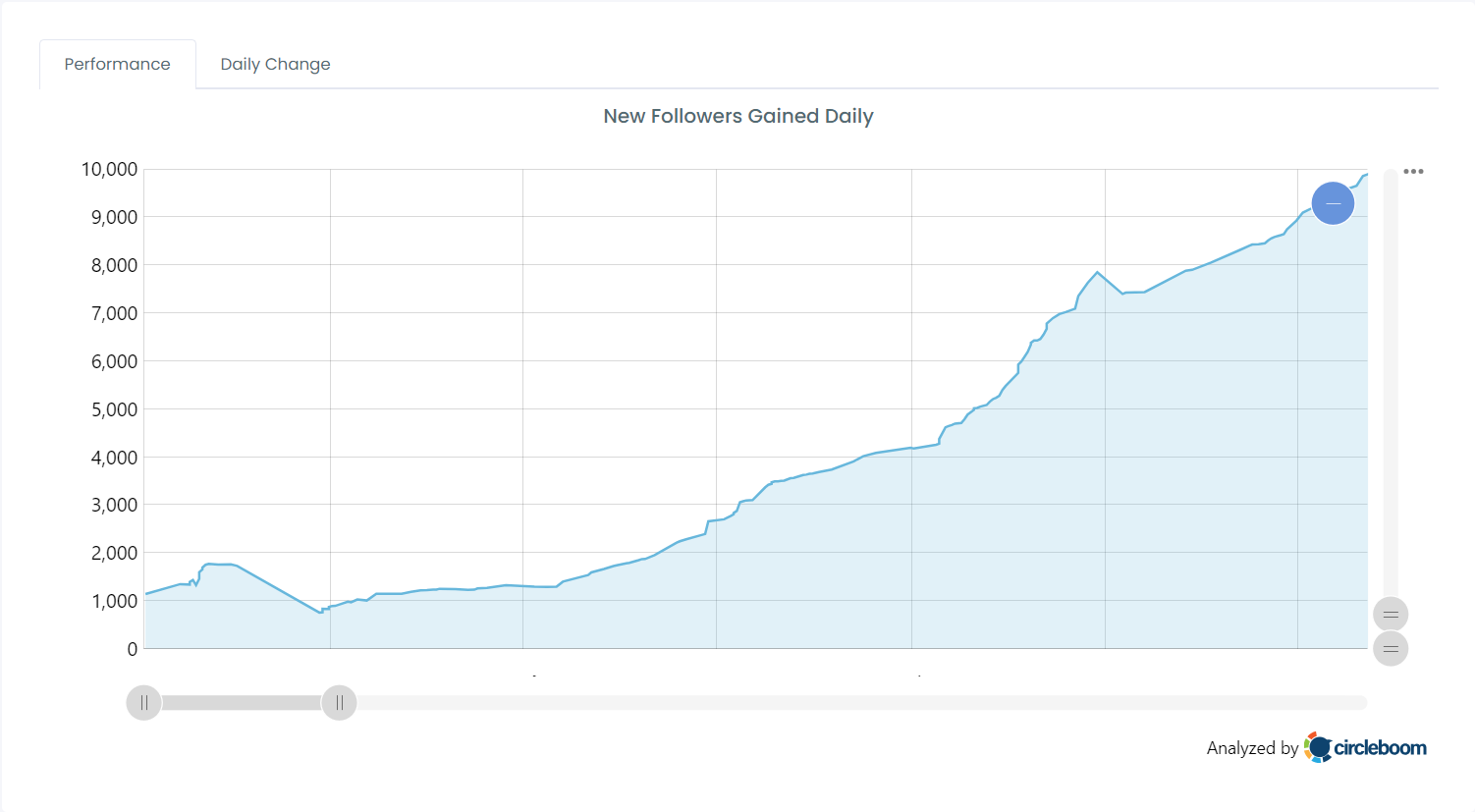
Once my account reached that point where people could see I was following back new followers started coming in more consistently.
Using this strategy, I grew not just hundreds, but thousands of followers.
The Problem With Manual Follow-Back
At first, I was doing this manually. I would check my notifications every few hours, click into new followers, and follow them back one by one. It worked, but it was exhausting.
 Arif Akdogan
Imagine following back 50, 100, or even 250 people in a day, clicking on each profile, waiting for the page to load, then hitting the follow button.
🚫 Not only is it time-consuming, but it’s also easy to miss people, especially when notifications get buried.
 infocircleboom.com
That’s when I realized: if following back works so well, I needed a way to automate the process safely.
The Solution: An Auto Following Back Tool
This is where an auto following back tool becomes essential. Instead of manually clicking through every notification, you can use a tool that:
➡️ Shows you exactly who your new followers are,
➡️ Lets you follow them back instantly,
➡️ Keeps track of unfollowers so your ratio stays healthy.
That’s when I discovered Circleboom Twitter—and it completely changed the way I handle my growth strategy.

Why Circleboom Twitter Is the Best Auto Following Back Tool
Circleboom is an official X Enterprise customer, which means it’s safe, reliable, and compliant with Twitter’s rules.

It’s not some random bot or risky third-party app; it’s built for real growth.
Here’s why it’s perfect for auto following back:
🟢 Follower/Following Analysis Dashboard: Circleboom automatically analyzes your account and shows you who followed you, when they followed, and their account details.
🟢 Daily New Followers Tracking: You can check your new followers for any date, even yesterday or last week.
🟢 One-Click Follow Back: Instead of clicking through 250 notifications, you can follow all of your new followers back in a single click.
🟢 Unfollowers Tracking: Just as important as following back, Circleboom shows you who unfollowed you. If someone leaves, you can decide to unfollow them too, keeping your ratio healthy.
🟢 Alerts & Notifications: You can set alerts for both new followers and unfollowers, so you’ll never miss a change in your account.
🟢 Extra Value: Circleboom also detects spam, fake, or inactive accounts so you don’t waste your follow-backs on low-quality users.
It’s more than just an auto following back tool, it’s a full follower management system.
Step-by-Step: How to Auto Follow Back with Circleboom
Here’s exactly how I use Circleboom to follow back my new followers automatically:
Step #1: To begin, navigate to Circleboom Twitter and sign in using your active email address.
If you don't already have a Circleboom account, you can easily create one in just a few moments!

Step #2: Navigate to the left and open up the menu. See the "Followers" tab there.
Here, you will see the "Who Followed Me/ New Followers Alert" option. Click on it and navigate.

Step #3: You can see who followed you on Twitter in a given period of time.
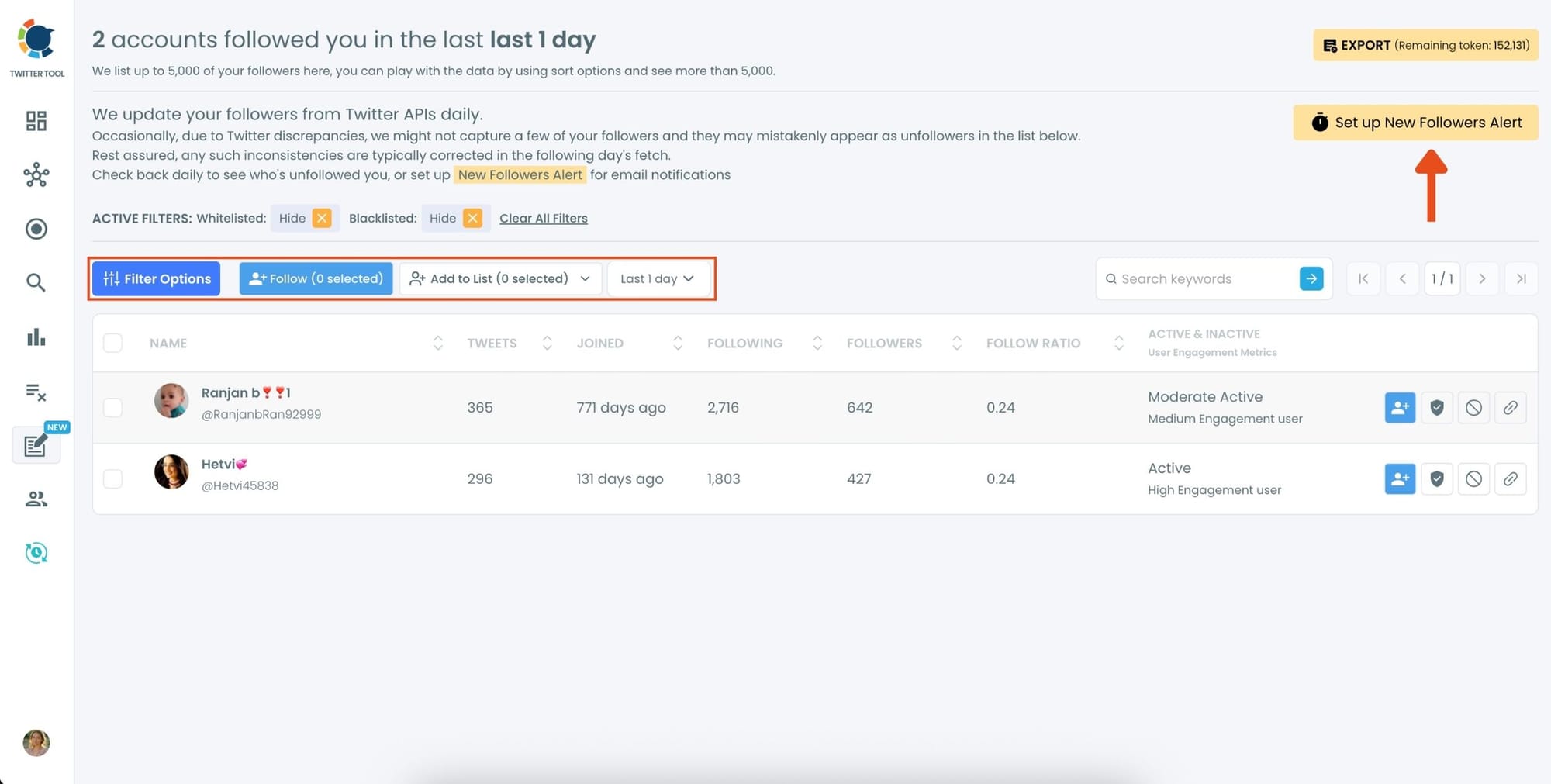
You can see a time range from the last day to the last year, and take actions like Following Back, or adding them to lists.

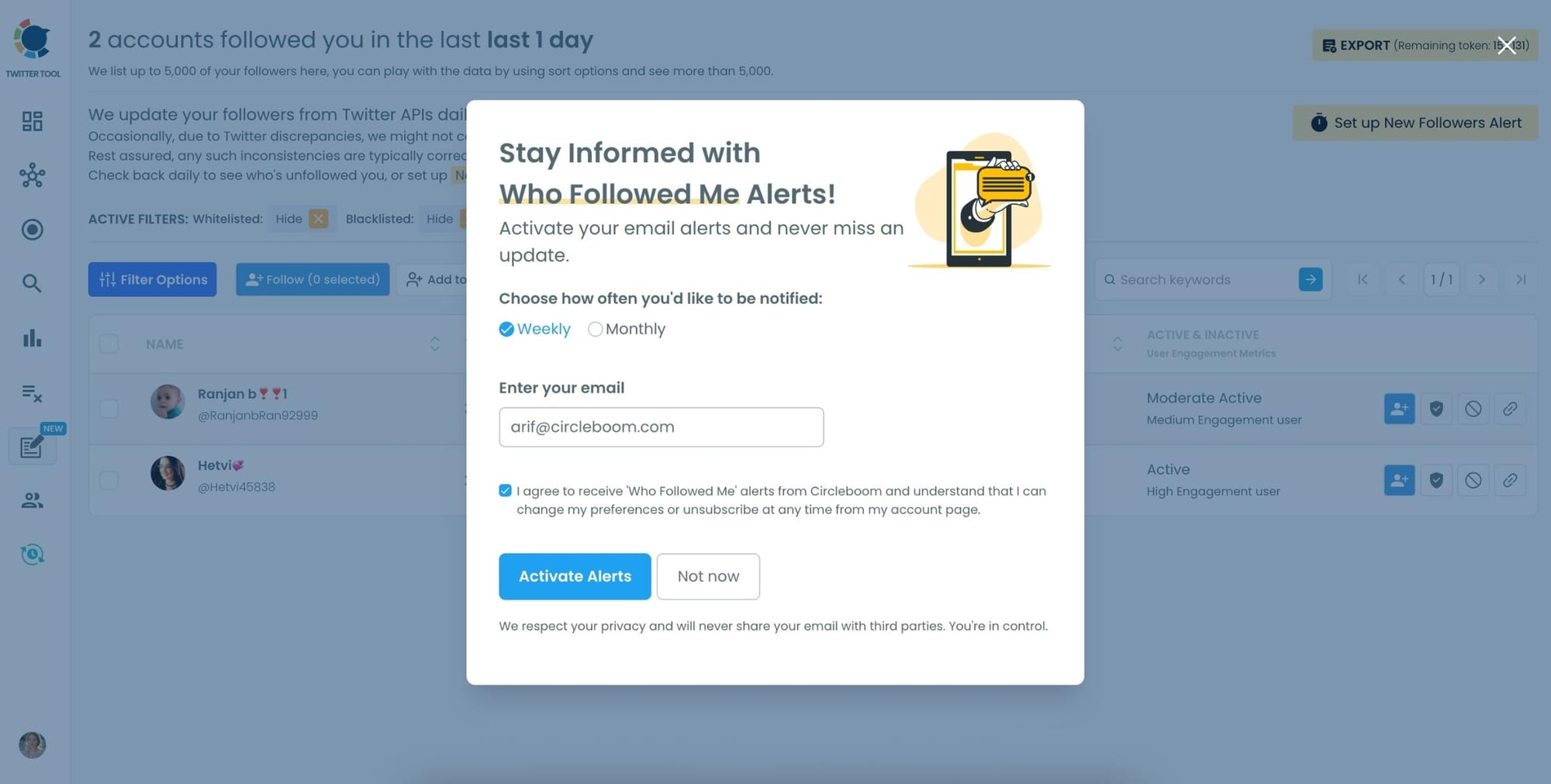
You can also “set a new follower alert” on Twitter and receive an immediate notification when someone follows you!
You can get daily or monthly emails.
Extra Growth Benefits of Auto Following Back
Using an auto following back tool isn’t just about saving time, it also helps you grow smarter. Here’s why:
🔹 Encourages loyalty. When people see you follow back, they’re more likely to stick around.
🔹 Improves profile appearance. A balanced follow/follower ratio makes your account look active and trustworthy.
🔹 Builds steady, organic growth. Instead of chasing random followers, you build reciprocal relationships that last.
🔹 Protects your time. You can focus on creating content while Circleboom handles the follow-backs.
For me, this strategy has been one of the easiest ways to keep my account growing consistently.
Final Thoughts
Following people back is one of the oldest tricks in the Twitter playbook, and it still works. The difference today is that you don’t need to do it manually.
With Circleboom Twitter, you can follow back all your new followers with one click, track unfollowers, set alerts, and even analyze account quality before you engage. It’s the safest and smartest auto following back tool for Twitter growth.
I used it to grow thousands of followers without wasting hours on manual clicks. If you’re serious about building a stronger, healthier Twitter account, it’s time to let Circleboom handle the follow-backs while you focus on what really matters: creating great content.

