


If you would like to know who unfollowed you on Twitter immediately, there is a perfect tool in Circleboom.
Mass unfollow everyone who unfollowed you on Twitter for free
Find Out Who Unfollowed You, Unfollow for Free
See who unfollowed you on Twitter, check your list of Twitter unfollowers, and mass unfollow them for free.
Circleboom : An Official Enterprise Developer
"Work with a trusted X Official Enterprise Developer to expand what's possible for your business. Each Official Enterprise Developer has been selected for the program after an extensive evaluation, and represents excellence, value, and trust." — X (Twitter)Circleboom Twitter Tool
Circleboom Twitter management tool provides account analytics, follower/friends insights, tools to check, fakes, spammers, inactive accounts, advanced account search and delete tweets services.
TWITTER UNFOLLOW ALERT
Do you want to get notifications when someone unfollows you on Twitter? Thanks to Circleboom, you will be alerted as someone unfollows! You can set an unfollower alert and Circleboom will let you know when you are unfollowed!
This will be a great way to keep your following-follower ratio at a desired level and redesign your Twitter strategy. Thanks to Circleboom's Unfollowers Alert, you will be notified immediately when someone unfollows you on Twitter.
WHO RECENTLY UNFOLLOWED ME ON TWITTER
Keeping track of who recently unfollowed you can offer valuable insights into your social media planning and audience engagement. Circleboom Twitter is the best tool to see who unfollowed you on Twitter! You can check your unfollowers day by day and see your recent unfollowers on X.
APP TO SEE WHO UNFOLLOWED ME ON TWITTER
Unfortunately, Twitter doesn't tell you who unfollowed you on Twitter. If you want to get your Twitter unfollower stats, you must go and check all your friends' one by one. However, we got a better idea. Just forget about this, and let's automatize it with an app to see who unfollowed you on Twitter.
Circleboom is the best Twitter tool to find out who is not following you back on Twitter.
TWITTER FOLLOW CHECK
You'll be aware of who follows you back on Twitter. With Circleboom's Twitter Follow Check feature, it's easy-peasy to keep your following/follower ratio under control!
TWITTER UNFOLLOWER TRACKER
People can unfollow you on Twitter everytime they wish! So, this is a tracking business. You should always be alerted to find out those who unfollow you on Twitter otherwise you can lose control of the health of your Twitter profile.
BEST WAY TO KEEP FOLLOW-FOLLOW RULE ON!
We all do follow people on Twitter to get followers in back! And if they follow us back, we usually continue to follow these accounts. But sometimes, these accounts unfollow us after some time! If the number of accounts doing this goes up, our following-follower ratio gets broken and the healthy look of our Twitter accounts becomes meaningless!
That's why you should use Circleboom and find those who unfollowed you on Twitter. You can restore the health of your Twitter account and save your reputation!
YOU'RE SAFE ON CIRCLEBOOM
Circleboom is preferred by many multinational organizations throughout the world. Furthermore, we fully comply with Twitter Policy. You will be away from any unwanted activities that are forbidden on Twitter. Circleboom will keep you safe all the time!
FIND OUT WHO UNFOLLOWED ON TWITTER
Keep in mind that first impressions are everything when it comes to growing your Twitter following. Your followers/following ratio give the potential audience their initial impressions! That's why you should keep track of your follower and following numbers and consider a golden ratio.
Your main obstacle to keeping a healthy following/follower ratio is those who do not follow you back on Twitter. So, if you want to have a better Twitter experience, you need to find these Twitter unfollowers.
Circleboom Twitter is your best choice to clean your Twitter accounts from those who unfollowed you!
CHECK WHO UNFOLLOWED YOU ON TWITTER
As you may be aware, Twitter has a 5000-follower limit for accounts with a weaker following/follower ratio. Why don't you detect and act against those accounts that unfollowed you on Twitter?
When you find those who are not following you back on Twitter, you can visit their profiles and unfollow them if you wish!
BEYOND A TWITTER UNFOLLOW TRACKER
The Circle Tool features are not limited to a Twitter unfollow tracker. You can detect fake/spam accounts and inactive Twitter accounts in your friends' list! Since Circleboom is full of other great features to let you have an appealing follower/following ratio.
For example, you can search someone's Twitter followers on Circleboom Twitter.
UNFOLLOW THOSE WHO DON'T FOLLOW BACK ON TWITTER
If you don't get the follow backs you like or the accounts you're following just unfollow you, you can simply unfollow them back with the help of Circleboom's Twitter unfollow tool through your Circleboom dashboard.
In fact, you can list all those who don't follow you and mass unfollow non-followers with only a few clicks!
UNFOLLOWER STATS
You can keep your unfollower stats at a desired level with Circleboom's Twitter Unfollower Checker! You can spot those unfollowers and clean them from your profile easily with Circleboom!
Your profile reflects the performance you have on Twitter! So, if you start being unfollowed by more and more people, it means that your content doesn't draw attention anymore. So, you can rebrand your posts and redesign your Twitter strategy!
FIND THOSE WHO I AM NOT FOLLOWING BACK!
On Circleboom, you can also find Twitter accounts who you are not following back! This way, you can easily detect Twitter accounts who need attention.
Then, with the help of Circleboom's Twitter follow tool, you can easily and safely bulk follow them.
Many other tools available online don't comply with Twitter API rules. This jeopardizes your Twitter account's safety! On the other hand, Circleboom, an enterprise partner of X (Twitter), totally follows the rules and avoids any action that endangers your Twitter account! So, be careful when choosing a third-party tool to manage your Twitter account!
SAVE TIME & MONEY
In Circleboom, you don't have to need to pay for the features you will never use and keep your money in your pocket! In Circleboom, you choose, and we provide!
HOW TO SEE WHO UNFOLLOWED YOU ON TWITTER
Your nightmares will come to an end. You don't need to wonder, "who unfollowed me on Twitter?". Circleboom Twitter monitors your followers provide you the data that shows who unfollowed you, only a few steps:
01
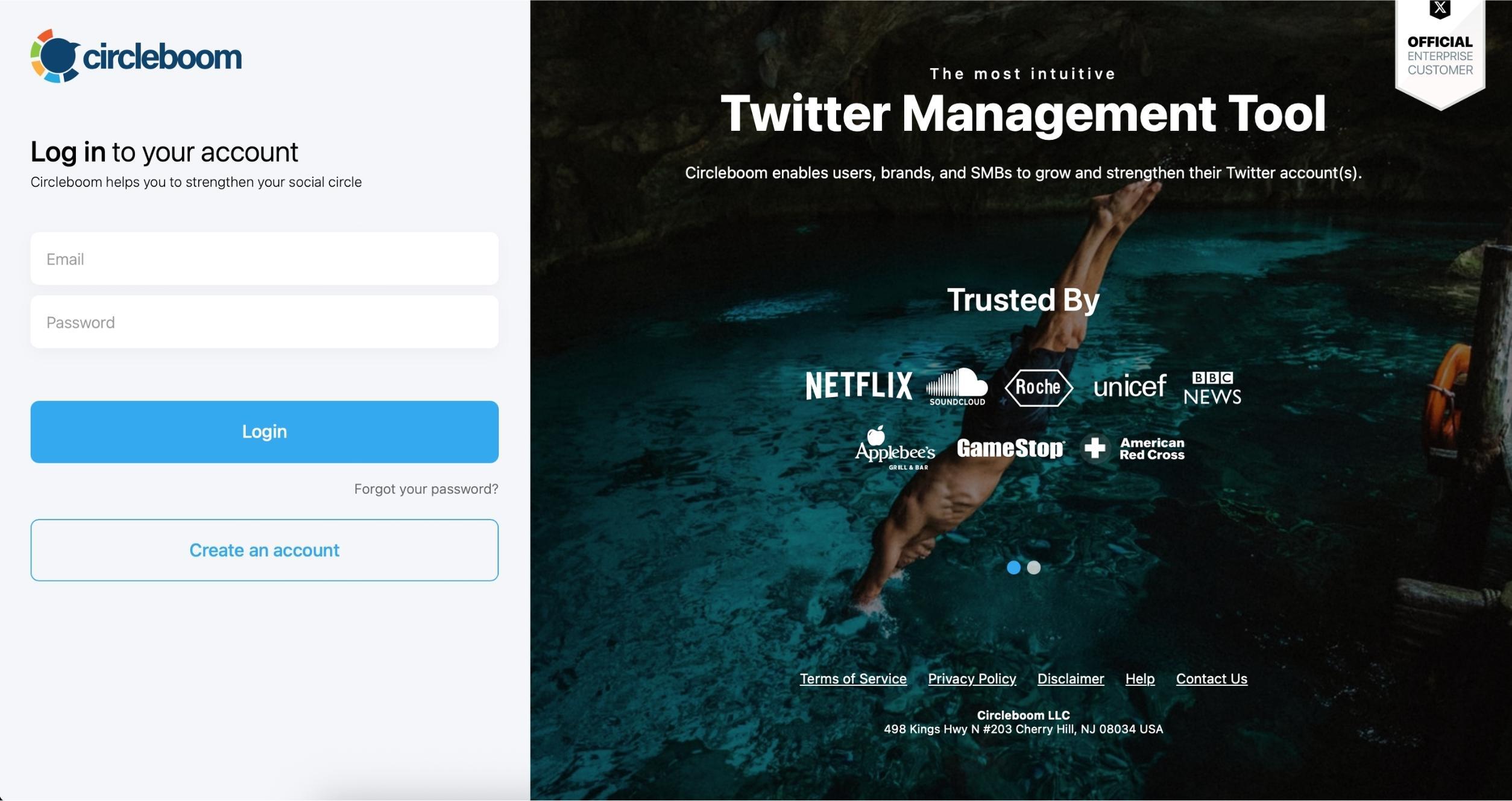
As the first step, please go to Circleboom Twitter and log in with your active e-mail address.
If you haven't got a Circleboom account yet, you can get one in almost no time!
02
Secondly, let's authorize Circleboom Twitter via sign-in with your Twitter account. Circleboom is an official X Enterprise Developer Partner.
Your Twitter account will be connected to the Circleboom dashboard to find out who unfollowed you on Twitter.
03
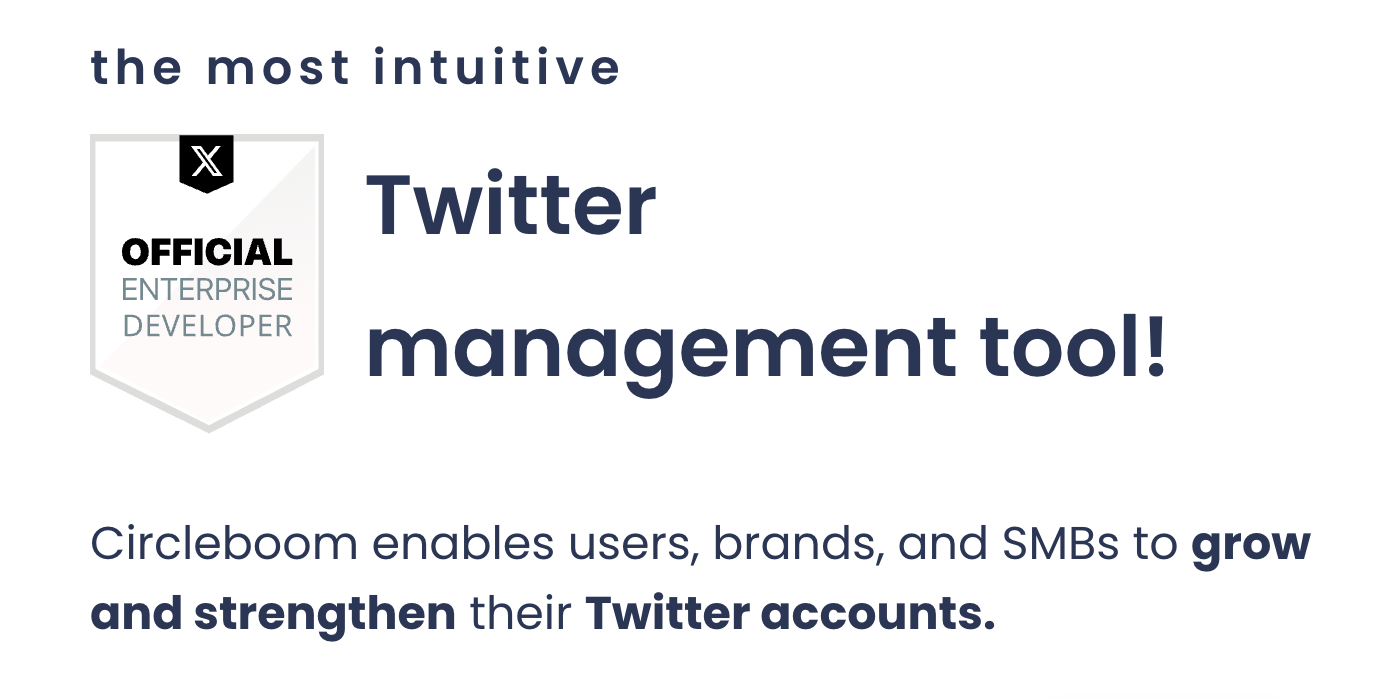
Navigate to the left and open up the menu. See "Followers" tab there.
Here you will see "Who Unfollowed Me?" option there. Click on it and navigate.
04
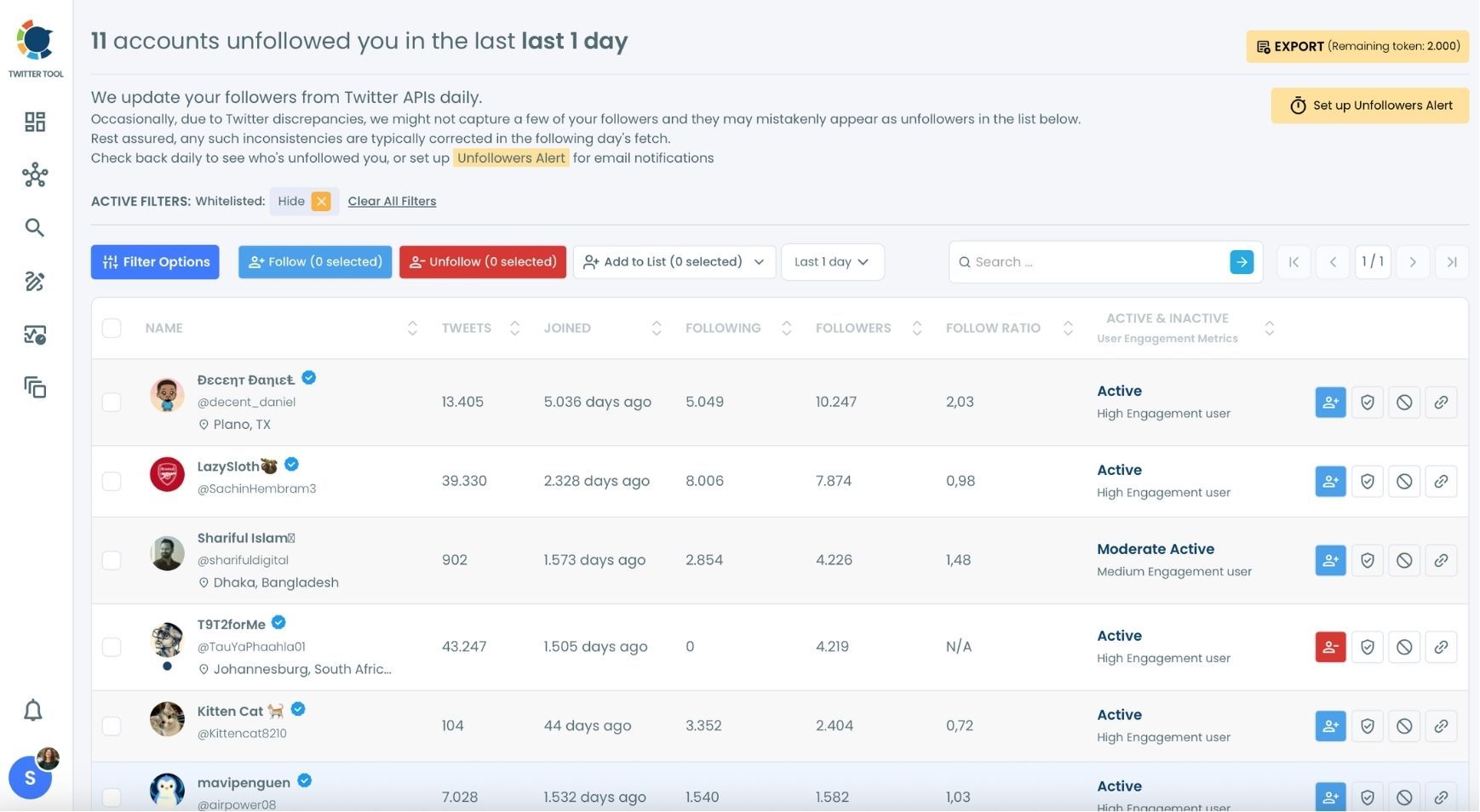
Now you can see the Twitter (X) accounts that unfollowed you. Circleboom lists all those unfollowers!
The default is the unfollowers from the last 1 day.
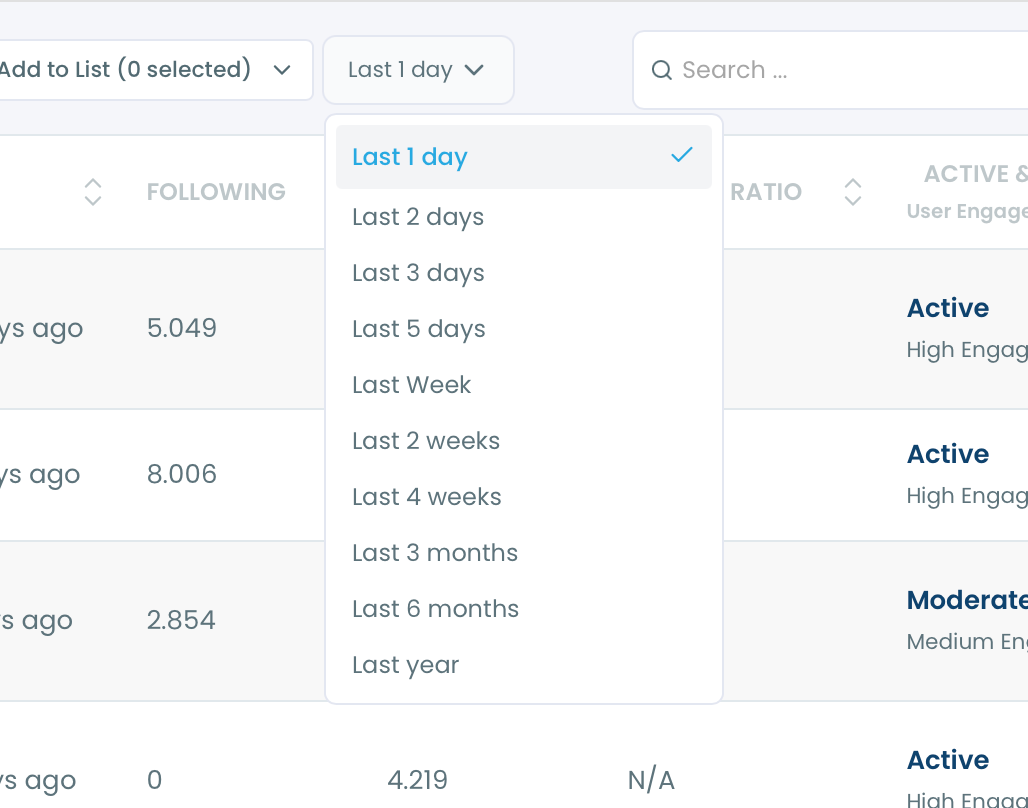
You can also change the time period and see who unfollowed you in an enlarged calendar. You can even see who unfollowed you last year!
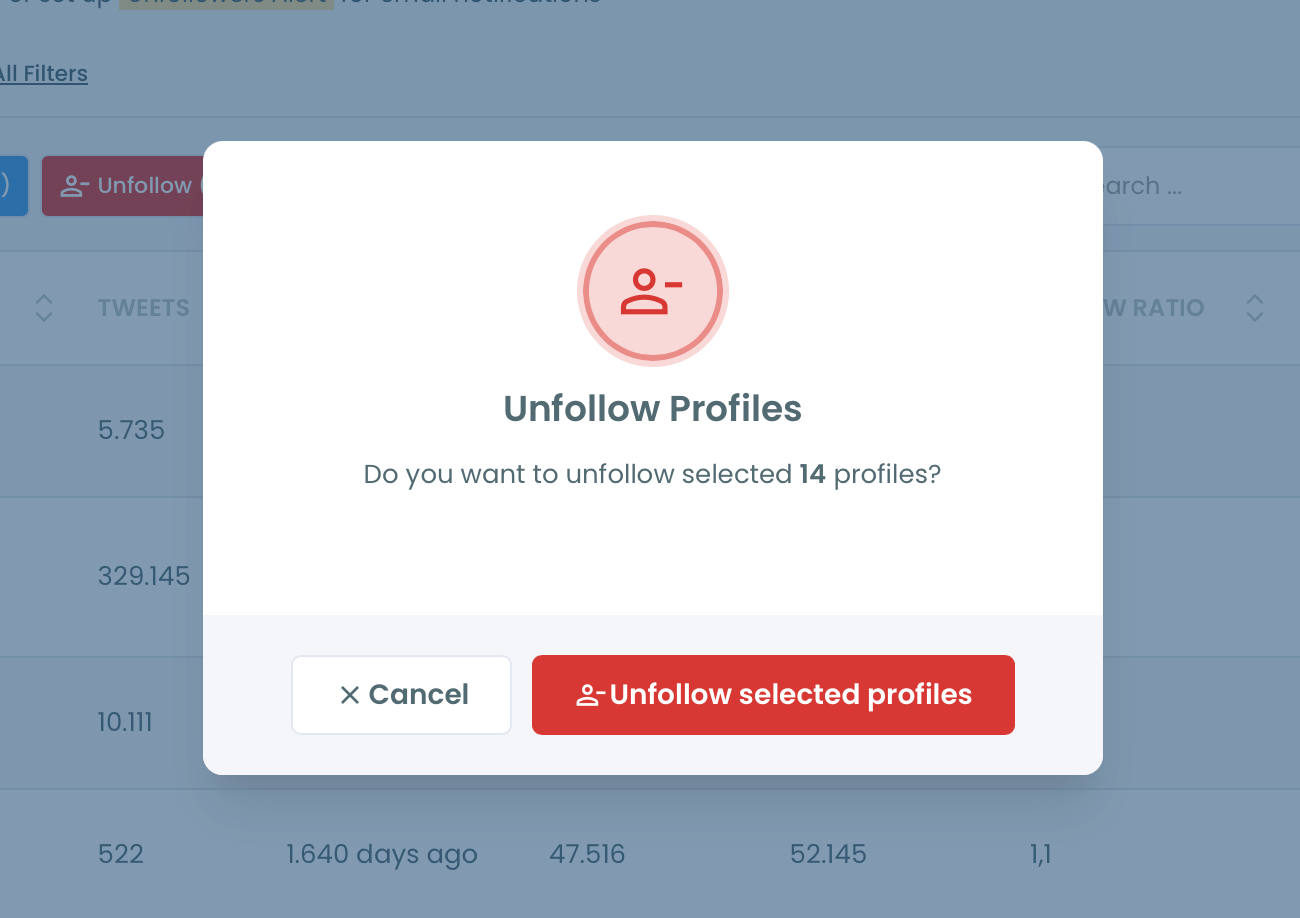
If you don't want to follow them anymore, you can unfollow all or some of those accounts that unfollowed you on Twitter (X).
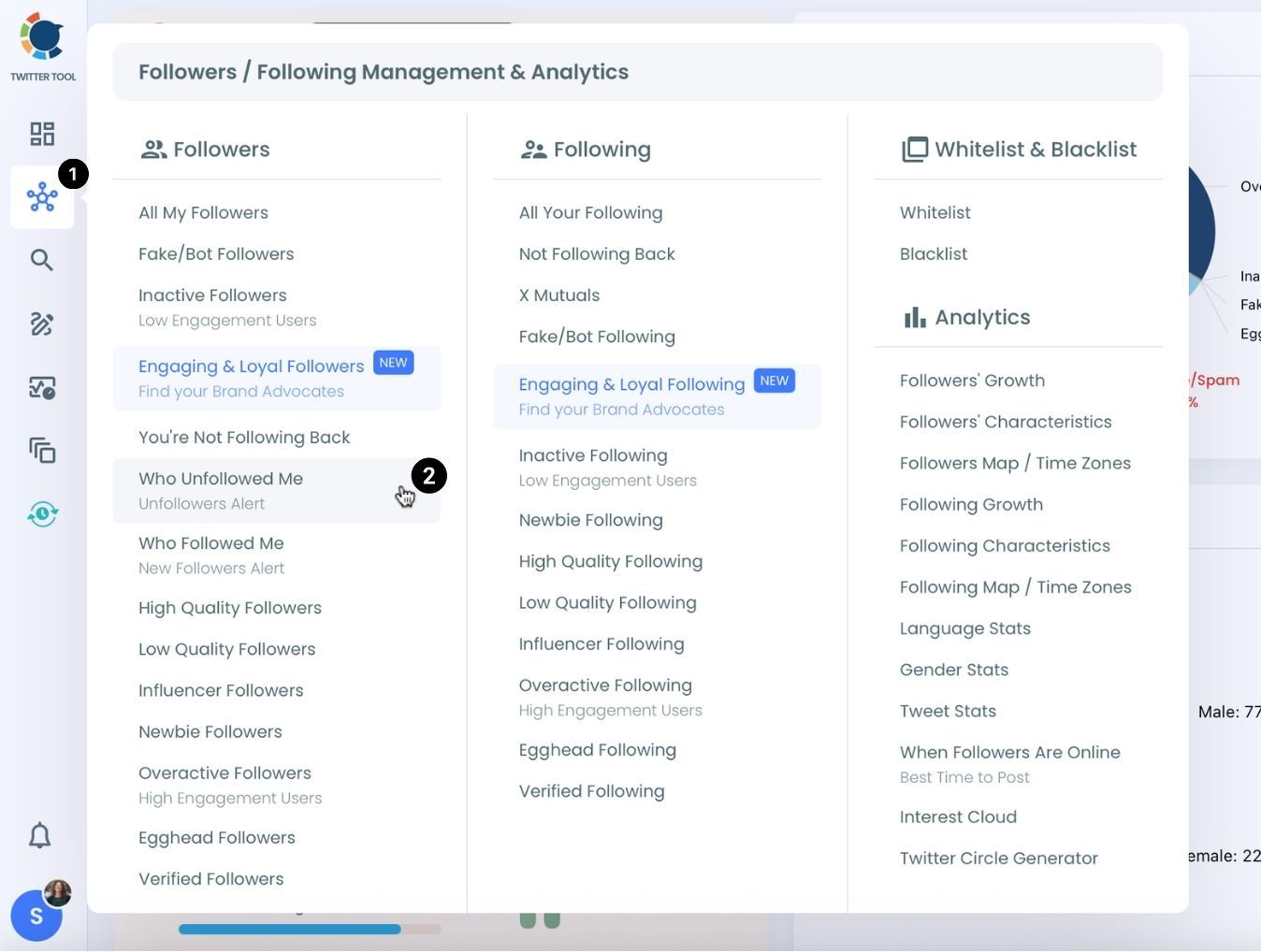
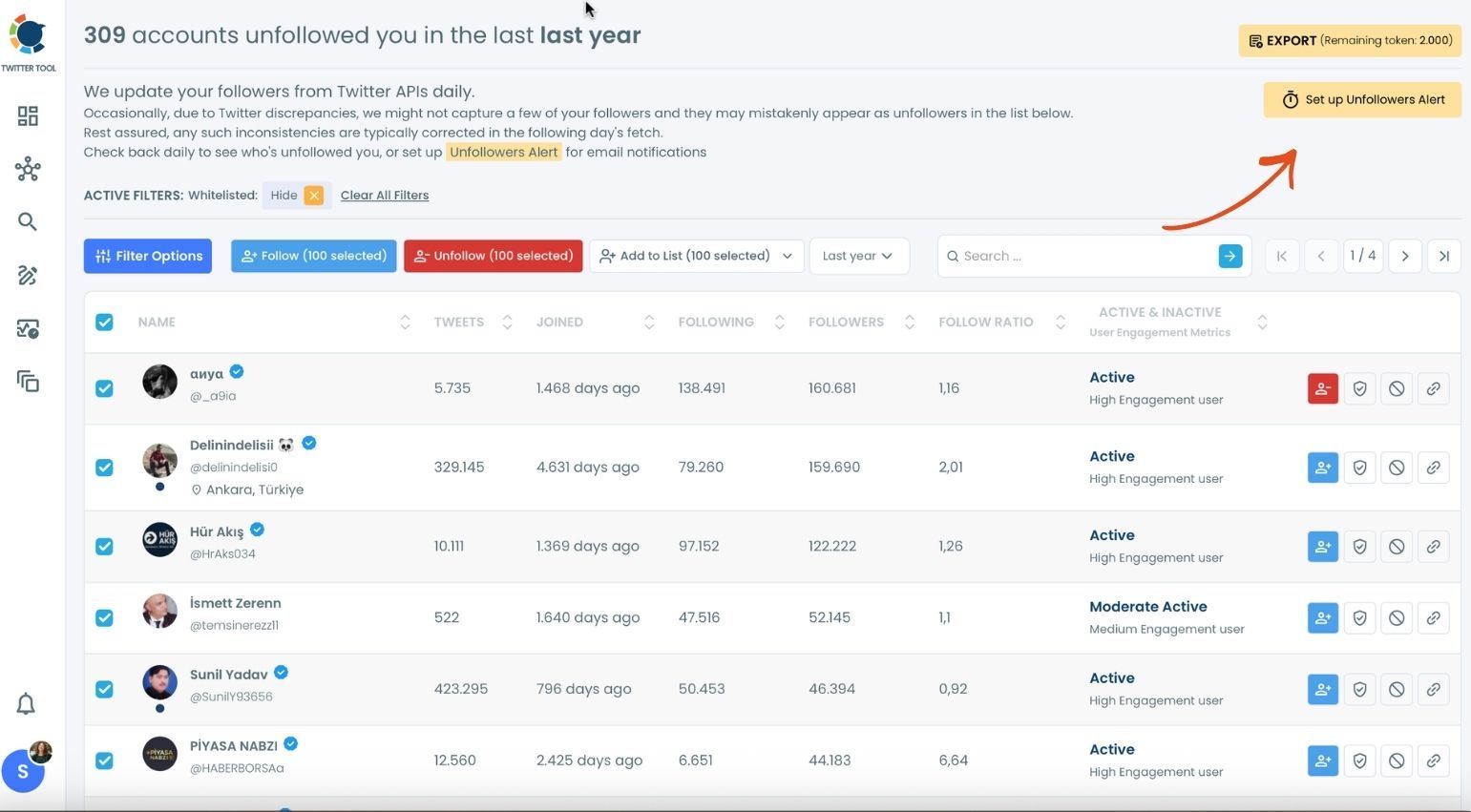
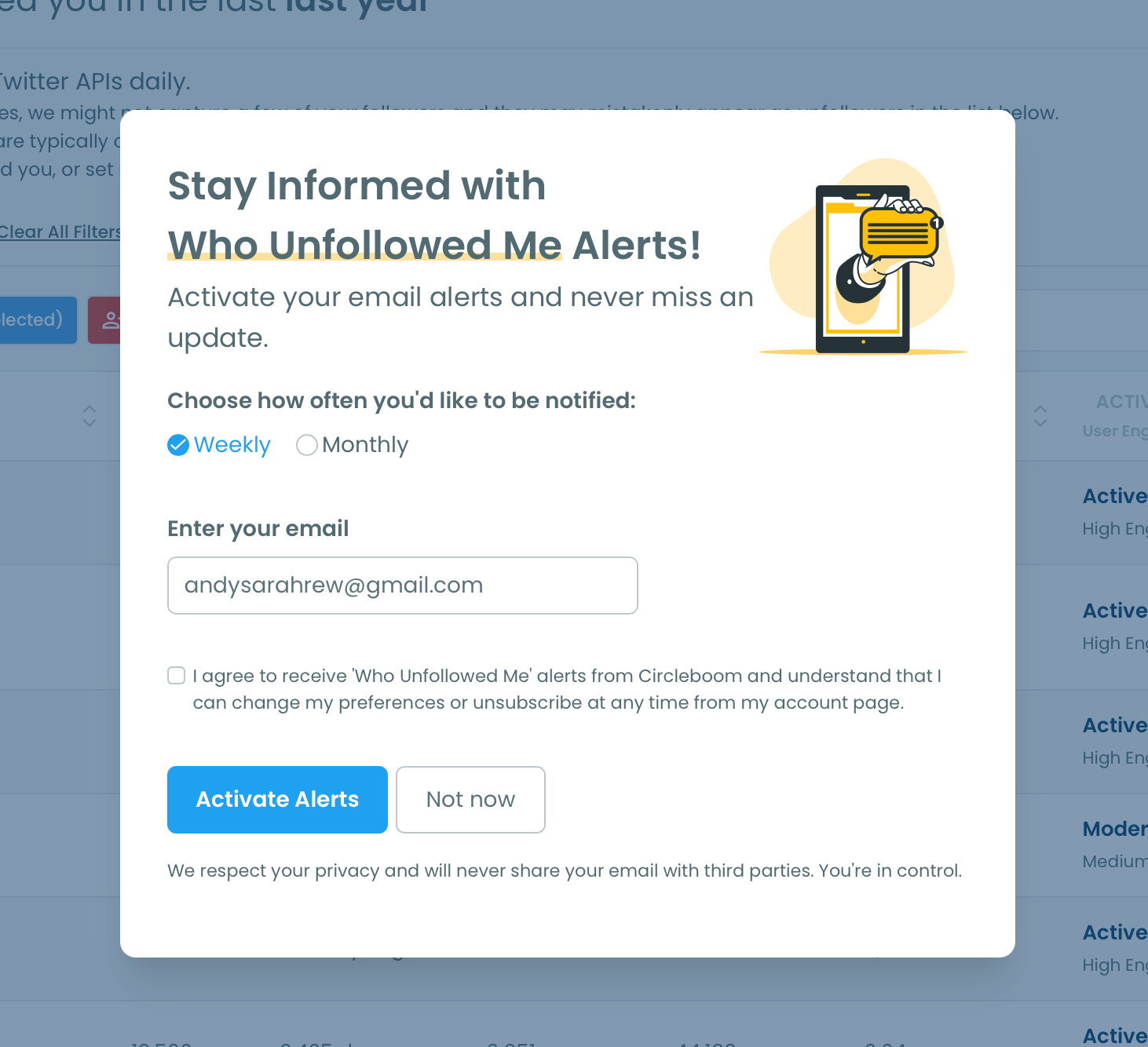
You can set "Unfollower Alerts". When someone unfollows you on Twitter, we will email you so you can take action quickly! To enable it, you should click on the "Set up Unfollowers Alert" button at the top right.
You will select the frequency of unfollower alerts: weekly or monthly!
Frequently Asked Questions (FAQs)
Find Out Who Unfollowed You, Unfollow for Free
See who unfollowed you on Twitter, check your list of Twitter unfollowers, and mass unfollow them for free.