

Yes, you can track someone’s following activity on Twitter (X), but not directly on X itself.
X shows you how many people an account follows and lets you scroll through part of their following list. But it doesn’t even show the full following list completely, and more importantly, it doesn’t show what actually changed over time. You can’t see who they followed today, who they unfollowed yesterday, or how their behavior evolves.
And that missing piece matters more than it seems.
Following count shows numbers. Following activity shows behavior.
If you want to understand how an account grows, who they target, or how they build visibility, you need to see what they actually do, not just what their profile looks like at a single moment.
📍 With Circleboom Twitter, you can track someone’s following activity, see newly followed accounts, monitor unfollows, and understand changes over time without manually checking profiles.
Track Someone’s Following Activity with Circleboom Twitter
Since X doesn’t provide this level of insight, you need a tool that can track changes over time.
Circleboom Twitter is an official X Enterprise Developer, which means it works directly with X’s official APIs. This ensures that the data is accurate, reliable, and aligned with how the platform itself processes account activity.

With Circleboom Twitter, you can track someone’s following activity in a structured way.
Instead of checking profiles manually and trying to remember what changed, Circleboom records following activity and shows you:
- Which accounts were followed recently
- Which accounts were unfollowed
- How following behavior changes over time
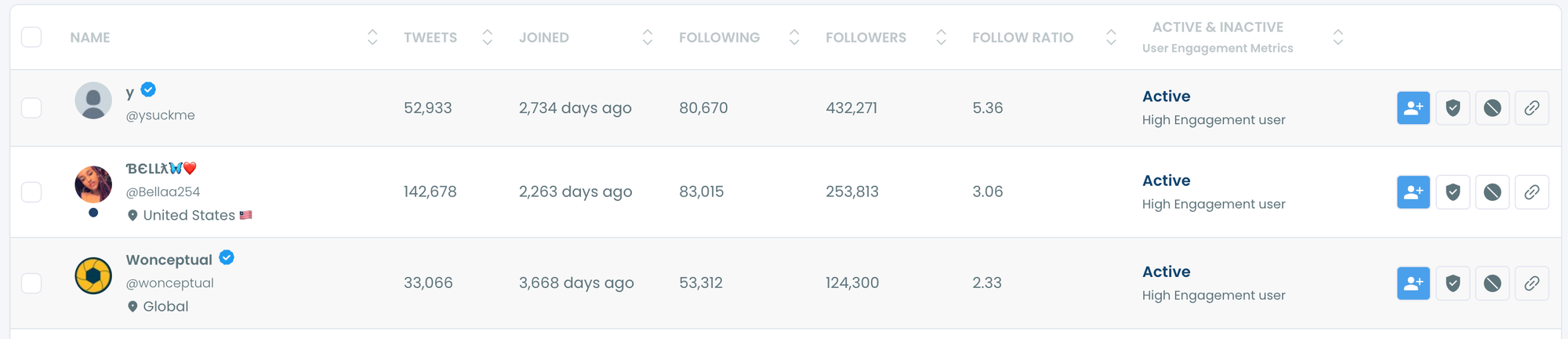
More importantly, you can set tracking for any public account. Once tracking is active, Circleboom automatically detects new followings and presents them clearly. You don’t need to refresh pages, compare lists, or rely on memory.
 infocircleboom.com
It turns something that is almost impossible to track manually into something simple and consistent.
How to Track Someone’s Following Activity Step by Step
With Circleboom's Track Someone’s Most Recent X Followers and Following feature, you can track and analyze someone’s most recent X followers and following with detailed reports!
Here is how:
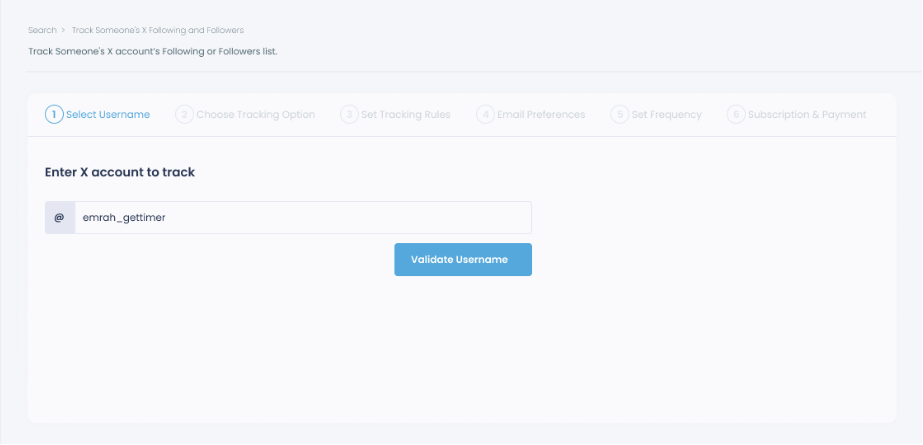
Step #1: Select any username you want to track on X.
You will track their recently followed audience.
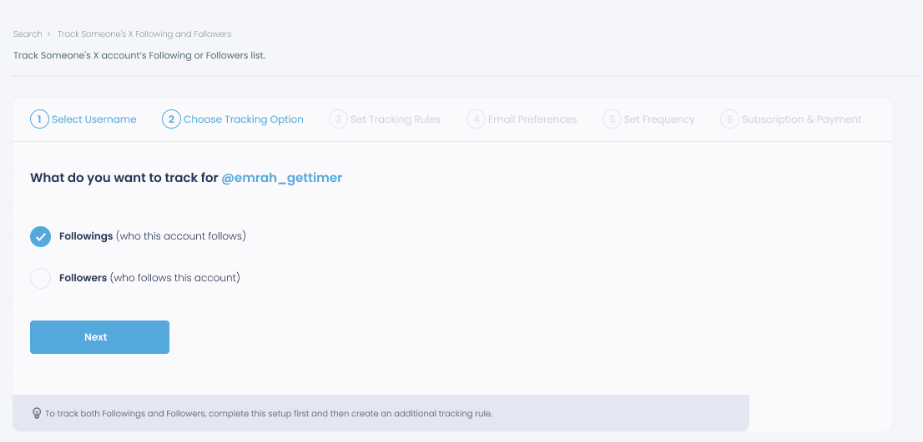
Step #2: Next, you will choose "Followings" or "Followers".
You should select one of the tracking options.
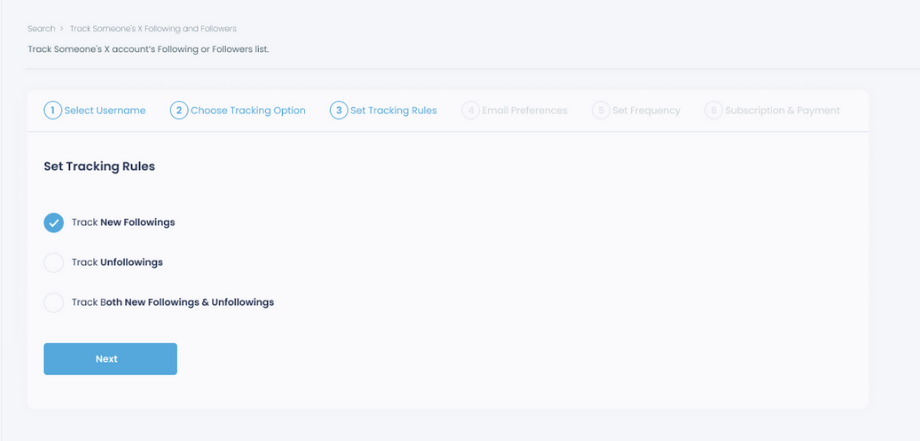
Step #3: Regarding the followings, you can track new, recent followings and unfollowings.
You can track both at the same time!
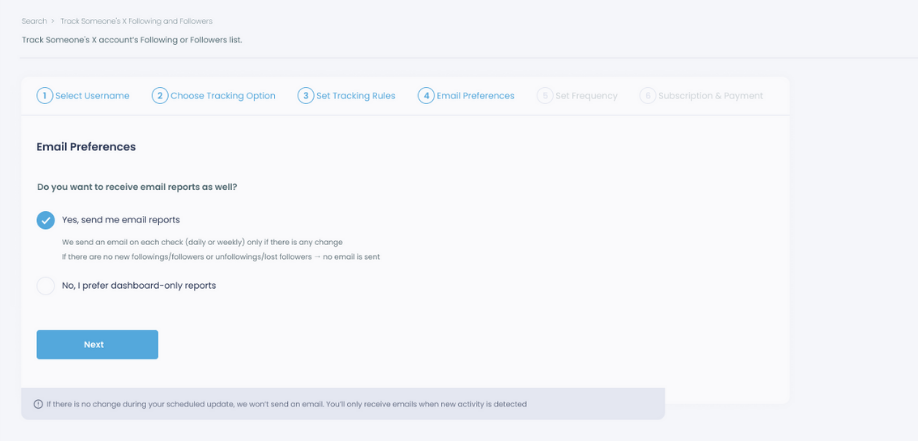
Step #4: For your tracking operations, you can receive email updates for each check.
You can still track new followings or followers without email notifications. You can monitor the following or followers with dashboard-only reports.
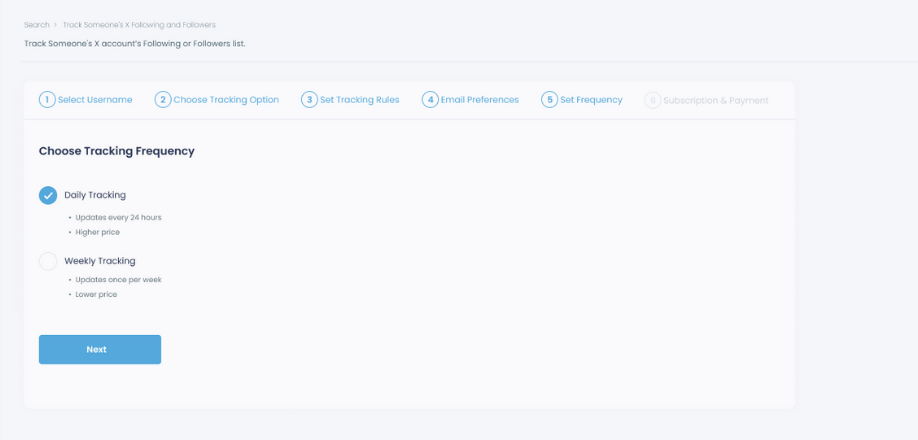
Step #5: Now, you should set the frequency.
You can get "Daily Tracking" or "Weekly Tracking".
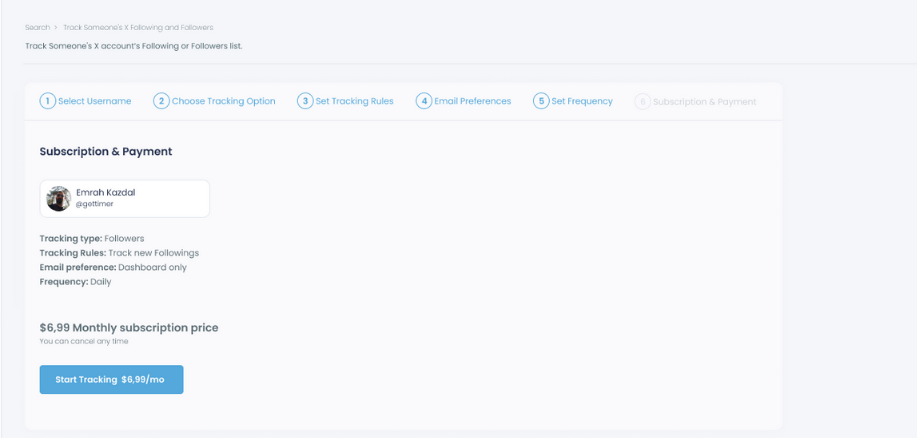
Step #6: The next step is subscription.
After checking the rules, you can start tracking.
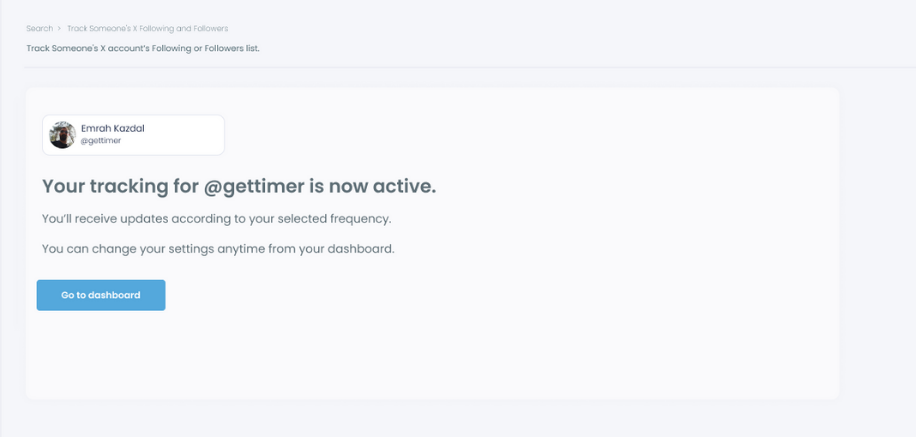
Tracking is now active.
That's it! Now you can monitor newly followings and followers of anyone on X with Circleboom!
How Recently Following Tracking Works in Practice
I will show you a case study on Circleboom to show you the step-by-step process of how to track recent following and followers on X:
Step #1: Land in the Circleboom dashboard.
Under the "Monitoring" menu, find "Track Someone's X Account's Following and Followers".

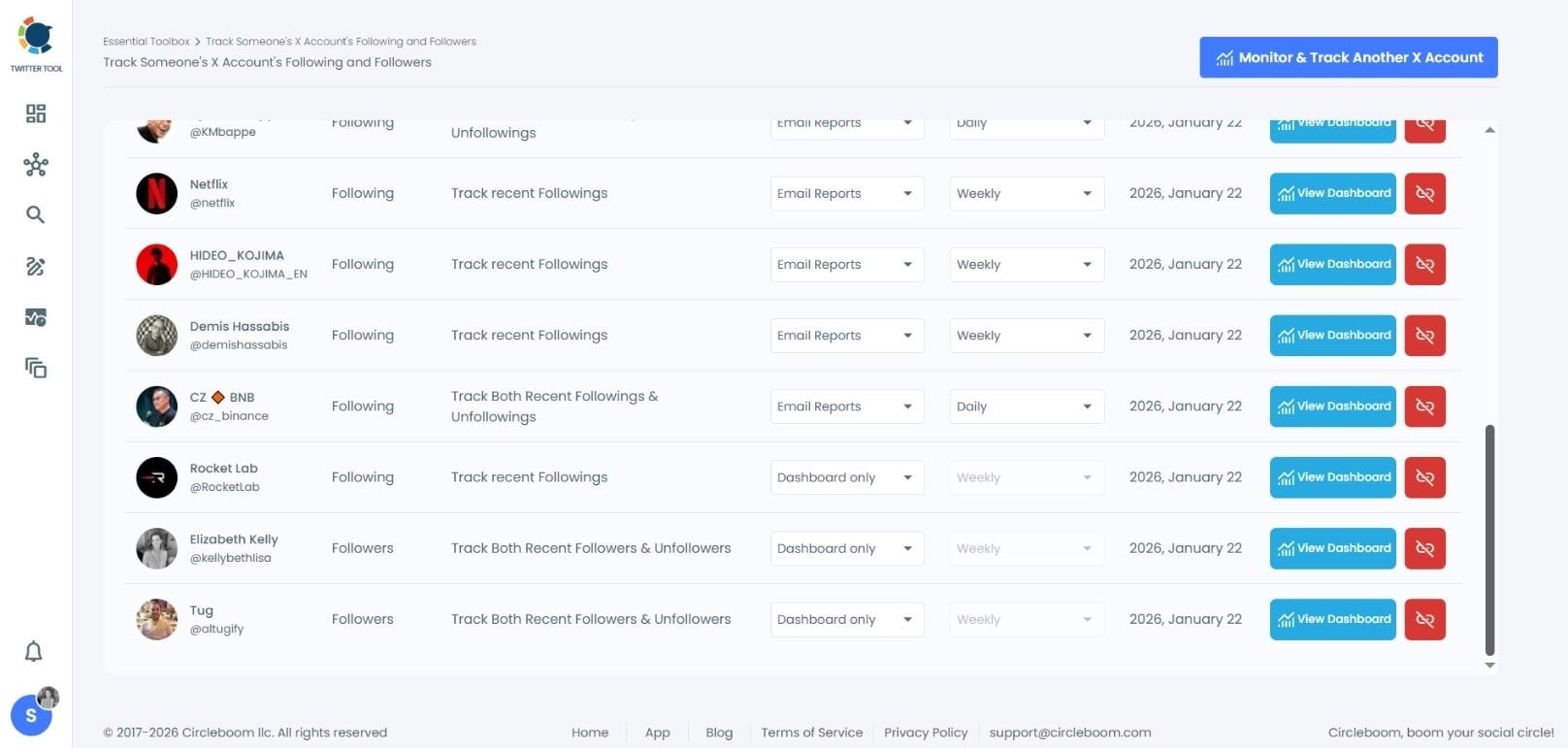
Step #2: I track many people and "CZ Binance" is one of them.
I want to track recent following of CZ Binance so maybe I can find new projects or partnerships.
Step #3: I find "1" recent following of CZ Binance.
Who is this profile?
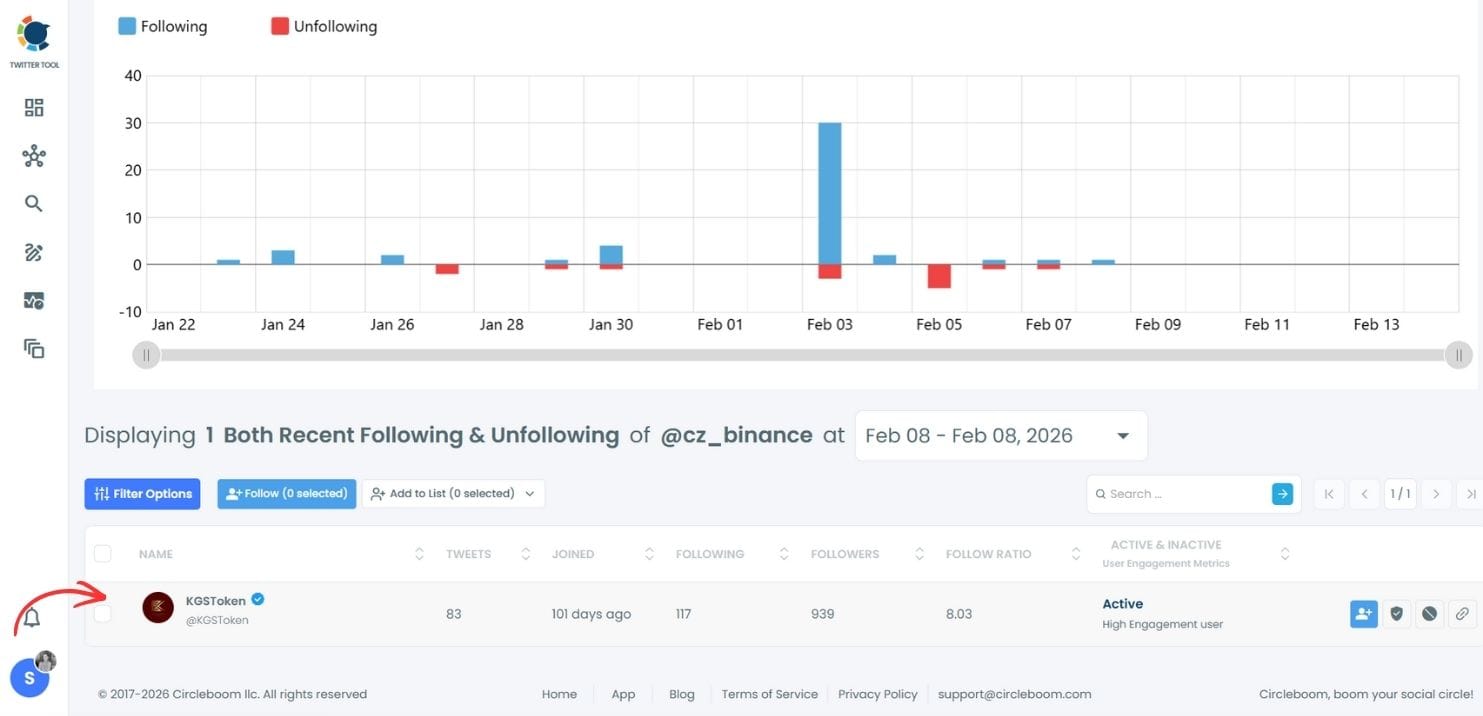
Step #4: It is the KGS Token, the national stablecoin of the Kyrgyz Republic.
Thanks to this, I learned it and I can explore possible collaborations.

What “Following Activity” Actually Means
The following activity is not just a number going up or down. It’s made up of real actions.
➡️ New follows show which accounts someone is choosing to connect with. Over time, these reveal interests, niche focus, and outreach patterns.
Unfollows show which accounts are being removed. This often indicates cleanup, non-reciprocal follow-up removal, or a shift in strategy.
When you track both together, you start to see the full picture. For example, a sudden increase in followings followed by unfollows usually points to deliberate growth tactics rather than random behavior.
 Arif Akdogan
What You Can Learn from Following Activity
Once you start tracking following activity consistently, patterns begin to appear.
You can see who an account is trying to connect with and which communities they are entering. This helps you understand their target audience more clearly.
You can also identify growth strategies. Some accounts follow aggressively during growth phases and then clean up their following list later. Others follow very selectively, which indicates a different approach.
Timing is another important signal. You can see when accounts are most active in following others and whether their activity is consistent or happens in bursts.
And beyond analysis, this data becomes actionable. By reviewing new followings, you can discover relevant accounts, find potential leads, and identify people worth connecting with. Instead of guessing who to follow, you’re making decisions based on real, recent activity.
Final Thoughts
You can’t reliably track someone’s following activity directly on X. The platform only shows static information, not changes.
But those changes are where the real insights are.
Following activity reveals intent, strategy, and behavior. It shows how accounts grow, who they target, and how they position themselves.
With Circleboom Twitter, you can track this activity clearly and consistently without manual effort. Instead of guessing or checking profiles repeatedly, you get structured, ongoing insights that actually help you understand what’s happening.
And once you start looking at activity instead of just numbers, everything becomes much easier to read.
%3F)
