

Following someone who already unfollowed you is a one-sided relationship that serves no one. You're filling your feed with their content. They're not seeing yours. At some point that follow became clutter, and the only reason it's still there is that Twitter gives you no way to see who unfollowed you, let alone act on it in bulk.
Most accounts have dozens or hundreds of these without realizing it. Someone followed you, you followed back, they left. It happens constantly and quietly. The follower count ticks down by one and that's the only signal you get.
With Circleboom Twitter, you can see the complete list of accounts that have unfollowed you, review them with full profile data, and unfollow them all at once directly from the dashboard. Clean list, one action.
Can you unfollow everyone who unfollowed you on Twitter at once?
Not through Twitter's native tools. Twitter gives you no way to see who unfollowed you and no bulk unfollow capability.
With Circleboom Twitter's Who Unfollowed Me feature, you can see every account that unfollowed you, filter the list as needed, and unfollow them all in bulk with one action directly from the dashboard.
 infocircleboom.com
What Is Circleboom Twitter?
Circleboom is an Official X Enterprise Developer, which means it works directly with X's official APIs. All data is based on publicly available follower information. No scraping, no credential sharing, fully compliant with platform rules.

Here's what Circleboom Twitter gives you for unfollower management:
- See every account that has unfollowed you with full profile data
- Filter unfollowers by time range, follower count, account age, and activity level
- Mass Unfollow selected accounts individually or in bulk with one click
- Whitelist specific accounts to protect them from any bulk action
- Set up daily or weekly email alerts for new unfollow events
infocircleboom.comIf you want to unfollow people who unfollowed you in bulk on Twitter, Circleboom Twitter is how you do it.
How to Unfollow People Who Unfollowed Me in Bulk with Circleboom Twitter
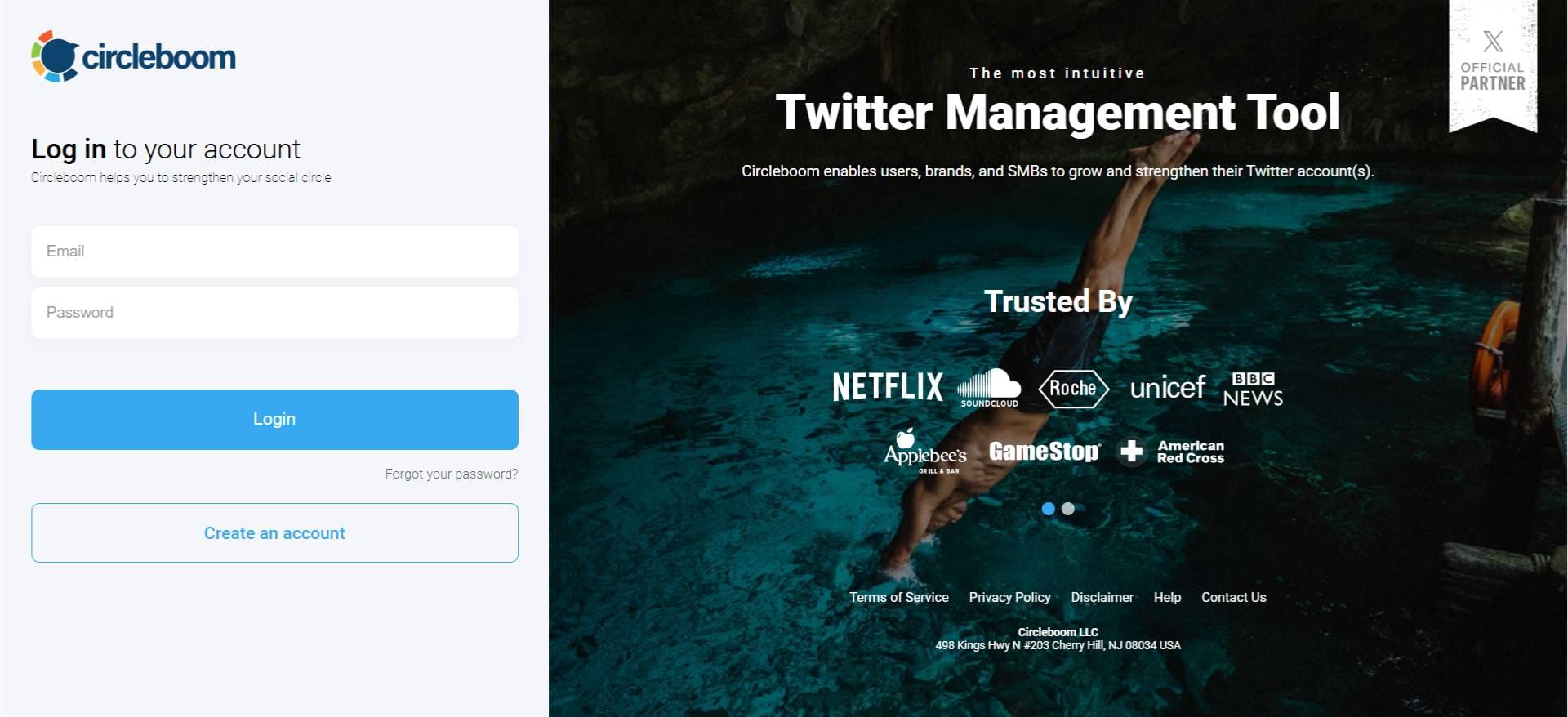
Step#1: As the first step, please go to Circleboom Twitter and login with your active e-mail address.
If you haven't got a Circleboom account yet, you can get one in almost no time!
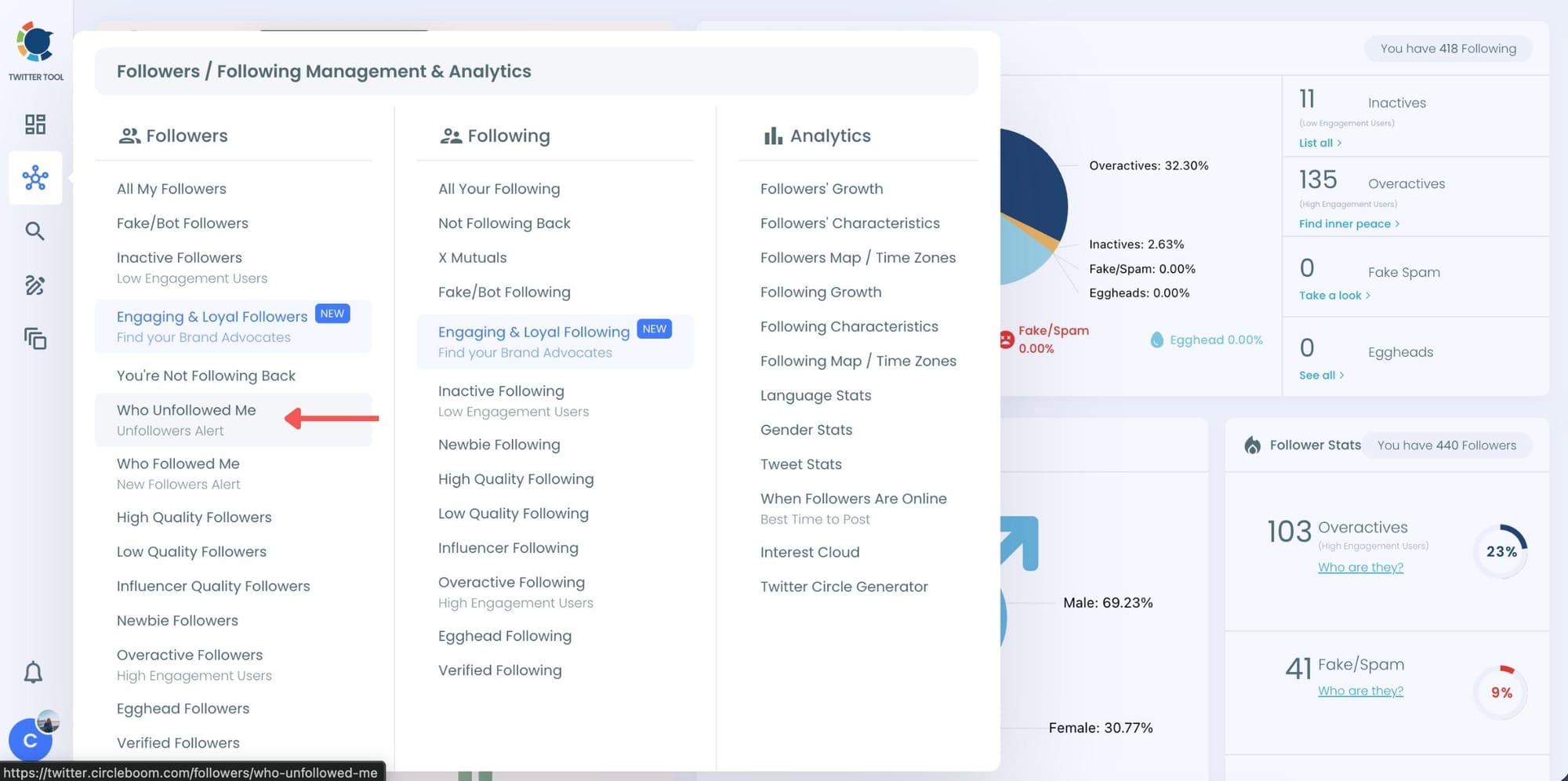
Step#2: You will see the "Followers" tab on the left. Navigate to it!
Then you will see the "Who Unfollowed Me?" option there.
Step #3: You will be able to check your Twitter unfollowers. If you wish, you can visit their Twitter profile and unfollow them!
Here are your Twitter unfollowers identified by Circleboom, you can unfollow them her with one click.
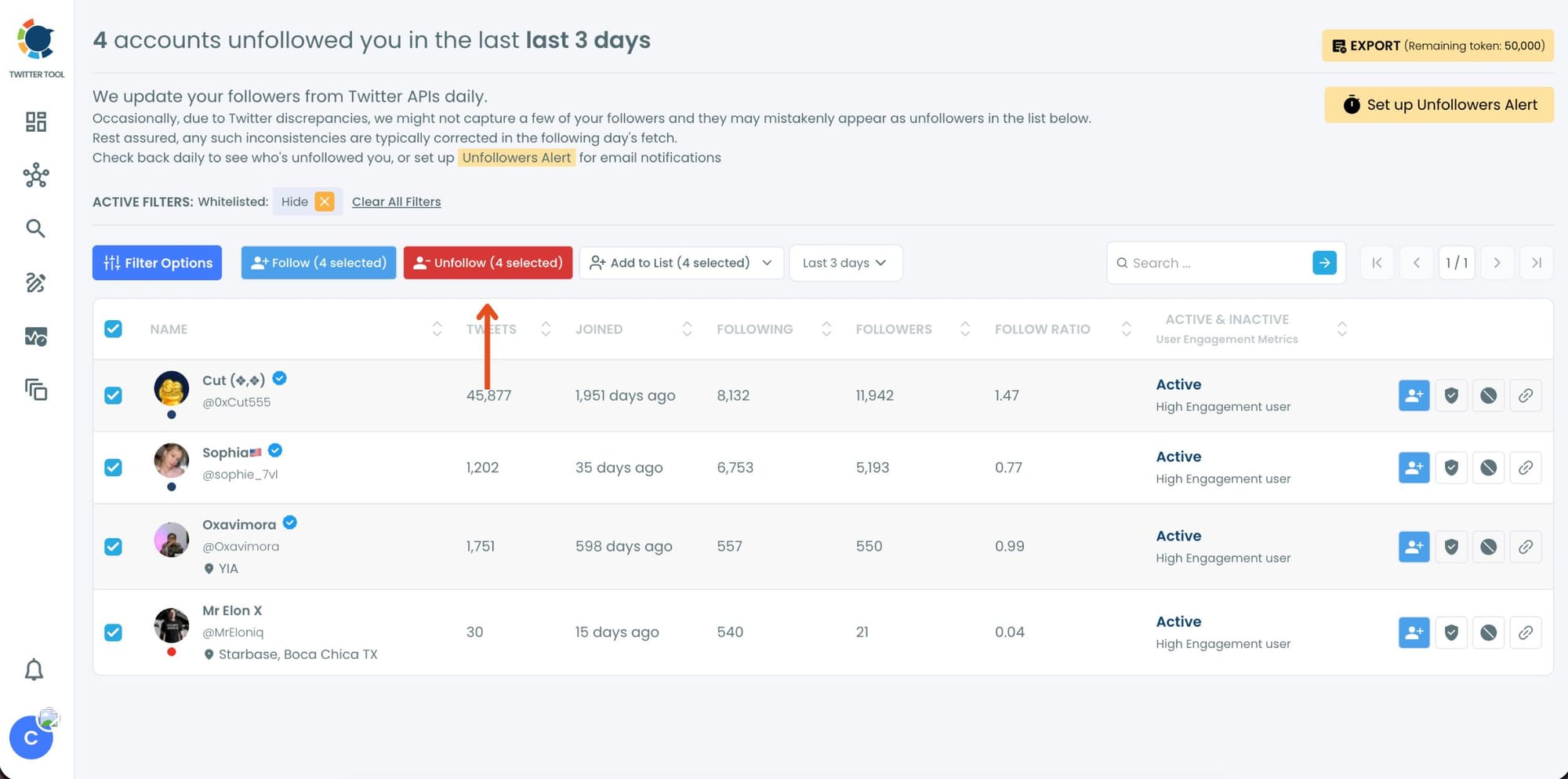
And, you can set up "Unfollowers Alert" to get notified immediately as someone unfollows you on Twitter!
Why One-Sided Follows Are Worth Cleaning Up
When you follow someone and they don't follow back, or they followed you and then left, the connection only exists on one side. That's not a relationship. It's a leftover.
The problem with letting these pile up is that they affect more than just the numbers.
A high following count relative to your follower count is one of the first things people notice when they visit your profile.
It reads as follow-farming, even when it isn't. An account with 4,000 following and 800 followers raises questions before you've read a single tweet. Keeping your ratio balanced is a credibility issue as much as a housekeeping one.
Beyond appearances, following accounts that have already disengaged means your feed is filled with content from people who decided your content wasn't worth staying for. That's not useful to anyone.
📌 Your following list directly shapes your feed, your ratio, and the signal your account sends to new visitors. One-sided connections affect all three. Cleaning them up regularly isn't obsessive. It's just basic account maintenance.
What You See Before You Unfollow
Circleboom Twitter doesn't hand you a list of names and ask you to bulk unfollow blindly.
Every account in the unfollower list appears with complete profile data: username, display name, bio, follower count, following count, tweet count, account creation date, and activity indicators.
That context matters. Some accounts that unfollowed you might still be worth following regardless. A brand you like, a creator whose content you want in your feed, a client or collaborator. The data lets you make that call before taking any action.
The whitelist feature exists for exactly this situation. Mark any account as protected and it will never be touched by a bulk action, no matter what filters you apply. Once whitelisted, that account is safe.
⚠️ Always review the list and set up your whitelist before running a bulk unfollow. The action is reversible if needed, but building the habit of reviewing first keeps you from unfollowing accounts you actually wanted to keep.
Why It Matters to Keep Your Ratio Clean
Your follower to following ratio is a visible signal. Anyone who visits your profile sees both numbers immediately. A balanced ratio signals an account that people choose to follow rather than one that chases follows. The cleanup is visible in both directions.
Your feed quality improves. Every account you unfollow is one less source of content in your timeline. When that account already left your audience, removing them from your following list means your feed reflects actual connections, not historical ones.
Your engagement environment gets cleaner. Following accounts that never engage with your content means you're engaging with a network that has already moved on. A tighter following list tends to mean more reciprocal interaction and a more active feed.
It's easier to maintain than to fix later. Running a bulk unfollow of 50 unfollowers every few weeks takes minutes. Letting it build up for a year and then dealing with hundreds at once is a bigger job. Regular cleanup through Circleboom Twitter's Who Unfollowed Me dashboard keeps the list manageable.
Frequently Asked Questions
Can you unfollow everyone who unfollowed you on Twitter at once?
Not natively. Twitter has no built-in tool for identifying unfollowers or taking bulk action on them. Circleboom Twitter's Who Unfollowed Me feature shows you the complete unfollower list and lets you unfollow all selected accounts in bulk from the dashboard.
How does Circleboom know who unfollowed me?
Circleboom tracks your follower list over time by taking regular snapshots and comparing changes between them. When an account that previously appeared in your follower list is no longer there, it's detected as an unfollow event and added to your unfollower list.
Can I review the list before bulk unfollowing?
Yes. The full unfollower list appears with complete profile data for every account before any action runs. You can review, filter, and deselect individual accounts. Nothing is unfollowed until you confirm the action.
Will accounts I unfollow be notified?
No. Twitter does not notify accounts when someone unfollows them. The accounts you unfollow will see no indication that you removed them from your following list.
Can I whitelist accounts I want to keep following?
Yes. Circleboom Twitter's whitelist feature lets you mark specific accounts as protected before running any bulk action. Whitelisted accounts are excluded from bulk unfollows regardless of any filters applied.
How often should I clean up one-sided follows?
Once a month is a practical baseline for most active accounts. If you participate frequently in follow-back communities or have been growing your following list quickly, more frequent checks make sense. The Who Unfollowed Me dashboard in Circleboom Twitter makes the process fast enough that it's not a significant time investment to run regularly.
Final Thoughts
Following someone who already left is just clutter. It inflates your following count, skews your ratio, and fills your feed with content from people who have already moved on.
Circleboom Twitter shows you exactly who unfollowed you and lets you clean it up in one action. Review the list, whitelist anyone you want to keep, and unfollow the rest.
Unfollow people who unfollowed you in bulk on Twitter with Circleboom Twitter.
infocircleboom.com
