

Keeping up with someone’s activity on X can be harder than it looks. Feeds move fast, and important posts can easily get lost. That’s why many people turn on post notifications. Once enabled, X alerts you every time that account tweets, so you never miss an update.
But this raises a common question: Can someone tell if you turn on post notifications on X?
No, they can’t. X does not notify users when someone enables notifications for their posts. This action is completely private and only visible to you.
However, there is a limitation.
🔔 X notifications only alert you when someone tweets, not when they follow or unfollow accounts or gain and lose followers. With Circleboom Twitter, you can also track follower and following activities in detail.
Why People Use Post Notifications on X
Post notifications are one of the easiest ways to stay updated without constantly checking profiles.
They are commonly used for:
- following creators who share valuable insights
- tracking competitors or industry leaders
- catching time-sensitive posts like giveaways, drops, or announcements
- staying updated with niche accounts that don’t tweet frequently
Instead of refreshing the timeline, notifications bring the content directly to you the moment it’s posted.
How to Turn On Post Notifications for an Account on X
If you want to keep up with someone’s tweets, turning on post notifications is very simple.
Step #1: Open X and go to the profile of the account you want to track.
Step #2: Tap or click the bell icon on their profile page.

Step #3: Once the bell is activated, X will send you notifications when that account posts.

A Better Way to Track X Account Activity
If you want to go deeper than tweets, this is where Circleboom Twitter becomes useful.
Circleboom Twitter is an official X Enterprise Developer, which means it works directly with X’s official APIs and follows platform rules.

Instead of just showing surface-level activity, it allows you to track accounts in a much more detailed way.
✅ With Circleboom Twitter, you can monitor how an account’s follower and following lists change over time.
 infocircleboom.com
With it, you can:

- see who an account followed

- see who an account unfollowed

- monitor new followers and lost followers over time
This turns passive tracking into real insight. Instead of just seeing what someone posts, you start seeing how they move and grow on the platform.
How to Track Someone’s X Activity with Circleboom Twitter
Tracking an account’s follower and following activity is straightforward.
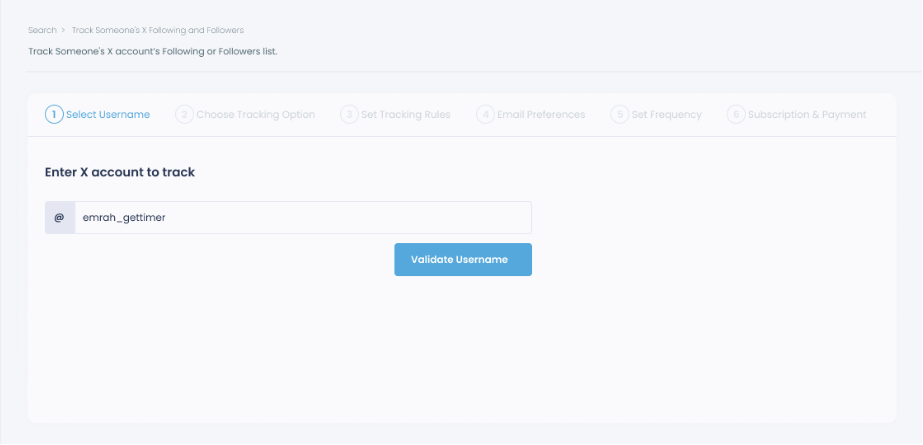
Step #1: Select any username you want to track on X.
You will track their recently followed audience.
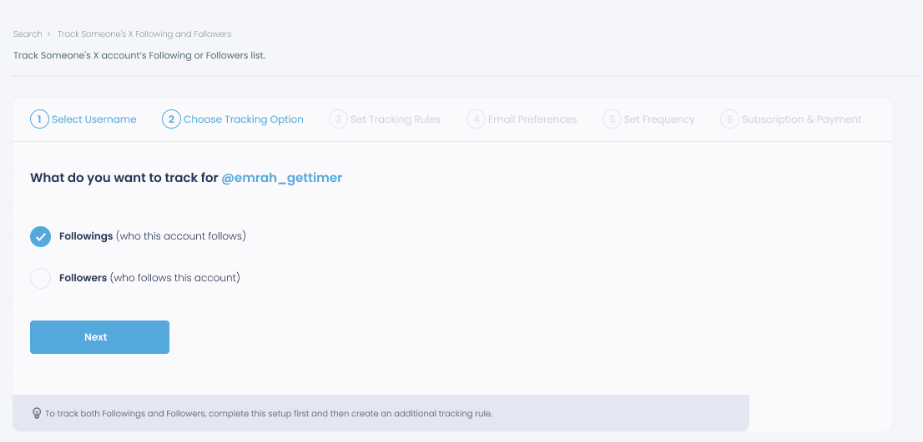
Step #2: Next, you will choose "Followings" or "Followers".
You should select one of the tracking options.
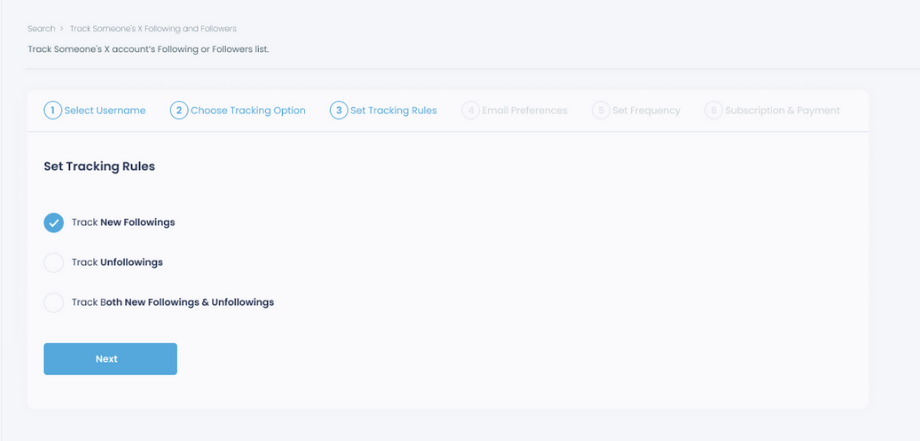
Step #3: Regarding the followers, you can track new, recent followers and unfollowings.
You can track both at the same time!
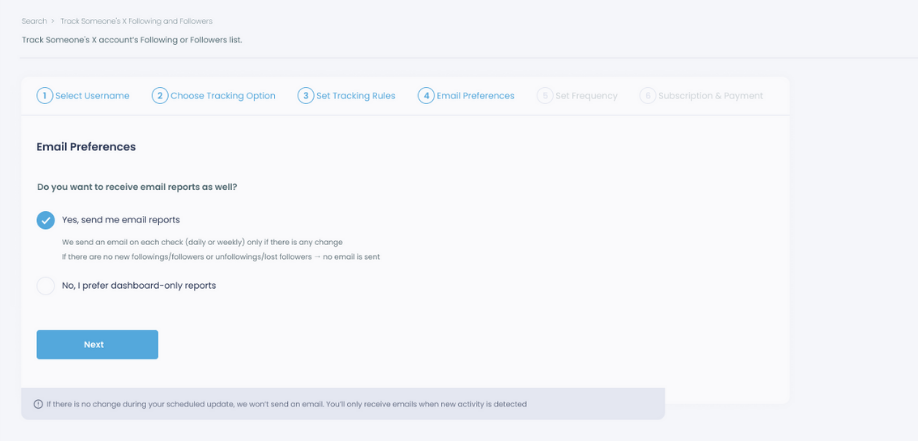
Step #4: For your tracking operations, you can receive email updates for each check.
You can still track new followings or followers without email notifications. You can monitor the following or followers with dashboard-only reports.
Step #5: Now, you should set the frequency.
You can get "Daily Tracking" or "Weekly Tracking".
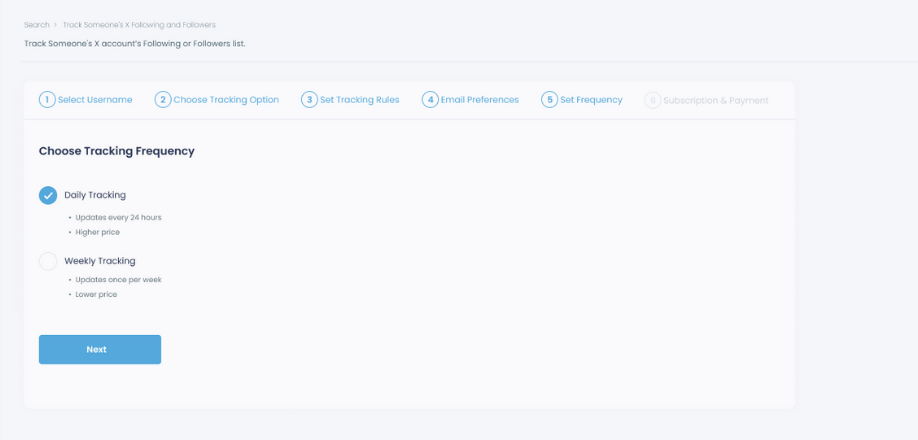
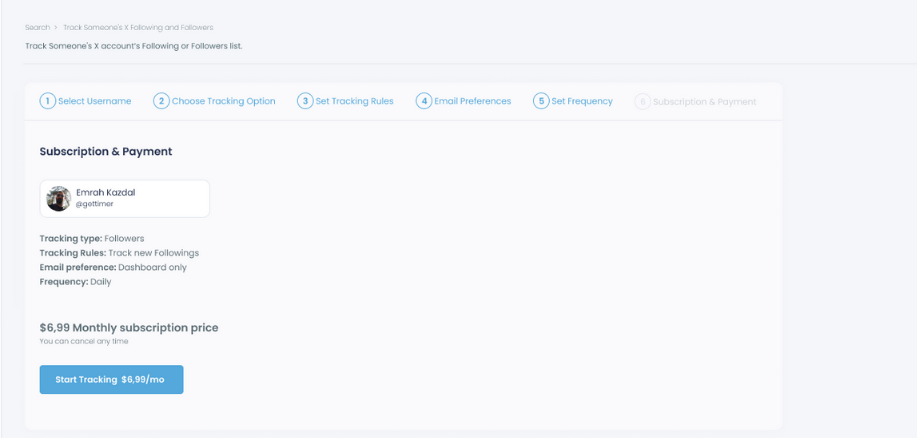
Step #6: The next step is subscription.
After checking the rules, you can start tracking.
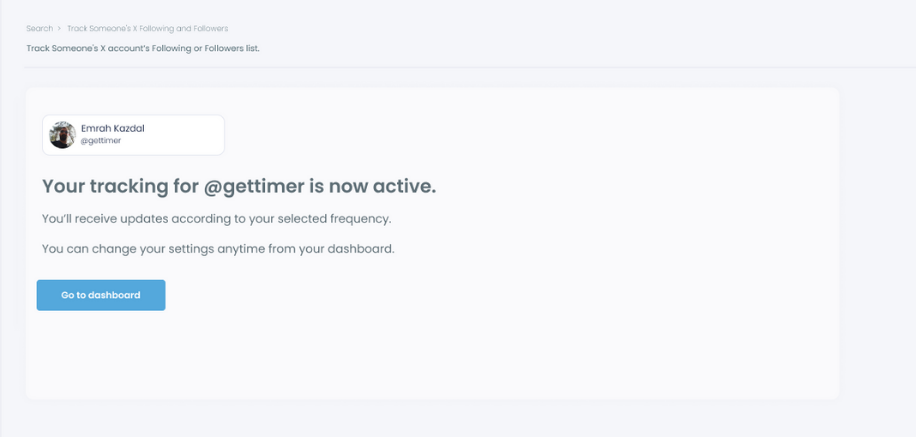
Tracking is now active.
That's it! Now you can monitor newly followings and followers of anyone on X with Circleboom!
Why This Is More Useful Than Native X Notifications
X notifications are great for catching tweets, but they don’t help you understand patterns.
Circleboom fills that gap.
For example, you can:
➡️ monitor competitors and see who they are connecting with
➡️ track influencers and understand their growth strategy
➡️ follow niche accounts and see how their network evolves
➡️ observe trends in specific communities
This level of tracking is especially useful for marketers, creators, and anyone who uses X strategically.
Who Should Use This
This kind of tracking is especially useful for:
- marketers analyzing competitors
- creators studying successful accounts
- recruiters tracking industry profiles
- traders following influential accounts
- anyone who wants deeper insights into X activity
Conclusion
Turning on post notifications on X is completely private. No one will know if you enabled notifications for their account.
However, while notifications help you stay updated with tweets, they only show a small part of the picture.
If you want to understand real activity such as follower growth, following behavior, and account changes, Circleboom Twitter provides a much more advanced and detailed way to track it.


