
The problem is simple and frustrating: X shows you a competitor's follower count, but never how that count moves. You can see they have 38,000 followers today, yet the platform keeps no history, no daily change, and no record of which accounts arrived or left. To track competitor follower growth day by day on Twitter, you need dated snapshots of the same account, taken on a schedule and compared against each other. Circleboom does exactly that for any public X account.
Daily tracking gives you three things a follower count cannot.The net follower change for each individual day, plotted on a dated chart.The specific accounts that started following, with full profile details.The accounts that unfollowed during the same window, shown as losses.
Set this up once and Circleboom keeps the record running. Activate it on the track competitor follower growth day by day twitter page and let the snapshots accumulate.
This guide explains why the native count falls short, what daily tracking actually records, and the exact steps to set it up for any competitor.
Why a Follower Count Is Not Growth Data
A follower count is a single point. Growth is the distance between two points measured over time, and a public X profile gives you only the first one. There is no daily delta in the interface, no changelog, and no notification when a competitor gains or loses followers.
This creates a measurement gap. An account at 38,000 followers could be adding 250 a day or could have been frozen at that number for a year. The static figure looks identical in both situations. Without dated measurements you cannot tell a steady climber from a stalled account, and you certainly cannot tell whether yesterday's campaign moved anything.
The gap also hides direction. A competitor could be gaining 300 followers and losing 280 every day, a churn pattern that nets to almost nothing yet signals a serious retention problem behind a flat-looking total. Net change conceals that turnover entirely. Only a tool that records both the gains and the losses each day can reveal whether a stable count reflects genuine stability or a leaking bucket being constantly refilled.
The deeper gap is identity. Even when you notice a count rise, the platform will not tell you who the new followers are. Retrieving a full follower list is a deliberate, paginated request, as the X API followers documentation describes, not something the consumer app surfaces over time. Daily tracking solves both problems at once: it records the number and the names.
What Daily Tracking Records
Circleboom takes a dated snapshot of a tracked X account at scheduled intervals, then computes the difference between consecutive snapshots. Each difference becomes a dated entry you can read three ways.
The activity chart shows the volume and direction of change. Blue bars above the line mark days the account gained followers; red bars below mark days it lost them. A scrollable timeline runs across the full tracking period, so a month of growth reads as a shape, not a guess.
Below the chart sits the account-level detail. Click any date and the grid lists the exact profiles tied to that day's movement, each with bio, follower and following counts, join date, and activity indicators. This is where a raw "+200" becomes "+200, and a third of them work at one company."
You can export that grid the same way you would export Twitter followers to a spreadsheet for your own account, turning a day's change into a row in a report.
Because Circleboom operates as an official X Enterprise developer, every snapshot draws public data through the approved API rather than scraping. That distinction matters for monitoring that must run unbroken for weeks: even the quickest way to track Twitter followers is only useful if the pipeline behind it stays compliant and does not break. A fragile scrape would not last.
The Following Side Carries Early Signal
Follower tracking shows who is arriving at a competitor. Following tracking shows what the competitor is doing, and it often moves first.
A follow is a deliberate choice an account makes before any public statement. When a competitor begins following a cluster of recruiters, a hiring push tends to follow. When the account starts following companies in an adjacent market, a positioning shift may be underway. Tracking the following list daily turns these quiet decisions into a dated record you can review in sequence rather than reconstruct after the fact.
A single new follow means little on its own, but three or four in the same niche within a few days form a pattern worth acting on before it becomes public news. The principle behind reading power followers applies here too: the identity and pattern of connections matter more than the headline number.
How to Track Competitor Follower Growth Day by Day
The setup runs through a short wizard. There are seven steps, grouped into pointing Circleboom at the right account and tuning what it reports.
Select and Validate the Competitor
1. Open Circleboom Twitter Management and sign in to your account.

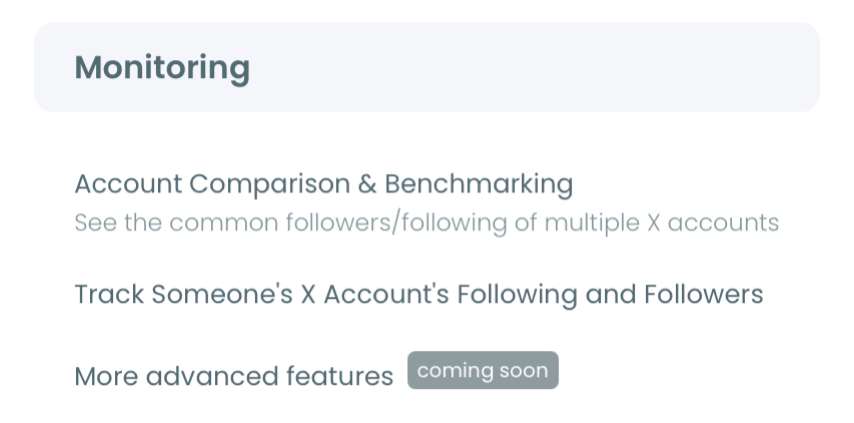
2. Navigate to the Monitoring menu from the main dashboard.
3. Enter the competitor's X username and click Validate Username to confirm the account is public and trackable.
Configure the Daily Report
- Choose the tracking option: Followers to monitor their audience, or Following to monitor their intent. Each is a separate rule.
- Select which changes to detect: new follows, unfollows, or both directions.
- Set email preferences to daily so a snapshot summary arrives each day, or keep reports dashboard-only.
- Activate the subscription, then open View Dashboard to read the dated bar chart and the per-day account grid.
After activation, the record builds on its own. Each new day adds a bar, and within a week the difference between steady growth and an occasional spike becomes obvious without any manual checking.
What the Filters and Controls Actually Do
The dashboard is more than a chart, and learning its controls is what separates skimming from reading. Each control answers a specific question about a competitor's daily movement, so it helps to know what each one is for before you start.
- The date-picker dropdown isolates a single day or a window, so you can study only the followers gained the week of a launch.
- The activity toggles show or hide the Following and Unfollowing series, letting you read gains and losses on their own.
- The inline search runs across name, username, and bio, turning a busy day into the handful of accounts tied to a company or role.
- Column sorting orders the grid by follower count, join date, or tweet volume to surface the accounts that matter.
Underneath those controls sits the same Filter Options panel the rest of Circleboom uses, so you can narrow a day's accounts by quality, verification, location, or follower count. That panel is how a raw list of new followers becomes a segment you can actually act on, rather than a wall of usernames.
The Manual Method and Why It Breaks
The do-it-yourself version of this task is to open a competitor's profile each morning, note the count, and keep a spreadsheet. It fails for a structural reason: the platform stores no history, so the figure you write down loses all context the moment the day turns over. You end up with a column of numbers and no record of which accounts arrived to produce them.
An unofficial pull is worse. A scraping approach can read a list once, but it tends to get throttled or blocked within days when it runs continuously, and it carries compliance risk the whole time. The reliable path is the opposite: let an approved pipeline take the snapshot, store it, and compute the delta. If your broader goal is to analyze someone's Twitter followers over time, that stored daily record is the foundation everything else builds on, and it is the same discipline behind a steady track my Twitter followers daily, weekly, monthly routine for your own account.
Turn Daily Data Into Decisions
Daily tracking is most useful when paired with comparison and export. Run the numbers beside a Twitter follower stats view to put a competitor's daily curve in context, and use the export Twitter accounts tool to move detected accounts into a spreadsheet for deeper work.
A few habits sharpen the signal:
- Tie spikes and drops to known events: launches, viral posts, controversies, or campaigns.
- Read patterns across days rather than reacting to a single follow.
- Watch the following side as well as the follower side for earlier intent.
- Export important windows for client reports or quarterly reviews.
If you also want to grow your own side, the same data discipline behind learning to collect Twitter followers without coding applies: measure first, then act on what the measurement shows.
Frequently Asked Questions on Daily Competitor Tracking
How many competitors can I track at once?
The number depends on your plan and remaining Tracking Tokens, since each active tracking rule consumes tokens. You can add more competitors as long as your token balance supports them.
Does the competitor get notified?
No. Tracking uses only public data through the official API, and the tracked account receives no notification that it is being monitored.
How quickly does new daily activity appear?
Tracking runs on periodic snapshots rather than real-time streaming, so there is a short lag between an event on X and its appearance in the dashboard. Daily email alerts are sent on schedule and only when a snapshot detects a change.
Can I monitor both their followers and their following?
Yes, but each direction needs its own tracking rule. Set up Followers first, then create a second rule for Following on the same account. Each rule is an independent subscription that consumes its own Tracking Token, so a fully monitored rival uses two.
What happens to the history if I pause or cancel?
Pausing stops new snapshots but preserves the dashboard history you have already collected, so you can resume later and extend the same curve. Canceling a subscription may affect retention depending on the plan terms, which makes pausing the safer option when you only want to stop the meter for a while.
Does exporting use the same tokens as tracking?
No. Export Tokens and Tracking Tokens are separate balances. Active tracking rules draw down Tracking Tokens on each snapshot, while downloading a CSV of detected changes draws down Export Tokens, so heavy reporting will not quietly drain the tracking that feeds it.
To track competitor follower growth day by day on Twitter, work through the checklist: log in, open Monitoring, validate the competitor, choose Followers or Following, set daily reports, and activate tracking. From that point Circleboom records dated snapshots automatically, and your job shifts from collecting data to reading the curve, spotting patterns, and deciding when a competitor's daily movement is worth a response of your own.