
No. The owner of a tweet cannot see who bookmarked it.
No notification goes out when you save a tweet. No name appears on their end. No alert, no view, no signal of any kind reaches the person who posted it. If you've been holding back from bookmarking something because you thought the author might find out, that concern has no basis. Bookmark freely.
The only bookmark-related information that has become partially visible on X is a total count shown on some tweets. Even that is just a number. There are no accounts behind it, no timestamps, no way for the author to trace a bookmark back to you.
Your bookmarks are yours. Private, silent, and invisible to everyone except you.
But here's the thing worth knowing: while the tweet owner can't see your bookmark, they can delete the tweet. And when they do, it vanishes from your list without warning. That's the real risk with bookmarks on X. Not privacy. Permanence.
Can the owner of a tweet see who bookmarked it?
No. Tweet owners cannot see which accounts bookmarked their tweet, cannot see when a bookmark was added, and receive no notification when someone saves their post.
The only bookmark data that has become partially visible on X is a total count on certain tweets, and even that shows a number with no account information attached. Bookmarks are entirely private to the person who saved them.
To protect the tweets you bookmark from disappearing if the original is deleted, you can export your full bookmark list as a CSV file using Circleboom Twitter, which saves the content independently of whether the original tweet still exists.
What Is Circleboom Twitter?
Circleboom is an Official X Enterprise Developer, which means it works directly with X's official APIs. Everything it accesses is done through compliant, verified connections. No scraping, no workarounds, no credential sharing.

Here's what Circleboom Twitter gives you when it comes to managing and protecting your saved content:
🟢 Export your full bookmark list as a structured CSV file
🟢 Save tweet text, links, and metadata independently of the original post
🟢 Access your exported bookmarks even after the original tweets are deleted
🟢 Organize saved content outside of X's basic scrollable list
🟢 Run exports at any time to keep your bookmark archive up to date
If you actively bookmark tweets and want to make sure what you saved stays accessible, Circleboom Twitter's bookmark export feature is how you do it.
 infocircleboom.com
How to Export Your Twitter Bookmarks with Circleboom Twitter
Exporting your bookmarks with Circleboom Twitter is simple and only takes a few minutes.
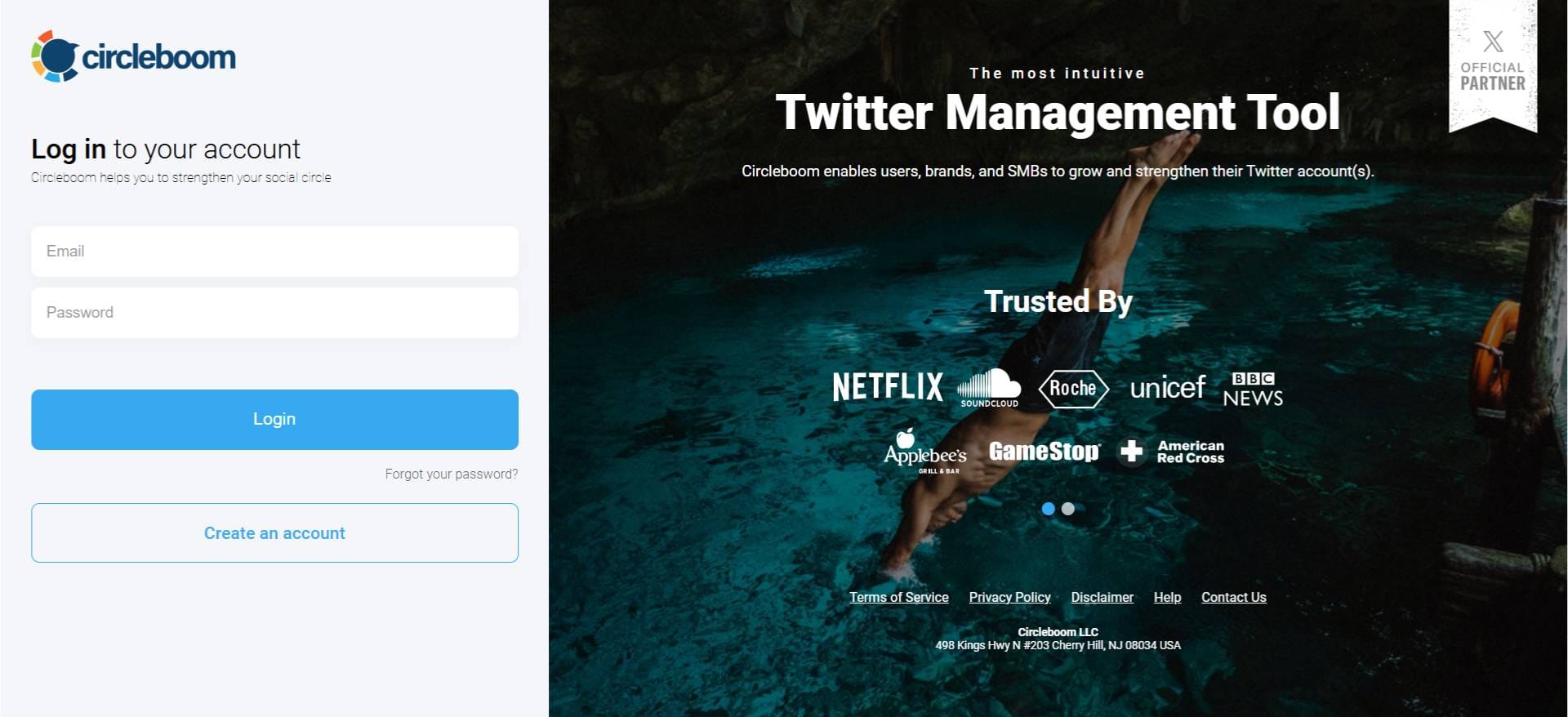
Step #1: Log In to Circleboom Twitter
Go to the Circleboom Twitter website and log in with your credentials. If you’re a new user, sign up, it’s quick and easy!
Step #2: Go to your Bookmarks
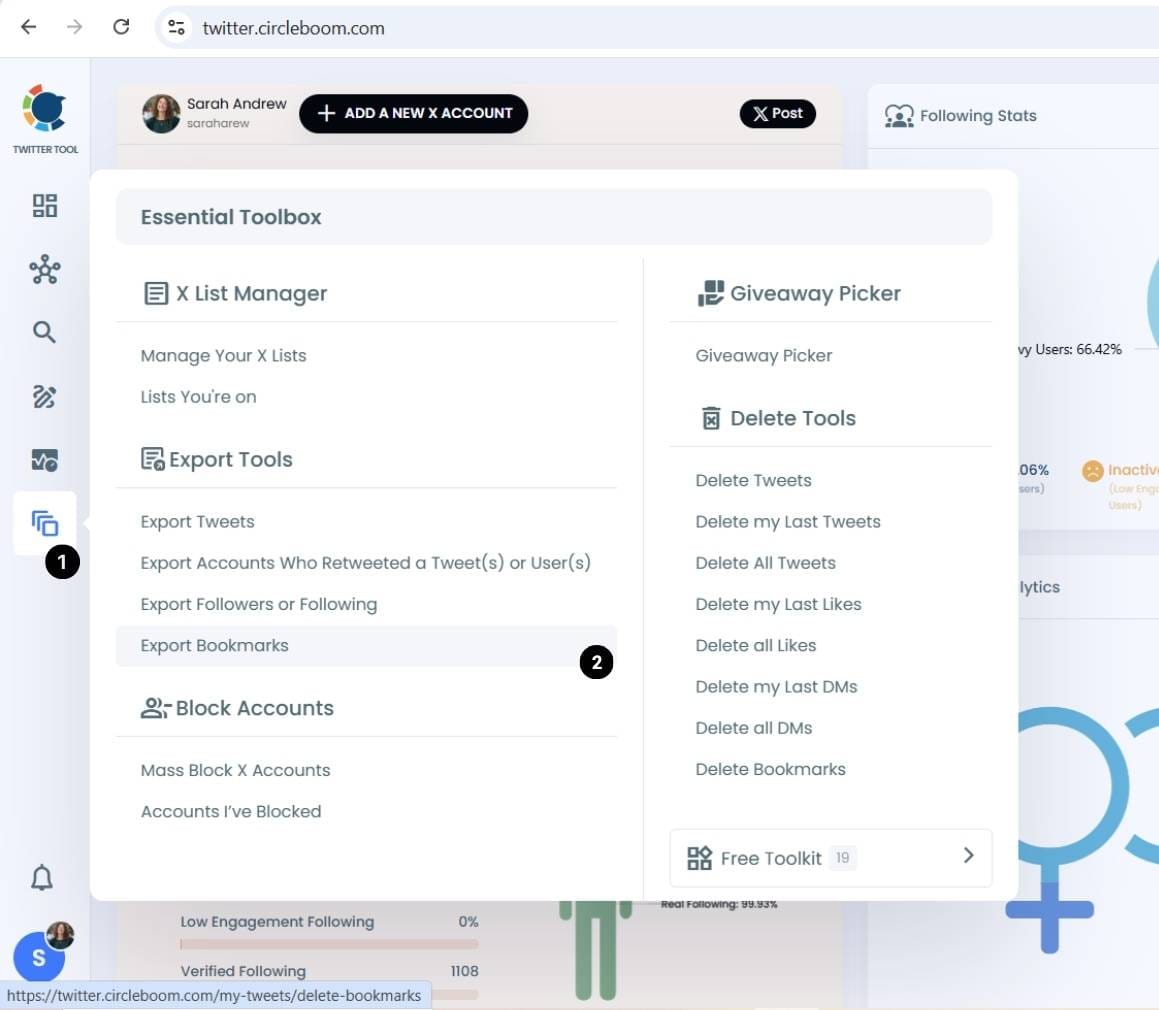
In the left-side menu, click on “Essential Tools” and then select “Export Bookmarks” from the dropdown.
Step #3: View and Manage Your Bookmarks
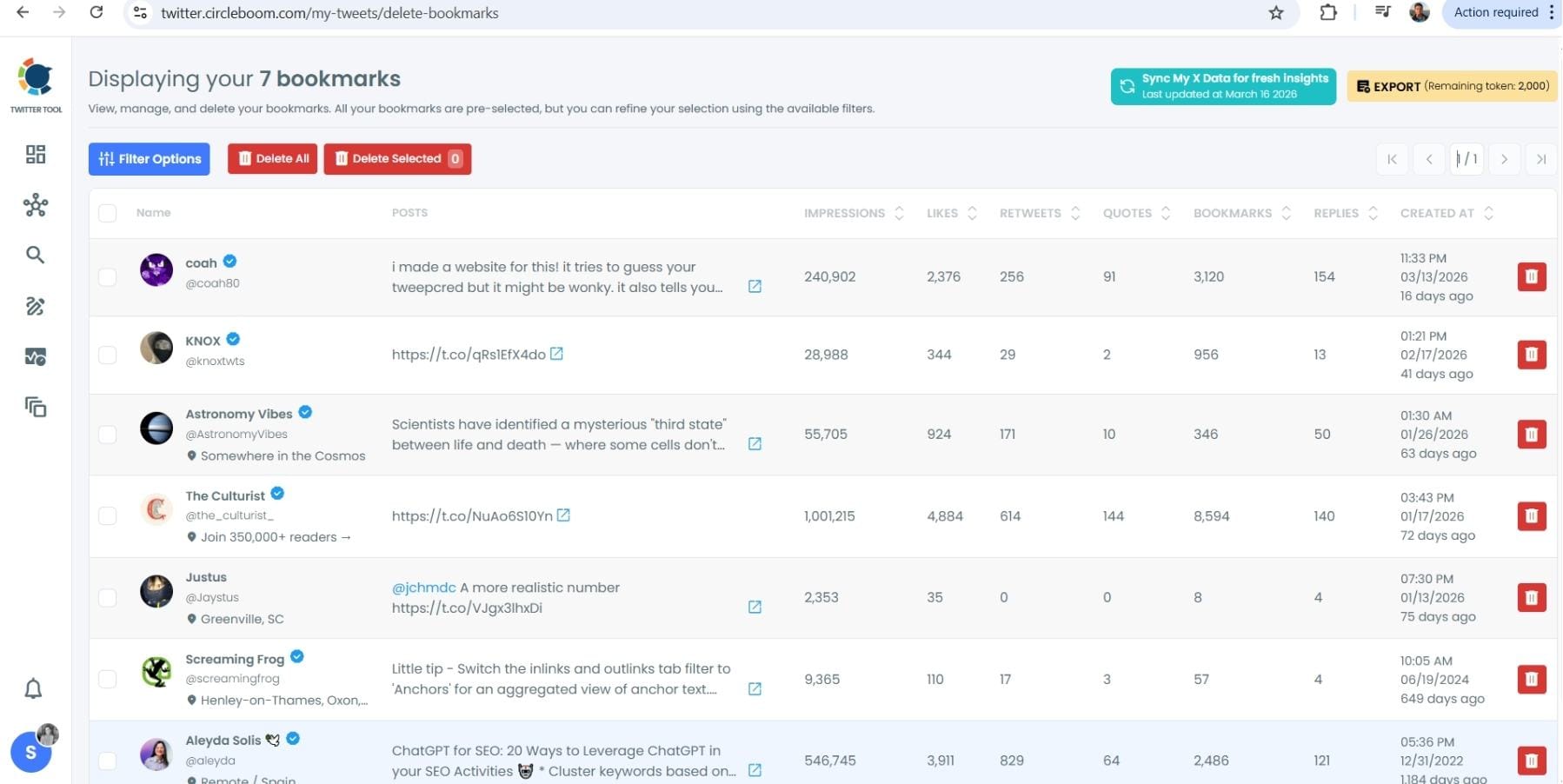
After opening the "Delete Bookmarks" section, you'll see all your saved tweets.
The page will display essential details such as likes, retweets, replies, and impressions for each bookmarked tweet.
This allows you to filter, organize, and select bookmarks for export.
Step #4: Use Filters to Find Specific Bookmarks
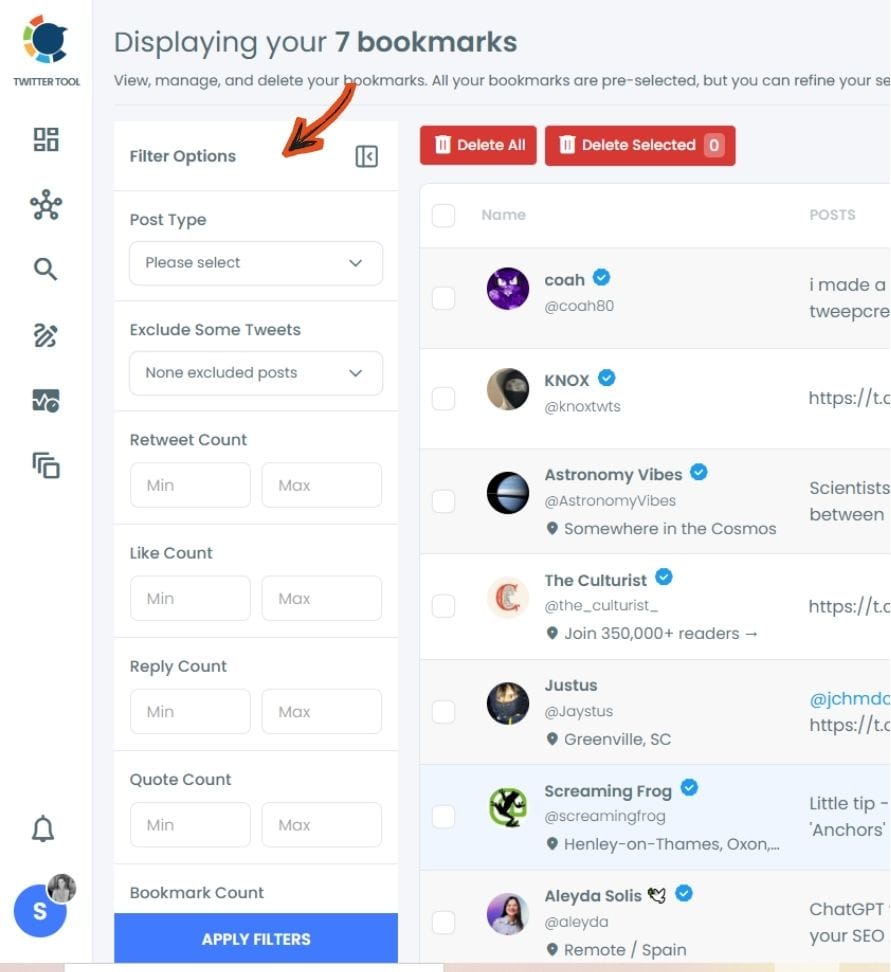
Click on “Filter Options” on the right side of the screen.
You can refine your bookmarks based on engagement (likes, retweets, impressions), date, language, and tweet type (posts, replies, or reposts).
Step #5: Select and Export Your Bookmarks
Check the box next to each tweet you want to export, or click "Select All" to export all bookmarks.
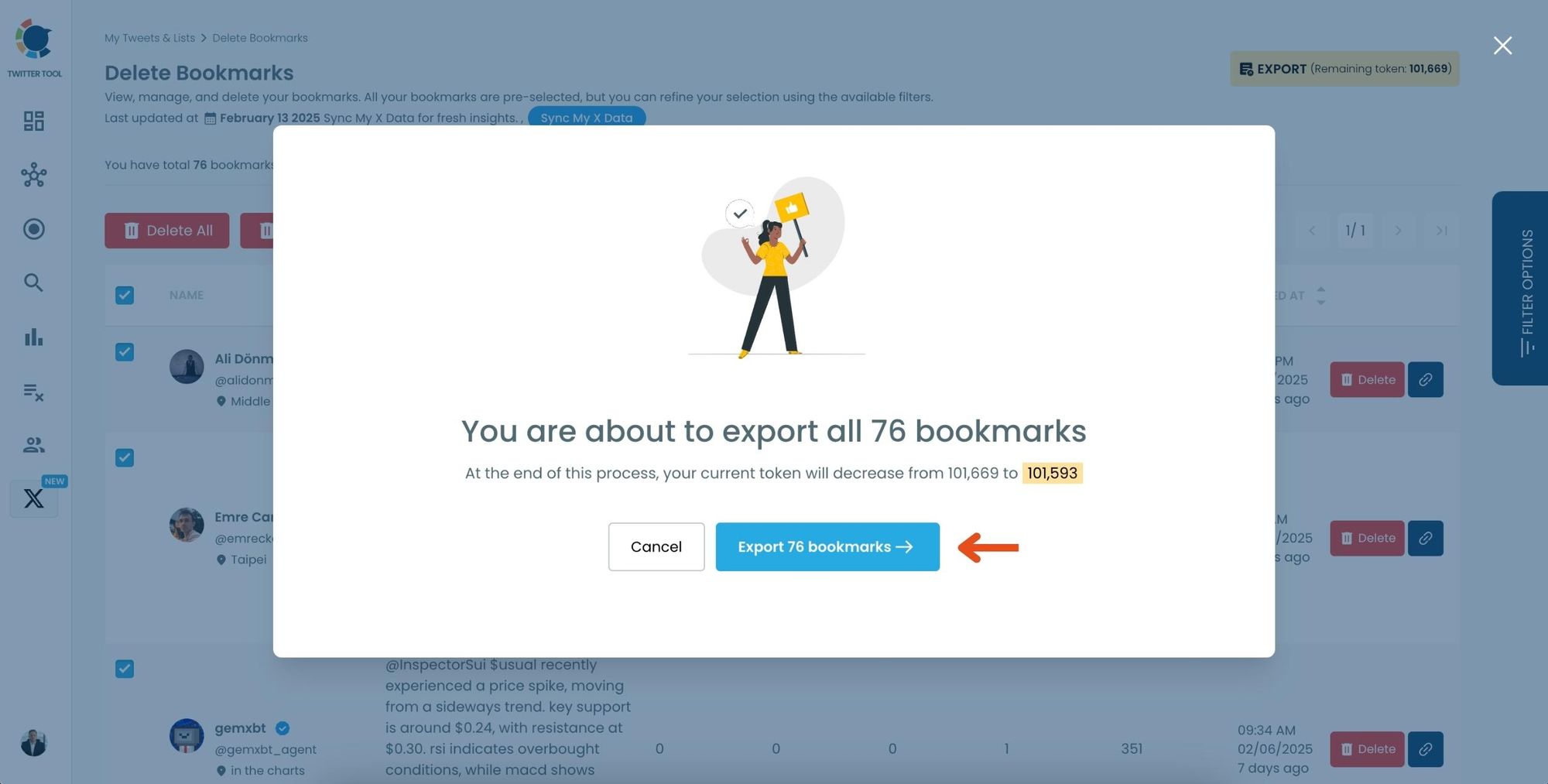
Click on the “Export” button at the top right. You are one step away from downloading all your Twitter bookmarks.
A confirmation message will pop up showing the number of bookmarks you’re about to export.
Click “Export X Bookmarks”, and your bookmarks will be downloaded as a file.
Step #6: Access and Use Your Exported Bookmarks
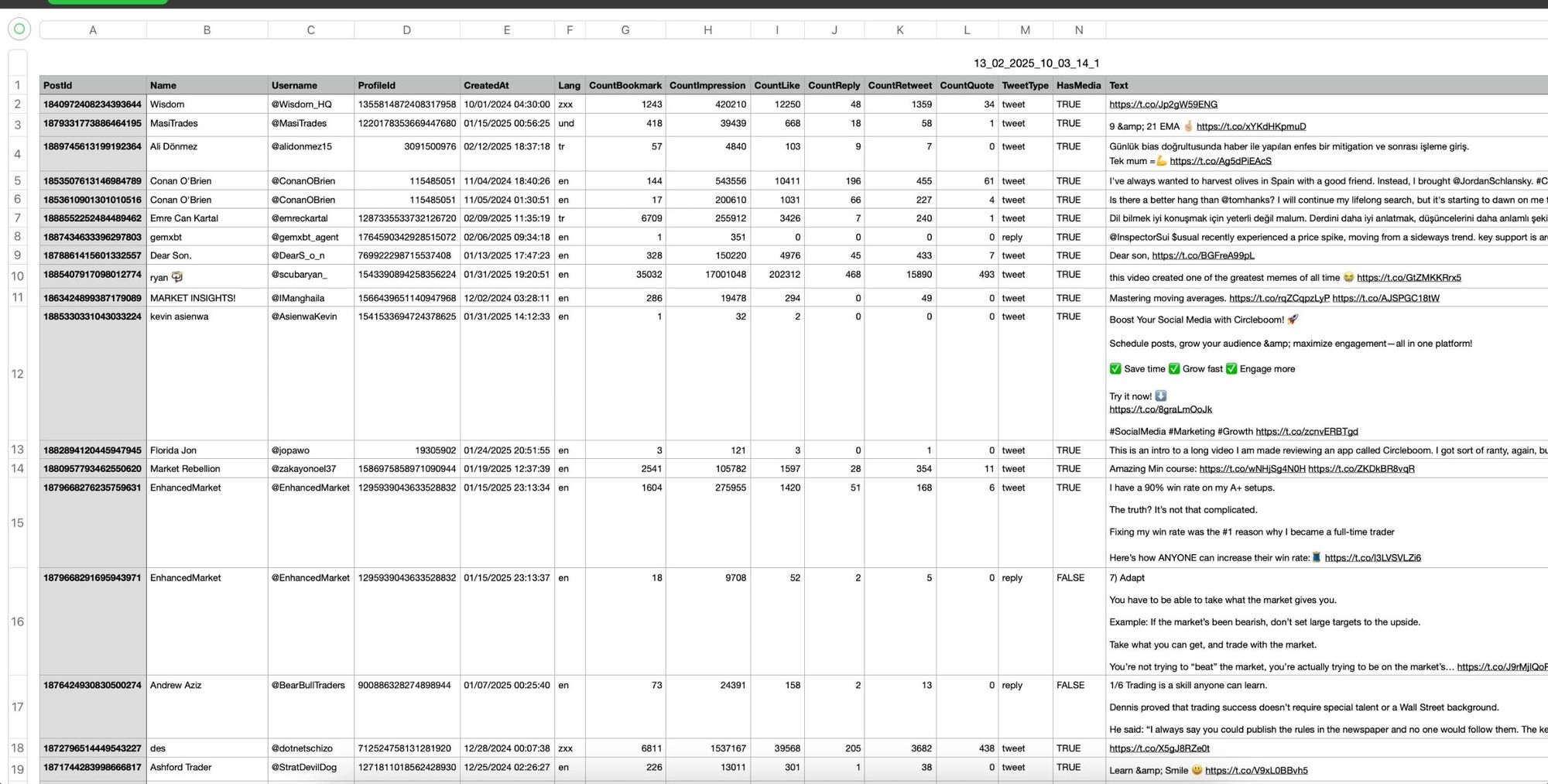
Once the bookmarks are exported, they will be saved in a spreadsheet format (CSV or Excel file).
The file contains detailed tweet information
This organized format makes it easy to search, sort, and reference your saved tweets whenever needed.
By exporting your X bookmarks, you ensure that important tweets remain accessible even if they get deleted or lost.
The One Thing the Tweet Owner Can Do
They can't see your bookmark. But they can delete the tweet.
The moment they do, the bookmark is gone. Not moved, not archived, not replaced with a cached version. Just gone. You open your bookmarks and find a blank space where that thread used to be, with no indication of what was there or who posted it.
This happens more regularly than most people expect. Accounts get suspended by X and all their tweets disappear overnight.
People do periodic cleanups and delete hundreds of old posts at once. A creator removes a thread they later regretted posting. A news tweet gets deleted after the story develops. None of these events send you a warning. Your bookmark list just quietly empties in the background.
⚠️ Anything you bookmark on X is only as permanent as the original tweet. The tweet owner has no power over your bookmark list, but they have complete power over the tweet itself. When one goes, the other follows automatically.
This is the gap that most people don't think about until it happens to them. The privacy side of bookmarks is solid. The permanence side has always been fragile.
Why Exporting Your Bookmarks Is the Only Real Protection
Once a tweet is deleted, there is no recovery path. X doesn't archive deleted content for users, and there's no way to retrieve what a bookmark used to contain after the source is gone. The only protection is getting a copy out before it disappears.
Circleboom Twitter lets you export your full bookmark list as a CSV file. The export captures tweet text, links, and metadata so you have a complete, readable record of what you saved, permanently independent of whether the original tweet still exists on the platform.
If you save threads for research or reference, deleted tweets are a genuine problem. A thread you bookmarked six months ago as a source can vanish when the account is suspended or the person cleans up their profile. Once the export is done, the content is in your file regardless of what happens to the original.
If you bookmark content ideas to revisit later, the same risk applies. Creators often delete old tweets when they rebrand or shift direction. The ideas you saved from their earlier work disappear with those posts. An exported copy keeps them accessible even after the source account moves on.
If you save long-form threads to read later, those are often the most vulnerable. Threads take more effort to write and are more likely to be deleted, edited, or broken up later. Bookmarking them doesn't protect them. Exporting does.
If you want to organize your saved content beyond what X allows, the export gives you a structured file you can sort, filter, tag, and search in a spreadsheet. X's native bookmark experience is a scrollable list with a basic search bar. A CSV export turns your bookmarks into something you can actually work with.
📌 Exporting your bookmarks is not about distrust of the platform. It's about owning your own saved content in a way that doesn't depend on someone else's decisions about what stays published.
 Altug Altug
Frequently Asked Questions
Can the owner of a tweet see who bookmarked it?
No. Tweet owners have no visibility into who has bookmarked their posts. They receive no notification, no name, and no account data when someone saves their tweet. The only bookmark-related metric that has become partially visible on X is a total count on certain tweets, and even that shows nothing about who specifically saved the post. Your bookmarks are completely private.
Does Twitter send a notification when someone bookmarks a tweet?
No. X does not send any notification to a tweet's author when someone bookmarks it. The action is entirely silent from the author's perspective. This was a deliberate design decision by X to make bookmarks a private, pressure-free way to save content without creating a public engagement signal.
What happens to my bookmarks when a tweet is deleted?
When a tweet is deleted, any bookmark pointing to it disappears from your list automatically. There is no warning, no archived copy, and no way to recover what the bookmark contained after deletion. This applies to all forms of deletion including the author removing the tweet, the account being suspended, or X removing content that violates policies.
Can I recover a bookmark after the original tweet is deleted?
No. Once a tweet is deleted, the bookmark is gone and the content cannot be recovered through X. The only way to protect against this is to export your bookmarks before deletion occurs. Circleboom Twitter lets you export your full bookmark list as a CSV file, which captures the tweet content independently and remains accessible even after the original post no longer exists.
How do I export my Twitter bookmarks?
X does not offer a native bookmark export feature. To export your Twitter bookmarks, you can use Circleboom Twitter's bookmark export tool, which connects through X's official API and generates a downloadable CSV file containing your saved tweets with their text, links, and metadata. The process does not require any manual copying or third-party scraping.
Is there a limit to how many tweets I can bookmark on Twitter?
X has introduced a bookmark limit for non-premium users, capping the total number of saved tweets on the free tier. X Premium subscribers get unlimited bookmarks. Regardless of which tier you're on, regularly exporting your bookmarks with Circleboom Twitter keeps your saved content accessible and gives you a record that doesn't depend on staying within platform limits.
Final Thoughts
The privacy part is settled. No one can see your bookmarks, no notification goes out, and the author of a tweet has no idea you saved it. That's by design and it works exactly as X intended.
What doesn't work as well is the assumption that what you bookmark will always be there. Tweets get deleted. Accounts disappear. Your carefully saved list empties without warning and there's no way back once it happens.
Exporting with Circleboom Twitter is the only way to make sure what you saved actually stays saved, on your terms, in a format you control.
If you bookmark tweets worth keeping, export them before someone else decides they're gone.
infocircleboom.com