Trying to download an Instagram Reel on Android sounds simple… until you actually try to do it.
There’s no built-in download button, most apps ask for login, and many tools are full of ads or slow redirects. What should be a quick action turns into a frustrating process.
You can solve this easily with Circleboom’s Instagram Video Downloader.
 infocircleboom.com
It’s a free tool with no login requirement and no ads, and it allows you to download any Instagram Reel in seconds. Just copy the video link, paste it into the tool, and download it in the highest quality with one click.
How to download Instagram Reel videos on Android
Downloading a Reel takes less than a minute.
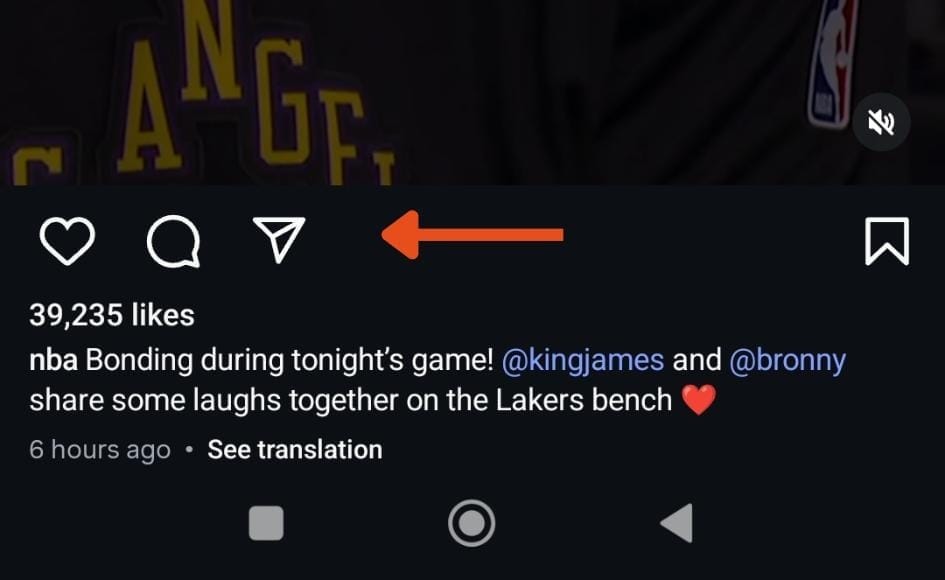
Step #1: Find the video and tap the share button
Open Instagram and find the Reel you want to download. Then tap the share (paper plane) icon under the video.
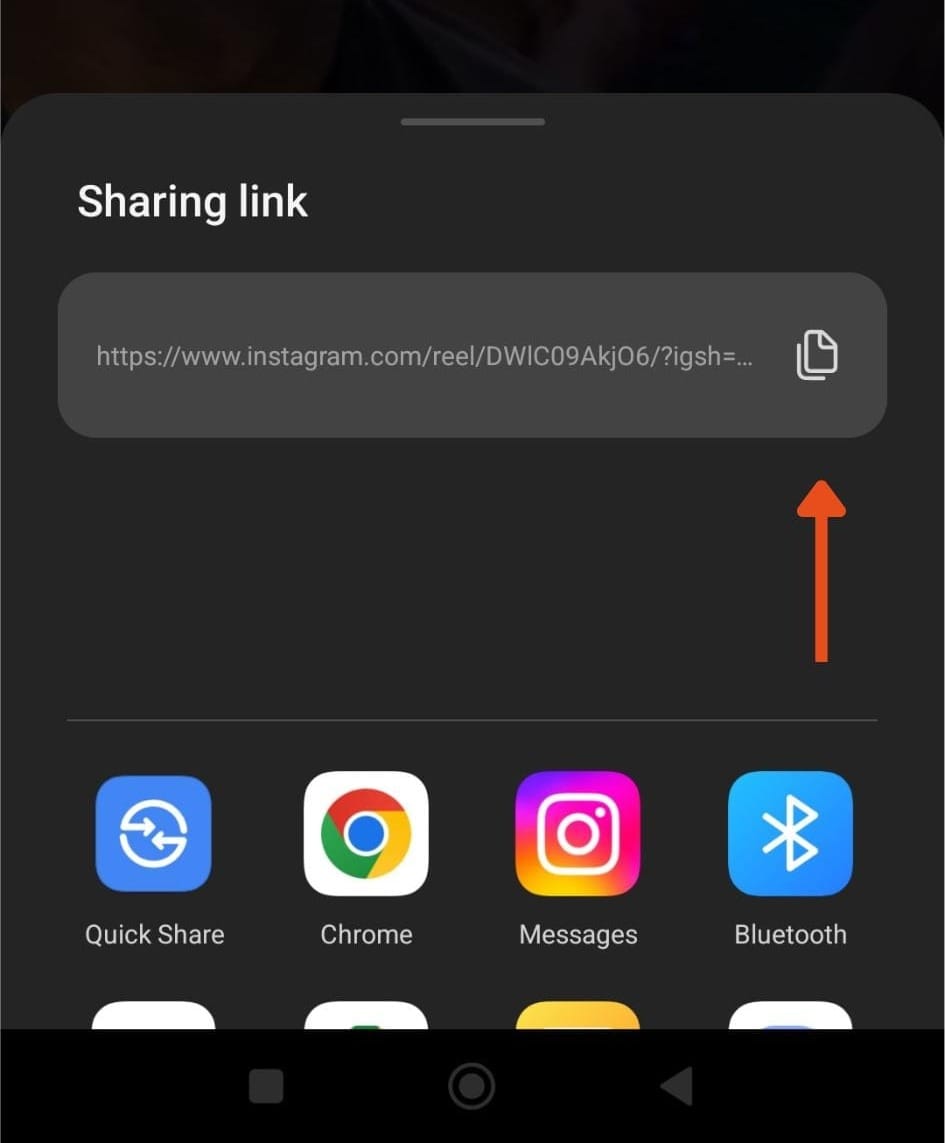
From the sharing options, tap “Copy link.” This will copy the video URL to your clipboard.
Step #3: Go to Circleboom Instagram Video Downloader
Open your browser and go to Circleboom Instagram Video Downloader. You will see a simple input field on the page.
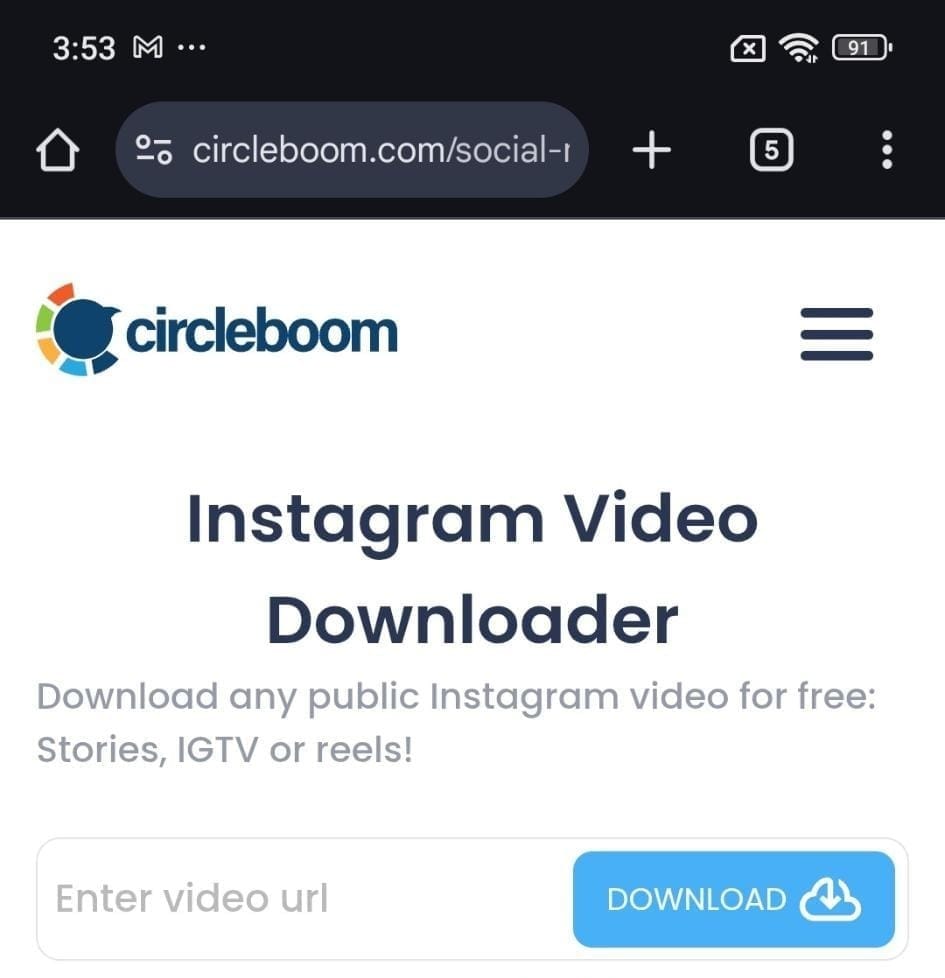
Paste the copied link into the input box and tap the Download button.
The tool will instantly prepare your video.
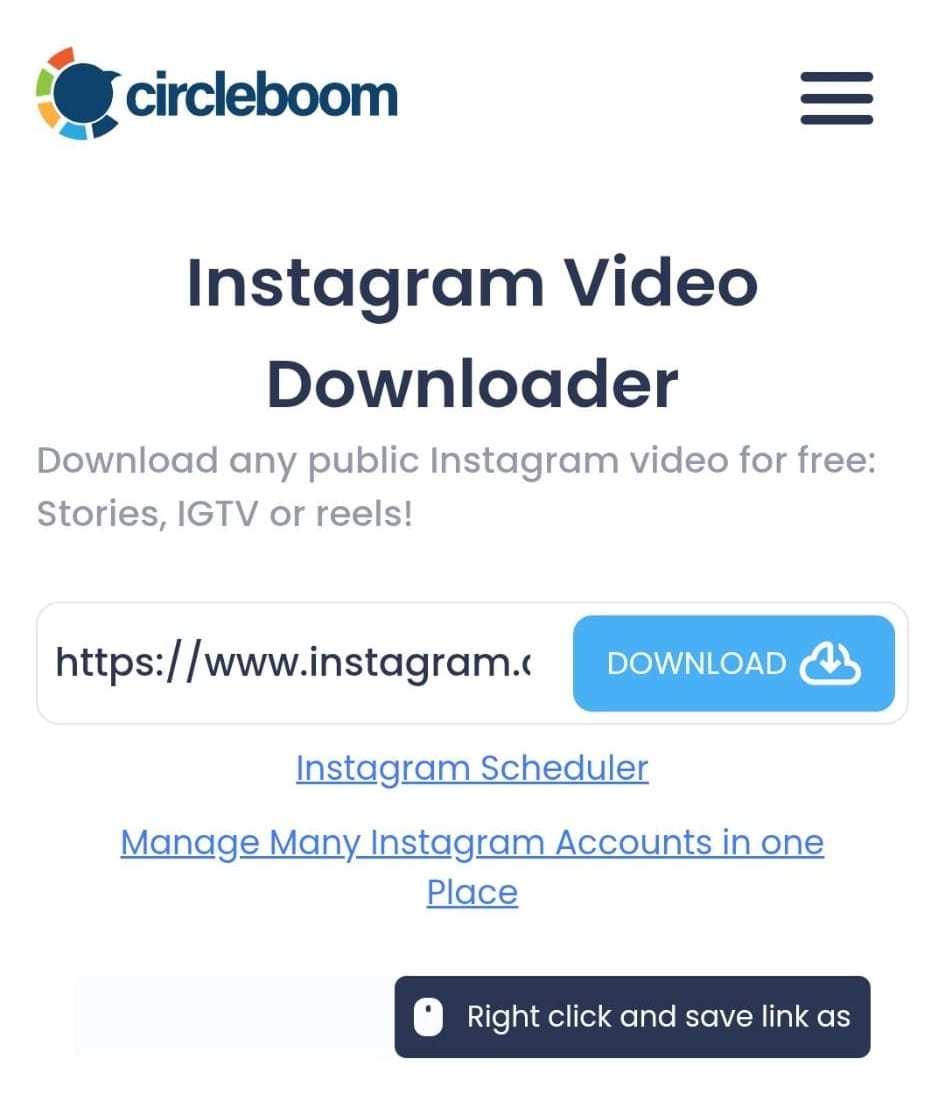
Step #5: Save the video to your device
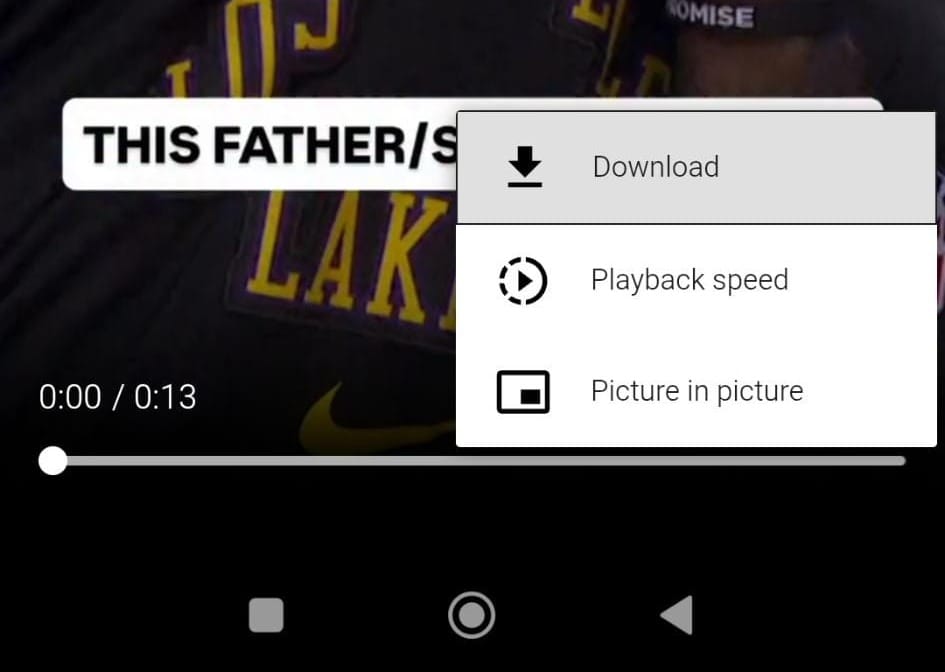
Open the video, tap the three dots menu, and select Download to save it directly to your device in high quality.
Can you download Instagram Reel videos on Android?
Yes, it is possible to download Instagram Reel videos on Android.
Instagram itself doesn’t offer a direct download option for most videos, but you can easily save any Reel using an external tool. The key is using a method that is fast, safe, and doesn’t require extra steps.
Circleboom’s Instagram Video Downloader makes this process simple and accessible from any Android device.
Why use Circleboom’s Instagram Video Downloader?
Many download tools come with unnecessary complications. Some require account login, others are filled with ads, and some reduce the quality of the video.
Circleboom removes all of that and focuses on simplicity.
✅ Completely free to use
✅ No login required
✅ No ads or popups
✅ Works directly from your browser
✅ One-click download
Everything is designed to make the process quick and straightforward.
Why this method is easier than other options
Most alternatives make things more complicated than necessary.
Some require installing apps, others ask for login credentials, and many are filled with ads that interrupt the process.
Circleboom keeps everything clean and simple.
There is no setup, no account connection, and no distractions. Just a direct way to download the video.
 Kevin Frank
Download Instagram Reels in high quality
Another important advantage is quality.
Some tools compress videos or reduce resolution during download. Circleboom allows you to download Instagram Reels in the highest available quality, so the video remains clear and usable.
This is especially useful if you plan to save content for later, reuse clips, or keep high-quality versions of videos.
Final thoughts
Downloading Instagram Reel videos on Android doesn’t have to be complicated.
With the right tool, the process becomes quick and effortless. No apps, no login, no ads—just a simple way to save the videos you want.
Circleboom’s Instagram Video Downloader makes this possible in just a few seconds.
Copy the link, paste it, and download with one click.