

You've successfully subscribed to Circleboom Blog - Social Media Marketing
Great! Next, complete checkout for full access to Circleboom Blog - Social Media Marketing
Welcome back! You've successfully signed in.
Success! Your account is fully activated, you now have access to all content.
How can I export the members of a Twitter list to a CSV file?

How can I export the members of a Twitter list to a CSV file?

. 1 min read

To export all (or selected) members of a Twitter (X) list to a CSV file, you can use Circleboom. It shows all the Twitter lists you have, and also the lists you are in!

You can export the members of a Twitter list to a CSV file with Circleboom by clicking just a button and you will get a file like this:
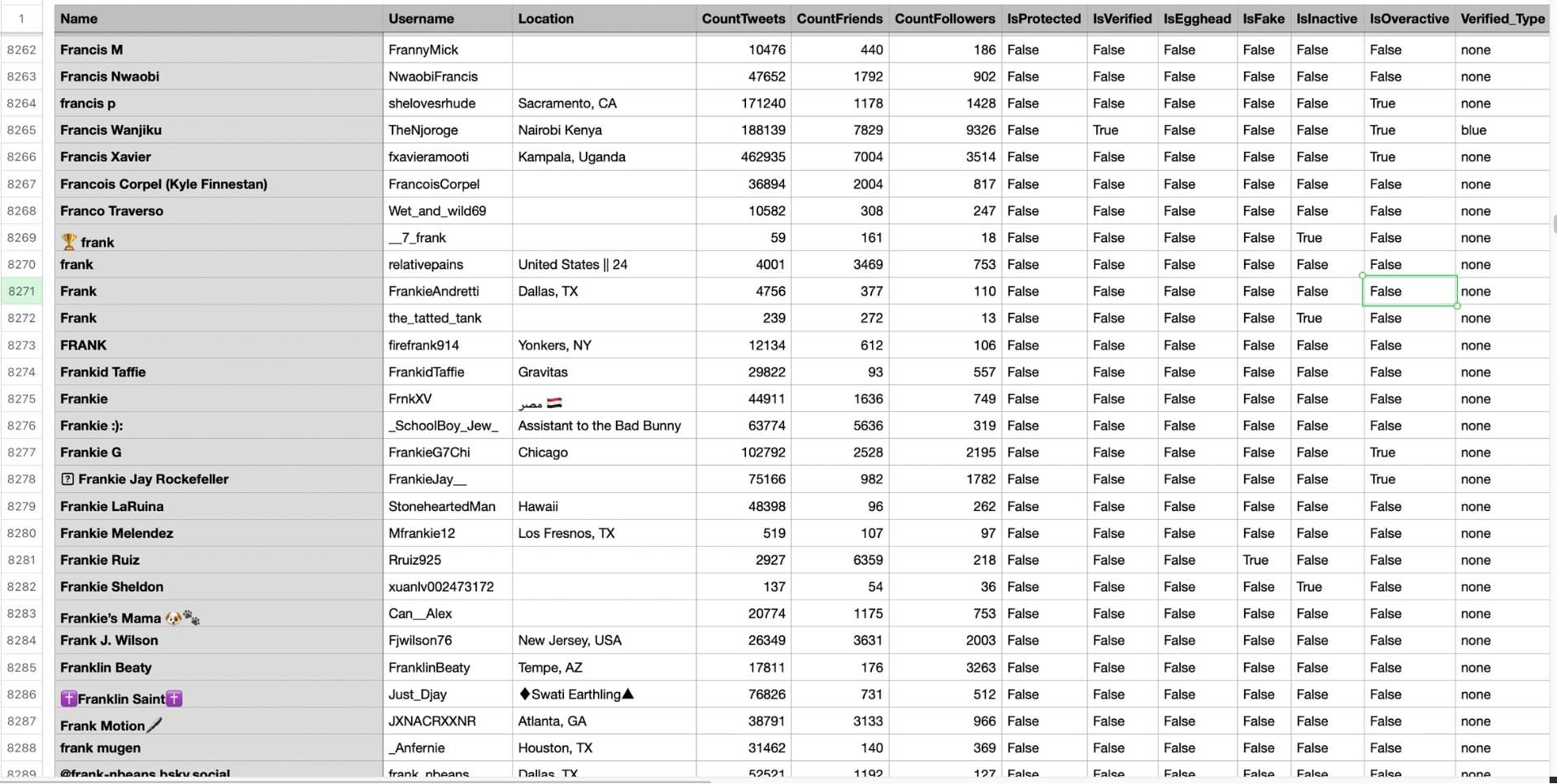
CSV file example

You will find the "Export" button on the top right. When you click on it, you will be able to download all (or selected) members of Twitter lists.
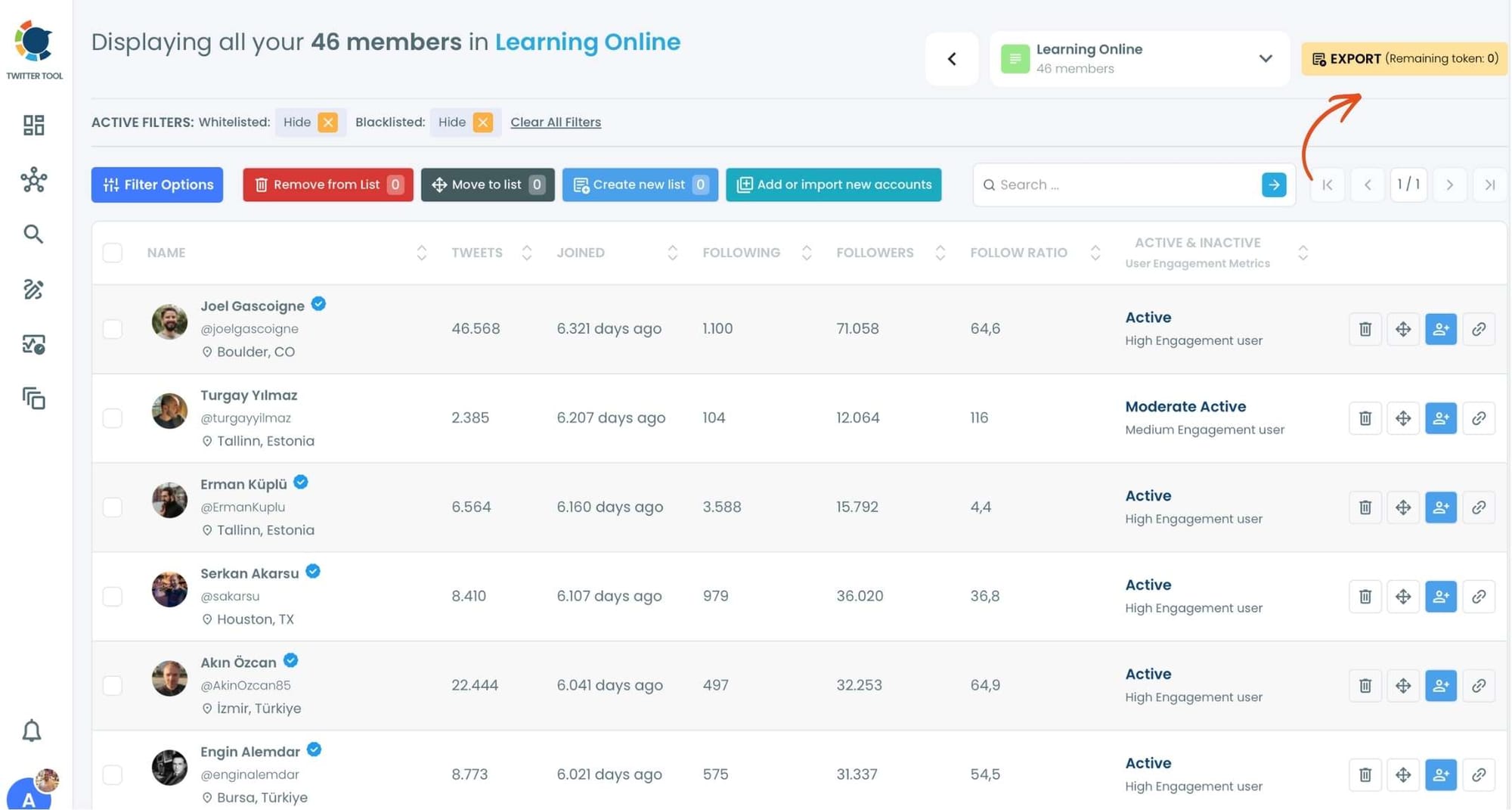
Export Button
Export Button

Circleboom will allow you add new accounts to your X lists with its advanced search function. You can find more accounts based on your search filters and enrich your Twitter lists.

X List Manager
X List Manager

Circleboom's Twitter List Manager helps you create new lists, export list members, import accounts in bulk.
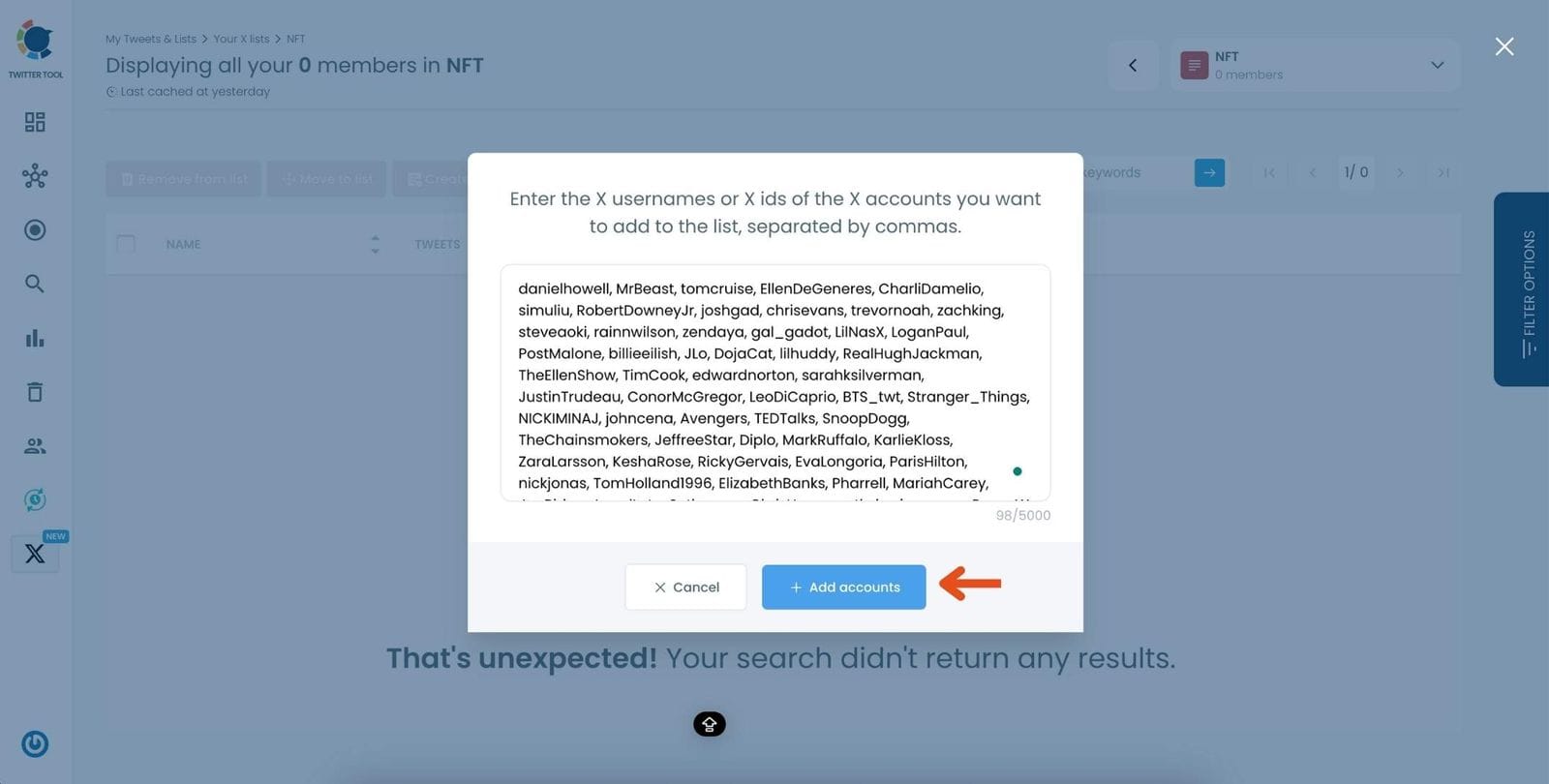
Import X Accounts to A List in Bulk

Altug Altug
Altug Altug

I focus on developing strategies for digital marketing, content management, and social media. A part-time gamer! Feel free to ask questions via [email protected] or X (@altugify)
