

I've seen accounts with thousands of followers getting three likes per tweet. And I've seen accounts with a few hundred followers running genuine conversations in every thread. The difference almost never comes down to how often they post.
It comes down to two things: what they post about, and when.
If your content is not hitting on topics your followers actually care about, it will get scrolled past regardless of how good it is. And if you're publishing at times when your audience is not around, even your best tweets go unseen.
The good news is that neither of those problems requires more effort. They require better information. That's where the approach changes: find out what your followers care about, create content around those interests in your own voice, then get it in front of them at the right moment.
With Circleboom Twitter, you can do all three, it analyzes your followers' real interests, helps you write tweets with its AI writer that actually sounds like you, and shows you exactly when your audience is most active so you can schedule into those windows.

Why Most Tweets Get Ignored
Here's the honest answer: most tweets get ignored not because they're bad, but because they're irrelevant to the person seeing them, or that person wasn't even online to see them in the first place.
If your content drifts from what your followers actually follow you for, interaction drops. It doesn't matter how polished the tweet is. People engage with things that feel relevant to them right now, not things that are technically well-written.
Timing compounds the problem. X moves fast. A tweet published during a dead window gets buried under newer content before most of your audience ever opens the app. You posted. Nobody saw it. Engagement looks flat. You post again. Same result.
The signs usually look like this:
- A decent follower count but consistently low likes and replies
- Some tweets randomly doing well while others with similar effort get nothing
- Posting more frequently but not seeing any lift in interaction
- A nagging feeling that the audience doesn't really connect with the content
📌 Engagement doesn't improve by posting more. It improves when the right content reaches the right people at the right time.
How Do You Get Twitter Followers to Interact with Your Tweets More?
Write about things your specific audience is genuinely interested in, and post when they are actually on the platform. That combination sounds simple, but most people are guessing on both counts.
To get Twitter followers to interact with your tweets means stopping the guesswork and building your content around real data from your real audience, and the fastest way to do that is with Circleboom Twitter, an Official X (Twitter) Enterprise Developer.

Step 1: Find Out What Your Followers Actually Care About
Most people decide what to tweet based on what they personally find interesting. That's a reasonable starting point, but it's not a strategy.
Your followers followed you for a reason, and the topics they engage with every day tell you exactly what that reason is. You just need something to surface that data for you.
Circleboom Twitter's Interest Cloud does this by analyzing your followers' tweets and bios and pulling out the most frequently discussed topics across your entire audience.
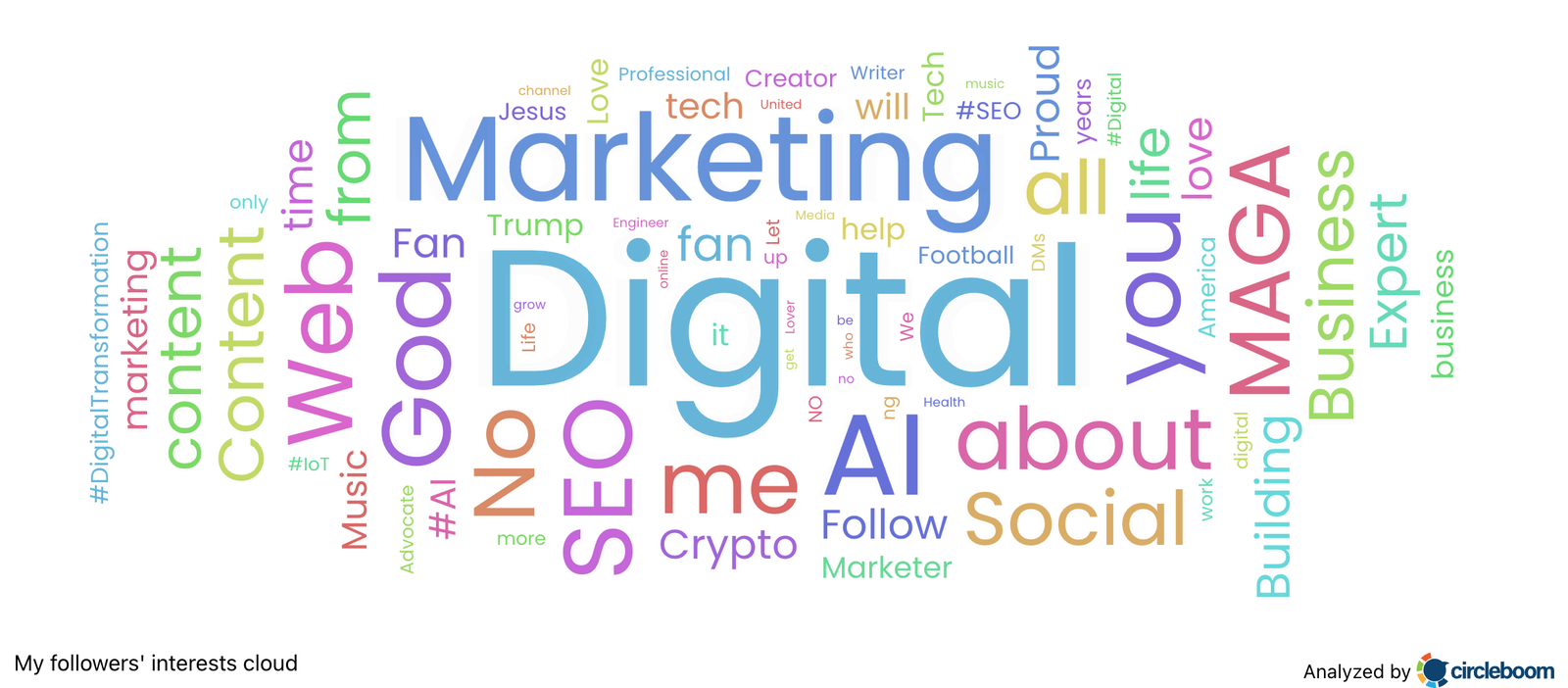
The result is a visual word cloud where bigger words mean more frequently discussed topics. It's not abstract data. It's a direct answer to the question: what should I be tweeting about?
When you look at that cloud, you're not guessing anymore. You're seeing what your specific followers talk about, share, and care about.
Those are your content topics. Build your tweets around the dominant ones and you're starting from a much stronger position before you've written a single word.
Step 2: Write Tweets Around Those Interests Using the AI Writer
Now you know what to write about. The next problem is actually writing it, at scale, in a way that sounds like you and not a generic content tool.
Circleboom Twitter's AI writer learns from your past tweets before it writes anything new. It picks up your tone, the way you structure sentences, whether you're direct or conversational, how long your tweets tend to run.
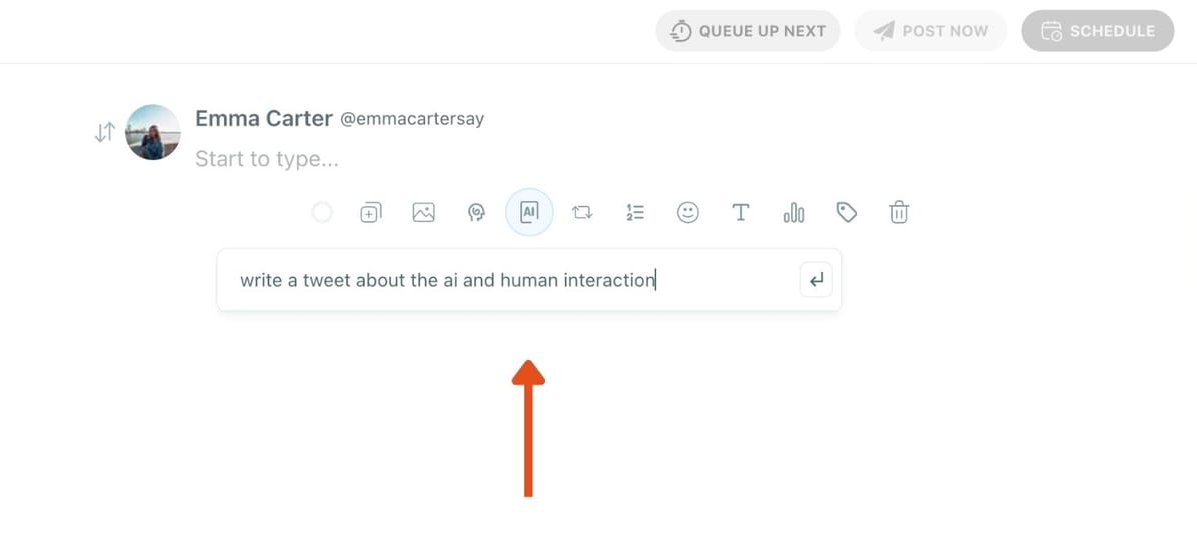
When you feed it a topic from your Interest Cloud, the output reflects those patterns. It doesn't produce the same hollow, template-sounding copy that most AI tools churn out. It produces something that could plausibly have come from you.
Take a topic from your Interest Cloud, use it as a prompt, and let the AI generate a starting point. The result is a tweet that came from real audience interest data, sounds like you wrote it, and took a fraction of the time.
Step 3: Schedule Those Tweets When Your Followers Are Online
Good content at the wrong time still underperforms. X's timeline moves quickly, and if your tweet goes out when most of your followers are asleep or at work, it's essentially invisible by the time they open the app.
The question is: when are your followers actually online? Not when people say the best time to post is. Not some generic study about average Twitter users. When are your specific followers active?
Circleboom Twitter's When Followers Are Online feature answers that directly. It analyzes your audience's actual activity patterns across every hour and day of the week and shows you the results as a heatmap.
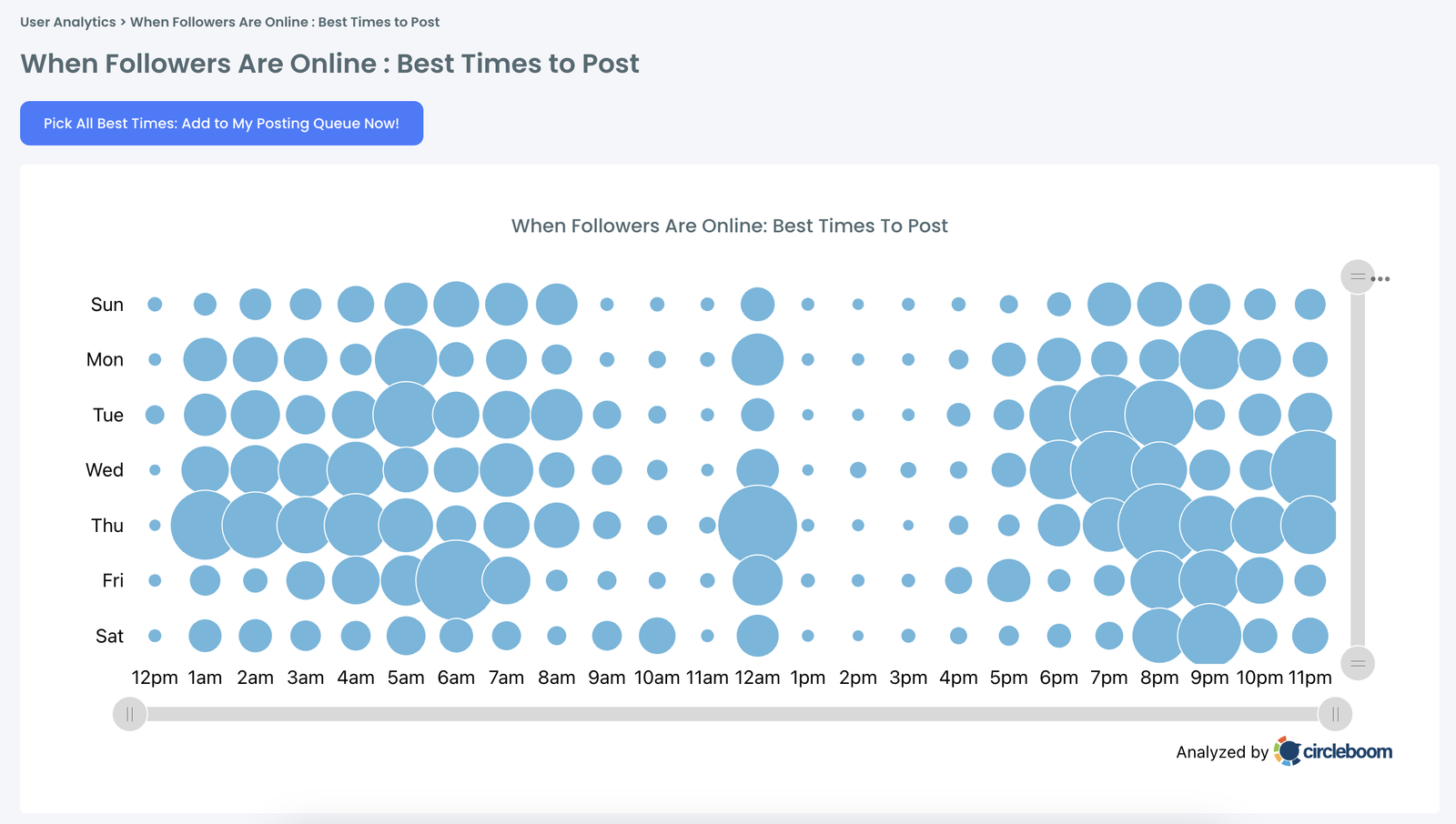
You can see at a glance which windows have the highest follower activity, and those are the windows you schedule into.
Early engagement matters a lot on X. When a tweet picks up likes and replies quickly after posting, the algorithm interprets that as a signal that the content is worth showing to more people.
Timing your post into a peak activity window is not just about visibility. It's about giving the algorithm the early engagement signal it needs to do the rest of the work for you.
Once you know your best windows, you schedule your tweets directly from Circleboom Twitter. They go out automatically. You don't need to be at your desk.
How to Create and Schedule Tweets to Get More Intractions
Step 1: Go to Circleboom Twitter’s X Post Planner
Open Circleboom Twitter and click X Post Planner + AI Writer.
Then select Write & Plan Your Post to start creating your tweet.

Step 2: Write your tweet (or generate one with AI)
You can type your tweet manually in the editor.
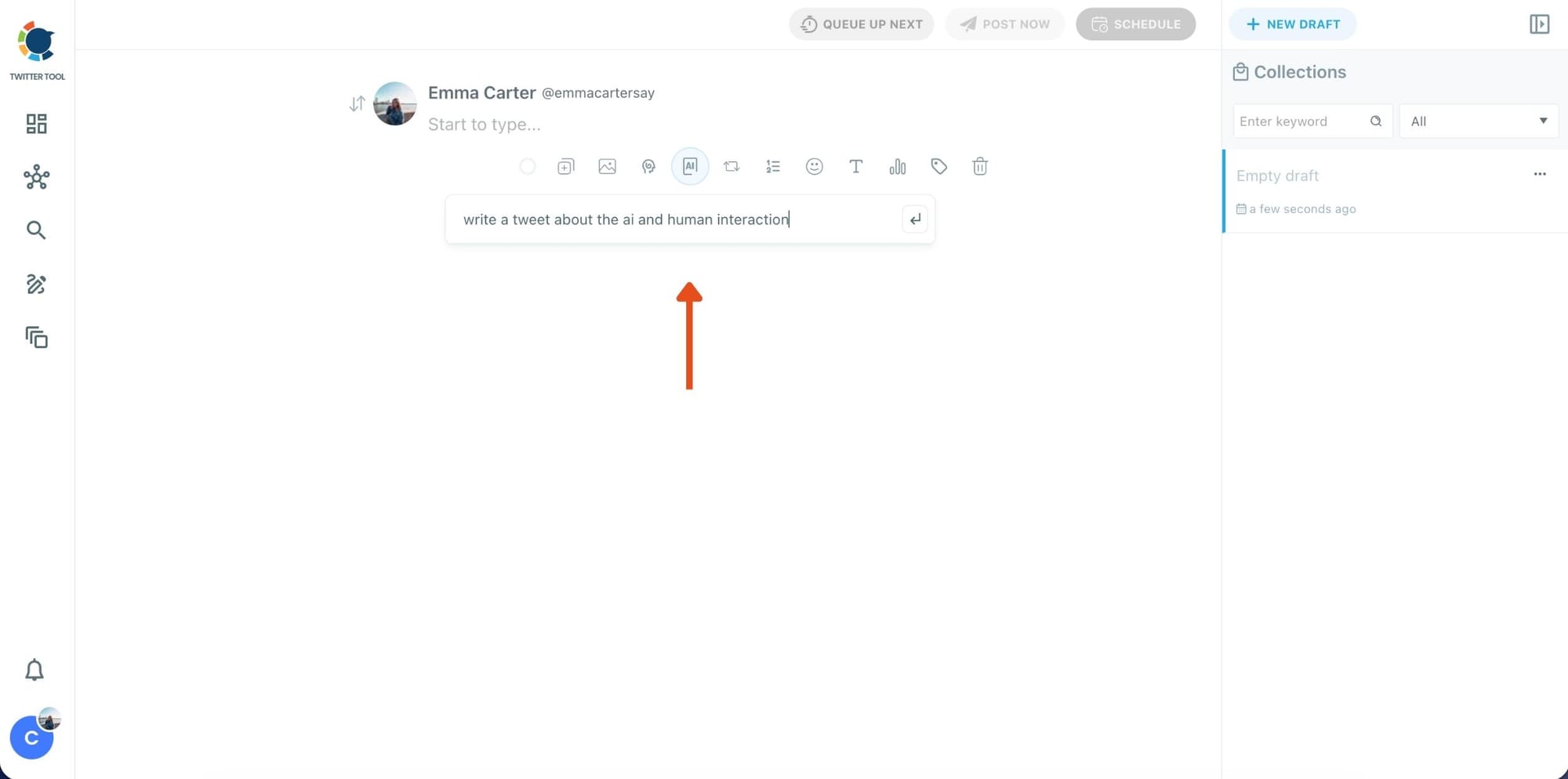
Or, if you want to move faster, click the AI option and let Circleboom generate a tweet idea for you based on your topic.
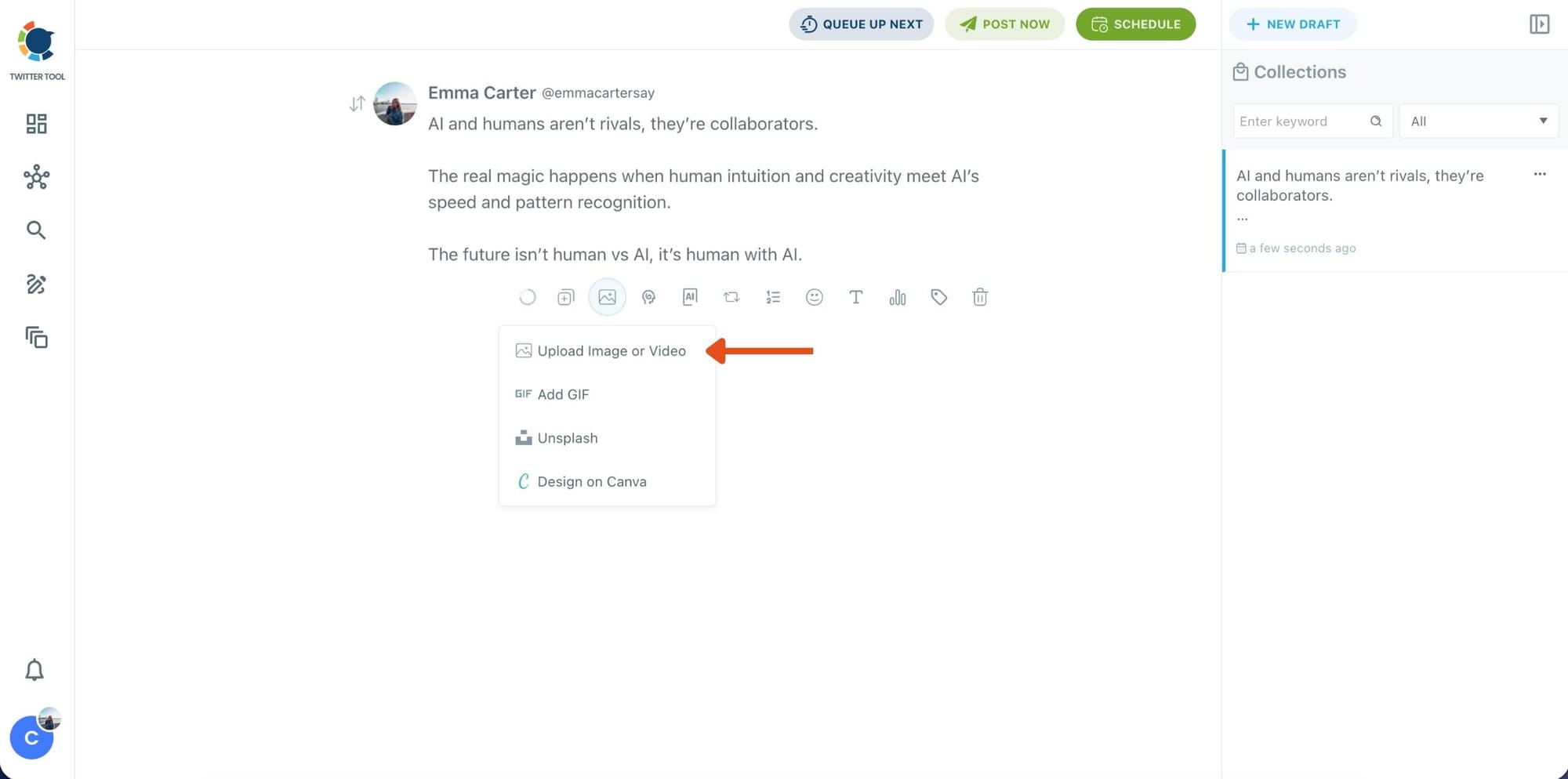
Step 3: Add an image to make the post more engaging
Once your text is ready, attach a visual to your tweet.
You can:
- Upload an image/video from your device
- Pick one from Unsplash
- Or design one instantly using Canva
Step 4: Style your tweet using Circleboom’s Font Generator
Now it’s time to make your tweet stand out visually.
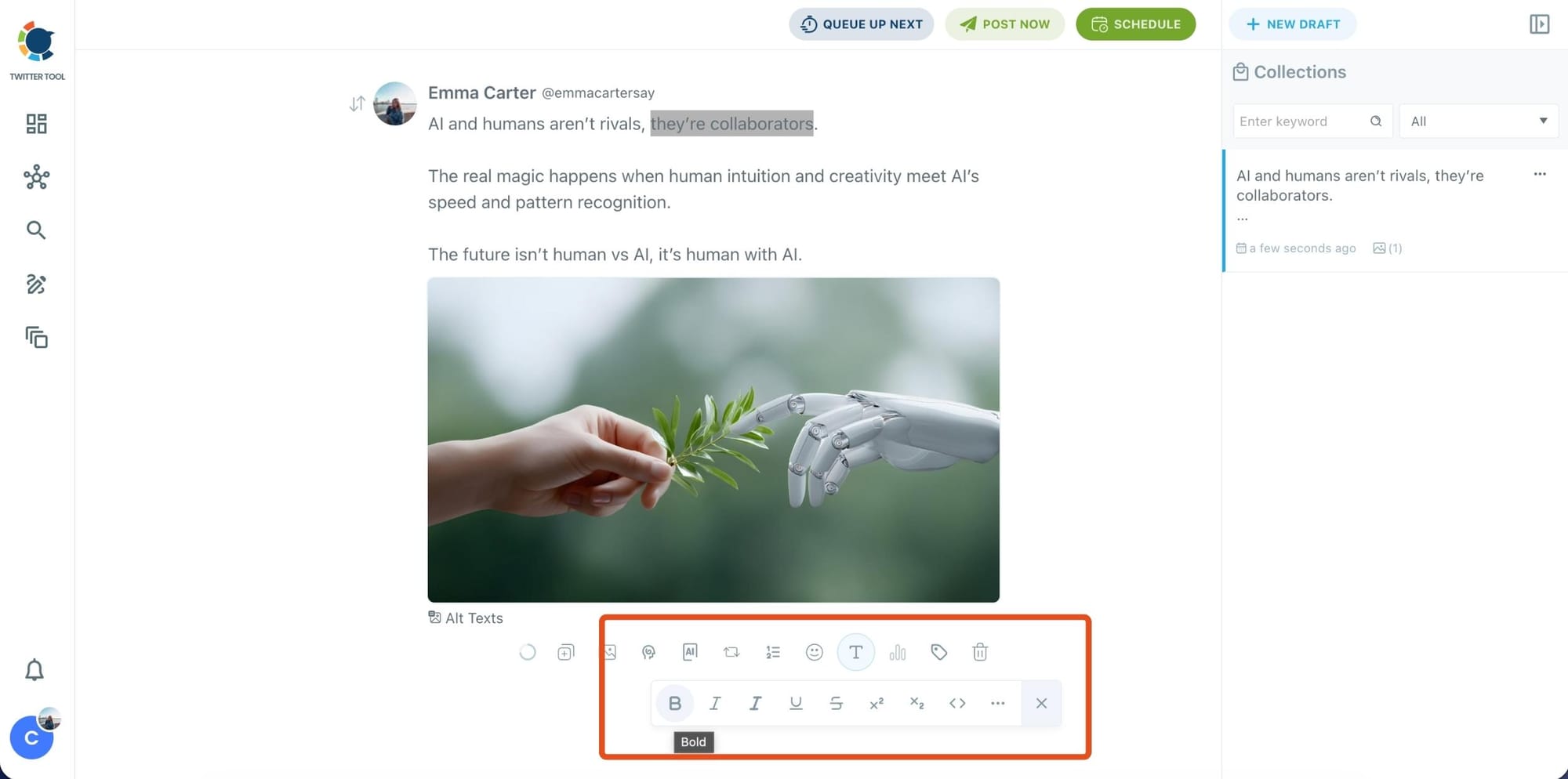
Select the part of your text you want to change, then open the Font Generator toolbar and apply styles like:
- Bold / Italic / Underline
- Different font variations
- Extra formatting options for a more “designed” look
This is perfect when you want key parts of your tweet to grab attention immediately.
Step 5: Set Auto Retweets to boost visibility
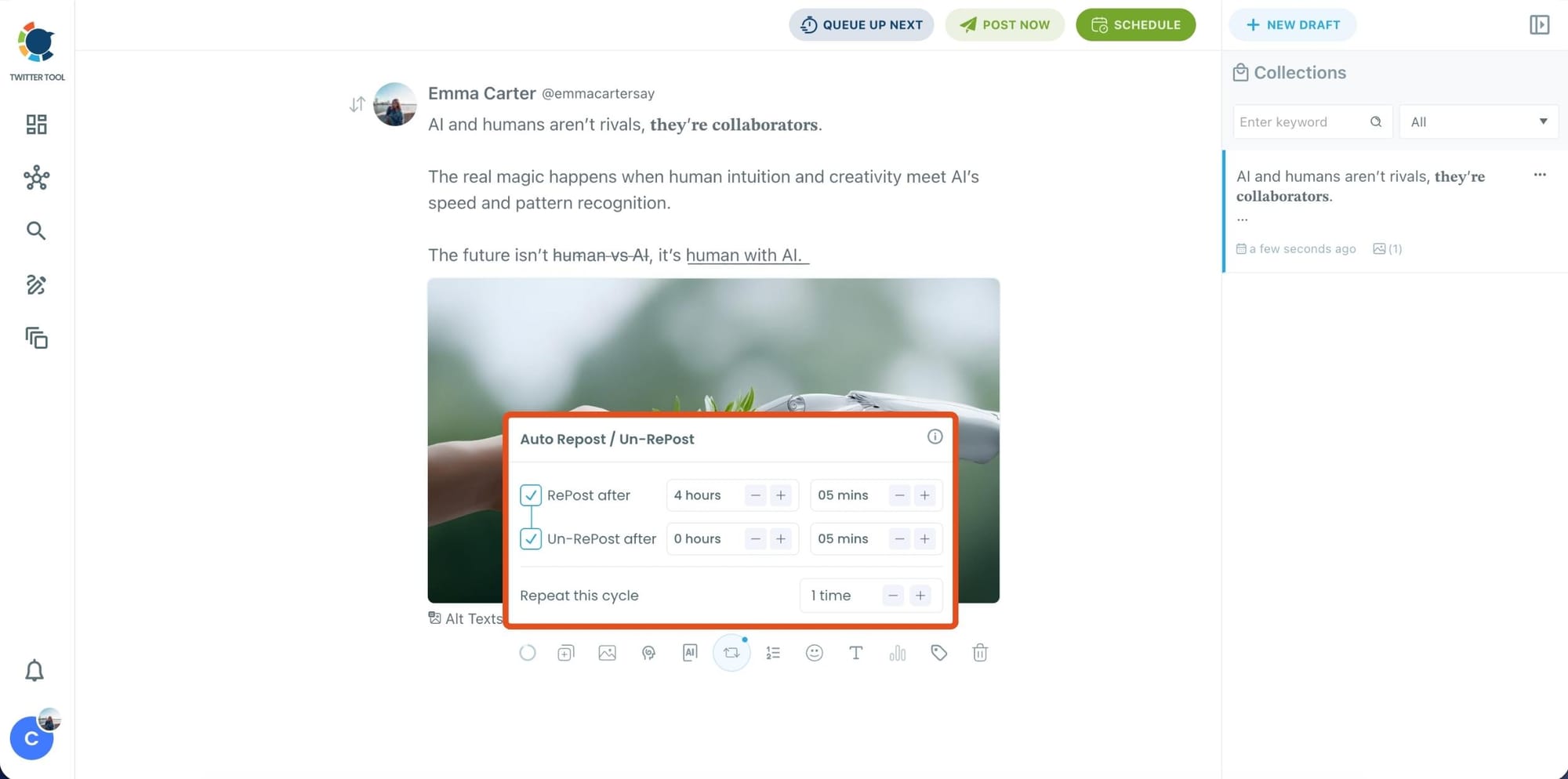
After styling your post, you can increase reach by enabling Auto Repost / Un-RePost settings.
This lets you automatically:
- Repost your tweet after a selected time
- Remove the repost later
- Repeat the cycle if you want more than one repost
It’s a smart way to bring your tweet back into the feed without manually reposting it.
Content on X has a notoriously short shelf life; if your audience isn't scrolling the second you hit 'publish,' your insights vanish into the noise. Circleboom’s Auto Retweet bridges this gap by automatically reviving your top posts, ensuring they land in front of followers regardless of their time zone.
This automation isn't just about staying active. It’s a proven growth hack that can quadruple your impressions and double your engagement. By giving your content a 'second life,' Circleboom forces the algorithm to prioritize your brand, turning every individual tweet into a 24/7 engine for reach.
Bonus Tip: Cross-post your tweet to other platforms automatically
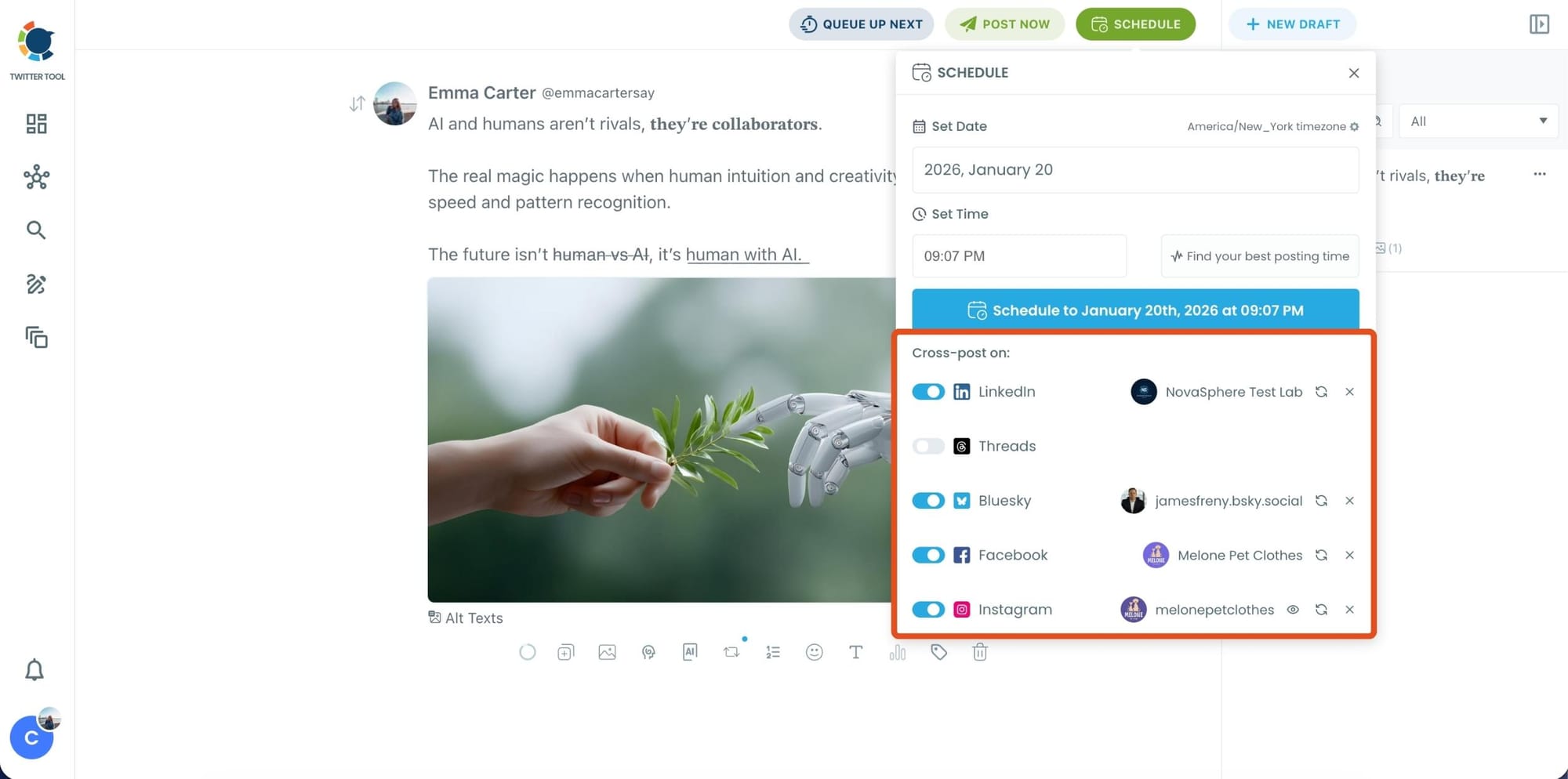
Before you publish, you can also enable Cross-Post to share the same tweet across multiple platforms in one go.
 Arif Akdogan
Circleboom lets you post your content to Instagram, Facebook, LinkedIn, Bluesky, and Threads automatically, so you don’t have to rewrite, re-upload, or repeat the same work on each platform.
Step 6: Schedule it for the best time to post
Finally, click Schedule and set your date and time.
You can also click Find your best posting time to see Circleboom’s suggested time slots based on follower activity.
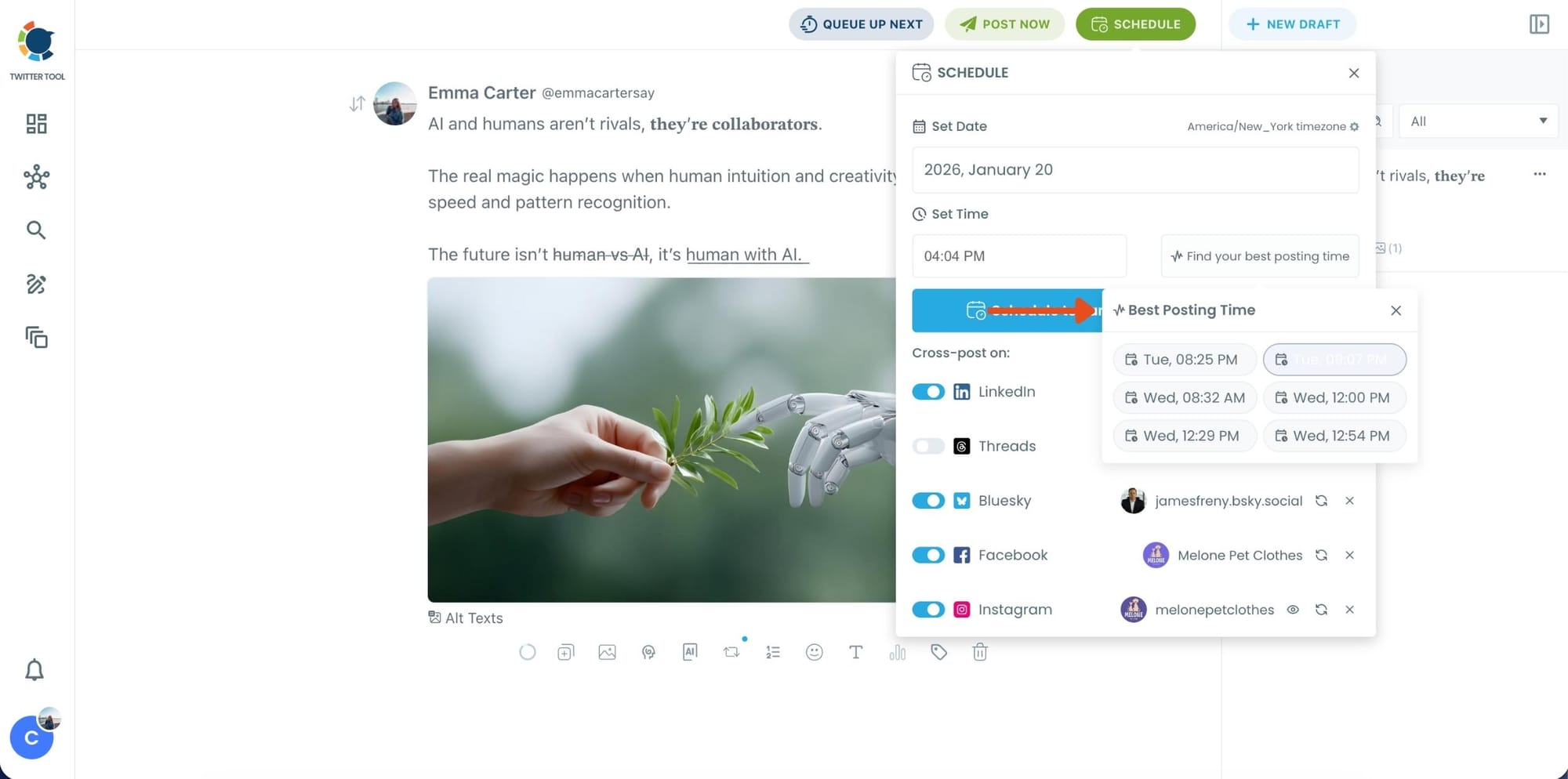
Once you pick the best option, smart-schedule it, and you’re done. Your tweet will go out at the time it has the highest chance to perform well.
Why Topic and Timing Work Better Together
Either one on its own helps. Both together is where the real difference shows up.
- Relevant content earns faster reactions. Content aligned with what an audience already cares about consistently drives higher interaction than broadly targeted posts. When your topic matches what your followers are thinking about, replying feels natural rather than effortful.
- Early engagement is the algorithm's trigger. X pushes content further when it picks up interaction quickly. A tweet that gets likes and replies in the first few minutes signals relevance. One that sits quiet gets buried. Posting relevant content at a peak hour gives you the best shot at that early signal.
- Timing determines whether good content even gets seen. A tweet posted during a low-activity window is not competing on merit. It just doesn't show up for most people. Getting the timing right is less about optimization and more about basic visibility.
- The two variables multiply each other. Wrong topic, right time: people see it but don't engage. Right topic, wrong time: people never see it. Right topic, right time: the content reaches the people who care about it exactly when they're looking.
- Data-driven consistency beats posting habit. Posting at the same time every day because it feels consistent is not the same as posting when your audience is actually there. Aligning content with audience behavior produces better results than volume-based approaches that ignore timing and relevance.
- Engagement compounds into better data. The more your tweets connect with the right people at the right time, the clearer the picture becomes of what works. Circleboom Twitter's Interest Cloud reflects your evolving audience, so the insights stay useful as your following changes.
Frequently Asked Questions About Getting More Twitter Engagement
How does Circleboom know what my followers are interested in?
The Interest Cloud feature analyzes your followers' public tweets and bios to find the topics and keywords that come up most frequently across your audience. It doesn't guess or use generic category tags. It reads what your followers actually write about and builds a topic picture from that. The result is specific to your audience, not a general estimate of what people on X tend to care about.
How accurate is the best time to post data?
It's based on your followers' actual behavior, not platform averages. The When Followers Are Online feature tracks when your specific audience posts, likes, and engages on X and maps that activity across the week. It's worth revisiting periodically since audience behavior shifts as accounts grow and follower composition changes over time.
Can the AI writer generate tweets on any topic I choose?
Yes. You can give Circleboom Twitter's AI writer any topic as a prompt, including ones you pick straight from your Interest Cloud. It generates content based on that input while drawing on your tweet history to keep the output sounding like you. You can then adjust tone, length, or phrasing using the built-in refinement tools before scheduling.
Do I need to be online when the scheduled tweet goes out?
No. Once a tweet is scheduled through Circleboom Twitter, it publishes automatically at the time you chose. This is especially useful when your peak activity windows fall outside normal working hours, like early mornings or late evenings, which is common for accounts with international or mixed-timezone audiences.
How long before I see better engagement after changing my approach?
It varies depending on how far off the previous approach was, but most accounts start seeing improvement within a handful of posting cycles. A consistent shift typically becomes visible over two to four weeks. The key is not treating it as a one-off experiment but building it into a regular workflow so the data keeps informing the decisions.
Can I use all three features together in one workflow?
Yes, and that's exactly how they work best. Start with the Interest Cloud to find out what your audience cares about, use the AI writer to create tweets around those topics in your voice, and use the activity heatmap to schedule those tweets when your followers are most likely to see them. All three live inside Circleboom Twitter so the whole process happens in one place.
Final Thoughts on Getting More Twitter Engagement
Most engagement problems on X are not creative problems. They're information problems. You're either posting about the wrong things or posting at the wrong times, and without data you can't tell which one it is or how to fix it.
Knowing what your followers care about changes what you write. Knowing when they're online changes when you post. And when both are working together, the results are noticeably different from just posting more and hoping something lands.
Circleboom Twitter puts all three pieces in one place: the audience interest data, the AI writer that uses it, and the scheduler that times it right.

