X Post Planner
Powered by adaptive AI, Circleboom’s X Post Planner learns your style and audience behavior to generate posts that truly sound like you, not generic AI.

Circleboom : An Official Enterprise Developer
"Work with a trusted X Official Enterprise Developer to expand what's possible for your business. Each Official Enterprise Developer has been selected for the program after an extensive evaluation, and represents excellence, value, and trust." — X (Twitter)Circleboom Twitter Tool
Circleboom Twitter management tool provides account analytics, follower/friends insights, tools to check, fakes, spammers, inactive accounts, advanced account search and delete tweets services.

AI FEATURES
Circleboom’s AI features give you endless ways to create better X posts with less effort. You can generate new tweets from existing tweets, turn plain text or URLs into engaging posts, and get fresh ideas for your next tweet. Whether you’re stuck on what to write or want to repurpose content faster, these AI tools help you stay creative, consistent, and always ready to post.

RICH TEXT AND FORMATTING OPTIONS
Circleboom’s rich text and formatting options help you make your X posts clearer, more engaging, and easier to read. You can structure your content with spacing, line breaks, and visual balance to highlight key points and improve flow. With better formatting, your posts stand out in busy timelines and communicate your message more effectively.

BULK CREATE, UPLOAD & SCHEDULE X POSTS
Bulk Create, Upload & Schedule X Posts makes managing large volumes of content effortless. Upload your tweets via CSV, generate posts in bulk with AI, and schedule everything at once, no manual posting required. Whether you’re running campaigns, managing multiple accounts, or planning weeks of content ahead, this feature helps you save time, stay consistent, and scale your X publishing workflow with ease.

BEST TIME TO POST ON X
Circleboom’s Best Time to Post on X helps you publish when your audience is most active and likely to engage. By analyzing activity patterns, it recommends optimal posting times so your posts get more visibility, higher engagement, and better reach, without relying on guesswork.

CROSS POST
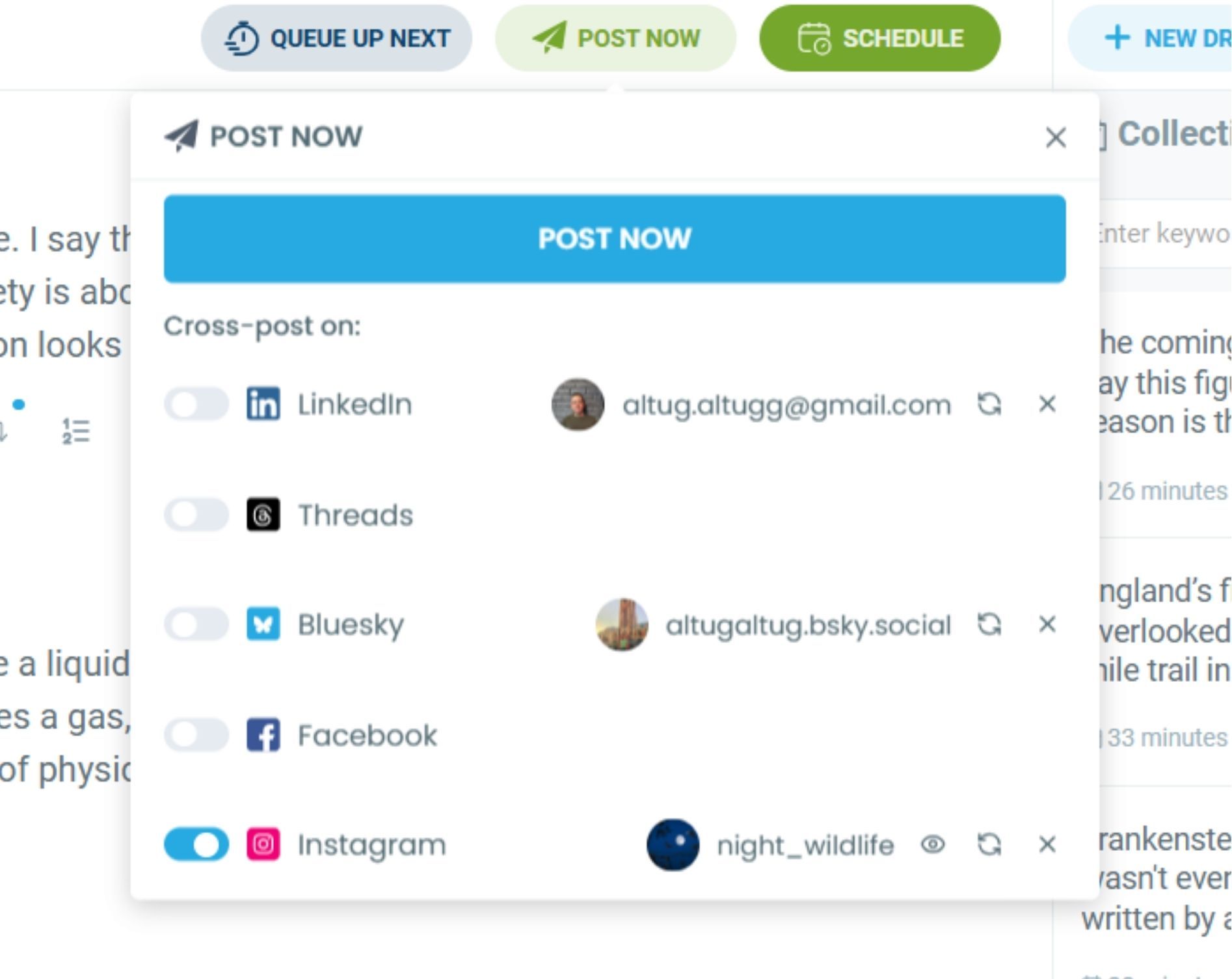
Circleboom’s Cross Post feature lets you share your X posts to LinkedIn, Instagram, Facebook, Threads, and Bluesky at the same time. Instead of rewriting and publishing content separately for each platform, you can reach multiple audiences with a single action. This saves time, reduces manual work, and helps you maintain a consistent presence across all major social platforms with minimal effort.

AI REPLY GENERATOR
Circleboom's AI Reply Generator writes on-brand replies to trending tweets in your own voice. Hover over any post in your Inspiration feed, click AI Reply, and get a fully composed, ready-to-publish reply, written in your style, with no manual drafting required.
Replying to high-performing conversations is one of the fastest ways to grow visibility on X. It puts your content in front of audiences already paying attention. AI Reply makes it effortless to engage consistently, so you can show up in the right conversations without the extra effort.

CIRCLEBOOM: OFFICIAL X ENTERPRISE DEVELOPER
Circleboom is an official X Enterprise developer, meaning it operates with authorized, compliant access to X’s platform and APIs. All features are built in line with X’s official policies, ensuring secure data handling, reliable functionality, and transparent operations. Users can confidently manage, schedule, and automate their X activity on Circleboom, knowing their accounts and data are protected and handled within X’s approved framework.

X POST PLANNER WITH AI WRITER
Circleboom’s X Post Planner goes beyond basic automation by learning how you write, what you care about, and how your followers interact with your posts. Over time, it adapts to your tone, topics, and engagement patterns to generate X posts that feel natural and authentic, just like you wrote them yourself. Instead of generic AI output, you get personalized AI copy that reflects your voice, helps you stay consistent, and makes content creation faster without losing originality.
The X Post Planner with AI Writer empowers you to create smarter, more engaging posts without the guesswork. Instantly generate ideas, refine your copy, and turn drafts into publish-ready posts in seconds. With built-in AI support, scheduling, and automation tools, Circleboom helps you save time, stay consistent, and publish with confidence, so you can focus on growing your presence and making every post count.

AUTO RETWEET
Circleboom’s Auto Retweet feature lets you automatically reshare your tweets at scheduled intervals, so your content keeps reaching new audiences without manual effort. By re-posting your best tweets over time, you can increase impressions, extend visibility, and maximize reach while staying fully in control of timing and frequency.

X POLLS
With Circleboom’s X Post Planner, you can create and schedule X polls in advance to boost interaction and gather insights at the right time. Plan your polls alongside your regular posts, reach your audience when they’re most active, and keep engagement running automatically without needing to post manually.

GENERATE X THREADS
Circleboom’s X Thread Generator helps you turn a single idea into a well-structured, engaging thread in seconds. Create multi-post threads that flow naturally, stay on topic, and keep readers hooked from the first post to the last. Whether you’re explaining a concept, telling a story, or sharing insights, the thread generator saves time and helps you publish longer, more impactful content on X with confidence.

QUEUE X POSTS
Queue X posts with Circleboom and let your content go live automatically at the best times for your audience. Add your tweets to a smart queue, stay consistent without manual posting, and keep your timeline active while Circleboom handles the timing for you.

POST INSPIRATION
Circleboom's Post Inspiration feed surfaces trending, high-engagement tweets from X, filtered to your content interest topics. Instead of scrolling through X manually, you can browse what is performing well in your niche and instantly rewrite, reply to, or quote those posts in your own voice without leaving Circleboom.
Each tweet card shows real engagement data: replies, retweets, likes, and bookmarks. That makes it easy to spot which formats and angles are working in your topic area right now, and turn that signal into publish-ready content in seconds. Never run out of ideas again.

AI QUOTE GENERATOR
Circleboom's AI Quote Generator turns any trending tweet into a quote post with your AI-written commentary attached. Select a post from your Inspiration feed, click AI Quote, and get a fully composed quote tweet from your perspective, layered on top of content that is already getting traction.
Quote tweeting high-engagement posts is a proven way to reach new audiences while adding value to an active conversation. Instead of writing your take from scratch, AI Quote generates it instantly in your voice, so you can stay relevant and visible with minimal effort.
CIRCLEBOOM X POST PLANNER GUIDE
You can craft engagement and impression treasure tweets and you don’t even need to log into X. Do not let others distract you from your projects. Use Circleboom X Post Planner and plan, create, smart schedule and automate your X posts with nanotargeting.
You can find X Post Planner on Circleboom dashboard.
Log in to Circleboom Twitter and you will find a menu on the left. There, inside the “Post Management & Analytics”, you will see the “Write & Plan Your Post” button.


Now, you are on X Post Planner. It is like your sketchboard. You can write, erase, embellish with emojis and hashtags, create long tweets with threads, everything. Here is your X post atelier.
Grow on X is about how much quality and value your posts embody. To create high value posts, you need a first-class assistant.
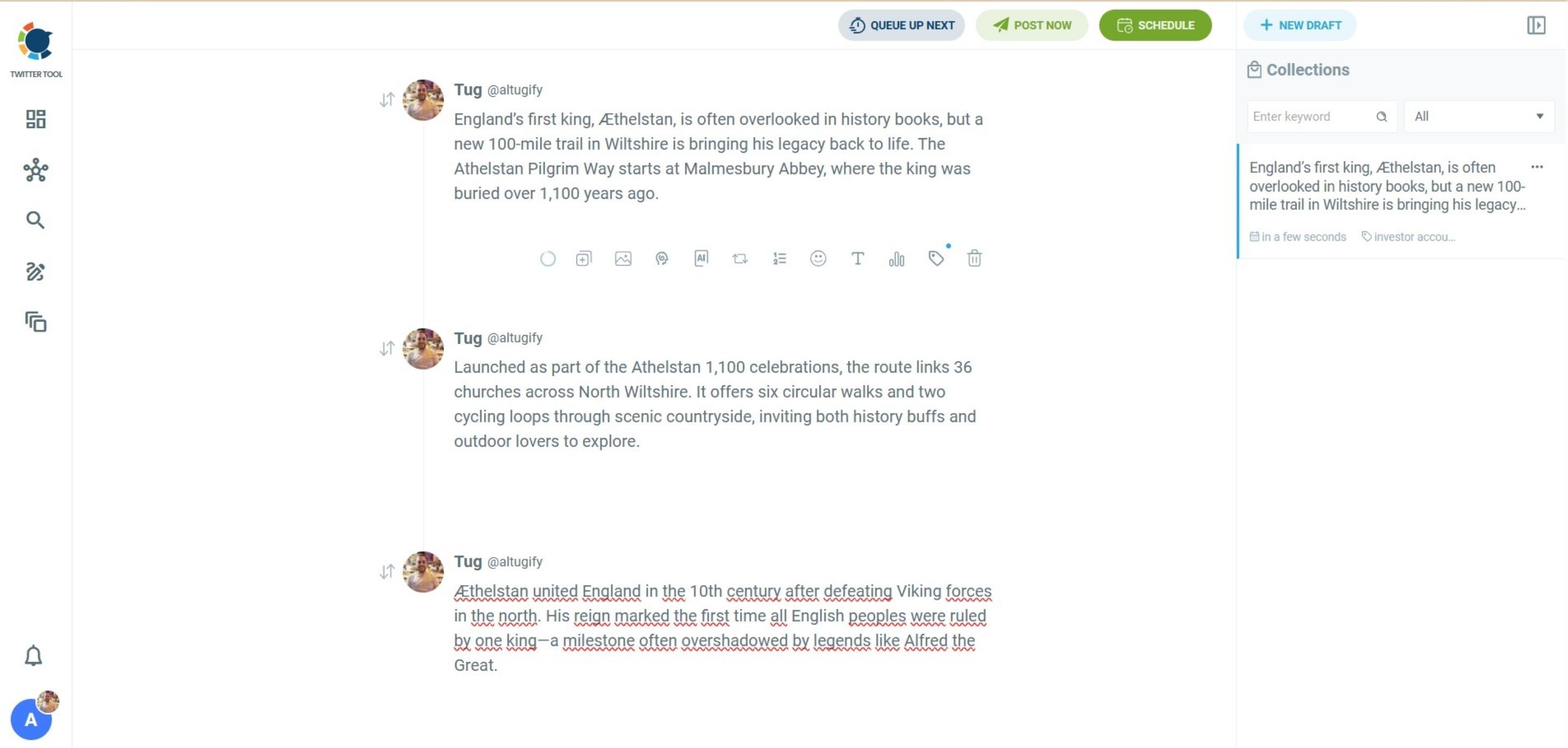
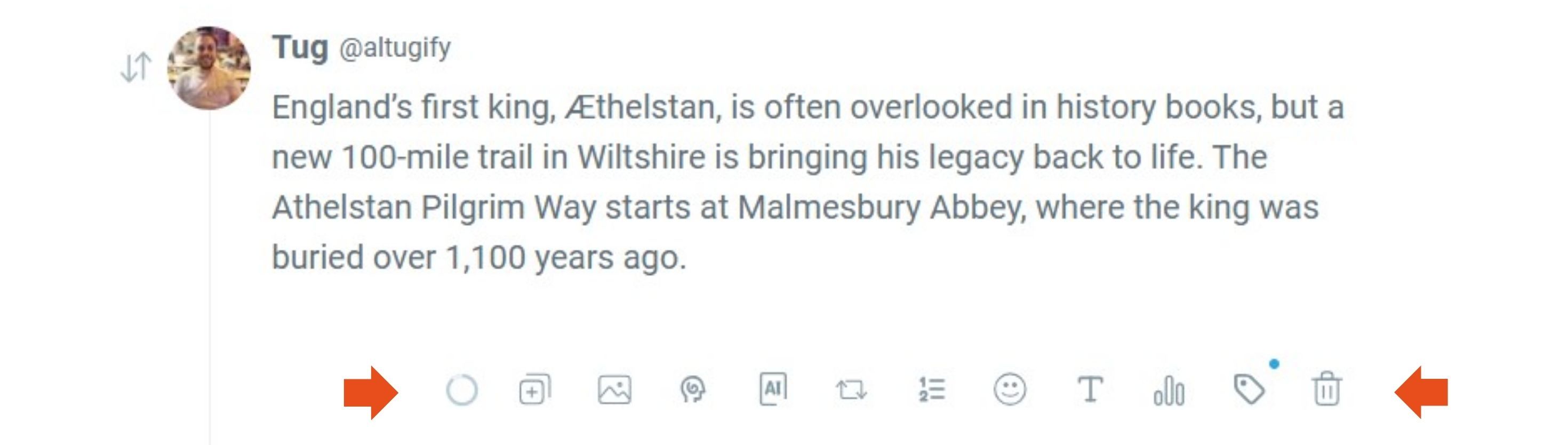
AI is not your enemy, it is your companion.
If you don’t have anything in your mind to write, just ask AI for a post idea. If you don’t like it, you can ask to improve it.



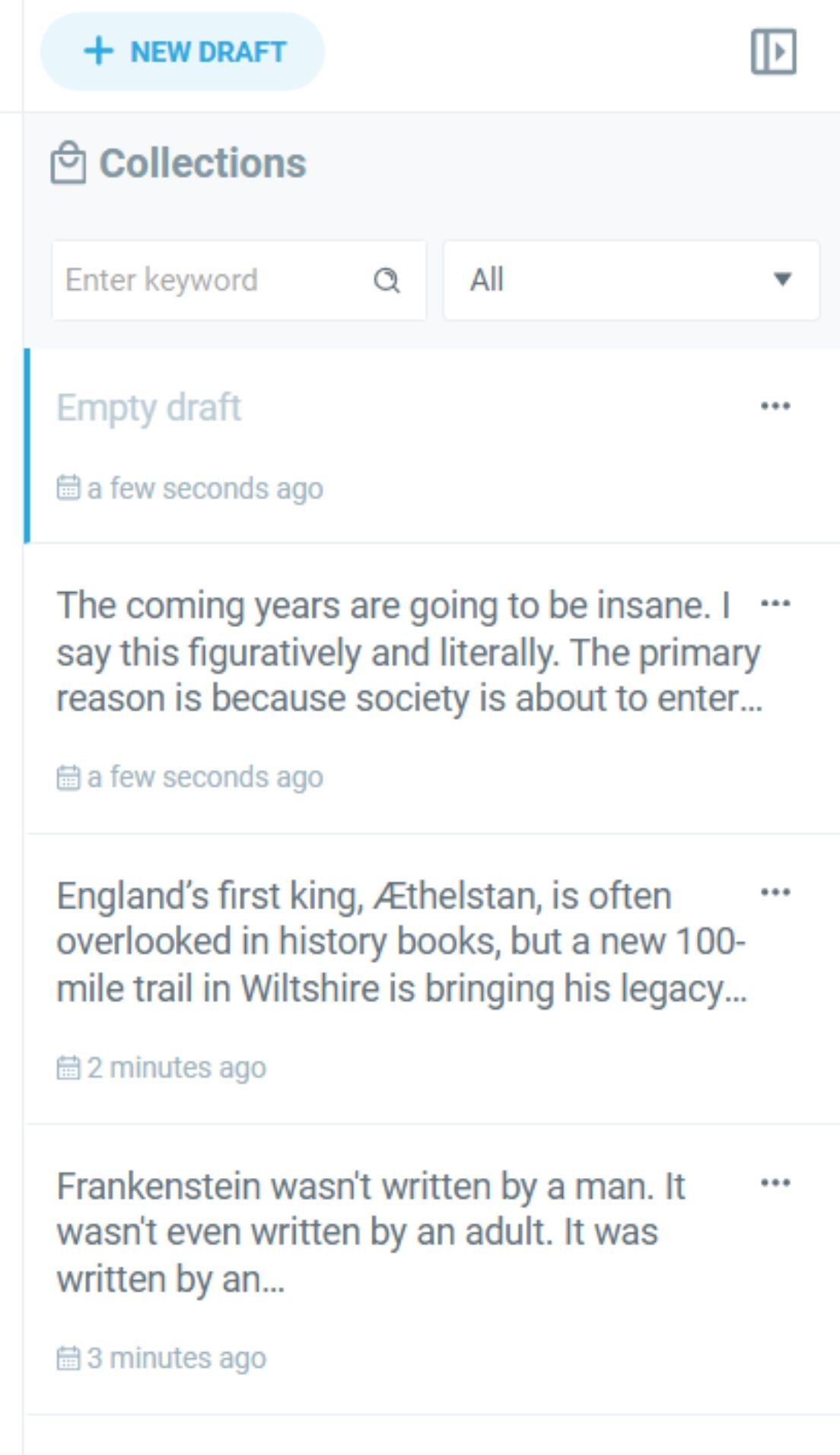
If yout content isn’t ready to be published yet, but you don’t want to continue now or may be you don’t have time, you can save it to drafts and work on later.
You can create your collections and practice to make your X posts better.
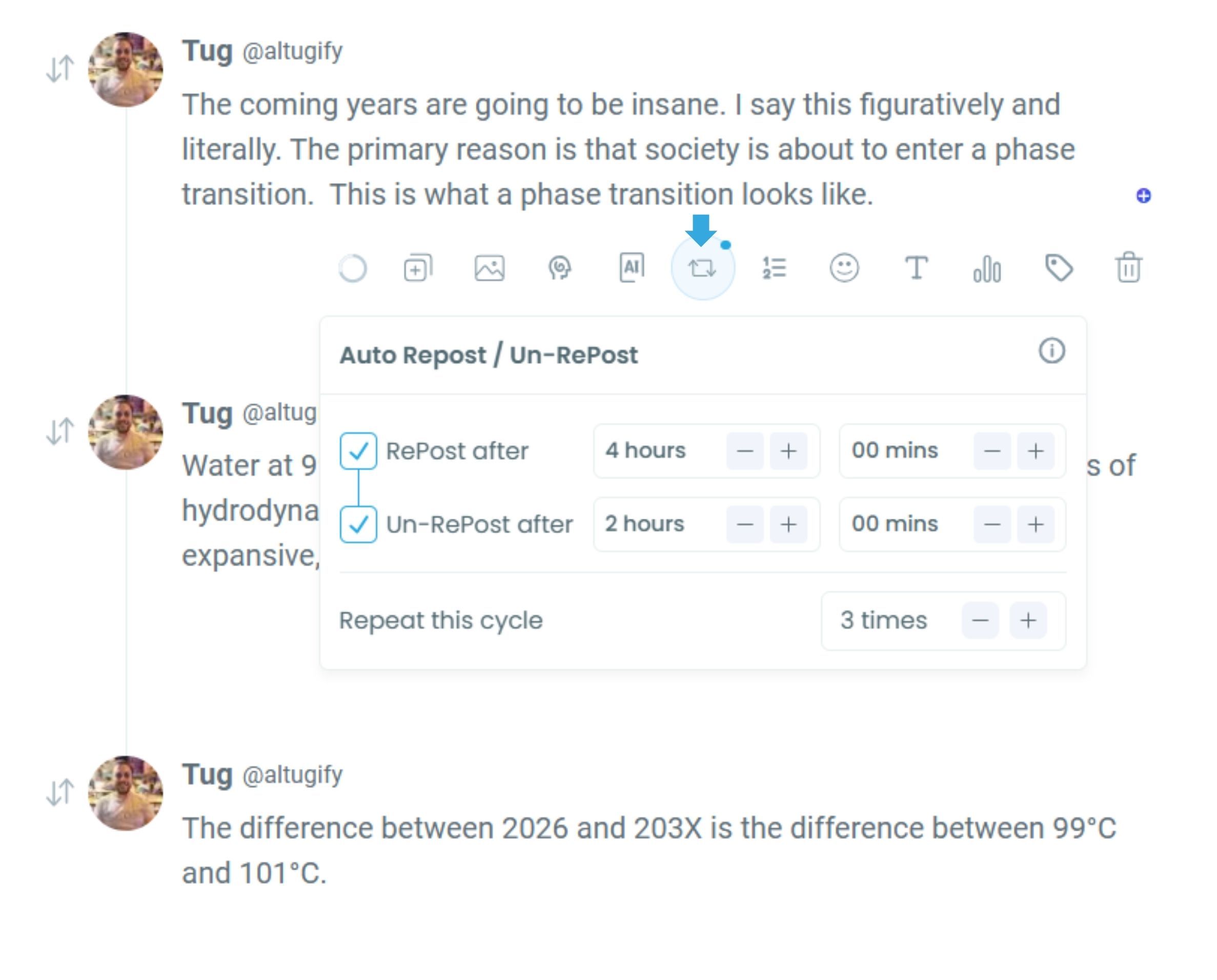
Now, it is one of the most distinguished features of Circleboom X Post Planner: Auto Retweet!
Circleboom’s Auto Retweet feature automatically reshares your tweets at set intervals, helping them reach new audiences over time. By re-sharing your content strategically, it can boost tweet impressions up to 3x, without extra effort or manual reposting.
X Post Planner allows you to queue your tweets. What does it mean?
You can define a time queue for your X account. It can be the best times to post on X which are provided on Circleboom by analyzing your followers deeply, every actions they take, their time zones, when they are online etc. or anytime you want. When you add an X post to queue, it is automatically scheduled to next empty slot in the queue. This is a way of smart scheduling!
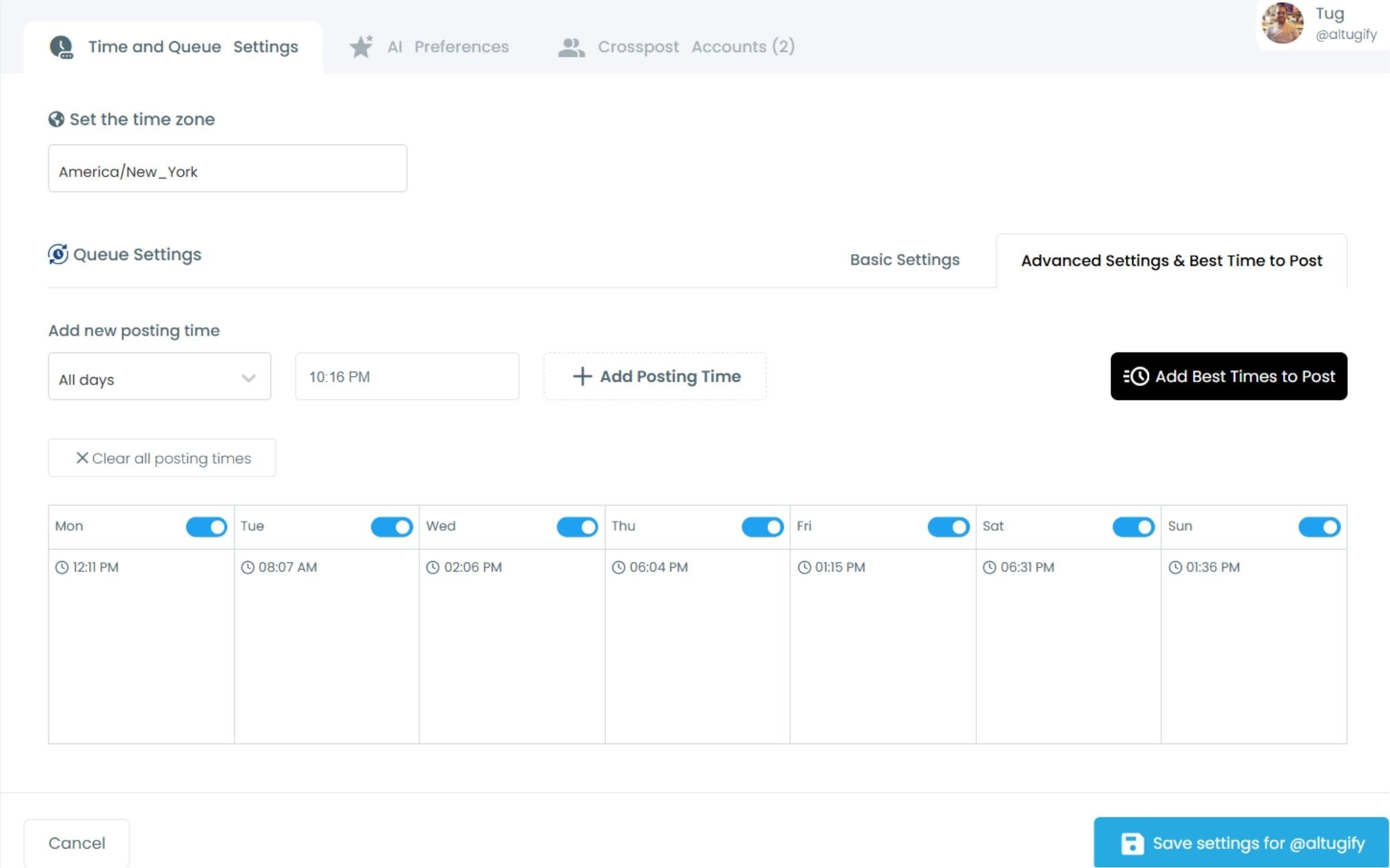
Last but not least, cross post is another feature on X Post Planner that expands your reach and gain new audience for your tweets.
You can share your X posts on LinkedIn, Facebook, Bluesky, Threads, and even Instagram.
Frequently Asked Questions (FAQs)
Do you want to have a new, cleaner appearance on Twitter? If so, maybe you should consider deleting your tweets, deleting retweets, or removing your old Twitter likes!