

Twitter polls are a great way to engage with your audience, collect opinions, and start conversations. But sometimes you create a poll and the number of votes stays surprisingly low.
In most cases, the problem is not the poll itself. The real issue is visibility. If your followers do not see your poll, they simply cannot vote on it.
On Twitter (X), early engagement is extremely important. If a tweet does not receive interaction in the first few minutes, the platform is less likely to keep showing it to more people.
This is why some polls end up getting very little attention.
There are two simple ways to increase your Twitter poll votes:
- Post your poll when your followers are online.
- Boost its visibility with retweets.
Both of these can be easily done with Circleboom Twitter.
Post Your Poll When Your Followers Are Online
The first and most important factor is timing.
If you publish your poll when most of your followers are offline, it may receive very little engagement at the beginning. When that happens, Twitter may stop promoting the tweet widely.
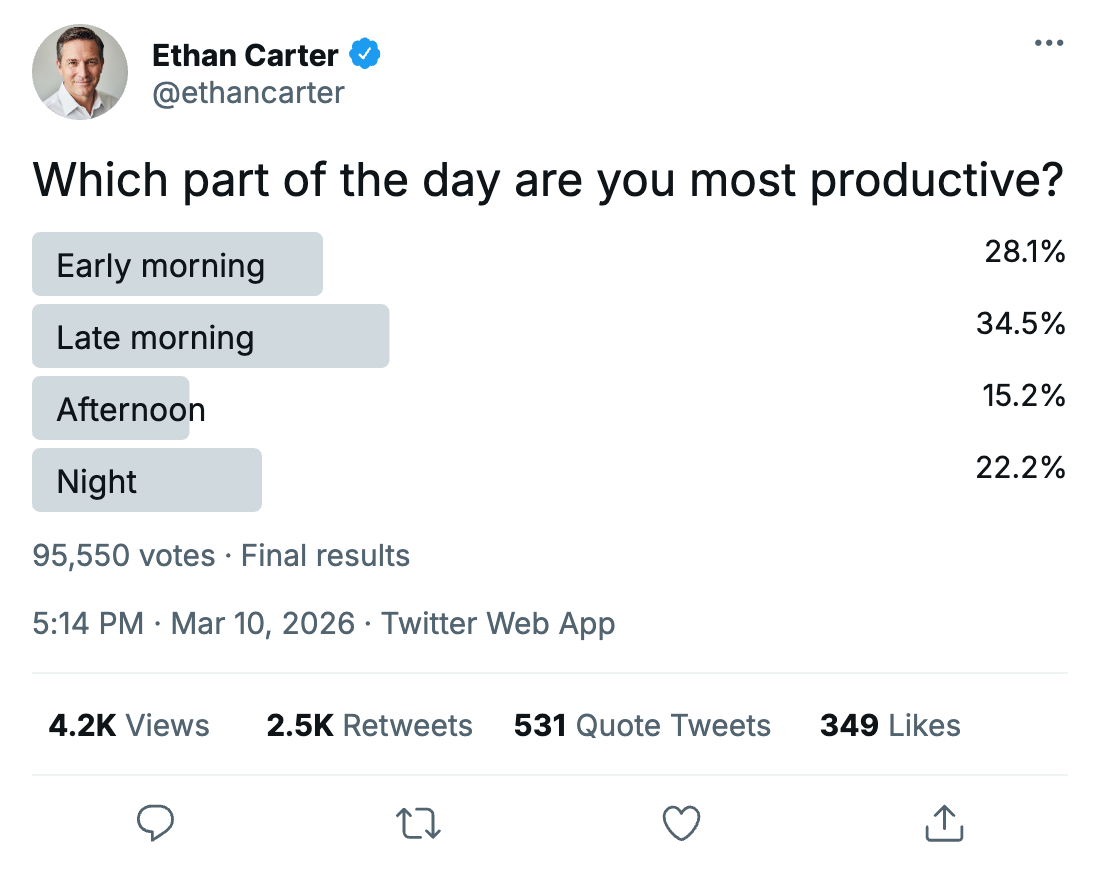
Many creators notice that if a tweet does not receive engagement in the first 10–15 minutes, it quickly becomes almost invisible. The tweet stays on your profile, but it rarely reaches more people.
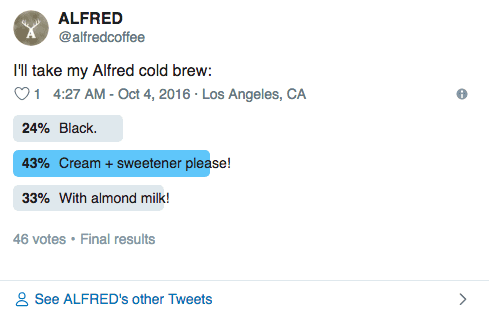
That is why posting your poll when your followers are actually online can make a huge difference.
Instead of guessing the right time, you can use Circleboom Twitter to find it.

Circleboom Twitter is an official X Enterprise Developer, and it analyzes your followers’ activity. It studies when your followers:
- post tweets
- reply to tweets
- like or retweet posts
- actively engage on the platform
Keep in mind that the API provides a more accurate real-time data stream than the X interface itself. While the platform UI may experience lag, the API captures and reflects new developments instantaneously.
Based on this data, Circleboom shows you the best times to post, which are the hours when your audience is most active.
When you schedule your poll at one of these times, more followers will see it immediately, which increases the chances of getting early engagement and more votes.
Keep Your Poll Alive with Auto Retweets
The second method to increase Twitter poll votes is retweeting your poll.
Retweets increase impressions because they push the tweet back into timelines. When a tweet gets retweeted, it has another chance to appear in front of followers and attract new engagement.
This is especially useful for polls because each new impression means another opportunity for someone to vote.
With Circleboom Twitter, you can automate this process.

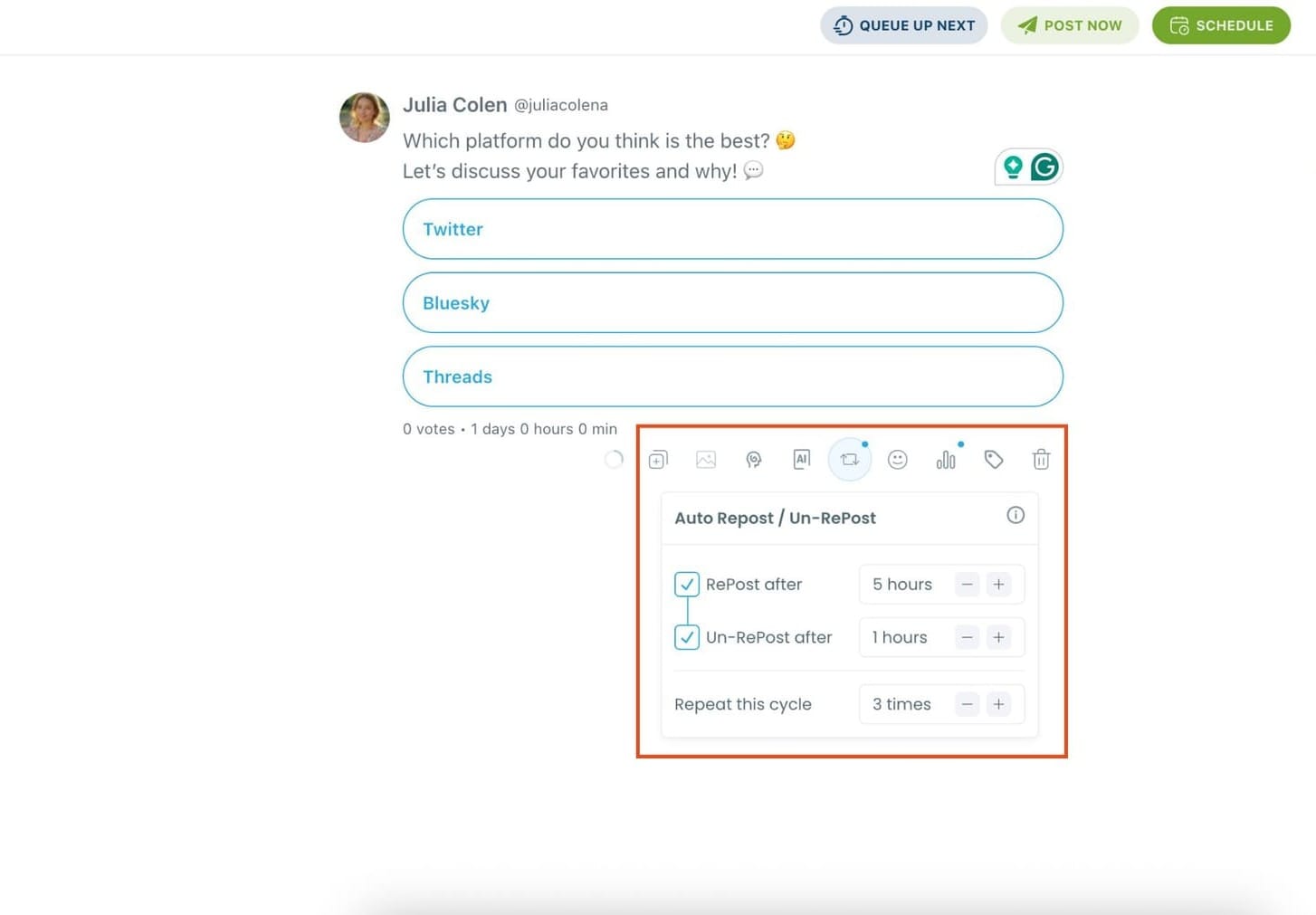
When you schedule a poll, Circleboom allows you to set auto retweets. This feature can automatically repost your tweet after a certain period.
Circleboom Twitter allows you to:
- Repost the tweet automatically
- Unrepost it after a specific time
- Repeat the repost cycle
This helps keep your poll visible longer instead of relying only on the first publishing moment.
By combining smart timing and automatic retweets, your poll has a much better chance of reaching more people.
In many cases, these two simple improvements can significantly increase poll votes, sometimes even multiplying them several times because the poll reaches more followers.
How to Increase Twitter Poll Votes with Circleboom Twitter
Here is how you can do it step by step.
Step #1: Log in to Circleboom Twitter.
As an official Twitter partner, Circleboom is safe and compliant with all platform policies.

Step #2: From the left-hand menu, click on X Post Planner to open the new publishing dashboard.

This section gives you access to advanced scheduling, poll creation, AI tools, and more.
Step #3: On this new dashboard, you'll see many features like Tweet design tools, Twitter thread maker, AI Tweet Generator, etc. as buttons.
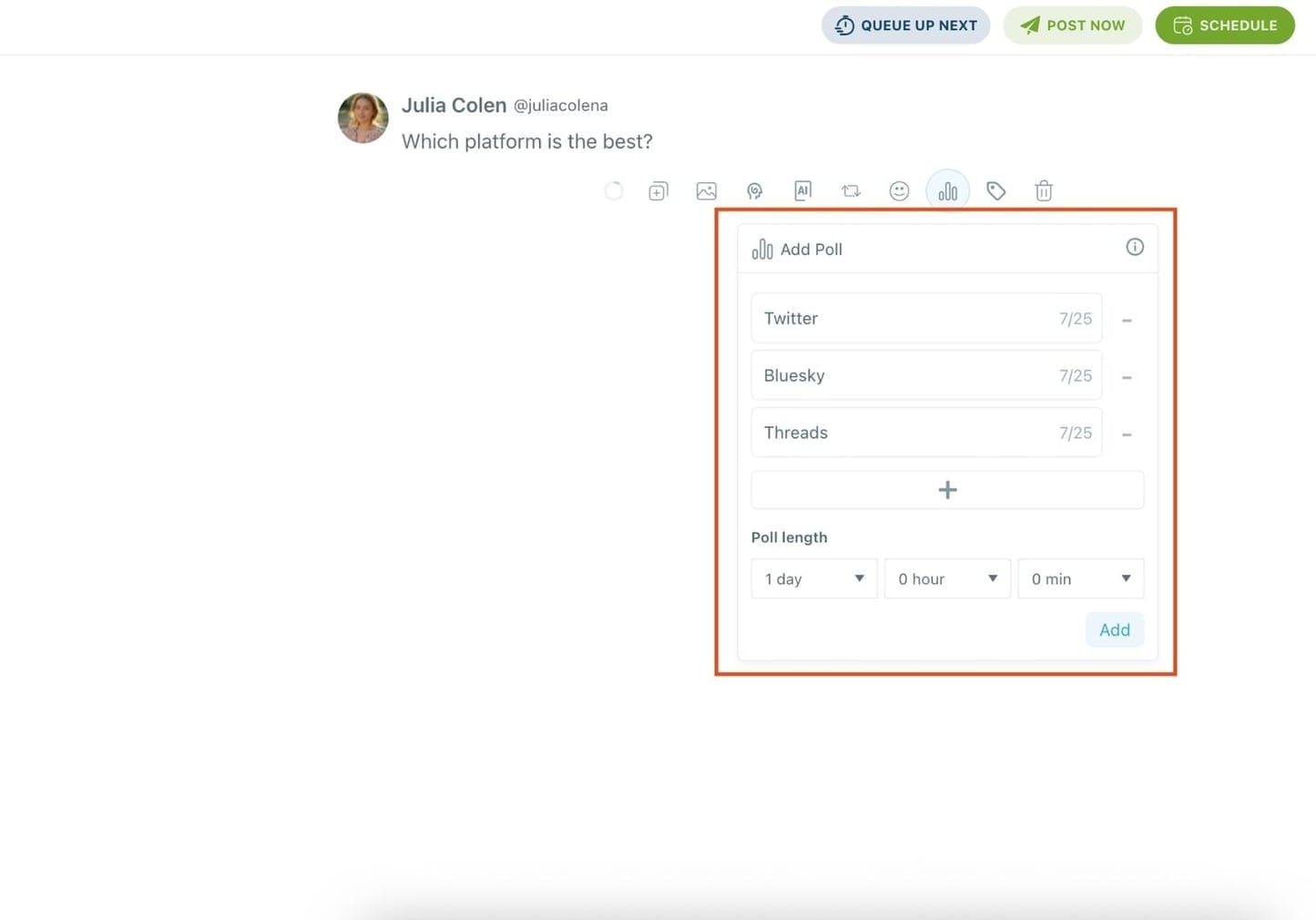
"Add poll" is one of these buttons. So type in your question and click on that button.

Step #4: After asking your question, all you need to do is craft your poll like you would natively on Twitter.
Enter your different answer options (up to 4 answers), and set how long the poll will stay active (up to 7 days).
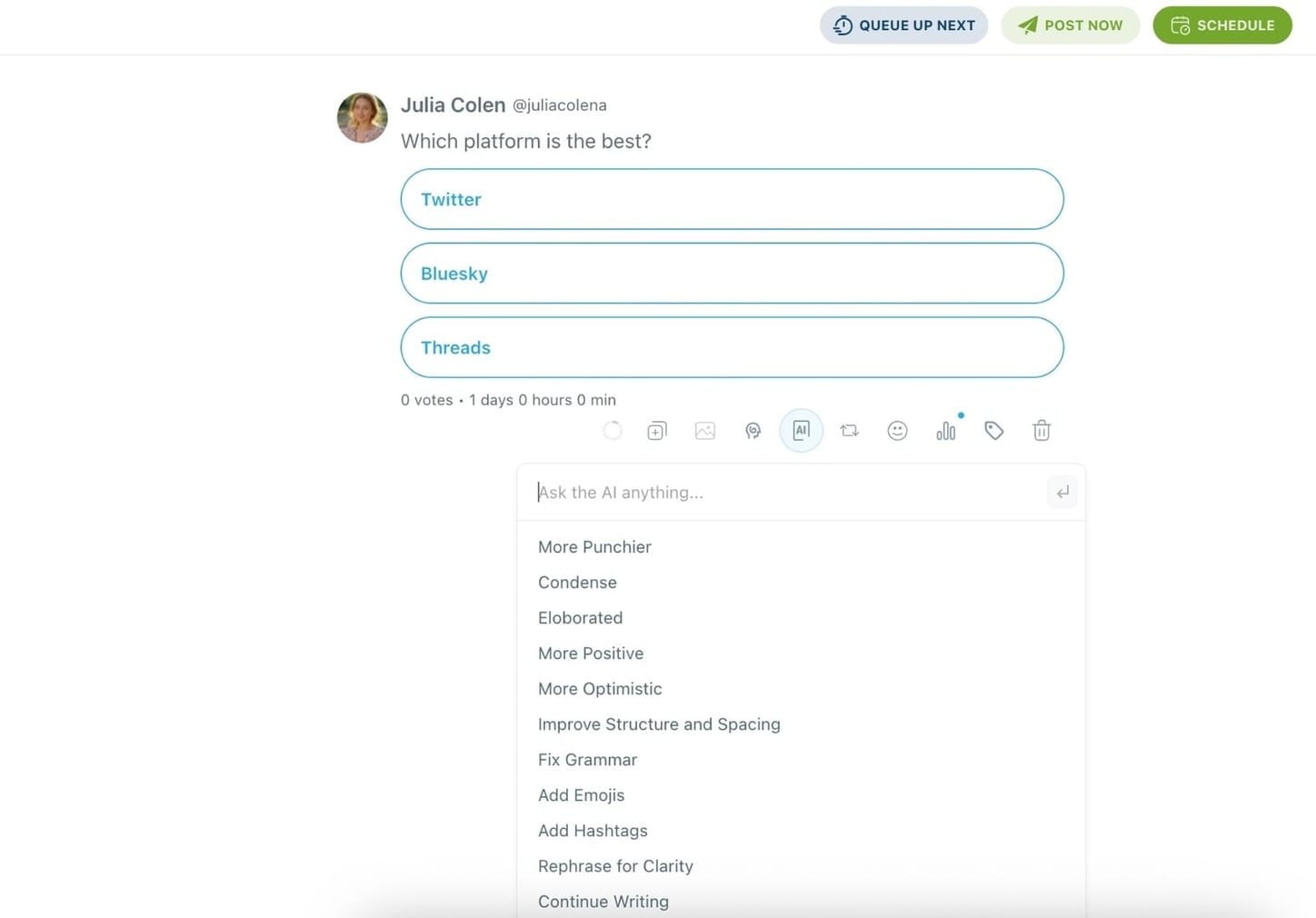
You can also turn your Twitter poll into a thread or use Circleboom's built-in AI to enhance your text, by rewriting, shortening, or adding relevant hashtags.
🌀 Bonus: You can even set your poll to auto-retweet after posting using Circleboom’s Auto Repost feature, boosting its reach automatically!
Step #5: Once your poll is ready, you can post it immediately or schedule it for later, a feature not available on X itself.
Pick a specific time manually or use your best time to post based on Circleboom's smart suggestions.
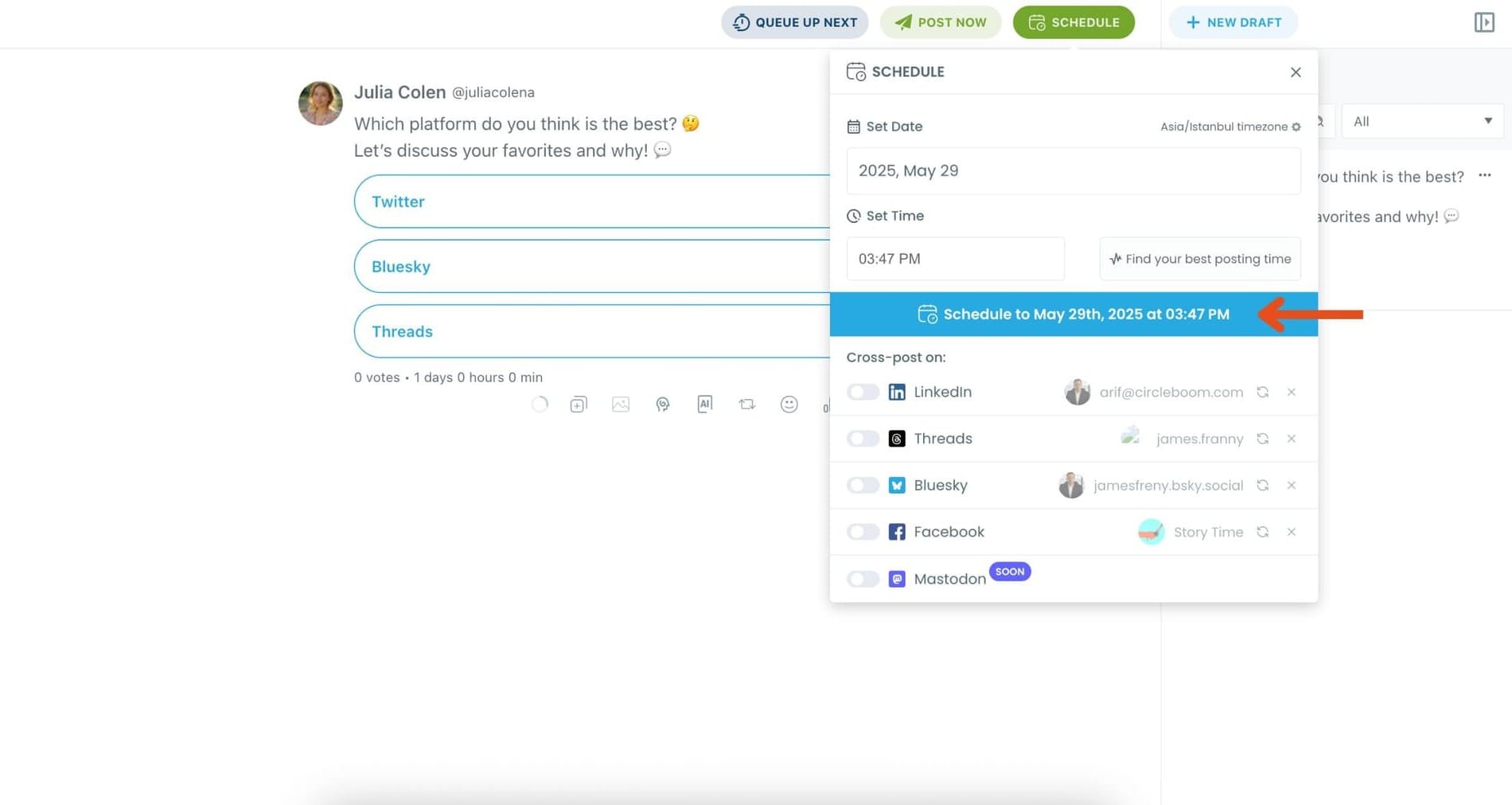
Once it’s scheduled, Circleboom will automatically publish the poll at the optimal time.
Final Thoughts
If your followers do not see your poll, they cannot vote on it.
The easiest way to increase Twitter poll votes is to post your poll when your audience is online and keep it visible with retweets.
With Circleboom Twitter, you can do both easily. As an official X Enterprise Developer, Circleboom analyzes your followers’ activity to find the best time to post and allows you to schedule polls with automatic retweets.
With these two simple steps, your polls can reach more people and attract significantly more votes.

