

X does not give you a ranked list of your followers by their follower counts.
When you open your followers list on Twitter/X, you mostly see a simple layout: name, bio, and whether you follow them back. That’s useful for browsing, but not for analysis. There’s no way to sort followers, no columns, and no option to rank them based on their audience size.
So if you want to know which of your followers have the most followers, you can’t really do that on X itself.
✅ With Circleboom Twitter, you can display all your followers with detailed data and sort them by follower count in one click, instantly getting a ranked list without doing anything manually.
What Is Circleboom Twitter?
Circleboom Twitter is an Official X Enterprise Developer, which means it works directly with X’s official APIs and follows platform rules safely.

Instead of showing your followers as a basic list, Circleboom turns them into a detailed, structured dataset.
It displays all your followers with important account-level information such as:
- Account creation date
- Tweet count
- Follower count
- Following count
- Active or inactive status
- Fake or suspicious account signals
This gives you a much deeper understanding of your audience.
But the key part is this: once all this data is displayed, you can sort your followers by follower count with one click and instantly get a ranked list.
Keep in mind that the API provides a more accurate real-time data stream than the X interface itself. While the platform UI may experience lag, the API captures and reflects new developments instantaneously.
Circleboom has the official Enterprise API, we don't scrape data from X!

How to Sort Your Followers by Follower Count with Circleboom Twitter
Step #1: Log into Circleboom Twitter.
If you don't have a Circleboom account yet, you can create one easily!

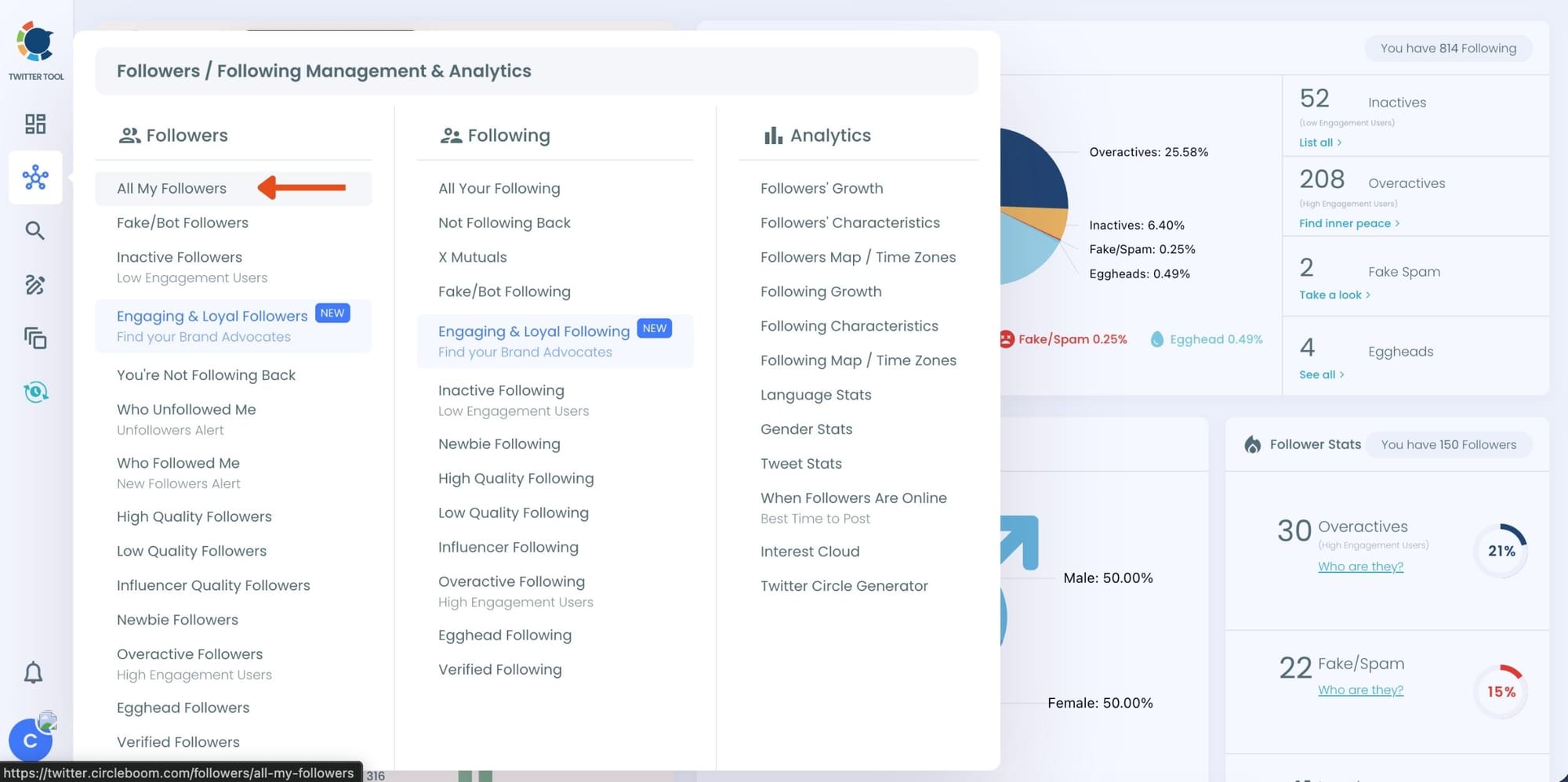
Step #2: Once you are in, go to the left menu and find the "Followers" section.
Then, you should click on "All My Followers" at the top.
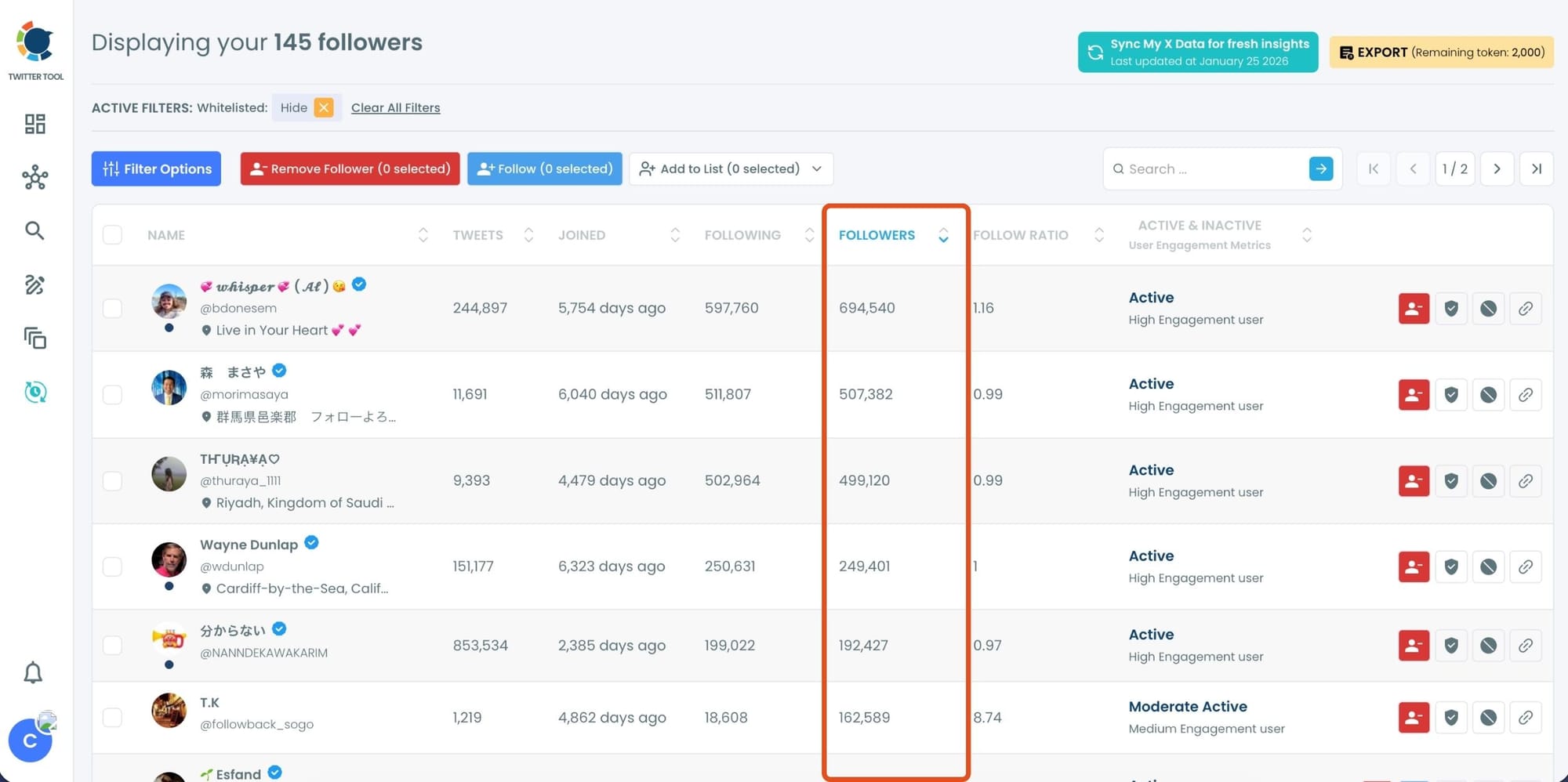
Step #3: You will see all your followers listed here. You can see their tweet numbers, join dates, follower/following numbers, and engagement status.
You can sort them by their follower number.
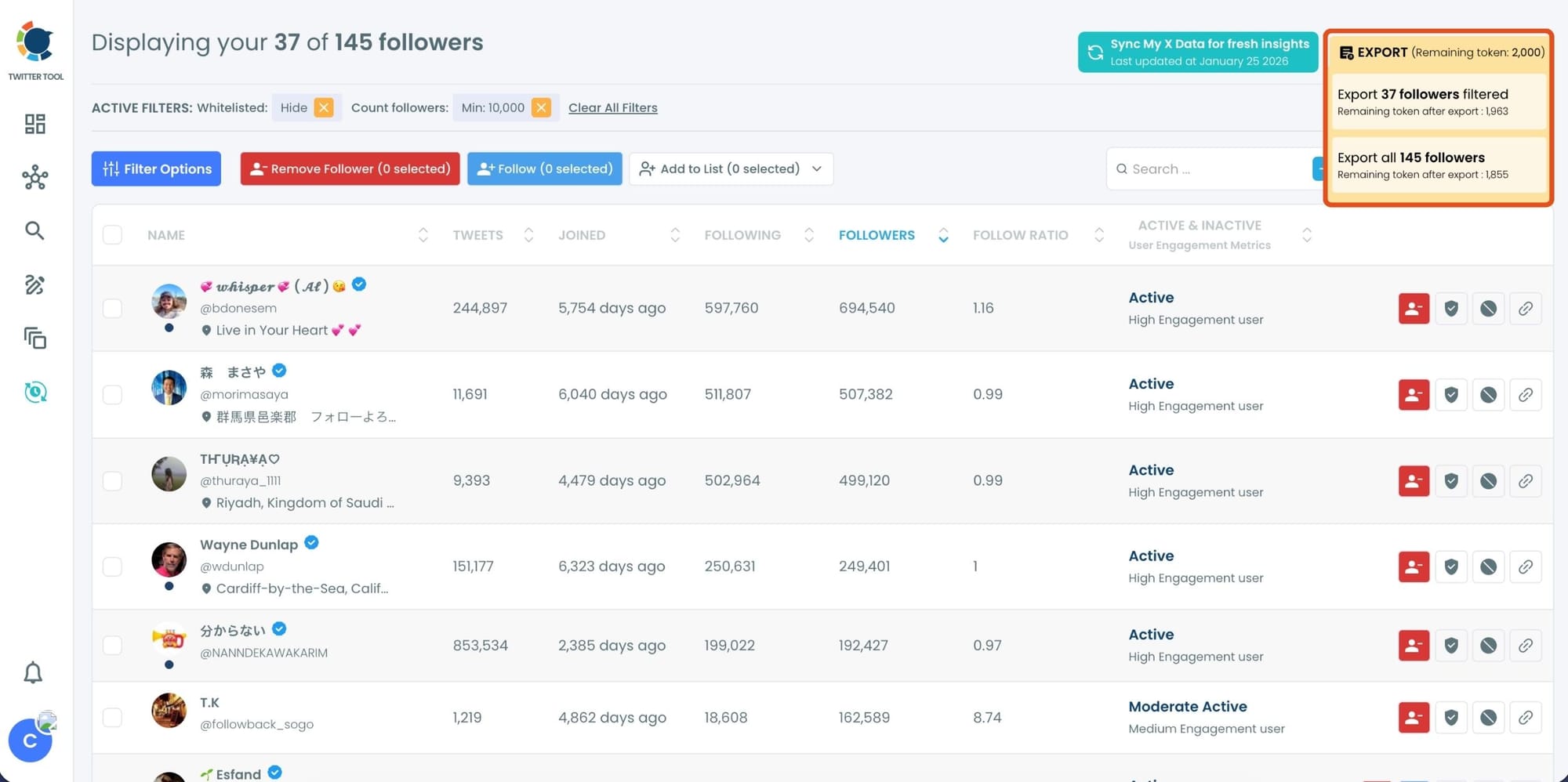
Alternatively, you can use advanced filters on Circleboom and set a minimum follower number to list your followers.
For example, I want to list my followers who have at least 10,000 followers in order.

Step 4: Circleboom will list only followers with at least 10,000 followers, which means your most followed followers on Twitter.
You can check and export your most followed followers to Excel with Circleboom.
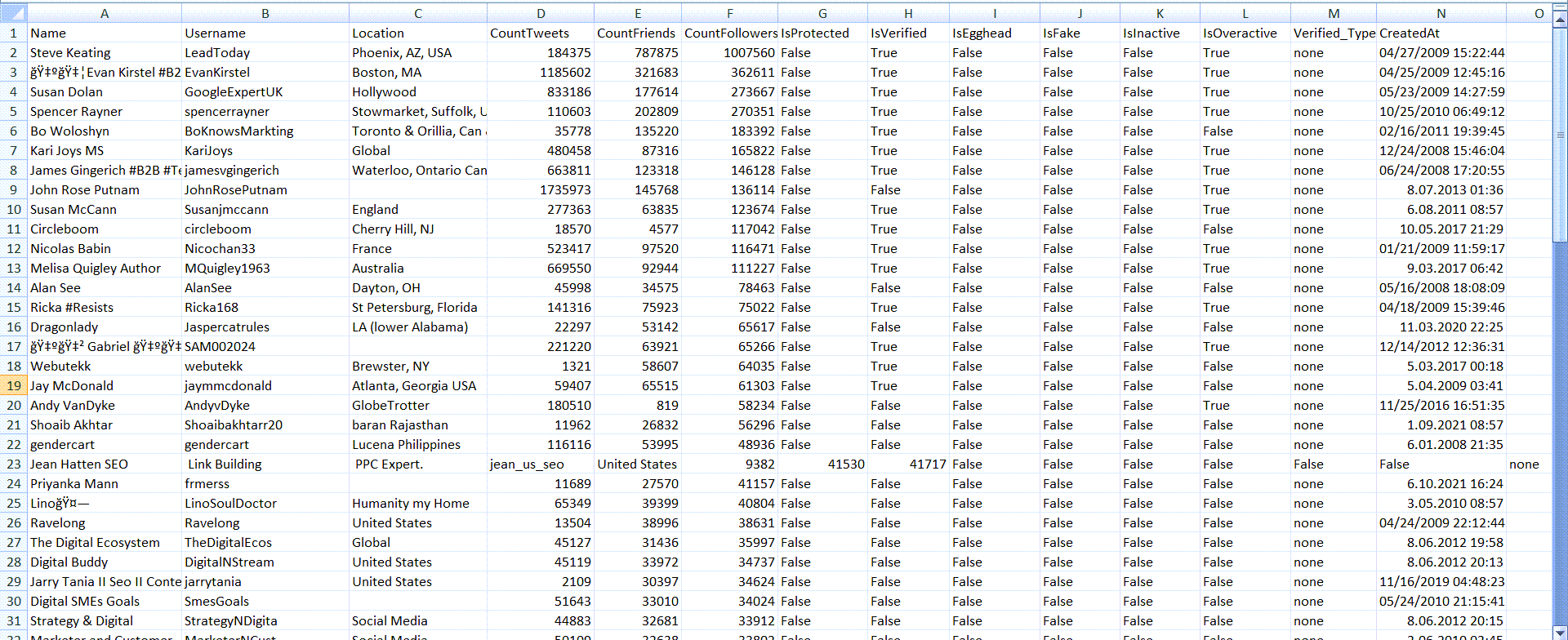
Step #5: My file is sent to my email.
Here is the exported information of my most followed followers on Twitter!
You will find their
- IDs,
- locations,
- follower/friend/list numbers,
- join dates,
- verification dates, etc.
What You Can See in Circleboom’s Follower List
Circleboom gives you much more than just names.
Instead of a simple list, you get a full table of your followers with meaningful data attached to each account.
You can clearly see who has a large audience, which followers are active or inactive, and which accounts look fake or low quality.
You can also understand when they joined X, how often they tweet, and how their follower-to-following ratio looks.
 Arif Akdogan
This makes the ranking far more useful, because you’re not just seeing numbers, you’re seeing context.
Why Ranking Followers by Their Follower Count Is Useful
Not all followers are equal.
Some followers have large audiences and strong reach. Others may have very little activity or influence.
By ranking your followers based on their follower counts, you can quickly identify:
- Influential followers in your audience
- Accounts with strong reach
- People worth engaging with
- Potential collaborators or amplifiers
This helps you focus your attention on the followers who can actually make a difference.
What You Can Do After Getting the Ranked List
Getting the ranked list is just the first step.
With Circleboom Twitter, you can also take action directly on these followers.
You can follow them back, unfollow accounts, remove followers, or block them if needed. You can also export the list and use it outside the platform for further analysis or reporting.
So instead of just seeing your followers, you can actually manage and optimize your audience.
Conclusion
So, how do you get a ranked list of your Twitter followers by their follower counts?
X does not provide this feature natively.
But with Circleboom Twitter, you can view your followers as a detailed dataset, sort them by follower number, and instantly create a ranked list.
On top of that, you can take action on those followers or export the data for deeper analysis.
Instead of guessing who your most valuable followers are, you can see it clearly and act on it.

